AutoCAD Workstation Guide · 2026
Best PC for AutoCAD in SA. — Single-thread wins. RAM matters. Real ZAR.
Autodesk has spent a decade telling everyone they need a certified Quadro and 256GB of RAM. In 2026, that's still mostly marketing. The real answer is simpler — and considerably cheaper than the workstation vendors suggest.
- thread dominates
- Single
- ram sweet spot
- 32-64GB
- 3 build tiers
- R30-85k
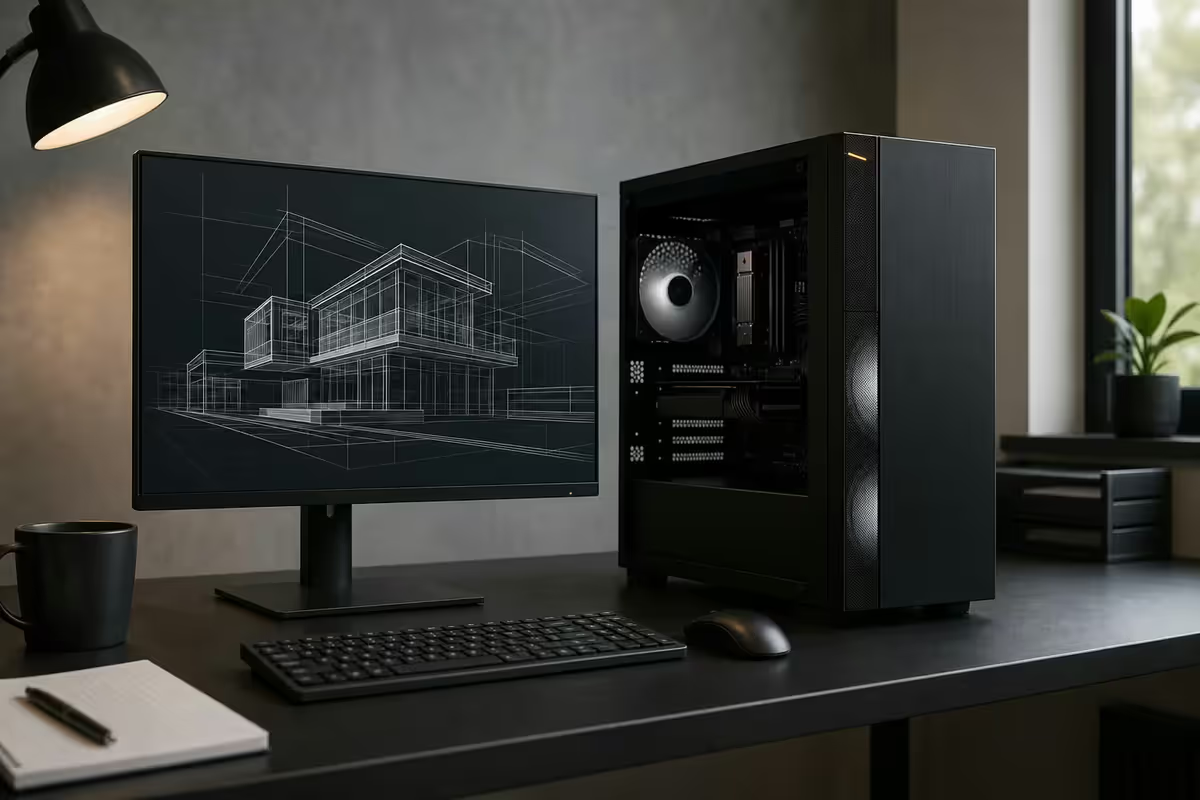
What actually matters for AutoCAD performance
Autodesk's official "recommended" hardware page reads like a wishlist designed to upsell. In real-world AutoCAD use, four things move the needle, in order: single-thread CPU performance, RAM capacity, fast storage, monitor real-estate. GPU matters far less than the workstation industry would like you to believe — unless you're doing heavy 3D modelling or working in BIM with rendered viewports.
| Bottleneck | What hits it | Best spend |
|---|---|---|
| Modify, dimension, regen | Single-thread CPU | Higher boost clock CPU |
| Open large drawings, xrefs | RAM capacity | 32GB → 64GB |
| Save / project file IO | NVMe Gen4 SSD | 1TB 990 Pro / SN850X |
| Pan/zoom large drawings | GPU (light) | RTX 5060 / 5070 |
| 3D model rotation, shading | GPU (medium) | RTX 5070 / 5080 |
| Render with V-Ray / 3ds Max | GPU + cores | RTX 5080 + 16-core CPU |
| Plot / batch publish | CPU all-core + IO | Multi-core matters here |
CPU — single-thread still rules AutoCAD
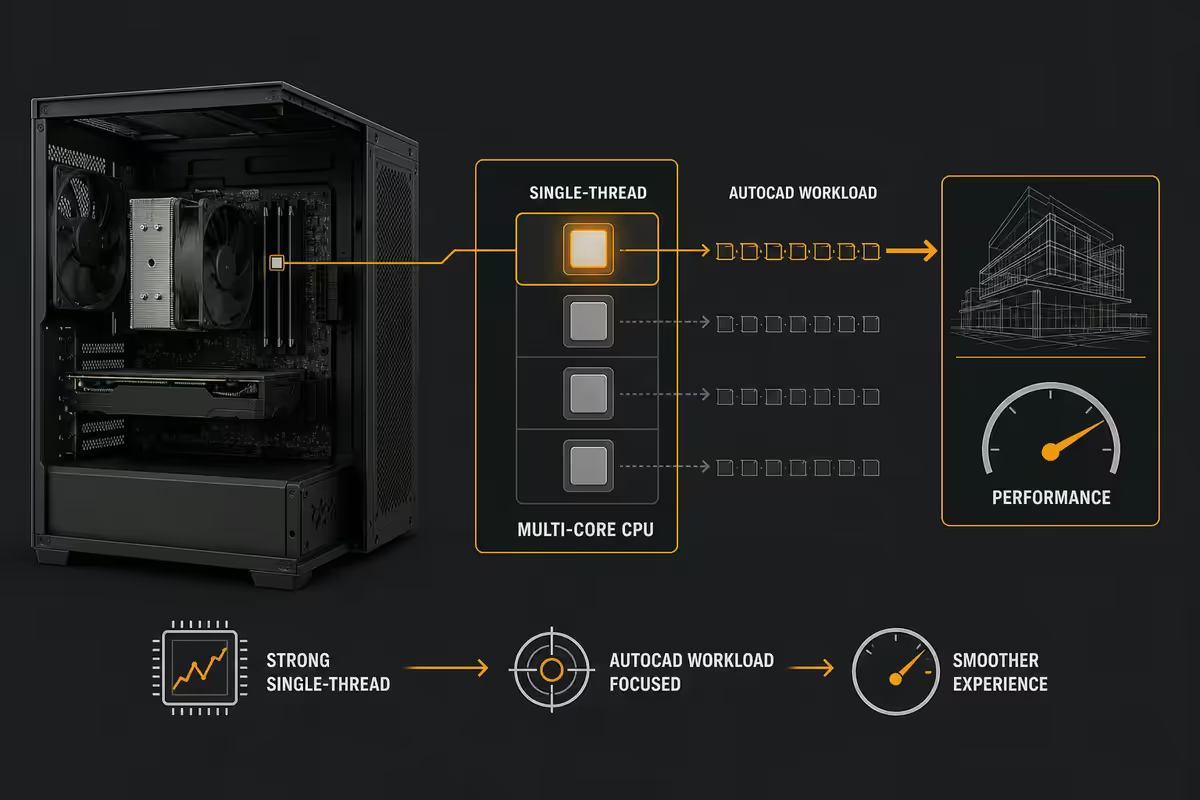
AutoCAD's core drafting engine is fundamentally single-threaded. The modify operations, dimension recalculation, regen, and even most LISP routines hit one core hard while the rest of the chip sits idle. Throwing more cores at AutoCAD does very little for daily drafting — what matters is how fast a single core can run.
This is why a Ryzen 7 9700X (5.5GHz boost, 8 cores) often outperforms a Ryzen 9 7950X (5.7GHz boost, 16 cores) in pure AutoCAD benchmarks even though the 7950X costs much more — they tie on single-thread but the extra cores sit idle in CAD.
Where multi-core does help: batch plot, batch render, multi-document scripting, and AutoCAD running alongside 3ds Max or V-Ray. If your workflow is just AutoCAD all day, save the money on cores.
| Tier | CPU pick | SA price |
|---|---|---|
| Entry — 2D AutoCAD | Ryzen 5 7600 / Core i5-14400 | R3,800 — R4,500 |
| Mid — 2D + light 3D | Ryzen 7 9700X / Core Ultra 7 265K | R6,800 — R8,200 |
| Pro — 3D modelling | Ryzen 9 9950X / Core Ultra 9 285K | R10,500 — R13,500 |
| Render + CAD parallel | Threadripper 7960X (24-core) | R32,000+ |
RAM — the cheapest performance you can buy
Large drawings — especially those with embedded images, multiple xrefs, hatch patterns and 3D solids — eat RAM. A 200MB DWG with referenced site plans, embedded PDF underlays and four xref drawings can easily occupy 8-12GB of RAM by itself. Add Outlook, multiple Chrome windows, Bluebeam, and a Teams call alongside, and 16GB is gone before you start working.
Sizing in 2026:
- 32GB — minimum for daily AutoCAD work. Handles single drawings, 2-3 xrefs, light multitasking.
- 64GB — the sweet spot for serious work. Multiple large drawings open, Civil 3D surface models, Revit cross-reference, AutoCAD + 3ds Max in tandem.
- 128GB — for power users doing simulation, FEA, heavy 3D modelling with rendered viewports.
Spec to buy: DDR5-6000 CL30 dual-channel (2 sticks) for AM5 / DDR5-6400 for LGA1851. ECC RAM is not needed for AutoCAD (it matters for simulation and CAE, not CAD). Use a high-quality kit (Corsair Vengeance, G.Skill Trident Z5, Kingston Fury Beast).
GPU — certified vs gaming, the honest answer
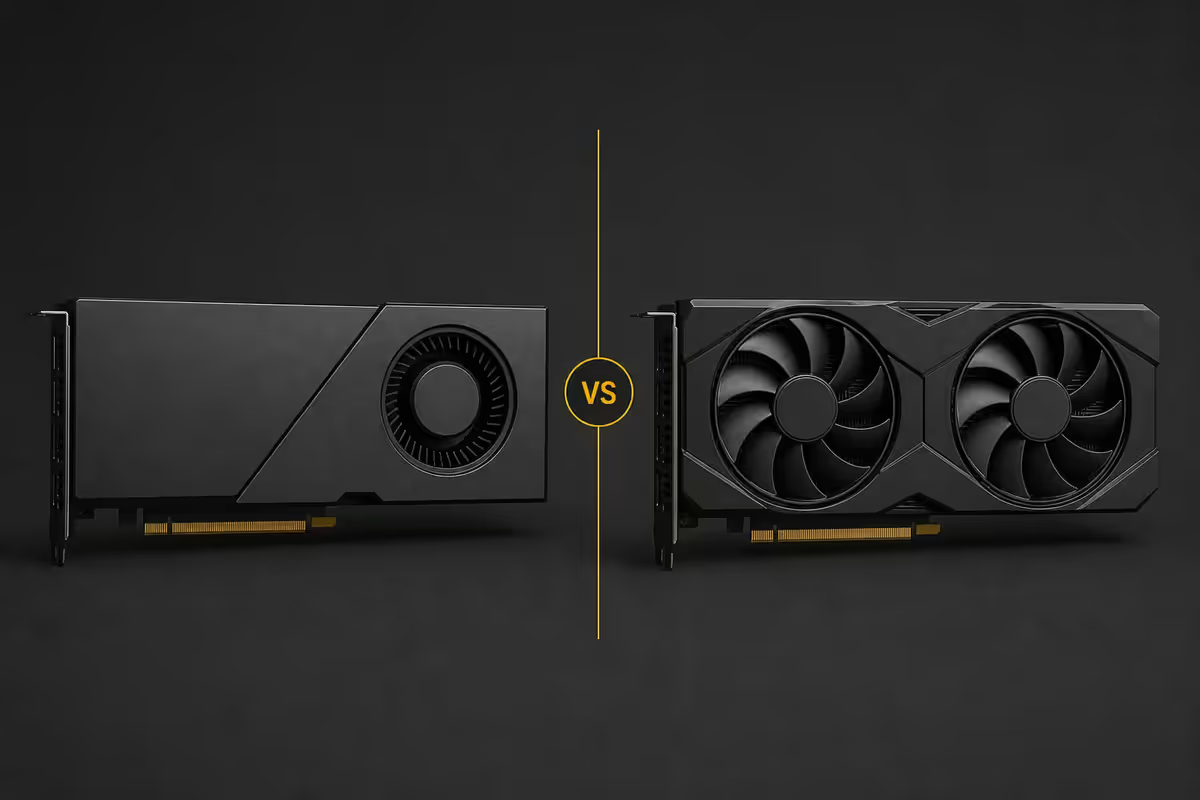
The certified workstation GPU market (NVIDIA RTX A-series, formerly Quadro) exists for a real reason: vendor-driver alignment with high-end CAD/CAE software, deterministic frame timing in professional rendering, vendor uptime SLAs, and explicit certification statements that satisfy enterprise procurement.
But for solo architects, small engineering firms, and most AutoCAD users in SA — a gaming RTX card outperforms an equivalent-priced workstation card in AutoCAD viewport pan/zoom. The drivers are tuned for games, but AutoCAD's OpenGL viewport doesn't punish gaming drivers.
| GPU | SA price | Right for |
|---|---|---|
| RTX 4060 (8GB) | R7,500 — R8,500 | Entry 2D AutoCAD |
| RTX 5060 (8GB) | R8,500 — R10,000 | 2D + light 3D |
| RTX 5070 (12GB) | R13,000 — R15,000 | 3D modelling, dual-4K driving |
| RTX 5080 (16GB) | R22,000 — R26,000 | 3D + V-Ray, large assemblies |
| RTX A2000 (12GB) certified | R14,000 — R17,000 | Compliance-driven roles only |
| RTX A4000 (16GB) certified | R24,000 — R29,000 | BIM, large 3D, certified-only environments |
Monitor — 27-inch 4K is the AutoCAD answer
A 27-inch 4K (3840×2160) monitor at 150% Windows scaling gives you AutoCAD's ribbon, palettes and command line at their designed sizes while exposing roughly 33% more real drawing area than 27-inch 1440p at 100% scaling. The drafting detail (line weights, dimension text, hatch patterns) is noticeably sharper. This is the workstation industry's quiet consensus pick.
Why not 32-inch 4K: at 100% scaling the text is uncomfortably small; at 125% it's awkward and AutoCAD's palette docking gets messy. 32-inch is for content consumption, not drafting precision.
Dual monitors: a 27-inch 4K primary plus a 24-inch 1440p secondary lets you put the drawing on one and Properties / Tool Palette / Plotting on the other. A second identical 4K is the upgrade after that.
KVM consideration: if you switch between a workstation PC and a laptop, a KVM switch (Aten CS22DP, Level1Techs KVM) lets both share your monitors, keyboard and mouse. R3,500-R6,000 in SA. Massive quality-of-life upgrade.
Storage — tiered, not just big
AutoCAD save and project-open times are heavily storage-bound. A big drawing on a SATA SSD takes 4-6 seconds to open; on a Gen4 NVMe, 1-2 seconds. Multiply that by 80 file opens a day.
Tier your drives:
- Drive 1 — 1TB Gen4 NVMe (Samsung 990 Pro, WD SN850X, Crucial T705): boot, AutoCAD install, active project files. Fastest IO where it matters.
- Drive 2 — 2TB SATA SSD or Gen3 NVMe (Samsung 870 EVO, Crucial MX500, WD SN570): archived projects, reference libraries, plot output. Cheap per GB.
- Drive 3 — 4-8TB HDD (WD Red, Seagate IronWolf): cold backups only. Pair with a NAS or external for offsite.
PSU and chassis pick is conventional — 750W 80+ Gold for mid-tier builds, 850-1000W for builds with RTX 5080+ cards. The chassis matters less than the cooling — a Fractal Design Define R5 / Define 7 or a Lian Li O11 Dynamic provides workstation-grade airflow and noise control.
Three real SA build tiers
These are actual Evetech Centurion custom builds — real prices, real stock, real warranty. Each represents the price/performance sweet spot for its workload.
| Component | Spec |
|---|---|
| CPU | Ryzen 5 7600 (6c/12t) |
| Motherboard | B650M AM5 |
| RAM | 32GB DDR5-6000 CL30 (2x16) |
| GPU | RTX 4060 8GB |
| Storage | 1TB NVMe Gen4 + 2TB SATA SSD |
| PSU | 750W 80+ Gold |
| Cooler | Arctic Liquid Freezer III 240 |
| Monitor | 27" 1440p IPS (or 4K basic) |
| Workload fit | 2D AutoCAD, light 3D, single user |
| Component | Spec |
|---|---|
| CPU | Ryzen 7 9700X / Core Ultra 7 265K |
| Motherboard | X670E / Z890 |
| RAM | 64GB DDR5-6000 CL30 (2x32) |
| GPU | RTX 5070 12GB |
| Storage | 1TB Samsung 990 Pro + 4TB Crucial T500 |
| PSU | 850W 80+ Gold |
| Cooler | Arctic Liquid Freezer III 360 |
| Monitor | Dual 27" 4K + KVM |
| Workload fit | Civil 3D, AutoCAD 3D, BIM 360 light |
| Component | Spec |
|---|---|
| CPU | Ryzen 9 9950X / Core Ultra 9 285K |
| Motherboard | X870E / Z890 high-end |
| RAM | 128GB DDR5-5600 CL36 (4x32) |
| GPU | RTX 5080 16GB or RTX A4000 16GB certified |
| Storage | 2TB 990 Pro + 4TB SN850X + 8TB HDD |
| PSU | 1000W 80+ Platinum |
| Cooler | Arctic Liquid Freezer III 420 + 6 fans |
| Monitor | Dual 27" 4K IPS + colour-accurate |
| Workload fit | 3ds Max, V-Ray, Civil 3D, Revit-heavy |
MacBook for AutoCAD — when it works, when it doesn't
AutoCAD has been native on Apple Silicon since 2023, and the M3 Pro / M4 Max MacBook Pro 14 runs 2D drafting fluidly. For solo architects who already live in Apple's world, a MacBook + Parallels Desktop on the rare Windows-only plugin day is a real option.
Works well on Mac:
- AutoCAD for Mac (native) — 2D drafting, blocks, basic 3D
- Autodesk Sketchbook, Vectorworks (often better than CAD on Mac)
- Light Revit via Parallels for the odd Windows-only file
Doesn't work on Mac (or works badly):
- Civil 3D — Windows-only, no Mac roadmap
- 3ds Max — Windows-only
- Inventor — Windows-only
- Many third-party LISP routines and custom plugins (typically Windows-coded)
- BIM-360 / BIM Collaborate Pro — feature gaps vs Windows
Practical rule: solo architect on pure AutoCAD or Vectorworks → MacBook is fine. Engineering or civil firm with Civil 3D, Inventor or 3ds Max → Windows workstation, full stop.
Across the CAD workstations we've spec'd and shipped to architecture practices, civil consulting firms, and engineering studios across SA, the most common over-spec is on cores and the most common under-spec is on RAM. Customers come to us asking for "the Threadripper one" and leave with a Ryzen 7 9700X + 64GB build that's faster in AutoCAD and R20,000 cheaper. Single-thread CPU dominance is real; we'll show you the benchmark before you commit.
Behind the Build · From our workstation desk
Key takeaways
- Single-thread CPU still dominates AutoCAD in 2026. Ryzen 7 9700X often beats Threadripper in pure CAD.
- 32GB RAM minimum, 64GB sweet spot for serious work, 128GB for power users. RAM is the cheapest performance you can buy.
- Gaming RTX 5060/5070 beats equivalent-priced certified workstation cards for solo practitioners. Certified only if compliance demands it.
- 27-inch 4K is the drafting sweet spot. Dual 27-inch 4K with a KVM is the working professional's setup.
- R30k entry 2D, R50k mixed mid, R85k 3D-pro. Honest SA pricing for actual working builds — not vendor-list workstations.
Frequently asked questions
What's the best CPU for AutoCAD in 2026?
Highest single-thread boost clock at your budget. Ryzen 7 9700X or Intel Core Ultra 7 265K mid-range; Ryzen 9 9950X or Core Ultra 9 285K high-end. Threadripper is overkill unless you render alongside.How much RAM do I need for AutoCAD?
32GB minimum, 64GB for big assemblies + Revit cross-linking + Civil 3D, 128GB for power users with 3ds Max in parallel.Do I need a certified workstation GPU?
Only if compliance or vendor SLA demands it. For most solo practitioners, RTX 5060/5070 outperforms equivalent-priced certified cards.What monitor is best for AutoCAD?
27-inch 4K at 150% scaling is the sweet spot. Dual 27" 4K with a KVM is the working pro's setup. Avoid 32" 4K (text too small at 100%).What's the minimum PC spec for AutoCAD in SA?
Ryzen 5 7600 / Core i5-14400, 32GB DDR5, RTX 4060 8GB, 1TB NVMe, 27" 1440p — around R26,000-R30,000 custom-built.Can I use a MacBook for AutoCAD?
Yes — M3 Pro / M4 Max runs native AutoCAD for Mac fluidly. Doesn't work for Civil 3D, 3ds Max, Inventor, BIM-360 — those are Windows-only.What storage do I need?
1TB Gen4 NVMe for boot + active projects. 2-4TB SATA SSD or Gen3 NVMe for archives. HDD for cold backups only.How much does a real AutoCAD workstation cost in SA in 2026?
R28k-R32k entry 2D, R48k-R55k mid 2D/3D, R80k-R95k pro 3D + Civil 3D. Real Evetech custom-build prices.
Get the Evetech app
Exclusive app-only prices, daily flash sales, and free delivery on orders over R4,000 — download the app and start saving.