Solidworks Workstation Guide
Best PC for Solidworks. — Certified graphics is the discipline.
Solidworks is the most single-thread-dependent app most engineers use. The Parasolid kernel still solves geometry on one core. Here's the build map that respects that — and the SA-priced parts list that wins.
- kernel solver
- Single-thread
- assembly RAM
- 32-64GB
- SA build range
- R30k-R85k
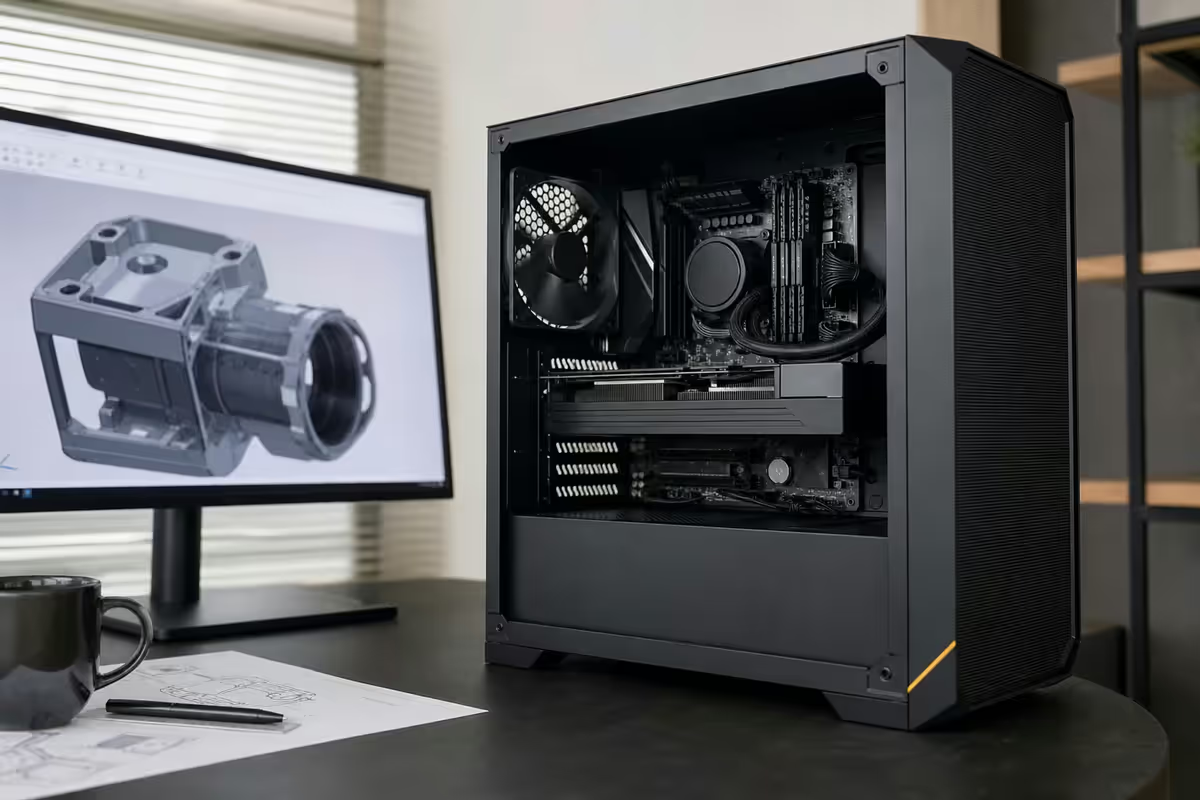
What Solidworks 2026 actually demands
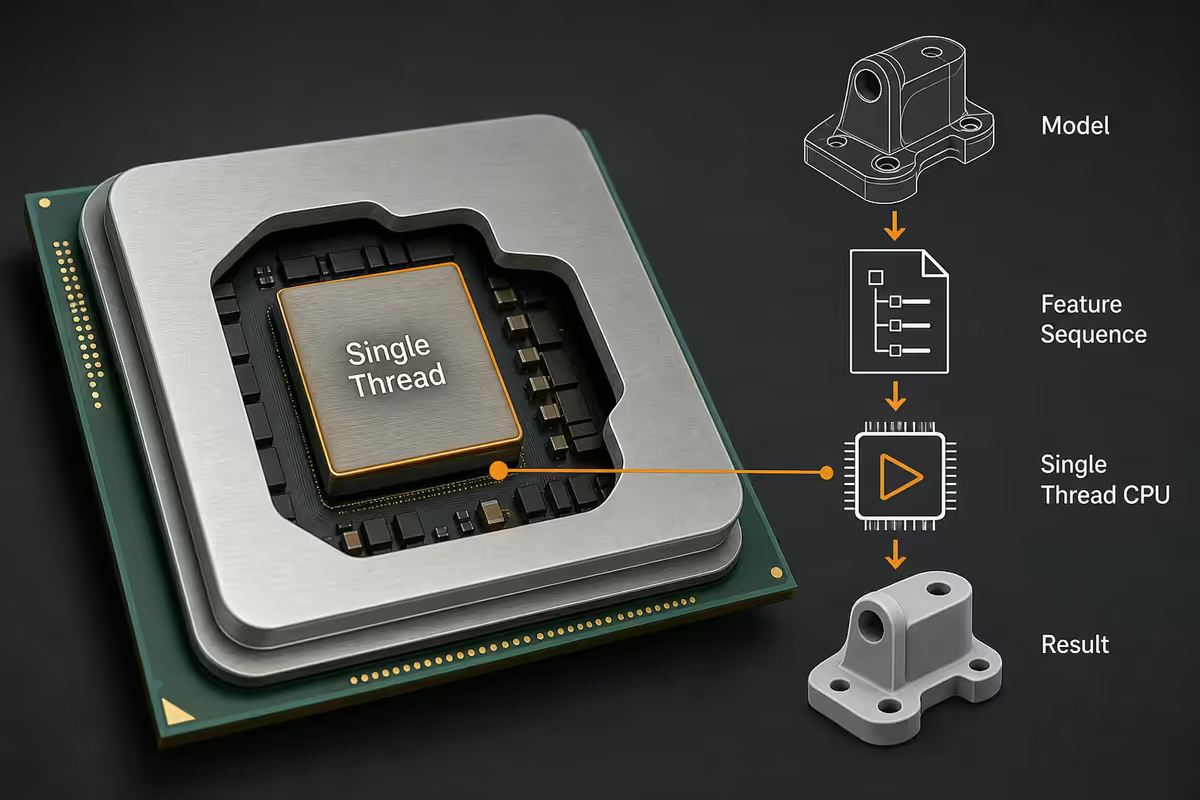
Solidworks is a parametric CAD app built on the Parasolid modelling kernel — the same kernel under Inventor, NX and SolidEdge. That kernel was architected for single-threaded geometric solving in the late 1980s. Decades of incremental work parallelised specific operations (rebuilds, simulation, rendering) but the core sketch and mate-solving still runs primarily on one thread.
The real workloads that punish a Solidworks PC in 2026:
- Large assemblies — 2,000-10,000 part assemblies test the mate solver brutally.
- Sketch and feature rebuilds — single-threaded, often the slowest "loading" you see.
- FEA Simulation — multi-threaded, scales to ~16 cores cleanly.
- Photoview / Visualize rendering — GPU-accelerated CUDA, scales with VRAM.
- Drawing generation — large multi-sheet drawings rebuild slowly on large assemblies.
CPU — single-thread is still the discipline
Two-thirds of the Solidworks user experience runs on one CPU thread. This is why a 32-core Threadripper feels no faster than an 8-core Ryzen 7 for modelling work, despite the price gap. Optimise for boost clocks and IPC, not core count.
| CPU | Best for | SA price |
|---|---|---|
| AMD Ryzen 7 9700X | Sweet spot for most engineers | R8,000-R9,500 |
| Intel Core Ultra 7 265K | Strong single-thread, balanced | R9,500-R11,000 |
| AMD Ryzen 9 9950X | Modelling + Simulation in parallel | R13,500-R15,500 |
| Intel Core Ultra 9 285K | Studio: modelling + Visualize + Sim | R15,000-R17,500 |
| AMD Threadripper 7960X | FEA simulation farms only | R45,000+ |
RAM — scale with your assembly size
Solidworks's RAM use scales with assembly complexity. There's a clean math here you can use to size the right capacity.
| Assembly size | RAM needed | Note |
|---|---|---|
| < 500 parts | 16GB DDR5 | Hobbyist / student use |
| 500 - 2,000 parts | 32GB DDR5-6000 | Most professional engineers |
| 2,000 - 5,000 parts | 48-64GB DDR5-6000 | Large product / sheet metal |
| 5,000 - 15,000 parts | 64-128GB DDR5 | Plant equipment, large machinery |
| 15,000+ parts | 128GB+ DDR5 ECC | Workstation-class only |
Pro tip on Lightweight components: if you're routinely on assemblies over 5,000 parts, learn the Lightweight and Large Assembly Mode toggles. Loading components Lightweight drops RAM use by 40-60% at the cost of disabling some sketch interactions. Most engineers leave this on by default for top-level assemblies.
GPU — certified RTX A-series vs gaming RTX
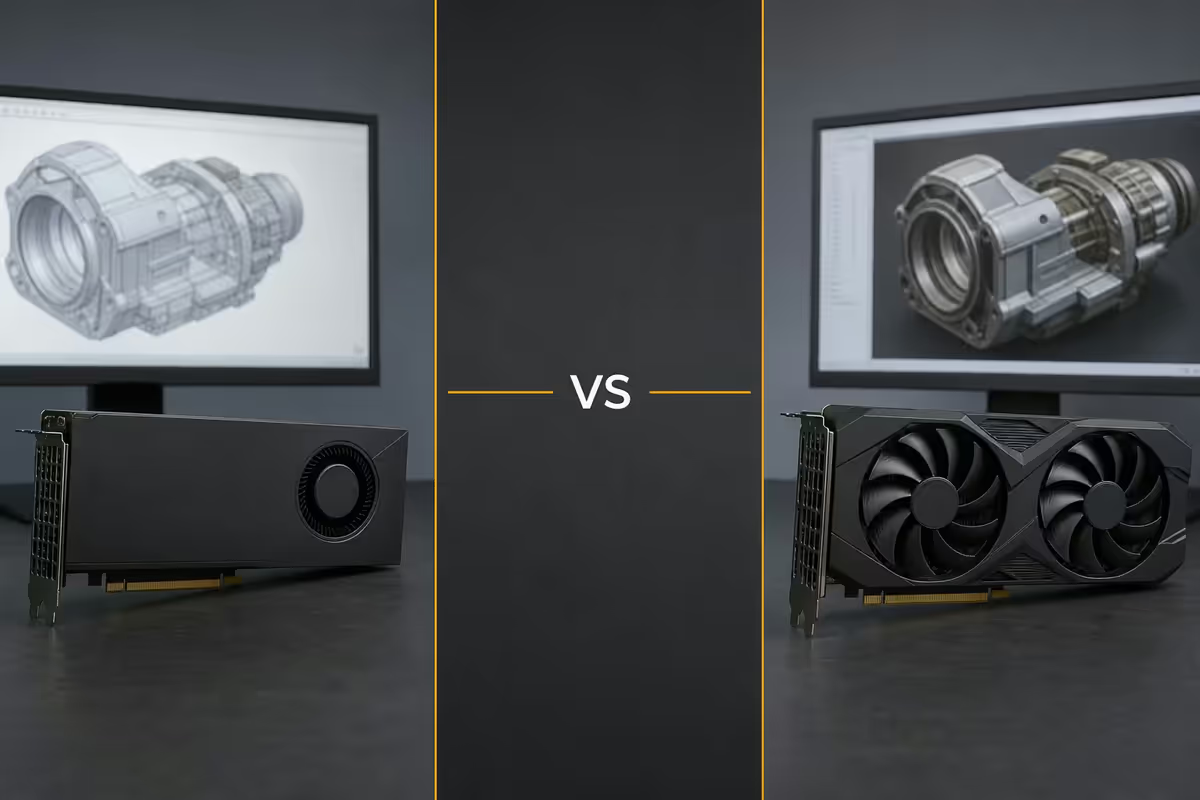
This is the spec choice that creates the most confusion in 2026. Dassault officially certifies NVIDIA RTX Pro (formerly Quadro) and AMD Radeon Pro cards. In practice, gaming RTX cards work for most users without obvious issues. The premium of certified hardware buys reliability — but if you're working from home as a solo engineer, that premium often isn't worth it.
Real differences:
- Certified drivers (Studio Stable) — Dassault-tested driver branches that fix specific Solidworks rendering glitches. Gaming RTX uses Game Ready which sometimes ships breakage in dotted-line previews, shaded-with-edges modes, and large assembly viewport refresh.
- ECC VRAM — RTX A-series corrects single-bit memory errors. Matters for 24/7 FEA simulation; doesn't matter for daily modelling work.
- Form factor + power — RTX A2000 is a low-profile, single-slot, 70W card. Fits in small workstation chassis. Gaming RTX is 2-3 slot, 200W+.
- Performance per rand — gaming RTX wins. An RTX 5070 outperforms an RTX A4000 in raw geometry pushing for half the price.
| GPU | VRAM | Best for | SA price |
|---|---|---|---|
| NVIDIA RTX 5060 | 8GB | Solo, small-medium assemblies | R9,500-R11,500 |
| NVIDIA RTX 5070 | 12GB | Solo, large assemblies + Visualize | R14,500-R17,000 |
| NVIDIA RTX A1000 | 8GB | Certified entry, low-profile | R10,500-R12,500 |
| NVIDIA RTX A2000 | 12GB | Certified sweet spot | R18,000-R22,000 |
| NVIDIA RTX A4000 | 16GB | Certified studio production | R32,000-R38,000 |
Storage — NVMe everywhere, plan for PDM
Solidworks itself isn't storage-intensive once a model is loaded, but the load times scale dramatically with drive speed. A 5,000-part assembly that takes 90 seconds to open from SATA SSD opens in 25 seconds from Gen4 NVMe. Day-in-day-out that's hours of your life back.
- Drive 1 (OS + Solidworks) — 1TB Gen4 NVMe. Windows, Solidworks install, eDrawings.
- Drive 2 (active projects + PDM cache) — 2TB Gen4 NVMe for current projects and Solidworks PDM local cache.
- Drive 3 (archive) — 4TB SATA SSD or NAS for finished projects.
For PDM users: the local cache lives on the workstation by default. Allocate at least 200GB of fast NVMe space and configure PDM to use Drive 2. Vault check-outs become nearly instant.
Monitor — 27" 4K + dual-screen wins
CAD is a high-information density workflow. You want to see the model, the FeatureManager tree, the PropertyManager panel, dimensions and the CommandManager simultaneously. 1440p doesn't give you enough pixels.
- 27" 4K IPS — minimum for serious engineering work. The 163 PPI pixel density makes drafting and dimension reading meaningfully easier.
- Dual monitors — main 27" 4K for the model, secondary 24" 1440p (portrait or landscape) for the FeatureManager tree, PropertyManager, drawing sheets.
- KVM-friendly — if you also have a laptop, get a monitor with built-in USB-C KVM (Dell U2723QE, BenQ PD2725U) for clean switching.
SA-stocked options under R10k: BenQ PD2705U (R7,500-R9,000), Dell U2723QE (R9,500-R11,500), Samsung ViewFinity S8 (R6,500-R8,000).
ZAR build tiers — R30k, R55k, R85k
R30,000 — Solo engineer / freelance / student
| Component | Spec |
|---|---|
| CPU | AMD Ryzen 7 9700X |
| Cooler | Noctua NH-U12A / Arctic Liquid Freezer 240 |
| Motherboard | B650E Gigabyte / MSI |
| RAM | 32GB DDR5-6000 (2× 16GB) |
| GPU | NVIDIA RTX 5060 8GB (gaming, Studio driver) |
| Storage | 1TB Gen4 NVMe + 1TB SATA SSD |
| PSU | 750W 80+ Gold |
| Case | Lian Li Lancool 216 / Fractal Pop Air |
| Total | ~R30,000 |
R55,000 — Production engineer / certified workstation
| Component | Spec |
|---|---|
| CPU | AMD Ryzen 7 9700X or Core Ultra 7 265K |
| Cooler | Noctua NH-D15 G2 |
| Motherboard | X870 ASUS Strix / Gigabyte Master |
| RAM | 64GB DDR5-6000 (2× 32GB) |
| GPU | NVIDIA RTX A2000 12GB (certified) |
| Storage | 1TB Gen4 NVMe (OS) + 2TB Gen4 NVMe (projects + PDM) |
| PSU | 850W 80+ Gold |
| Case | Fractal Define 7 / Be Quiet Pure Base 500DX |
| Total | ~R55,000 |
R85,000 — Studio production + Simulation + Visualize
| Component | Spec |
|---|---|
| CPU | AMD Ryzen 9 9950X or Core Ultra 9 285K |
| Cooler | Arctic Liquid Freezer III 360 |
| Motherboard | X870E Gigabyte Master / ASUS ProArt |
| RAM | 128GB DDR5-5600 (4× 32GB) |
| GPU | NVIDIA RTX A4000 16GB (certified) |
| Storage | 2TB Gen4 NVMe (OS) + 4TB Gen4 NVMe (projects) + 4TB SATA archive |
| PSU | 1000W 80+ Platinum |
| Case | Fractal Define 7 XL / Lian Li O11 Dynamic Evo XL |
| Total | ~R85,000 |
MacBook + Parallels + Solidworks — the honest reality
A lot of engineers ask whether they can run Solidworks on a MacBook Pro via Parallels Desktop. The honest answer is: it functions, but it's a compromise.
| Mac approach | Reality |
|---|---|
| MacBook M-series + Parallels + Windows ARM | 15-25% overhead, no GPU passthrough for CAD, no certified drivers. Functions for small assemblies, breaks at 1,500+ parts. |
| Intel Mac + Boot Camp + native Windows | Works fine but Apple has discontinued Intel Macs. Used Intel MacBook Pros run Solidworks acceptably until their hardware ages out. |
| M-series Mac + cloud Solidworks (3DEXPERIENCE) | Browser-based, requires fast SA internet, expensive subscription. Not a real alternative for production engineers. |
Bottom line for SA engineers: a R30,000 PC with Solidworks runs faster than a R90,000 MacBook Pro with Parallels. There's no honest argument for the Mac path unless you're already locked in.
Recommended Solidworks builds at a glance
| Tier | Best for | SA price |
|---|---|---|
| Solo engineer / student | Small assemblies, learning | ~R30,000 |
| Production engineer (certified) | Medium-large assemblies, certified stability | ~R55,000 |
| Studio production | Simulation + Visualize + modelling in parallel | ~R85,000 |
| + 27" 4K IPS monitor | CAD pixel density | +R7,500-R11,500 |
| + 3DConnexion SpaceMouse Pro | 3D navigation efficiency | +R6,500-R8,500 |
Key takeaways
- Parasolid kernel is single-thread. Ryzen 7 9700X or Core Ultra 7 265K is the sweet spot for CAD.
- RAM scales with assembly size. 32GB for <2,000 parts, 64GB for <5,000, 128GB beyond.
- Certified RTX A-series buys reliability. Gaming RTX with Studio driver works for most users.
- 27" 4K IPS is the right monitor. Dual-screen with a 24" secondary doubles productivity.
- MacBook + Parallels is a compromise. A R30k PC outruns a R90k Mac for Solidworks every time.
Frequently asked questions
What's the best CPU for Solidworks 2026?
Ryzen 7 9700X or Core Ultra 7 265K. Single-thread still dominates. Ryzen 9 9950X if you also do Simulation in parallel.How much RAM do I need for Solidworks?
32GB for <2,000-part assemblies. 64GB for <5,000 parts. 128GB for plant equipment or large machinery.Do I need a certified GPU for Solidworks?
Production environments yes. Solo / freelance engineers can use gaming RTX with the NVIDIA Studio driver and get 90% there at half the price.NVIDIA RTX A-series vs gaming RTX for Solidworks?
A-series for certified drivers, ECC VRAM, low-profile form factor. Gaming RTX for raw performance per rand.What monitor should I pair with a Solidworks PC?
27" 4K IPS. BenQ PD2705U, Dell U2723QE, Samsung ViewFinity S8. Dual-screen with 24" secondary is even better.What about MacBook + Parallels + Solidworks?
Compromise. 15-25% overhead, no GPU passthrough, no certified drivers. Functions for small assemblies, breaks at 1,500+ parts.What's the cheapest viable Solidworks PC in SA?
~R30,000: Ryzen 7 9700X, 32GB DDR5, RTX 5060 8GB, 1TB Gen4 NVMe, B650E motherboard.Why is single-thread CPU still dominant in Solidworks 2026?
Parasolid modelling kernel from the 1980s is single-threaded by design. Specific operations parallelised over decades, but core sketch and mate solving remains single-thread.
Get the Evetech app
Exclusive app-only prices, daily flash sales, and free delivery on orders over R4,000 — download the app and start saving.