Profession Buying Guide
Best PC for teachers.
Schools don't reward the fastest PC — they reward the one that boots first thing Monday, survives Term 4, and doesn't hum through a Grade 9 reading lesson. Here's what that actually costs in South Africa in 2026.
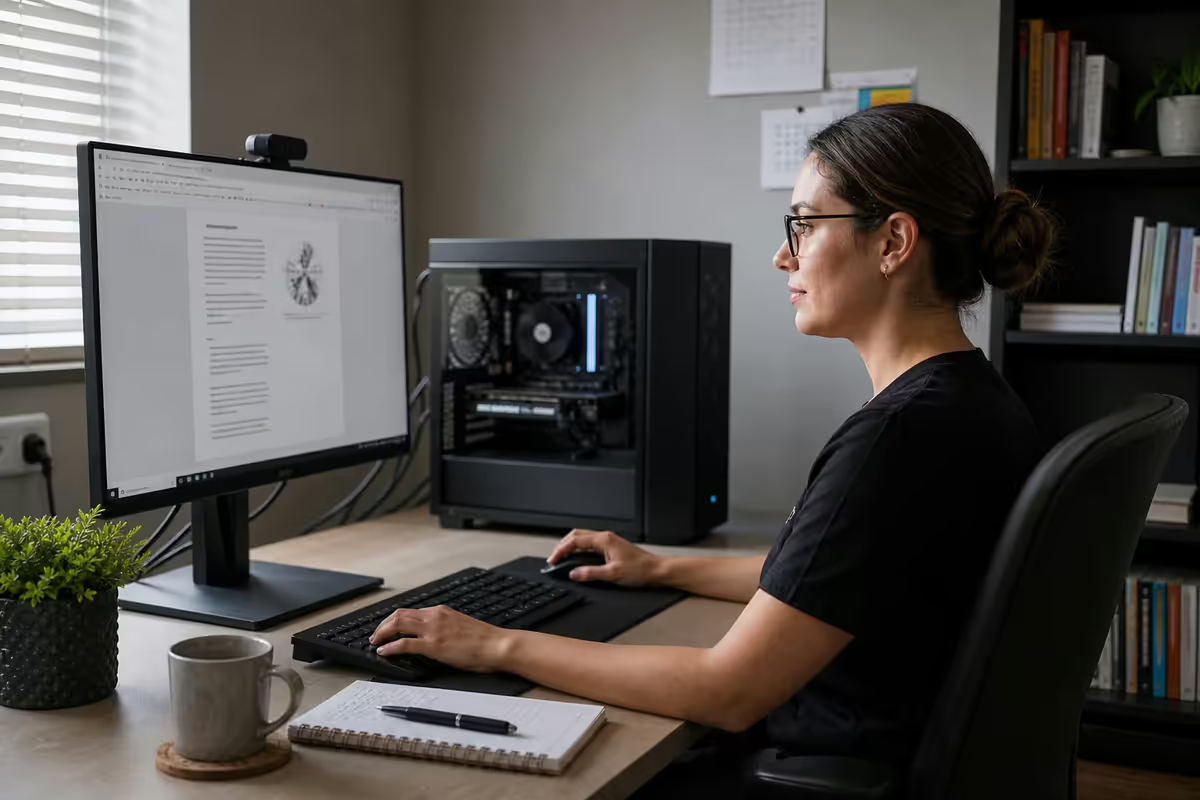
What teachers actually do on a PC
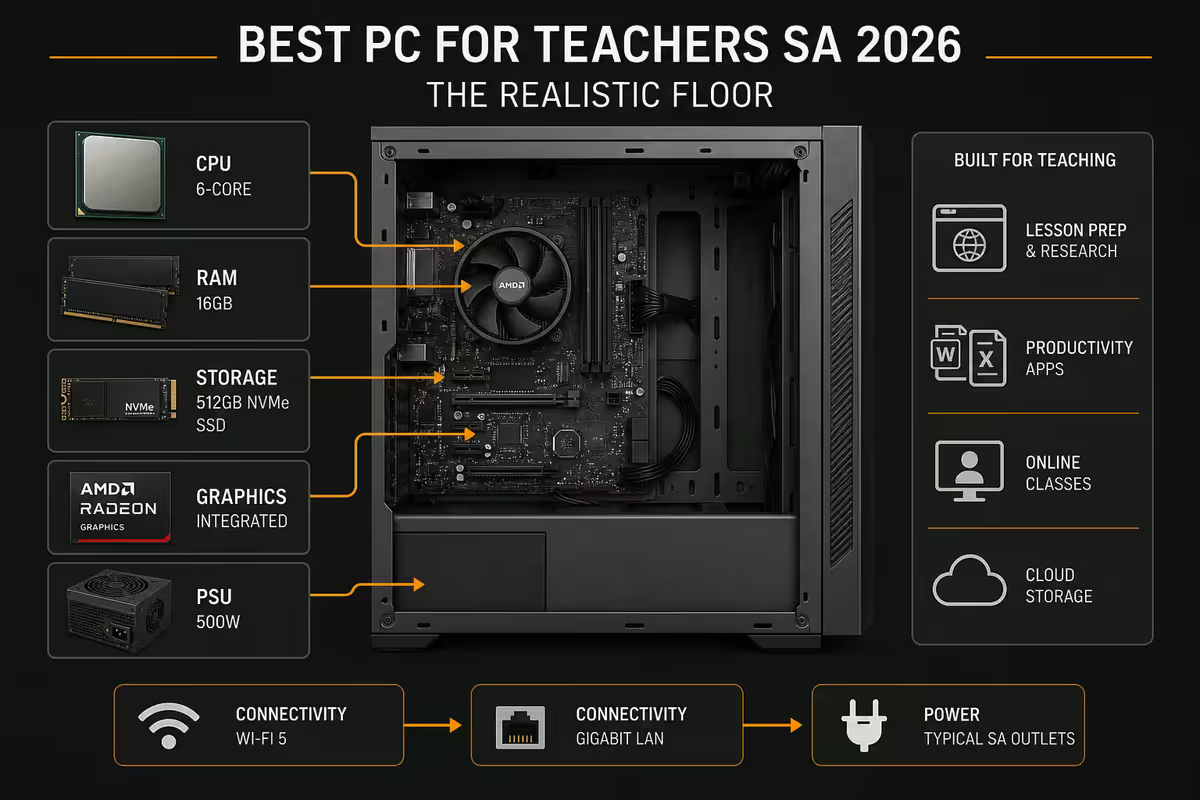
The biggest source of bad PC advice for teachers is the assumption that "office work" means a sluggish 8GB machine. It doesn't. A modern teaching day has more open tabs, more simultaneous logins and more video than most accounting workstations. The right spec floor reflects that reality.
| Task | Software | What it actually demands |
|---|---|---|
| Lesson prep | PowerPoint, Word, Canva, YouTube | RAM > CPU. Multiple tabs + browser video. |
| Marking platforms | D6, ITSI, Google Classroom, Moodle | Stable browser, dual monitor, 16GB RAM. |
| PDF annotation | Adobe Acrobat, Foxit, Xodo | Modest CPU, SSD for fast file loads. |
| Video calls | Teams, Zoom, Google Meet | Webcam + decent CPU + dual monitor. |
| Content creation | DaVinci Resolve, CapCut, OBS | 16-32GB RAM, modern iGPU sufficient. |
| Reporting / admin | Excel, SA-SAMS, SASAMS exports | CPU + SSD. RAM helps with large gradebooks. |
Notice what isn't on that list — gaming, 3D rendering, scientific computing. You don't need a dedicated GPU. You don't need 32 cores. You don't need a 4K monitor. What you do need is enough RAM to keep 25 Chrome tabs open while marking a Word document and sharing a PowerPoint on Teams without anything stuttering.
RAM & GPU minimums — the realistic spec floor
16GB RAM is the new minimum in 2026. A modern Chromium browser (Chrome, Edge) routinely uses 4-6GB on its own with 20+ tabs. Add PowerPoint (1.5GB), Teams (1GB), a PDF reader (500MB) and Windows 11 overhead (3-4GB), and 8GB is already swapping to disk. Within two years it'll feel actively slow.
- 16GB DDR4 — perfectly fine for budget builds and refurbished business desktops. Don't pay a premium to upgrade to DDR5 on an existing socket.
- 16GB DDR5 — default for any new 2026 build on AM5 or LGA1851. Marginally faster but mostly future-proofing.
- 32GB — only if you do video editing, run virtual machines for IT teaching, or want a build that lasts 5+ years without an upgrade.
Integrated graphics are enough. A dedicated GPU adds R3,000-R8,000 to the build cost and burns 50-150W extra at idle — for zero benefit on classroom workloads. Modern iGPUs are surprisingly capable:
- Intel Xe Graphics (12th-14th gen Core, Core Ultra) — drives dual 1080p or single 4K, hardware-decodes Teams video, runs PowerPoint smoothly.
- AMD Radeon 780M (Ryzen 7040 / 8040 series) — strongest iGPU available, handles dual monitor + light video editing.
- AMD Vega 7/8 (Ryzen 5000G series) — older but more than enough for classroom tasks, common in budget Evetech builds.
Dual monitors — the productivity multiplier teachers underuse
If there is one upgrade that transforms a teacher's daily workflow, it's a second monitor. Mark on one, email on the other. Have the lesson plan open on the left, the projector mirror on the right. Reference D6 on one screen while you compile a report on the other.
The cost is laughably low. A second 24" 1080p IPS monitor in SA runs R1,800-R2,400 (Samsung, Dell, Acer, HP). Almost every PC built since 2018 supports two displays out of the box via HDMI + DisplayPort. No new cable, no new GPU, no special setup.
The productivity gain is harder to measure but easy to feel — Microsoft's own internal study put it at 9-25% across knowledge-worker tasks. For a teacher marking 120 essays a term, that's hours per term saved on the same hardware.
Quiet builds — staffroom and classroom acoustics
A staffroom with eight teachers each running a humming desktop sounds like a small server farm by the second period. A classroom with a whining PC fan distracts the Grade 4s in the front row all afternoon. Quiet matters more than fast.
What makes a PC quiet:
- Low-RPM 120mm or 140mm fans. Noctua NF-A12x25 (R650 each) or Be Quiet Pure Wings 2 (R250 each) — both inaudible below 800 RPM. Avoid 80mm or 92mm fans that have to spin fast to move air.
- A tower air cooler instead of stock. The bundled cooler on Ryzen and Core CPUs is loud because it's small. A Be Quiet Pure Rock 2 (R750) or Deepcool AK400 (R650) is far quieter for the same temps.
- SSD only. Mechanical drives click and whirr. A 1TB NVMe SSD (R900-R1,400) is silent, faster and almost the same price as a mechanical drive in 2026.
- A case with sound-dampening panels. Fractal Design Define, Be Quiet Pure Base, Cooler Master Silencio — all engineered for acoustic isolation.
Aim for under 30 dBA at idle. That's quieter than a whispered conversation across a desk. Small-form-factor business desktops (HP ProDesk Mini, Lenovo ThinkCentre Tiny, Dell OptiPlex Micro) ship at 22-26 dBA out of the box — engineered for offices, perfect for classrooms.
UPS for load-shedding — still a SA reality in 2026
Yes, load-shedding has reduced to stage 1-2 most weeks in 2026. No, that doesn't mean you can skip a UPS. Unannounced municipal trips, substation faults, planned maintenance outages and informal "load reduction" in townships still kill power without warning multiple times per month. A teacher who lost an hour of marking to an unsaved D6 session is the teacher who buys a UPS the next morning.
What a UPS actually does for a teacher:
- 10-30 minutes of runtime after power drops — enough to save work, close marking platforms cleanly, finish the Teams call you're hosting, and shut the PC down safely.
- Surge protection against the rough switching transients SA's grid is famous for. Cheaper than a new motherboard.
- Keeps the router alive for the duration if it's plugged into the UPS — so a 30-second power dip doesn't end your video call.
| UPS | Covers | SA price (2026) |
|---|---|---|
| APC Back-UPS 650VA | Desktop + 1 monitor + router | R1,500-R1,800 |
| Mecer 1200VA Off-line | Desktop + 2 monitors + router | R2,200-R2,700 |
| APC Back-UPS Pro 1500VA | Full workstation, ~30 min runtime | R3,800-R4,400 |
| CyberPower CP1500 | Full workstation, AVR included | R3,200-R3,900 |
MIL-STD durability — why business desktops outlast consumer towers
HP ProDesk, Lenovo ThinkCentre and Dell OptiPlex are the three desktop families schools and individual teachers should look at first. They're not the flashiest machines on the shelf. They are, however, validated against MIL-STD-810H — the US military environmental testing standard — for vibration, dust, humidity, drop and thermal shock.
In plain language: the chassis, motherboard and cooling are designed to survive things that would kill a consumer tower. A Term 4 staffroom where the air-con failed two weeks ago. A Grade 8 ICT classroom with 30 learners. The chalk dust of an actual chalkboard ten years after everyone said chalkboards were dead. The bus-bay vibration of an old school building that hasn't been resurveyed since 1987.
What you get with business desktops vs consumer towers:
- 5-year onsite warranty as standard on the Pro/Plus tiers — vs 1-2 years for consumer.
- Spare parts available for 5-7 years after launch — vs "good luck" for consumer.
- Field-replaceable components with standard screwdrivers — vs proprietary clips and glued panels.
- Engineered acoustic profile for office environments — typically under 30 dBA at idle.
Top picks by budget
Under R12,000 — entry classroom desktop
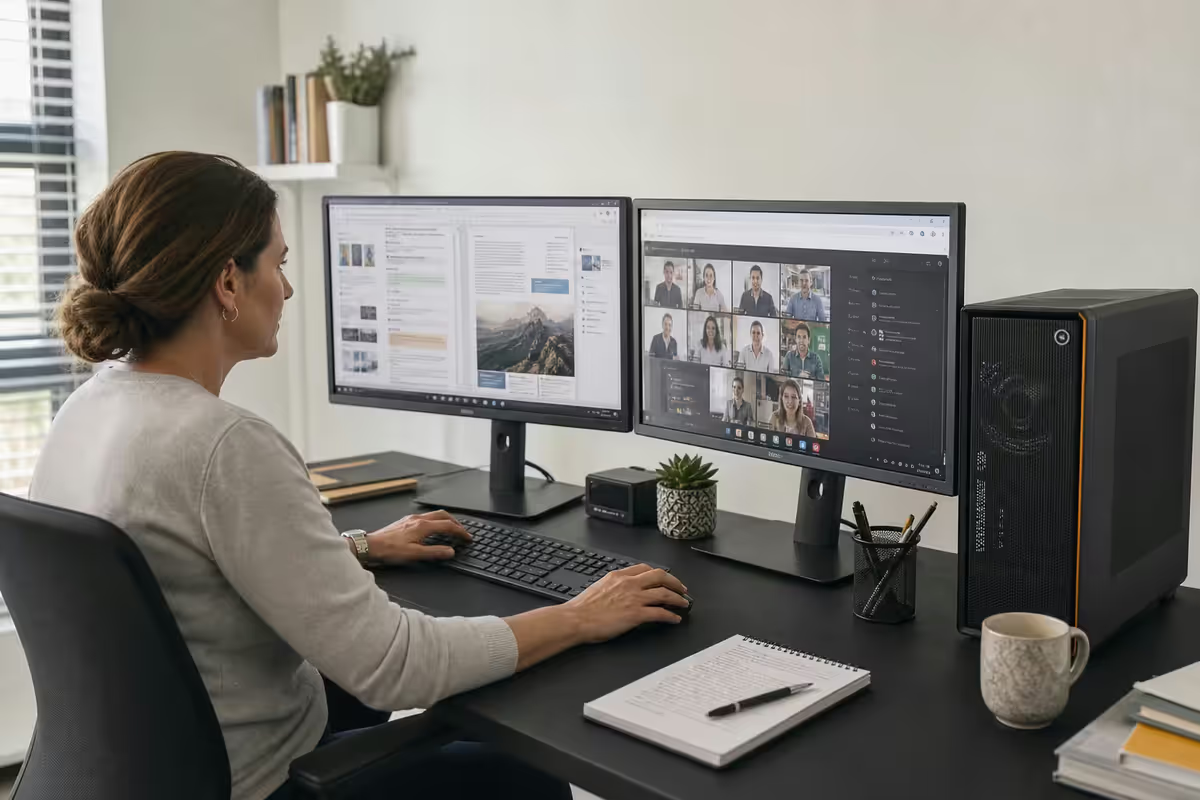
For new teachers, supplementary staffroom machines or families buying a teacher their own PC. Refurbished business desktops dominate this tier in 2026 and represent excellent value.
| Component | Pick | Notes |
|---|---|---|
| Desktop | HP ProDesk 400 G9 SFF (i3-12100) | R8,500 refurbished, R11,500 new |
| Alternative | Lenovo ThinkCentre M70q Gen 4 (i3-13100T) | Tiny form factor, R10,200 |
| RAM | 16GB DDR4-3200 | Already included or +R600 upgrade |
| Storage | 512GB NVMe SSD | Already included |
| Monitor (existing) | Any 24" 1080p with HDMI | Reuse what you have |
| UPS | APC Back-UPS 650VA | R1,500 |
Under R20,000 — comfortable five-year build
The mid-tier most teachers should aim for. Enough headroom to host Teams calls with screen-share, mark in the browser, edit a school newsletter and run a virtual machine for ICT teaching — without ever feeling slow.
| Component | Pick | SA price |
|---|---|---|
| Desktop | Dell OptiPlex 7010 SFF (i5-13500) | R14,500 |
| RAM upgrade | 16GB DDR5-4800 | Included |
| Storage | 1TB NVMe SSD | +R600 upgrade |
| 2nd monitor | Samsung S24R650 (24" IPS) | R2,200 |
| UPS | Mecer 1200VA AVR | R2,400 |
| Total | Ready to run | ~R19,700 |
Under R30,000 — custom Evetech build
For teachers who edit class content video, teach CAT/IT with VMs and code editors, or want a single PC that lasts a full five-year refresh cycle without upgrades. A custom Evetech build at this tier outperforms equivalent off-the-shelf desktops in performance, acoustics and component quality.
| Component | Pick | SA price |
|---|---|---|
| CPU | Ryzen 5 8600G (with Radeon 780M iGPU) | R5,400 |
| Motherboard | ASUS Prime B650M-A WiFi | R3,200 |
| RAM | 32GB DDR5-5600 (2x16GB) | R2,200 |
| Storage | 1TB Samsung 990 EVO NVMe | R1,400 |
| Case | Be Quiet Pure Base 500 (sound-dampened) | R1,800 |
| Cooler | Be Quiet Pure Rock 2 (silent tower air) | R750 |
| PSU | Corsair RM550e 80+ Gold | R1,700 |
| Dual monitors | 2x Samsung S24R650 | R4,400 |
| UPS | CyberPower CP1500 (AVR) | R3,500 |
| Build & warranty | Evetech 3-year | Included |
| Total | Five-year teacher build | ~R29,800 |
Microsoft 365 Education — free for verified teachers
If you teach at any school registered with the South African Department of Basic Education, or at any recognised independent school, you qualify for Microsoft 365 A1 at no cost. This is not a trial. It is not a discount. It is genuinely free for as long as you're employed as a teacher.
What's included:
- Office web apps (Word, Excel, PowerPoint, Outlook, OneNote) — full-featured browser versions.
- Microsoft Teams for Education — with class teams, assignments and integration with grading platforms.
- 1TB of OneDrive storage — the single biggest reason to set this up. Auto-backed-up marking, lesson plans, exam files.
- Sway, Forms, Stream — for surveys, embedded videos and interactive learning content.
For R500/year extra you can upgrade to Microsoft 365 A3, which adds the locally-installed desktop apps. Most teachers don't need this — the web apps handle 95% of teaching workflows. Sign up at microsoft.com/en-za/education/products/office with your school email address. Verification typically takes a few minutes.
Common mistakes teachers make buying a PC
Buying a gaming laptop for a desk role. The most common mistake. A gaming laptop has loud fans, short battery life, a low-quality webcam, a heavy chassis and a screen optimised for refresh rate not text rendering. For R15,000 you can get a gaming laptop that's worse at teaching than a R7,000 business desktop.
Skipping the UPS to save R1,500. The cost of a UPS is the cost of one unsaved marking session. A single power dip during D6 syncing has cost teachers far more than the UPS would have. Skip lunch out for a week if needed — buy the UPS.
Ignoring monitor stand ergonomics. Marking 60 essays in one sitting with the monitor 200mm too low compresses neck and shoulder muscles for hours. A R300 VESA arm or even a stack of textbooks raising the monitor to eye level prevents thousands of Rands in physio bills.
Falling for "for teachers" branded laptops. There is no such thing as a teacher-specific OS, processor or chipset. Anything advertised as "teacher edition" is a regular laptop with a sticker. Compare specs, not marketing copy.
Underspending on storage. A 256GB SSD is full within a year for a teacher who saves video, photos and exam papers. 1TB is the right floor in 2026. The price difference is under R600.
Buying without considering acoustics. The PC will sit in a staffroom or classroom with other people. A noisy build is a daily distraction. Always check fan acoustic specs before purchase.
Key takeaways
- 16GB RAM is the realistic minimum in 2026 — modern browsers, Teams and marking platforms swamp 8GB within two years.
- Integrated graphics (Intel Xe, Radeon 780M, Vega 7/8) are enough. A dedicated GPU adds cost and noise for no classroom benefit.
- A second 24" monitor is the single highest-impact upgrade — R2,000-R2,400 in SA, hours of marking time saved each term.
- Quiet beats fast — aim for under 30 dBA at idle. Small business desktops ship near-silent out of the box.
- A UPS with AVR is non-negotiable in SA. APC 650VA (R1,500) covers a basic setup; Mecer 1200VA (R2,400) is the sweet spot.
- MIL-STD-810H business desktops (HP ProDesk, Lenovo ThinkCentre, Dell OptiPlex) outlast consumer towers for school environments.
- Budget tiers: R12k entry, R20k comfortable, R30k five-year custom. Each tier serves different teaching profiles cleanly.
- Microsoft 365 A1 is free for verified teachers — 1TB OneDrive alone is worth the signup. Don't pay if you already have Google Workspace.
Frequently asked questions
What is the best PC for a teacher in South Africa?
A small business desktop (HP ProDesk, Lenovo ThinkCentre, Dell OptiPlex) with an i3/i5 or Ryzen 3/5, 16GB RAM, 500GB-1TB NVMe SSD and integrated graphics. Add a UPS and a second monitor. Budget under R12k for entry, R20k for comfortable, R30k for a custom five-year build.How much RAM does a teacher actually need?
16GB is the realistic minimum in 2026. Modern browsers with 20+ tabs use 4-6GB on their own, and PowerPoint, Teams and a PDF reader on top push 8GB into swap. 32GB is only needed for video editing or virtual machines.Do teachers need a dedicated graphics card?
No. Modern integrated graphics — Intel Xe, AMD Radeon 780M, Vega 7/8 — handle PowerPoint, video calls, dual-monitor output and light video editing. A dedicated GPU adds cost and noise for no benefit unless you teach CAD, 3D or GIS.Why do teachers need a UPS in South Africa?
Even with reduced load-shedding, unannounced municipal trips and substation faults still kill power without warning. A UPS gives 10-30 minutes to save work and shut down cleanly. APC Back-UPS 650VA (R1,500) is the minimum; Mecer 1200VA (R2,400) covers a fuller setup with AVR.Is Microsoft 365 free for teachers?
Yes — Microsoft 365 A1 is free for verified teachers at any DBE-registered or recognised independent school. Includes Word, Excel, PowerPoint, Teams and 1TB of OneDrive. Sign up at microsoft.com/education with your school email.Should I buy a laptop or desktop as a teacher?
Desktops give more performance per Rand, quieter operation, easier dual-monitor and far easier repair. If you must pick one device, a business laptop with a docking station and an external monitor at school approximates a desktop. Otherwise a small business desktop at school + a budget tablet for home is usually the better split.What makes a PC quiet enough for a classroom?
Low-RPM 120/140mm fans (Noctua, Be Quiet), a tower air cooler instead of stock, an SSD instead of mechanical, and a sound-dampened case. Aim for under 30 dBA at idle. Small business desktops ship near-silent.Are business desktops (HP ProDesk, Lenovo ThinkCentre) really tougher?
Yes. They're MIL-STD-810H validated for vibration, dust, humidity and thermal shock, with 5-year onsite warranty options and parts available 5-7 years after launch. Designed for IT departments to open, repair and re-deploy. Considerable longevity advantage over consumer towers.
Get the Evetech app
Exclusive app-only prices, daily flash sales, and free delivery on orders over R4,000 — download the app and start saving.