For Parents · 2026 Edition
A gaming PC for your kid. — Realistic spec, real budget, real boundaries.
Your kid wants a gaming PC. The marketing is loud, the YouTubers louder, and every spec sheet looks designed to terrify you into overspending. Here's what actually matters when you're buying for a 7 to 14 year old.
- honest budget
- R10-18k
- parental controls
- 3 layers
- grows-with-kid
- 5-7 yrs
What kids actually play in 2026
The single most useful realisation for parents is this: the games your child wants to play are not graphics-demanding by 2026 standards. The R30,000 RTX 4070 build the loud YouTuber is showing off has nothing to do with what your 9-year-old needs to run Roblox.
| Age group | What they actually play | How heavy? |
|---|---|---|
| Ages 6-9 | Roblox, Minecraft, Stumble Guys, Toca Boca | Very light |
| Ages 10-13 | + Fortnite, Rocket League, Brawlhalla, EA FC 25 | Light-Medium |
| Ages 14-17 | + Valorant, CS2, Apex, Forza Horizon, Genshin | Medium |
| Niche / competitive | League of Legends, Dota 2, Overwatch 2 | Light-Medium |
| AAA single-player (teen) | Spider-Man, Hogwarts Legacy, BG3, Cyberpunk | Heavy (but optional) |
Of that whole list, only the bottom-row AAA single-player titles push hardware. The entire competitive and social gaming life of a child runs on a R12,000 PC.
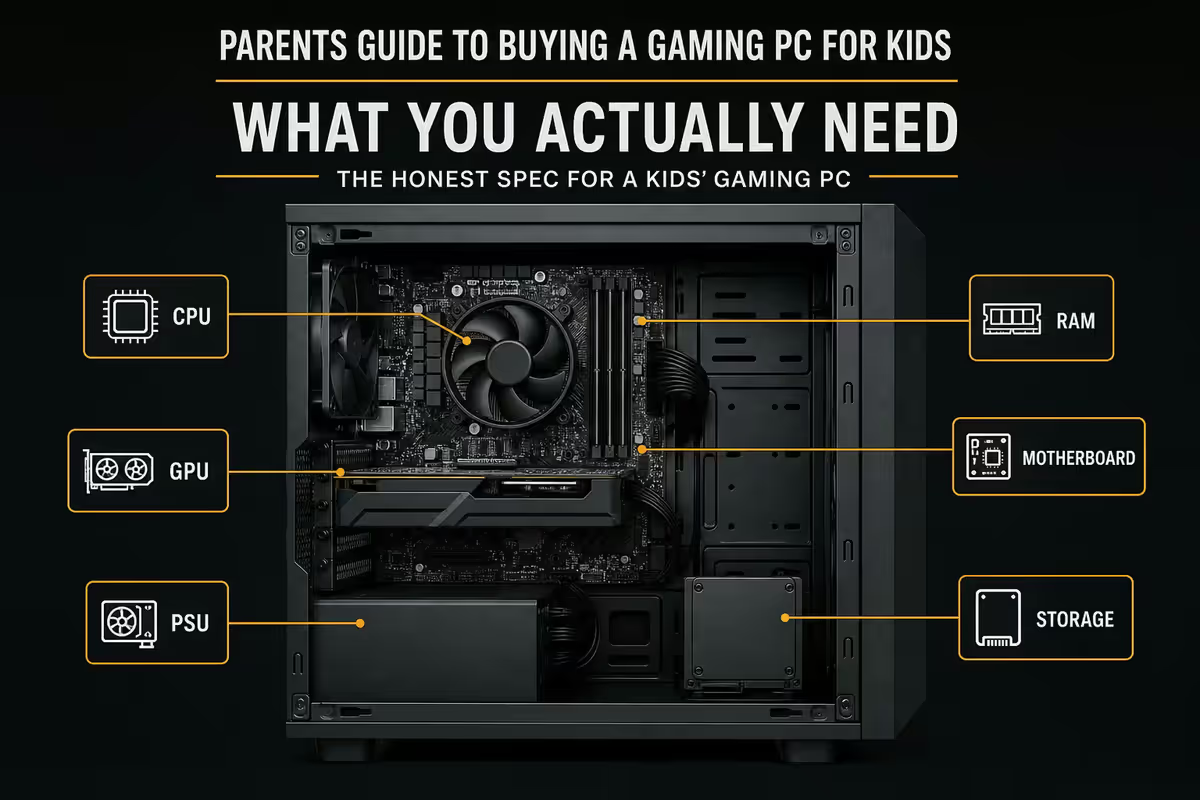
The honest spec — what you actually need
| Component | Pick | Why |
|---|---|---|
| CPU | Ryzen 5 5600 or Core i5-12400F | 6 cores, every game runs comfortably |
| GPU | GTX 1660 Super, RX 6500 XT or RX 6600 | 1080p high settings on everything kids play |
| RAM | 16 GB DDR4 3200 (2×8) | Future-proof until age 14 |
| Storage | 500 GB NVMe SSD | Windows + 4-5 games comfortably |
| Motherboard | B450 (AMD) or H610 (Intel) | All features kids need, none they don't |
| PSU | 550W 80+ Bronze | Headroom for a future GPU upgrade |
| Case | Cooler Master MasterBox or Fractal Pop Air | Solid airflow, R650-R900 |
| Cooler | Stock Wraith Stealth or Deepcool AK400 | R0 (included) or R450 for quieter |
R10k-R18k tiers — what each buys
| Budget | Suits | Spec band |
|---|---|---|
| R10,000-R11,500 | Ages 7-10, casual | Ryzen 5 5500 + GTX 1650 + 16GB |
| R11,500-R13,500 | Ages 8-12, regular gaming | Ryzen 5 5600 + GTX 1660 Super + 16GB |
| R13,500-R16,000 | Ages 10-14, weekend gamer | Ryzen 5 7500F + RX 6600 + 16GB |
| R16,000-R18,000 | Ages 12-15, serious gamer | Ryzen 5 7600 + RX 7600 / RTX 4060 + 16GB |
| R18,000+ | Ages 14+, competitive Valorant/CS2 | Custom build conversation |
Prebuilt vs custom — for kids, prebuilt usually wins
A custom-built PC saves 5-10% over an equivalent prebuilt if you DIY everything. For an experienced builder this is a no-brainer. For a parent who hasn't built a PC and doesn't want to become the family IT desk — prebuilt is the right call.
What prebuilt buys you:
- Single warranty number on the entire machine — one phone call if anything fails.
- Tested, Windows installed, GPU drivers updated, ready to play in 15 minutes from delivery.
- Build technician quality-stamped — no incompatibility surprises.
- If a component fails, the whole machine goes back in one box, not the part identified and shipped individually.
When custom build is the right call:
- Your kid is 14+ and genuinely wants to learn how a PC is built.
- You're an experienced builder yourself and the project is partly a teaching moment.
- You have very specific spec requirements (silent SFF build, specific RGB, themed)
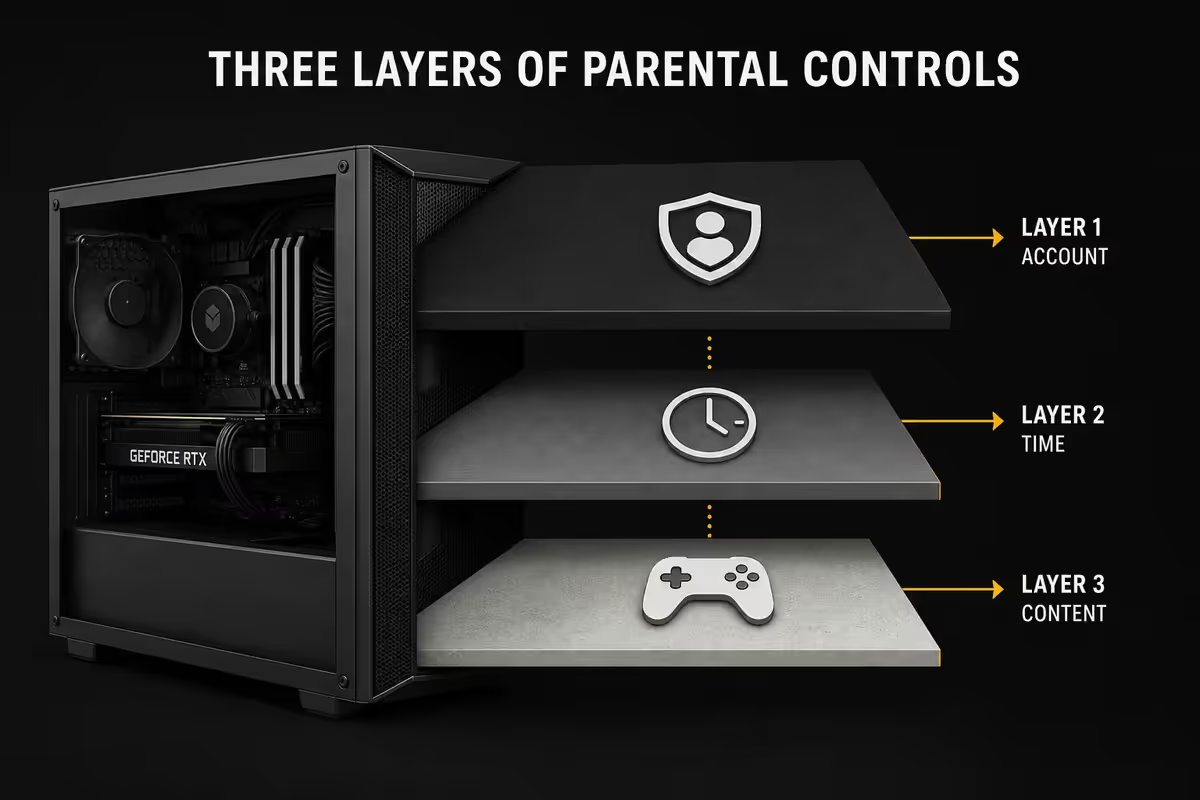
Parental controls — three layers, all free
Layer them. No single control catches everything. All three are free.
Layer 1 — Windows 11 Family Safety (via family.microsoft.com).
- Per-app screen-time schedules ("Roblox: 1 hour weekdays, 2 hours weekends").
- Content filtering on Microsoft Edge — blocks adult sites at the OS level.
- Purchase approval required on Microsoft Store and Xbox marketplaces.
- Weekly activity report emailed to you — what was played, how long, what was searched.
- Location sharing on tablet/phone, integrated with the PC profile.
Layer 2 — Steam Family View. Most Steam-purchased games — Fortnite isn't on Steam, but most other titles are. Set a 4-digit PIN; specific titles are accessible, others locked. Useful for keeping Garry's Mod and Steam friend-chat off-limits while the kid is on Stardew Valley.
Layer 3 — Epic Games & Riot parental PIN. Epic (Fortnite) and Riot (Valorant, League) each have their own parental PIN system. Set both. Enables purchase approval on V-bucks, restricts voice chat, gates friend invites.
Screen-time conversations — boundaries that stick
The American Academy of Paediatrics 2026 guidelines suggest 1 hour total recreational screen time on school days for ages 6-12, with no hard cap for educational use. The South African pediatric consensus aligns. Two hours on weekends is reasonable. Kids 13+ benefit from being part of the conversation about their own limits — co-set the schedule rather than impose it.
A few rules that work well in practice:
- No screens 30 minutes before bed. Blue-light suppression of melatonin is real for under-15s.
- Meals are screen-free. Even if it's just the family dinner table — no exceptions.
- Homework before gaming, but checked, not just claimed.
- Tournaments and weekends can flex the rules — let your kid earn extended sessions for occasions.
- Built-in breaks every 45 minutes — Windows can pop a screen-break reminder via Family Safety.
Rugged peripherals for younger users
Younger kids spill drinks, drop mice and chew keyboard wires. Buy accordingly.
| Peripheral | Pick | SA price |
|---|---|---|
| Keyboard (washable) | Logitech K120 or Razer Cynosa Lite | R280-R650 |
| Mouse (chunky, durable) | Logitech G203 or Razer DeathAdder Essential | R450-R650 |
| Headset (sturdy band) | HyperX Cloud Stinger Core or Razer Kraken Kitty Edition | R600-R950 |
| Mousepad (large, washable cloth) | Razer Goliathus Speed Medium | R150-R220 |
| Monitor (24" 1080p 75Hz) | Samsung S31A or LG 24MR400 | R2,000-R2,800 |
| Webcam (for Roblox social play) | Logitech C270 | R450-R600 |
Where in the house should the PC live?
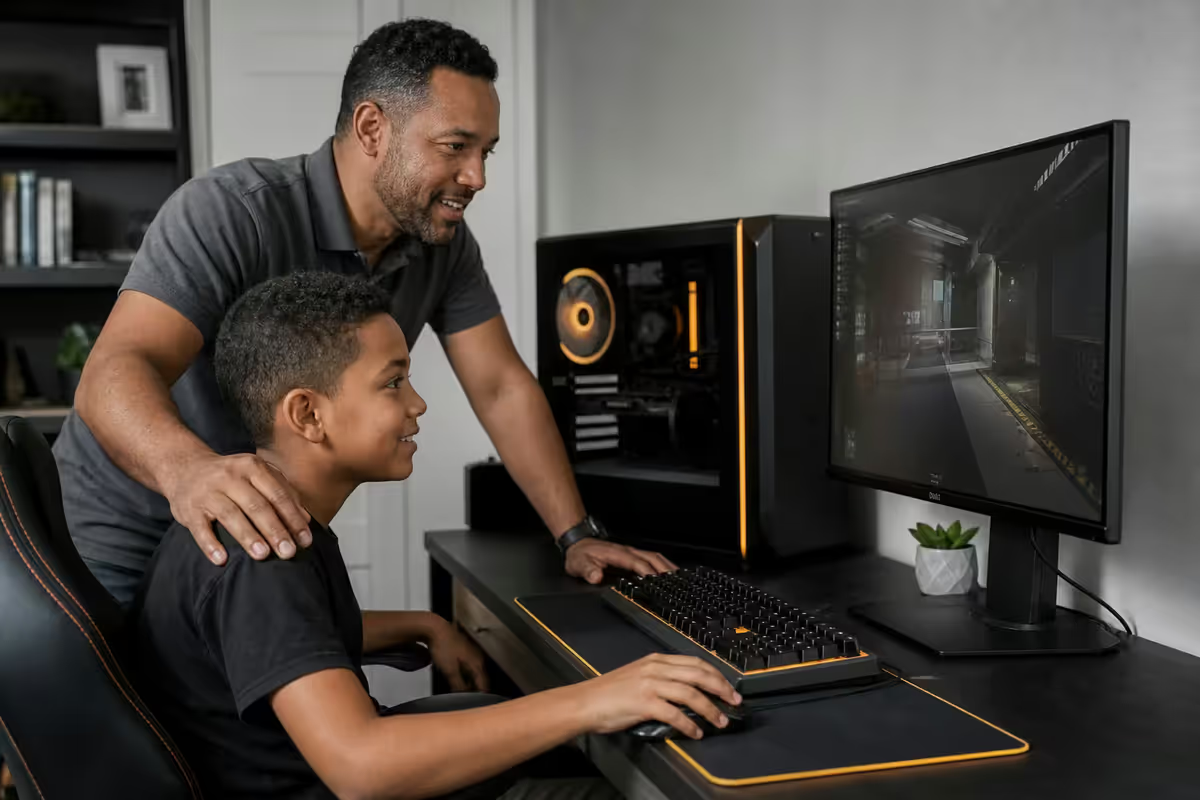
For ages 7-13, open spaces are strongly recommended. The single most effective parental control is the presence of an adult in the room while gaming happens. Living room corner, study desk, family lounge — all good. The PC doesn't need to be visible from every angle, just in a space the family moves through.
Bedroom PCs from age 14+ can work, but with intent:
- Screen-time limits enforced via Family Safety — the PC turns off at bedtime.
- No PC in line-of-sight from the bed — keep gaming and sleep visually separated.
- Door open during weekdays, by mutual agreement.
- Voice-chat amplification limited at night for the family's sake.
This isn't about surveillance — it's about boundaries that make the high-school years easier. A child who learned to game in a shared family space transitions naturally to bedroom independence later. A child who's been hidden behind a closed door from age 8 will resist any later attempt at boundary-setting.
How the same PC grows with your child
This is what makes PCs so much better value than consoles long-term. The chassis you buy at age 8 is still the chassis at age 14.
| Age / year | Upgrade | SA cost |
|---|---|---|
| Age 8 / Year 0 | Initial entry build | R12,500 |
| Age 10 / Year 2 | + 16GB more RAM (total 32GB) | R900 |
| Age 11 / Year 3 | GPU upgrade GTX 1660S → RX 7600 | R4,800 |
| Age 12 / Year 4 | + 1TB SSD (more game library) | R1,400 |
| Age 14 / Year 6 | GPU upgrade RX 7600 → RTX 4060 Ti | R8,500 |
| Total invested by age 14 | Cumulative | R28,100 |
By comparison, three console generations across the same six years (PS5 → PS5 Pro → PS6) is roughly R36,000-R45,000, and you don't get a Word-processor / coursework / browser machine out of it.
Key takeaways
- R10-14k buys a great PC for ages 7-12. Don't overspend at age 7.
- Roblox, Minecraft, Fortnite, Valorant, EA FC — all run on a R12k build at 1080p.
- Three layers of parental controls: Windows Family Safety + Steam + Epic/Riot PIN.
- Open space until age 14. Bedroom PC from 14+ with mutual screen-time agreement.
- Same chassis grows with the kid for 5-7 years via two GPU upgrades + a RAM bump.
Frequently asked questions
How much should I spend on a gaming PC for my child?
For kids aged 7-12 playing Roblox, Minecraft and Fortnite at 1080p, R10,000-R14,000 buys an honest entry build that runs everything they actually play. R14,000-R18,000 adds headroom for the next two years as the games get heavier. Above R18,000 enters teenager / competitive territory — only worth it if your kid is genuinely committed to a specific title (Valorant, CS2, Apex). Don't overspend at age 7.What games do kids actually play in 2026?
By age: 6-9 is Roblox, Minecraft and Minecraft mods, occasional Fortnite social play. 10-13 adds Fortnite competitive, Rocket League, Brawlhalla, EA FC 25 and a sprinkle of Valorant once 13+. 14-17 is Valorant, CS2, Apex, Fortnite, EA FC, Forza Horizon, Genshin Impact and the latest single-player AAA. The good news: every game in this list runs on a R12,000 entry GPU at 1080p.Should I buy a prebuilt or a custom build?
For first-time kid gaming PCs, a prebuilt from a reputable SA retailer is the better call. You get a single warranty number, the build runs out of the box, and if a component fails the whole machine goes back in one box. Custom builds save 5-10% but you become the support desk. Once the kid is 14+ and wants to learn upgrades, a custom build becomes a great project.What spec do I actually need for Roblox and Minecraft?
Minimum honest spec: Ryzen 5 5600 or Core i5-12400, 16 GB DDR4, GTX 1660 Super or RX 6500 XT, 500 GB NVMe SSD, 550W PSU. This runs every Roblox experience, vanilla Minecraft at 200+ fps, Minecraft Java with shaders at 90+ fps, and Fortnite Performance Mode at 90+ fps. Roughly R11,000-R13,000 in 2026 SA pricing.How do I set up parental controls?
Windows 11 Family Safety, configured through Microsoft Family at family.microsoft.com, gives you: weekly screen-time scheduling per app, content filtering on Edge browser, purchase approval requirements on Microsoft Store, location sharing, and weekly activity reports emailed to you. For Steam games specifically, enable Steam Family View with a separate PIN. For Epic Games (Fortnite), enable the Epic parental PIN. All three layered together cover 95% of risks.Where in the house should the PC live?
Open spaces (living room, study, family lounge) are strongly recommended for ages 7-13. The presence of an adult in the room while a child games is the single most effective parental control. Bedroom setups are best avoided until age 14+, and even then with screen-time limits. Bedroom PCs correlate with isolation, sleep disruption and harder-to-monitor online interactions. This isn't about distrust — it's about boundaries that make later teenager years easier.What peripherals do younger kids need?
Three things matter: a rugged keyboard (waterproof, ideally washable — Logitech K120 or Razer Cynosa Lite), a chunky mouse with replaceable feet (Logitech G203 or Razer DeathAdder Essential — both R450-R600), and a sturdy headset with a microphone (HyperX Cloud Stinger Core, R600). For monitor: 24" 1080p 75Hz is the sweet spot — R2,000-R2,800. Skip the gaming chair until the kid hits 13. A normal office chair with a footrest works better for shorter legs.How does a PC grow with my child?
This is the PC's biggest advantage over console. An R12,000 entry build at age 8 becomes an R18,000 mid-tier build at age 12 by swapping the GPU (R3,500-R5,500) and adding RAM (R900). At age 15, swap GPU again for R6,000-R8,000 and you have a competitive Valorant rig. By age 17 the chassis, case, PSU and motherboard are likely still going. PCs are the only computing platform that grow with the child this way.
Get the Evetech app
Exclusive app-only prices, daily flash sales, and free delivery on orders over R4,000 — download the app and start saving.