Monitor Resolution Explainer
1080p, 1440p, 4K. — Pixel count is half the story. Size is the other half.
A 4K panel on a 24-inch monitor wastes most of its pixels. A 1080p stretched across 32 inches looks soft. The right resolution is always tied to the right panel size — and the right GPU to drive it.
- px at 1080p
- 2.07M
- px at 1440p
- 3.69M
- px at 4K
- 8.29M
What monitor resolution actually means
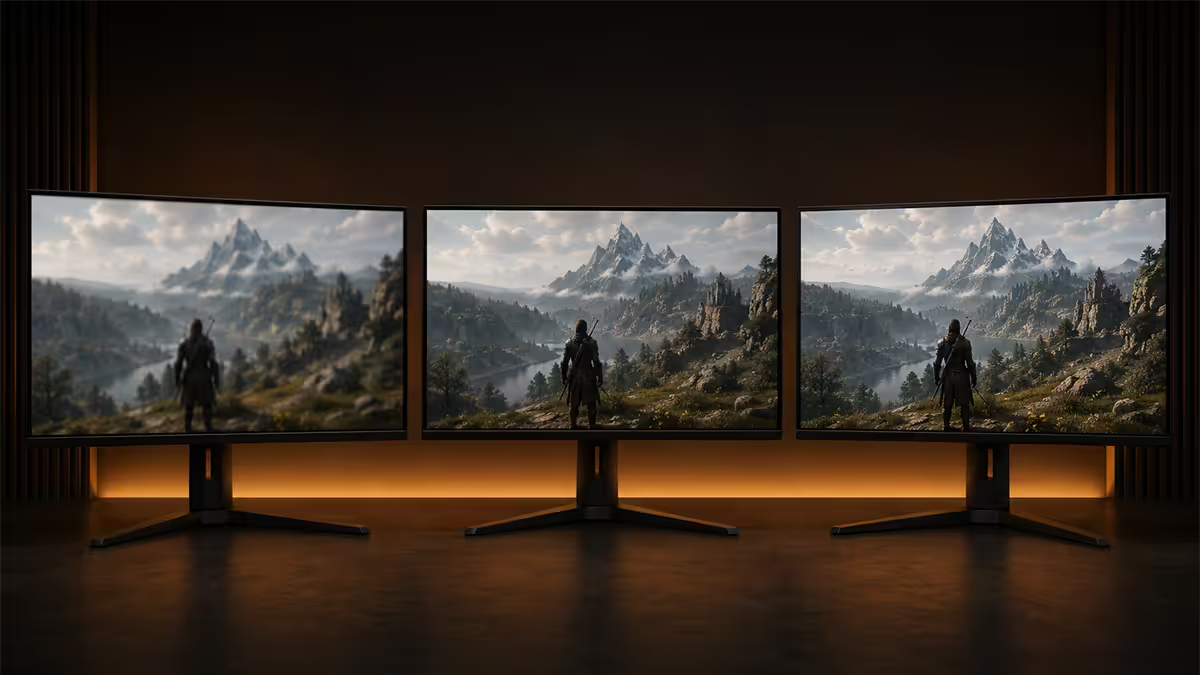
Resolution is the literal pixel count of a display. 1080p (Full HD) is 1920 horizontal by 1080 vertical pixels — just over 2 million pixels per frame. 1440p (QHD) is 2560 × 1440, totalling 3.69 million pixels. 4K (UHD) is 3840 × 2160 — 8.29 million pixels, four times 1080p.
That fourfold jump from 1080p to 4K is the most important number in this entire conversation. Your GPU has to render and push four times the pixels every frame at 4K versus 1080p. For a 60fps target that means rendering 497 million pixels per second instead of 124 million. Even if you only care about visual quality, this maths cascades through every decision — GPU choice, refresh rate, ray tracing budget, settings tier.
The other half of the story is screen size. The same 4K image on a 27-inch panel and a 50-inch TV are not the same experience — one looks tack-sharp, the other looks bigger but the pixel density and viewing distance change everything. Resolution is meaningless without size context.
Pixel density and the sweet-spot pairings
Pixel density, expressed in PPI (pixels per inch), is what your eye actually sees. The higher the PPI, the sharper text, icons and game detail look at a normal desk-distance viewing angle (50-80 cm away).
| Resolution × size | PPI | Verdict |
|---|---|---|
| 1080p at 24" | ~92 PPI | Sharp, the historic standard |
| 1080p at 27" | ~82 PPI | Soft — pixels become visible |
| 1080p at 32" | ~69 PPI | Blocky and dated-looking |
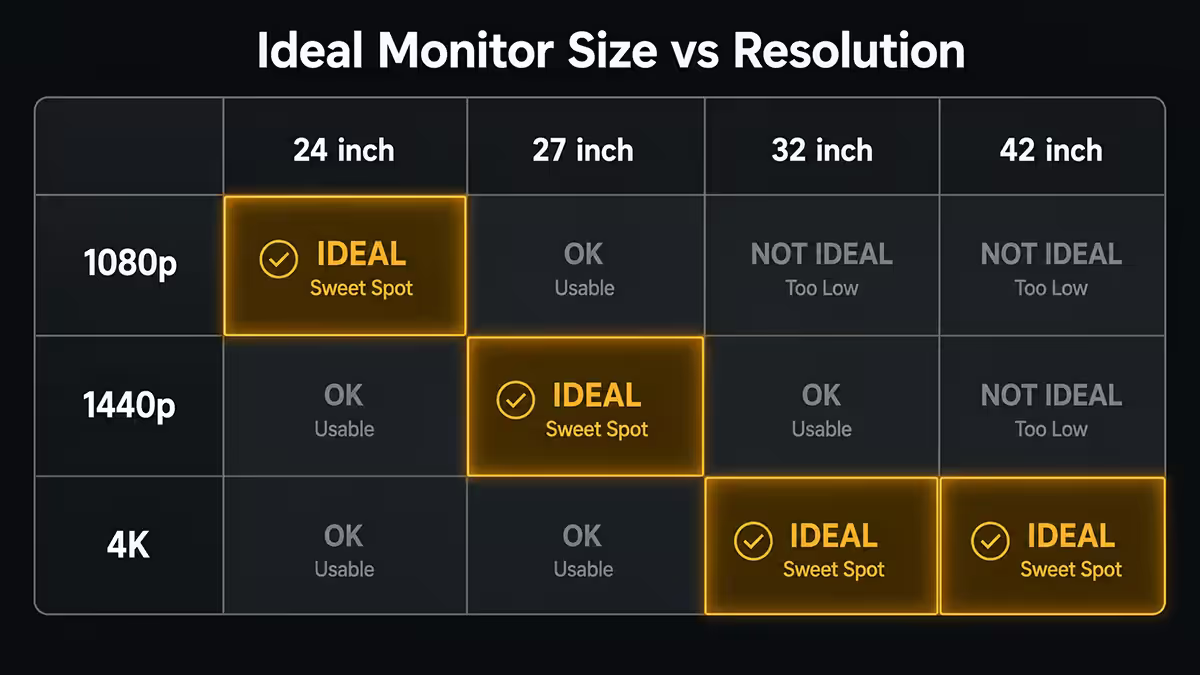
| 1440p at 27" | ~109 PPI | Sweet spot — sharp without scaling |
| 1440p at 32" | ~92 PPI | Equivalent of 1080p-at-24" sharpness |
| 4K at 27" | ~163 PPI | Very sharp but requires scaling for usability |
| 4K at 32" | ~138 PPI | 4K sweet spot — sharp + usable at 100% |
| 4K at 43" | ~103 PPI | Closer to 1440p sharpness at TV size |
The pattern is clear: 1080p belongs at 24", 1440p at 27", 4K at 32"+. Cross-pairings create either softness (low PPI) or scaling pain (high PPI forcing Windows display scaling above 100%, which most apps still struggle with).
GPU requirements per resolution
The fourfold pixel scaling between 1080p and 4K maps directly to GPU workload. Here's what each tier needs in 2026 to hit 60-100fps native at high settings across modern AAA titles.
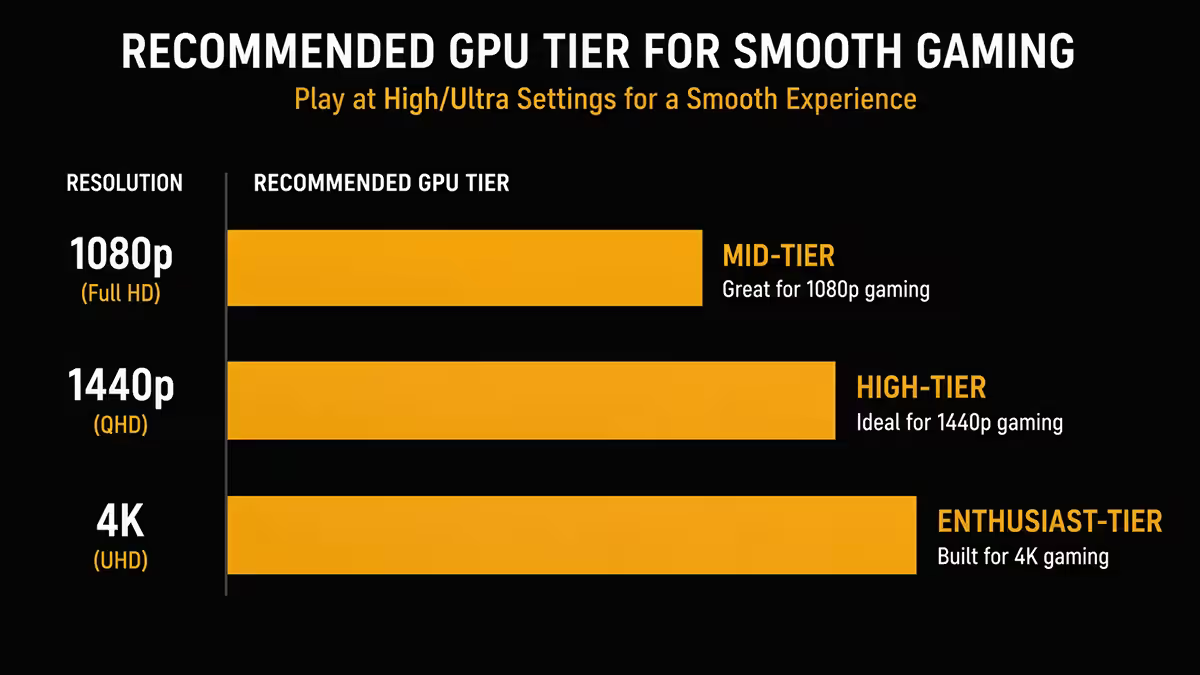
| Target | 1080p high | 1440p high | 4K high |
|---|---|---|---|
| Entry (60fps) | RTX 4060 / RX 7600 | RTX 4060 Ti / RX 7700 XT | RTX 5070 / RX 9070 |
| Mid-range (100fps+) | RTX 4060 Ti / RX 7700 XT | RTX 5060 Ti / RX 9070 | RTX 5070 Ti / RX 9070 XT |
| High-end (144fps+) | RTX 5060 Ti / RX 9070 | RTX 5070 Ti / RX 9070 XT | RTX 5080 / RX 9070 XT |
| Enthusiast (240fps+) | RTX 5070 Ti / RX 9070 XT | RTX 5080 / RX 9070 XT | RTX 5090 |
Notice how a card that drives 4K at 60fps high (RTX 5070) only manages 1440p at 144fps+. The relationship between framerate and resolution is brutally linear — every step up in resolution roughly halves your framerate at the same settings.
This is why the GPU-monitor match matters more than the monitor alone. A 4K 144Hz panel paired with an RTX 4060 will spend most of its life running at 50fps and you'll never see what you paid for. Match the GPU to the resolution, not just the refresh rate.
DLSS 4 and FSR 4 — the GPU gap has narrowed
In 2026 the conversation has fundamentally shifted. Neural upscaling — DLSS 4 on Nvidia, FSR 4 on AMD, XeSS 2 on Intel — renders games at a lower internal resolution and reconstructs the output at native quality with surprisingly few visible artefacts.
In practical terms: at 1440p with DLSS Quality, the GPU renders internally at roughly 960p and outputs to 1440p. At 4K with DLSS Performance, the GPU renders at roughly 1080p and outputs 4K. In both cases the image is nearly indistinguishable from native at typical viewing distance, while the framerate gain is substantial — often 60-100%.
The consequence: the GPU tier required for each output resolution has effectively dropped one notch.
- 1440p with DLSS 4 Quality: RTX 4060 Ti and above hit comfortable 100fps+ in most modern titles.
- 4K with DLSS 4 Performance: RTX 5070 Ti can now sustain 100fps+ in titles where native 4K would drop to 60fps.
- Path tracing at 4K: RTX 5080 with DLSS 4 + Frame Generation produces playable 80-120fps that would be a 25fps slideshow at native.
Scaling sweet spots and the Windows scaling tax
Windows display scaling (the percentage you set in Settings → Display → Scale) determines how big UI elements appear. At native pixel density, lower-PPI panels should run at 100% scaling. High-PPI panels — 4K at 27", 5K and 6K creator displays — require 150-200% scaling to keep text readable.
The catch: many older Windows apps still scale poorly. Adobe Premiere Pro, certain CAD packages, older finance and admin tools render fuzzy at non-100% scaling. This is why 4K at 32" is widely considered the most practical 4K configuration — it runs at 100% scaling comfortably, leaving you to use scaling only by choice for accessibility.
For 1440p at 27" the answer is similarly straightforward: 100% scaling is the norm, text is sharp, every app behaves predictably. This is the lowest-friction configuration on Windows in 2026 and a big reason 1440p 27" sells as fast as Evetech can stock it.
Use case match-ups
Competitive esports / FPS players
1080p at 24" with 240Hz+. Still the competitive standard. Lower input latency, easier to hit 300fps+ in Valorant, CS2 and Apex on a mid-range GPU, smaller screen keeps everything in central vision. The pro circuit has trialled 1440p, but the latency penalty and additional GPU cost keep 1080p dominant at the top end.
Mixed gaming + productivity (most buyers)
1440p at 27" with 165-240Hz. The 2026 default and what we sell more than anything else. Sharp text for work, beautiful for AAA gaming, achievable on a mid-range GPU with DLSS 4 / FSR 4, and at 27" it doesn't dominate your desk. Avoid 1440p at 32" unless you specifically want a TV-like experience.
Content creation / 4K video editing
4K at 32" with wide gamut (DCI-P3 or AdobeRGB). Pixel-perfect preview of 4K footage, generous timeline real estate, accurate colour for client deliverables. Pair with an RTX 5070 Ti minimum to handle GPU-accelerated effects, ProRes / DNxHR playback and AI features in Premiere, DaVinci and Topaz.
Single-player AAA enthusiast
4K at 32" 144Hz or 1440p ultrawide at 175Hz. Either path delivers visual spectacle. 4K maximises sharpness in cinematic titles like Cyberpunk 2077, Star Wars Outlaws and GTA 6 (when it launches). 1440p ultrawide (3440 × 1440) is friendlier to GPU budget and immersive in racing / flight / open-world titles.
Budget builder / first PC
1080p at 24" 144Hz. Still excellent in 2026 — a 24" 1080p IPS panel costs from around R2,500, pairs with anything from an RX 7600 upward, and gets you playing at high framerate without the GPU bottleneck pain of mismatched tiers. Upgrade path: same case, same PC, just swap monitor when budget allows.
The 8K reality check
8K (7680 × 4320 — 33 million pixels) sounds like the next inevitable step but in practice it's a dead-end for desktop use in 2026:
- GPU reality: even an RTX 5090 struggles to drive native 8K above 40-50fps in modern titles. DLSS 4 can upscale but most engines don't yet expose 8K as a supported output.
- Visibility ceiling: at 32" the PPI of 8K is roughly 276 — above human ability to distinguish individual pixels at desk distance. You can't see the extra detail.
- Display pipeline: DisplayPort 2.1 and HDMI 2.1 support 8K but cabling, scaling, and OS support remain immature.
- Cost: 8K desktop monitors start above R80,000 and stay there.
8K only makes sense for specialist 8K video editing workflows where seeing 8K footage pixel-perfect at native resolution matters professionally. For gaming and general productivity, 8K is a marketing tier, not a tier that improves daily use.
SA pricing in 2026
| Resolution / size | Entry SA price | Mid / premium SA |
|---|---|---|
| 1080p 24" 165-240Hz | R2,400-R3,500 | R4,000-R5,500 |
| 1080p 24" 360Hz (esports) | R6,000-R8,000 | R9,000-R13,000 |
| 1440p 27" 165-240Hz | R5,500-R7,500 | R8,500-R14,000 |
| 1440p 27" OLED 240Hz | R12,000-R16,000 | R17,000-R22,000 |
| 1440p UW 34" 175Hz | R9,000-R12,000 | R14,000-R20,000 |
| 4K 32" 144Hz | R11,000-R15,000 | R16,000-R24,000 |
| 4K 32" OLED 240Hz | R22,000-R28,000 | R30,000-R38,000 |
Key takeaways
- 1440p at 27" is the new default sweet spot — sharp, comfortable, achievable on mid-range GPUs.
- 1080p still belongs at 24" for esports and budget. Stretching it across 27" or 32" looks soft.
- 4K only makes visible sense from 32" upward, where 100% scaling stays comfortable and PPI gain is real.
- DLSS 4 / FSR 4 have closed the GPU gap — treat Quality upscaling as the default at 1440p and 4K.
- Budget the monitor and GPU together. A 4K panel on an RTX 4060 wastes both products.
Frequently asked questions
Is 1440p the new 1080p?
For new builds in 2026, yes. A 27-inch 1440p panel costs from around R5,500 in SA and a mid-range GPU (RTX 4060 / RX 7700 XT and above) drives it comfortably at high settings. 1080p still belongs on 24-inch competitive monitors or budget secondary screens, but 1440p is now the default recommendation for a primary display.What GPU do I need for 4K gaming at high settings?
For native 4K at 60fps+ on modern AAA titles at high settings, plan around an RTX 5070 Ti / RX 9070 XT minimum. RTX 5080 / RX 9070 XT comfortably hits 100fps+ with DLSS 4 Quality or FSR 4 enabled. Older titles or competitive games can run on weaker hardware, but for a future-proof 4K rig assume RTX 5070 Ti class as the floor.What is the ideal screen size for each resolution?
1080p is comfortable at 24 inches. 1440p sits perfectly at 27 inches. 4K only starts to make visible sense at 32 inches and is glorious at 34-43 inches. Going outside these pairings either wastes the panel (e.g. 4K at 24 inches, where you can't see the extra pixels) or makes the image look soft (e.g. 1080p stretched across 32 inches).Does DLSS / FSR change the resolution recommendation?
Yes, dramatically. DLSS 4 and FSR 4 upscale from a lower internal resolution to look almost identical to native at the output resolution. A 1440p monitor with DLSS Quality renders internally at roughly 960p and outputs at 1440p — looks great, runs fast. At 4K, DLSS Performance renders internally near 1080p and still produces a sharp 4K image. The gap between 1440p and 4K GPU requirements has narrowed considerably as a result.Is 8K worth considering in 2026?
For gaming and general productivity, no. 8K requires four times the pixels of 4K, current flagship GPUs struggle to drive it at usable framerates, and monitor pricing remains stratospheric (R80,000+). Pixel density at typical desk distances exceeds what most people can see. 8K only makes sense for niche video production workflows where panning around 8K footage on a native-resolution display matters.For competitive gaming, should I pick 1080p or 1440p?
1080p at 24 inches with 240Hz+ refresh remains the competitive standard — lower input latency, easier to hit high framerate ceilings on mid-range hardware, and the smaller panel keeps everything in central vision. 1440p at 27 inches with 240Hz is gaining ground for hybrid players who want competitive performance and visual quality, but it requires a more capable GPU to sustain 200fps+ in titles like Valorant, CS2 and Apex Legends.Does pixel density really matter that much?
Yes — pixel density (measured in PPI, pixels per inch) determines how sharp text and detail look. 1080p at 24 inches is roughly 92 PPI, 1440p at 27 inches is roughly 109 PPI, and 4K at 32 inches is roughly 138 PPI. Anything below 90 PPI starts to look soft and blocky at desk distance. Above 130 PPI, fine detail and text rendering become visibly sharper, which matters for productivity, design and reading.Is 4K worth it for content creators?
For video editors, photographers and 3D artists who work with 4K source material, yes — native pixel-perfect preview eliminates guesswork, gives more timeline real estate and matches client deliverables. For colour grading, 4K with a wide-gamut panel is essentially the professional standard. For general productivity (coding, spreadsheets, browser-heavy work), a high-density 1440p at 27 inches is often more practical because Windows scaling at 100% remains readable.
Get the Evetech app
Exclusive app-only prices, daily flash sales, and free delivery on orders over R4,000 — download the app and start saving.