Hardware Explainer · Monitors
Monitor response time — 1ms vs 5ms. — The number on the box, the picture on the screen.
The "1ms" you see on a monitor box is a marketing number — best-case MPRT or single-transition GtG. The picture in front of you obeys different physics. Here's what actually moves the pixel.
- real GtG range
- 3-8ms
- OLED pixel switch
- 0.03ms
- where it matters
- 240Hz+
What "response time" actually measures
Response time is the time a single LCD pixel takes to change from one shade to another. The faster it changes, the cleaner the trailing edge of a moving object looks. Slow response equals a smeared trail behind everything in motion — what most people call ghosting.
The thing is, every monitor manufacturer measures this differently. The "1ms" stamped on a Samsung Odyssey, a Gigabyte M27Q or an MSI MAG is rarely comparable to the "1ms" on another. There is no enforced industry standard, so the marketing team picks the friendliest number from the lab data.
That's why third-party measurement — TFT Central, Rtings, Hardware Unboxed, Monitors Unboxed — is the only number you should trust. Their methodology is public, repeatable and tests across the full transition matrix, not a single best-case shade pair.
GtG vs MPRT — the two numbers that confuse everyone
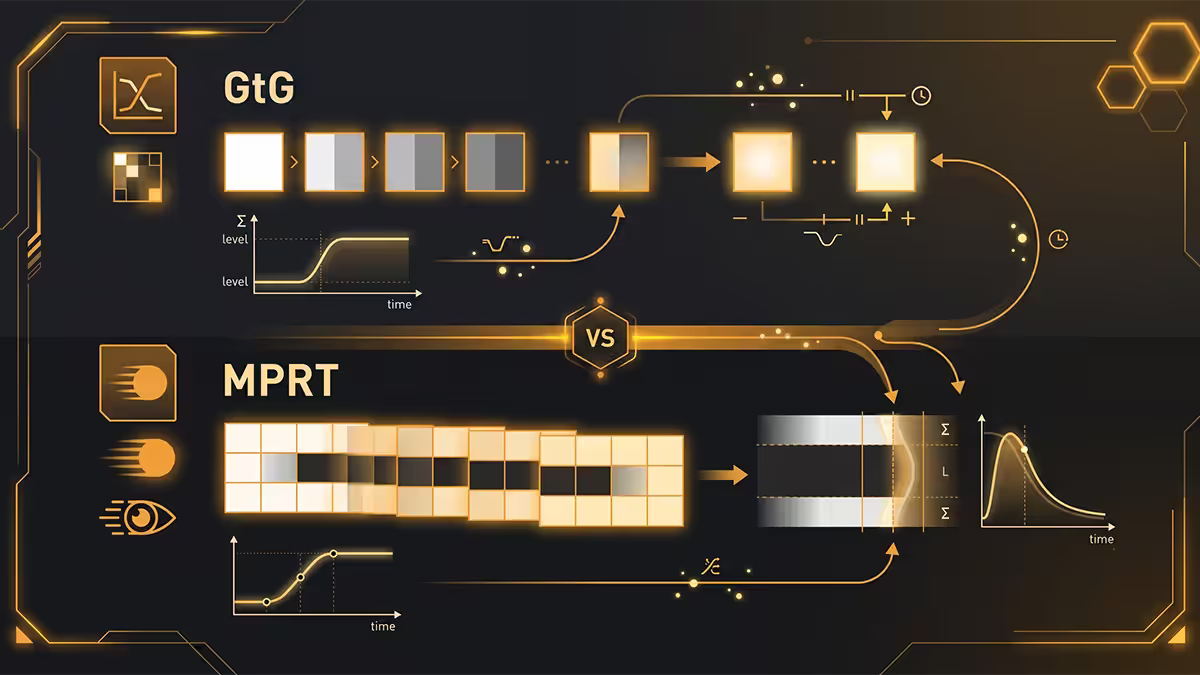
Two metrics dominate the spec sheet. They measure different things, and confusing them is how marketing pulls off the "1ms IPS" claim.
| Metric | What it measures | Typical real-world |
|---|---|---|
| GtG (Grey-to-Grey) | Pixel transition time between two grey shades | 3-8ms on modern IPS |
| MPRT (Moving Picture Response Time) | Perceived motion blur duration | 1ms with backlight strobing |
| Marketing "Response Time" | Whichever is lower | 1ms (with caveats) |
GtG is the honest measurement of pixel speed. TFT Central measures the average GtG across all transitions between grey levels — that number tells you whether the panel is genuinely fast. A "1ms GtG" panel that measures 6ms average GtG is just marketing.
MPRT measures something different — the duration of motion blur as your eye perceives it. With backlight strobing turned on, a panel can achieve 1ms MPRT even with 6ms GtG, because the backlight only illuminates the pixel briefly. This is a real benefit for esports, but it's not pixel speed.
Response time is not input lag
This is the most common conflation. Even hardware reviewers slip up. They are separate things, measured separately, and they affect your gaming experience differently.
Input lag is the delay between your mouse moving and the pixel starting to change — measured from signal input to first photons hitting your eye. It's the sum of panel processing, scaler latency and signal-path lag. Response time is how long the pixel takes to finish changing after it starts.
A monitor with 25ms input lag and 1ms GtG is slower to react to your mouse than a monitor with 3ms input lag and 4ms GtG — even though the second monitor "looks slower" on the spec sheet. For competitive gaming, low input lag matters more than headline response time, and most monitor reviews now report both.
Overdrive — the dial that decides ghosting vs overshoot
LCD pixels are sluggish by default. Manufacturers added a feature called overdrive that applies a higher driving voltage to the pixel, forcing it to transition faster. Almost every gaming monitor has an overdrive menu — usually labelled OD, Response Time, or branded names like AMA, TraceFree or AimSync.
Most monitors have 3-5 overdrive levels (Off, Normal, Fast, Faster, Extreme). The sweet spot is usually one or two levels above default — fast enough to flatten ghosting without inducing the opposite problem: overshoot.
Overshoot (also called inverse ghosting or coronas) happens when overdrive pushes the pixel past the target colour, then it has to relax back. The result is a bright halo trailing dark objects on light backgrounds — usually more distracting than the original ghosting.
TFT Central and Rtings test optimal overdrive per panel and refresh rate. A panel that's perfect at "Fast" at 144Hz might overshoot horribly at "Fast" at 60Hz, because the longer frame time gives the overshoot time to fully express.
IPS, VA and OLED — the panel-type reality
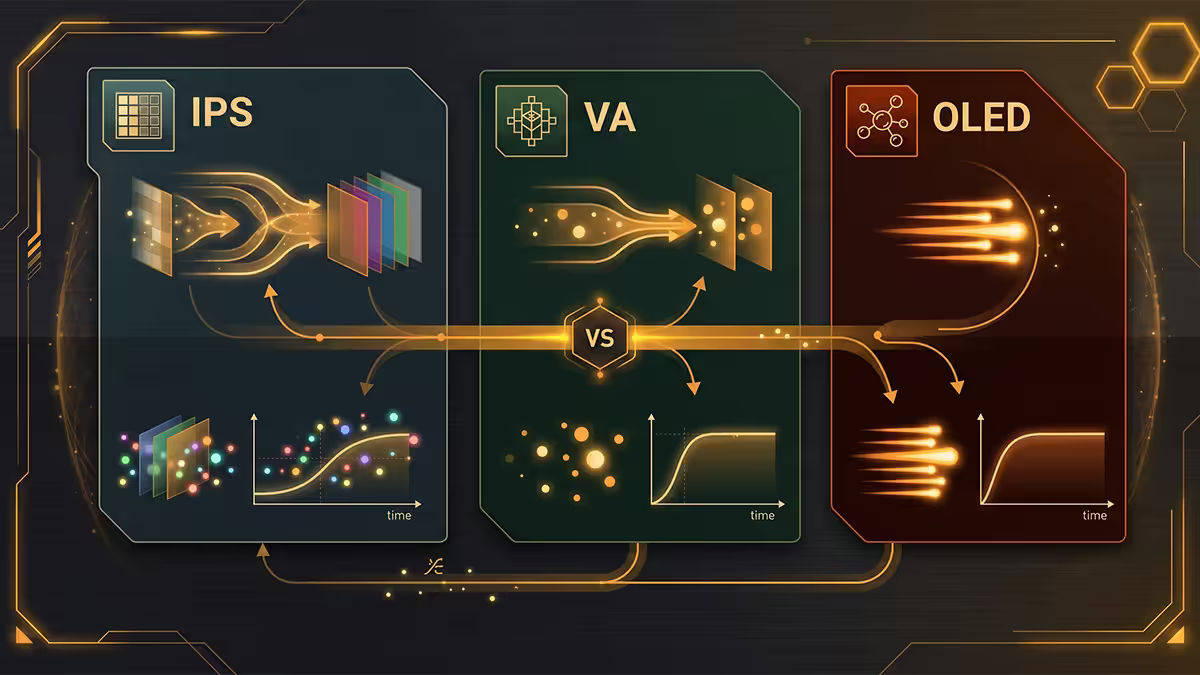
Panel technology sets a hard ceiling on response time before any marketing creativity kicks in. After thousands of panel measurements, the rough hierarchy is consistent.
| Panel type | Real GtG range | Notes |
|---|---|---|
| OLED (LG WOLED, Samsung QD-OLED) | 0.03ms | Self-emissive, no LC twist — eliminates pixel response as a variable |
| Fast TN (BenQ DyAc, Zowie XL) | 1-3ms | Best non-OLED, narrow viewing angles, mediocre colour |
| Modern Fast IPS (LG Nano IPS, Innolux Fast IPS) | 3-5ms | Sweet spot — fast enough for 240Hz, IPS colour |
| Standard IPS | 5-8ms | Fine for 144Hz, struggles at 240Hz+ |
| Modern VA (Samsung 1500R) | 4-10ms | Dark transitions worst — "black smear" on shadows |
| Slow VA (budget gaming panels) | 10-25ms | Headline spec is best-case only — usually unwatchable in motion |
OLED ends the response-time conversation for serious gamers — pixels switch in microseconds because each pixel is a self-emissive LED with no liquid-crystal twist time. Motion clarity bottlenecks become sample-and-hold blur (eye-tracking smear at low refresh rates) instead of pixel response.
Modern Fast IPS is where most competitive gamers should look in 2026. LG Nano IPS, Innolux Fast IPS and AUO panels in monitors like the LG 27GP850, Gigabyte M27Q-X and Dell AW2723DF deliver 3-5ms real GtG with full IPS colour. The 1080p TN era is effectively over.
VA is the panel type to be most careful with. Marketing "1ms" VA panels routinely measure 8-12ms average GtG with bad dark-transition smearing. Some modern Samsung 1500R curved VAs are excellent; cheap "gaming VA" panels are often worse than 10-year-old IPS for motion.
When 1ms actually matters (and when 5ms is fine)
Here's the honest split. For productivity, video, web browsing, single-player gaming and most online play under 144Hz — the difference between 1ms and 5ms is genuinely imperceptible. Both panels render motion equivalently smoothly. Anyone telling you different is rationalising a purchase.
For competitive FPS at 240Hz and above — Valorant, CS2, Apex Legends, Overwatch — the difference is visible. At 240Hz, each frame lasts 4.17ms. If your panel takes 5-6ms to transition, you're still rendering the previous frame when the next one arrives. The accumulated smear is real and affects target tracking during high-speed camera flicks.
Backlight strobing — when pixel speed doesn't matter
There's a sideways solution to motion blur that most buyers overlook. Backlight strobing — variously branded as ULMB (Nvidia), DyAc / DyAc+ (BenQ Zowie), ELMB (Asus) or AimSync — turns the backlight off between frames, which dramatically sharpens perceived motion clarity even on a "slow" panel.
The physics is straightforward. The dominant source of perceived motion blur isn't pixel response — it's sample-and-hold: your eye tracks moving objects while the screen holds static frames, smearing the image across your retina. Strobing solves this by hiding the static portion of each frame.
The tradeoffs:
- Reduced brightness — usually 30-50% dimmer than non-strobed mode.
- No variable refresh rate on most implementations — you lose FreeSync / G-Sync while strobing.
- Fixed refresh rate — strobing is calibrated for a specific Hz (often 120 or 144). Off-spec refresh = visible crosstalk.
- Eye fatigue for some users — flicker is real for the sensitive.
For pure esports, BenQ Zowie XL panels with DyAc+ are still the reference. For everything else, modern Fast IPS or OLED without strobing usually gives a cleaner experience overall.
Key takeaways
- Marketing "1ms" is almost always best-case MPRT or single-transition GtG — not the typical real-world response.
- Real-world GtG under 5ms is fine for 95% of gaming. Under 3ms only matters at 240Hz-plus FPS.
- Response time and input lag are separate. Input lag matters more for competitive feel.
- Use the sweet-spot overdrive — usually one level above default. Avoid Extreme on most panels.
- OLED ends the pixel-speed conversation. Fast IPS is the sensible non-OLED pick. Avoid budget "gaming VA".
Frequently asked questions
Is 1ms response time really better than 5ms?
For competitive FPS players above 144Hz, yes — the difference is visible during fast camera flicks. For everything else, no. Most 5ms IPS panels measure 3-4ms real GtG and look identical to 1ms TN in normal gaming, productivity and video. The marketing-spec '1ms' is almost always best-case MPRT or single-transition GtG, not the panel's typical real-world response.What is the difference between GtG and MPRT?
GtG (Grey-to-Grey) measures how long a pixel takes to transition between two grey levels — typical real values are 3-8ms on modern panels. MPRT (Moving Picture Response Time) measures perceived motion blur duration, which can be 1ms with backlight strobing even on a 'slow' panel. Marketing usually picks whichever number is lowest.Does response time affect input lag?
No — they are separate things. Input lag is the delay between mouse movement and the pixel starting to change (panel processing + scaler + signal path). Response time is how long the pixel takes to finish changing. A monitor can have 1ms response and 25ms input lag, or 4ms response and 3ms input lag. For competitive gaming, low input lag matters more than headline response time.What response time do I need for FPS gaming?
Real-world GtG under 5ms is sufficient for 95% of FPS players. For 240Hz-plus competitive play, you want a panel that measures under 3ms GtG at the refresh rate's required overdrive setting, with low overshoot. OLED, modern IPS (LG Nano IPS, Innolux Fast IPS) and top TN panels all hit this. Most 'gaming' VA panels do not.Is OLED response time really 0.03ms?
Yes — OLED pixels switch in microseconds because each pixel is a self-emissive LED with no liquid-crystal twist time. This eliminates pixel response as a source of motion blur entirely. The remaining motion blur on OLED comes from sample-and-hold display behaviour (the eye smears static frames), which is why higher refresh rates still matter.What is overdrive and should I use it?
Overdrive applies a higher driving voltage to LCD pixels to make them transition faster. Most monitors have 3-5 overdrive levels (Off, Normal, Fast, Faster, Extreme). The sweet spot is usually one level above default — fast enough to reduce ghosting without introducing inverse-ghosting (overshoot, where the pixel overshoots the target colour and creates a bright trail). TFT Central and Rtings test optimal overdrive per panel.What is backlight strobing or BFI?
Backlight Strobing (often called BFI — Black Frame Insertion — or branded ULMB, DyAc, ELMB) turns the backlight off between frames, which sharpens perceived motion clarity to near-CRT levels. The tradeoff is reduced brightness and usually no variable refresh rate. Great for esports; less useful for HDR or single-player gaming.Why does my 1ms monitor still look blurry in fast scenes?
Two reasons. First, the '1ms' spec is usually MPRT with backlight strobing on, or best-case GtG — real-world GtG might be 4-7ms. Second, sample-and-hold blur — the eye smears any static frame shown longer than a few milliseconds, which happens at every refresh rate below 1000Hz. Backlight strobing or higher refresh rate (240Hz+) both help.
Get the Evetech app
Exclusive app-only prices, daily flash sales, and free delivery on orders over R4,000 — download the app and start saving.