Form Factor Guide
ATX vs Micro ATX vs Mini ITX. — Three sizes, three philosophies.
Picking a motherboard form factor isn't really about the motherboard. It's about the case, the cooling, the future upgrade path and how often you carry the thing. Get it right at component-selection time and the build comes together; get it wrong and you'll be re-buying parts within a year.
- ATX (mm)
- 305×244
- Micro ATX (mm)
- 244×244
- Mini ITX (mm)
- 170×170
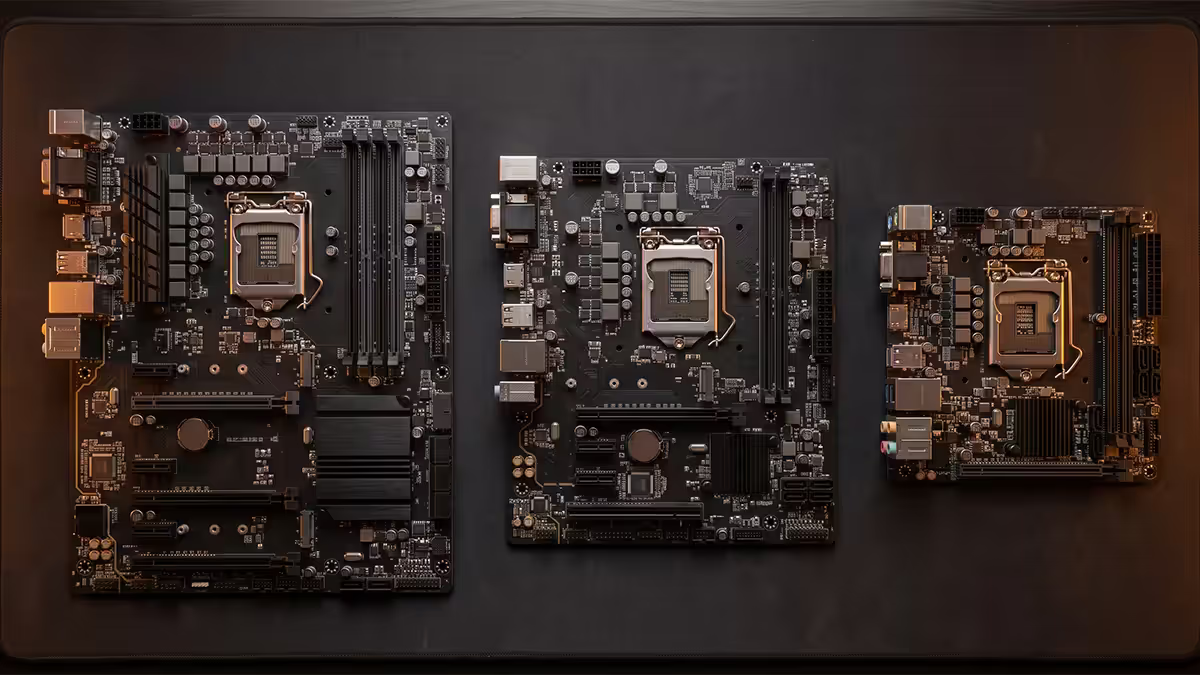
The three sizes — what each one actually is
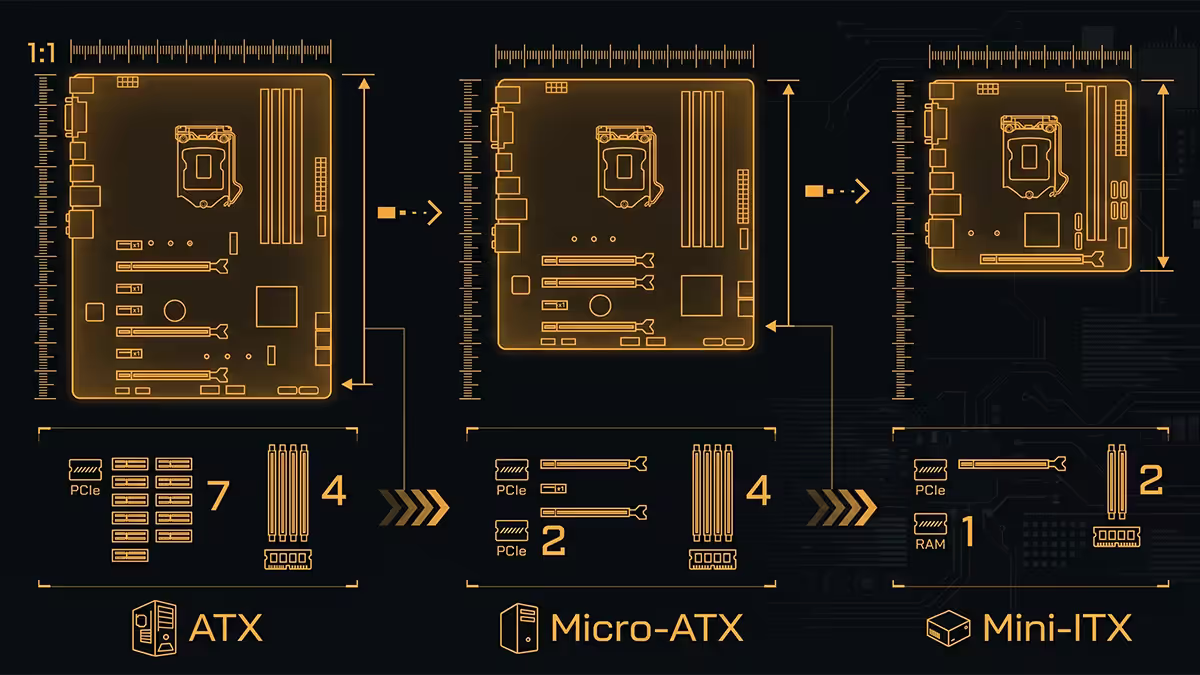
Motherboard form factor is a physical standard defined in millimetres, plus a set of mounting hole positions. ATX has been the dominant standard since Intel introduced it in 1995. Micro ATX and Mini ITX came later, born from a desire for smaller cases without sacrificing the underlying ATX-compatible socket ecosystem (CPUs, RAM, PCIe, power connectors are all identical across the three sizes).
| Spec | ATX | Micro ATX | Mini ITX |
|---|---|---|---|
| Dimensions | 305 × 244mm | 244 × 244mm | 170 × 170mm |
| PCIe slots (max) | 7 | 4 | 1 |
| RAM slots (typical) | 4 | 4 (sometimes 2) | 2 |
| M.2 slots (typical) | 3-5 | 2-3 | 1-2 |
| USB headers | 3-4 | 2-3 | 1-2 |
| VRM density | Most spread out, runs coolest | Medium | Densest, runs hottest |
| Price range (B650/B850 tier) | R3,500-R8,500 | R3,000-R5,500 | R5,500-R9,500 |
The pattern is clear: features-per-Rand is highest on ATX, lowest on Mini ITX. Mini ITX charges a premium not because it's better, but because the engineering challenge of fitting the same chipset, VRM, audio and networking into a quarter of the surface area is genuinely hard. Lower production volumes amplify the cost.
Note: there's also Extended ATX (E-ATX) at 305 × 330mm — workstation and dual-CPU territory, rarely relevant for consumer builds. We'll skip it here.
Expansion slots and RAM — what you actually use
The marketed "7 PCIe slots" of ATX is misleading. In a modern build, you use:
- One PCIe x16 slot for your GPU (always the topmost full-length slot).
- Maybe one PCIe x4 or x1 slot for a sound card, capture card or 10GbE network card if you have one.
- The remaining 5 slots sit empty, blocked by the GPU's two- or three-slot cooler, or accessible but unused.
A modern GPU is typically 2.5-3.5 slots thick, so even on a 7-slot ATX board, 2-3 of those slots are physically blocked. That leaves 3-4 usable slots — far more than almost any builder ever populates. Unless you're running a dedicated audio interface, two GPUs, a NAS HBA card, or a 10GbE workstation card, anything beyond 3 PCIe slots is unused real estate.
Mini ITX's single PCIe slot is rarely the constraint people fear it will be. It's the GPU slot. If you only run a GPU (most gamers do), one slot is enough.
RAM slots — 2 vs 4
Mini ITX boards have 2 RAM slots. ATX and Micro ATX boards have 4. The instinct is to assume 4 is automatically better — more capacity, more upgrade room. The reality is messier.
2-slot configurations train memory at higher speeds. DDR5 motherboards struggle to run 4 sticks at high speeds. A board rated for "DDR5-7200" usually means with 2 sticks; populating all 4 slots drops the achievable speed to DDR5-5600 or even DDR5-4800. So unless you genuinely need more than 64GB total (2× 32GB), 2 slots is preferable.
When 4 slots matter: workstation builds running 128GB or 192GB total for video editing, virtualisation, large 3D scenes, or LLM inference. Gamers and most content creators don't need this.
Case compatibility — the deciding factor
Case compatibility cascades downward: ATX cases fit all three board sizes (ATX, Micro ATX, Mini ITX). Micro ATX cases fit Micro ATX and Mini ITX. Mini ITX cases fit only Mini ITX. Pick the case first, and the board size is largely chosen for you.
| Case style | Form factors | Typical volume | Best for |
|---|---|---|---|
| Full tower | ATX, mATX, ITX | 70-110 L | Workstation, multi-GPU, custom loops |
| Mid tower | ATX, mATX, ITX | 40-65 L | Standard gaming & creator builds |
| Compact ATX | ATX, mATX, ITX | 32-40 L | Smaller desks, similar parts |
| Micro ATX tower | mATX, ITX | 25-38 L | Budget-mid builds, dorm rooms |
| Mini ITX standard | ITX only | 15-25 L | Living room, small office |
| Mini ITX compact | ITX only | 8-14 L | LAN travel, console-style |
A common mistake is buying a Mini ITX board and an ATX mid-tower case — they're compatible but the result is awkward, with a tiny board lost in a large case. The pairing only makes sense if you're trying out an ITX build before committing to a small case, or if you specifically want maximum cooling capacity for a small board.
Cooling implications — bigger case, cooler PC
Three cooling factors scale with case size:
Fan count. ATX mid-towers fit 6-9 fans (140mm and 120mm mixed). Micro ATX cases fit 4-6 fans. Mini ITX cases fit 2-4 fans. More fans, lower individual RPM, less noise — same total airflow at half the noise.
Radiator size. ATX mid-towers fit 360mm radiators with ease, sometimes 420mm. Micro ATX cases typically fit 240-280mm. Mini ITX cases fit 120-240mm. For a Ryzen 9 / Core Ultra 9 build, this matters — see our water cooling vs air cooling guide for the radiator-size-to-CPU pairing.
Air cooler height clearance. ATX mid-towers usually allow 160-170mm CPU coolers (the full NH-D15 fits). Micro ATX cases vary from 130-165mm. Mini ITX cases are the constraint — most allow 50-75mm low-profile coolers only, though premium ITX cases (NR200P MAX, Lian Li A4-H2O) accept full-height tower coolers.
Same Ryzen 9 7950X, same RTX 4090, same cooler — moving from a Lian Li O11 Dynamic (ATX) to a Cooler Master NR200P (ITX) adds 8-14°C to CPU and GPU temps under sustained load. The case is the cooling solution.
Cost differences — the real numbers
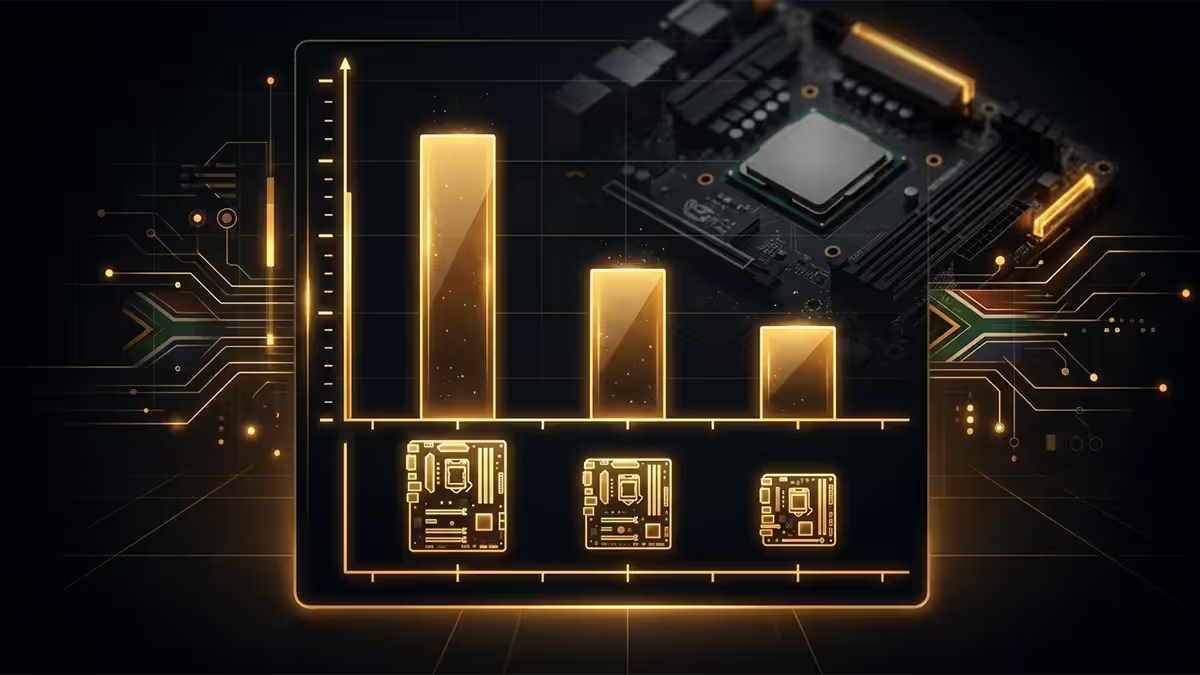
Pricing on equivalent-tier components, mid-2026 SA stock:
| Component | ATX | Micro ATX | Mini ITX |
|---|---|---|---|
| B650 chipset board (AM5) | R4,500 | R3,800 | R6,800 |
| X870E chipset board (AM5) | R7,800 | n/a (rare) | R9,500 |
| B850 chipset board (Intel Arrow Lake) | R5,200 | R4,500 | R7,200 |
| Mid-range case | R1,400 | R1,100 | R2,300 |
| Premium showcase case | R3,200 | R2,100 | R3,800 |
| Power supply (650-850W) | R1,400 (ATX) | R1,400 (ATX) | R1,900 (SFX) |
A full Mini ITX build typically costs R3,500-R5,500 more than the equivalent ATX build, primarily due to the motherboard premium, SFX PSU requirement and smaller case markup. Micro ATX usually saves R500-R1,200 vs ATX with very few functional sacrifices.
Who each form factor suits
ATX — the default for most builders
Pick ATX if any of these apply: you might upgrade RAM beyond 64GB, you want the option of a sound card or capture card, you run heavy AIO water cooling (360mm+), you build to last 8-10 years without re-buying the case, or you simply don't have a reason to go smaller. ATX is the lowest-cost-per-feature option and offers the broadest case selection.
Profile fit: dedicated gamer, content creator with mixed workloads, anyone doing their first PC build, anyone uncertain about future needs.
Micro ATX — the value sweet spot
Pick Micro ATX if: you have a smaller desk, your build budget is tight (R12,000-R22,000 range), you don't need more than 3 PCIe slots or 64GB RAM, and you want a clean cable-management experience in a smaller case. Modern Micro ATX boards (MSI MAG B650M, ASUS TUF B650M, Gigabyte B850M Aorus) match ATX equivalents on VRM quality and connectivity.
Profile fit: budget-to-mid gamer, student in a dorm or hostel room, dual-monitor productivity user with a single GPU, someone replacing a 5-year-old build without changing case size dramatically.
Mini ITX — for portability or minimalism
Pick Mini ITX if: you actually move your PC regularly (LAN parties, between home and office, between rooms in a small flat), your aesthetic is "the case sits on the desk and looks like furniture" rather than "tower under the desk", or you have less than 25 litres of physical space for the PC. The cost premium is real (R3,500-R5,500 extra) but the resulting build is genuinely portable and visually striking.
Profile fit: LAN regular, console-replacement builder, minimalist apartment dweller, photographer/videographer with a travelling editing rig, someone with a roommate and limited space.
Recommended boards per form factor (SA picks)
AM5 (AMD Ryzen 7000/9000)
| Form factor | Pick | SA price |
|---|---|---|
| ATX (mid) | MSI MAG B650 Tomahawk WiFi | R4,500-R5,200 |
| ATX (high-end) | ASUS ROG Strix X870E-E | R8,500-R9,500 |
| Micro ATX (value) | Gigabyte B650M Aorus Elite AX | R3,800-R4,400 |
| Mini ITX | ASUS ROG Strix B650E-I | R6,800-R7,500 |
LGA1851 (Intel Core Ultra)
| Form factor | Pick | SA price |
|---|---|---|
| ATX (mid) | MSI MAG Z890 Tomahawk WiFi | R5,200-R6,200 |
| ATX (high-end) | ASUS ROG Maximus Z890 Hero | R12,500-R14,500 |
| Micro ATX | ASUS Prime B860M-A WiFi | R4,500-R5,200 |
| Mini ITX | ASUS ROG Strix Z890-I | R7,200-R8,500 |
Key takeaways
- ATX is the default — pick it unless you have a specific reason to go smaller.
- Micro ATX is the value sweet spot — most ATX features at R300-R800 less.
- Mini ITX is for portability and aesthetic minimalism, not raw value.
- Cooling scales with case volume — same components, bigger case, cooler PC.
- Buy 2 sticks of higher-capacity RAM rather than 4 lower-capacity sticks — better memory training stability.
Frequently asked questions
What's the difference between ATX, Micro ATX and Mini ITX?
ATX is 305×244mm with 7 PCIe and 4 RAM slots. Micro ATX is 244×244mm with up to 4 PCIe and 4 RAM. Mini ITX is 170×170mm with 1 PCIe and 2 RAM slots.Can I fit a high-end GPU in a Mini ITX case?
Yes — most modern ITX cases (Cooler Master NR200P MAX, Lian Li A3, Fractal Terra) fit GPUs up to 330-340mm. Confirm GPU length and triple-slot clearance before buying.Is Mini ITX more expensive than ATX for the same performance?
Yes — typically R3,500-R5,500 more for a full build, primarily due to motherboard premium, SFX PSU and case markup.How many RAM slots do I need?
For gaming and most creator workloads, 2 slots running 2× 32GB is ideal — better speeds than 4-slot DDR5 configurations. 4 slots matter only for 128GB+ workstation builds.Is Micro ATX worth considering or just a compromise?
It's the value sweet spot. Full 4 RAM slots, 3 PCIe slots, R300-R800 cheaper than equivalent ATX. Excellent for budget-to-mid gaming builds.Does case size affect cooling performance?
Yes — bigger cases fit more fans and larger radiators. ATX mid-towers fit 360mm radiators easily. Mini ITX is the cooling constraint, typically 120-240mm radiators only.Can I move from Mini ITX to ATX later?
You'd need a new board and new case (R3,500-R6,000 retroactive cost). RAM, CPU, GPU and storage transfer cleanly. Cheaper to start with the right size.Which form factor is best for LAN parties and travel?
Mini ITX. A Cooler Master NR200P or Fractal Terra weighs 6-9kg fully built. ATX mid-towers are 12-18kg — not practical for repeated travel.
Get the Evetech app
Exclusive app-only prices, daily flash sales, and free delivery on orders over R4,000 — download the app and start saving.