Peripheral Guide · Mouse Pad
How to choose a mouse pad.
— The R200 upgrade that punches at R2,000.
- comfort + control
- Cloth
- speed + glide
- Hard pad
- aesthetic upgrade
- Desk pad
Surface material trade-offs
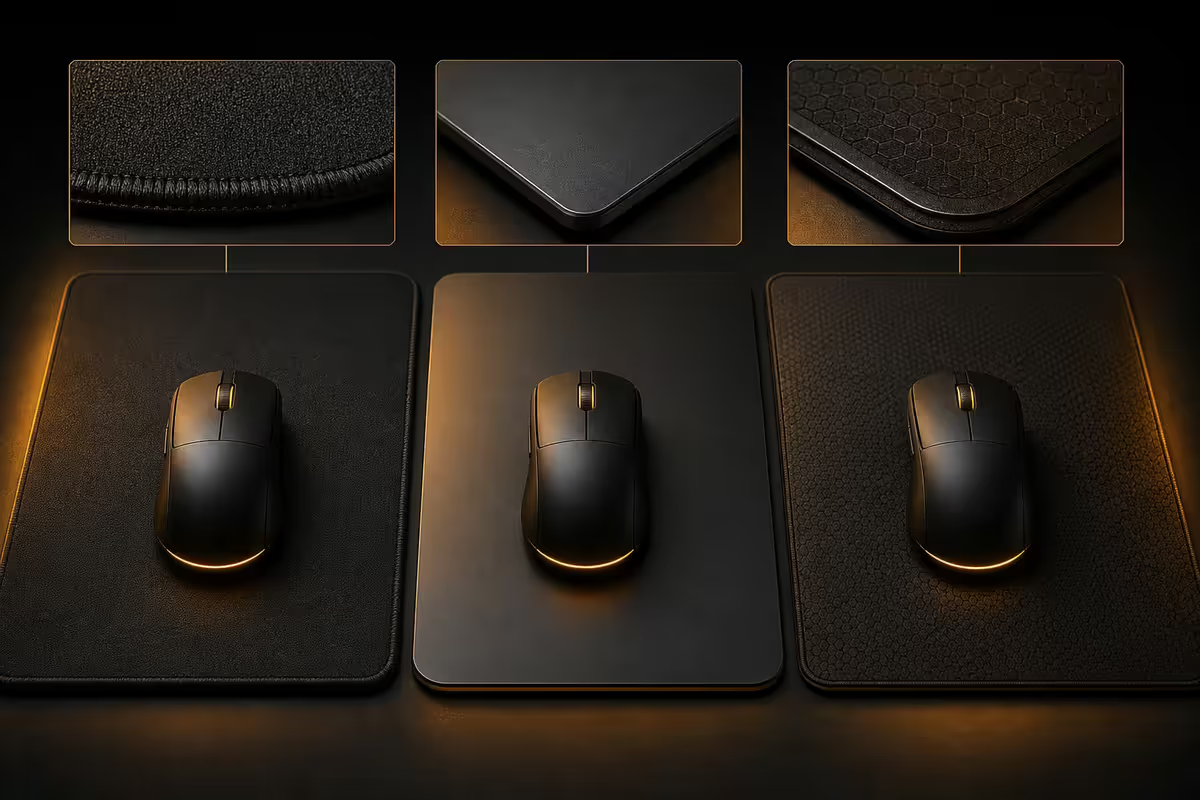
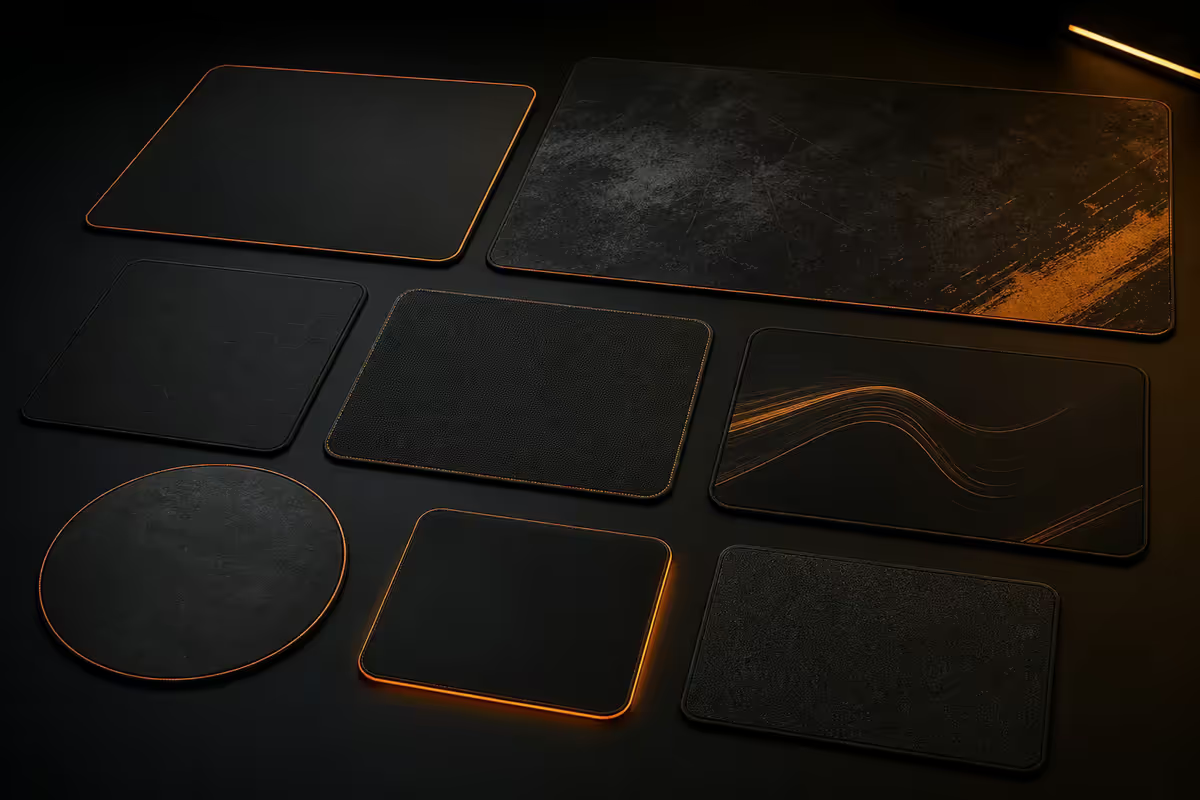
Material is the single biggest variable in how a pad feels and performs. Four categories cover the entire market:
| Material | Feel | Best for |
|---|---|---|
| Cloth (fabric weave) | Medium friction, controlled stops | FPS, MOBA, general gaming, productivity |
| Hard plastic | Very low friction, fast glide | Quake-style flicks, arena shooters |
| Glass / aluminium | Extreme low friction | Speed-priority, specialist competitive |
| Hybrid (e.g., Aqua Control+) | Cloth feel + hard-pad consistency | Players who can't decide; humid climates |
Cloth dominates the market for a reason — the fabric weave creates predictable friction that helps the mouse stop exactly where you intend. The vast majority of competitive players (CS2, Valorant, Apex Legends, Overwatch 2, Marvel Rivals) use cloth pads.
Hard plastic pads (Logitech G440, Razer Sphex V3, Roccat Sense Aimo) sacrifice some control for extreme speed. They suit players who run higher sensitivity, prefer flick-aiming, and don't need fine-grained stop precision. Some Quake / arena shooter players swear by them.
Glass and aluminium pads (Skypad 3.0, Razer Atlas, Esptiger ICE Black) push the speed dial further. The mouse glides almost without resistance. Niche but real — adopted by some streamer-pros who've moved away from cloth entirely. Skip these unless you've already tried hard plastic and want even less friction.
Hybrid pads (Artisan Hien, Glorious Aqua Control+, LethalGaming Saturn) try to give cloth's comfort + hard-pad's consistency. Generally more expensive (R600-R1,200) and serve players who tested both and want a specific in-between feel. Also useful in humid coastal SA environments (Durban, Cape Town) where pure cloth can absorb moisture and slow down.
Cloth weave coarseness levels
"Cloth pad" covers a wide range of textures. Within the category, weave coarseness dictates how slow or fast the mouse moves:
- Coarse weave (Artisan Zero XSOFT, Razer Gigantus V2 Soft) — high friction, slowest mouse movement, best stop precision. Favoured by 360°-turn-low-DPI players in CS2 and Valorant.
- Medium weave (SteelSeries QcK series, Logitech G640, HyperX Fury S) — the all-rounder. Good balance of control and speed. Where most players land.
- Smooth weave / fast cloth (Artisan Hayate Otsu, Glorious 3XL Speed, Razer Goliathus Speed) — lower friction, faster glide, less precise stops. Good for 1440p / 4K productivity, MOBA, hero shooters that don't need pixel-perfect aim.
How to feel the difference: in person at iStore or any decent peripheral retailer, run your finger across the surface. Coarse weave is gritty, almost like fine sandpaper. Smooth weave feels closer to fabric you'd find on clothing. The mouse will glide at very different rates across each.
Size guide by play style
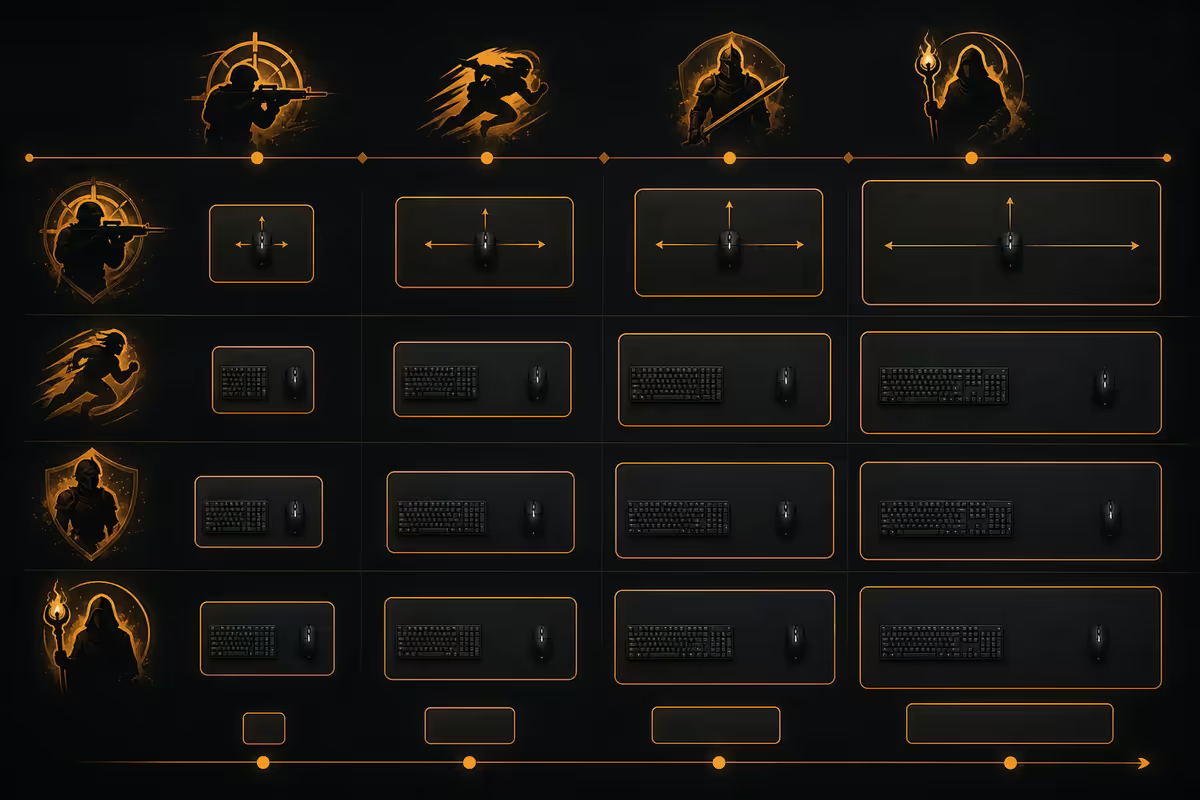
Size is determined by your play style, not your desk size. Match the pad to what the mouse will actually do:
| Pad size | Width | Best for |
|---|---|---|
| Small | 25 × 21 cm | Minimalist desks, RTS, productivity-only, travel |
| Medium | 32 × 27 cm | General gaming, mid-DPI shooters, mixed use |
| Large | 40 × 35 cm | FPS at moderate sensitivity, competitive ranked |
| XL / 3XL | 45-50 × 40-45 cm | Low-DPI FPS, competitive Valorant / CS2 / Apex |
| Desk pad | 80-90 × 40 cm | Aesthetic setups, keyboard + mouse coverage |
The key question: how far does your mouse travel for a full 180° turn in-game? If it's under 15 cm (high DPI / high sensitivity), medium is plenty. If it's 20-30 cm (low-DPI gamer), large. If it's 30-50 cm (very-low-DPI competitive), XL is the minimum. Pros at 400 DPI in CS2 / Valorant routinely use 50 cm wide pads.
Sensor compatibility — is it actually an issue?
In 2026, sensor compatibility is largely a solved problem. Modern optical sensors (PixArt PMW3950, PMW3395, Logitech HERO 2 family, Razer Focus Pro 30K, ROG AimPoint Pro) track flawlessly on virtually any surface that isn't a uniform reflective sheet.
Surfaces that can confuse modern sensors:
- Plain printer paper (no surface micro-texture for the sensor to track on).
- Mirror-finish glass or polished aluminium (without the proprietary surface treatment that pads like Skypad use).
- Heavily worn cloth pads with bald patches (the texture has been rubbed off).
- Highly glossy desk laminates with no texture.
Surfaces that work fine: any quality cloth pad regardless of colour (black, white, printed art), branded hard pads, branded glass/aluminium pads (Skypad, Atlas) which include surface texturing specifically for sensor compatibility, and most painted/textured desk surfaces.
The old "white pads break sensors" rule dates from 2010-era sensors (Avago 3309 etc.) and no longer applies to any decent gaming mouse made in the last 5 years.
Low-DPI player headroom
If you're competitive in FPS games, you've probably noticed the pros all run very low DPI — 400 to 1,600 — paired with low in-game sensitivity. The reason: low DPI gives finer aim adjustments per pixel of mouse movement.
The trade-off: a 180° turn in CS2 at 400 DPI with the default sensitivity sweep requires 30-50 cm of horizontal mouse travel. Standard small / medium pads (25-32 cm wide) run out of room mid-turn, forcing the player to lift the mouse and reposition — a movement break that disrupts aim flow.
The fix: a large or XL pad. 40-50 cm wide minimum. The pad needs to be wider than your average 180° turn, plus some margin.
How to calculate the pad size you need:
- In-game, set up a marker on a wall.
- Place the mouse on one edge of the pad.
- Look at the marker, then turn 180° (or to the opposite wall).
- Measure how far the mouse travelled. Add 30% buffer.
This is your minimum pad width. For most low-DPI Valorant / CS2 players, this comes out to 40-50 cm. For mid-DPI users, 30-35 cm. For high-DPI / high-sens players, 25 cm is enough.
Edge stitching
Quality cloth pads have a stitched edge — a band of fabric loops sewn around the perimeter. The stitching does two things: prevents the cloth fraying from edge wear, and keeps the pad from curling at the corners.
Pads without stitching (some budget pads, some art-print pads from cheap vendors) start fraying within 3-6 months of regular use. Threads loosen, the surface texture changes near the edges, and the pad develops a "ratty" feel.
Stitched-edge pads: SteelSeries QcK (the heavy and XXL versions), Glorious 3XL, Razer Gigantus V2, Logitech G640, Artisan all-models, Endgame Gear MPJ-1200.
Worth paying the R50-R100 premium for stitched edges. Lifespan jumps from ~1-2 years to 3-5 years easily.
Thickness considerations
Thickness affects feel under the mouse and wrist comfort. Three common options:
- 2 mm (slim) — minimum cushion. Pad feels almost flat on the desk. Suits players who want the most direct sensor-to-desk feel.
- 3 mm (standard) — the default. Used by ~90% of gaming pads in 2026. Comfortable but not cushioned.
- 4-6 mm (thick / cushion) — adds soft cushion. Reduces wrist fatigue on long sessions, particularly on hard desks (glass, plastic). The mouse can sink slightly under aggressive movement, which some players find detrimental and others love.
What pros use: 3 mm is the dominant choice across competitive FPS — close to universal for CS2 and Valorant pros. 6 mm is the casual / wrist-comfort choice; 2 mm is the speed-aesthetic choice.
Cleaning and maintenance
A well-cared-for cloth pad lasts 3-5 years. Neglected, it shows wear within a year. The routine is simple:
Cloth pads (every 2-3 months): fill a sink or bathtub with lukewarm water. Add a small drop of dish soap or gentle hand soap. Lay the pad flat, scrub gently in circular motions with a soft sponge or microfibre cloth. Pay attention to the heavy-use mouse area. Rinse thoroughly under running water until soap runoff is clear. Squeeze excess water out without wringing (which damages the rubber base). Lay flat on a towel, away from direct sunlight, for 24-36 hours to fully dry.
Never: machine-wash (destroys stitching and rubber base), use hot water (degrades the rubber base adhesion), dry in a tumble dryer (warps the pad), use bleach or strong cleaners (changes the surface texture).
Hard plastic / glass pads: wipe with a damp microfibre cloth. Rubbing alcohol (70% IPA) can lift stubborn marks. No soaking required.
RGB and wireless-charging pads
Two categories of "premium" pad to consider:
RGB pads (Razer Firefly V2 Pro, Corsair MM700 RGB, SteelSeries QcK Prism XL) add lit edges around the pad. Pure aesthetic. They don't improve tracking, feel or durability. Cost is typically R600-R1,400. Save the money unless you specifically want the look — a higher-quality non-RGB pad in the same price range performs better.
Wireless-charging pads are a specific category: the Logitech G Powerplay (R3,000-R3,800 in SA) integrates wireless charging coils into the pad. Compatible Logitech mice (G Pro X Superlight 2, G502 X Lightspeed, G703, G903) charge while in use — the battery never depletes during gameplay. The only mouse pad I'd recommend at the R3,000+ tier, and only if you're already locked into the Logitech G ecosystem.
SA brand picks by use case
| Use case | Pick | SA price |
|---|---|---|
| Best value (most users) | SteelSeries QcK Heavy Medium (320×270 mm) | R250-R320 |
| Best value XL | SteelSeries QcK Heavy XXL (900×400 mm desk pad) | R650-R800 |
| Premium cloth | Artisan Hayate Otsu Mid (XSOFT) | R1,400-R1,900 (import) |
| Hybrid speed-control | Glorious Aqua Control+ XL | R550-R750 |
| Hard plastic | Logitech G440 or Razer Sphex V3 XL | R400-R650 |
| Glass | Razer Atlas or Skypad 3.0 XL | R1,400-R2,200 |
| Wireless-charging pad | Logitech G Powerplay | R3,000-R3,800 |
| Aesthetic desk pad | Glorious Stealth XL or Razer Goliathus Extended | R450-R750 |
| Budget starter | Redragon Capricorn or Genius G-Pad 800S | R100-R200 |
Common mouse pad mistakes
Buying too small. The most common mistake. A 25 × 21 cm pad looks tidy on the desk but runs out of room within one competitive match for any FPS player. Default-medium-large (35-40 cm wide) at minimum.
Choosing hard pad first. Most players who start with hard pads end up switching to cloth within 6 months. Start with cloth, switch later only if you identify a specific limitation.
Paying for RGB instead of size or material. A R600 RGB pad with mediocre surface vs. a R400 plain pad with premium surface — the plain pad wins every time on actual use.
Using a worn-out pad. Shiny mouse-track areas mean the weave is gone. Performance degrades silently. Replace every 2-3 years of regular use.
Skipping the cleaning routine. Cloth pads pick up skin oils, food residue, hair. Within 6 months an uncleaned pad develops sticky spots and uneven friction. A 20-minute wash every quarter doubles the pad's useful life.
Buying generic art-print pads with no edge stitching. The visual cost the print adds means cuts elsewhere — often no stitching, thin material, weak rubber base. Generic pads from unbranded sellers on Takealot or import sites often look great in photos and fray within 6 months.
Key takeaways
- Cloth pad, 35-40 cm wide, 3 mm thick, stitched edge — the default-correct choice for most players.
- Low-DPI FPS players need XL pads (45-50 cm wide) for full 180° turn headroom without lifting the mouse.
- Sensor compatibility is a solved problem on modern optical sensors. Pad colour doesn't break tracking.
- Skip RGB. The genuine functional premium pad is Logitech G Powerplay for wireless charging.
- Wash cloth pads every 2-3 months: lukewarm water + mild soap, air dry flat, never machine-wash.
Frequently asked questions
What size mouse pad should I get?
Medium-large (30-40 cm wide) for most users; XL (45-50 cm wide) for low-DPI FPS players; desk pad (80-90 cm) for aesthetic setups covering keyboard + mouse.Is cloth or hard mouse pad better?
Cloth for control and FPS gaming (what most pros use). Hard for speed and flick-aim. Glass / aluminium for extreme speed. Hybrid for in-between feel.Does the mouse pad colour affect tracking?
No, on modern optical sensors. Plain paper or perfect mirrors confuse sensors; any textured cloth, hard or branded pad works fine regardless of colour.Why do FPS players use such large mouse pads?
Low DPI + low in-game sensitivity = 30-50 cm of mouse travel for a 180° turn. Large pads give headroom to complete the swipe without lifting the mouse.What is a desk pad and is it worth it?
An 80-90 cm × 40 cm pad covering keyboard and mouse together. Aesthetic upgrade + desk protection. R250-R600 in SA. Worth it for clean setups; skip if desk is small or shared.How do I clean a mouse pad?
Cloth: lukewarm water + mild soap, gentle scrub with soft cloth, rinse, air dry flat 24-36 hours. Never machine-wash. Hard pads: damp microfibre + 70% IPA for stubborn marks.Are RGB mouse pads worth it?
Aesthetic-only — they don't improve performance. Exception: Logitech G Powerplay adds wireless charging for compatible Logitech mice. That's the one genuinely functional RGB pad.What thickness mouse pad is best?
3 mm is standard (~90% of pads). 6 mm thick adds wrist comfort; 2 mm thin gives a more direct sensor-to-desk feel. Most pros use 3 mm.
Related guides
Get the Evetech app
Exclusive app-only prices, daily flash sales, and free delivery on orders over R4,000 — download the app and start saving.