Laptop Storage Buying Guide
How to choose laptop storage. — 1TB is the new normal. 256GB is gone.
Windows plus apps now eat 100GB before you save a single photo. The size you pick at checkout determines whether your laptop feels generous or claustrophobic for four years.
- new minimum
- 512GB
- sweet spot
- 1TB
- plan ahead
- 4 years
Why 256GB is no longer enough
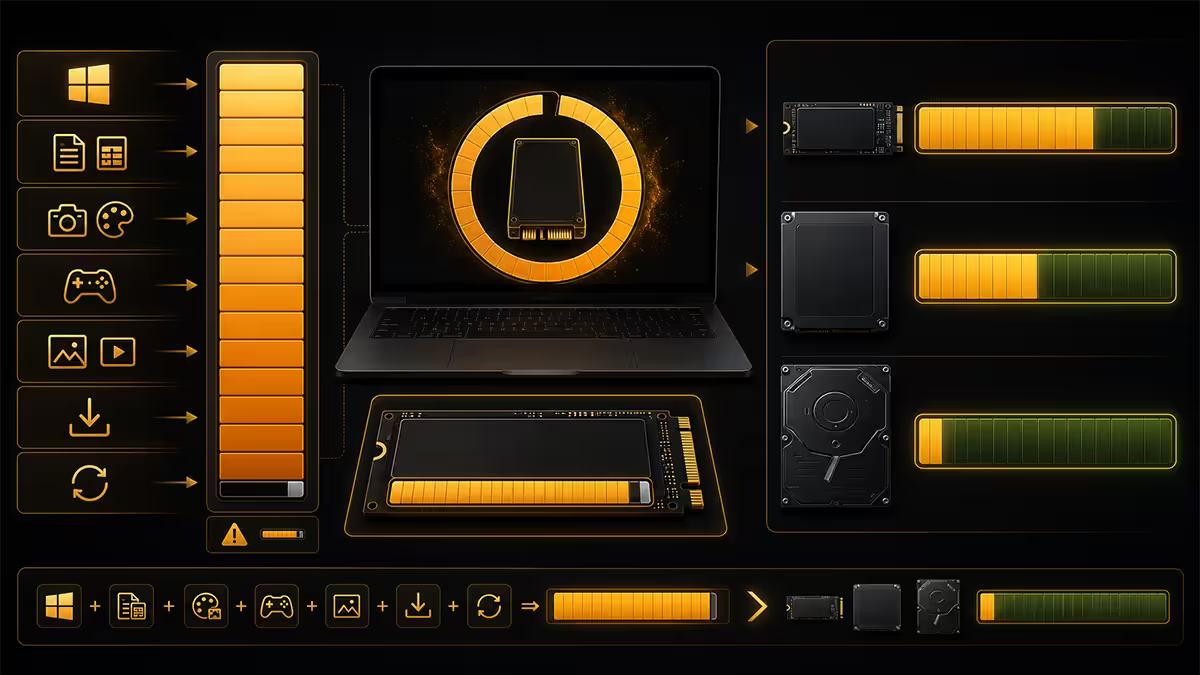
In 2020 you could comfortably run a Windows laptop on a 256GB SSD. Office, a browser, a handful of photos and you still had headroom for a Steam install or two. That world is gone, and it isn't coming back.
A clean install of Windows 11 24H2 with its reserved space, recovery partition and the post-install updates that show up in the first month consumes around 60-80GB. Microsoft Office 365 adds another 4-6GB. A modern browser plus its cache sits at 2-3GB. Add Adobe Creative Cloud's Photoshop and Lightroom and you're already past 130GB before you've touched a personal file.
Now the user files. The average laptop user takes 3,000-5,000 phone photos and short videos a year that sync into OneDrive, iCloud or Google Photos local caches. WhatsApp Desktop will happily download every shared media file in every active group — that adds 10-20GB silently in the background. Spotify and YouTube apps cache offline tracks. Zoom downloads meeting recordings. The Downloads folder grows like a teenage rugby kit bag.
By the end of year one on a 256GB laptop, the typical Evetech customer is in the Windows Storage Sense settings every weekend trying to claw back a few gigabytes. By year two they're shopping for an external drive. By year three they're hating the laptop.
SSD capacity by use case — what each tier actually fits
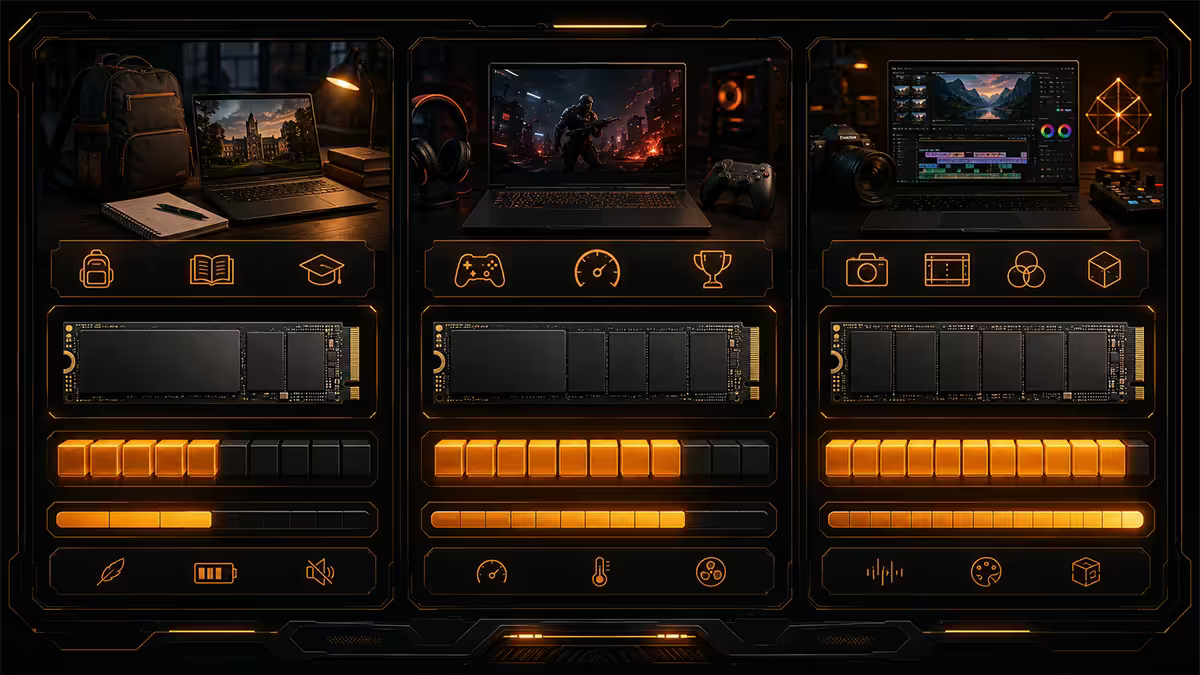
Here's how each common capacity translates to real-world usage, based on what we see customers actually fill their drives with.
| Capacity | Realistically fits | Right for |
|---|---|---|
| 256GB | Windows + Office + light browsing only | Chromebooks & thin-clients only — not real Windows |
| 512GB | Windows + apps + 3-4 AAA games OR 50GB of photos | Light productivity, budget students |
| 1TB | Windows + apps + 8-10 AAA games + 200GB of media | Mainstream — the 2026 default |
| 2TB | Steam library of 15-20 titles + RAW photo catalogue + 4K projects | Gamers, photographers, video creators |
| 4TB | Massive Steam library + multiple project archives + full RAW backlog | Pro creators, dual-purpose work / gaming laptops |
For students & everyday users
1TB. No-one regrets buying 1TB. People constantly regret 512GB by year two. The price difference is usually R800-R1,200 — a small price for not running out of space in year two of a four-year laptop.
For gamers
1TB minimum, 2TB if budget allows. Modern AAA titles are absurd: Call of Duty Warzone is over 250GB on its own. Baldur's Gate 3 is 150GB. Even mid-budget titles routinely run 80-100GB. A 1TB drive with Windows and apps installed has roughly 750-800GB free — enough for 4-6 current AAA games at the same time before you start uninstalling.
For creators
2TB minimum. A single shoot of RAW photos at 30MB each fills 30GB in an afternoon. A weekend wedding shoot is 100-200GB. 4K video editing requires the source files, the proxies, the project files and the renders on fast local storage — cloud storage cannot keep up with editing-grade workflows.
NVMe Gen 3 vs Gen 4 in a laptop
Most laptop spec sheets boast about PCIe Gen 4 NVMe SSDs as if they're a meaningful upgrade. In a laptop, the picture is more complicated than the marketing implies.
Sequential speeds. PCIe Gen 3 SSDs deliver around 3,000-3,500MB/s sequential read. Gen 4 doubles that to 6,500-7,000MB/s. Gen 5 is now appearing on flagship gaming laptops at 10,000MB/s+. These are real differences for benchmarks — but not always for everyday computing.
Real-world feel. For 95% of laptop tasks — booting Windows, launching Chrome, opening Photoshop, loading a game — the bottleneck is something other than sequential speed. The difference between Gen 3 and Gen 4 for daily use is roughly 1-2 seconds shaved off operations that take 5-10 seconds. Noticeable in a benchmark, invisible in practice.
Battery and thermals. Here Gen 4 hurts. Gen 4 drives run 8-15°C hotter than Gen 3 under sustained load, and they draw measurably more power. In a thin-and-light without dedicated SSD cooling, a Gen 4 drive will thermal throttle within seconds of a big file copy, dropping back to Gen 3 speeds anyway. Sustained battery life takes a 5-10% hit.
When Gen 4 actually matters: sustained workloads — 4K video editing scrubbing large timelines, importing 500 RAW photos to a Lightroom catalogue, moving 100GB+ folders. If you do these things daily, Gen 4 in a chassis with proper SSD heatsinking is worth it. If you don't, Gen 3 gives better battery and equivalent feel.
Expandable vs soldered — check before you buy
The single biggest "I wish I'd known" purchase regret among laptop buyers is discovering — usually a year in — that the storage cannot be upgraded.
Typically upgradable (M.2 2280 slot): ASUS ROG Strix and Zephyrus G14/G16, Lenovo Legion 5/7 and ThinkPad P-series, MSI Katana / Vector / Stealth, HP Omen, Acer Predator. Most have one or two slots and replacing the SSD is a 5-minute job with a Philips screwdriver.
Soldered (no upgrade possible): All MacBook Air and Pro models from 2020 onwards, Microsoft Surface Laptop and Pro tablets, most Dell XPS 13/15/17 from 2022 onwards, HP Spectre x360, LG Gram, almost every laptop under 1kg.
Sometimes upgradable (it depends): ASUS ZenBook, Lenovo Yoga, Dell Inspiron, HP Pavilion, Acer Swift — model-dependent, year-dependent. Always check the iFixit teardown for your exact model number before assuming.
Cloud storage as a complement, not a replacement
It's tempting to think: "I'll buy the cheaper 256GB laptop and keep everything in OneDrive." The maths only works on paper. In actual South African use, cloud-only storage strategies break down in three ways.
Offline access. Load shedding takes your fibre out for 2-4 hours at a stretch. Travel for work or holidays may put you somewhere with no signal. You need the files you care about physically present on the laptop. Cloud sync clients try to predict this with "Files On-Demand" placeholders, but the prediction gets it wrong often enough to matter.
Bandwidth and time. Even on a 100Mbps Vumatel or Openserve line, downloading a 50GB folder takes around an hour. A 200GB photo catalogue takes most of the day. If you're working off Cape Town fibre with 80ms latency to Microsoft's nearest data centre (London or Frankfurt for OneDrive), every operation is slower than local SSD.
Working sets. Photoshop, Lightroom, Premiere Pro and DaVinci Resolve all need scratch space measured in tens of gigabytes. Cloud files don't qualify — you need genuine local SSD with free headroom.
The right approach: use OneDrive or Google Drive (or iCloud on Mac) for sync and off-site backup. Keep a local SSD large enough to hold everything you actually open in a given month. Use cloud as your "infinite archive" for files you might want again in two years.
External SSD options for SA users
External SSDs solve two distinct problems: expanding storage on a laptop you can't upgrade, and backup of the data you absolutely cannot lose. They aren't the same drive.
For working-from-laptop expansion
You want speed, durability and a reliable controller. The two right answers in SA stock today:
- Samsung T7 Shield (1TB / 2TB / 4TB) — IP65 rated, rubber armoured, 1,050MB/s read over USB 3.2 Gen 2, R1,800-R4,200 depending on capacity. Quiet. No external power. Best all-rounder.
- SanDisk Extreme Portable v2 (1TB / 2TB) — IP55 rated, smaller form factor, similar 1,050MB/s, R1,700-R3,800. Slightly less robust enclosure but excellent value.
For backup (less speed-critical)
A larger, slower, cheaper drive is fine here. Look at Seagate One Touch SSD or WD My Passport SSD — both R1,500-R3,000 for 1-2TB and perfectly adequate for backup duty.
Across the 200,000+ custom systems we've shipped from Centurion, the storage upgrade we recommend most often is from 512GB to 1TB at order time. The price uplift is typically R900-R1,400 on a R20-30k laptop. The customers who skip it are back inside 18 months asking about external SSDs and storage cleanup — universally wishing they'd just spent the extra at checkout. The 1TB-to-2TB step is genuinely optional for most people. The 512GB-to-1TB step almost never is.
Evetech Hardware Team — Behind the Build
Planning for a 4-year laptop life
Most laptops bought today will serve their owners for 3-5 years. Storage needs grow — they don't shrink. The right approach is to size today for what you'll need in year three, not what you need in week one.
Year one storage usage: typically 40-60% of capacity, depending on what you install and download.
Year two: 60-75%. Performance starts degrading once an SSD passes around 80% full, so you're approaching the danger zone.
Year three: 75-90% on a drive that wasn't actively managed. This is when storage cleanup becomes a weekend chore and Windows starts pestering about reserved space.
Year four: chronic shortage. Either ongoing storage management or external drive offload becomes normal.
Buy the next size up. The R800-R1,500 difference between 512GB and 1TB, or 1TB and 2TB, is genuinely the highest-return spend you can make on a laptop purchase if storage is your bottleneck. Display, keyboard, RAM and GPU all matter — but a laptop chronically out of disk space frustrates you every single day.
Key takeaways
- 256GB is no longer practical for Windows — Windows + apps alone eat 100GB+.
- 512GB is the absolute minimum, 1TB the realistic sweet spot for 2026 mainstream users.
- Gamers and creators should plan for 2TB or more — single AAA games are 100-200GB each.
- Gen 4 NVMe gives benchmark wins but hurts battery and thermals — Gen 3 fine for daily use.
- Check upgradability on iFixit before buying — soldered storage means buying it right first time.
- Cloud is a complement, not a replacement — load shedding and bandwidth make local storage essential.
- Samsung T7 Shield is the SA external SSD pick — avoid sub-R1,000 mystery brands.
Frequently asked questions
How much SSD storage do I need in a laptop in 2026?
512GB is the realistic minimum for 2026 — Windows 11 plus app installations alone consume roughly 100GB before you save a single file. 1TB is the sweet spot for most users and accommodates 4 years of photos, documents and a handful of games. 2TB is the right choice for creators, gamers or anyone editing 4K video, RAW photos or working with large project files.Is NVMe Gen 4 worth it over Gen 3 in a laptop?
Gen 4 NVMe is roughly 2x faster on sequential reads (7,000MB/s vs 3,500MB/s) but the real-world experience for everyday tasks like booting, app launching and file copying is largely the same. Gen 4 drives also run hotter and drain battery faster. Gen 4 matters for sustained workloads — RAW import, 4K video editing, large dataset moves — but for general use, Gen 3 in a thin-and-light is the better choice for battery life and thermal headroom.Can I upgrade the SSD in my laptop later?
It depends on the laptop. Most gaming laptops (ASUS ROG, Lenovo Legion, MSI Katana) have one or two user-replaceable M.2 NVMe slots. Most thin-and-light ultrabooks (MacBook Air, Dell XPS, HP Spectre) have soldered storage that cannot be upgraded — what you buy is what you keep. Always check the laptop's service manual or iFixit teardown before buying if upgradability matters.Is 256GB enough for a laptop in 2026?
No — 256GB is no longer practical. Windows 11 with updates and reserved space consumes 60-80GB. Add Office, Chrome, Adobe Creative Cloud or Steam and you're at 150GB before storing personal files. You'll spend the laptop's lifetime fighting low-storage warnings and offloading to cloud. 512GB minimum, 1TB recommended.Should I rely on cloud storage instead of larger SSD?
Cloud storage is a complement, not a replacement. South African fibre speeds make downloading 50GB of files take 5-15 minutes depending on your line, and offline access is non-negotiable for travel or load-shedding. Use OneDrive/Google Drive/iCloud for sync and archive, but keep a local SSD large enough for everything you actually open daily. Cloud-only storage strategies fail at the worst times.What external SSD should I buy to expand laptop storage?
Samsung T7 Shield (1TB or 2TB) and SanDisk Extreme Portable v2 are the best portable USB-C SSDs available in SA. Both deliver 1,050MB/s read speeds over USB 3.2 Gen 2, are IP55 rated for dust and water, and run silent without their own power supply. Avoid no-name "portable SSDs" on Takealot — many use SATA-class chips and dishonest spec sheets.Do gaming laptops need more storage than productivity laptops?
Significantly. Modern AAA titles are 100-200GB each (Call of Duty Warzone is over 250GB on its own). A gaming laptop with 512GB storage holds maybe 3-4 current AAA games before being full. 1TB is the minimum for gaming, 2TB recommended if you want a library that survives a year of new releases without uninstalling.How long do laptop SSDs actually last?
Modern NVMe SSDs are rated for 600-1,200 TBW (terabytes written) — the average user writes 10-30TB over a 5-year laptop lifespan, so the SSD will outlive the laptop. Failures happen, but they're rare. Backup strategy matters more than worrying about wear — keep a cloud backup plus an external drive copy of anything irreplaceable.
Get the Evetech app
Exclusive app-only prices, daily flash sales, and free delivery on orders over R4,000 — download the app and start saving.