SSD Buying Guide
How to choose an SSD. — 1 TB NVMe. Gen 4. Done.
Storage is one of the few PC components where "fast enough" already arrived years ago. The trick is knowing which numbers actually matter and which are marketing.
- practical min
- 1 TB
- sweet spot
- Gen 4
- real-world ceiling
- 7000 MB/s
M.2 NVMe vs SATA — NVMe wins, always
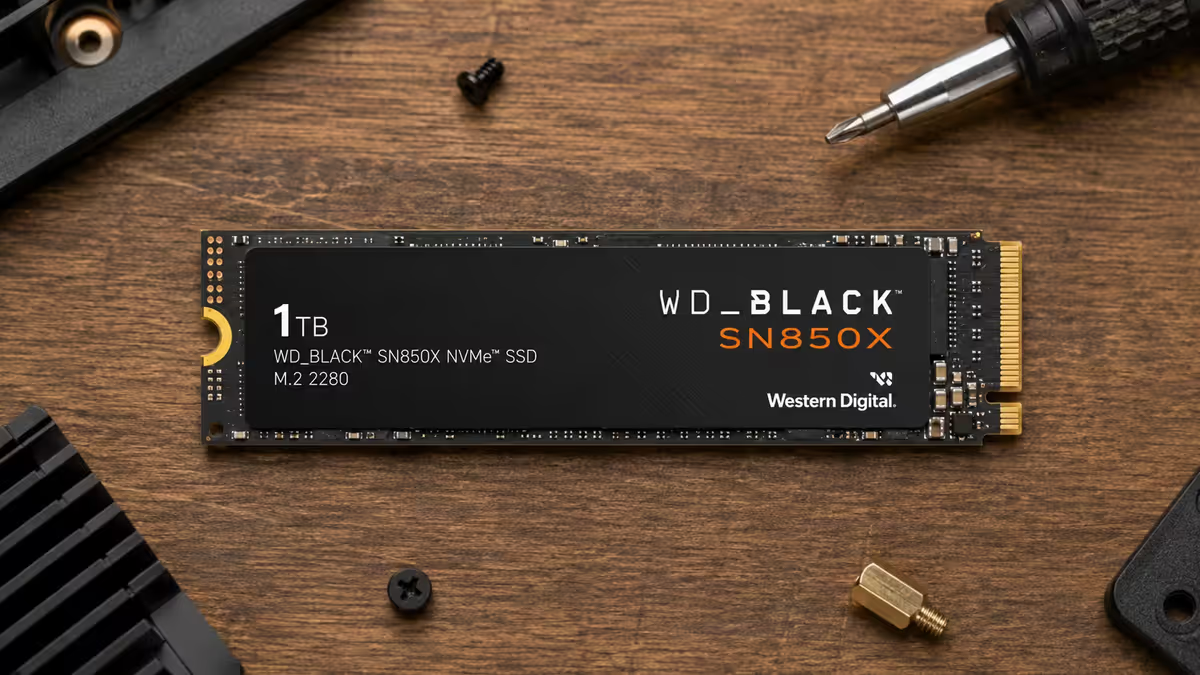
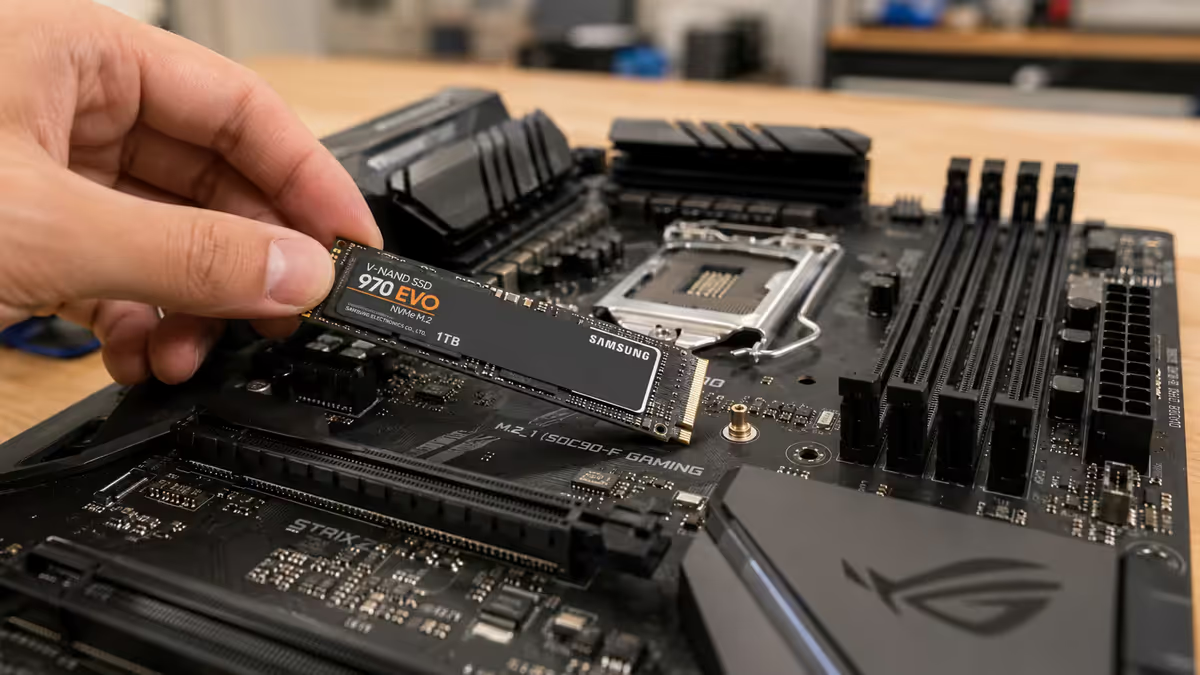
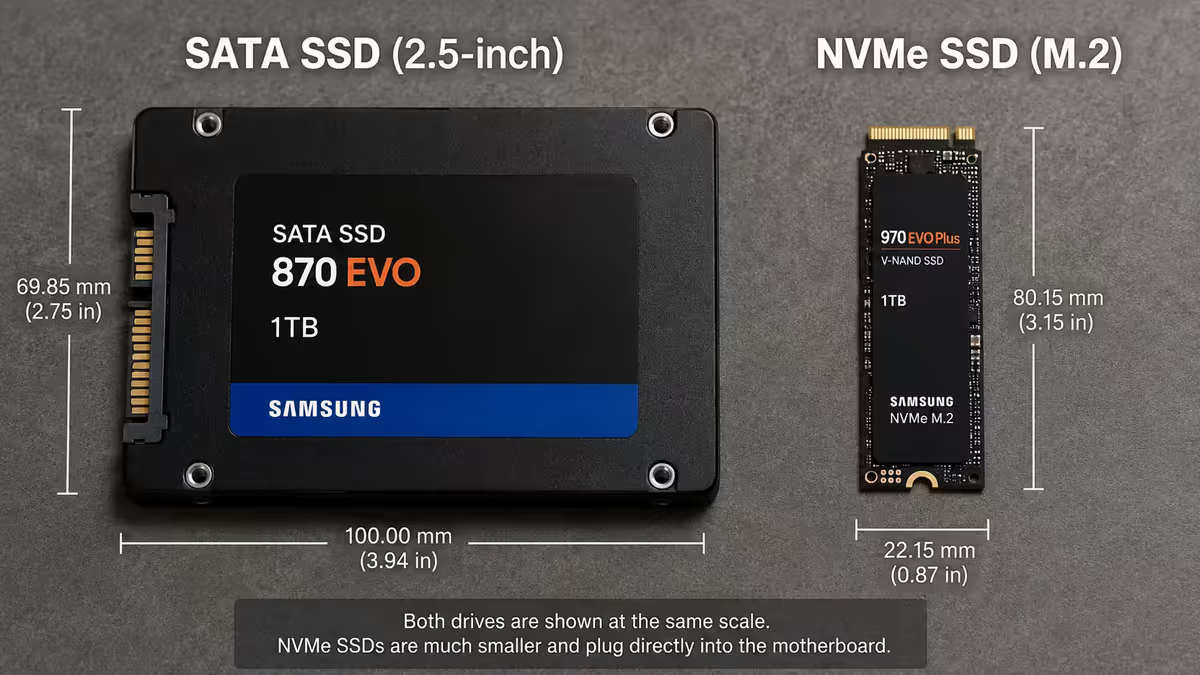
Two physical types of SSD live in current PCs. SATA SSDs (the 2.5-inch ones that look like small hard drives) cap at around 550 MB/s read because they share the SATA interface with hard drives. M.2 NVMe SSDs (the gum-stick-shaped boards that slot directly into the motherboard) talk to the CPU over PCIe and hit 3,500-14,000 MB/s depending on generation.
In 2026, the price-per-GB gap between SATA and M.2 NVMe Gen 4 has narrowed to essentially nothing. For any new build, M.2 NVMe is the only sensible pick. SATA SSDs make sense only if you've run out of M.2 slots and need extra storage.
PCIe Gen 4 vs Gen 5 — Gen 4 is the 2026 sweet spot
Modern motherboards support PCIe Gen 4 (7000 MB/s peak) and increasingly Gen 5 (14,000 MB/s peak) M.2 slots. The marketing is heavy on the Gen 5 numbers. The reality is more boring.
| SSD generation | Peak read | Real-world gain | Cost premium |
|---|---|---|---|
| SATA III | 550 MB/s | Baseline | — |
| NVMe Gen 3 | 3,500 MB/s | Massive vs SATA | Same |
| NVMe Gen 4 | 7,000 MB/s | 10-20% over Gen 3 in real use | +10-15% |
| NVMe Gen 5 | 14,000 MB/s | 1-3% real-world gain for gaming | +50-100% |
Why Gen 5 underdelivers in real use: Games and applications don't load data fast enough to saturate Gen 4, let alone Gen 5. Tests show a Gen 5 SSD loading Cyberpunk 2077 maybe 1-2 seconds faster than a Gen 4 SSD. Gen 5 SSDs also run hot enough to need active cooling — sometimes thermal-throttling within a few minutes of sustained reads.
When Gen 5 makes sense: Creator workflows moving 50+ GB video files routinely, scientific data processing, or running large local AI models. For gaming and general productivity, Gen 4 is more than enough.
How much capacity you need
Modern games are huge. Call of Duty regularly hits 150-200 GB installed. Cyberpunk with all DLC sits at 110 GB. Baldur's Gate 3 is 150 GB. Add Windows (40-50 GB), apps (30-50 GB), and your photo / document library, and 500 GB feels small fast.
Windows + 3-4 games + apps. You'll be deleting things within months.
Windows + ~8-10 modern games + app suite. Where most builds should start.
No active management needed. Large game library, creator projects, media.
Video projects, large media libraries, virtual machines, dozens of games installed.
The price-per-GB sweet spot usually lands at 2 TB. A 2 TB Gen 4 NVMe is often only R500-R900 more than a 1 TB version of the same model — far cheaper than buying two 1 TB drives later. Build for the future and skip the regret.
TBW and endurance — don't worry about it
SSDs have a limited number of write cycles before they wear out. Manufacturers rate this as TBW (Terabytes Written) — a typical 1 TB SSD has 600-1,200 TBW rating.
For context: normal gaming/office use writes 5-30 TB per year. At 10 TB/year of writes, a 600 TBW SSD lasts 60 years before wearing out. The endurance limit is essentially never the failure mode for consumer SSDs.
What does kill SSDs in real life is firmware bugs, controller failures, and (rarely) NAND voltage degradation under prolonged power loss. Quality brands minimise all three. Pick a tier-1 brand with a 5-year warranty and stop thinking about TBW.
DRAM-cached vs DRAM-less
SSDs use a small amount of fast DRAM cache to track where data lives on the NAND chips. DRAM-cached SSDs include this cache chip on the SSD itself. DRAM-less SSDs use a chunk of your system RAM instead (Host Memory Buffer / HMB).
DRAM-cached SSDs are noticeably faster for sustained workloads — copying large files, installing large games, video editing. DRAM-less is fine for casual use but slows down meaningfully under heavy write loads.
The recommendation: spend the extra R200-R400 for a DRAM-cached SSD on your primary boot drive. For a secondary game drive, DRAM-less is acceptable and saves money.
Recommended SSDs by use case
| Use case | Pick | SA price |
|---|---|---|
| Primary boot drive (1 TB) | Samsung 990 Pro 1TB or WD Black SN850X 1TB | R1,400-R1,800 |
| Sweet-spot value (1 TB) | Kingston KC3000 1TB or Lexar NM790 1TB | R1,100-R1,400 |
| Primary boot drive (2 TB) | Samsung 990 Pro 2TB or WD Black SN850X 2TB | R2,400-R3,200 |
| Sweet-spot value (2 TB) | Crucial T500 2TB or Lexar NM790 2TB | R1,900-R2,400 |
| Secondary game drive (2 TB) | Lexar NM710 or TeamGroup MP44 | R1,700-R2,100 |
| Creator / Gen 5 (1 TB) | Crucial T705 or Samsung 9100 Pro | R2,800-R3,800 |
| Bulk storage (4 TB) | WD Black SN850X 4TB or Lexar NM790 4TB | R3,800-R5,500 |
Common SSD mistakes
Buying SATA in 2026. No price advantage anymore, 10× slower than NVMe. Skip it for new builds.
Overspending on Gen 5. 50-100% premium for 1-3% gaming gain. Unless you're a video creator with large 4K/8K timelines, stay Gen 4.
Buying 500 GB. Modern games make this a constant deletion exercise. 1 TB is the floor.
Installing in the wrong M.2 slot. Most motherboards have one Gen 5 M.2 slot (typically M.2_1, closest to the CPU, connected directly) and several Gen 4 slots routed through the chipset. Boot drives go in M.2_1.
Skipping the heatsink on Gen 5. Gen 5 SSDs without a heatsink thermal-throttle within minutes. Even on Gen 4, the motherboard's built-in heatsink should always be installed.
Key takeaways
- M.2 NVMe Gen 4 is the right pick for new builds — SATA is slower at no price advantage.
- Skip Gen 5 for gaming. 1-3% real-world gain at 50-100% price premium and significant heat.
- 1 TB is the 2026 minimum. 2 TB is the sweet spot for most builders.
- Don't worry about TBW — controller failures and firmware bugs kill SSDs far before write endurance does.
- Stay with tier-1 brands (Samsung, WD, Kingston, Crucial, Lexar) — the 5-year warranty matters more than spec-sheet numbers.
Frequently asked questions
What size SSD do I need for gaming in 2026?
1 TB is the practical minimum — modern AAA games can install at 100-150 GB each. 2 TB is the sweet spot if you keep more than a few games on disk.M.2 NVMe vs SATA SSD — which should I buy?
M.2 NVMe. SATA caps at 550 MB/s; M.2 NVMe Gen 4 hits 7000+ MB/s. The price gap has narrowed to almost nothing — SATA only makes sense if your motherboard is out of M.2 slots.PCIe Gen 4 vs Gen 5 SSD — does it matter?
For gaming, no. Gen 4 delivers 7000 MB/s — more than games can use. Gen 5 doubles that but shows 1-3% load-time improvement at 50-100% cost premium.What does TBW mean on an SSD?
TBW (Terabytes Written) is rated lifetime write endurance. For normal use, you'll write 5-30 TB per year — modern SSDs last 30+ years before hitting TBW limits.Do I need a heatsink on my M.2 SSD?
For Gen 4 NVMe, the motherboard's built-in heatsink is enough. For Gen 5 NVMe — mandatory. Gen 5 SSDs thermal-throttle without one.How long does an SSD last?
7-10 years for quality NVMe from tier-1 brands under normal use. Most failures are controller / firmware issues, not write endurance.Should I get DRAM or DRAM-less SSD?
DRAM-cached is noticeably faster for sustained workloads. Spend extra R200-R400 for DRAM on your primary drive; DRAM-less is fine for secondary game drives.Can I use an external SSD as my main drive?
No. External SSDs go through USB or Thunderbolt — slower than M.2 NVMe directly on the motherboard. Always install your boot drive internally.
Get the Evetech app
Exclusive app-only prices, daily flash sales, and free delivery on orders over R4,000 — download the app and start saving.