Case Fans Buying Guide
How to choose case fans. — 140mm. PWM. Quiet by default.
Case fans look identical from across the room. Up close, the cheap ones howl at idle and the good ones disappear. Two specs decide everything.
- where it fits
- 140mm
- RPM range
- 300-2000
- per fan
- R150-R450
120mm vs 140mm — pick 140mm where you can
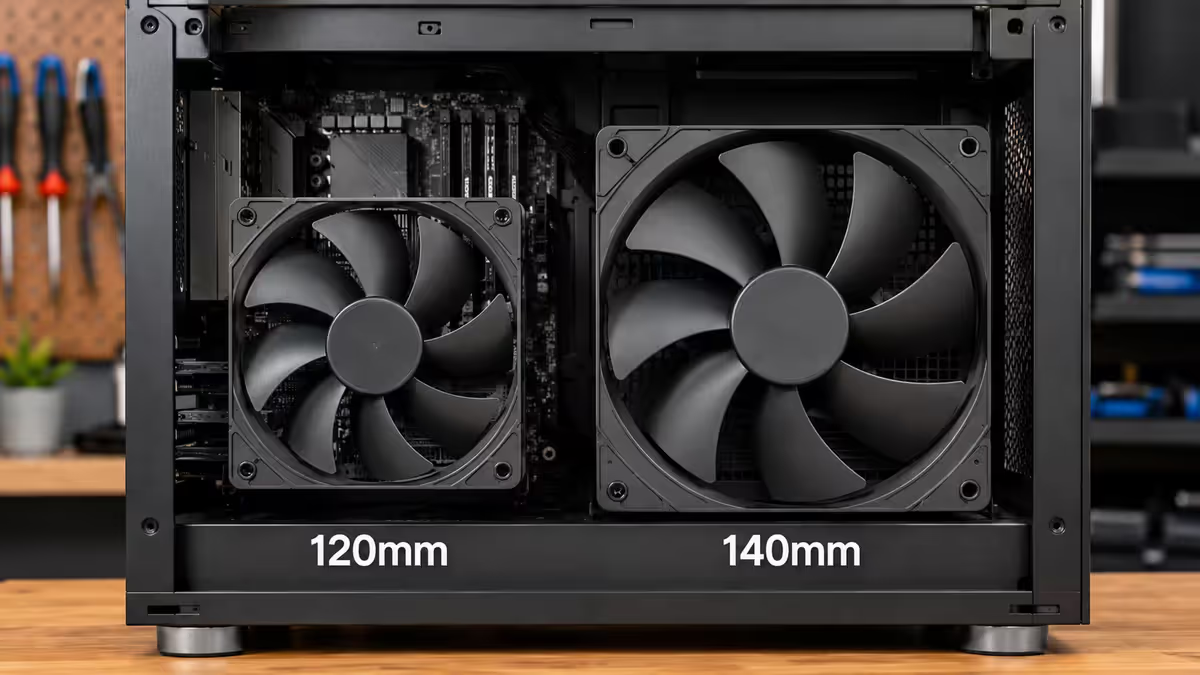
Case fans come in two practical sizes: 120mm and 140mm (with 92mm and 200mm existing for niche cases). The difference matters more than it looks.
A 140mm fan moves more air per revolution than a 120mm — meaning it can deliver the same airflow at 20-30% lower RPM. Lower RPM means lower noise. A 1500 RPM 140mm fan is dramatically quieter than an 1800 RPM 120mm fan producing the same CFM.
The catch: not every mount supports 140mm. Most modern mid-tower ATX cases support 140mm at the front (2 × 140mm) and top (2 × 140mm) but only 120mm at the rear exhaust. Radiators are almost always sized in 120mm increments (240mm, 360mm) which forces 120mm fans on AIO mounts. Check your case spec sheet for each mount point.
CFM vs static pressure — two specs, two purposes
Every fan spec sheet lists two airflow numbers: CFM (airflow) and static pressure (mmH₂O). They are not interchangeable, and the cheap mistake is treating them as one number.
| Spec | What it measures | Use for |
|---|---|---|
| CFM (airflow) | Air moved through open space | Open intake / exhaust mounts |
| Static pressure (mmH₂O) | Ability to push through resistance | Radiators, dust filters, dense mesh |
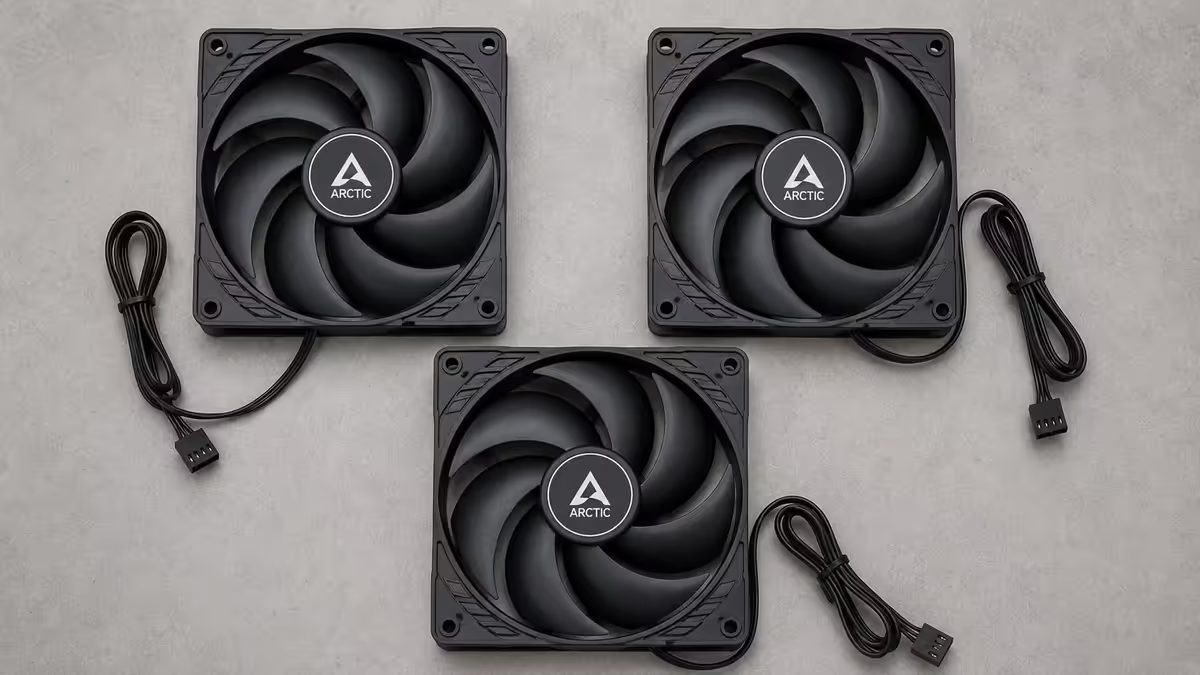
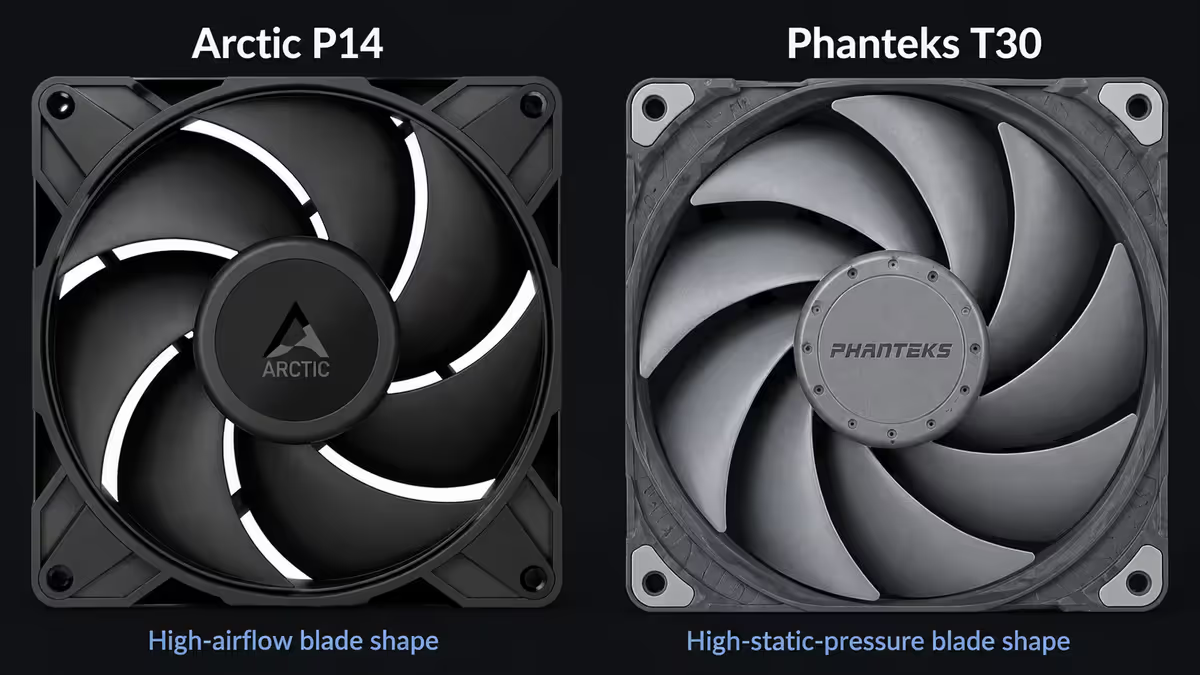
High-airflow fans (Arctic P12/P14, Noctua NF-A14) have wide, shallow blades that move lots of air through open space — perfect for front intake and rear exhaust. Put one in front of a thick radiator and it loses 40-60% of its rated CFM because it can't push hard enough.
High-static-pressure fans (Phanteks T30, Noctua NF-A12x25, Corsair iCUE H Pro) have steeper, denser blades that push air harder. They're the right pick for radiators (AIO water-cooling, CPU air-tower fans) and very dense intake mesh filters. They're slightly less efficient as plain exhaust fans.
"Balanced" fans like the Noctua NF-A12x25 are designed to perform respectably at both. They cost more but cover both roles well, which simplifies fan selection.
PWM vs DC — always pick PWM in 2026
PWM (4-pin) fans receive a pulse signal from the motherboard that controls RPM directly. They can run from 300 RPM (essentially silent) to their full rated speed, with smooth motherboard control.
DC (3-pin) fans are controlled by varying voltage. The motherboard sends less voltage to slow them down. The problem: most DC fans can't run below ~50% RPM stably, meaning idle noise is much higher than a PWM equivalent.
Every modern motherboard has 4-8 PWM fan headers. There is no reason to buy DC fans for a new build in 2026 — the price difference has narrowed to almost nothing, and the noise difference at idle is significant.
How many case fans do you need?
Most builders overspend on fan count. The honest answer for a typical mid-tower ATX gaming build:
| Build type | Fan layout | Total |
|---|---|---|
| Budget air-cooled gaming | 2 front intake + 1 rear exhaust | 3 fans |
| Standard gaming | 3 front intake + 1 rear exhaust | 4 fans |
| Gaming + 360mm AIO at top | 3 front intake + 3 top exhaust (AIO) + 1 rear | 7 fans |
| Silent enthusiast | 3 front intake + 2 top exhaust + 1 rear (140mm where possible) | 6 fans |
| Workstation / heavy load | 3 front + 3 top + 1 rear + 1 bottom intake | 8 fans |
Going past 8 fans almost never improves temperatures meaningfully. The cooling delta from fan #7 to #8 is usually under 1°C. The noise floor and dust accumulation both increase.
Positive vs negative pressure — pick positive
If your total intake CFM exceeds your total exhaust CFM, the case is positive pressure — air leaves through filtered intake gaps. If exhaust exceeds intake, you have negative pressure — air enters through every unfiltered seam in the case, dragging dust with it.
Positive pressure is the right pick for almost every build. It reduces dust accumulation by an order of magnitude. The standard 3-front-intake + 1-rear-exhaust layout naturally produces positive pressure.
How to verify: hold a thin tissue near the case rear after the build starts. If it pulls inward, you're negative. If it puffs outward gently, you're positive. The classic test, costs nothing, takes 5 seconds.
Recommended fans by use case
| Use case | Pick | SA price (each) |
|---|---|---|
| Budget airflow (120/140mm) | Arctic P12 PWM PST or Arctic P14 PWM PST | R150-R220 |
| Sweet-spot airflow | Phanteks T30-120 or Be Quiet Silent Wings 4 | R280-R380 |
| Premium silent | Noctua NF-A12x25 / NF-A14 PWM | R450-R550 |
| High static pressure (rads) | Phanteks T30 or Noctua NF-A12x25 | R350-R550 |
| RGB / ARGB aesthetic | Lian Li UNI Fan SL-INF or NZXT F120 RGB Core | R350-R600 |
| Daisy-chain / minimal cables | Lian Li UNI Fan SL series | R400-R650 |
| Workstation / max airflow | Noctua NF-A14 industrialPPC or Phanteks T30 | R450-R600 |
Common case fan mistakes
Using bundled case fans without checking their spec. Many cases include 3-fan starter packs that are DC-only and have a 700 RPM floor. They sound fine at first, but you can't quiet them past a certain point. Replace with PWM equivalents on day one.
Overpaying for RGB. Lian Li UNI Fan SL Wireless sets cost 3-4× a non-RGB equivalent. If the case has no glass panel or sits under the desk, you're paying for lighting nobody sees.
Mismatching fan type to position. Putting high-CFM fans on a thick radiator loses most of their performance. Putting high-pressure fans as plain rear exhausts is wasteful.
Ignoring the included accessories. Arctic P12 PST and P14 PST ship with built-in daisy-chain headers — three fans can share one motherboard header. Cheap fans often skip this and force you to buy hub splitters.
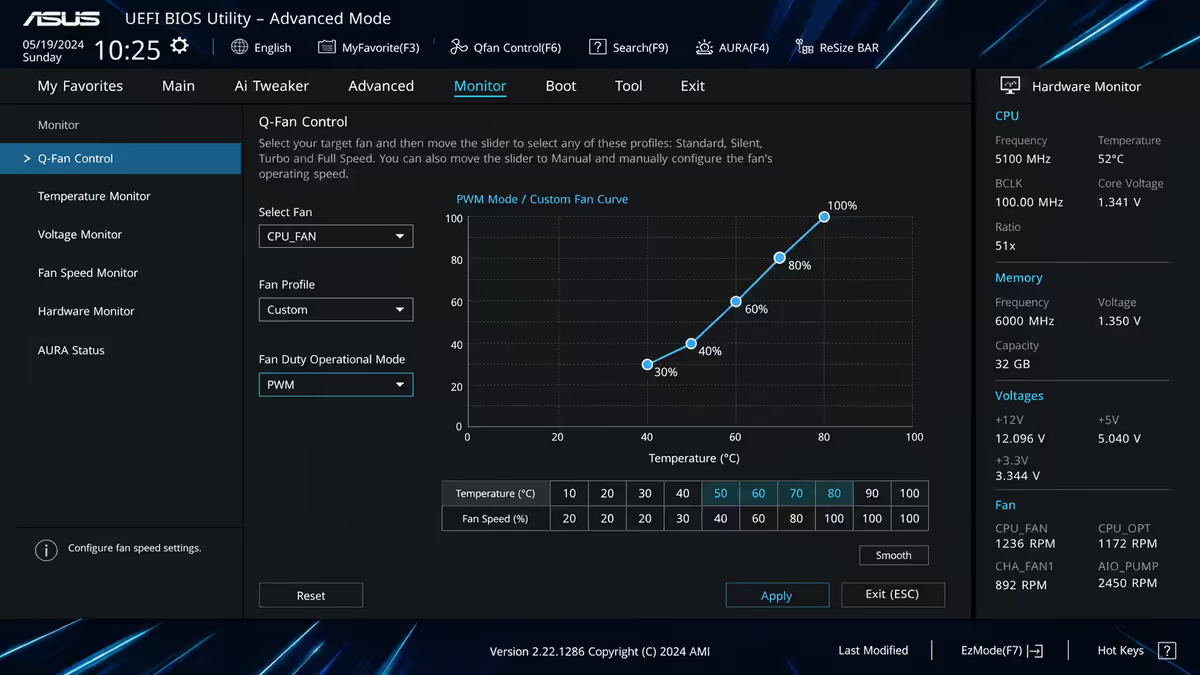
Running fans at 100% all the time. Modern BIOS lets you set a temperature-based curve. Configure fans to ramp from 30% (idle) to 100% (gaming load). Most builds with stock curves run fans 30% louder than needed at desktop.
Key takeaways
- 140mm where the mount supports it. 120mm everywhere else.
- PWM (4-pin) only. DC fans don't slow below ~50% RPM and you'll hear them at idle.
- High airflow for open intake/exhaust. High static pressure for radiators.
- Aim for positive case pressure — fewer dust entry points, much cleaner internals over time.
- Configure a temperature-based fan curve in BIOS — most stock curves are unnecessarily loud at idle.
Frequently asked questions
120mm vs 140mm case fan — which is better?
140mm. Same airflow at 20-30% lower RPM means quieter operation. Use 140mm wherever your case supports it; 120mm at the rest.What does CFM mean on a case fan?
CFM (Cubic Feet per Minute) measures air moved through open space. Good case fans are 60-85 CFM. Use for open intake/exhaust positions.What does static pressure mean on a case fan?
How hard the fan pushes air through resistance — radiators, dust filters, dense mesh. Want 2.0+ mmH₂O for radiator-mounted fans.PWM vs DC fan — which should I buy?
PWM (4-pin), always. Full RPM control 300-2000 RPM. DC (3-pin) can't slow below ~50% — too loud at idle.How many case fans do I need?
Standard: 2-3 front intakes + 1 rear exhaust = 3-4 fans. Add 3 more for a 360mm AIO at the top. Six fans is the practical ceiling.What RPM range should a good case fan have?
300-2000 RPM is the quality range. Low end (300-500) gives silent idle; high end (1800-2000) gives headroom under load.Should I use positive or negative case pressure?
Positive. Intake CFM slightly more than exhaust. Reduces dust dramatically — air leaves through filtered intakes instead of entering through every unfiltered gap.Are RGB case fans worth it?
Only for showcase builds with a glass panel. Zero cooling benefit, 30-50% price premium. Arctic P12 PWM (R180) cools as well as a R600 ARGB fan.
Get the Evetech app
Exclusive app-only prices, daily flash sales, and free delivery on orders over R4,000 — download the app and start saving.