Keyboard Layout Comparison
Full size, TKL or 75%? — Layout math, mouse-arm reality, honest answer.
The right keyboard layout isn't a taste call — it's a math problem. How much desk space, how often you touch the numpad, and how far you sweep the mouse all combine to pick one form factor for you.
- key count tiers
- 104 / 87 / 84
- mouse arm gain · TKL
- 100 mm
- SA entry price
- R1,800+
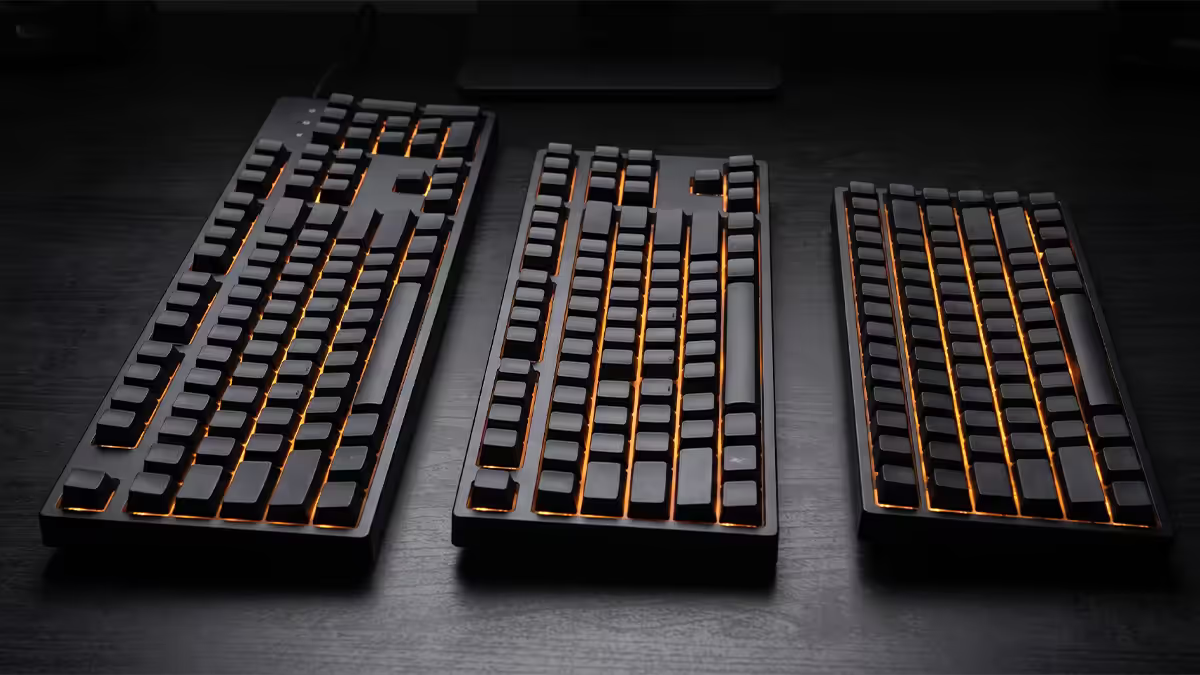
The five common layouts
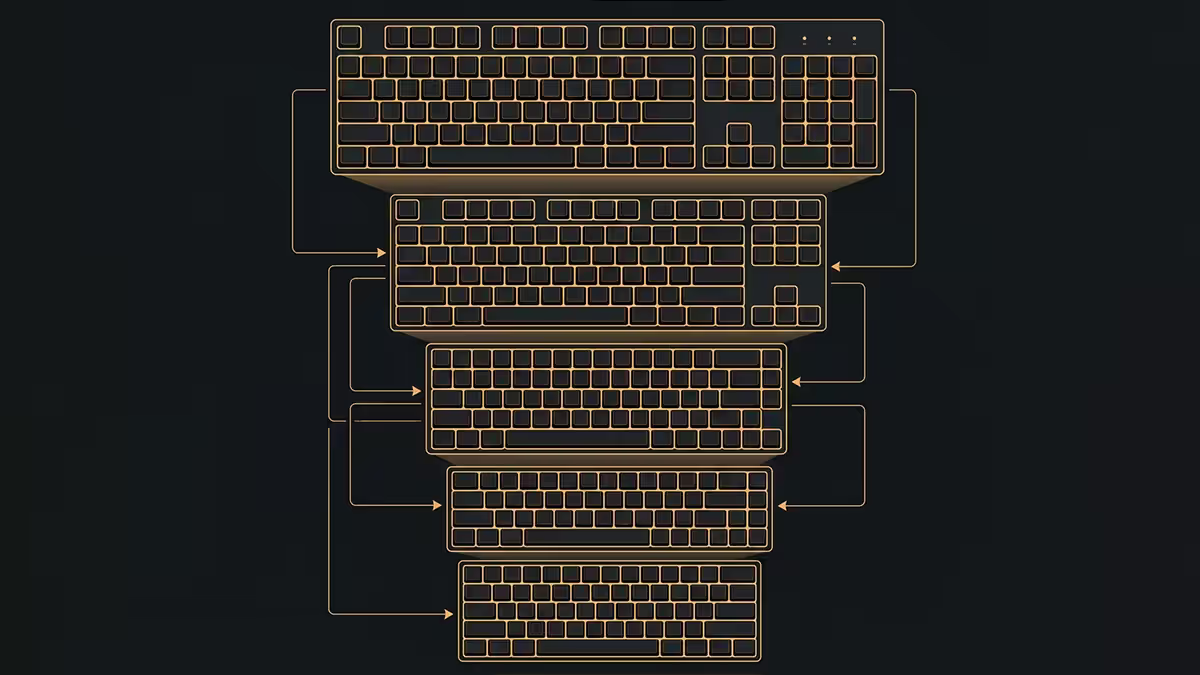
Every modern keyboard sits somewhere on a ladder of how many keys it includes and how compactly. Five sizes account for the vast majority of keyboards sold in SA in 2026. Knowing what each one actually has on it is the start of every decision.
| Layout | Keys | Width | What's missing |
|---|---|---|---|
| Full size (100%) | 104 | ~445mm | Nothing — the reference |
| 1800 / 96% | 96-99 | ~385mm | Compresses numpad against navigation cluster |
| TKL (80%) | 87 | ~360mm | Numpad |
| 75% | 84 | ~320mm | Numpad; nav cluster pulled to right edge |
| 65% | 68 | ~310mm | Numpad, F-row (Fn layer) |
| 60% | 61 | ~290mm | Numpad, F-row, arrow keys (all Fn layered) |
As you climb down the ladder, two things shrink: the keyboard's footprint on the desk, and the number of dedicated keys you can press without holding a function modifier. The 1800 / 96% is an interesting middle ground — it keeps the numpad but kills the gap between main and numpad sections, saving roughly 60mm versus full size.
Numpad — who actually needs it
The numpad is the single biggest layout decision because removing it changes desk geometry more than any other compression. Here's the honest breakdown of who genuinely uses it day-to-day:
Heavy users (full size or 1800 makes sense):
- Accountants, finance professionals, bookkeepers — Excel financial modelling is brutal without a numpad.
- Data entry roles — orders of magnitude faster than the number row.
- CAD users — AutoCAD, SolidWorks, Revit all rely heavily on numpad inputs.
- Calculator-heavy roles — engineering, science, statistical work.
- Streamers using Stream Deck-style hotkey layouts that map to numpad keys.
Occasional users (TKL or 75% with separate numpad is the win):
- Anyone who only opens Excel a few times a month.
- Gamers who use the numpad for occasional MMO macros — most are remappable.
- General productivity users — the on-screen Windows calculator handles light maths.
Almost never users (TKL / 75% / 65% / 60% are all viable):
- Most gamers — outside of MMOs, the numpad rarely appears in keybinds.
- Writers, journalists, content creators — number row covers everything.
- Coders — depends heavily on language, but most modern dev work doesn't need a numpad.
The mouse-arm math (why pros use TKL)
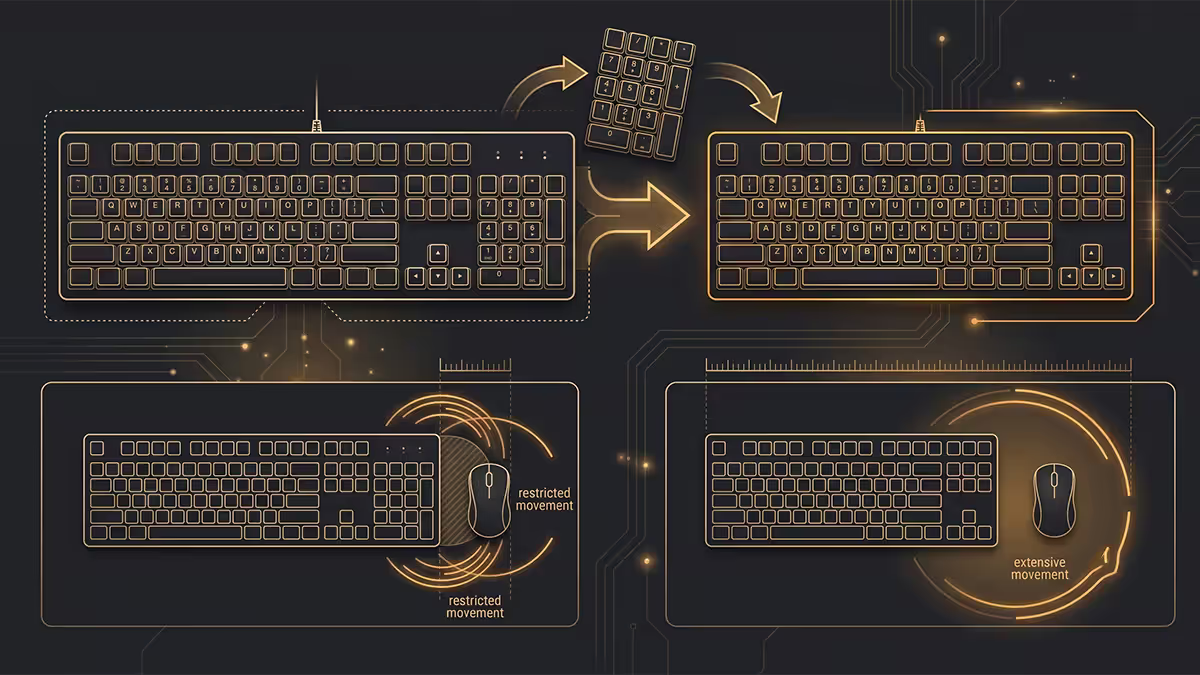
Here's why CS2, Valorant, Apex and Overwatch pros almost universally use TKL or smaller: a full-size keyboard pushes your mouse approximately 85mm to 100mm further to the right than TKL. For low-sensitivity FPS players who sweep the mouse in large arcs to make wide turns, that 100mm matters.
The shoulder rotation involved in big mouse arcs becomes more pronounced when your right hand starts further from your body's centreline. Over a four-hour session, the additional rotation creates real fatigue. Over a competitive career, it creates posture issues.
The numbers, roughly measured from the centre of WASD to the comfortable mouse-rest position:
- Full size → mouse sits ~280mm right of WASD centre.
- TKL → mouse sits ~190mm right.
- 75% → mouse sits ~160mm right.
- 60% → mouse sits ~150mm right.
For high-sensitivity players who never sweep more than a few centimetres, this saves nothing. For low-sens players (CS2, Valorant), the comfort delta is enormous. This single observation is why TKL is the dominant esports-tournament layout in 2026.
Function row and arrow keys — the reality
Once you compress past 75%, you start losing dedicated keys to Fn layers. This is fine in theory and unpleasant in practice — depending on what you do with the PC.
F-row (F1-F12): kept on TKL and 75%, dropped on 65% and 60% (becomes Fn+number row). If you use F-keys for browser navigation (F5 refresh, F11 fullscreen), Excel shortcuts, alt-tab style bindings, IDE debugging, OBS hotkeys — losing the F-row is annoying. For pure gaming, you usually don't miss it.
Arrow keys: kept on TKL, 75% and 65%, dropped on 60% (becomes Fn+IJKL or similar). Arrow-key text editing is dramatically slower with a Fn modifier. If you write, code, or edit spreadsheets, the absence of dedicated arrows on a 60% board feels like sandpaper.
Practical recommendation: 75% is the smallest layout most people should consider for general PC use. 65% works if you primarily game and live in a browser. 60% is a specialist preference — go in knowing what you're trading away.
Portability and LAN
If you travel with your keyboard — LAN parties, lounge gaming, conferences — size matters in the most literal way. TKL fits in most backpacks; full size requires a dedicated bag pocket and adds significant bulk.
Three practical numbers:
- Full size weighs ~1,100g and consumes a full laptop-bag width.
- TKL weighs ~750g and slips into the laptop sleeve compartment.
- 60% / 65% weigh 450-550g and fit into a cargo pocket on a backpack.
Wireless options matter for portability too. The Logitech G915 TKL Lightspeed and Keychron K-series (75% / 65%) are the practical SA picks for travel-capable mechanical keyboards in 2026.
SA pricing — what you actually pay
Layout doesn't strongly affect price within a brand and tier. Small keyboards aren't cheaper than large ones; sometimes they're more expensive because the compact PCB is specialised. The price drivers are switches, build quality, wireless, hot-swap support and brand prestige — not key count.
Typical 2026 SA pricing for current models:
| Layout | Entry tier | Mid-tier (mechanical) | Premium |
|---|---|---|---|
| Full size | R1,800-R2,800 | R3,500-R6,000 | R6,500-R10,000 |
| TKL | R1,500-R2,500 | R3,200-R5,500 | R5,500-R8,500 |
| 75% | R2,400-R3,800 | R3,800-R6,500 | R6,500-R11,000 |
| 65% / 60% | R1,800-R3,000 | R3,200-R5,500 | R5,500-R9,000 |
Pick by user type
Competitive gamer (CS2 / Valorant / Apex): TKL — Almost certainly TKL. 75% is a reasonable alternative if desk space matters. Full size is actively worse for low-sens players.
MMO / RPG / story gamer: TKL or 75% — Both work. If you use F-key macros for MMO rotations, TKL is the smoother fit.
Excel-heavy professional: Full size or 1800 — No real alternative. Numpad use justifies the wider footprint and the mouse-arm cost is negligible because you're not sweeping the mouse.
Writer / coder: TKL or 75% — F-row and dedicated arrows matter for text navigation. Skip 60% and 65% unless you're certain about the trade-off.
Streamer / content creator: TKL + Stream Deck — TKL keeps the desk clean; Stream Deck (or Loupedeck) handles scene switching and overlay hotkeys far better than numpad keys ever did.
Mixed gamer + spreadsheet user: TKL + USB numpad — Best of both worlds. TKL on the desk daily, USB numpad slid in when needed.
Esports specialist / minimalist: 60% — If you know what you're missing and you're OK with it, 60% is liberating. Otherwise, 65% is the saner compromise.
Key takeaways
- TKL is the default for most gamers in 2026 — full key set without the numpad pushing the mouse out.
- Full size is for numpad-dependent professionals — finance, accounting, CAD, data entry.
- 75% is the compact sweet spot — all the keys you need, much smaller desk footprint.
- The TKL mouse-arm gain (~100mm closer to body centreline) is the reason esports pros use TKL.
- 60% / 65% are specialist picks — go in knowing what you're trading away in arrows and F-row access.
Frequently asked questions
What's the difference between full size, TKL and 75% keyboards?
Full size: 104 keys with numpad. TKL: 87 keys, no numpad. 75%: 84 keys, no numpad, navigation cluster compressed into right edge. The further you compress, the more layers you trade against desk space.Which keyboard layout is best for gaming?
TKL — full key set, no numpad pushing your mouse arm out. 75% is gaining ground for compact desks. Full size only makes sense if you also do significant spreadsheet work.Do I really need a numpad?
Only if you regularly enter numerical data — Excel modelling, accounting, CAD. Occasional users can use the on-screen calculator or a separate USB numpad.What's the 75% vs 65% vs 60% trade-off?
75% keeps F-row and arrows. 65% drops F-row but keeps arrows. 60% drops both — everything is Fn-layered. Smaller = more keys live behind a modifier.How much does keyboard size affect mouse aim?
~100mm difference in mouse position between full size and TKL. For low-sens FPS players who sweep big arcs, that 100mm reduces shoulder rotation and fatigue measurably.Are smaller keyboards more comfortable?
For most people yes — shorter mouse reach, less shoulder rotation. Exception is heavy numpad users — taking it away creates new reach fatigue. Sweet spot for almost everyone is TKL or 75%.Can I use a 60% keyboard for everything?
Technically yes — every key exists as a Fn layer. Practically painful for writers, coders or spreadsheet users. Great for esports purists who never edit long documents.What's the SA price difference between layouts?
Small. Logitech G915 TKL ~R3,800 vs full size ~R4,300. Premium 75% boards (Keychron Q1, Asus ROG Azoth) R3,500-R6,500. You pay for build quality, not key count.
Get the Evetech app
Exclusive app-only prices, daily flash sales, and free delivery on orders over R4,000 — download the app and start saving.