Keyboard Explainer
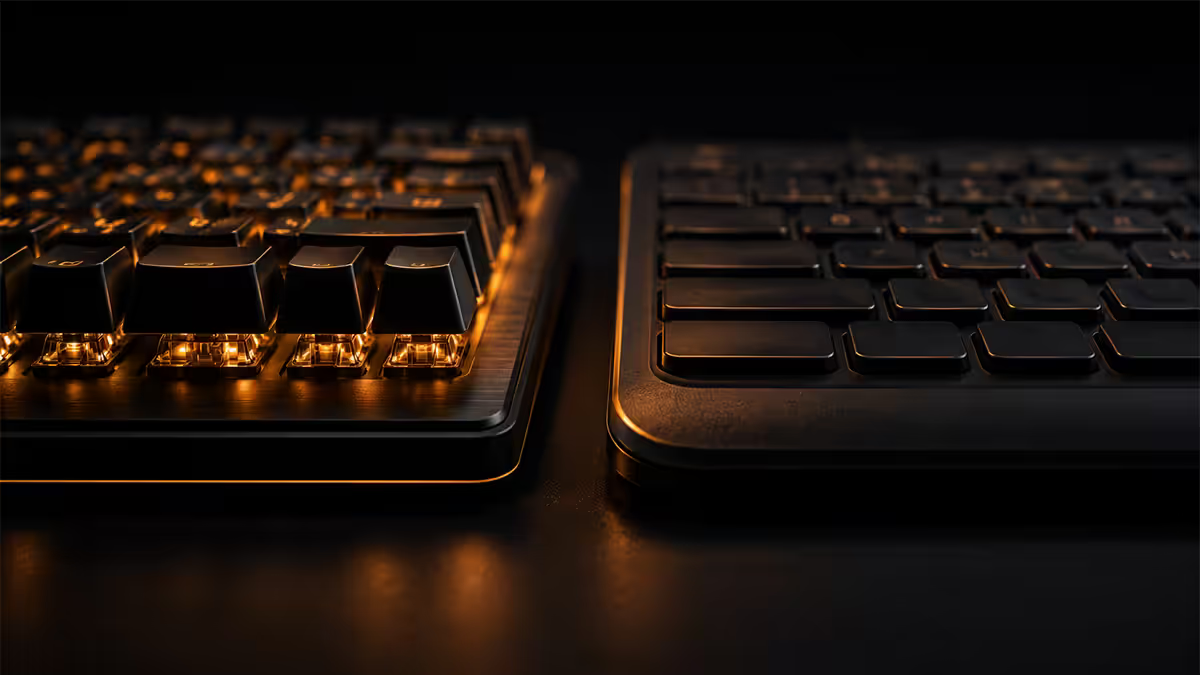
Mechanical vs membrane. — Per-key switches vs a single rubber sheet.
One is built around a real spring under every key, lasts a decade, and lets you customise everything from sound to actuation. The other is a sheet of rubber. The price gap is closing fast, the experience gap isn't.
- mech presses / key
- 100M
- membrane / key
- 10M
- entry mech SA
- R1.2k+
How each one actually works
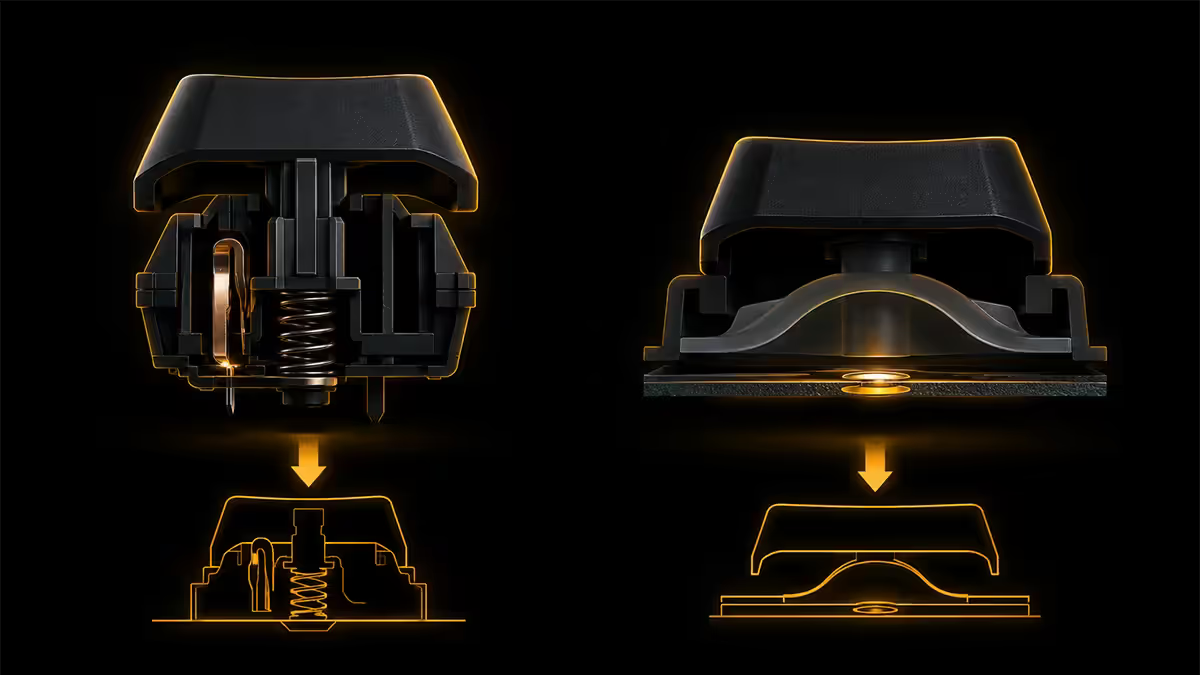
Membrane keyboards have a single rubber sheet stretched across all keys. Each key sits on a small rubber dome. Press the key, the dome collapses, a carbon pad on its underside touches the membrane below, the circuit closes, and the keypress registers. Release, the dome springs back. Every key uses the same dome sheet.
Mechanical keyboards have an individual switch under every key. Each switch is a self-contained module — plastic housing, metal spring, plastic slider (the "stem"), and two metal leaf contacts. Press the key, the slider moves down, the contacts touch, the keypress registers. The switch is built around a real spring, not a piece of rubber.
That single design difference cascades into everything that follows — feel, sound, durability, customisation, gaming response, price.
Mechanical switch types — linear, tactile, clicky
| Switch family | Feel | Best for |
|---|---|---|
| Linear (MX Red, Gateron Yellow) | Smooth top-to-bottom, no bump | Gaming — fast double-taps |
| Tactile (MX Brown, Holy Panda) | Bump at actuation, no click | Typing + light gaming |
| Clicky (MX Blue, Box White) | Tactile bump + audible click | Typists who want feedback |
| Silent (MX Silent Red, Silent Brown) | Dampened linear or tactile | Shared office, mic-on streams |
| Speed / Optical (MX Speed, Razer Optical) | Linear with shorter travel | Competitive FPS, fastest actuation |
| Magnetic / Hall Effect (Razer Analog, SteelSeries OmniPoint) | Adjustable actuation per key | Sim racing, analog-throttle inputs |
Most modern keyboards (Keychron Q-series, Glorious GMMK, Royal Kludge, Akko) are hot-swap: you can lift switches out with a puller and drop new ones in without soldering. This means you can buy a board with MX Brown, try the typing feel for a month, then swap to MX Red for gaming — all on the same R3,000 hardware.
Durability — the decade gap
Manufacturer-rated lifespans are roughly 10x apart, and in practice the real-world gap is even bigger.
- Cherry MX, Gateron, Kailh switches: 50–100 million presses per switch.
- Razer Optical, SteelSeries OmniPoint: 100+ million presses (no physical contact wear).
- Membrane: 5–10 million presses before the rubber dome flattens.
For a typist hitting 50,000 keystrokes a day, a membrane starts feeling mushy or skipping inputs in 2–4 years. A mechanical board hits 10–15 years before any switch needs replacing — and if one does fail on a hot-swap board, it's a R30 part swap.
The harder part to capture in numbers: a mechanical keyboard feels the same on year 8 as it did on day one. Every keypress has the same actuation force, the same bump, the same click. A membrane gradually degrades — the dome under your most-used keys (E, T, A, space) collapses faster than the rest. Within two years, your typing rhythm has uneven response.
Gaming — NKRO, actuation and the W+A+Shift+Space problem
For gaming, mechanical's biggest practical wins are:
- Full NKRO (N-key rollover). Every simultaneous key press is registered correctly, no matter how many you hold. Critical for shooters, MOBAs and rhythm games where pressing W+A+Shift+Space+1 at once is normal.
- No ghosting. Cheap membrane keyboards drop one of your inputs if the matrix can't decode multiple simultaneous keys — typically W+A+D or arrow combos. Even "anti-ghosting" membranes only protect 6–8 specific keys.
- Shorter actuation distance. Mechanical switches register at 1.0–2.0mm of travel. Membranes register at 3.5–4.0mm. Faster taps, faster double-tap response, less finger movement per second held.
- Consistent per-key force. Every key feels identical. Membrane domes vary subtly across the sheet — the centre keys often feel different from the edges.
- Magnetic / Hall-effect switches (Wooting 60HE, Razer Huntsman V3 Pro Analog, SteelSeries Apex Pro) take this further with per-key adjustable actuation and rapid trigger — the same key can act as press + release multiple times within a single millimetre of travel.
The honest counter: for casual gaming (single-player RPGs, strategy, anything that doesn't require sub-frame input precision), a decent membrane is genuinely fine. Mechanical's gaming win is most visible in competitive multiplayer.
Typing — feel, sound and fatigue
For pure typing — long emails, code, documents — mechanical wins on three measurable axes:
- Tactile feedback. A tactile or clicky switch tells your fingers the keypress registered without bottoming out. You stop pressing harder than necessary. Over 8 hours, this measurably reduces finger fatigue.
- Faster WPM. Typing tests show roughly 8–15% higher words-per-minute on tactile mechanical vs membrane for the same typist after acclimatisation. The tactile bump lets you release earlier.
- Less typo-correction. Membrane keyboards with uneven dome wear cause "missed" inputs — you typed it, the dome didn't quite trigger. Frustrating in long-form writing.
Sound is the divisive bit. Clicky switches (MX Blue) are loud and proud — fantastic at home, deeply rude in shared offices. Tactile switches (MX Brown) are noticeable but acceptable. Linear silent switches with sound-dampening foam can be quieter than a membrane.
Customisation — keycaps, switches, lubing, software
This is where mechanical isn't just better, it's a different category entirely:
- Keycaps. Almost every mechanical keyboard uses MX-style stems (the "+" cross on the slider). This means any MX-compatible keycap set fits — PBT, ABS, themed sets, custom group buys. Membrane keycaps are board-specific moulds; you can't swap them.
- Hot-swap switches. Pull out MX Browns, drop in MX Reds, swap to silent Gaterons. No soldering on most modern boards.
- Lubing. Apply Krytox 205g0 to switch sliders for smoother travel and lower noise. Free upgrade once you have a brush and lube; transforms cheap switches into premium-feel.
- Software macros. QMK and VIA firmware (open-source, runs on most Keychron, Glorious, GMMK boards) lets you remap any key, set per-key macros, build multiple layers — without manufacturer software.
- Per-key RGB. Every switch has its own LED, individually controllable. Membrane RGB is usually zone-only.
For most people, the customisation is a nice-to-have. For typists, streamers, developers and FPS players, it's a multi-year personalisation that makes the same physical keyboard better month after month.
SA price tiers — what your budget buys
| Tier | Type & example | SA price |
|---|---|---|
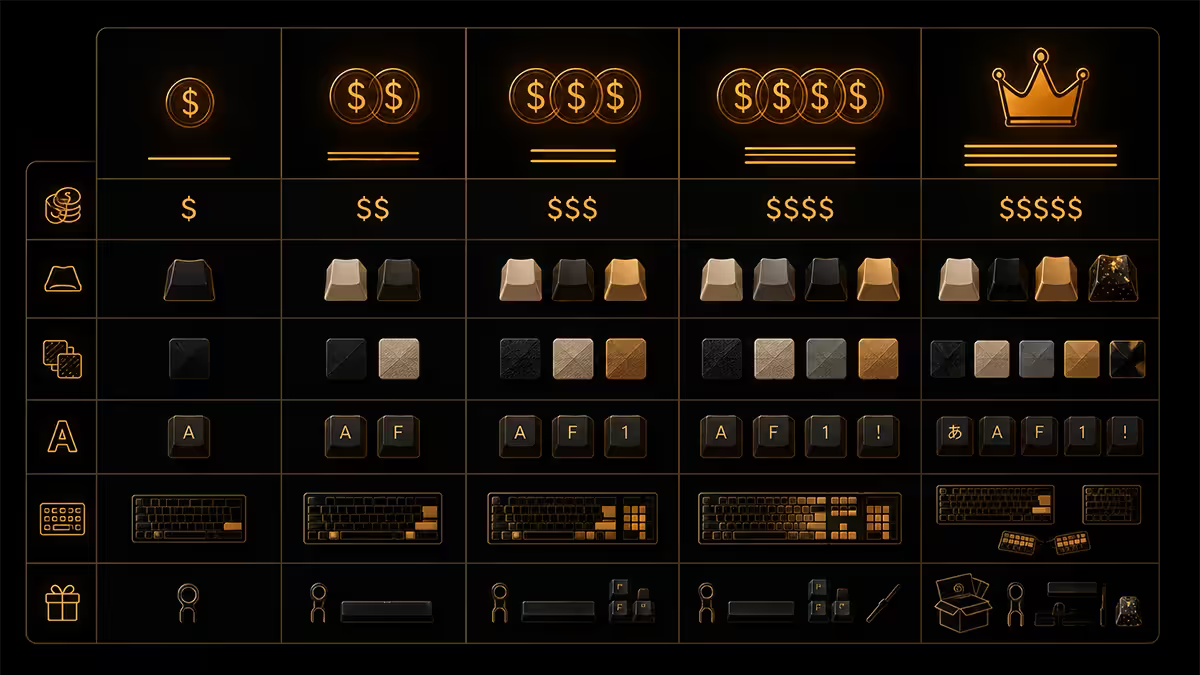
| Office / ultra-budget | Logitech K120 / HP membrane | R250–R500 |
| Decent membrane gaming | Logitech G213, Razer Cynosa | R600–R1,000 |
| Entry mechanical | Redragon Kumara, Royal Kludge RK68, Aula F75 | R1,200–R1,800 |
| Mid-tier mechanical | Keychron K8 Pro, HyperX Alloy Origins, Logitech G Pro X TKL | R2,500–R4,500 |
| Enthusiast hot-swap | Keychron Q-series, Glorious GMMK Pro, Akko 5108B | R5,000–R8,000 |
| Magnetic / Analog | Wooting 60HE, Razer Huntsman V3 Pro, SteelSeries Apex Pro | R5,500–R10,500 |
| Custom build (kit + switches + caps) | Mode Sonnet, GMK keycap sets, lubed switches | R8,000–R20,000+ |
Key takeaways
- Mechanical = individual switches per key. Membrane = single rubber dome sheet. That difference cascades into everything else.
- Mechanical lasts ~10x longer (100M vs 10M presses) and feels the same on year 10 as day one.
- For gaming: mechanical wins on NKRO, faster actuation and consistent per-key feel. No ghosting.
- Linear (MX Red) for gaming. Tactile (MX Brown) for typing. Never clicky in a shared office.
- SA entry mechanical: R1,200–R1,800 (Redragon, RK). Mid-tier: R2,500–R4,500 (Keychron, HyperX).
Frequently asked questions
What is the difference between a mechanical and membrane keyboard?
A membrane keyboard uses a single rubber-dome sheet under all keys — pressing a key squishes the dome, completing a circuit on a flexible membrane below. A mechanical keyboard uses an individual switch under every key, with a real spring, slider and metal contacts. Mechanical switches feel snappier, last roughly 10x longer (100M presses vs 10M), and let you customise feel and sound per key. Membranes are cheaper, quieter and more compact.Are mechanical keyboards better for gaming?
Yes, for three real reasons: NKRO (N-key rollover) so every simultaneous keypress registers, faster actuation distance (1.0–2.0mm vs 3.5–4.0mm on membrane), and consistent per-key feel that builds muscle memory. Membrane keyboards often suffer "ghosting" where pressing 3–4 keys simultaneously (W+A+Shift+Space in a shooter) drops one of the inputs. For competitive gaming, mechanical is the right call.What is the lifespan of a mechanical vs membrane keyboard?
Mechanical switches are rated for 50–100 million presses per switch — roughly 10–15 years of heavy daily use. Membrane keyboards typically rate 5–10 million presses per key before the rubber dome loses tactility or the membrane traces wear. In practice, mechanical keyboards routinely last a decade; membranes start feeling mushy or skipping inputs within 2–4 years of heavy use.What are mechanical switch types — linear, tactile, clicky?
Linear switches (Cherry MX Red, Gateron Yellow) press smoothly from top to bottom with no bump — preferred for gaming. Tactile switches (Cherry MX Brown, Holy Panda) have a noticeable bump at actuation — preferred for typing. Clicky switches (Cherry MX Blue, Kailh Box White) have a tactile bump plus an audible click — divisive, loud, often banned in shared offices. Most modern boards let you hot-swap switches without soldering.How much does a good mechanical keyboard cost in South Africa?
Entry mechanical boards start at R1,200–R1,800 (Redragon, Royal Kludge, Aula). Mid-tier R2,500–R4,500 covers Keychron, HyperX, Logitech G Pro X. Enthusiast R5,000–R10,000+ for Keychron Q-series, Glorious GMMK Pro, Razer Huntsman V3 Pro Analog. Decent membrane keyboards from Logitech or HP run R300–R800. Wireless mechanical boards add a R500–R1,500 premium over wired equivalents.Is mechanical keyboard too loud for an office?
Clicky switches (MX Blue) yes — your colleagues will hate you. Tactile switches (MX Brown) are noticeable but acceptable. Linear switches (MX Red) with sound-dampening foam are roughly as quiet as a quality membrane. Modern "silent" switch variants (Cherry MX Silent Red, Gateron Silent Yellow) are office-friendly. If you can't pick the switches, get a tactile or linear, not clicky.What is NKRO and ghosting?
NKRO (N-key rollover) means every simultaneous keypress is registered correctly, no matter how many keys you hold. Ghosting is when a keyboard drops or invents keypresses because the matrix can't distinguish multiple simultaneous inputs. Cheap membrane keyboards often have only 6-key rollover on USB or "anti-ghosting" on specific WASD/arrow combos. Almost every mechanical keyboard supports full NKRO over USB.Can I customise a membrane keyboard?
Barely. The keycaps on most membranes are non-standard moulds, the switches aren't user-replaceable, and the dome sheet is a single unit. Mechanical keyboards support keycap swaps (any MX-style stem), hot-swap switches (per-key replacement without soldering on most modern boards), per-key RGB customisation, and software macros via QMK/VIA. Customisation is one of mechanical's biggest practical wins, not just a hobby.
Get the Evetech app
Exclusive app-only prices, daily flash sales, and free delivery on orders over R4,000 — download the app and start saving.