Keyboard Layout Guide
The keyboard layout that actually fits. — 60, 65, 75, TKL or full?
Each layout costs you keys and earns you desk space. 65% is the modern sweet spot, but the right answer depends on whether you live in a spreadsheet or a Quake server.
- key range
- 61-104
- TKL vs full saving
- 9 cm
- SA price band
- R900-R5k
60% — minimalist, divisive, beloved by gamers
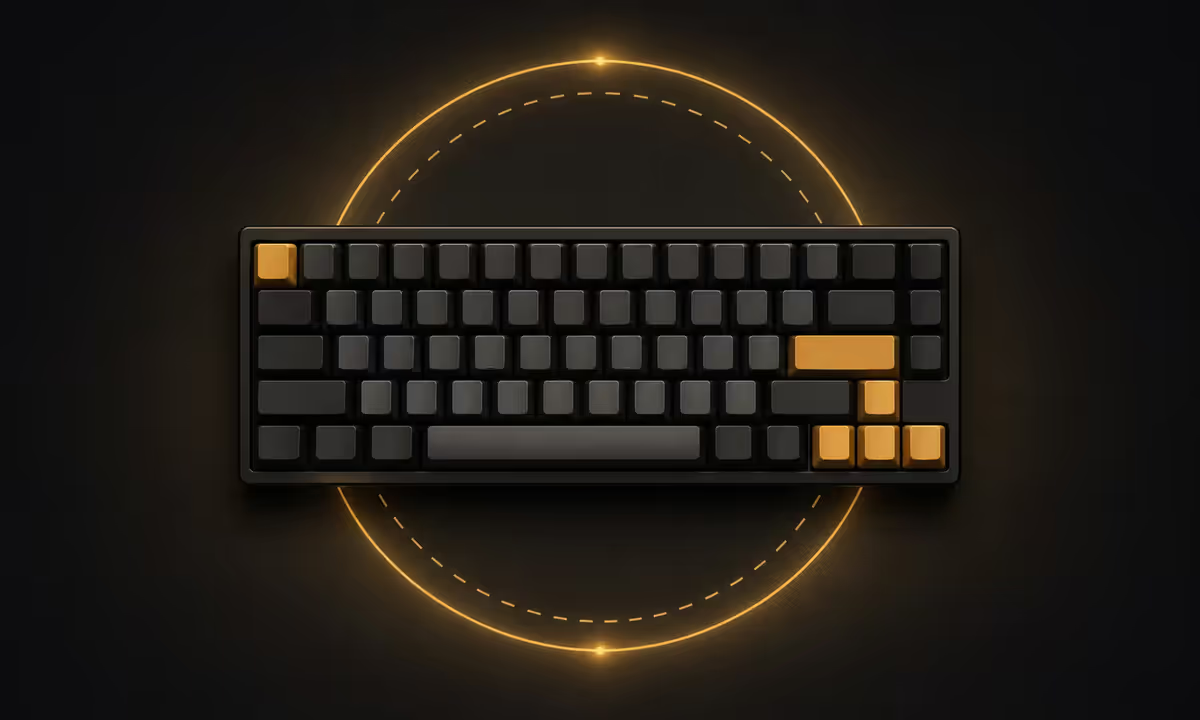
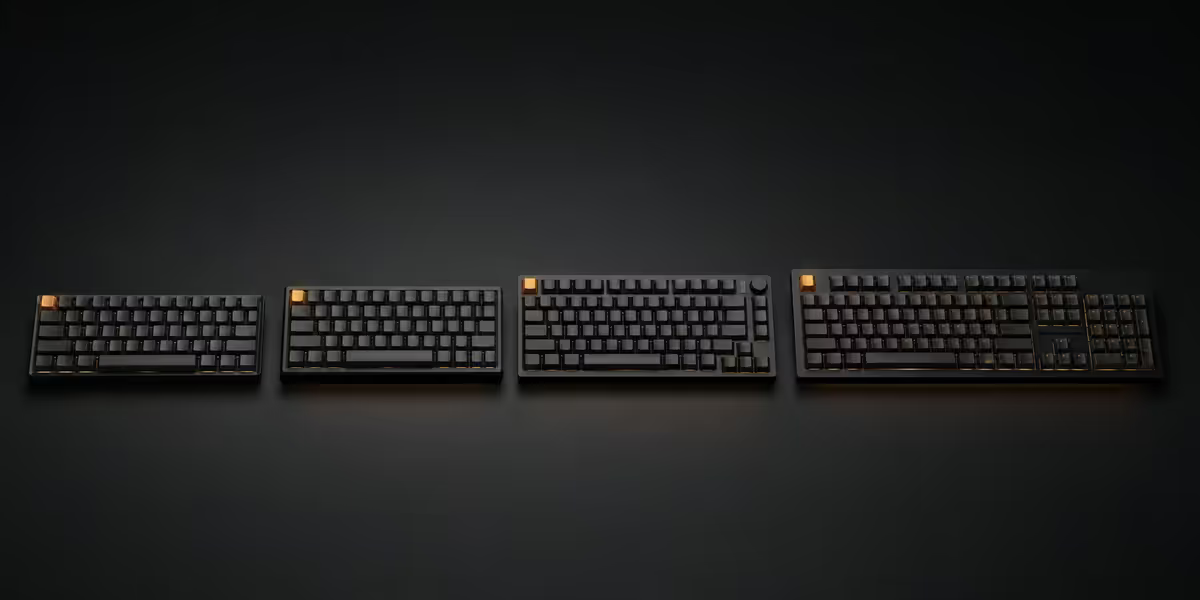
A 60% keyboard is the alphanumeric block and nothing else — approximately 61 keys, no function row, no navigation cluster, no arrow keys, no numpad. About 295mm wide. The Anne Pro 2, Ducky One 2 Mini, GMMK Compact and HHKB Professional are the famous examples.
What you gain: maximum desk space. The mouse can sit further left, closer to your shoulder, which is genuinely better ergonomically and a real advantage for FPS players who throw the mouse across the pad at low DPI. The aesthetic is clean — many of the most striking custom keyboards are 60% because the form is so dense.
What you lose: arrow keys, Delete, Home/End, Page Up/Down, and the entire F-row. All of these still work — they're on a Fn layer (typically Fn + I/J/K/L for arrows, Fn + number row for F-keys). After two weeks the muscle memory is there, but the initial adjustment is real and some users never warm to it.
The 60% wins decisively for FPS gaming where WASD movement makes arrow keys irrelevant, and for typists who value form and don't edit a lot of long-form text. It loses for writers, devs and anyone whose work involves heavy text correction or spreadsheet navigation.
65% — the modern sweet spot
A 65% keyboard takes the 60% and adds back two things people genuinely miss: dedicated arrow keys and a compact navigation column on the right (typically Delete, Home/PgUp, End/PgDn). About 68 keys, around 315mm wide — only 20mm wider than a 60%.
This is the layout we recommend most often. The reasons:
- Dedicated arrows mean you can edit text and navigate spreadsheets without thinking about Fn layers. This single addition kills the biggest 60% complaint.
- The nav column covers the keys you reach for daily (Delete, Home, End) without giving up the cleanest part of the small-form aesthetic.
- Function row is still on a Fn layer — not ideal for devs, but for most users it's an acceptable trade. F11 to fullscreen, F5 to refresh — these become Fn+= and Fn+5, learnt in days.
- Desk space saved over TKL is meaningful (40mm) without going as aggressive as 60%.
The Keychron K6 (Bluetooth, hot-swappable, R1,800-R2,400) is the SA market favourite. The Akko 3068B (R1,600-R2,200), Royal Kludge RK68 (R900-R1,400) and Glorious GMMK 2 (R2,500-R3,400) are excellent in their price tiers. The premium tier — Keychron Q2 and Q1 series with aluminium cases — runs R3,500-R5,500.
75% — function row without bloat
The 75% layout takes a 65% and adds a compact function row across the top. About 84 keys, around 320mm wide — barely wider than 65% because the keys are tightly packed with no gaps between clusters.
This is the developer favourite. Programmers use F2 to rename in IDEs, F5 to refresh and start debug, F12 to go to definition, and they want those keys on the surface, not on a layer. Excel power users have the same need — F2 to edit, F4 to repeat formula, F9 to recalculate.
The downside is that 75% layouts are unconventional. Many manufacturers stack keys very tightly with minimal gaps between the main block, arrow cluster and function row. The first day of typing on one feels strange — your finger hits Page Up when reaching for Right Arrow. After a week of adjustment it's fine, but the muscle memory friction is real for switchers from TKL or full size.
The Keychron K2 V2 and K3 (low-profile) are the popular SA picks at R1,900-R2,800. The Drop CTRL is the premium aluminium option (R4,500-R6,500 imported). NuPhy Air75 is the hot favourite among low-profile travellers at R2,800-R3,600.
TKL — the timeless workstation layout
TKL stands for tenkeyless. It's a full-size keyboard with the numpad removed — approximately 87 keys, 355mm wide. The function row, navigation cluster (Insert/Home/PgUp/Delete/End/PgDn), arrow keys and main block are all in their traditional IBM positions, just without the rightmost numeric block.
TKL is the most universally familiar layout. Anyone who learned keyboarding on a desktop computer between 1985 and today already has TKL muscle memory — it feels like home from the first keystroke. The trade is desk space: 355mm vs 440mm for full size. That 85mm gap is exactly where your mouse wants to sit.
TKL is the right pick for:
- Content creators and video editors who use the F-row for timeline scrubbing and tool shortcuts.
- Long-form writers, journalists, lawyers who navigate text constantly with dedicated keys.
- System administrators and IT folk who live in the function row.
- Older users who never adjusted to compact layouts — TKL preserves every key in its expected place.
- Office gamers who want one keyboard for work and play without compromise.
The Logitech G Pro X TKL, Razer Huntsman Tournament Edition, Ducky One 3 TKL and Keychron K8 are the SA TKL favourites in the R1,800-R3,800 range. Premium aluminium options (Keychron Q3, Wooting 80HE) push R4,500-R6,500.
Full size — only if you actually use the numpad
A full-size keyboard has everything: 104 keys (US ANSI), 105 keys (UK / SA ISO), 440-450mm wide. Function row, nav cluster, arrows, dedicated numpad. The classic Windows office keyboard.
Full size has one specific use case where it genuinely shines: frequent numeric data entry. Accountants, financial controllers, tax professionals, anyone working in Pastel or Sage, anyone running QuickBooks or Xero data entry, and spreadsheet-heavy roles where you punch numbers all day will hate any layout without a dedicated numpad.
For everyone else, full size eats desk space that should belong to your mouse. The numpad sits unused 95% of the time, the mouse gets pushed further right, the right shoulder rolls forward, and over years that's a real ergonomic issue. We've moved many users from full size to TKL or 65% specifically to fix shoulder fatigue.
If you do want full size, the Logitech MX Keys (R1,900-R2,800 — slim membrane), Keychron K10 / Q5 (R2,500-R5,500 — mechanical), Razer BlackWidow V4 (R3,200-R4,500) and Corsair K70 (R2,800-R4,200) cover the SA market well.
Desk-space maths for SA flats
South African flat desks are often 100-120cm wide — IKEA-style desks, repurposed dining tables, fold-down student desks. The keyboard width directly affects whether your mouse has room to breathe.
| Layout | Width (mm) | Mouse space on 110cm desk |
|---|---|---|
| 60% | 295 | ~75cm free — very generous |
| 65% | 315 | ~71cm free — generous |
| 75% | 320 | ~70cm free — comfortable |
| TKL | 355 | ~66cm free — comfortable |
| Full size | 440 | ~56cm free — tight for low DPI gaming |
For competitive FPS gamers running 400-800 DPI with large mouse swings, every cm matters. The difference between full-size and TKL is the difference between hitting the monitor stand on a flick or not. For office work and casual play, this matters much less.
Of the keyboards we've shipped with the 200,000+ custom PCs from Centurion, the layout pattern tells you what people actually keep: 65% and TKL boards together make up the large majority of repeat customers. Full size is the loudest first choice and the most common second-purchase replacement — people buy it expecting to use the numpad, then realise after 6 months they want the mouse space back. Our internal staff use almost universally 65% (Keychron K6 / Akko 3068B) for daily work and TKL for streaming setups.
Behind the Build · From our peripherals desk
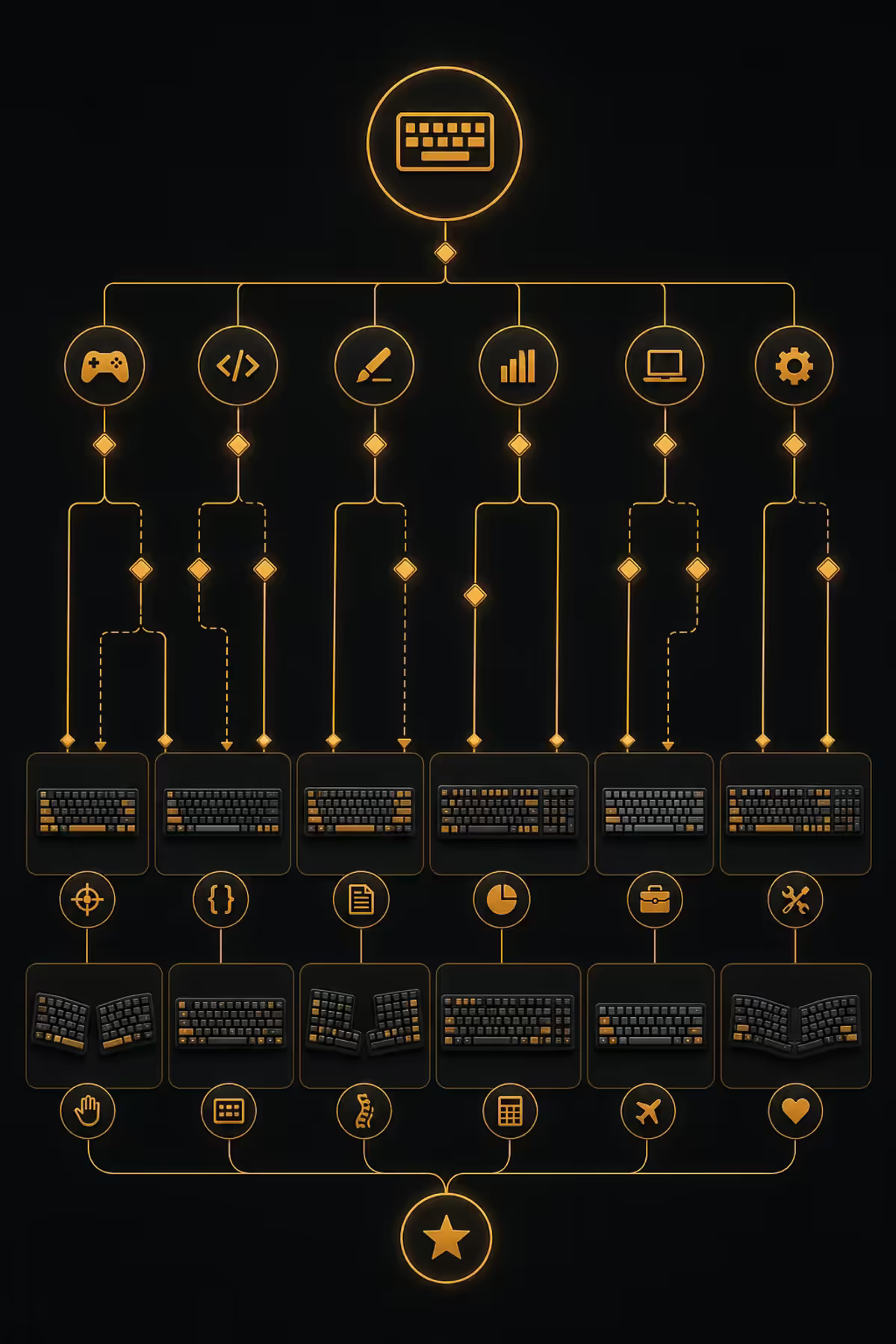
Layout by use case — pick the right one
| You are... | Best layout | Why |
|---|---|---|
| Competitive FPS gamer | 60% or 65% | Max mouse space, arrows on Fn fine |
| Casual gamer / general use | 65% | Dedicated arrows, compact size |
| Programmer / developer | 75% or TKL | F-row used constantly |
| Writer / journalist | 65% or TKL | Heavy text editing needs dedicated nav |
| Content creator / video editor | TKL | F-row + nav cluster for shortcuts |
| Office / corporate worker | TKL | Familiar layout, no friction |
| Accountant / data entry | Full size | Numpad is non-negotiable |
| Spreadsheet power user | Full size or TKL + ext numpad | Numpad + F-row both used |
| Travel / cafe worker | 60% or low-profile 65% | Bag-friendly footprint |
Recommended SA picks by tier
| Layout · Tier | Pick | SA price |
|---|---|---|
| 65% budget | Royal Kludge RK68 / Aula F75 | R900-R1,400 |
| 65% mid | Keychron K6 / Akko 3068B | R1,600-R2,400 |
| 65% premium | Keychron Q2 / GMMK Pro | R3,500-R5,500 |
| 75% mid | Keychron K2 V2 / NuPhy Air75 | R1,900-R3,200 |
| TKL mid | Logitech G Pro X TKL / Keychron K8 | R1,800-R3,000 |
| TKL premium | Keychron Q3 / Wooting 60HE+ | R4,500-R7,500 |
| Full size mid | Logitech MX Keys / Corsair K70 | R2,800-R4,200 |
| Full size premium | Keychron Q5 / Razer BlackWidow V4 Pro | R3,800-R6,500 |
Key takeaways
- 65% is the modern sweet spot — arrows + nav column + compact size suits most people.
- 60% sacrifices arrows and F-row for maximum mouse space — FPS gamers and minimalists only.
- 75% adds a compact function row — best for programmers and Excel power users.
- TKL is the most universally familiar — workstation default for content and office.
- Full size only if you actually use the numpad daily — accountants, data entry, finance.
Frequently asked questions
What's the best keyboard layout for most people?
A 65% layout is the sweet spot. Dedicated arrows, nav column, compact size, R1,200-R2,800. Most people don't miss the F-row enough to justify TKL's extra footprint.What is a 60% keyboard and is it good for gaming?
Just the alphanumeric block, ~61 keys. Excellent for FPS gaming where WASD makes arrows irrelevant. Compromise: arrows, Delete, Home/End and F-row all move to a Fn layer.What's the difference between 65% and 75% keyboards?
65% has arrows + nav column but no F-row. 75% adds a compact F-row on top. Pick 75% if you press F1-F12 keys 10+ times a day.Is TKL (tenkeyless) better than full size?
For most users, yes. TKL removes the numpad but keeps F-row, nav cluster and arrows. ~9cm of mouse space saved. Only finance/accounting roles really need the numpad.Will I lose function keys on a smaller keyboard?
Not really — they move to a Fn layer (Fn+1 = F1, etc). After two weeks it's muscle memory. QMK/VIA firmware lets you remap to taste.How much desk space does each keyboard layout save?
Widths: 60% 295mm, 65% 315mm, 75% 320mm, TKL 355mm, full 440mm. Biggest jump is full-to-TKL (~85mm) by dropping the numpad.What keyboard layout do programmers prefer?
75% or TKL. They need the F-row for IDE shortcuts (F2 rename, F5 debug, F12 to definition). Numpad is rarely used so full size is overkill.Are 60% keyboards uncomfortable to type long-form on?
For writers and email-heavy users, yes — missing arrows and Delete make text correction slow. 65% solves this with minimal extra footprint.
Get the Evetech app
Exclusive app-only prices, daily flash sales, and free delivery on orders over R4,000 — download the app and start saving.