SA · UP / Tuks Student Guide
Best laptops for Tuks students.
What works for a Civil Engineering student running Civil 3D and ANSYS is wrong for a Humanities major writing essays. Here's a faculty-by-faculty buying guide built around UP's actual software requirements, Hatfield commute realities and three honest price brackets.
- r15 · r18 · r25k
- 3 tiers
- aula battery
- 9-11 hr
- hatfield carry
- <1.5kg
Faculty requirements — what UP actually needs
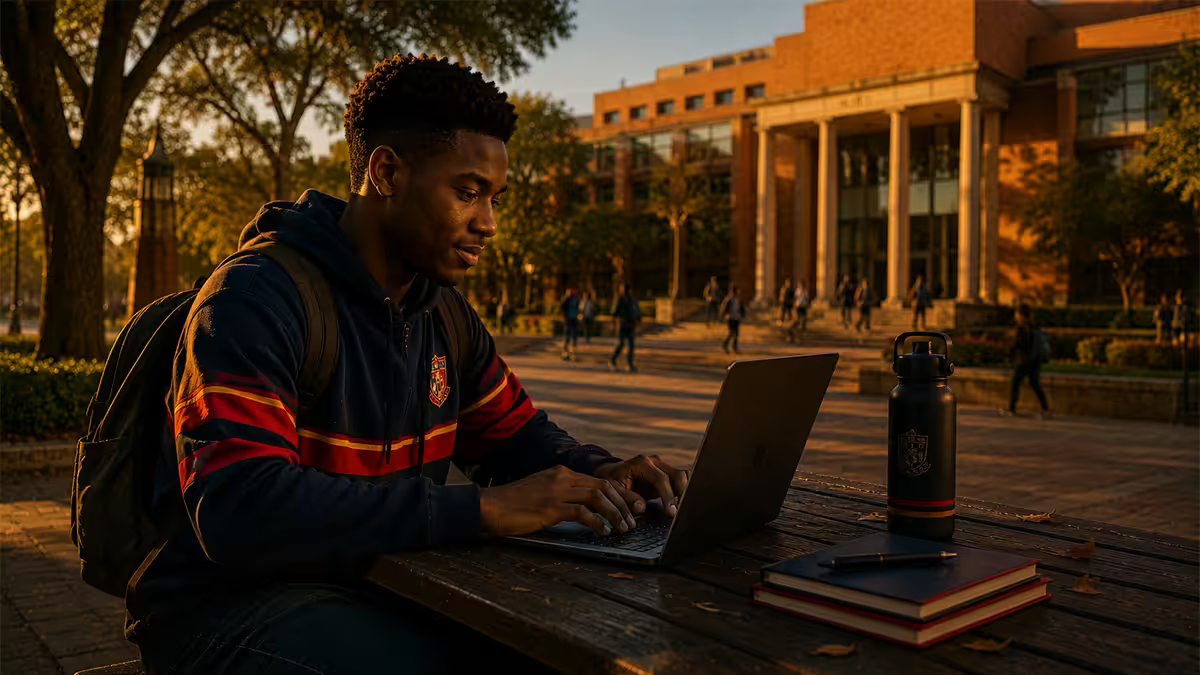
UP IT publishes a faculty-by-faculty recommended laptop specification each year. The 2026 baseline across all faculties: Intel Core i5 / AMD Ryzen 5 (12th-gen+ or 5000-series+), 16GB RAM, 512GB NVMe SSD, Wi-Fi 6 or 6E, 11-13 hour battery, weight under 1.8kg. From there each faculty has specific extras.
| Faculty | Workload | Min target |
|---|---|---|
| EBIT (Engineering, IT, BE) | Solidworks, Civil 3D, ANSYS, MATLAB, Python | Ryzen 7 / i7 + RTX 4050+, 16GB |
| Built Environment | Revit, AutoCAD, Civil 3D, BIM 360 | Ryzen 7 + RTX 4050, 16-32GB |
| NAS (data / GIS / chem) | R, SPSS, SAS, Stata, ArcGIS Pro, Python | Ryzen 5/7, 16GB, optional dGPU |
| NAS (theory) | Office, R, light Python | Ryzen 5, 16GB |
| Humanities | Office, NVivo, Atlas.ti, reading | Ryzen 5, 8-16GB |
| Health Sciences | SPSS, EndNote, anatomy 3D | Ryzen 5/7, 16GB |
| Theology | Logos Bible, Office, reading | Ryzen 3/5, 8-16GB |
| Education | Office, Teams, basic media | Ryzen 5, 16GB |
| Law | Office, Lexis/Jutastat, heavy reading | Ryzen 5, 16GB, OLED nice |
The single biggest spec mistake we see: buying 8GB RAM to save money. By second year most students are running Teams + Office + browser tabs + a faculty-specific app simultaneously. 8GB chokes; 16GB lasts the degree.
The UP software stack — what runs and where
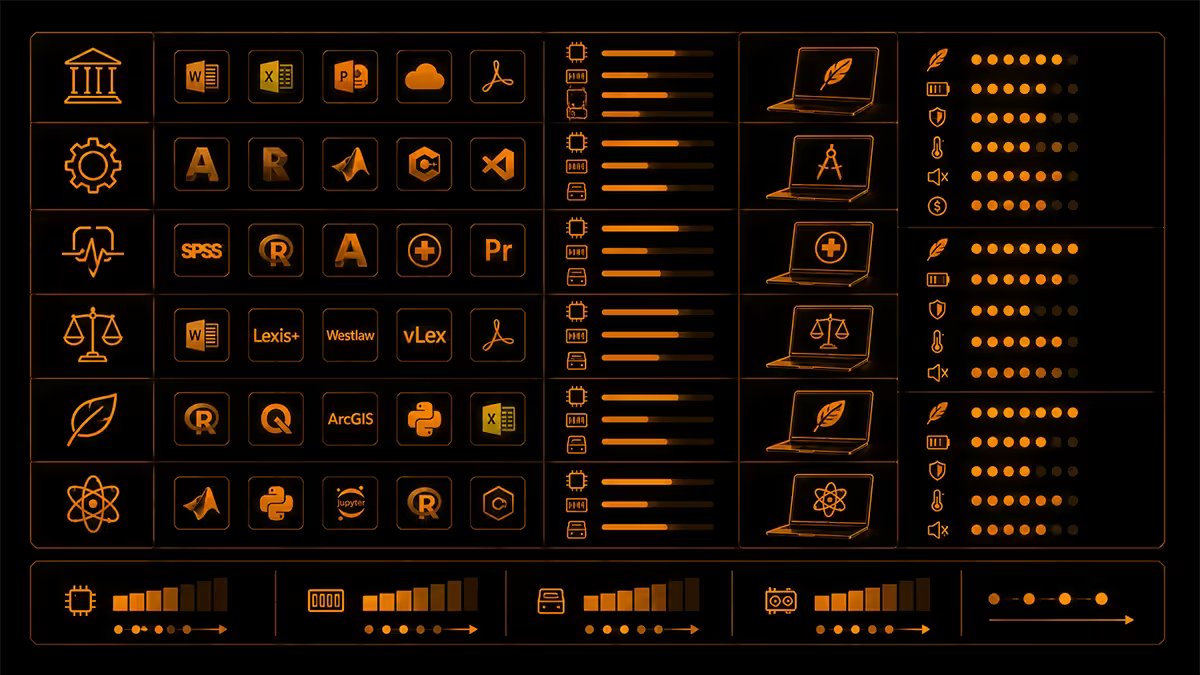
Free for all UP students via UP IT licence:
- Microsoft Office 365 (Word, Excel, PowerPoint, Outlook, Teams, OneDrive 1TB)
- Windows 11 Education (free download via UP IT portal for owned hardware)
- Microsoft Project + Visio (engineering and project management students)
- AutoCAD, Revit, Civil 3D (Autodesk Education licence, free 1-year renewable)
- MATLAB (campus-wide licence; client install with UP credentials)
- ANSYS Student (free educational version for FEA work)
- Adobe Creative Cloud (subsidised, ~R200/month student rate)
Paid software some faculties need:
- Solidworks (Mechanical Engineering) — licence available via Department; install on Windows only
- SPSS / SAS / Stata (NAS, Health Sciences, Economic Sciences) — campus licence; remote VPN for off-campus use
- ArcGIS Pro (Geography, Civil) — campus licence; needs reliable VPN to access
- Logos Bible Software (Theology) — student discount via department
The Hatfield commute reality
The UP Hatfield campus is large. A typical EBIT student day might involve: 8am lab in Engineering 1 (Lynnwood Road end), 10am tutorial in IT building (north of Aula), 12pm lunch on Square, 2pm lecture in Aula (centre), 4pm group project work in the library (south). That's 2.5-3km of walking with a backpack.
Weight matters more than the spec sheet suggests:
- Under 1.3kg — barely felt all day. Ultrabook territory.
- 1.3-1.5kg — comfortable for daily carry with a good backpack.
- 1.5-1.8kg — bearable, you notice it by Friday week 4.
- 1.8-2.2kg — workhorse range, EBIT trade-off accepted.
- 2.2kg+ — leave it in res; gaming laptops mostly land here.
Battery is the second commute reality. Lecture theatres have outlets but they're scarce, often broken in older venues like the Eduplex and Theology block, and you can't always sit near one. Target 9-11 hours real-world battery so you can run from 8am orientation to 5pm lab without panicking about charge. Ryzen 7000/8000 ultrabooks and Apple MacBook Air M3 are the current battery leaders.
Tuks Wi-Fi reality: Eduroam coverage across Hatfield is genuinely good — 50-150 Mbps in most lecture halls and study spaces. The exception is Aula B (basement floor reception is weak) and some older Humanities classrooms. The library Wi-Fi is consistently the best on campus. Don't pay extra for Wi-Fi 7 — Wi-Fi 6E is plenty for current AP infrastructure.
Top picks under R15,000
HP Pavilion Plus 14 (Ryzen 5 7530U, 16GB, 512GB) — R12,500
Our default recommendation for Humanities, Theology, Law, Education and theory-side NAS students. 1.4kg, 11+ hour battery, decent 2.8K OLED screen, MIL-STD-810H build for backpack life. Webcam is mediocre — fine for Teams calls but not for content creation.
Lenovo IdeaPad Slim 5 14 (Ryzen 5 8645HS, 16GB) — R13,500
A faster CPU than the Pavilion at a R1k premium. Slightly worse screen, slightly better keyboard. Excellent value for NAS theory students who want a bit more compute headroom for R coursework.
Acer Swift Go 14 (Core i5-1335U, 16GB) — R13,200
The Intel option at this tier. Battery is a touch shorter than the AMD picks (9-10 hours real) but the OLED display is excellent. Strong choice if you prefer Intel ecosystem (Thunderbolt 4 ports) or read a lot of PDFs and want the OLED contrast.
Top picks under R18,000
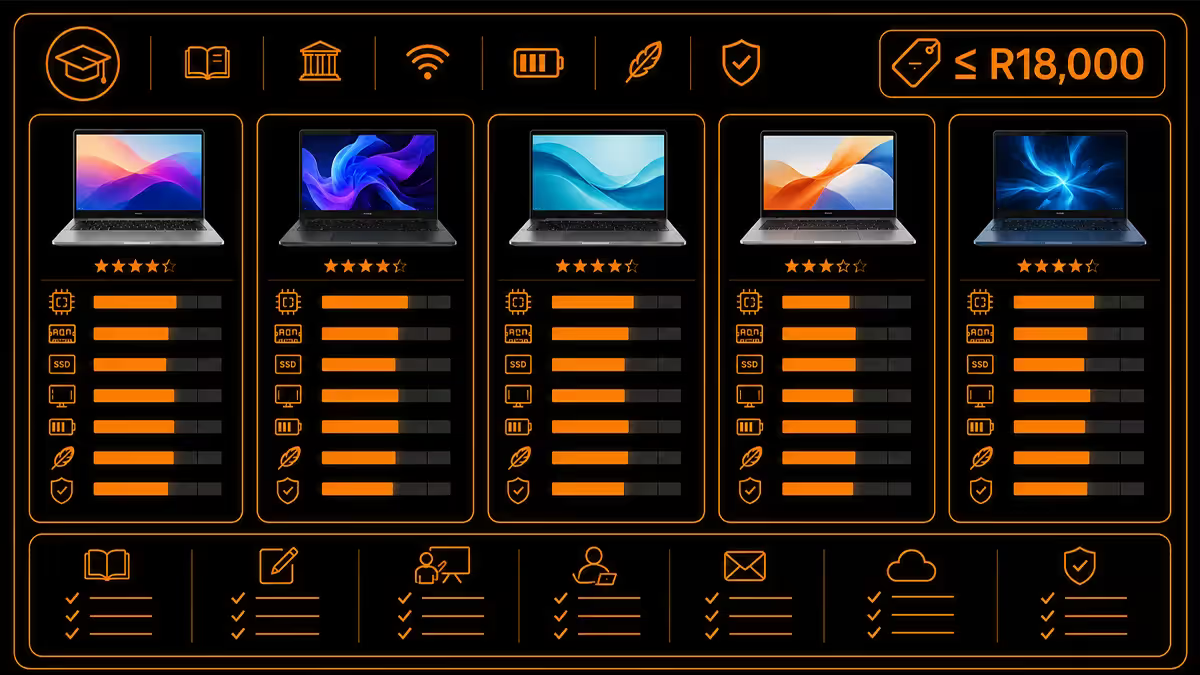
Lenovo IdeaPad Pro 5 14 (Ryzen 7 8845HS, 16GB, 1TB) — R16,500
Our most-recommended laptop for NAS data, Health Sciences research and Education students who want headroom. 8-core Ryzen 7 handles R/RStudio, SPSS and large Excel files comfortably. 1.5kg with 13-hour battery. 2.8K OLED screen makes long reading sessions easier on the eyes.
ASUS Vivobook S 16 OLED (Core Ultra 7, 16GB, 1TB) — R17,500
The 16-inch screen pick if you want more workspace and don't mind 1.7kg. NPU on the Core Ultra 7 actually helps with future AI features in Office and Adobe. Battery is good (10-11 hours) but not class-leading.
Apple MacBook Air M3 13 (8GB, 256GB) — R17,000
Genuinely brilliant for Humanities, Theology, Law and content-creator students. Best-in-class battery (15-18 hours real), silent, fanless, premium build, 5-7 year useful life. The catch for UP students: Solidworks, ANSYS, ArcGIS Pro, Civil 3D and Logos don't run native on macOS. Parallels (R1,200/yr) covers the gap but adds friction. Pick Mac for non-EBIT faculties or if you're certain you won't take an engineering elective.
Top picks under R25,000 (EBIT / Built Environment)
Lenovo IdeaPad Pro 5 16 (Ryzen 7 8845HS, RTX 4050, 16GB, 1TB) — R22,500
Our top recommendation for EBIT students who don't want a gaming-laptop aesthetic. 16-inch screen for Solidworks and Civil 3D model work, RTX 4050 handles 5,000+ component assemblies, 1.9kg is heavy but bearable. 8-9 hour battery when not on GPU load.
HP Victus 16 (Ryzen 7 7840HS, RTX 4060, 16GB, 1TB) — R21,500
More GPU than the IdeaPad Pro at a lower price, but obviously gaming-laptop-shaped. Excellent for Mechanical Engineering students running heavy Solidworks/ANSYS, plus weekend gaming. 2.4kg is a real backpack tax.
Acer Predator Helios Neo 16 (Core i7-13700HX, RTX 4060, 16GB) — R24,500
Workstation-class CPU and GPU for the EBIT student who runs ANSYS simulations regularly. 2.5kg, 5-6 hour battery — leave it on res desk and dock to external monitor for serious work, only carry to specific GPU-required sessions.
ASUS Vivobook Pro 15 OLED (Ryzen 7, RTX 4050, 16GB) — R23,500
The hidden gem at this tier. 15-inch OLED display, RTX 4050, 1.8kg — significantly lighter than the Helios and HP Victus. Best balance of EBIT capability and daily-carry comfort. Battery is decent at 7-8 hours under productivity load.
NSFAS purchase route
NSFAS distributes laptops to qualifying students under the Learning Material Allowance. The 2026 NSFAS-issued laptop is a 14-inch Lenovo with Ryzen 5, 8GB RAM and 256GB SSD — adequate for Humanities, Theology and theoretical NAS but underspec for EBIT, Built Environment, NAS data work and heavy Adobe coursework.
NSFAS recipients have three practical options:
- Accept the issued laptop for non-EBIT faculties where it's sufficient.
- Top up the NSFAS allowance with your own funds through approved suppliers (Evetech included) toward a higher-spec machine.
- Receive the cash allowance in some cases and purchase independently — verify with your NSFAS administrator first as policy varies year to year.
Speak to your NSFAS administrator about your faculty's actual computing requirement before committing. EBIT students with NSFAS often qualify for a higher allowance ring-fenced for engineering hardware — ask specifically.
Across 200,000+ custom PCs and laptops shipped from our Centurion warehouse — 15 minutes from the UP Hatfield campus — we see the same pattern every February intake. First-year students under-spec their laptops to save R3k, then upgrade in third year at greater total cost. The honest advice: buy the right tier for your faculty now, and the machine will see you through to graduation. The R3k saved at orientation is usually paid back twice over by year three when SSDs fill up and 8GB RAM has turned a degree assignment into a swap-file nightmare.
Evetech Centurion service bench
Pretoria repair turnaround
When something breaks (and over a four-year degree, something will), you want to know where to go and how long you'll be without the machine. Walk-in service centres near UP:
| Brand | Pretoria service | Typical turnaround |
|---|---|---|
| Lenovo | Brooklyn Mall walk-in | 5-7 working days in-warranty |
| HP | Menlyn Park service centre | 5-10 working days |
| Dell / Alienware | Centurion Mall + on-site | 3-5 days (NBD on-site available) |
| ASUS | Service partners via Evetech / Wootware | 7-14 working days |
| Acer / Predator | Service partners via Evetech / Wootware | 7-14 working days |
| Apple (MacBook) | Digicape Brooklyn / iStore Centurion | 5-10 days (parts may import) |
| MSI | Cape Town routing — courier only | 14-21 days |
For exam-period peace of mind: Dell's NBD (Next Business Day) on-site warranty is the best in SA — a tech comes to your residence or campus to fix it. The premium is R800-R1,500 over standard 2-year cover and is genuinely worth it for the four-year degree.
Key takeaways
- Match the laptop to your faculty — Humanities R15k, NAS data R18k, EBIT R25k with RTX 4050+.
- 16GB RAM minimum. 8GB is false economy that hurts by year two.
- Under 1.5kg for daily Hatfield carry. EBIT students accept 1.8-2kg trade-off for GPU.
- 9-11 hour battery for full lecture days. Ryzen 7000/8000 ultrabooks and MacBook Air lead.
- NSFAS top-up route works through Evetech and other approved suppliers. Ask your administrator.
Frequently asked questions
What laptop specs does UP recommend for students?
UP IT publishes a faculty-by-faculty recommended laptop specification each year. The minimum baseline for 2026: Intel Core i5 / AMD Ryzen 5 (12th gen+ or 5000 series+), 16GB RAM (8GB acceptable for Humanities/Theology only), 512GB NVMe SSD, Wi-Fi 6 or 6E, 11-13 hour battery, weight under 1.8kg. Engineering (EBIT) and Built Environment students need 16GB RAM minimum and a discrete GPU (RTX 4050 or equivalent) for Solidworks, Civil 3D and ANSYS coursework.What software do UP students need to run?
Most UP students need: Microsoft Office 365 (free for students via UP licence), Adobe Creative Cloud (subsidised by UP for some faculties), and faculty-specific software. EBIT: MATLAB, Solidworks, Civil 3D, AutoCAD, ANSYS, Python toolchain. NAS (Natural and Agricultural Sciences): R, RStudio, SPSS, SAS, Stata, Python, ArcGIS Pro. Humanities: Office, NVivo, Atlas.ti. Health Sciences: SPSS, EndNote, anatomy 3D viewers. Theology: Logos Bible Software, Office. All faculties: Microsoft Teams for online lectures, Mediasite for recorded lectures.What's the best laptop under R15,000 for UP students?
At under R15k in 2026 the strong picks are the HP Pavilion Plus 14 (Ryzen 5 7530U, 16GB, 512GB), Lenovo IdeaPad Slim 5 14 (Ryzen 5 8645HS, 16GB) and Acer Swift Go 14 (Core i5-1335U, 16GB). All three weigh under 1.5kg — good for Hatfield campus commuting — and deliver 9-11 hours of battery for a full lecture day. None have discrete GPUs, so they're best for Humanities, NAS theory work, Health Sciences (non-imaging), Education and Theology students.What's the best laptop for EBIT and Engineering students at UP?
EBIT students running Solidworks, Civil 3D, ANSYS and MATLAB need a discrete GPU and 16GB+ RAM. Strong picks in 2026: Lenovo IdeaPad Pro 5 16 (Ryzen 7 8845HS, RTX 4050, R22-R24k), Acer Predator Helios Neo 16 (Core i7-13700HX, RTX 4060, R24-R26k) or HP Victus 16 (R20-R22k). For mobile EBIT users who don't want gaming aesthetic: ASUS Vivobook Pro 15 OLED with RTX 4050 (R23-R25k). All handle Solidworks part files up to 5,000+ components and MATLAB simulation comfortably.How important is weight for the Hatfield campus commute?
Very. The UP Hatfield campus is sprawling — a typical day involves moving between the Engineering 1 building, the Aula, the IT building, the library and a residence. Carrying a laptop, books, a water bottle and your day kit, weight matters. Under 1.5kg is the comfort ceiling for daily backpack carry; 1.5-1.8kg is bearable; 1.8kg+ becomes a real drag by week 4. For EBIT students who need the GPU and accept the weight: budget R350 for a quality 16-inch laptop backpack with proper shoulder support (Targus Cypress or Bange premium).What battery life do UP students actually need?
Aim for 9-11 hours real-world battery for full-day lecture coverage. UP buildings have power outlets in most lecture theatres but Aula seating rows can be hit-or-miss and exam venues rarely have them. A laptop that runs from 8am orientation to 5pm lab finish without charging is the goal. Ryzen 7000/8000-series ultrabooks (HP Pavilion Plus, Lenovo IdeaPad Slim 5) and Apple MacBook Air M3 are the current battery leaders. Avoid first-gen Intel 14th-gen Core Ultra ultrabooks — they undershoot quoted battery by 20-30%.Can I use NSFAS funding to buy a laptop?
Yes — NSFAS distributes laptops to qualifying students under its Learning Material Allowance. The 2026 NSFAS-issued laptop is a 14-inch Lenovo with Ryzen 5, 8GB RAM and 256GB SSD — adequate for Humanities and theoretical NAS coursework but underspec for EBIT, Engineering or heavy Adobe work. NSFAS recipients can top up the allowance with their own funds toward a higher-spec machine through approved suppliers including Evetech. Speak to your NSFAS administrator about your faculty's actual computing requirement before committing.Where can I get my laptop repaired in Pretoria?
Brand walk-in service centres in Pretoria: Lenovo at Brooklyn Mall, HP at Menlyn Park, Dell at Centurion Mall (also covers Alienware). ASUS and Acer route through service partners — Evetech's Centurion warehouse and Wootware service depot both handle ASUS and Acer warranty work. For Apple: Digicape Pretoria (Brooklyn) or iStore Centurion. Repair turnaround in Pretoria area: 5-10 working days for in-warranty issues, 2-4 weeks for parts that need import. Plan for that downtime around exam periods.
Get the Evetech app
Exclusive app-only prices, daily flash sales, and free delivery on orders over R4,000 — download the app and start saving.