Design Student Guide
Best laptops for design students. — Colour-true. Pen-ready. Portfolio-proof.
A design laptop is a colour-management instrument with a keyboard attached. The wrong spec turns four years of crit into "your reds look orange on the projector". Here's what actually matters.
- colour floor
- 99% sRGB
- Adobe stack min
- 32GB RAM
- project files grow
- 1TB+ SSD
The design student workload in 2026
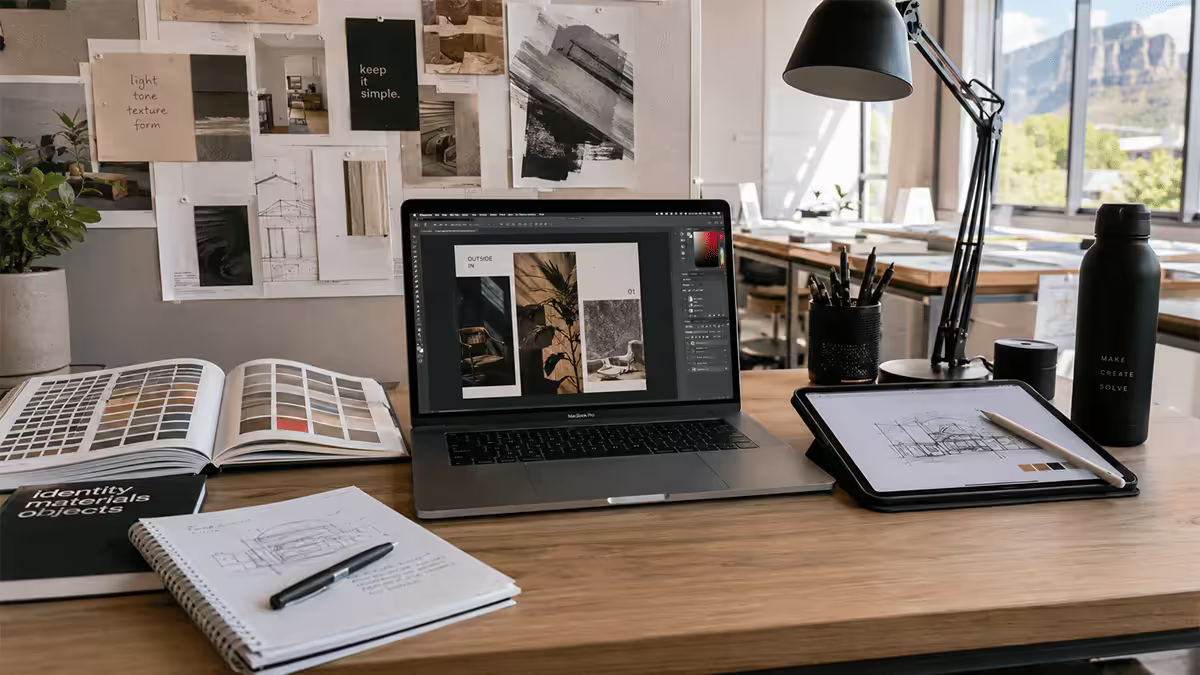
Design is one of the most software-heavy degrees and the stack varies dramatically by discipline. A graphic-design student lives in Photoshop, Illustrator and InDesign. A motion-design student adds After Effects, Premiere, Cinema 4D and DaVinci Resolve. A UI/UX student adds Figma, Framer and Webflow. A digital-illustration student adds Procreate (on iPad) and sometimes Clip Studio Paint.
Across all disciplines, the common load:
- Photoshop with smart objects, often 10-30 layers per project, 50-300MB documents typical.
- Illustrator with complex artboards, gradient meshes, large symbol libraries.
- InDesign for editorial layout, multi-page documents with linked assets.
- Figma / Figjam for collaborative UI work, often 2-3 browser tabs.
- Adobe Bridge / Lightroom for asset management, RAW catalogues.
- Multiple browser tabs for moodboards, references, type pairing.
- Spotify because design with silence is a different degree.
For motion and video disciplines, add:
- After Effects with multiple comps, RAM previews, expression-heavy projects.
- Premiere Pro with 4K timelines, multicam edits.
- Cinema 4D / Blender for 3D and motion graphics.
- DaVinci Resolve for colour grading.
The Adobe stack alone consumes 20-30GB RAM under normal student use. Add a browser with 10 tabs of references and a Figma file open, and 16GB feels strained by mid-second-year.
Colour accuracy — the non-negotiable spec
The single design-specific spec that distinguishes a real design laptop from a regular laptop is colour accuracy. Your work will be evaluated against real colour standards in crit, in client review, and in the printed/projected final.
| Colour spec | What it means | Where it matters |
|---|---|---|
| sRGB 99%+ | The web / digital colour standard | Web, UI, brand work — essential |
| DCI-P3 95%+ | Cinema / video / iPhone display gamut | Motion, video, modern phone-targeted work |
| Adobe RGB 90%+ | Print / photography wide gamut | Photography, fine-art print work |
| Delta-E < 2 | Colour shift from true, lower is better | All professional design work |
| NTSC % | Obsolete metric, marketing only | Ignore |
| Brightness 400-500 nits | Daylight viewability | Outdoor / café / window-side work |
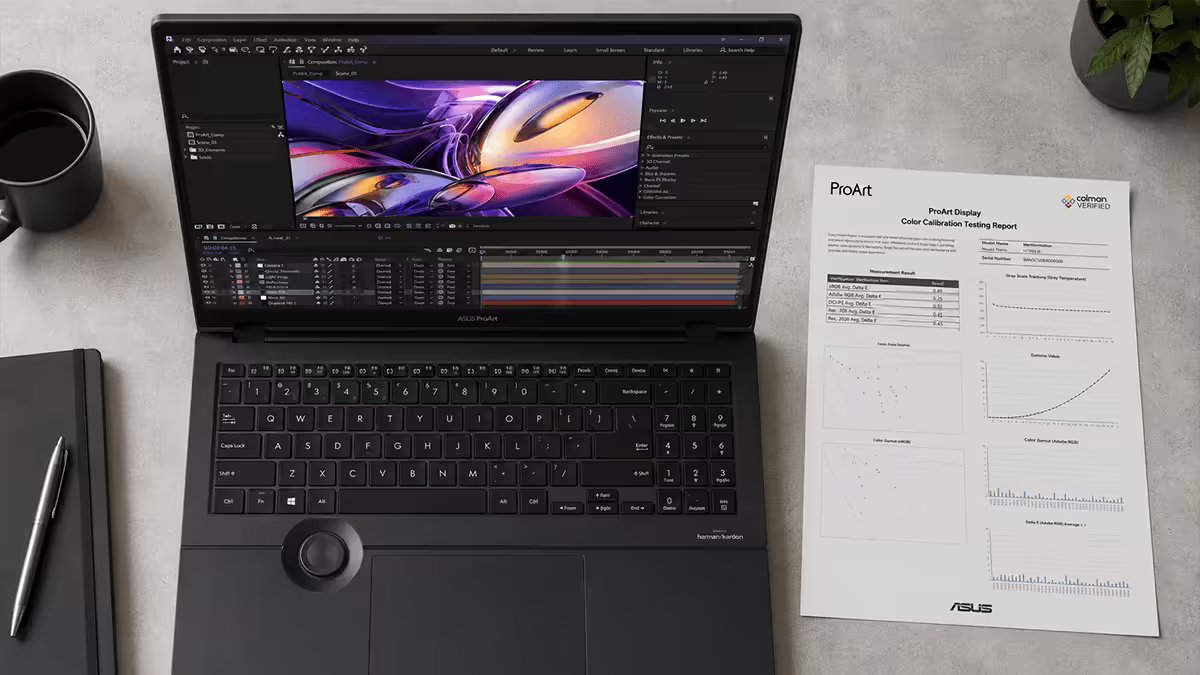
The practical minimum: 99% sRGB at 100% brightness, with Delta-E under 2 according to the manufacturer's factory calibration report. Below that, your reds won't be the reds the client sees, your blacks won't be the blacks the printer prints, and you'll spend years confused about why your work looks "different" everywhere except your screen.
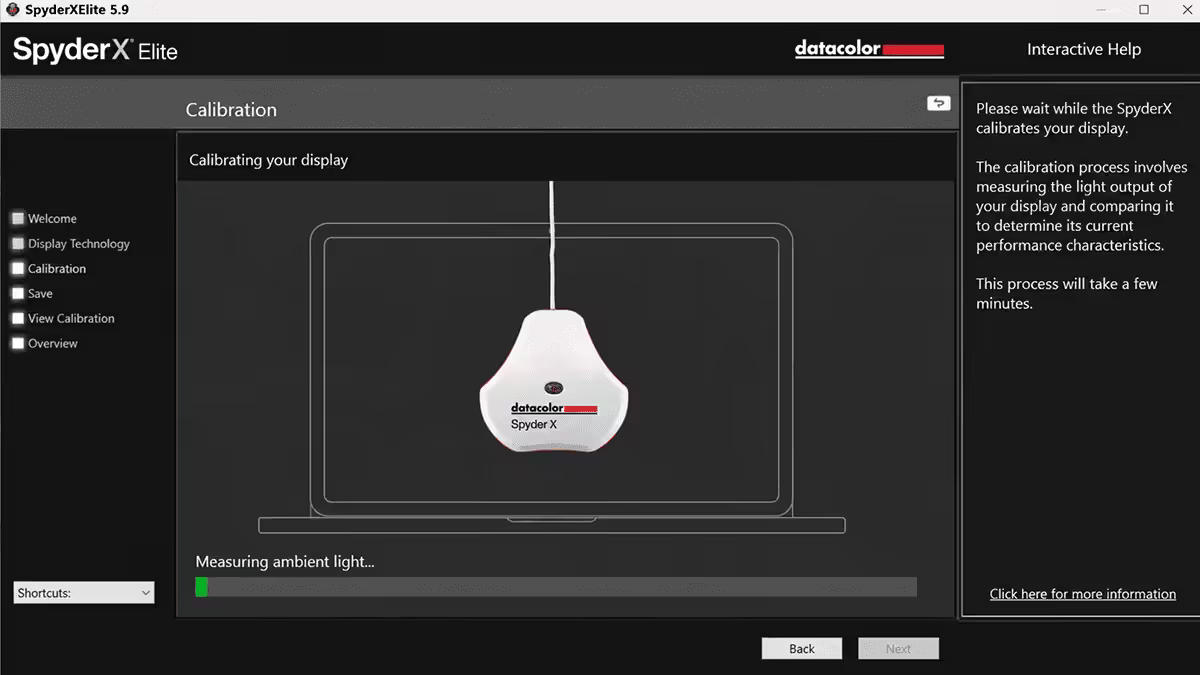
Factory calibration matters. The good design laptops (MacBook Pro, ASUS ProArt, Razer Blade, Lenovo Yoga Pro 9i creator) ship with each unit individually colour-calibrated and a paper colour report included. Generic gaming laptops rarely calibrate per-unit — even with capable panels, the actual colours can be 10-15% off without manual calibration via a tool like a Datacolor Spyder or X-Rite i1.
RAM and storage — the Adobe stack reality
32GB RAM minimum, 64GB if you can afford it. Modern Photoshop with smart objects, Illustrator with complex artboards, After Effects with multiple comps, and a Premiere 4K timeline can collectively consume 30-45GB of RAM. Even with virtual memory, performance collapses when you cross that threshold.
1TB SSD minimum, 2TB ideal. Design files grow fast:
- A typical year-long photography brief: 50-100GB of RAW files.
- A motion-design final project: 200-500GB of source footage, AE caches and renders.
- Adobe applications themselves: 80-120GB across the suite.
- Font libraries (Adobe Fonts cache, Monotype, type research): 20-40GB.
- Lightroom catalogues with previews: 30-80GB.
- Personal portfolio, references, sketches, MP3 inspiration: another 100GB.
By final year, 512GB is uncomfortable. 1TB works with discipline. 2TB removes the daily friction of "which project do I delete to make space?".
Why MacBook Pro is the SA design school default
This is the honest take that consumer-tech reviewers often skip: most SA design schools teach in macOS-first environments. Open Window, Vega, Inscape, Stellenbosch Design Faculty, UJ Faculty of Art Design and Architecture, the Wits Digital Arts programme, IIE varsity college design — the dominant teaching laptop is a MacBook.
Why:
- Lecturer demos happen on MacBooks. Keyboard shortcuts, screen layouts, file paths, naming conventions all assume macOS.
- ColorSync workflows are macOS-native — the colour management discipline taught in SA design schools is built around it.
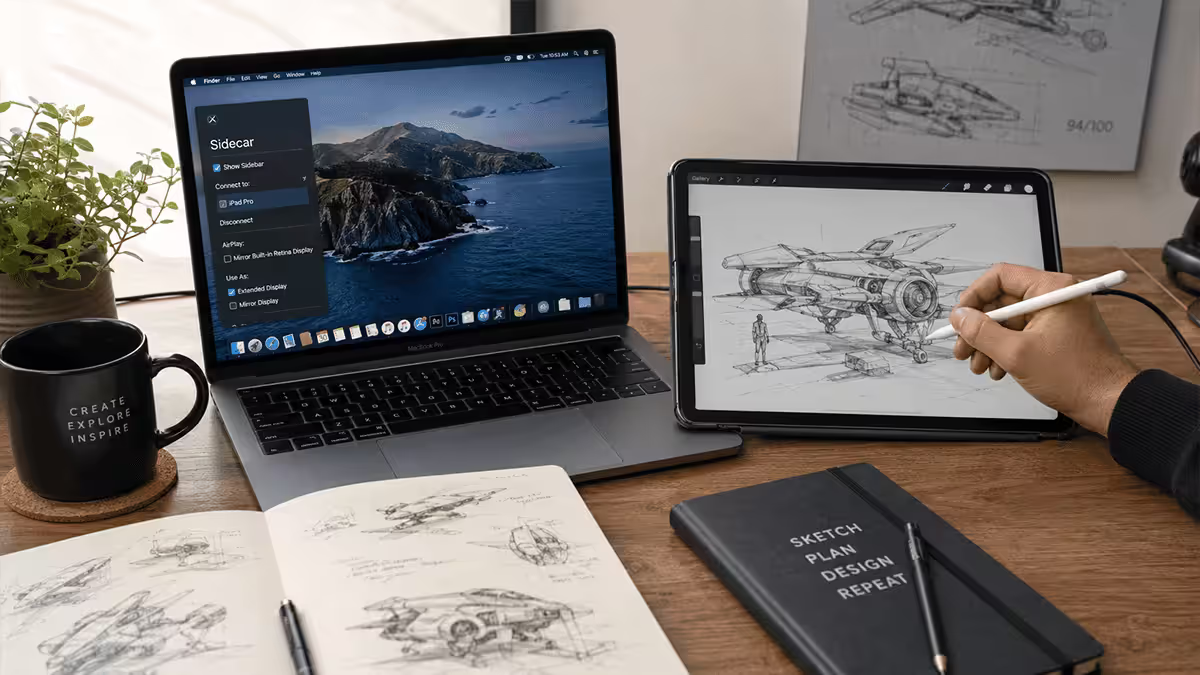
- Apple Pencil + iPad pairing via Sidecar is the assumed sketching workflow.
- Final Cut Pro is required for some motion-design modules.
- Logic Pro is required if you do any sound-design work.
- The studio fonts come from the school's typekit licence often distributed via macOS-native tools.
- Industry mentors and graduate employers use Mac — your portfolio reviews assume that ecosystem.
You can absolutely succeed with a Windows laptop in SA design school. Plenty of students do. But you'll spend more time troubleshooting compatibility (font licence weirdness, Adobe XD vs Figma plugin sets, file format edge cases) than your MacBook peers. If your design school accepts Windows officially but uses Mac in practice, factor that into your decision.
Strong Windows alternatives if you can't or won't go Mac
The Windows design-laptop scene has improved enormously in the last three years. ASUS, Razer, Microsoft and Lenovo all ship genuinely professional creator chassis.
| Model | What it's best at | Compromise |
|---|---|---|
| ASUS ProArt Studiobook 16 OLED | Best spec-for-money; 4K OLED, RTX dGPU, factory-calibrated | 2.4kg chassis |
| Razer Blade 14 / 16 | Best build quality on Windows; aluminium unibody | Premium price; aggressive fans under load |
| Microsoft Surface Laptop Studio 2 | Convertible / pen-ready; unique form factor | Screen size limited; not the strongest spec for price |
| Lenovo Yoga Pro 9i | Balanced creator chassis; OLED 3.2K screen | OLED burn-in risk over 3+ years |
| Dell XPS 16 | Premium build; refined design | Thermal throttling; no factory colour report |
| HP OmniBook Ultra Flip | Strong all-rounder; OLED panel | Newer line, fewer SA reviews |
Top Windows pick: ASUS ProArt Studiobook 16 OLED H7604 for spec-for-money; Razer Blade 14 for build quality and portability balance; Surface Laptop Studio 2 if you want pen-on-screen directly.
Stylus and iPad pairing — the sketching workflow
Most design students benefit from some form of pen input. The dominant SA workflows:
Workflow 1 — MacBook + iPad + Apple Pencil (the SA design school default)
Use the MacBook for all heavy work (Adobe stack, Figma, lectures). Use the iPad with Apple Pencil for sketching, painting, illustration and storyboarding. The two pair via Sidecar — your iPad becomes a second screen and pen tablet. Procreate on the iPad is the dominant SA digital illustration tool.
Kit: MacBook Air 15" or Pro 14" + iPad (10th gen R8,000 or Air R11,500) + Apple Pencil USB-C (R2,200) or Pro (R4,500). Total iPad add-on: R10,000-R16,000.
Workflow 2 — Windows laptop + Wacom tablet
Use a Windows ProArt / Razer / Yoga as the main machine. Pair with a Wacom One (R3,500) for beginner-grade sketching or Wacom Intuos Pro (R8,000) for serious illustration. Less elegant than the MacBook + iPad combo because the Wacom tablet doesn't show your screen — you draw on a slab, look at the monitor — but works.
Workflow 3 — Convertible touchscreen Windows laptop
Use a Microsoft Surface Laptop Studio 2 or Lenovo Yoga Pro 9i with the included or paired stylus. You can draw directly on the screen at the cost of a smaller working area than an iPad and worse pen software than Procreate. The MacBook + iPad approach beats convertibles in nearly every design scenario except budget consolidation.
Top picks across price tiers
R25,000-R30,000 — entry design student
| Model | Key spec | SA price |
|---|---|---|
| MacBook Air 15" M4 | M4 · 16GB · 512GB · 15.3" Liquid Retina · 99% P3 | R26,000-R27,500 |
| MacBook Air 15" + iPad 10th gen | Air M4 + iPad + USB-C Pencil bundle | R29,500-R31,000 |
| ASUS ProArt PX13 OLED | Ryzen AI 9 · 32GB · 1TB · RTX 4060 Mobile · 13" 2.8K OLED | R24,000-R26,000 |
| Lenovo Yoga Pro 9i 14" | Core Ultra 9 · 32GB · 1TB · RTX 4050 Mobile · 14" 3K OLED | R26,500-R28,500 |
| Razer Blade 14 (base) | Ryzen 9 · 16GB · 1TB · RTX 4060 Mobile · 14" | R29,000-R30,000 |
Pick: MacBook Air 15" M4 + iPad bundle if your school is Mac-first. ASUS ProArt PX13 OLED for the best Windows option in the tier — and at this price the ProArt comes with 32GB / 1TB / RTX 4060 Mobile, which the MacBook Air bumps to R35k+ to match.
R30,000-R38,000 — mid-tier design student
| Model | Key spec | SA price |
|---|---|---|
| MacBook Pro 14" M4 base | M4 · 16GB · 512GB · 14.2" Liquid Retina XDR · ProMotion | R28,500-R30,000 |
| MacBook Pro 14" M4 Pro | M4 Pro · 24GB · 1TB · 14.2" Liquid Retina XDR | R34,500-R36,500 |
| ASUS ProArt Studiobook 16 OLED | Core Ultra 9 · 32GB · 1TB · RTX 4070 Mobile · 16" 4K OLED | R32,000-R35,000 |
| Razer Blade 14 mid-spec | Ryzen 9 · 32GB · 1TB · RTX 4070 Mobile · 14" | R33,000-R35,500 |
| Microsoft Surface Laptop Studio 2 | Core i7 · 32GB · 1TB · RTX 4060 · 14.4" pen-on-screen | R34,000-R37,000 |
Pick: MacBook Pro 14" M4 Pro is the SA design-school sweet spot. ASUS ProArt Studiobook 16 OLED is the strongest Windows alternative and the better value on spec.
R38,000-R45,000+ — final-year and graduate-bound
| Model | Key spec | SA price |
|---|---|---|
| MacBook Pro 16" M4 Pro | M4 Pro · 36GB · 1TB · 16.2" Liquid Retina XDR | R42,500-R44,999 |
| MacBook Pro 16" M4 Max | M4 Max · 36GB · 1TB · 16.2" Liquid Retina XDR | R48,000-R52,000 |
| ASUS ProArt Studiobook 16 OLED H7604 (max) | Core Ultra 9 · 64GB · 2TB · RTX 4080 Mobile · 16" 4K OLED | R42,000-R45,000 |
| Razer Blade 16 | Ryzen 9 · 32GB · 2TB · RTX 4090 Mobile · 16" OLED | R44,000-R47,000 |
Pick: MacBook Pro 16" M4 Pro for the canonical SA design-school workhorse. ASUS ProArt Studiobook 16 OLED maxed out for the spec-for-money Windows alternative, especially if you do significant 3D and motion work where the RTX 4080 Mobile beats the M4 Pro on After Effects / Cinema 4D / DaVinci.
Should you choose an OLED panel?
OLED is genuinely beautiful for design work — 100% DCI-P3 typical, infinite contrast, pixel-perfect blacks. But it carries one specific design-student risk: burn-in on persistent UI elements over 3-4 years. Adobe panel docks, the macOS menu bar and Figma's left sidebar all live in the same screen positions for hundreds of hours per week.
Mitigations if you do go OLED:
- Enable pixel shift (manufacturer setting on most OLED laptops).
- Hide Adobe panels when not in active use (Tab key in Photoshop).
- Use auto-hide for menu bars where possible.
- Dim the screen when stepping away.
- Use auto-screen-off after 5 minutes idle.
Alternative — Mini-LED IPS: the MacBook Pro 14"/16" Liquid Retina XDR is mini-LED IPS, not OLED. You get OLED-comparable colour gamut and contrast without the burn-in risk. The price is higher than equivalent Windows OLED but the longevity is better.
Key takeaways
- 99% sRGB minimum, DCI-P3 95%+ ideal, factory calibration matters more than panel type.
- 32GB RAM minimum, 1TB SSD minimum — Adobe stack and project files grow fast.
- MacBook Pro is the SA design school default — verify your school's expectations.
- ASUS ProArt Studiobook 16 OLED and Razer Blade 14/16 are the strongest Windows alternatives.
- Pair with iPad + Apple Pencil (Mac) or Wacom One/Intuos (Windows) for sketching.
Frequently asked questions
Why is the MacBook Pro the SA design school default?
Most SA design schools teach macOS-first — lecturer demos, file conventions, ColorSync workflows and Apple Pencil pairing all assume macOS. Windows works but adds compatibility friction.What colour accuracy spec do design students need?
99% sRGB minimum is the practical floor. DCI-P3 95%+ is a strong nice-to-have for video/motion. Avoid NTSC-rated panels. Look for factory calibration with a paper colour report included.How much RAM and storage do design students need?
32GB RAM minimum, 64GB ideal. 1TB SSD minimum, 2TB comfortable. Adobe stack can consume 30-45GB RAM under typical student load; design files (RAW, PSD, AE caches) accumulate fast.Do I need a stylus or iPad pairing with my design laptop?
Most design students benefit from one. MacBook + iPad + Apple Pencil is the dominant SA default. Windows alternative is ProArt + Wacom One / Intuos Pro. Convertible touchscreens (Surface Laptop Studio) work but smaller area than iPad.What are the Windows alternatives to MacBook Pro for design?
ASUS ProArt Studiobook 16 OLED (best spec-for-money), Razer Blade 14/16 (best build), Microsoft Surface Laptop Studio 2 (pen-friendly), Lenovo Yoga Pro 9i (balanced creator). Verify your school doesn't require macOS-specific software.What's the best laptop for design students under R30,000 in SA?
MacBook Air 15" M4 (16GB, 512GB) at R26,000-R27,500 plus iPad + Apple Pencil. Or MacBook Pro 14" M4 base at R28,500-R29,500. Windows alternative: ASUS ProArt PX13 OLED (32GB, 1TB) at R24,000-R26,000.How important is GPU for design work?
Depends on discipline. Pure graphic design / illustration / UI — GPU isn't critical. Motion design, video, 3D, Cinema 4D / Blender / DaVinci Resolve — dGPU matters significantly; RTX 4070/4080 Mobile transforms timeline scrubbing.Should design students consider OLED screens?
Yes with caveats. OLED delivers outstanding colour gamut (100% DCI-P3 typical) but carries burn-in risk on persistent Adobe panel docks over 3+ years. Mitigate with pixel shift and panel hiding. Mini-LED IPS (MacBook Pro) avoids burn-in entirely.
Get the Evetech app
Exclusive app-only prices, daily flash sales, and free delivery on orders over R4,000 — download the app and start saving.