Matric Laptop Buying Guide · 2026
Best laptops for matric students.
— Buy once. Survives matric, gap year, first year uni.
- real options
- R8k–R18k
- school-bag sweet spot
- 14"
- ram working floor
- 8GB

The matric workload reality
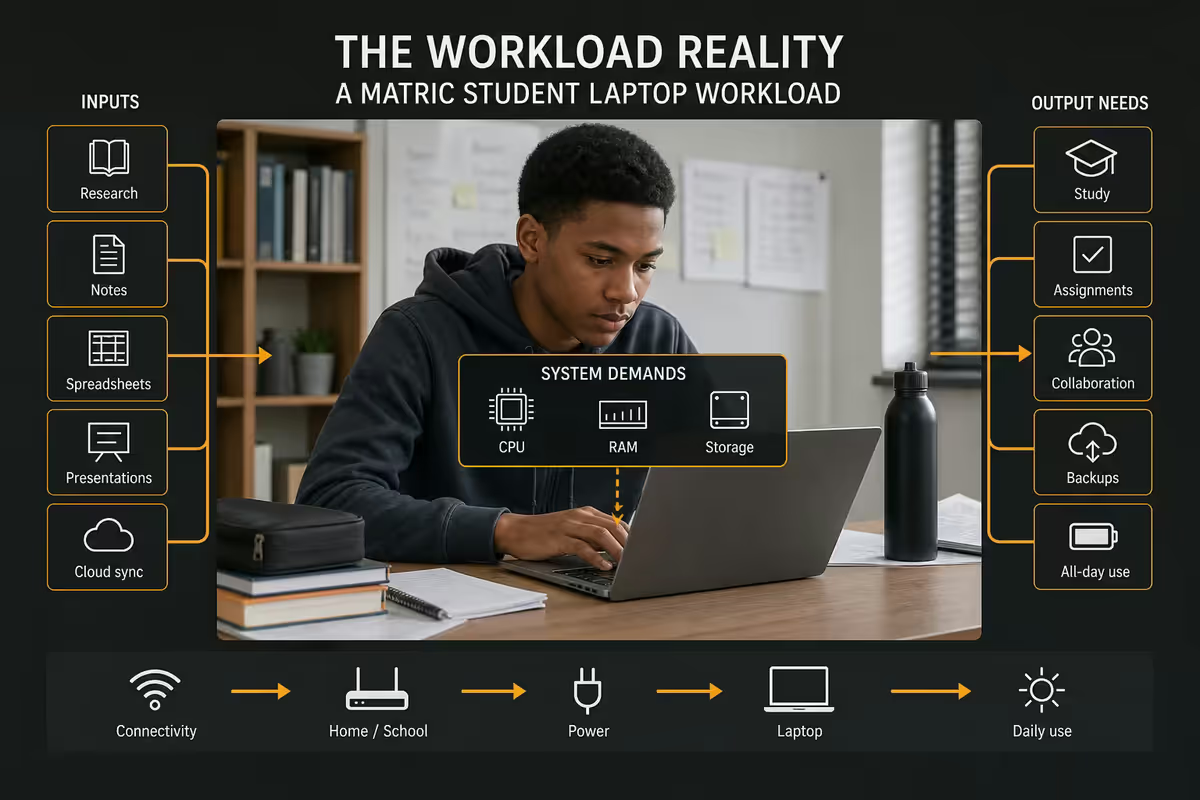
Before you spend a cent, understand what a matric laptop actually has to do in 2026. The answer is more demanding than it was five years ago, and less demanding than the spec-obsessed corners of the internet will tell you.
For DBE (public school) matrics, the daily load looks like this: Microsoft 365 (Word, PowerPoint, Excel) for assignments and projects, a browser for research and YouTube revision channels, Zoom or Teams for tutor sessions, and a steady drip of PDFs — past papers from the DBE site, study guides from Mind the Gap, school-issued resources via portals like d6 Communicator or ITSI. None of that punishes hardware.
For IEB and Cambridge International students the workload is similar in shape but heavier in volume — more digital exam prep, more interactive platforms, and increasingly some browser-based mock exam software that wants a stable, modern Windows browser. Pearson Online Academy students sit at the demanding end: live lessons, recorded lessons, interactive assessment software and a school-day's worth of Chrome tabs open at once. That's the workload that exposes weak machines.
| Workload type | Spec floor | Comfortable |
|---|---|---|
| DBE matric, mostly Office + browser | 8GB RAM, 256GB SSD, 14" IPS | 8GB / 512GB / 14" |
| IEB matric with digital exam prep | 8GB RAM, 512GB SSD, 14" IPS | 16GB / 512GB / 14" |
| Cambridge international, heavy PDF + video | 8GB RAM, 512GB SSD, 14" IPS, 8+ hr battery | 16GB / 512GB / 14" |
| Pearson Online or homeschool, full-day live lessons | 16GB RAM, 512GB SSD, 13-14" IPS, 10+ hr battery | 16GB / 512GB / MacBook Air M4 |
| CAT or IT subjects (programming, Office practical) | 16GB RAM, 512GB SSD, real Windows | 16GB / 1TB / Ryzen 5 or Core i5 |
Notice what's not in that list: a discrete GPU, a 4K screen, 32GB RAM, gaming-tier specs. A matric laptop is a productivity tool, not a workstation. If your kid also wants to game, that's a different conversation and a different budget — don't try to make one machine do both jobs at this price point.
Spec floor for 2026 — what not to drop below
Here's the honest non-negotiable floor for a matric laptop bought new in 2026. These are the specs below which you're buying a frustration machine that will be obsolete before final exams.
- CPU: Intel Core i3-1215U / N100-N305, AMD Ryzen 3 7320U, or Apple M3 minimum. Anything Celeron N4xxx or Pentium Silver is a hard no in 2026 — too slow for Windows 11.
- RAM: 8GB DDR4/DDR5 absolute floor; 16GB strongly preferred. 4GB is unusable.
- Storage: 256GB NVMe SSD minimum; 512GB is the right answer. Any eMMC storage under 128GB or any spinning HDD is disqualifying.
- Display: 14" or 15.6" IPS panel, 1920×1080 (Full HD). TN panels are washed-out under classroom lighting; sub-FHD resolutions strain the eyes during long study sessions.
- Battery: 7-hour real-world minimum. Loadshedding is still part of daily life — a machine that dies after three hours is a liability.
- Build: spill-resistant keyboard at minimum; MIL-STD 810H drop-tested chassis if budget allows.
- Ports: at least one USB-A (for school flash drives), one USB-C, HDMI for projector days, and a 3.5mm jack. SD card slot is a bonus for art / design students.
- OS: Genuine Windows 11 Home (not Windows S Mode out of the box), macOS Sequoia, or ChromeOS — with the caveats in the Chromebook section below.
A note on processors specifically: the gap between an Intel N100 (great little chip in the entry tier) and an Intel Core i3-1215U is bigger than the price difference suggests. If you're choosing between two laptops within R500 of each other, always go for the better processor over the better-looking lid. Three years from now the kid will not care about the colour. They will care if Chrome stutters.
Top picks under R8,500 — the honest entry tier
The R7,000–R8,500 bracket is where the majority of South African families end up shopping. The good news: it's a usable bracket in 2026. The compromise: you're getting 8GB RAM, 256GB SSD, plastic build and entry-tier chips. Treat these as two-to-three-year machines, not five-year ones.
HP 15s-fq5xxx series
The default safe pick. Intel Core i3-1215U, 8GB DDR4, 256GB SSD, 15.6" FHD display, around 7–8 hours real battery. HP's South African distribution is excellent — every Evetech, Incredible Connection, Makro and Hi-Online stocks them, warranty work via authorised partners is reliable, and parts are available. The compromise: it's plastic, the hinge feels light, and the keyboard is fine rather than great. Around R7,800–R8,500.
Lenovo IdeaPad 1 14IGL7
The 14-inch alternative. Intel N5030 or N100, 8GB DDR4, 256GB SSD, 14" FHD IPS. The smaller footprint makes this the better school-bag carry — it's also about 300g lighter than the HP 15s. Battery is honest 7+ hours. Lenovo's warranty support in SA is good. Around R7,200–R7,900. Avoid the older IdeaPad 1 11IGL05 — that's the unusable Celeron version.
Acer Aspire 3 (A315-44)
The Ryzen alternative. AMD Ryzen 3 7320U, 8GB DDR4, 256GB SSD, 15.6" FHD. The Ryzen chip is meaningfully snappier than entry Intel options under multitasking load. Acer's SA distribution is solid but service turnaround can be slower than HP or Lenovo. Around R7,500–R8,300.
Top picks under R12,000 — the buy-it-once Windows tier
The R10,000–R12,000 bracket is where things get genuinely good. You step up to 16GB RAM, 512GB SSD, MIL-STD 810H rated chassis, properly hinged screens and keyboards that survive three years of typing. This is the tier I'd recommend to any family who can stretch to it.
Lenovo ThinkPad E14 Gen 6
The most adult choice in this bracket. Intel Core i5-1335U or AMD Ryzen 5 7530U, 16GB DDR4, 512GB NVMe SSD, 14" FHD IPS, ThinkPad keyboard (the best in the budget), MIL-STD 810H tested, spill-resistant. This is the laptop matric students grow into rather than out of — it'll happily handle first-year uni assignments, a part-time gig year, and quite possibly second-year too. Around R11,000–R12,500. The one to buy if you only buy one.
HP 250 G10
HP's "business" entry — drop-tested, spill-resistant keyboard, more conservative styling than the consumer HP 15s. Intel Core i5-1335U, 8–16GB DDR4, 512GB NVMe SSD, 15.6" FHD. Slightly bulkier than the ThinkPad E14 but a tank by school-bag standards. Around R10,500–R11,800.
ASUS Vivobook 15 OLED (X1505)
If the kid is going into a creative subject (visual arts, design, photography for AET-equivalent portfolios), the Vivobook 15 OLED is a justifiable splurge. Intel Core i5-1335U, 8–16GB DDR4, 512GB SSD, 15.6" FHD OLED panel — and that OLED is genuinely a treat for editorial reading, PDF study and any colour-sensitive coursework. Around R11,000–R12,500.
Top picks under R18,000 — the buy-once flex
If your budget can stretch to R16,000–R18,000, there's exactly one machine that makes overwhelming sense — and it's the same one teachers, university lecturers and matric tutors keep coming back to.
Apple MacBook Air M4 13-inch (256GB / 512GB)
The buy-once-for-matric-plus-uni answer. Apple M4 chip, 16GB unified memory standard, 256GB or 512GB SSD, 13.6" Liquid Retina IPS (one of the best displays at this price worldwide), 15+ hour real-world battery, fanless silent operation, and an aluminium chassis that genuinely survives the school bag without flexing. Microsoft 365 runs flawlessly on macOS; Google Workspace runs flawlessly; PDF study runs flawlessly. Around R16,500–R18,500 for the 256GB version, R19,500–R21,000 for the 512GB.
The framing matters: this is not just a matric laptop. This is a matric laptop that will still be perfectly usable in third-year university, and which sells second-hand for a meaningful fraction of its original price even after four years. If you average the cost over five years of use it works out cheaper per year than the entry HP 15s. This is the buy-once flex.
Two honest caveats: confirm the school doesn't mandate Windows-only software (rare but does happen for some CAT exam practical setups), and the entry 256GB model fills up faster than you'd think — go 512GB if budget allows.
| Bracket | RAM | SSD | Display | Battery | Build |
|---|---|---|---|---|---|
| Under R8,500 | 8GB | 256GB | 14-15.6" FHD IPS | 7-8 hr | Plastic |
| Under R12,000 | 16GB | 512GB | 14-15.6" FHD IPS | 8-10 hr | MIL-STD 810H |
| Under R18,000 | 16GB unified | 256-512GB | 13.6" Liquid Retina | 15+ hr | Aluminium unibody |
Chromebook vs Windows — the honest answer
This question comes up in every matric laptop conversation, and the honest answer is more nuanced than either camp will admit.
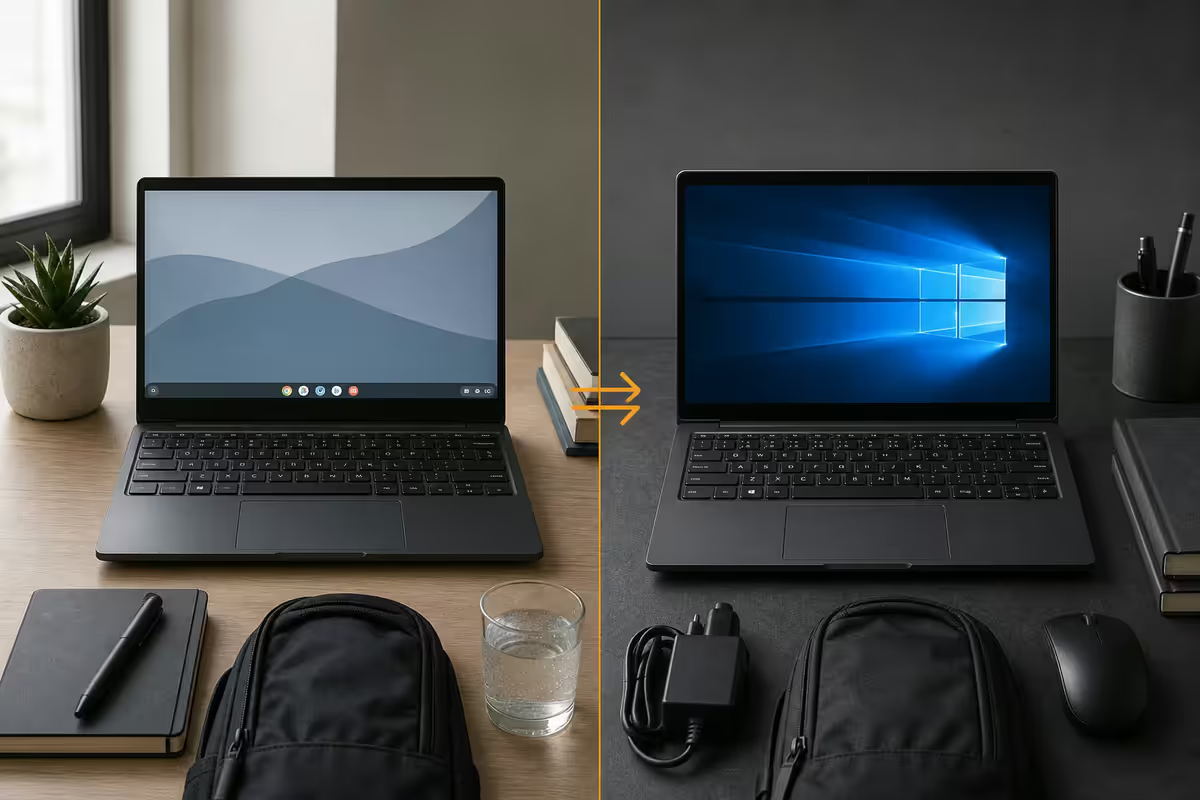
Chromebook is the right pick only if: your child's school has fully standardised on Google Workspace for Education (assignments via Google Classroom, submissions in Google Docs, not Word), the kid's subjects don't include CAT, IT or any practical assessment that wants a real Windows browser, and you genuinely value the simpler maintenance over the broader compatibility. In that narrow case, a Lenovo IdeaPad Slim 3 Chromebook (around R6,500–R7,500) is a perfectly reasonable matric machine.
Windows is the right pick for everyone else, and "everyone else" is probably 80% of South African matric students. Most schools still expect Microsoft Word and PowerPoint submissions. Most digital exam prep platforms (Cambridge International CAIE, IEB ePortals, even some Gauteng DBE mock systems) assume Windows. Microsoft 365 is bundled with school accounts more often than Google Workspace. The path of least resistance is Windows, full stop.
macOS sits between: full Microsoft 365 compatibility, full Google Workspace compatibility, no Windows-only software (which usually doesn't matter for matric but occasionally does). Treat it as Windows-equivalent for compatibility purposes, with a meaningful battery and build advantage.
Durability, accessories & SA reality
The number-one killer of matric laptops in South Africa is not specs, it's blunt physical trauma. A laptop carried loose between hardcover textbooks at the bottom of a school bag is taking small impacts every five minutes. The hinges crack first. The screen panel goes second. By midyear it's a repair quote that costs more than the laptop's residual value.
Durability is partly buying the right machine — MIL-STD 810H ratings (Lenovo ThinkPad E series, HP 250 G10, HP ProBook) verify the laptop has been drop-tested from 76cm, vibration-tested, dust-tested and temperature-cycled. Spill-resistant keyboards survive the inevitable juice box. But it's mostly buying the right bag and using it properly.
The matric accessory kit, honestly priced:
- Padded laptop sleeve or backpack with dedicated laptop compartment: R350–R600. Non-negotiable. Targus, Wenger or a decent Evetech-branded bag are fine — the dedicated padded slot is what matters.
- Wireless mouse: R200–R400. Logitech M171 or M220 are the workhorses. A real mouse cuts essay-writing fatigue meaningfully versus a trackpad.
- Surge-protected multi-plug: R150–R300. Necessary in SA. Loadshedding surges on grid restore can kill chargers.
- Small UPS or laptop power bank (optional but recommended): R600–R1,200. A 20,000mAh USB-C PD power bank rated for laptop charging means a quick stage-4 doesn't kill an essay deadline.
- Spare charger: R350–R600. One for school, one for home, no daily forgetting.
- Microfibre cloth and screen cleaner: R80–R150. Sticky fingerprints on OLED and IPS panels are the silent killer of resale value.
Total accessory budget: R1,500–R3,000 depending on how complete the kit is. Build this into the laptop budget from the start — don't try to retrofit it three months in.
We ship laptops to matric students in every province from our Centurion warehouse — and the same machines come back through our service desk at the start of first-year uni for cleanups and SSD upgrades. Across the 200,000+ student and home machines we've handled, the pattern is unmistakable: the entry R7,500 laptops bought purely on price get replaced inside 24 months; the R11k mid-tier ThinkPad E14s and HP 250 G10s come back for first-year cleanups and keep going; the R17k MacBook Airs come back four years later still feeling fast. Spend 25–30% more on the laptop today and skip the replacement entirely.
Evetech Education Desk · Behind the Bench, from our Centurion floor
Key takeaways
- 8GB RAM is the 2026 floor, 16GB is the right answer — 4GB is unusable for Windows 11 + Microsoft 365.
- 256GB SSD survives, 512GB thrives — OneDrive cache, past papers and OS updates fill 256GB faster than expected.
- 14-inch is the school-bag sweet spot — fits, weighs 1.4–1.6kg, plenty of working area side-by-side.
- The R11k ThinkPad E14 or HP 250 G10 is the buy-it-once Windows pick — MIL-STD chassis, proper keyboard, lasts to second-year uni.
- Budget R1,500–R3,000 for the accessory kit — bag, mouse, surge plug, power bank. Non-negotiable for SA conditions.
Frequently asked questions
What is the cheapest decent laptop for a matric student in South Africa?
Around R7,500–R8,500 for an HP 15s-fq5xxx, Lenovo IdeaPad 1 14IGL7 or Acer Aspire 3. Expect 8GB RAM, 256GB SSD and an entry Intel or Ryzen chip. Honest entry tier — not for heavy multitasking but plenty for Office, browser and Pearson Online.How much RAM and storage does a matric student actually need?
8GB RAM is the working floor, 16GB is more comfortable. 256GB SSD is survival minimum, 512GB is the right answer. Avoid eMMC storage and 4GB RAM completely — false economy that fails by midyear.Is a Chromebook good enough for matric in South Africa?
Only if your school is fully Google Workspace-standardised and your subjects don't require Windows-only software. Most SA schools still expect Word and PowerPoint submissions, so a R7,500 Windows entry laptop is the safer default.Is a MacBook Air worth it for a matric student?
Yes, if you can stretch to R16,500–R18,500 for the MacBook Air M4 13-inch. Two-day battery, build that survives school bags, value that holds to third-year uni. Confirm school doesn't mandate Windows-only software.Can NSFAS cover a laptop for a matric or first-year student?
NSFAS funds laptop allowances for qualifying tertiary students once enrolled and approved — not matric-year buyers. Best plan: buy durable in matric (R10k–R12k bracket), use any NSFAS allowance toward an upgrade or accessories in first year.Does screen size matter for a matric laptop?
14 inch is the sweet spot — fits a standard school bag, weighs 1.4–1.6kg, room for Word side-by-side with a PDF. 15.6 inch is fine if mostly desk-used. Avoid sub-13 inch (cramped) and 16+ inch (too heavy to carry daily).What about durability — will it survive matric?
Look for MIL-STD 810H tested chassis (ThinkPad E series, HP 250 G10) and spill-resistant keyboards. More importantly: buy a padded laptop sleeve or backpack with dedicated laptop compartment. Loose-in-the-bag is the number-one killer.What accessories should I budget for at the same time?
R1,500–R3,000 total — padded bag (R350–R600), wireless mouse (R200–R400), surge plug (R150–R300), power bank or small UPS (R600–R1,200), spare charger (R350–R600), microfibre cloth (R80–R150). Non-negotiable in SA conditions.
Get the Evetech app
Exclusive app-only prices, daily flash sales, and free delivery on orders over R4,000 — download the app and start saving.