MBChB Laptop Buying Guide
Best laptops for medical students. — Six years. One device. Get it right.
Med school doesn't need a R40k gaming laptop. It needs 16GB of RAM, a screen you can read at 11pm, and a battery that survives a full clinical rotation without finding a plug. Here's what actually works for Wits, UCT, UP, Stellenbosch and KZN MBChB in 2026.
- RAM floor
- 16GB
- sweet spot
- 14"
- battery target
- 8 hrs

Why medical students need a different laptop
A medical student's laptop has a stranger workload than people realise. It's not the heaviness of any single task — it's how many medium-weight tasks run at the same time, for ten hours a day, for six straight years.
A normal Tuesday for a Wits or UCT MBChB student looks like this: Anki running in the background grinding through 400 due cards, a 200-page Robbins PDF open in another window with annotations, an AMBOSS question session in a third tab, a Complete Anatomy 3D model rotating in a fourth, a Lecturio video queued up, OneNote or Notion for note-taking, and a WhatsApp group chat for the study group exploding in the corner. None of these are heavy on their own. Together, on 8GB of RAM, they crawl.
The other distinguishing feature is longevity. An undergrad arts degree is three years; a BCom is three. MBChB is six. Whatever laptop you buy in first year needs to still be running AMBOSS smoothly during your final-year orals. That changes the spec maths considerably.
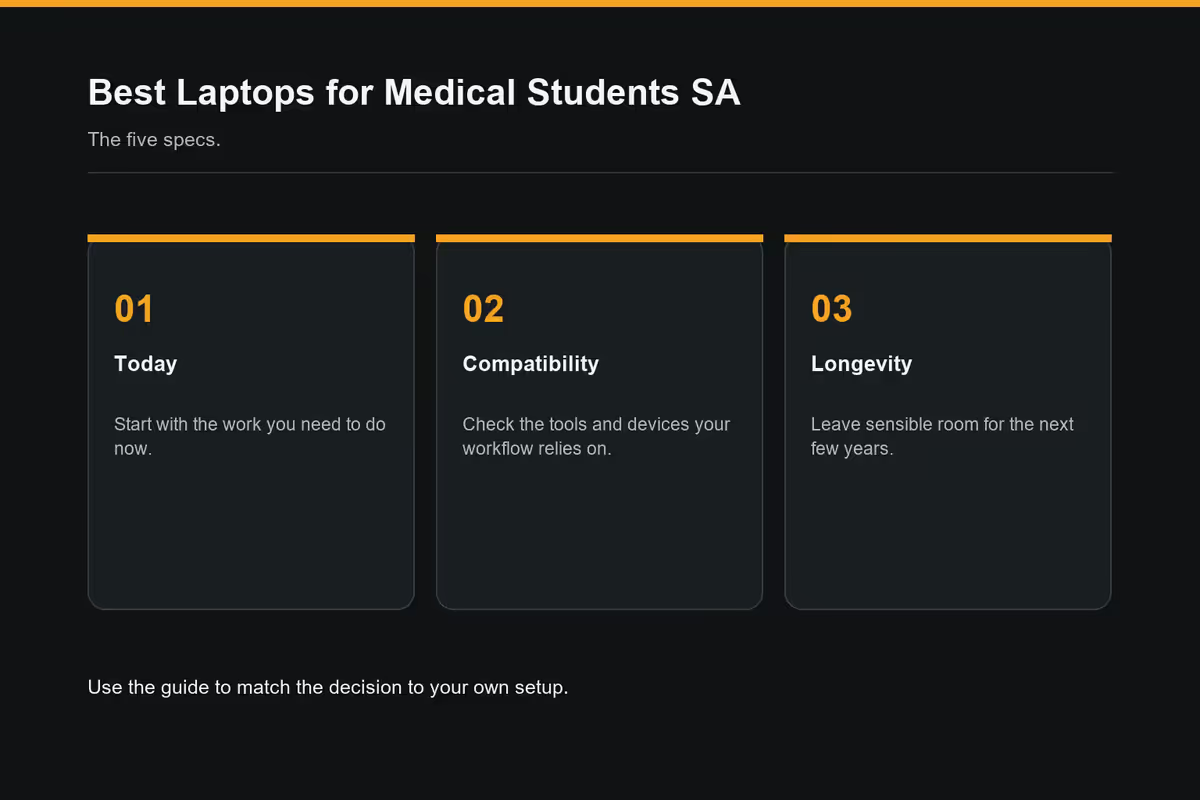
The 5 specs that actually matter for med school
Ignore the marketing. These are the five specs to check when you're looking at any laptop for MBChB, in priority order.
| Spec | Minimum | Ideal for 6-year MBChB |
|---|---|---|
| RAM | 16GB | 32GB (especially on Mac) |
| SSD storage | 512GB | 1TB (NVMe) |
| Screen size | 13.3" | 14" (14–15" sweet spot) |
| Battery | 8 hrs real-world | 12+ hrs (Mac, ARM Windows) |
| CPU | Ryzen 5 / Core Ultra 5 / M3 | Ryzen 7 / Core Ultra 7 / M4 |
1. RAM — 16GB is the floor, 32GB is the smart play
As covered above, 16GB is the new minimum because Anki + AMBOSS + a 3D anatomy app + a textbook PDF together will eat 12GB before you've opened a browser. 32GB is the smart move on Mac because you cannot upgrade later — Apple's RAM is soldered. On Windows ultrabooks with user-replaceable RAM (some Lenovo ThinkPad, IdeaPad and HP models), 16GB at purchase with a planned upgrade to 32GB in year 3 is a valid budget strategy.
2. SSD storage — 512GB minimum, 1TB ideal
By third year your laptop will hold roughly 80–120GB of medical PDFs (Robbins, Gray's, Kumar & Clark, Snell, Davidson's), 40–60GB of pre-recorded lecture videos, the offline AMBOSS library (~30GB), Anki backups, OS, apps, plus normal personal files. 512GB fills faster than you'd think; 1TB removes the worry. Cloud storage is not a substitute when the wifi at residence drops out and you need to revise.
3. Screen size — 14 inches is the sweet spot
13.3-inch screens are cramped for splitting a textbook PDF and a notes window side-by-side. 15.6-inch is genuinely useful at residence but heavy and bulky on rotation. 14-inch is the universal answer — readable in tutorials, light enough for the wards, and big enough for side-by-side study. 17-inch laptops are a trap; you will hate carrying one to Tygerberg or Steve Biko.
4. Battery — the real-world 8-hour test
Manufacturer battery claims are fiction. Halve them mentally. A laptop quoted at "18 hours" will give you 9–11 hours of real mixed use; "12 hours" gives you 6–7. For clinical rotations and library days where plugs are scarce, you want a real-world 8-hour minimum. Mac and ARM-based Windows machines (Snapdragon X Elite) currently dominate here.
5. CPU — modern mid-tier is plenty
Any current-generation chip — AMD Ryzen 7 7000/8000 series, Intel Core Ultra 7, Apple M3/M4, Qualcomm Snapdragon X — handles every piece of medical software comfortably. Don't pay for a Ryzen 9 or Core Ultra 9; that's for video editors. Don't go below a Ryzen 5 / Core Ultra 5 either; the headroom matters across 6 years.
Best laptops for med students in SA by budget
These are the picks that consistently appear in MBChB student WhatsApp groups across Wits, UCT, UP, Stellenbosch, UFS and UKZN. Prices are SA street prices in mid-2026 — they fluctuate with the Rand but the categories are stable.
Lenovo IdeaPad Slim 3 (14")
Ryzen 5 7530U, 16GB RAM, 512GB SSD. Solid keyboard, decent 14" IPS panel, 8-hour real battery.
Lenovo IdeaPad Pro 5 (14" OLED)
Ryzen 7 8845HS, 16GB or 32GB, 1TB SSD, gorgeous OLED. 10-hour battery. The best MBChB value in SA right now.
MacBook Air M4 (13" or 15")
M4, 16GB unified memory, 512GB SSD. 15+ hour battery, silent, premium build, holds value for graduation resale.
Mac vs Windows for medical students — the honest take
There's no universal winner. Both ecosystems run every piece of medical software you'll touch — Anki, AMBOSS, UpToDate, Lecturio, Osmosis, Complete Anatomy, all of it. The decision is about lifestyle fit, budget and risk tolerance.
| Factor | Mac (Air M4) | Windows (Ryzen/Core Ultra) |
|---|---|---|
| Price for equivalent specs | R25,000–R28,000 | R17,000–R22,000 |
| Real-world battery | 14–16 hours | 7–11 hours |
| Build quality / reliability | Excellent (5–7 yrs typical) | Good to very good |
| AMBOSS desktop experience | Web + app, both fine | Native desktop app, slightly slicker |
| Touchscreen / stylus support | None (iPad sidecar) | Native on 2-in-1s |
| University IT compatibility | Some Wits/UP eduroam quirks | Universal, no friction |
| RAM upgradeability | Soldered — buy enough day one | Many models user-upgradable |
| Resale value at graduation | Retains 50–60% after 6 yrs | 20–30% after 6 yrs |
Pick Mac if: you already use an iPhone and iPad, battery life and silence in tutorials matter more than upfront price, and you want the lowest-maintenance device available. The MacBook Air M4 is genuinely the best laptop most med students could own — it just costs more.
Pick Windows if: you're price-sensitive, you want a touchscreen for annotating slides, you're comfortable handling occasional driver updates, or your family is already on Windows and you want consistency. A R20,000 Lenovo IdeaPad Pro 5 will do 90% of what a R28,000 MacBook Air does.
We've fitted out a great many MBChB students across Wits, UP, Stellenbosch, UCT and UKZN from our Centurion warehouse. The single biggest pattern: 8GB returns spike around month four as soon as second-semester anatomy and the AMBOSS subscription kick in. The students who go straight to 16GB RAM, 512GB SSD, 14-inch screen and at least 8-hour real battery rarely come back before graduation. The students who try to save R2,500 at the start usually replace the machine in year 3. Buy once.
Evetech Hardware Team — Behind the Build
Battery life for hospital rotations — the real 8-hour test
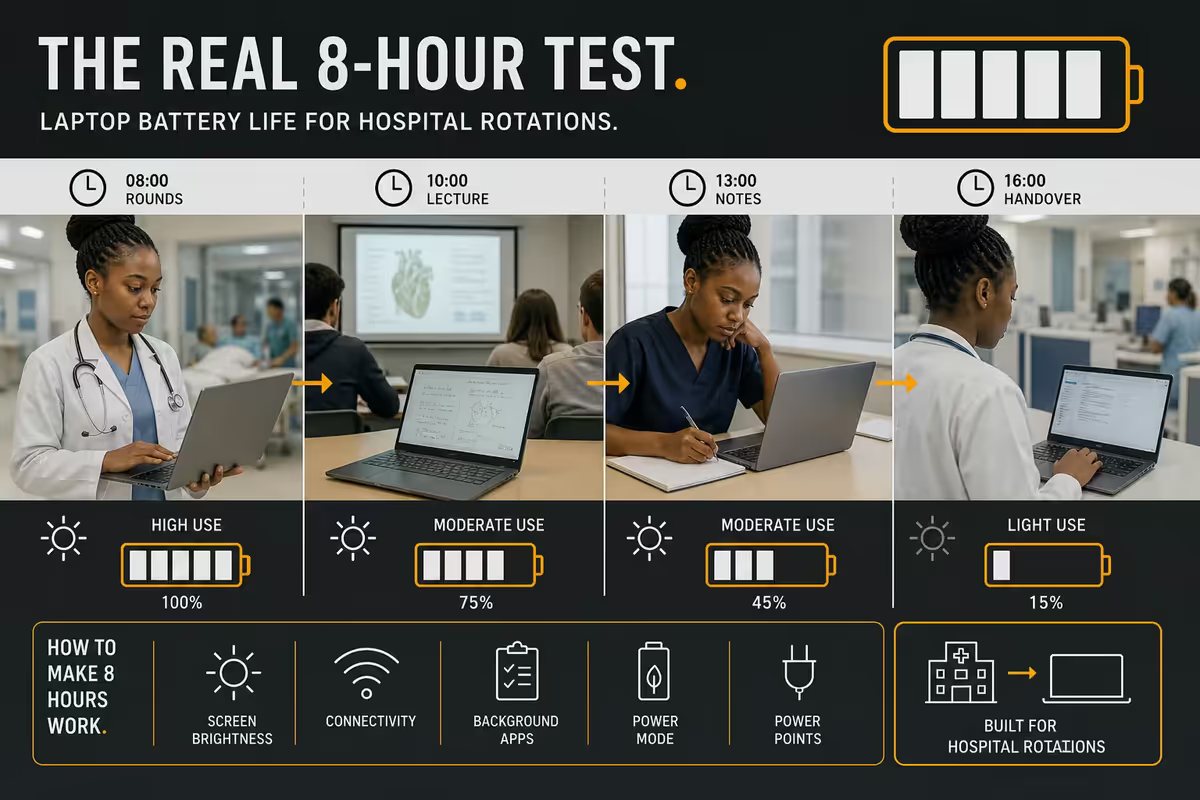
From third year onward you'll be in tertiary hospitals — Charlotte Maxeke, Steve Biko, Tygerberg, Universitas, Inkosi Albert Luthuli — for full clinical days. Plug points in registrars' offices, tea rooms and on-call rooms are occupied or non-existent. Your laptop has to survive a full rotation day on a single charge or you're carrying it home dead.
The honest real-world battery numbers, measured on a mixed med-student load (browser with 8 tabs, Anki, OneNote, occasional video):
- MacBook Air M4 — 14–16 hours. The current battery champion.
- Snapdragon X Elite laptops (Surface Laptop 7, Dell XPS 13) — 11–14 hours.
- Lenovo IdeaPad Pro 5 / ASUS Zenbook 14 — 9–11 hours OLED, 11–13 hours IPS.
- Lenovo ThinkPad T14 / X1 Carbon — 9–12 hours, very consistent.
- Entry-tier HP/Acer/Lenovo Slim — 6–8 hours typically.
- Gaming laptops — 3–5 hours. Do not buy one for med school.
Weight is the other half of portability. The carrying limit for a daily ward bag (which also holds your stethoscope, name badge, lunch, water, and probably a printed handout or two) is roughly 1.4–1.5kg of laptop. Above that, your shoulder will complain by the end of week one of rotations.
UPS, power stations and load-shedding study continuity
Eskom remains Eskom. By second semester you'll need a backup plan for the day before an OSCE exam when stage 4 hits at 19:00. Laptops naturally tolerate load-shedding well — they're already battery-powered — but your wifi router, study lamp and external monitor are not.
Three tiers of backup that work for med students:
Tier 1 — Mini UPS for router (R600–R1,200)
A small 12V mini-UPS (like the Mecer 32W mini-UPS or generic 8800mAh DC unit) keeps your fibre router and ONT alive through a 2.5-hour stage 4 slot. AMBOSS and Lecturio keep streaming, Anki keeps syncing. This is the single highest-ROI load-shedding upgrade.
Tier 2 — Portable power station (R3,000–R7,000)
A 300–500Wh unit (EcoFlow River 2, Bluetti EB3A, Gizzu) charges your laptop twice over, runs a study lamp and a phone for the duration of a stage 6 day. Living in residence makes this even more useful as it doubles as load-shedding contingency for the whole desk.
Tier 3 — Just buy a Mac or Snapdragon
A MacBook Air M4 or Surface Laptop 7 on Snapdragon X Elite has enough native battery to survive 2–3 load-shedding slots back-to-back without any external backup. If you genuinely can't faff with a UPS, the battery-life premium of these machines pays for itself.
Common med-student buying mistakes
Buying a gaming laptop "because it's powerful". You don't need a GTX/RTX GPU. It adds 600–900g, halves your battery, runs hot in tutorials and costs R8,000–R15,000 extra. None of the medical software touches the dedicated GPU.
Getting an 8GB model to save R2,000. The single fastest way to regret a purchase. By second semester you'll be force-quitting browser tabs just to open Anki. The R2,000 saved becomes R20,000+ spent in year 3.
Going for a 17-inch screen. Looks gorgeous in the store, then weighs 2.5kg, won't fit in a normal ward bag, and is awkward on a hospital bedside table. Stick to 14".
Skipping the SSD upgrade. 256GB seems fine in week one. By year 4 you're constantly deleting old lecture recordings to make space. 512GB minimum, 1TB if your budget allows.
Buying based on first-year needs. The laptop has to survive until your final-year orals. Spec for fifth-year you, not first-week-of-anatomy you.
Forgetting the warranty. A 6-year MBChB outlasts the typical 1–2 year manufacturer warranty. Evetech, Wootware and Incredible Connection sell extended warranties for R600–R1,500 that cover years 2–3 — worth it for a laptop carried daily to hospitals.
Key takeaways
- 16GB RAM is the floor for MBChB in 2026 — 32GB if you're buying Mac (soldered) or planning a 6-year hold.
- 14-inch is the universal sweet spot — light enough for rotations, big enough for split-screen study. Skip 17".
- Real-world 8-hour battery minimum for clinical rotations. Halve any marketing claim.
- Mac for battery and resale, Windows for value and touchscreen. Both run every piece of medical software.
- Add a R600 mini-UPS for the router — single highest-ROI load-shedding upgrade for an exam-week med student.
Frequently asked questions
What's the best laptop for medical students in SA?
For most MBChB students, a 14" Windows ultrabook (Lenovo IdeaPad Pro 5, ASUS Zenbook 14, HP Pavilion Plus) with Ryzen 7 / Core Ultra 7, 16GB, 512GB SSD and 10+ hour battery at R18–22k. If budget reaches R28k, the MacBook Air M4 (16GB/512GB) is the safer 6-year buy.How much RAM does a med student need?
16GB is the new minimum. 32GB is smart if you can't upgrade later (Mac) or want a single laptop for the full 6-year MBChB run. 8GB is already obsolete for Anki + AMBOSS + 3D anatomy running together.Mac or Windows for medical school?
Both work. Mac wins on battery, build and resale; Windows wins on price, touchscreen and upgradeability. If you already use iPhone/iPad, Mac integrates better. If you're price-sensitive, a R20k Lenovo or ASUS does 90% of what a R28k MacBook Air does.What's a realistic budget for a medical student laptop in SA?
Three tiers: under R15k for entry Ryzen 5/Core i5 ultrabook (16GB/512GB), under R20k for the MBChB sweet spot (Ryzen 7/Core Ultra 7, 16GB, 1TB, OLED option), under R28k for MacBook Air M4 or premium Windows like ThinkPad X1 Carbon. Skip R30k+ gaming laptops.Is a touchscreen useful for medical school?
Useful if you want to annotate slides, draw on anatomy diagrams or hand-write notes in OneNote. Redundant if you already pair the laptop with an iPad and Apple Pencil — which is the more common setup among SA med students.How long should the laptop last through MBChB?
The full 6 years if specced correctly — 16GB+ RAM, 512GB+ SSD, current-gen chip. Plan for a battery replacement around year 3–4 (R1.5–2.5k Windows, R3.5–5k Mac) and you're set through final-year orals.Do I need a dedicated GPU for medical school?
No. Integrated graphics (AMD Radeon, Intel Arc, Apple M-series) handle every medical app including 3D anatomy. A dedicated GPU adds weight, halves battery, costs R5–10k more, and adds zero value to AMBOSS or Anki.Should I wait for Black Friday to buy?
If you're starting MBChB in February and it's June–September, yes — November Black Friday in SA reliably drops Lenovo, ASUS and HP ultrabooks by R2–4k. If you're already mid-semester and your current laptop is failing, don't wait. Apple discounts on Black Friday are minimal — better to use iStore Education pricing year-round.
Get the Evetech app
Exclusive app-only prices, daily flash sales, and free delivery on orders over R4,000 — download the app and start saving.