Stellenbosch · Maties Guide
Best laptops for Stellenbosch students. — Faculty-matched. Sun & wind ready.
The Maties laptop you buy in 2026 needs to survive the walk from Rooi Plein to Krotoa in the wind, run SolidWorks in your Engineering practical, and last the full eight hours of library time on a Tuesday. Faculty by faculty, here's what fits.
- Arts / Theol / Edu
- R15k
- EMS / AgriSci / Med
- R18-25k
- Engineering / Arch
- R25k+
Stellenbosch faculty by faculty
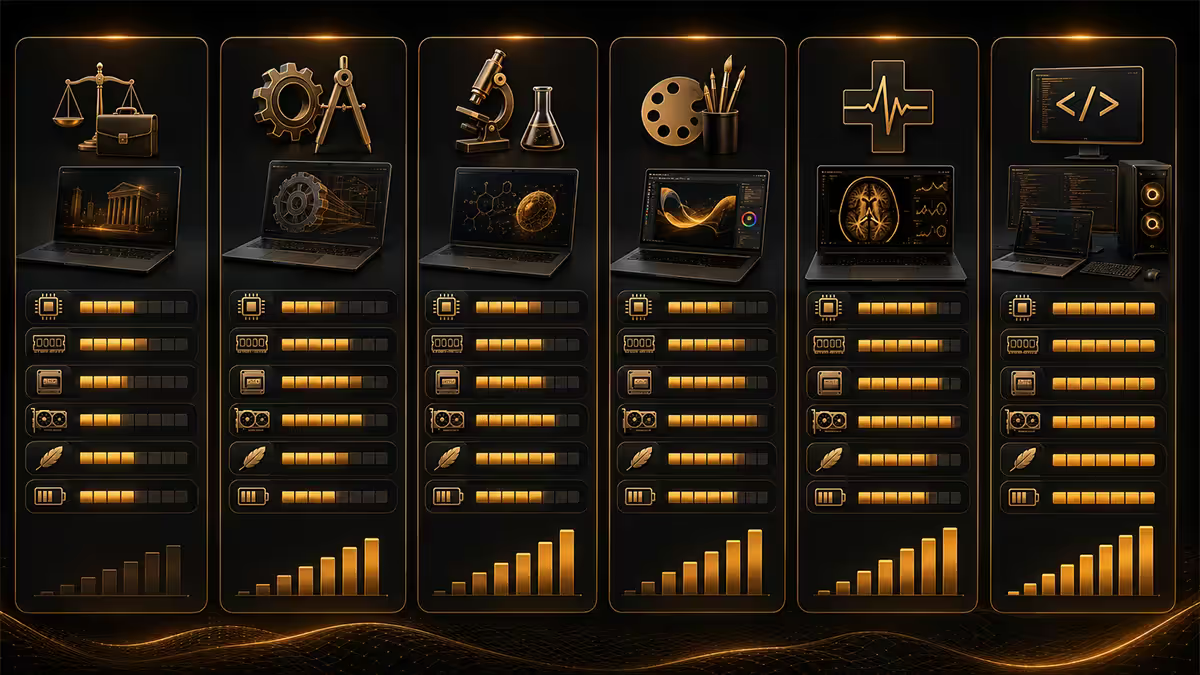
SU's seven faculties have very different software stacks. Buying the wrong laptop is the easiest mistake first-years make. Here's a snapshot.
| Faculty | Software stack | Tier |
|---|---|---|
| Engineering | SolidWorks, MATLAB, AutoCAD, Ansys | R25,000+ (GPU) |
| AgriSciences | R, SAS, Stata, ArcGIS / QGIS, Office | R16,000-R22,000 |
| Economic & Mgmt Sci | Office, Stata, SPSS, R, accounting suites | R14,000-R20,000 |
| Arts & Social Sciences | Office, web, Zotero, multimedia editing | R12,000-R18,000 |
| Medicine & Health | Office, SPSS, anatomy 3D apps, EndNote | R16,000-R22,000 |
| Theology | Office, BibleWorks, Logos, web research | R12,000-R16,000 |
| Education | Office, multimedia, web, classroom suites | R12,000-R16,000 |
| Law | Office, LexisNexis, Westlaw, PDF heavy | R14,000-R20,000 |
Cross-faculty note: SU's mid-degree Honours and Master's students often pick up Python, Jupyter, ML toolkits and high-resolution data work. If you're planning postgrad, upgrade one tier above the undergrad recommendation — your laptop should last 4-5 years.
Software requirements demystified
SolidWorks (Engineering only). Windows-only. Requires dedicated GPU (NVIDIA Quadro/RTX preferred, but consumer RTX 4050/5050+ works fine for student licences). 16GB RAM minimum, 32GB ideal for complex assemblies. SSD essential. Cannot run on Mac without Parallels (slow) or Boot Camp (Intel Macs only, not Apple Silicon).
MATLAB (Engineering, AgriSci, Maths). Cross-platform. Runs well on Mac (native Apple Silicon support since R2023b) or Windows. 16GB RAM, GPU helps for Parallel Computing Toolbox.
SAS (AgriSci, EMS, Med). Windows-native; runs on Mac via virtualisation only. SU provides SAS Studio (browser-based) as the cross-platform alternative — workable but slower for large datasets.
Stata (AgriSci, EMS, Med). Full Mac and Windows support. Light requirements — runs on a basic ZenBook or Air. SU site licence available.
SPSS (Med, EMS). Cross-platform. Runs everywhere. Light on hardware.
R / RStudio (everywhere). Native Mac, Windows and Linux. Light by default; heavy if you load large datasets or train models.
AutoCAD (Engineering, Architecture). Native Mac since 2017. Native Windows. Dedicated GPU recommended for 3D AutoCAD work.
ArcGIS Pro (AgriSci, Geography). Windows-only. Heavy GIS workloads benefit from dedicated GPU. QGIS (open-source alternative) is cross-platform — most AgriSci students get by with QGIS for basic work.
Top picks under R15,000
For Humanities, Theology, Education and lighter EMS work. 14"-16", 16GB RAM, 512GB SSD, integrated graphics.
| Model | Specs highlight | SA price |
|---|---|---|
| Lenovo IdeaPad 5 (14"/16") | Ryzen 5 7000, 16GB, 512GB, 10hr battery | R13,000-R14,500 |
| ASUS VivoBook 16 | i5-13500H, 16GB, 512GB, OLED option | R12,500-R14,500 |
| Acer Aspire 5 / Aspire Go 14 | i5/Ryzen 5, 8-16GB, 512GB, lightweight | R11,500-R14,000 |
| HP Pavilion 15 | Ryzen 5 / i5, 16GB, 512GB, solid value | R13,000-R14,500 |
| Dell Inspiron 14 | i5-13420H, 16GB, 512GB, sturdy chassis | R13,500-R14,500 |
Pick at this tier: Lenovo IdeaPad 5 16" Ryzen 5 — best balance of screen real estate, battery and durability for Stellenbosch town use.
Top picks under R18,000
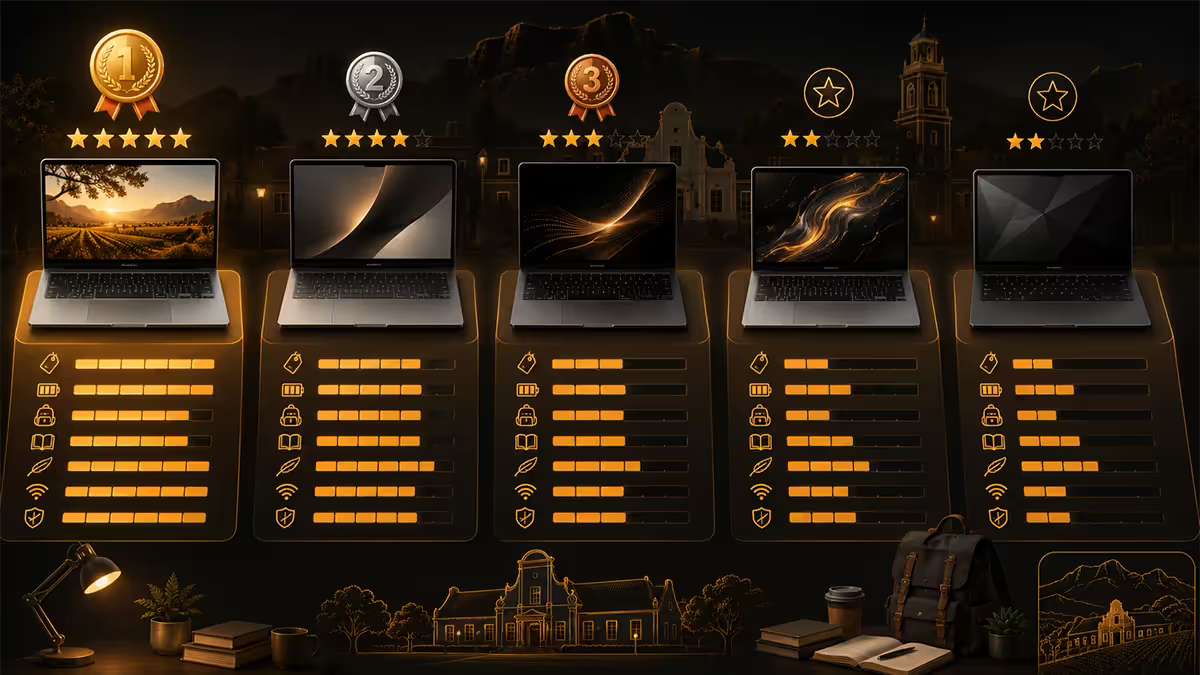
For EMS, Law, AgriSci (lighter), Theology with multimedia, mid-tier Med students. Step up to faster CPUs, OLED screens or premium chassis.
| Model | Specs highlight | SA price |
|---|---|---|
| ASUS ZenBook 14 OLED | Intel Core Ultra 5/7, 16GB, 1TB, OLED, 1.2kg | R15,500-R18,000 |
| Lenovo IdeaPad 5 Pro 16" | Ryzen 7 7000, 16GB, 1TB, 2.5K screen | R15,500-R17,500 |
| HP Pavilion Plus 14 | Ryzen 7 / Intel Core Ultra 7, 16GB, 1TB | R15,500-R17,500 |
| MacBook Air M3 (8GB) | M3, 8GB, 256GB, 18hr battery, 1.24kg | R17,000-R18,000 |
| Acer Swift Go 14 OLED | Core Ultra 7, 16GB, 1TB, OLED, 1.3kg | R16,000-R18,000 |
Pick at this tier: ASUS ZenBook 14 OLED — best screen, weight and battery in the bracket. The OLED panel makes long study sessions on PDFs noticeably easier on the eyes.
Top picks under R25,000
For Engineering (with dedicated GPU), Architecture, postgrad researchers, premium Mac users.
| Model | Specs highlight | SA price |
|---|---|---|
| ASUS ROG Zephyrus G14 / G16 | Ryzen 9, 16-32GB, RTX 4060/4070, OLED | R22,000-R25,000 |
| Lenovo Legion Pro 5i (15"/16") | i7-14700HX, 16GB, RTX 4060, MUX switch | R20,000-R25,000 |
| MSI Stealth 15M / Stealth 16 | Core Ultra 9, RTX 4070, OLED option | R22,000-R25,000 |
| HP OMEN Transcend 14 | Core Ultra 7, RTX 4060, OLED, 1.65kg | R21,000-R25,000 |
| MacBook Air M4 16GB | M4, 16GB, 512GB, 1.24kg, 20hr battery | R23,000-R25,000 |
| MacBook Pro M4 14" | M4, 16GB, 512GB, ProMotion 120Hz | R25,000-R28,000 |
Engineering pick: ASUS ROG Zephyrus G14 — light enough at 1.5kg for daily campus, RTX 4060/4070 for SolidWorks and Ansys, OLED for clean CAD viewing.
Architecture pick: MacBook Pro M4 14" — colour-accurate ProMotion display ideal for design portfolios, native Mac AutoCAD, exceptional battery for studio days.
Mac vs Windows at Stellenbosch
Stellenbosch has one of the largest Mac student populations in SA — anecdotally rivalling UCT. The Arts & Social Sciences, Visual Communication, Theology and EMS faculties all have strong Mac contingents. Engineering and AgriSci are predominantly Windows.
Mac works for:
- Office (Word, Excel, PowerPoint native).
- MATLAB (native Apple Silicon).
- R, RStudio, Python, Jupyter — all native, often faster than Windows on equivalent silicon.
- AutoCAD, Stata, SPSS, QGIS — native Mac.
- EndNote, Zotero, Mendeley — full Mac support.
- Adobe Creative Cloud — Apple Silicon-optimised.
Mac problems with:
- SolidWorks — Windows-only (Parallels works but expensive licence).
- SAS desktop — Windows-only (SAS Studio web works on Mac).
- ArcGIS Pro — Windows-only (QGIS replaces 80% of use cases).
- Some legacy SU lab applications — check with your faculty before assuming.
If you're Mac-curious but in a Windows-heavy faculty, SU does provide Windows-based lab computers across Engineering, Krotoa, the Neelsie student centre, and faculty buildings. You can run your Windows software in labs and use your Mac for everything else. Most successful Mac-using engineering students do exactly this.
NSFAS device allowance & eUSKor
NSFAS device allowance. Qualifying SU students receive a learning device allowance of R5,200 per year (2026 rate, subject to annual review). This is paid as a direct credit to NSFAS's registered device supplier — not as cash to you, and not redeemable at general retail. SU runs a partnered NSFAS device portal where you select your laptop and the allowance is applied.
The NSFAS-funded tier is typically a budget Windows laptop (8GB RAM, 256GB SSD, ~14" screen). Top-ups — where you contribute personal funds to get a better model — are permitted through the same SU portal. Common top-up paths: R3,000-R5,000 extra moves you to 16GB RAM and 512GB SSD; R8,000+ extra reaches the ZenBook / IdeaPad 5 Pro tier.
eUSKor recommended specs (2026 baseline). SU's IT services publishes baseline minimum specs annually:
- General students: Intel Core i5 12th gen / Ryzen 5 7000-series or newer, 16GB RAM (8GB minimum), 512GB SSD, 13.3"-15.6" screen.
- Engineering / Architecture: i7/Ryzen 7, 16GB RAM, dedicated GPU (NVIDIA RTX 4050+ or equivalent), 512GB+ SSD.
- All: ~6+ hour real-world battery, WiFi 6 or newer, USB-C / Thunderbolt port for monitor connection.
Western Cape repair turnaround
When your laptop dies in week 7 of semester (and it will at some point), Stellenbosch's geographic isolation matters. Authorised repair partners in driving distance:
| Brand | Repair location | Typical turnaround |
|---|---|---|
| Apple (Mac) | iStore Repair, V&A, Cape Town (Apple AASP) | 5-10 working days |
| Lenovo | Lenovo Authorised Centre, Bellville | 7-14 working days |
| HP | Canal Walk Repair Centre, Cape Town | 5-12 working days |
| Dell | Dell Pro Support — courier collection from town | 3-7 working days (next-day onsite) |
| ASUS / MSI | Tygervalley specialty repair centres | 10-15 working days |
| Acer | Tygervalley + national courier turnaround | 10-15 working days |
Dell Pro Support deserves a mention — for ~R2,000 extra at purchase, you get next-business-day onsite repair (technician visits Stellenbosch). This is the only true onsite option, and it transforms the warranty experience. Worth considering if your laptop has to work.
Evetech's repair-return service. If you bought your laptop from us, we handle Joburg transit and authorised centre paperwork — courier collection from Stellenbosch, repair, courier return. Average end-to-end: 10-12 working days. Loan device available for academic priority cases.
Key takeaways
- Engineering / Architecture need dGPU + 16GB + R25,000+. AgriSci / EMS / Med fit R16k-R22k. Arts / Theology / Edu under R15k.
- Mac works for everything except SolidWorks, SAS desktop and ArcGIS Pro — use SU labs for those if you're Mac-curious in a Windows faculty.
- NSFAS device allowance R5,200/year via SU portal — top-up with personal funds for better specs.
- Weight under 1.6kg + battery 8+ hrs is the practical Stellenbosch sweet spot for daily campus life.
- Tygervalley + Bellville cover most repair brands. Apple via iStore CT. Dell Pro Support next-day onsite is worth it if your laptop must work.
Frequently asked questions
Which laptop is best for SU Engineering students?
SU Engineering students run SolidWorks, MATLAB, AutoCAD and Ansys — these need a dedicated GPU and 16GB+ RAM. Top picks: ASUS ROG Zephyrus G14 / G16 (~R28,000-R36,000), Lenovo Legion Pro 5i (~R25,000-R32,000), MSI Stealth 15M (~R24,000-R30,000), or HP OMEN Transcend 14 (~R26,000-R32,000). MacBook Pro M4 (~R32,000+) works for MATLAB and most coursework but SolidWorks requires Parallels or Boot Camp workarounds.What about SU AgriSciences students?
AgriSci runs lighter applications — R, SAS, Stata, ArcGIS, QGIS, MS Office. A solid mid-tier laptop works: ASUS ZenBook 14 / 16 (~R16,000-R22,000), Lenovo IdeaPad 5 Pro (~R15,000-R20,000), HP Pavilion Plus 14 (~R14,000-R19,000), or MacBook Air M3/M4 (~R20,000-R26,000). ArcGIS specifically benefits from a dedicated GPU; AgriSci students doing heavy GIS work should match the Engineering tier.What does SU's eUSKor recommend?
Stellenbosch's eUSKor (eUSKor IT Services) publishes annual recommended-laptop specs but doesn't mandate a specific model. 2026 baseline minimums: Intel Core i5 12th gen / AMD Ryzen 5 7000-series or newer, 16GB RAM (8GB minimum for Humanities), 512GB SSD, 13.3" to 15.6" screen, ~6+ hour battery. Engineering and Architecture have stricter requirements (i7/Ryzen 7, dedicated GPU, 16GB). Check eUSKor's annual spec sheet on the SU student portal for the current year's specifics.Can I buy a student laptop with NSFAS?
NSFAS provides a learning device allowance to qualifying SU students (R5,200 per year as of 2026, subject to annual review). This is paid as a direct credit to your registered NSFAS device supplier — typically through SU's partnered laptop scheme rather than retail purchases. The NSFAS device tier is a budget Windows laptop (8GB RAM, 256GB SSD, ~14" screen). Top-up purchases (you adding personal funds to get a better model) are allowed through the SU NSFAS device portal.What's the best laptop under R15,000 for Stellenbosch?
At R15,000 the top picks are: Lenovo IdeaPad 5 (~R13,000-R14,500), ASUS VivoBook 16 (~R12,000-R14,000), Acer Aspire 5 / Aspire 7 (~R11,500-R14,500), HP Pavilion 15 (~R13,000-R14,500). Look for Intel Core i5 13th/14th gen or AMD Ryzen 5 7000+/8000+, 16GB RAM (or 8GB upgradeable), 512GB SSD. These suit Humanities, Education, Theology and most Economic & Management Sciences degrees.Mac or Windows for Stellenbosch?
Stellenbosch has a large Mac contingent — possibly higher than any other SA university outside UCT — driven by Arts, Visual Communication, Theology and EMS faculties. MacBook Air M3/M4 (~R20,000-R26,000) is an excellent all-rounder. The only hard exclusions are SolidWorks (Engineering), some legacy Stata (older versions), and certain niche AgriSci applications — for these you need Windows or Parallels (~R900 extra).Battery life and weight for the Stellenbosch commute?
Stellenbosch town is walkable — Rooi Plein, Krotoa Library, the Neelsie are all within a 15-minute walk of most res. A laptop under 1.6kg with 8+ hour battery is the practical sweet spot. Heavy gaming laptops (2.4kg+) become a burden if you walk to campus daily. The MacBook Air M4 (1.24kg, ~18hr battery), ASUS ZenBook 14 (~1.3kg, ~12hr), HP Pavilion Plus 14 (~1.4kg, ~10hr) are all good options. For Engineering students who need GPU power, the ROG Zephyrus G14 at 1.5kg is the closest compromise.Where can I get my laptop repaired in the Western Cape?
Authorised repair centres in the Western Cape: Tygervalley Centre (multiple brands), Bellville (Lenovo authorised centre), Cape Town CBD (Apple Authorised Service Provider iStore Repair), Canal Walk (Dell & HP), Somerset West (Tygervalley overflow). Typical turnaround: 5-10 working days for in-warranty repairs, 7-15 days for board-level issues. Evetech offers laptop collection-return for Stellenbosch students via courier; we handle the Joburg transit and authorisation paperwork.
Get the Evetech app
Exclusive app-only prices, daily flash sales, and free delivery on orders over R4,000 — download the app and start saving.