CS Student Buying Guide
Best laptops for CS students. — 32GB RAM. NVMe. Four years of compile.
Computer science workloads have outgrown the 8GB student laptop. Docker, virtualisation, IntelliJ, light ML — your machine is a compile target now, not a note-taking pad. Here's the spec that survives four years.
- 32GB recommended
- 16GB min
- NVMe SSD
- 512GB+
- campus sweet spot
- 14-inch
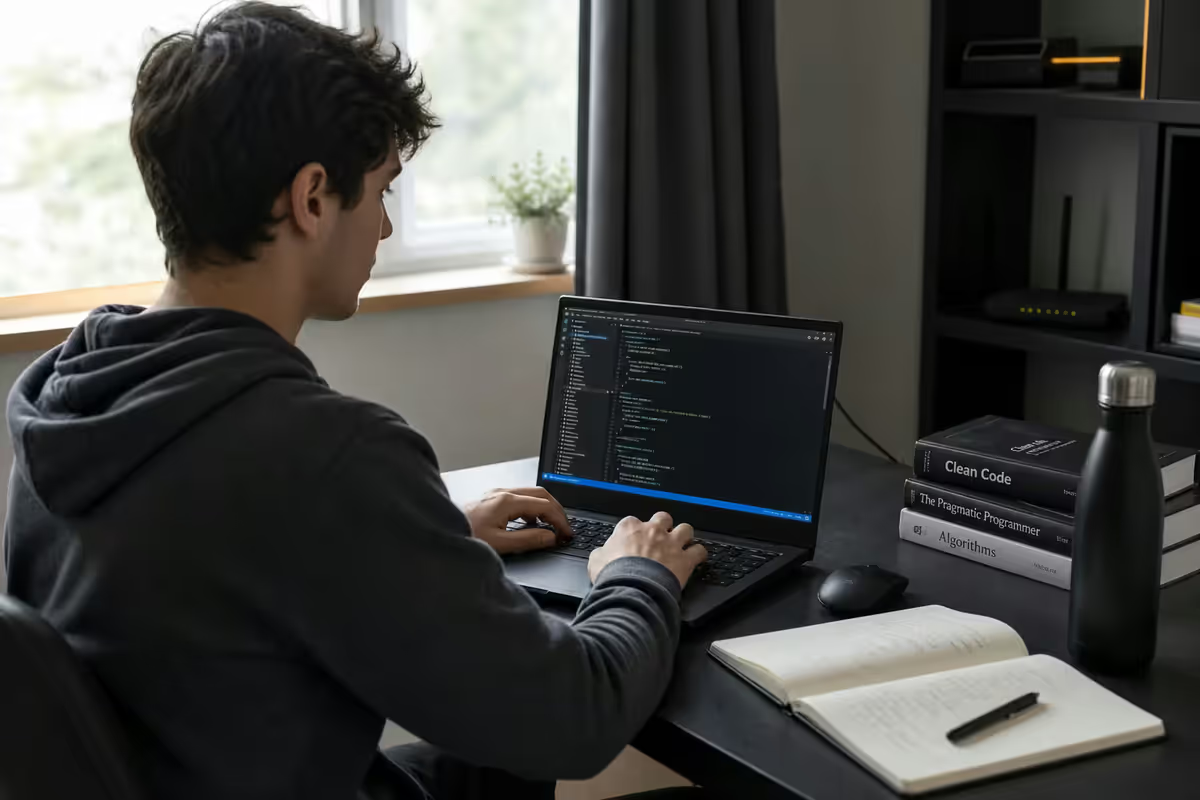
The real CS student workload in 2026
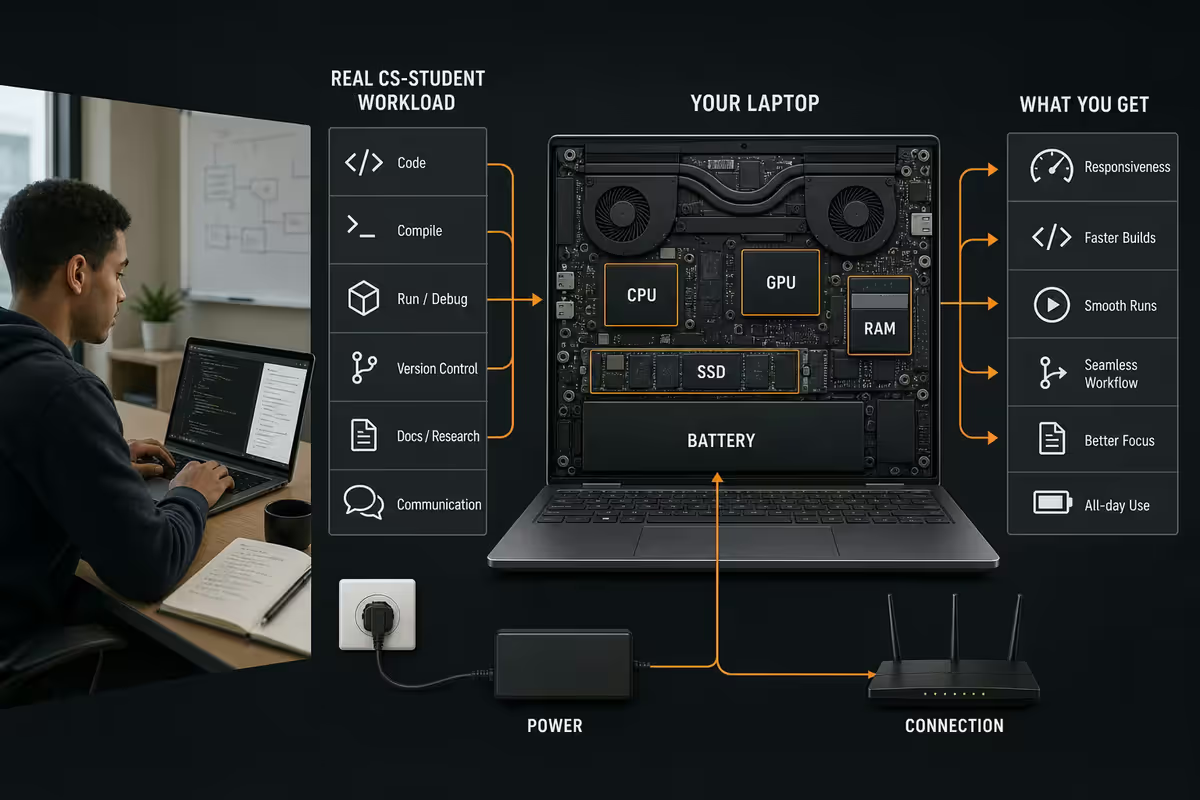
If you're a parent or first-year student trying to spec a laptop, the most useful thing is to understand what CS work actually puts on a machine. It's not just "writing code in a text editor". Here's what runs simultaneously in a typical day:
- VS Code or IntelliJ IDEA with extensions, language servers, debugger attached.
- Docker Desktop or Podman with 2-5 containers (database, API, cache, queue, frontend).
- A browser with 15-30 tabs (docs, GitHub, Stack Overflow, course materials).
- Spotify / VLC / Zoom for music or live tutorial.
- Slack / Discord for class group chat.
- WSL2 Ubuntu running shell, git, build tooling.
- Notion / OneNote / Obsidian for lecture notes.
That base set alone consumes 10-14GB of RAM. Add a virtual machine (Linux VM for a systems course, Android emulator for a mobile module) and you're easily at 18-22GB. That's why 8GB laptops are obsolete for CS by second year, and 16GB feels cramped by final year.
RAM, storage — the only specs that really matter
| Spec | Minimum | Recommended |
|---|---|---|
| RAM | 16GB | 32GB |
| Storage | 512GB NVMe | 1TB NVMe |
| CPU | Ryzen 7 7730U / Core i5 13th gen / Apple M3 | Ryzen 7 8845HS / Core Ultra 7 / Apple M4 |
| Display | 14" FHD IPS | 14" 2.5K / 2.8K IPS or OLED |
| Battery | 50 Wh (4-6 hr) | 70 Wh+ (8-10 hr) |
| Ports | 1× USB-C, 1× USB-A, HDMI | 2× USB-C with PD/DP, USB-A, HDMI, SD |
RAM is the highest-impact spec for CS. A laptop with 32GB and a slightly older CPU will outperform a 16GB laptop with a flagship CPU on every multi-container, multi-VM workload. If budget is tight, sacrifice CPU tier or screen quality before sacrificing RAM.
Storage matters more than people think. Docker images, VM snapshots, anaconda environments, course datasets and four years of git repositories accumulate. 256GB will fill by second year. 512GB is workable with discipline. 1TB is comfortable and lets you keep things you'd otherwise delete.
Do CS students need a dedicated GPU?
Most: no. Standard CS coursework — algorithms, software engineering, databases, networks, web dev, OS, compilers — runs on CPU and RAM. The GPU sits idle.
You'll want a dGPU if:
- You take a machine learning or deep learning elective that requires local model training. CUDA-capable NVIDIA dGPU (RTX 4060 / 4070 / 5060 Mobile, 6-8GB VRAM minimum) is needed for non-trivial models. Most undergrad ML coursework uses Google Colab / cloud notebooks, which run fine on any laptop.
- You take a computer graphics or game development module.
- You also game seriously in addition to studying.
- You do local LLM experimentation (running quantised models, fine-tuning small models).
If yes: the laptop chassis grows from 1.3kg to 1.8-2.4kg. Battery life drops from 10h to 4-6h. Spend an extra R6,000-R12,000. The ASUS ROG Zephyrus G14, Lenovo Legion Slim 5, MSI Stealth 14 and Razer Blade 14 are the gaming-capable options that don't feel like you're carrying a brick.
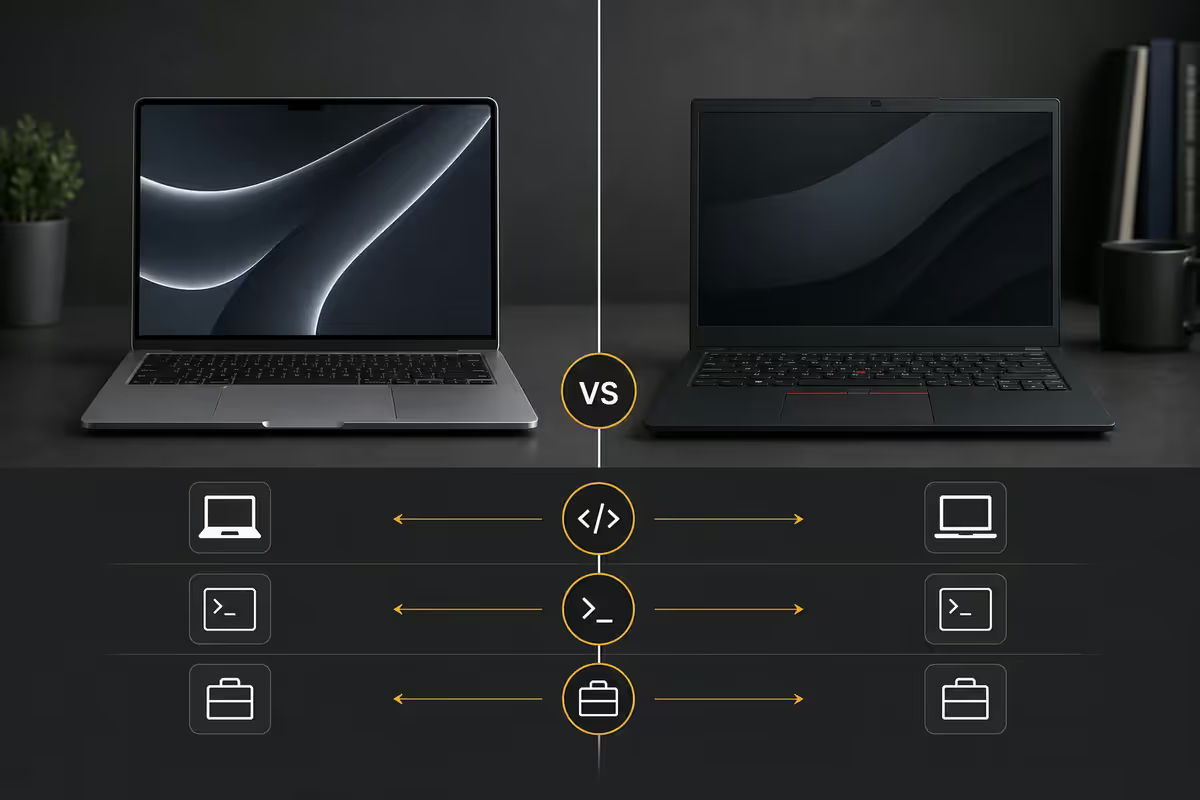
MacBook Air vs Windows ThinkPad — honest comparison
This is the question every SA first-year CS student asks. Honest answer: both work, both have caveats, the right answer depends on your department's specific tooling.
MacBook Air M4 — strengths
- Genuine Unix terminal — every shell command from a Linux server tutorial works without WSL.
- Battery life — 16-18 hours in real CS workload, not just video playback.
- Build quality and resale — sells for 60-70% of new price after 3 years.
- No fan noise on the Air, even under compile load.
MacBook Air M4 — caveats
- Some SA university tools are Windows-only — older MATLAB versions, specific simulator software for certain electives, some Cisco Packet Tracer integrations.
- Docker on Apple Silicon still has occasional friction with x86 Linux images (most pull arm64 variants now, but legacy images break).
- Limited gaming if that matters.
- 16GB starting RAM at most price points — upgrade to 24GB or 32GB costs significantly more.
Windows ThinkPad / Lenovo Yoga / ASUS Zenbook — strengths
- Universal compatibility with every SA university tool.
- WSL2 + VS Code covers the Linux workflow for 90% of CS work.
- Wider chassis choice — gaming, convertible, business, ultra-thin.
- Lower entry price at the 16GB tier.
- Genuine repairability on business-class ThinkPad T-series.
Windows ThinkPad — caveats
- Battery life half of MacBook Air at similar weights.
- Build quality varies wildly — entry consumer laptops are flimsy compared to ThinkPad business class.
- Resale value drops faster than MacBook.
Battery life and chassis for full-day campus use
Most SA university CS schedules span 08:00 to 17:00, often without a guaranteed plug point in lecture theatres. Real battery life (not the manufacturer's video-playback number) needs to cover a full day of code, VS Code, browser, IDE and occasional Docker.
Real-world battery targets:
- MacBook Air M4 — 14-18 hours of mixed CS work. Best in class.
- ThinkPad X1 Carbon / T14 — 8-11 hours mixed CS work. Strong.
- Lenovo Yoga Slim 7 — 9-12 hours.
- ASUS Zenbook 14 OLED — 7-10 hours.
- Gaming laptop with dGPU — 3-5 hours for CS work, much less if dGPU active.
Chassis weight: aim for under 1.5kg if you'll carry between buildings daily. The MacBook Air at 1.24kg is the comfort benchmark; ThinkPad X1 Carbon at 1.13kg matches it. Gaming-class chassis run 1.8-2.4kg and you'll feel it after a few weeks.
Top picks under R12,000 — first-year survival
At this price tier, accept compromises on screen quality and battery to keep RAM and storage at viable specs.
| Model | Key spec | SA price |
|---|---|---|
| Lenovo IdeaPad Slim 3 | Ryzen 7 7730U · 16GB · 512GB NVMe · 14" FHD | R10,500-R11,500 |
| Refurb ThinkPad T14 Gen 4 | i5-1335U · 16GB · 512GB · 14" FHD · business build | R9,500-R11,500 |
| HP Pavilion 14 | Core Ultra 5 · 16GB · 512GB · 14" FHD | R10,900-R11,900 |
| ASUS Vivobook 14 OLED | Ryzen 5 7530U · 16GB · 512GB · 14" OLED FHD | R11,200-R11,900 |
| Acer Swift Go 14 | Core Ultra 5 · 16GB · 512GB · 14" 2.5K OLED | R11,400-R11,999 |
Pick: Lenovo IdeaPad Slim 3 (Ryzen 7 7730U, 16GB, 512GB). Or refurbished ThinkPad T14 if you can find a verified channel — the business build quality at this price is genuinely class-leading.
Top picks under R18,000 — the sweet spot
This is where most CS students land. 16-32GB RAM, 512GB-1TB NVMe, recent-gen CPU, premium build.
| Model | Key spec | SA price |
|---|---|---|
| MacBook Air M4 13" | Apple M4 · 16GB · 512GB · 13.6" Retina | R17,500-R18,499 |
| Lenovo Yoga Slim 7 (Snapdragon X) | Snapdragon X Elite · 16GB · 1TB · 14" 2.8K OLED | R16,500-R17,999 |
| ASUS Zenbook 14 OLED | Core Ultra 7 · 32GB · 1TB · 14" 2.8K OLED | R17,200-R17,999 |
| ThinkPad T14 Gen 5 | Core Ultra 7 · 32GB · 512GB · 14" 2.2K | R17,800-R18,499 |
| Dell XPS 13 (2025 refresh) | Core Ultra 7 · 16GB · 512GB · 13.4" 2.8K OLED | R17,500-R17,999 |
Pick: MacBook Air M4 if you've checked it covers your department's tools. Lenovo Yoga Slim 7 or ThinkPad T14 Gen 5 for Windows-required workflows.
Top picks under R25,000 — final-year and ML
Spec for ML electives, professional internships, or a four-year lifespan with future-proofing.
| Model | Key spec | SA price |
|---|---|---|
| MacBook Pro 14" M4 | Apple M4 Pro · 24GB · 512GB · 14.2" Liquid Retina | R23,500-R24,999 |
| ASUS ROG Zephyrus G14 (2025) | Ryzen 9 8945HS · 32GB · 1TB · RTX 4070 Mobile · 14" OLED | R23,000-R24,999 |
| Razer Blade 14 | Ryzen 9 · 32GB · 1TB · RTX 4070 Mobile · 14" | R24,500-R25,000 |
| ThinkPad X1 Carbon Gen 12 | Core Ultra 7 · 32GB · 1TB · 14" 2.8K OLED · business class | R23,500-R24,999 |
| Lenovo Legion Slim 5 14" | Ryzen 7 · 32GB · 1TB · RTX 4060 Mobile · 14" | R21,500-R23,500 |
Pick for non-ML CS: MacBook Pro 14" M4 or ThinkPad X1 Carbon Gen 12. Pick for ML / gaming dual-use: ASUS ROG Zephyrus G14 (RTX 4070 Mobile) is the best-balanced laptop for a CS student who needs CUDA and decent portability.
Linux dual-boot — when it's actually worth it
WSL2 (Windows Subsystem for Linux) covers 90% of what students used to need dual-boot for. You get a real Ubuntu shell, real apt packages, real systemd, real network namespace — all without giving up Windows for the rest of your life.
You still want native dual-boot if:
- Your operating systems / kernels course needs direct hardware access for assignments.
- You want to commit to Linux as a daily driver to learn it deeply.
- You're doing low-level systems programming or embedded development on hardware connected via USB.
- You want practice for a SRE / DevOps / Linux sysadmin career path.
Recommendation: use WSL2 by default. Add Ubuntu or Pop!_OS dual-boot if a specific course needs it. Don't dual-boot prophylactically "just in case" — the friction often costs you more than it gains.
Key takeaways
- 16GB RAM minimum, 32GB recommended — RAM is the highest-impact spec for CS work.
- 512GB NVMe minimum, 1TB ideal — Docker, VMs and datasets eat storage fast.
- dGPU only matters for ML electives, graphics modules or gaming.
- MacBook Air M4 and Windows ThinkPad / Yoga / Zenbook all work — check department tooling first.
- 14-inch chassis under 1.5kg is the daily-campus sweet spot.
Frequently asked questions
How much RAM does a CS student need in 2026?
16GB minimum, 32GB recommended for virtualisation, Docker and ML coursework. By third year most CS workloads lean on container or VM stacks that need 12GB+ alone.Is a dedicated GPU important for CS students?
Not for most coursework. Exception: ML / deep learning electives benefit from a CUDA-capable NVIDIA dGPU (6-8GB VRAM minimum). Most undergrad ML uses Google Colab.MacBook Air or Windows laptop for CS at a SA university?
Both work. MacBook Air M4 excels in battery, build, Unix terminal. Windows ThinkPad / Yoga / Zenbook give universal SA tool compatibility. Check your department's tooling first.How much SSD storage does a CS student need?
512GB NVMe minimum, 1TB comfortable. Docker images, VM snapshots, anaconda environments and four years of git repos accumulate. Avoid eMMC at any size.What's the best laptop for CS under R12,000 in SA?
Lenovo IdeaPad Slim 3 (Ryzen 7 7730U, 16GB, 512GB NVMe) around R10,500-R11,500. Or refurbished ThinkPad T14 Gen 4 from certified channels.Should I dual-boot Linux on my CS laptop?
WSL2 covers 90% of Linux dev work without giving up Windows. Add native dual-boot only if your course needs kernel-level access or you want to fully commit to Linux.What screen size and weight is best for daily campus carry?
14-inch is the sweet spot. 13-inch (MacBook Air, XPS 13) feels cramped for split-screen dev. 15-16 inch feels heavy for daily carry. Target under 1.5kg.Will my CS laptop last all four years of my degree?
Yes if you buy 32GB RAM + 1TB NVMe + recent Ryzen 7 or Core Ultra 7 in 2026. 8GB / 256GB at any price will be obsolete by 2027 for serious CS work.
Get the Evetech app
Exclusive app-only prices, daily flash sales, and free delivery on orders over R4,000 — download the app and start saving.