Engineering Student Guide
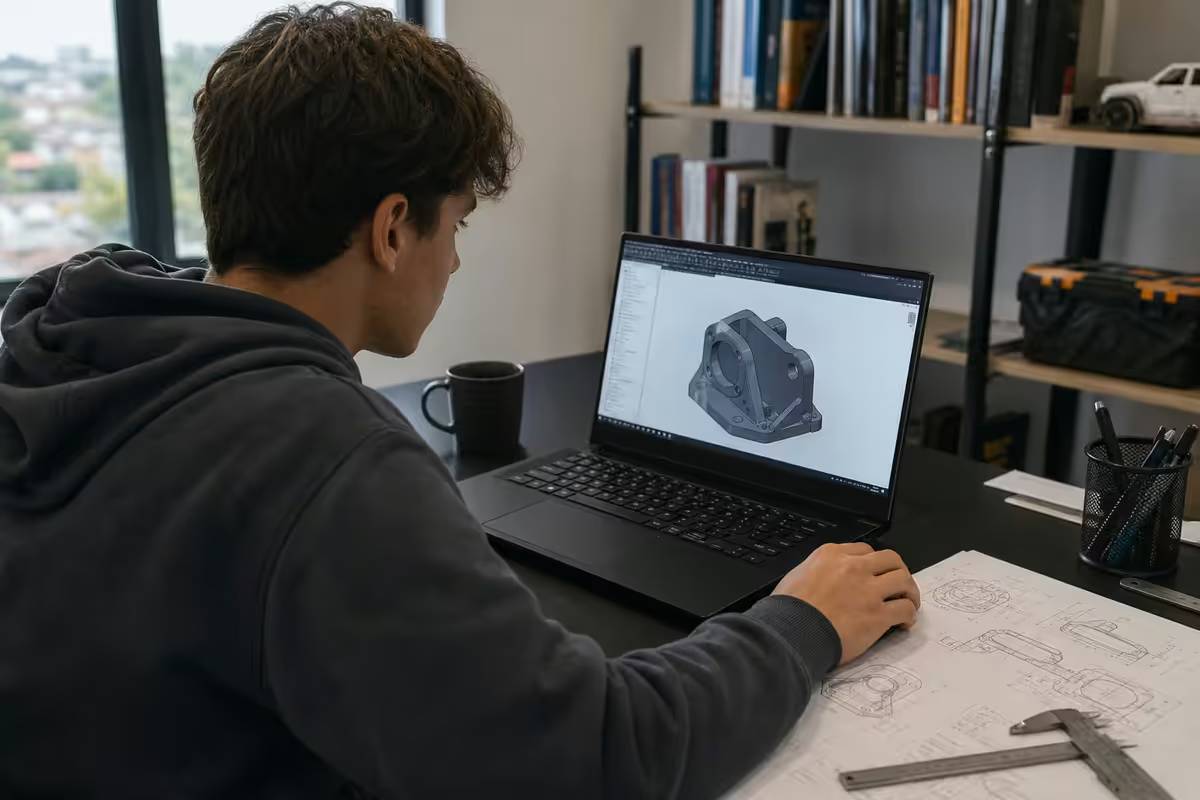
Best laptops for engineering students. — Solidworks. MATLAB. Ansys. Four hard years.
The engineering laptop has to survive Solidworks assemblies, MATLAB Simulink runs, Ansys finite-element loads and four years of campus abuse. Spec it wrong and your final-year project pays.
- recommended
- 32GB RAM
- CAD sweet spot
- 15-inch
- business class
- 3-yr warranty
The engineering software stack — what your laptop actually runs
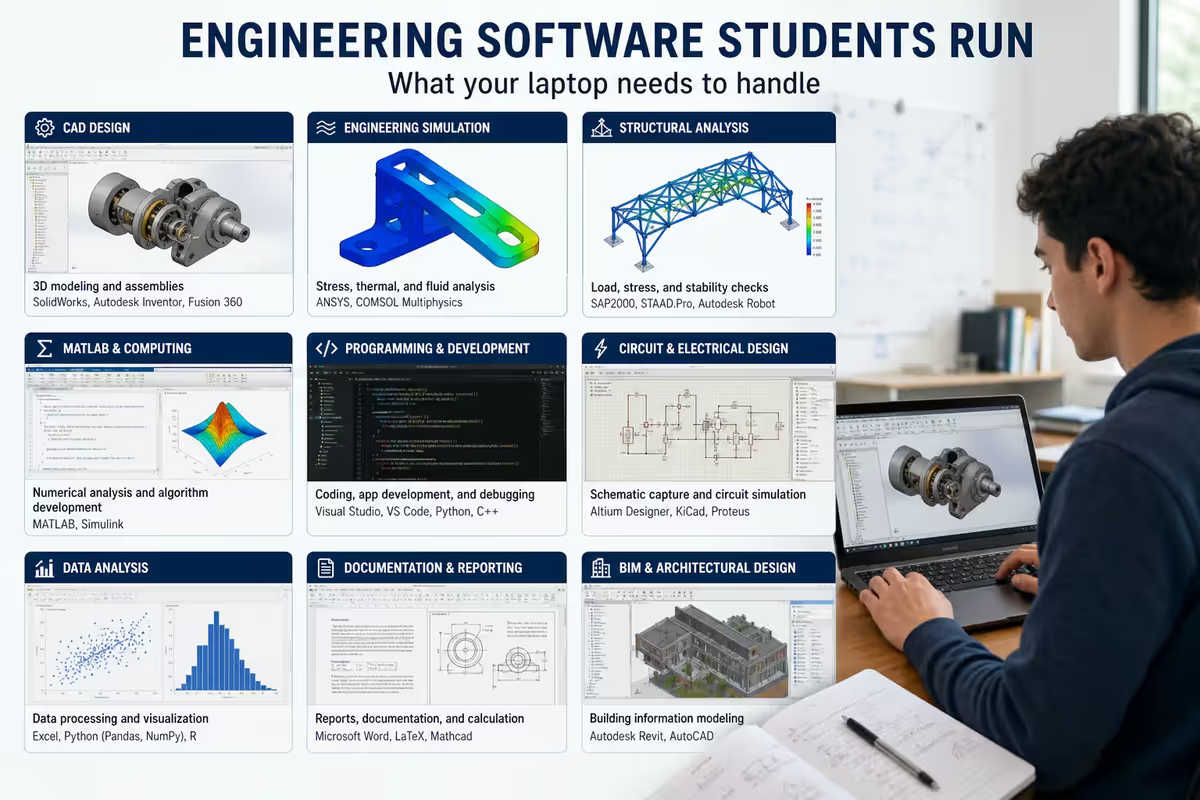
The engineering laptop is one of the most demanding student machines because the software stack is genuinely heavy. A second-year mechanical, civil or industrial engineering student typically runs some combination of:
- Solidworks — parametric 3D CAD, the dominant SA mechanical engineering tool. Single-thread-heavy on rebuild.
- AutoCAD / Civil 3D / Revit — 2D/3D drafting for civil and architectural work.
- Fusion 360 — Autodesk's cloud-friendly CAD; lighter than Solidworks.
- MATLAB / Simulink — numerical computing, control-systems simulation. Multi-thread on heavy ops.
- Ansys (student edition) — FEA, CFD. Memory and core-count hungry.
- P-Spice / LTspice / Multisim — circuit simulation for electrical engineering.
- Inventor — Autodesk's CAD; common in mechatronics.
- Python / Jupyter / Octave — increasingly common alongside MATLAB.
Not every student runs all of these. Mechanical leans Solidworks + MATLAB + Ansys. Civil leans AutoCAD + Civil 3D + Revit + MATLAB. Electrical leans MATLAB + Simulink + P-Spice + Python. Industrial mixes Solidworks, MATLAB and simulation. Whichever discipline, the spec considerations are similar: strong single-thread CPU, lots of RAM, capable GPU, big SSD.
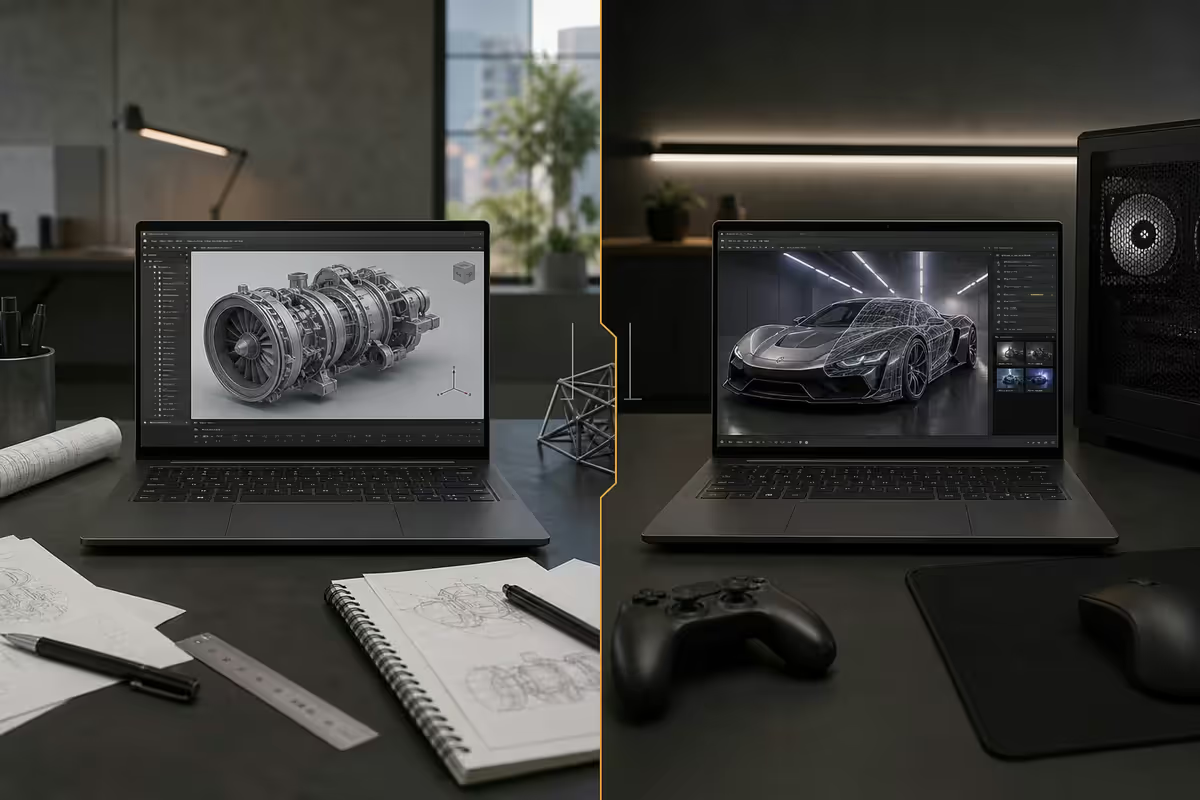
RTX Quadro vs gaming GPU — the workstation question
The single most expensive engineering-laptop decision is GPU class. Workstation laptops (Dell Precision, HP ZBook, ThinkPad P-series) ship with NVIDIA RTX A-series (formerly Quadro) GPUs, which are ISV-certified for production engineering software. The gaming chassis alternative (ASUS ROG Zephyrus, Lenovo Legion, MSI Stealth) ships with consumer RTX 4070 / 5070 Mobile cards.
| Aspect | RTX A-series (Quadro) | Gaming RTX 5060/5070 Mobile |
|---|---|---|
| ISV certification | Yes (Solidworks, CATIA, AutoCAD) | No |
| Driver stability | CAD-optimised, slower updates | Game-optimised, frequent updates |
| Viewport performance | Slightly higher in CAD | Slightly lower in CAD |
| Real-time rendering | Solid | Faster (more shader cores) |
| Gaming use | Mediocre | Excellent |
| SA price premium | R8,000-R12,000 extra vs gaming | Baseline |
| Student-edition compatibility | Works fine | Works fine |
The honest take for SA engineering undergrads: the Quadro premium isn't worth it. Student-edition Solidworks, AutoCAD, Fusion 360, MATLAB and Ansys run perfectly on a gaming RTX 5060 / 5070 Mobile. ISV certification matters in industry where a Solidworks crash can cost a day of billable work; as a student, gaming drivers are fine.
When the Quadro tier does make sense:
- You're doing a postgraduate degree with industry-funded research using production licences.
- Your engineering specialisation depends on tools that explicitly require certification (some CFD packages, certain CATIA workflows).
- You're buying once for a 5+ year horizon with a graduate job lined up that will use production CAD.
CPU and RAM — single-thread dominance
Engineering CAD software is heavily single-thread-bound on rebuild and parametric updates. A Core Ultra 9 185H with high single-thread boost outperforms a 16-core Threadripper at part-rebuild because Solidworks can only use one core for that operation.
The CPU sweet spots for engineering laptops in 2026:
- Core Ultra 7 155H / 165H — strong single-thread, 16 cores, low power. Best balance.
- Core Ultra 9 185H / 285H — peak single-thread, more sustained boost. Top performance.
- Ryzen 9 8945HS / 8845HS — strong single-thread, competitive multi-thread.
- Apple M4 Pro — exceptional efficiency, but limited engineering software native.
32GB RAM is the engineering recommendation. A typical fourth-year mechanical engineering Solidworks assembly with 200+ parts and surfacing detail can comfortably hit 14-18GB on its own. Add MATLAB / Simulink running concurrently, plus reference PDFs and a browser, and 16GB feels constrained. 32GB gives the headroom that survives the four-year course load.
1TB NVMe is the right storage tier. CAD project files, MATLAB project workspaces, FEA result files (often 1-5GB per run) and reference engineering datasets accumulate. 512GB is workable with strict discipline; 1TB is comfortable.
Screen and chassis — the 15-inch sweet spot
CAD workflows benefit from screen real estate. The Solidworks toolbar density, AutoCAD ribbon and feature trees all consume horizontal space. 14-15 inch is the sweet spot for engineering students:
- 13-inch — feels cramped for production CAD; only choose if you'll do most heavy work in the campus lab.
- 14-inch — workable for daily campus use; consider 2.5K / 2.8K resolution to gain pixel density.
- 15-inch — recommended for primary CAD machine. Best balance of screen size and portability.
- 16-17 inch — heavy and unwieldy for daily campus; consider only for desktop-replacement use.
Resolution matters more than you think. A 15-inch FHD (1920×1080) screen feels low-density for Solidworks. Aim for 2.5K (2560×1440) or 2.8K (2880×1800) at the 15-inch tier. OLED is gorgeous but watch burn-in on persistent CAD UI elements over 3+ years.
Add an external monitor. Buying a 27-inch 1440p external monitor (~R5,500) and dual-screening at your residence desk transforms the CAD workflow. Your laptop screen becomes the toolbox / feature tree, the external becomes the modelling viewport.
Warranty and durability — the unsung priority
Engineering laptops fail more often than CS or business-school laptops. The reasons are concrete:
- Sustained CPU+GPU load during CAD rendering and FEA runs stresses cooling.
- Constant power-cycling between lectures, lab and residence.
- Transport every day in bags often shared with prac kits, water bottles and lab apparatus.
- Higher-than-average crash exposure from intensive 3D apps that occasionally lock up.
Business-class warranty is genuinely worth the R2,000-R4,000 premium. Dell Precision, HP ZBook and ThinkPad P-series all ship with 3-year standard warranty including on-site repair. Consumer laptops (gaming or otherwise) ship with 1-year and often require the entire unit to be sent away for weeks. Losing your machine for three weeks in fourth year is not a tradeoff worth saving R3,000 on.
The laptop-plus-lab strategy
Every SA engineering faculty maintains CAD labs with workstation desktops running full production licences of Solidworks, Ansys, CATIA and similar. Wits, UCT, UKZN, Stellenbosch, TUKS, NWU and UJ all have well-equipped facilities.
The smart spec strategy: buy a laptop that handles daily coursework and smaller assemblies, then reserve the campus lab for the heaviest jobs. This lets you buy a R22,000-R25,000 laptop instead of a R45,000 mobile workstation.
What your laptop handles:
- Daily coursework — class assignments, individual parts, sketches.
- Solidworks assemblies up to ~100 parts.
- MATLAB / Simulink for control-systems and signal processing.
- AutoCAD 2D and moderate 3D Civil 3D.
- Reading lecture notes, watching tutorials, writing reports.
- Smaller FEA studies (linear-static, modest mesh).
What the campus lab handles:
- Final-year project assemblies (200+ parts, complex surfacing).
- Large CFD and FEA simulations with fine meshes.
- Production-grade renders.
- CATIA, advanced Ansys, software that needs the production licence.
- Multi-hour parametric optimisation runs.
Top picks R20,000-R25,000 — the engineering sweet spot
This price tier covers most engineering students. 32GB RAM, 1TB NVMe, recent CPU, dGPU.
| Model | Key spec | SA price |
|---|---|---|
| Dell Precision 3590 | Core Ultra 7 · 32GB · 1TB · RTX A1000 · 15.6" · 3-yr | R23,500-R24,999 |
| ASUS ROG Zephyrus G16 | Core Ultra 9 · 32GB · 1TB · RTX 5070 Mobile · 16" OLED | R23,000-R24,999 |
| Lenovo Legion Slim 5 16" | Ryzen 9 8945HS · 32GB · 1TB · RTX 4070 Mobile · 16" | R22,500-R24,500 |
| HP ZBook Firefly 14 G11 | Core Ultra 7 · 32GB · 1TB · RTX A500 · 14" · 3-yr | R22,500-R23,999 |
| ASUS ProArt PX13 (OLED) | Ryzen AI 9 HX · 32GB · 1TB · RTX 4060 Mobile · 13" OLED 2.8K | R24,000-R24,999 |
Pick for mechanical / industrial: Dell Precision 3590 — the workstation chassis and 3-year on-site warranty justify the marginal premium. Pick for civil / electrical with budget gaming: ASUS ROG Zephyrus G16 — top-tier gaming GPU runs everything fine for SA undergrad CAD.
Top picks R25,000-R35,000+ — full mobile workstation
For final-year students, postgrad or anyone with a clear professional path who wants to own the workstation experience.
| Model | Key spec | SA price |
|---|---|---|
| HP ZBook Power G11 | Core Ultra 9 · 32GB · 1TB · RTX A2000 · 15.6" · 3-yr | R26,500-R28,999 |
| Dell Precision 5690 | Core Ultra 9 · 64GB · 1TB · RTX 3500 Ada · 16" OLED · 3-yr | R32,000-R34,999 |
| ThinkPad P14s Gen 5 | Core Ultra 7 · 32GB · 1TB · RTX A500 · 14" · 3-yr · MIL-STD | R25,500-R27,999 |
| ThinkPad P1 Gen 7 | Core Ultra 9 · 64GB · 1TB · RTX 4070 / A3000 · 16" · 3-yr | R33,000-R35,999 |
| MacBook Pro 16" M4 Pro | Apple M4 Pro · 36GB · 1TB · 16.2" Liquid Retina · 1-yr | R32,500-R34,999 |
Pick: HP ZBook Power G11 at the R26-28k tier; Dell Precision 5690 or ThinkPad P1 Gen 7 at the R32-35k tier. The MacBook Pro 16" works for non-PC-only engineering stacks (MATLAB, Python-heavy electrical / chemical with light CAD).
Is MacBook Pro M4 viable for engineering students?
Conditional yes. The MacBook Pro 14/16 M4 Pro is an extraordinarily capable laptop and runs much of the engineering stack:
Works natively on macOS: MATLAB, Fusion 360, AutoCAD, Inventor (via Crossover / Parallels), Octave, Jupyter, most Python / numpy / scipy workloads, ARM-native scientific computing.
Limited or no support: Solidworks (Windows-only native, can run via Parallels with caveats), Ansys (Windows-only), CATIA (Windows-only), some specialist EE simulators (Multisim, P-Spice), some MATLAB legacy toolboxes.
Pick MacBook only if your discipline is mostly MATLAB / Python-driven (some electrical, some chemical) and your department doesn't lock you into Solidworks or Ansys. Mechanical, civil and most industrial engineering students should choose Windows.
Key takeaways
- 32GB RAM, 1TB NVMe and strong single-thread CPU — these are the engineering essentials.
- Gaming RTX 5060/5070 Mobile is enough for undergrad CAD — skip the Quadro premium.
- 15-inch screen is the sweet spot; pair with an external monitor at residence.
- Business-class 3-year warranty is worth the premium — engineering laptops fail harder.
- Use the campus PC lab for the heaviest assemblies and FEA — saves R10,000+ on laptop spend.
Frequently asked questions
Do engineering students need a workstation laptop with RTX Quadro Pro?
Not at undergraduate level. Gaming RTX 5060 / 5070 Mobile runs Solidworks, AutoCAD, Fusion 360, MATLAB and Ansys student edition fine. Quadro premium isn't worth the R8,000-R12,000 extra for most undergrads.How much RAM do engineering students need?
32GB strongly recommended. CAD assemblies grow fast — a fourth-year mechanical design assembly with 200+ parts hits 12-20GB in Solidworks alone, plus MATLAB and browser.Why does single-thread CPU performance matter for engineering software?
CAD packages are heavily single-thread-bound on rebuild and parametric updates. Core Ultra 9 185H outperforms higher-core-count older CPUs. Only FEA, MATLAB parallel and rendering benefit from many cores.What screen size is best for engineering CAD work?
14-15 inch sweet spot. Solidworks toolbar density needs space. Add an external 27" monitor at residence for serious CAD work.Should I use the campus PC lab for heavy CAD instead?
Yes for the heaviest workloads. SA engineering faculties maintain CAD labs with workstation desktops running production licences. Lets you buy a R22-25k laptop instead of a R45k workstation.What's the best laptop for engineering students under R25,000?
Dell Precision 3590 (Core Ultra 7, 32GB, 1TB, RTX A1000) at R24,000-R24,999. Or ASUS ROG Zephyrus G16 with RTX 5070 Mobile at similar price.Is a MacBook Pro M4 a viable engineering student laptop?
Conditional yes. Runs MATLAB, Fusion 360, AutoCAD beautifully. Solidworks native is Windows-only; Ansys and CATIA don't run on macOS. Choose Windows if your discipline depends on Solidworks or Ansys.Why is warranty length so important for engineering laptops?
Engineering students push laptops harder — sustained CPU+GPU loads, daily transport, more crashes from intensive 3D apps. Business-class 3-year warranty on Dell Precision, HP ZBook and ThinkPad P-series is worth the R2,000-R4,000 premium.
Get the Evetech app
Exclusive app-only prices, daily flash sales, and free delivery on orders over R4,000 — download the app and start saving.