UJ Student Buying Guide
The right laptop for UJ. — Faculty-specific. Joburg-tested. NSFAS-aware.
Engineering at APB needs SolidWorks and a discrete GPU. FEFS at APK lives in Excel and Stata. FADA at Bunting wants colour accuracy on a Mac. Law at SWC just needs all-day battery. One laptop doesn't fit all eight UJ faculties — here's how to pick the right one for yours.
- UJ faculties
- 8
- price tiers
- R10-30k
- UJ campuses
- 4

UJ faculties — what each one actually needs
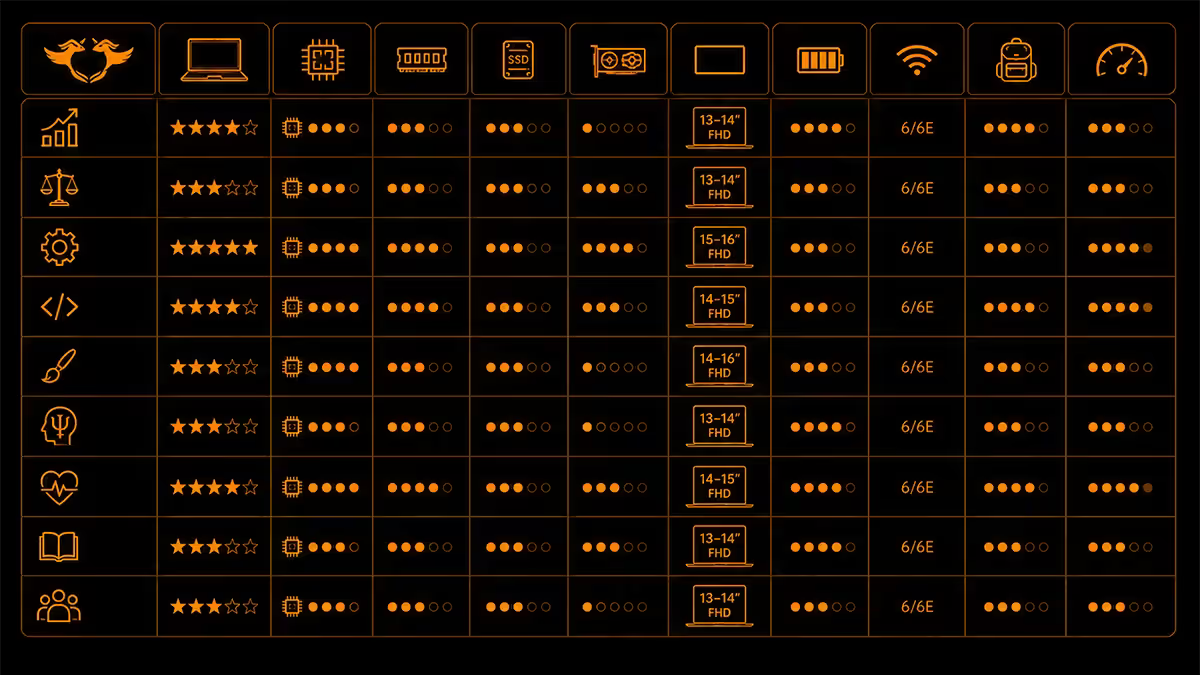
The University of Johannesburg's eight faculties run wildly different software stacks. The same laptop that's perfect for a Law student would melt under SolidWorks; the gaming rig perfect for Engineering would feel ridiculous in an Arts seminar. Match the machine to the curriculum.
| Faculty | Primary software | Hardware tier |
|---|---|---|
| Engineering & Built Environment (APB) | SolidWorks, MATLAB, AutoCAD, Revit | RTX-class, 16-32 GB, ~R25k |
| Science (APK) | MATLAB, Python, R, Jupyter, Mathematica | Core Ultra 7, 16 GB, ~R16k |
| FEFS — Economic & Financial Sciences (APK) | Excel, Stata, SPSS, EViews, R | Core Ultra 5, 16 GB, ~R14k |
| Humanities (APK / SWC) | Office 365, Zoom, Mendeley, Endnote | Ryzen 5, 16 GB, ~R10-12k |
| Law (APK) | Office 365, JUTA Online, LexisNexis | Ryzen 5, 16 GB, ~R10-12k |
| Health Sciences (DFC) | Office 365, EBSCO, SPSS for senior research | Core Ultra 5, 16 GB, ~R13k |
| Education (SWC) | Office 365, Moodle, Canva, Loom | Ryzen 5, 16 GB, ~R10-12k |
| FADA — Art Design Architecture (Bunting) | Adobe CC, Figma, Cinema 4D, Procreate, Revit* | MacBook Air M4 or RTX laptop, ~R22-25k |
*FADA Architecture students need PCs for Revit — Revit isn't available on macOS. The rest of FADA (Graphic Design, Fashion, Multimedia, Industrial Design) is better served by Mac.
Software requirements — what matters per stack
MATLAB & Mathematica (Engineering, Science). Both benefit from strong multi-thread CPU performance. MATLAB Parallel Computing Toolbox uses every available core. 16 GB RAM is the bare minimum for serious simulations; 32 GB makes life noticeably easier for final-year projects. CUDA/GPU acceleration in MATLAB needs an NVIDIA discrete GPU — RTX 4050/4060 minimum.
SolidWorks & AutoCAD (Engineering, Architecture). Single-thread CPU performance matters more than core count. Discrete NVIDIA Quadro / RTX is strongly preferred — integrated graphics work but feel sluggish on complex assemblies. 16 GB RAM minimum, 32 GB strongly recommended for senior CAD work.
SPSS, Stata, EViews (FEFS, Health Sciences research). Single-thread CPU performance + plenty of RAM is the formula. No discrete GPU needed. 16 GB RAM lets you load larger datasets without paging.
Adobe Creative Cloud (FADA, Multimedia). RAM + storage + colour-accurate display matter most. Photoshop, Illustrator and Premiere Pro are happy on Apple silicon and Ryzen AI. 16 GB is the minimum; 32 GB is the sweet spot for video. P3 colour gamut display preferred for design work — sRGB-only screens are fine but limiting.
Figma & web design (FADA, Multimedia). Just needs a fast browser + decent screen. Any modern laptop with 16 GB RAM and an OLED or P3 display works. Battery life matters more than peak performance.
Office 365 + research databases (Humanities, Law, Education). The most under-spec workload at UJ. Any modern Ryzen 5 / Core Ultra 5 with 16 GB RAM and a decent screen is sufficient. Battery life is the real differentiator — full 12-hour days at SWC need 8-10 hours real-world battery.
Campus commute — APK to APB to DFC to SWC
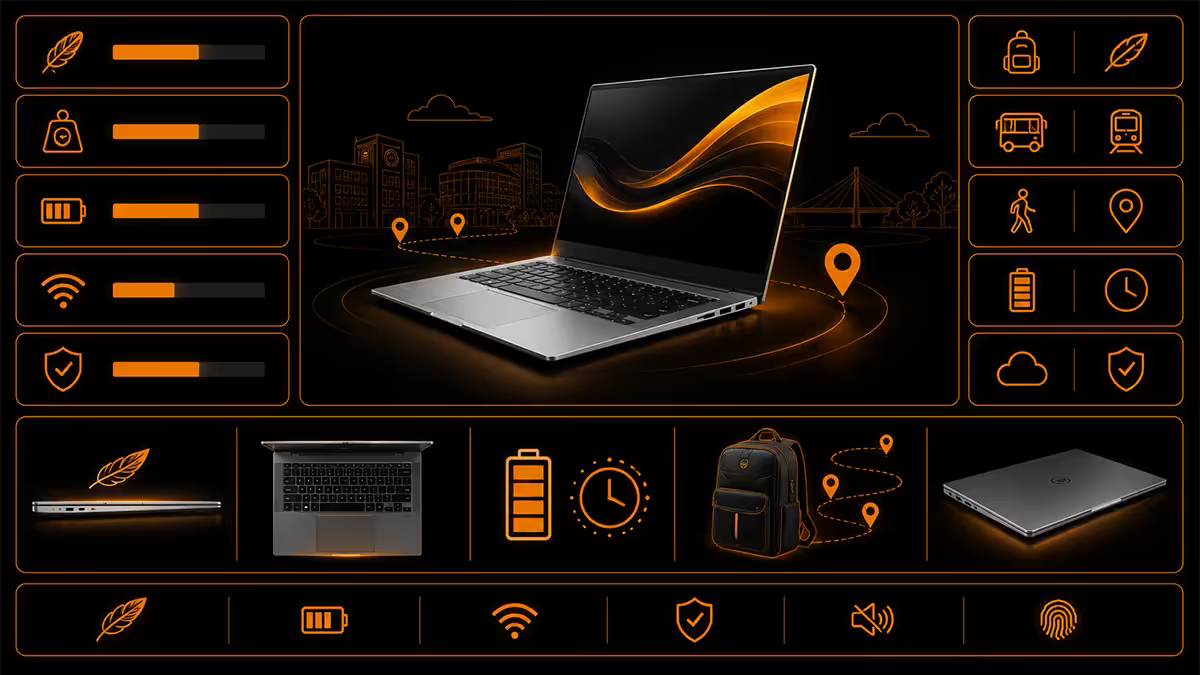
UJ has four main campuses spread across Joburg. Many students take classes on more than one — Auckland Park Kingsway (APK), Auckland Park Bunting (APB), Doornfontein (DFC), and Soweto (SWC). The UJ Shuttle connects them but it's slow at peak, and the walks between buildings on APK alone are significant.
If you commute, weight matters more than spec sheets suggest. A 2.4 kg gaming laptop + 1 kg charger + 2 kg of textbooks = 5.4 kg on your back for a full day. By week 4 of semester 1, your back will be telling you about it.
| Weight class | Examples | Realistic commute |
|---|---|---|
| Ultraportable (under 1.4 kg) | MacBook Air, ASUS Zenbook 14, Lenovo ThinkBook 13s | Comfortable for daily multi-campus |
| Premium thin (1.4-1.7 kg) | MacBook Pro 14, ThinkPad X1 Carbon, Dell XPS 14 | Fine for daily commute |
| Mainstream (1.7-2.0 kg) | Lenovo ThinkBook 14, HP Pavilion Plus 14, Acer Swift | Manageable, not luxurious |
| Workstation thin (2.0-2.4 kg) | Lenovo Legion Slim 5, Dell Inspiron 16 Plus | OK if you don't move all day |
| Gaming / mobile workstation (2.4 kg+) | ASUS ROG Strix, HP Omen 16, Lenovo Legion 7 | Stay at home / one campus |
Engineering students who must run SolidWorks have a genuine trade-off: a 2.4 kg laptop that handles the work, or a 1.5 kg ultrabook + remote-desktop into a UJ lab PC for heavy work. The latter is increasingly viable now that lab PCs are well-equipped and UJ Wi-Fi at APB/APK is reliable.
The UJ IT recommended laptop list — reality check
UJ ICT publishes a preferred-vendor laptop list at the start of each year, typically through partnerships with Incredible Connection, HP and Lenovo. The list serves a real purpose but it's not the only — or always the best — buying path.
What the UJ list gets right:
- Hardware-matched-to-faculty (the SolidWorks-rated machines are spec'd correctly).
- On-campus IT support for listed models — UJ ICT can help diagnose issues.
- Sometimes includes student discount programmes from vendors.
- Pre-loaded with UJ-required software activations.
What the UJ list often misses:
- Models are often 6-12 months old — newer/better options exist at the same price.
- Markups can be R2-4k above the same model at Evetech, Wootware or Takealot.
- Limited choice — typically 1-2 models per faculty tier.
- Bundled "education licences" sometimes overlap with free UJ student software (Microsoft 365, MATLAB, SolidWorks).
The right move: use the UJ list as a baseline spec reference. Then buy the equivalent or better hardware from a competitive retailer. UJ warranty support works on any device with manufacturer warranty — the labelled "UJ list" isn't a separate warranty category in practice.
NSFAS — what it really covers in 2026
NSFAS funds a laptop allowance for qualifying students (currently R5,200 base allowance with periodic top-ups, depending on programme and year of study in 2026). Some context that matters:
- The allowance must typically be spent through NSFAS-approved retailers and reflects on a controlled voucher/credit, not direct cash.
- R5,200 alone won't buy a useful laptop in 2026 — the realistic floor for a working student laptop is R10k-R12k.
- Many students pair NSFAS + R5,000-R8,000 of family contribution + occasional sales to land a R12-15k entry machine.
- Some NSFAS-funded students opt for a R10k laptop + put the rest of the allowance toward a small student-data SIM or accessories.
Top picks by budget tier
Under R12k — Humanities, Law, Education, junior Health Sciences
- HP 15 / 15s (Ryzen 5 7530U, 16 GB, 512 GB) — R10,500-R11,800. Solid build, full-size keyboard, 8-hour battery. Workhorse.
- Lenovo IdeaPad Slim 3 (Ryzen 5, 16 GB, 512 GB) — R10,800-R12,500. Slightly lighter than HP, slightly weaker speakers.
- ASUS Vivobook 15 (Core Ultra 5, 16 GB, 512 GB) — R11,500-R13,500. Newest of the three, decent Wi-Fi 6E.
R12k-R18k — FEFS, Science, mainstream Health Sciences
- Lenovo ThinkBook 14 G7+ (Core Ultra 5, 16 GB, 512 GB) — R14,500-R17,500. Excellent typing experience, business-grade build, 10-hour battery. The sensible default for FEFS and Science.
- HP Pavilion Plus 14 (Core Ultra 7, 16 GB, 1 TB) — R15,500-R18,500. OLED option available, premium feel.
- ASUS Zenbook 14 OLED (Core Ultra 5/7, 16 GB, 1 TB) — R16,500-R20,000. Best OLED display in the segment, 1.2 kg, great for commute.
R18k-R30k — Engineering, Architecture, FADA video/3D
- Lenovo Legion Slim 5 16 (Ryzen 7, RTX 5060, 32 GB, 1 TB) — R23,500-R28,500. The right Engineering pick — handles SolidWorks all day, runs CAD comfortably, decent 7-hour battery.
- ASUS TUF Gaming A15 (Ryzen 7, RTX 4060/5060, 32 GB, 1 TB) — R20,000-R24,500. Excellent value for SolidWorks/MATLAB. Heavier than Lenovo but cheaper.
- Dell Inspiron 16 Plus (Core Ultra 7, RTX 4050/5050, 32 GB, 1 TB) — R22,500-R26,500. Better build than TUF, slightly less GPU.
- MacBook Air M4 13" or 15" (16 GB, 512 GB) — R21,500-R26,000. The right FADA non-architecture pick. 18-hour battery, P3 colour gamut, Adobe runs beautifully.
- MacBook Pro M4 14" (16 GB, 512 GB) — R29,500-R34,000. For FADA students with serious video / 3D / Logic Pro needs. Overkill for the rest.
Joburg repair turnaround — what to expect
Mid-semester laptop failures happen. What matters is how fast you're back at work. Here's the realistic turnaround across Joburg.
| Brand / route | Location | Typical turnaround |
|---|---|---|
| Dell warranty | Authorised service, Sandton | 3-7 working days (on-site Premium plans) |
| HP warranty | Sandton & Centurion service centres | 5-10 working days |
| Lenovo warranty | Bryanston authorised partner | 4-10 working days |
| ASUS warranty | Wootware Centurion intake | 5-14 working days |
| Apple iStore (in-warranty) | Sandton, Rosebank, Hyde Park | 5-10 working days (Genius Bar prioritised) |
| Apple Yuppiechef Service | Yuppiechef Centurion | 7-14 working days |
| Coresys (independent) | Linbro Park | Same-day to 3 days for screens/keyboards/batteries |
| Frika Tech (independent) | Bryanston | Same-day to 3 days, common-fault focus |
| Evetech RMA | Centurion warehouse | 3-7 working days for purchased units |
The reality: in-warranty manufacturer routes (Dell, HP, Lenovo, Apple) take 1-2 weeks on average. If you can't lose a laptop for that long mid-semester, two strategies help: (1) buy from a retailer with same-brand swap availability, or (2) keep a backup option ready — a tablet + Bluetooth keyboard, an older laptop, or remote desktop to a UJ ICT machine.
Key takeaways
- Engineering at APB needs RTX 4060/5060 + 16-32 GB for SolidWorks/MATLAB. R22-28k tier.
- FEFS, Science and Health Sciences are well-served by Lenovo ThinkBook 14 / HP Pavilion Plus, R14-18k.
- FADA students (non-Architecture) should buy MacBook Air M4 — battery + colour + Adobe CC make the case.
- 16 GB RAM is the 2026 minimum. Don't accept 8 GB at any price.
- For APK↔APB↔DFC commute, stay under 1.7 kg. Gaming laptops over 2.4 kg become the desk laptop.
Frequently asked questions
What laptop should an Engineering student at UJ buy?
Ryzen 7 / Core Ultra 7 + RTX 4060/5060 + 16-32 GB + 1 TB NVMe. Lenovo Legion Slim 5, ASUS TUF A15, Dell Inspiron 16 Plus at R22-28k all fit. Mac not recommended — limited UJ software support.What laptop is good for UJ FEFS students?
Core Ultra 5 / Ryzen 5 + 16 GB + 512 GB + 10-hour battery. Lenovo ThinkBook 14, HP Pavilion Plus, ASUS Zenbook 14 OLED at R14-18k. No discrete GPU needed.Mac or PC for UJ FADA Art Design Architecture students?
MacBook Air M4 16/512 (R20-25k) for non-Architecture FADA. Architecture students need a PC for Revit.What's the cheapest laptop that's good enough for UJ?
HP 15, Lenovo IdeaPad Slim 3, ASUS Vivobook 15 — all R10-12k, Ryzen 5 / Core Ultra 5, 16 GB, 512 GB. Fine for Humanities, Law, Education, junior Health Sciences.Should I buy a laptop through the UJ IT recommended list?
Use it as a spec baseline, but buy the equivalent from Evetech, Wootware or Takealot. Manufacturer warranty applies regardless. UJ list usually has older models at premium prices.Can I buy a UJ student laptop with NSFAS funding?
Yes — R5,200 allowance + your contribution. Approved retailers in 2026 include Incredible Connection, HiFi Corp, Game and selected Pinnacle partners. Check NSFAS status before paying.How important is laptop weight for the UJ APK to DFC commute?
Very. Sub-1.5 kg makes a real difference. Gaming laptops above 2.4 kg become "the desk laptop" by April. MacBook Air, Zenbook 14 and ThinkBook 13s are commute-friendly picks.Where can UJ students get their laptops repaired quickly in Joburg?
Dell Sandton, HP Sandton/Centurion, Lenovo Bryanston, ASUS via Wootware Centurion, Apple iStore Sandton — typically 3-14 days. Independents Coresys Linbro Park and Frika Tech Bryanston are same-day for common faults.
Get the Evetech app
Exclusive app-only prices, daily flash sales, and free delivery on orders over R4,000 — download the app and start saving.