For Wits Students · Faculty Edition
Best laptops for Wits students. — Faculty by faculty, honestly.
From Engineering’s MATLAB to Architecture’s Revit to Humanities’ essays, what your degree needs from a laptop varies enormously. The Wits IT recommended list is generic; this guide is specific.
- faculties covered
- 6
- commute weight
- < 1.8 kg
- lecture battery
- 10+ hrs

Commuting Braamfontein and Parktown — weight matters
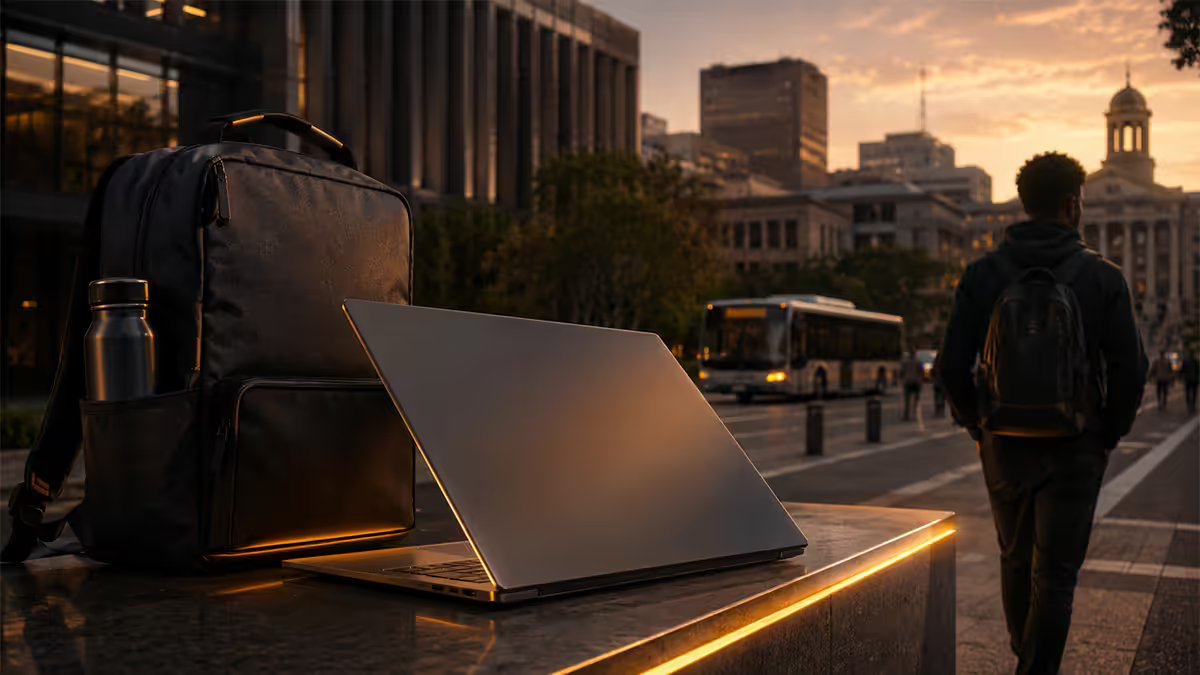
Wits campus isn’t a single building. A typical undergrad day might start with a 09:00 lecture in Senate House on East Campus (Braamfontein), move to a 10:30 tutorial in Robert Sobukwe Block on West Campus, drop down to Wartenweiler Library for an hour, head to a 13:00 lab in the Chamber of Mines building, then trek up to Education Campus (Parktown) for a 15:00 seminar. That’s 4-6 building changes in a day, mostly on foot.
A 2.5 kg gaming laptop in your backpack for that day is genuinely punishing. By week three you’ll be leaving it in residence and using the library computers instead — which defeats the point of buying it.
The weight sweet spot for Wits commuting: 14-15 inch laptop, under 1.6 kg. Premium thin-and-lights hit 1.2-1.4 kg (MacBook Air, Dell XPS 13, Lenovo Yoga Slim 7, ASUS Zenbook S14, HP Pavilion Plus 14). Mid-tier 15-inch laptops sit at 1.6-1.9 kg (HP Pavilion 15, Lenovo IdeaPad Slim, Acer Aspire 5). Gaming and creator laptops at 2.0-2.5 kg are best left at the residence and used at home.
Battery life for a full Wits day
Wits lecture halls vary wildly on power point availability. Senate House, Wartenweiler Library and the recently-refurbished CLM (Chamber of Mines) areas have reasonable plug access. Older buildings — Umthombo, Solomon Mahlangu House, much of West Campus — assume you came charged. You almost certainly didn’t bring a charger.
Target: 10+ hours real-world battery life for productivity tasks (browsing, typing, watching lecture videos). The 2024-2026 laptop generation finally delivers this consistently — but only in specific chip generations.
| Chip family | Real-world battery | Notes |
|---|---|---|
| Apple M3 / M4 | 14-18 hours | Best in class. MacBook Air or 14” Pro. |
| Intel Core Ultra Series 2 (Lunar Lake, V-suffix) | 14-18 hours | Dell XPS 13 (9350), Lenovo Yoga Slim 7i Aura, HP OmniBook Ultra, Zenbook S14. |
| Qualcomm Snapdragon X Elite | 15-22 hours | Excellent battery but ARM compatibility caveats — check your software list. |
| AMD Ryzen AI 300 (Strix Point) | 10-14 hours | Strong all-rounder. Asus Zenbook S, HP OmniBook X. |
| Intel Core Ultra Series 1 (Meteor Lake, H-suffix) | 7-10 hours | Older 2023-24 hardware. Avoid for new purchase. |
| 13th-gen Intel Core i / older Ryzen | 5-9 hours | Usable but you’ll hunt for sockets after midday. |
Faculty of Engineering and the Built Environment
Software you’ll meet
MATLAB and Simulink (every discipline, first year), AutoCAD (drawing fundamentals), SolidWorks (Mechanical), ANSYS Workbench (FEA/simulation), Revit (Civil/Construction), MATLAB Parallel Computing Toolbox (research projects), LabView (Electrical), Python and Anaconda (Computer/Electronic), Multisim and Proteus (Electronic).
Hardware requirements
16 GB RAM minimum (32 GB strongly recommended from second year), at least a quad-core CPU (Intel Core Ultra 5 / Ryzen 5 minimum, Core Ultra 7 / Ryzen 7 ideal), a 15-16” screen with FHD resolution minimum, dedicated GPU optional but useful for Mechanical/Aero with simulation work, 512 GB SSD minimum.
Picks
Entry (R15k): HP Pavilion 15 (Ryzen 5 7530U or Core 5, 16 GB RAM, integrated). Handles first/second-year MATLAB and AutoCAD fine. Mid (R18k-R22k): Lenovo ThinkPad E16 Gen 2 (Core Ultra 5 / Ryzen 7, 16-32 GB RAM, RX Graphics or RTX 2050). Solid through final year. Flagship (R28k+): Lenovo Legion Slim 5 or Asus ROG Strix G16 (Core Ultra 7 / Ryzen 9, 32 GB RAM, RTX 4060 / 4070). For Mechanical / Aero with serious simulation. Adds ~700g but matters for ANSYS runs.
Faculty of Commerce, Law and Management
Software you’ll meet
Microsoft Office (Excel-heavy for Accounting and Finance), SAP S/4HANA (Information Systems and Accounting, often via Wits virtual machines), Stata (Economics, Finance modelling), R and RStudio (Economics, increasingly common), Sage Evolution (Accounting practice), Bloomberg Terminal (Finance — usually at the WSG lab in Robert Sobukwe Block), PowerBI (BBA Analytics, Information Systems).
Hardware requirements
16 GB RAM (Excel with large datasets benefits significantly from this over 8 GB), modern dual-core CPU minimum (Core 5 / Ryzen 5 sweet spot), 13-15” screen, integrated graphics fine, 512 GB SSD ideal. No GPU requirement.
Picks
Entry (R13k-R15k): HP Pavilion 14 or ASUS Vivobook 15 (Core 5 / Ryzen 5, 16 GB RAM). Covers everything except local SAP install. Mid (R16k-R20k): Lenovo Yoga Slim 7 or HP Pavilion Plus 14 (Core Ultra 5/7, 16 GB RAM). Battery for full lecture days, premium build. Flagship (R22k+): Dell XPS 13 (Lunar Lake) or Lenovo Yoga Slim 7i Aura. For final-year Finance/BBA where battery and portability matter most. MacBook Air M3/M4 also strong here.
Faculty of Humanities
Software you’ll meet
Microsoft Word and PowerPoint (essays, presentations), Zoom and Teams (virtual lectures), Wits Moodle (assignments, reading), Zotero or Mendeley (reference management), occasional NVivo (qualitative research, Sociology, Anthropology), Adobe Reader (PDF annotation), Audacity (Linguistics, Music programmes), basic image editing for media studies.
Hardware requirements
The lowest hardware floor of any faculty. 8 GB RAM acceptable (16 GB future-proofs). Any modern dual-core CPU is plenty. Battery and weight matter most. 13-14” screen ideal for portability.
Picks
Entry (R10k-R13k): HP Pavilion 14, ASUS Vivobook Go, Lenovo IdeaPad Slim 3 (Core 3 / Ryzen 3, 8-16 GB RAM). All fine for essays and research. Mid (R14k-R18k): MacBook Air M3 13” or Lenovo Yoga Slim 7. Premium build, 14+ hour battery, perfect for note-heavy humanities work. Splurge (R20k+): Honestly not needed unless you’ll also use the laptop for serious side projects (photo / video editing for student journalism). Save the budget for textbooks, residence and that R3,500 chair.
Faculty of Science
Software you’ll meet
Python with Jupyter (Computer Science, Data Science, increasingly Biology and Chemistry), R and RStudio (Statistics, Biology), MATLAB (Mathematics, Physics, Applied Maths), SPSS (Psychology, Biology), ChemDraw (Chemistry), GIS software (Geological Sciences), Avogadro and Gaussian (Computational Chemistry — usually on Wits HPC), basic Linux familiarity helpful.
Hardware requirements
16 GB RAM (large datasets in Stats / Bio are common from second year), modern quad-core CPU (Core Ultra 5 / Ryzen 5 minimum), 15” screen, integrated graphics generally fine, 512 GB SSD. Discrete GPU helpful for Data Science students running PyTorch / TensorFlow locally.
Picks
Entry (R14k-R16k): HP Pavilion 15 or Lenovo IdeaPad Slim 5 (Ryzen 5 / Core 5, 16 GB RAM). Mid (R17k-R22k): Lenovo Yoga Slim 7 or HP Pavilion Plus 14 (Core Ultra 5/7, 16-32 GB RAM). Flagship (R28k+): Lenovo Legion 5 Pro or Asus Vivobook Pro 15 OLED (Core Ultra 7 / Ryzen 7, 32 GB RAM, RTX 4060). For Data Science honours students or any postgrad doing local ML training.
Wits Medical School (Health Sciences)
Software you’ll meet
Wits Moodle and ULWAZI (e-learning platforms), Microsoft Office (note-taking, assignments), Anki (flashcard study — universally used by medical students), Mendeley or EndNote (reference management), Adobe Reader / PDF Expert (textbook annotation — many textbooks are PDF), occasional access to medical imaging viewers (OsiriX or RadiAnt — mostly via campus computers), basic statistics in SPSS or R.
Hardware requirements
16 GB RAM (multiple Anki decks, multiple PDFs, browser tabs simultaneously), modern CPU, 13-15” screen with good colour for studying medical images, long battery for clinical years on rotation, light weight critical (you’re moving between Charlotte Maxeke, Bara, Helen Joseph as a clinical student). Solid build quality important — this laptop needs to survive 6 years.
Picks
Entry (R15k-R17k): Lenovo ThinkPad E16 or HP ProBook 450 (Core 5/7, 16 GB RAM). ThinkPad keyboard advantage for typing-heavy study. Mid (R18k-R22k): Lenovo ThinkPad E14 Gen 6 or Dell Latitude 7440 (Core Ultra 5, 16 GB RAM). Premium build for 6-year longevity. Flagship (R25k+): MacBook Air M3/M4 13” or ThinkPad X1 Carbon. Many med students prefer Mac for the battery and quietness during clinical reading sessions. Companion option: iPad Pro + Apple Pencil for clinical rotations and bedside note-taking — paired with any of the above laptops.
Architecture and Design (within Engineering & Built Environment)
Software you’ll meet
The heaviest software stack of any Wits faculty. AutoCAD, Revit, Rhinoceros 3D (Rhino), SketchUp, Adobe Creative Suite (Photoshop, Illustrator, InDesign — mandatory for portfolio work), Lumion or Twinmotion (real-time rendering), V-Ray or Enscape (production renders), Blender (occasional), Affinity suite (Mac users).
Hardware requirements
Discrete GPU mandatory — RTX 3050 minimum, RTX 4060 ideal, RTX 4070 for serious rendering work. 32 GB RAM strongly recommended. Multi-core CPU (Core Ultra 7 / Ryzen 7 minimum). 15-16” screen with good colour accuracy (IPS panel minimum, OLED ideal). Heavy laptop is unavoidable here — 1.8-2.5 kg is the territory.
Picks
Entry (R22k-R28k): Asus TUF Gaming A15 or Acer Nitro V (Ryzen 7 / Core Ultra 7, 16-32 GB RAM, RTX 4050/4060). Adequate but tight for fifth-year portfolio work. Mid (R30k-R38k): Lenovo Legion Pro 5 or Asus ROG Strix G16 (Core Ultra 7 / Ryzen 7, 32 GB RAM, RTX 4060/4070). The sweet spot for the BAS / MArch journey. Flagship (R40k-R55k+): Asus ROG Zephyrus G16, Razer Blade 14, HP Omen Transcend, Lenovo Legion Slim 7i (Core Ultra 9, 32-64 GB RAM, RTX 4070/4080). For thesis-year students running V-Ray production renders overnight.
MacBook Pro M3/M4 Pro (R45k+) works for most architecture workflows but AutoCAD and Revit need Parallels Desktop with Windows for full feature parity — adds R1,500 software licence and complexity.
Where MacBook fits — and where it doesn’t
The Mac question comes up at every Wits orientation. The honest answer: it depends entirely on your faculty.
Mac works well for: Humanities (essays, research, presentations), Commerce (Excel works perfectly, Stata Mac version is solid, Microsoft 365 native), Law (document-heavy work, light hardware demands), Social Sciences research, Journalism / Media Studies (Final Cut Pro and Logic Pro are bonuses).
Mac is workable with caveats for: Medical School (most software is Windows-first but Mac-compatible via web versions or virtualisation), Computer Science (Unix base is actually helpful for development, but some Wits courses use Visual Studio which works better natively on Windows).
Mac is a poor fit for: Engineering (MATLAB has Mac version but ANSYS, SolidWorks, Multisim are Windows-only and don’t run well in virtualisation), Architecture (AutoCAD and Revit work via Parallels but performance and feature gaps are real), Sciences with heavy Windows software (some advanced Stats and Chemistry tools), Information Systems within Commerce (SAP S/4HANA local install).
The practical “have both” pattern: Some Wits students keep an Apple device (MacBook or iPad) for note-taking and casual work, and use the Wits Computer Labs (CLM, Senate, Education Campus labs) for the Windows-specific software when needed. Lab access during the day is generally good; less so at exam time and after hours.
NSFAS, Wits Financial Aid and laptop financing
NSFAS provides a once-off learning device allowance — currently around R5,200 — to NSFAS-funded students. This is intended to cover or contribute toward a laptop or tablet. The amount has lagged the cost of decent laptops for years; in 2026 you’re looking at R10k-R15k more to reach a solid student-suitable machine.
Wits Financial Aid (Senate House) can advise on supplementary funding. Options include:
- Student device loan schemes via the Wits IT department — short-term laptop loans for specific course needs.
- Wits Hardship Fund applications for documented cases of essential need.
- Bursary top-ups for students with merit or category bursaries that include device allowances.
Practical NSFAS laptop strategy: don’t buy the cheapest laptop your NSFAS allowance fully covers if that machine won’t last your degree. The R5,200 floor often equals an entry netbook or basic Chromebook that will struggle with second-year coursework. Better to combine NSFAS with a 12-18 month financing arrangement to land at a R12-R15k laptop that survives your degree. Confirm specifics with Wits Financial Aid before committing.
Top picks under R15k, R18k and R25k
Below the faculty-by-faculty picks above, here’s a quick three-tier summary across all faculties for 2026 SA stock.
Under R15k (entry tier — most faculties)
| Laptop | Spec | Strength |
|---|---|---|
| HP Pavilion 15 (2025) | Ryzen 5 7530U · 16 GB · 512 GB SSD | Most-balanced all-rounder |
| Lenovo IdeaPad Slim 3 14" | Core 5 (12th-gen) · 16 GB · 512 GB SSD | Light commute weight |
| ASUS Vivobook 15 (2025) | Core 5 / Ryzen 5 · 16 GB · 512 GB SSD | Bigger screen, value |
| Acer Aspire 5 14" | Core 5 · 16 GB · 512 GB SSD | Reliable budget pick |
R15k - R18k (mid tier — most faculties’ sweet spot)
| Laptop | Spec | Strength |
|---|---|---|
| Lenovo ThinkPad E16 Gen 2 | Core Ultra 5 / Ryzen 7 · 16-32 GB · 1 TB SSD | Build quality, keyboard |
| HP Pavilion Plus 14 | Core Ultra 5 · 16 GB · OLED display | Premium build, screen quality |
| Lenovo Yoga Slim 7 14" | Core Ultra 7 · 16 GB · 512 GB SSD | Battery + portability |
| ASUS Zenbook 14 OLED | Ryzen 7 / Core Ultra 5 · 16 GB · OLED | Display + light weight |
R20k - R25k (premium tier — battery + flagship spec)
| Laptop | Spec | Strength |
|---|---|---|
| MacBook Air 13" M3 / M4 | M3 or M4 · 16-24 GB · 256-512 GB | Class-leading battery + build |
| Dell XPS 13 (9350) | Core Ultra 7 258V (Lunar Lake) · 16 GB · 1 TB | Premium Windows, 14-18 hr battery |
| Lenovo Yoga Slim 7i Aura | Core Ultra 7 258V · 16 GB · 1 TB | Best Windows battery + Copilot+ |
| HP OmniBook Ultra 14 | Ryzen AI 9 365 · 16-32 GB · 1 TB | AMD AI flagship |
Warranty reality during semester
Your laptop will fail at the worst possible moment — that’s the law of student computing. When it does, the warranty turnaround time matters more than you’d guess at purchase.
Brand warranty turnaround in SA (typical 2026 averages):
- Lenovo ThinkPad / IdeaPad: 5-10 working days for SA-stocked parts; longer for imported components. ThinkPad has on-site warranty options worth the premium for thesis-year students.
- HP Pavilion / Envy / EliteBook: 7-14 working days. HP service centre in Joburg generally efficient.
- Dell Inspiron / XPS / Latitude: 5-12 working days. Dell has solid SA support; Pro Support tier is worth considering for high-end XPS.
- ASUS Vivobook / Zenbook / ROG: 10-21 working days. Repair centre logistics can be slow during exam season.
- Acer Aspire / Predator: 7-14 working days. Standard SA turnaround.
- Apple MacBook: 5-10 working days via official Apple Premium Resellers (iStore, Digicape) for in-warranty repairs.
Practical implications: If your laptop fails mid-semester, a 2-week turnaround means missed assignments unless you can borrow or use Wits Computer Labs. Consider extended on-site / Premium support warranties for high-stakes years (thesis, clinical rotations, final-year project). The R800-R2,000 premium for next-business-day on-site service can save you a re-submission.
Always back up to OneDrive or Google Drive automatically. Wits gives you 1 TB OneDrive via your Microsoft 365 student licence. Configure auto-sync on the Documents folder day one. A failed laptop with no backup is the single most preventable disaster of any degree.
Key takeaways
- Engineering and Architecture need Windows + dedicated GPU. Humanities and Commerce work with anything modern.
- Under 1.8 kg matters for Braamfontein-Parktown commuting. Heavy creator/gaming laptops belong at residence.
- 10+ hour battery is the lecture-day floor. Intel Lunar Lake Series 2 (V-suffix) and Apple M3/M4 lead.
- Mac fits Humanities, Commerce, Law, Med (with caveats). Bad fit for Engineering and Architecture.
- NSFAS R5,200 device allowance covers a portion. Combine with financing for R12k-R15k tier that survives the degree.
- Three sweet spots: under R15k entry, R15k-R18k mid, R20k-R25k premium with class-leading battery.
- Free Microsoft 365 student licence via Wits — claim with your student.wits.ac.za email. Configure OneDrive auto-backup day one.
Frequently asked questions
What laptop should I buy for Wits Engineering?
Windows laptop with 16 GB+ RAM and quad-core CPU. HP Pavilion 15 (R15k entry), Lenovo ThinkPad E16 (R18k mid), Asus ROG Strix G16 or Lenovo Legion Slim 5 (R25k-R28k for Mechanical/Aero with simulation). Mac doesn’t fit — software is Windows-only.Is a MacBook good enough for Wits Commerce?
MacBook Air M3/M4 works for 85% of Commerce. Excel, Word, Stata Mac, basic SAP via remote desktop all fine. Struggles with SAP S/4HANA local install. If you can use Wits Labs for the 15%, MacBook works. Otherwise Windows is safer.What laptop is enough for Wits Humanities?
Lowest hardware demands. Any modern laptop with 8-16 GB RAM and 6+ hour battery works. HP Pavilion 14, Lenovo IdeaPad Slim 3, ASUS Vivobook, MacBook Air M3 — all fine under R12k. Save budget for textbooks and chair.Does Wits Med School have specific laptop requirements?
No mandated spec but Windows with 16 GB RAM recommended. Wits Moodle, Anki, Microsoft 365, Mendeley are the core stack. ThinkPad E16, HP ProBook 450 at R15k-R20k for the 6 years. iPad Pro popular for clinical-year note-taking.What software do Wits Architecture students need?
AutoCAD, Revit, Rhinoceros 3D, SketchUp, Adobe Creative Suite, Lumion/Twinmotion for rendering. Needs RTX 3050+ GPU, 32 GB RAM, 15-16” screen. R28k-R45k tier. Asus ROG Zephyrus G14/G16, Lenovo Legion 5 Pro, HP Omen.How heavy can the laptop be for commuting Braamfontein and Parktown?
Aim for under 1.8 kg. ThinkPad X1 Carbon, ASUS Zenbook S14, HP Pavilion Plus 14, Lenovo Yoga Slim 7 hit 1.2-1.4 kg. A 2.5 kg gaming laptop is hostile to your back after week 3 of campus changes.What battery life do I need for a full day of Wits lectures?
Target 10+ hours real-world. MacBook Air M3/M4 = 14-18 hrs. Intel Core Ultra Series 2 Lunar Lake (Dell XPS 13, Yoga Slim 7i Aura, OmniBook Ultra) = 14-18 hrs. Older 13th-gen Intel and Ryzen 7000 = 6-10 hrs (sockets in afternoon).Can I use NSFAS to buy a Wits laptop?
NSFAS provides a one-off learning device allowance (~R5,200) — covers a portion of most laptops. Wits Financial Aid can advise on supplementary funding. Confirm with Wits Financial Aid before purchase.
Get the Evetech app
Exclusive app-only prices, daily flash sales, and free delivery on orders over R4,000 — download the app and start saving.