Profession · 3D Rendering Workstation
Best PC for 3D rendering.
In 2026, almost every modern renderer worth using — Cycles, V-Ray GPU, Redshift, Octane, Arnold GPU — runs faster on a single RTX 5080 than on a 64-core CPU. Build around the GPU, give it enough VRAM, and feed it with fast storage.
- VRAM target
- 16-32GB
- Recommended RAM
- 64GB
- Build tiers (SA)
- R30k-R85k
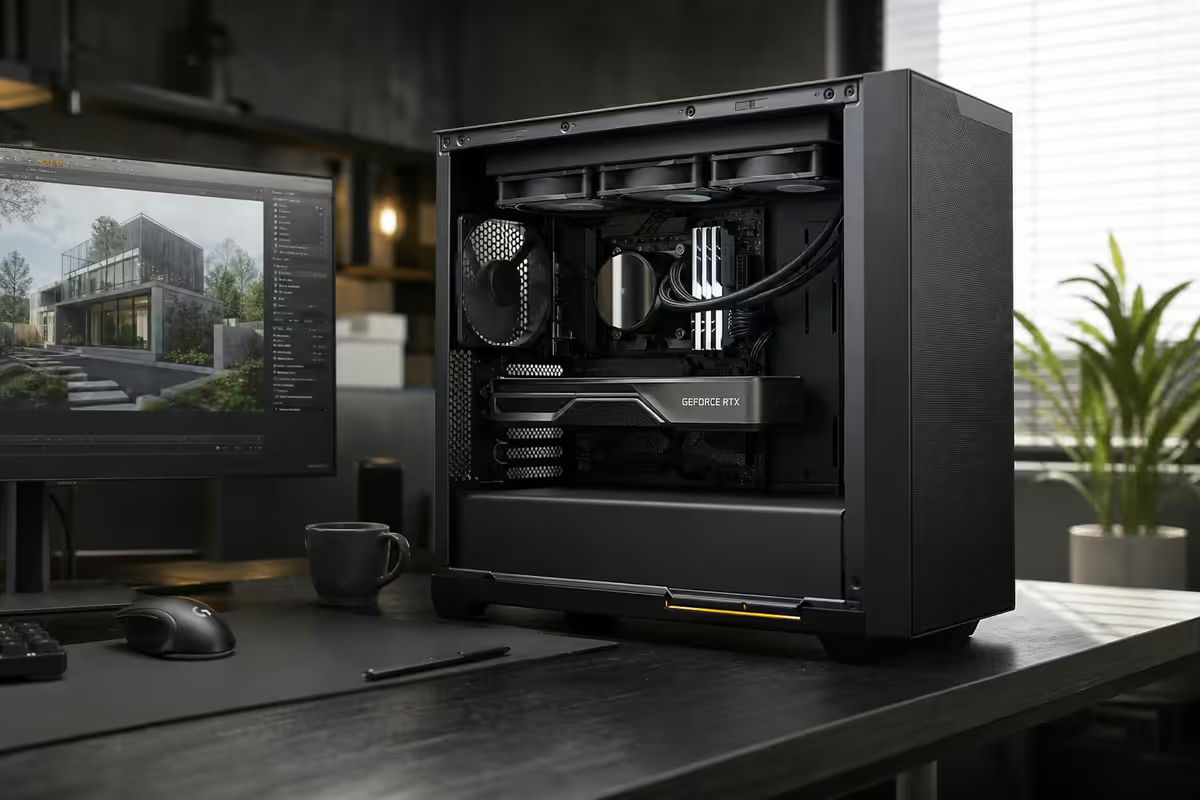
Why GPU eats the entire budget
Every renderer that matters in 2026 has shifted GPU-first. Cycles, V-Ray GPU, Redshift, Octane and Arnold GPU all do their heavy lifting on CUDA cores and Nvidia's OptiX ray-tracing acceleration. A single RTX 5080 finishes an OptiX-accelerated Cycles render in 30-40% of the time a 16-core Ryzen 9 takes — and that's before you count the fact the CPU goes unresponsive for the duration.
The decision tree is brutally simple: spend on GPU first, then RAM, then storage, then CPU. An RTX 5080 paired with a Ryzen 5 9600X will out-render a Ryzen 9 9950X3D paired with an RTX 5060. The renderer doesn't care how many threads you have if the GPU can't keep up.
| Renderer | Backend in 2026 | What it wants |
|---|---|---|
| Blender Cycles | CUDA + OptiX (Nvidia best) | VRAM, OptiX denoiser |
| V-Ray GPU | CUDA + RTX | VRAM, dual-GPU scales well |
| Maxon Redshift | CUDA / Metal / HIP | VRAM & PCIe bandwidth |
| OTOY Octane | CUDA-only (Nvidia) | Out-of-core fallback > 24GB |
| Arnold GPU | CUDA + OptiX | VRAM for hair/volumes |
| Arnold CPU / Corona | Multi-thread CPU | Core count, not relevant here |
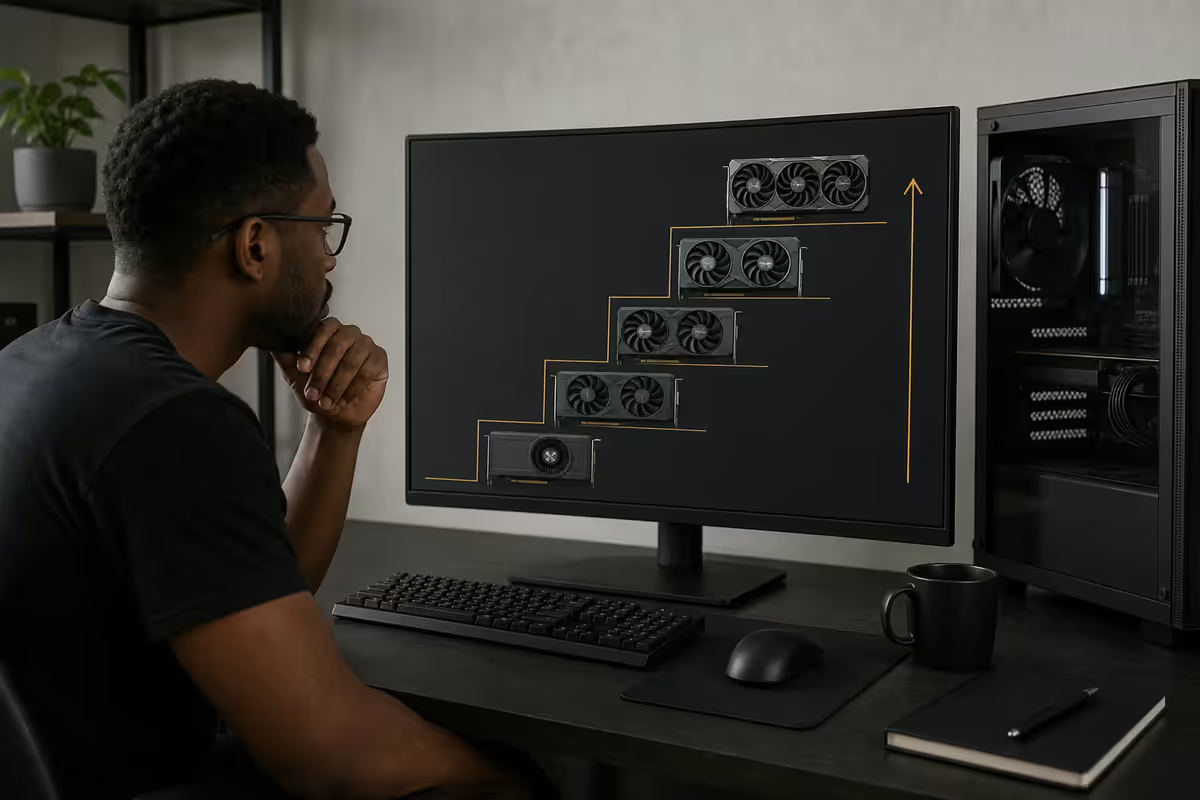
The GPU tier ladder for 3D rendering
Three Nvidia cards define the 2026 rendering landscape. Each lands at a clear price/VRAM tier in SA, and the choice is largely a function of scene complexity and dual-GPU ambitions.
| GPU | VRAM | OptiX render time* | SA price (Jun 2026) |
|---|---|---|---|
| RTX 5070 Ti | 16GB GDDR7 | Baseline | R20k-R24k |
| RTX 5080 | 16GB GDDR7 | 1.35x faster | R28k-R32k |
| RTX 5090 | 32GB GDDR7 | 2.10x faster | R55k-R65k |
| RTX 5060 Ti 16GB | 16GB | 0.62x | R12k-R14k |
RTX 5070 Ti — the freelancer floor
16GB VRAM is the modern minimum and the 5070 Ti hits the right price/perf curve for solo Blender, Modo or KeyShot work. It handles product viz, mid-complexity archviz scenes, and motion graphics without compromise. Where it shows strain: heavy vegetation libraries (Quixel Megascans archviz), volumetric clouds, and high-poly hair.
RTX 5080 — the sweet spot
The same 16GB ceiling, but roughly 35% more OptiX throughput. For a solo studio doing mixed work (some archviz, some product, occasional character renders), the 5080 is the card to beat. R28k-R32k buys you a GPU that won't be the bottleneck for two years.
RTX 5090 — the production answer
32GB VRAM unlocks scenes the 16GB tier can't even open. Multi-environment archviz packs, full character sets with displacement, large fluid simulations baked to mesh — these all routinely exceed 20GB. The 5090 is also where dual-GPU rigs start making real sense: two of them in a 1200W chassis hits performance you simply cannot buy any other way.
RAM and storage — feed the GPU
A GPU with 16GB of VRAM is rendering a scene that often has a 40-60GB working set in system memory — every texture, mesh cache, displacement map, simulation cache and undo buffer the CPU prepared before handing geometry off. Starve that and the GPU sits idle waiting for data.
RAM: 64GB is the new normal
32GB is the survival floor. It works for clean product viz and tutorials, but loads any serious archviz or character scene to 70-90% utilisation immediately. Once you have ZBrush, Substance Painter, Photoshop and the renderer all open (the actual freelancer reality), 32GB pages constantly.
64GB DDR5-6000 CL30 is the recommended baseline. R3,500-R4,500 in SA for a good 2x32GB kit (Corsair Vengeance, G.Skill Trident, Kingston Fury). It's the single best ZAR-per-productivity upgrade you can make over 32GB.
128GB territory: archviz with massive vegetation libraries, Houdini sims running parallel to rendering, video editing of rendered output. Above 128GB enters Threadripper / Xeon-W territory where the rest of the build also has to change.
Storage: three tiers, three jobs
Render workstations need a layered storage stack. One drive trying to do everything tanks viewport responsiveness during long bakes.
- OS + scratch (1TB Gen4 NVMe). Samsung 990 Pro, WD SN850X or Kingston KC3000 — keep at least 30% free for swap and render cache. Cycles temp, Redshift cache, Substance project files all live here.
- Active project drive (2TB Gen4 NVMe). Where current projects sit. Separate physical drive matters — when Cycles dumps 18GB of intermediate frames, you don't want Windows update fighting for the same controller.
- Archive (8-16TB 7200rpm HDD or NAS). Completed projects, master asset libraries (Megascans, Polyhaven dumps), texture archives. WD Red Pro or Seagate IronWolf Pro. A Synology DS923+ NAS at R12-R18k is the upgrade move once you outgrow a single HDD.
What the CPU actually does
In a GPU rendering pipeline the CPU is not the renderer — but it's the engine that prepares everything the GPU consumes. The CPU drives viewport responsiveness in Blender/Maya/3ds Max, runs simulations (cloth, fluid, smoke, rigid body), handles ZBrush sculpting passes, bakes Substance Painter textures, and assembles every frame before kicking it to the GPU.
Sweet-spot picks for 2026:
- Ryzen 7 9700X (R7,500). 8-core Zen 5, strong single-thread, runs cool, low total platform cost. The default solo-artist pick.
- Core Ultra 7 265K (R8,500). Intel's equivalent. P-cores match Zen 5 in viewport responsiveness; E-cores help when you're rendering on GPU and simulating on CPU simultaneously.
- Ryzen 9 9950X (R12,500). Only worth it if you also run Arnold CPU, Corona, or heavy Houdini sims. For pure GPU renderers it's overkill.
- Threadripper 7960X (R45,000+). Niche — sim-heavy VFX pipelines or studios running V-Ray CPU bucket renders. Don't buy it for "future proofing" if you render on GPU.
The single-thread story matters more than thread count for almost every solo artist. Sculpting and simulation are still largely serial workloads. A 16-core CPU that's slower per thread than an 8-core will lose every viewport scrub it runs.
Dual-GPU rendering — when it actually pays off
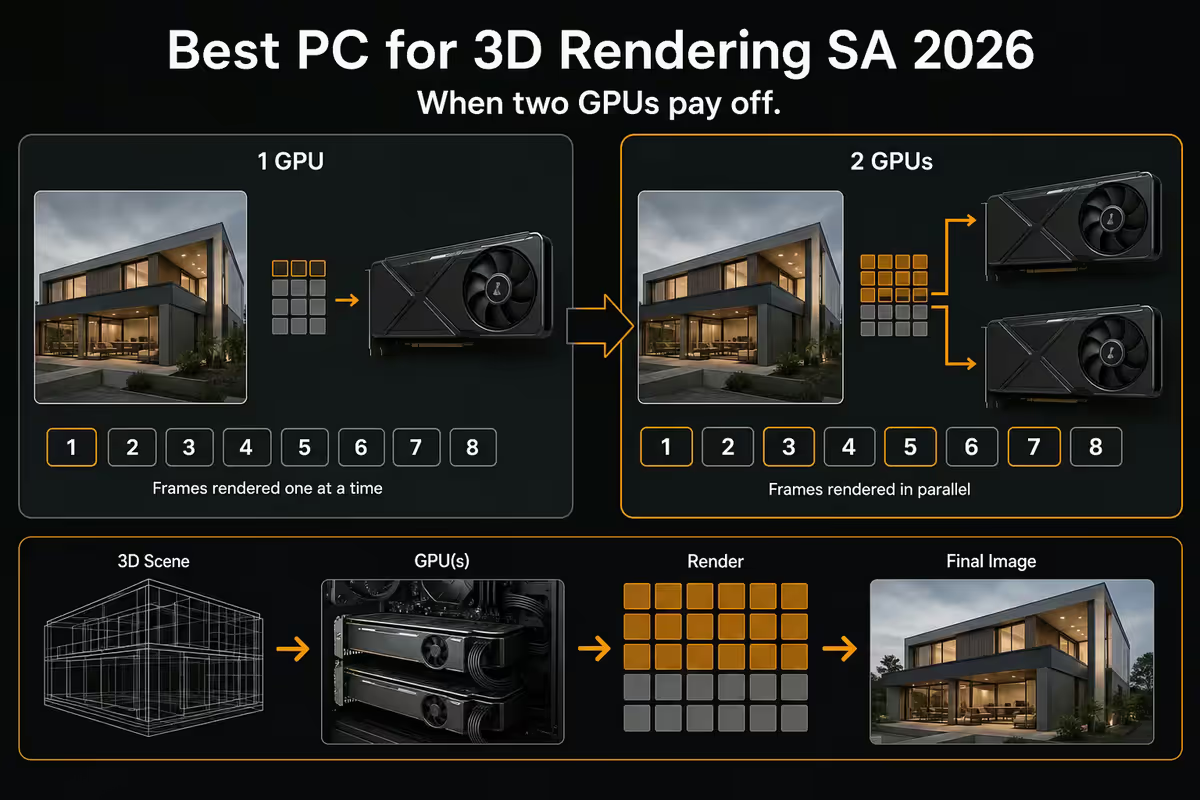
This is the question every aspiring production builder asks, and the honest answer is "yes, in three specific renderers, with three specific caveats."
The good news: Octane, Redshift, V-Ray GPU and Cycles all scale near-linearly with a second GPU. Two RTX 5090s deliver roughly 1.85-1.95x the rendering throughput of one. That's the closest thing to free performance the industry has produced in years.
The caveats:
- PSU: A single RTX 5090 pulls 575W under sustained render. Two of them want a 1200W Platinum minimum (Corsair RM1200x Shift, Seasonic Prime TX-1300). 1000W is gambling.
- Case airflow: Two stacked 3-slot GPUs need genuine airflow. Lian Li O11 Dynamic XL, Corsair 7000D Airflow, Fractal Define 7 XL. Cheap mid-tower cases will thermal-throttle the lower card.
- Motherboard PCIe topology: The second slot must run at proper PCIe 5.0 x8 (or 4.0 x8 minimum). Many B650 / B760 boards drop the second slot to x4 — that's a 15-25% performance loss for the second card. ProArt X870E, ROG Crosshair X870E, Z890 ROG Maximus are safe bets.
AMD RX 9070 XT and HIP-RT — the honest 2026 reality
AMD has worked hard on Blender HIP and HIP-RT, and the gap has narrowed. The RX 9070 XT (16GB, R16k-R18k) is a perfectly competent gaming card that can render Cycles scenes — but in production reality, it still trails comparable Nvidia cards by 30-40% in OptiX-accelerated workloads, and AMD has no analogue to OptiX denoising.
Where AMD makes some sense in 2026:
- You're a Blender-only Cycles user (no Octane, no V-Ray GPU, no Redshift Cinema 4D pipeline).
- Budget is the absolute deciding factor and the 5070 Ti is genuinely out of reach.
- You also game on the same card — RX 9070 XT is a strong gaming card for the price.
Where it doesn't make sense:
- Anything that pays your bills with deadlines. The 30-40% slower iteration time compounds across a project.
- Pipelines using Octane (CUDA-only, no AMD path at all), V-Ray GPU (functional on AMD but the performance gap is the largest of any renderer), or Arnold GPU.
- ProRender is fine but has a niche software footprint — it doesn't replace Cycles or V-Ray as a studio standard.
Mac Studio M3 Ultra / M4 Max — the Apple Silicon take
Apple Silicon's rendering story has improved dramatically. Blender's Metal backend is mature, Cycles renders cleanly on M3/M4 chips, and the unified memory architecture is a genuine architectural advantage — a 64GB M4 Max Mac Studio can render scenes that would crash on a 16GB RTX 5080 because the GPU has access to the full 64GB system RAM.
Where the Mac Studio shines:
- Solo Blender freelancers who already live in macOS, use Affinity / Procreate / Logic alongside.
- Scenes that would otherwise need an RTX 5090 just for VRAM — unified memory bypasses that constraint.
- Quiet, cool, low power draw (huge in load-shedding) — the Mac Studio runs at ~80W under sustained render.
Where it breaks down:
- SA pricing is brutal. A useful M4 Max Mac Studio (64GB / 1TB) lands at R80,000+ imported through iStore. The same money buys a dual-RTX-5080 Windows tower that renders 2x faster across more renderers.
- Octane, V-Ray GPU, Redshift and Arnold GPU support on Apple Silicon is partial-to-absent. Locking yourself into Blender Cycles is a strategic choice.
- No upgrade path. Whatever spec you buy is what you live with for 5-7 years.
Across the <strong>200,000+ custom PCs</strong> we've shipped from our Centurion warehouse, the mix of 3D rendering builds has shifted hard. <strong>Most are solo freelancers</strong> — Blender, Cinema 4D, Modo — typically R30k-R55k single-GPU rigs. <strong>A good number are small studios</strong> running dual-RTX 5080 / 5090 production rigs at R85k-R140k for archviz and product viz. The remainder are <strong>training labs and education</strong> — Pretoria, Joburg and Cape Town animation schools spec'ing rooms of 8-16 RTX 5070 Ti workstations. What we've learned: <strong>the biggest regret in this category is always under-spec'ing VRAM</strong>. Customers come back six months later wanting to swap a 12GB card for 16GB — never the other way around.
Behind the Build · From our service bench
SA build tiers for 3D rendering, June 2026
Entry tier — R30,000 (solo Blender / archviz freelancer)
| Component | Spec |
|---|---|
| CPU | AMD Ryzen 7 9700X |
| GPU | Nvidia RTX 5070 Ti 16GB |
| RAM | 32GB DDR5-6000 CL30 (2x16GB) |
| Storage | 1TB WD SN850X Gen4 NVMe |
| Motherboard | MSI B850 Tomahawk WIFI |
| PSU | Corsair RM850x (850W Gold) |
| Cooler / Case | Deepcool AK620 / Lian Li Lancool 216 |
| Total | R29,500 - R31,500 |
Mid tier — R55,000 (solo studio, mixed work)
| Component | Spec |
|---|---|
| CPU | AMD Ryzen 9 9900X or Intel Core Ultra 7 265K |
| GPU | Nvidia RTX 5080 16GB |
| RAM | 64GB DDR5-6000 CL30 (2x32GB) |
| Storage | 1TB Samsung 990 Pro (OS) + 2TB WD SN850X (project) |
| Motherboard | ASUS ProArt X870E or Z890 |
| PSU | Seasonic Focus GX-1000 (1000W Gold) |
| Cooler / Case | Arctic Liquid Freezer III 360 / Fractal North XL |
| Total | R54,000 - R57,000 |
Production tier — R85,000+ (dual-GPU studio rig)
| Component | Spec |
|---|---|
| CPU | AMD Ryzen 9 9950X or Core Ultra 9 285K |
| GPU | Single RTX 5090 32GB or Dual RTX 5080 16GB |
| RAM | 64GB-128GB DDR5-6000 CL30 |
| Storage | 1TB scratch + 2TB project + 8TB HDD archive |
| Motherboard | ASUS ROG Crosshair X870E Hero or Z890 Maximus Hero |
| PSU | Corsair RM1200x Shift or Seasonic Prime TX-1300 Platinum |
| Cooler / Case | NZXT Kraken Elite 360 / Lian Li O11 Dynamic XL or Corsair 7000D |
| Total | R85,000 - R140,000 |
Common mistakes when building for 3D rendering
Buying CPU over GPU "because cores matter". They mattered in 2015. In 2026 every renderer worth using is GPU-first. A R10,000 RTX 5070 Ti out-renders any consumer CPU at any price.
Going with 8GB VRAM to save R3,000. The render either crashes or drops to out-of-core at 5-10x slower — across 12 months of work, that R3,000 saving costs you weeks of render time.
32GB RAM when 64GB is the right call. The price delta is R1,500-R2,000 in 2026. The productivity delta is enormous — no paging during multi-app workflows, no Windows freezes during long bakes.
Single drive doing everything. One NVMe holding Windows, scratch, projects and asset library will tank viewport response during bakes. Two drives is the minimum, three is the right answer.
Dual GPUs in a small case. Two stacked 3-slot cards in a Corsair 4000D will thermal-throttle within 10 minutes of a sustained render. If you commit to dual-GPU, commit to the case (O11 Dynamic XL, 7000D Airflow, Define 7 XL) and PSU (1200W+ Platinum).
Ignoring PCIe topology on cheap boards. A B650 board that drops the second slot to x4 wastes 15-25% of a R55k second GPU. Pay for the X870E / Z890 board if you're committing to dual-GPU.
Key takeaways
- Every renderer worth using in 2026 is GPU-first. Cycles, V-Ray GPU, Redshift, Octane and Arnold GPU all run CUDA/OptiX.
- RTX 5080 (16GB) is the sweet spot. RTX 5090 (32GB) for production archviz. RTX 5070 Ti (16GB) is the freelancer floor.
- 64GB DDR5 is the recommended RAM baseline. 32GB survives, 128GB is for archviz / sim-heavy pipelines.
- Three-tier storage: 1TB scratch + 2TB project + 8-16TB archive. One drive for everything tanks viewport response.
- Dual-GPU scales near-linearly in Octane / Redshift / V-Ray GPU / Cycles — but VRAM doesn't pool.
- AMD HIP-RT still trails CUDA/OptiX by 30-40%. Mac Studio M4 Max is great for solo Blender only.
- SA build tiers: R30k entry, R55k mid solo studio, R85k+ dual-GPU production rig.
Frequently asked questions
What's the best GPU for 3D rendering in 2026?
RTX 5080 16GB is the sweet spot at R28k-R32k. Step up to RTX 5090 (32GB, R55k-R65k) for archviz or VRAM-heavy scenes. RTX 5070 Ti (16GB, R20k-R24k) is the freelancer floor.How much RAM do I need for 3D rendering?
64GB DDR5 is the recommended baseline. 32GB is the survival floor. 128GB for archviz with heavy vegetation, Houdini sims or video editing alongside rendering.Does the CPU matter for GPU rendering?
Yes — for viewport responsiveness, sculpting, simulation and scene assembly. Ryzen 7 9700X or Core Ultra 7 265K is the sweet spot. Ryzen 9 only matters for CPU renderers or heavy sims.Do dual GPUs actually scale for 3D rendering?
In Octane, Redshift, V-Ray GPU and Cycles, dual GPUs scale at 1.85-1.95x. Needs 1200W+ PSU, proper PCIe x8/x8 board, and large case. VRAM does not pool across cards.Is AMD RX 9070 XT viable for 3D rendering?
Not yet for production. HIP-RT has improved but still trails CUDA/OptiX by 30-40%. Octane has zero AMD support. Defensible only for Blender-only Cycles hobbyists.What about Mac Studio M3 Ultra / M4 Max for 3D?
Great for Blender solo freelancers — Metal backend mature, unified memory advantage. But R80k+ SA pricing and limited Octane / V-Ray GPU / Redshift support on Apple Silicon make it a hard sell over a Windows tower.What's the minimum SA budget for a real 3D rendering PC?
R30,000 for entry archviz / Blender freelancer (Ryzen 7 9700X, RTX 5070 Ti, 32GB, 1TB NVMe). Mid solo studio R55k, production dual-GPU rig R85k+.What storage setup is best for a 3D rendering workstation?
Three-tier: 1TB Gen4 NVMe OS+scratch, 2TB Gen4 NVMe active projects, 8-16TB HDD or NAS for archive. One drive for everything tanks viewport responsiveness during bakes.
Get the Evetech app
Exclusive app-only prices, daily flash sales, and free delivery on orders over R4,000 — download the app and start saving.