Ableton Workstation Guide
Best PC for Ableton Live. — Low latency wins over raw GHz.
A DAW PC is a different animal. Cores matter less than per-thread latency stability. Fan noise becomes a tracking problem. And Ableton has a per-track CPU ceiling no chip can spec-sheet its way past.
- ASIO round-trip
- 5-12ms
- sample libraries
- 32-64GB
- SA build range
- R25k-R65k
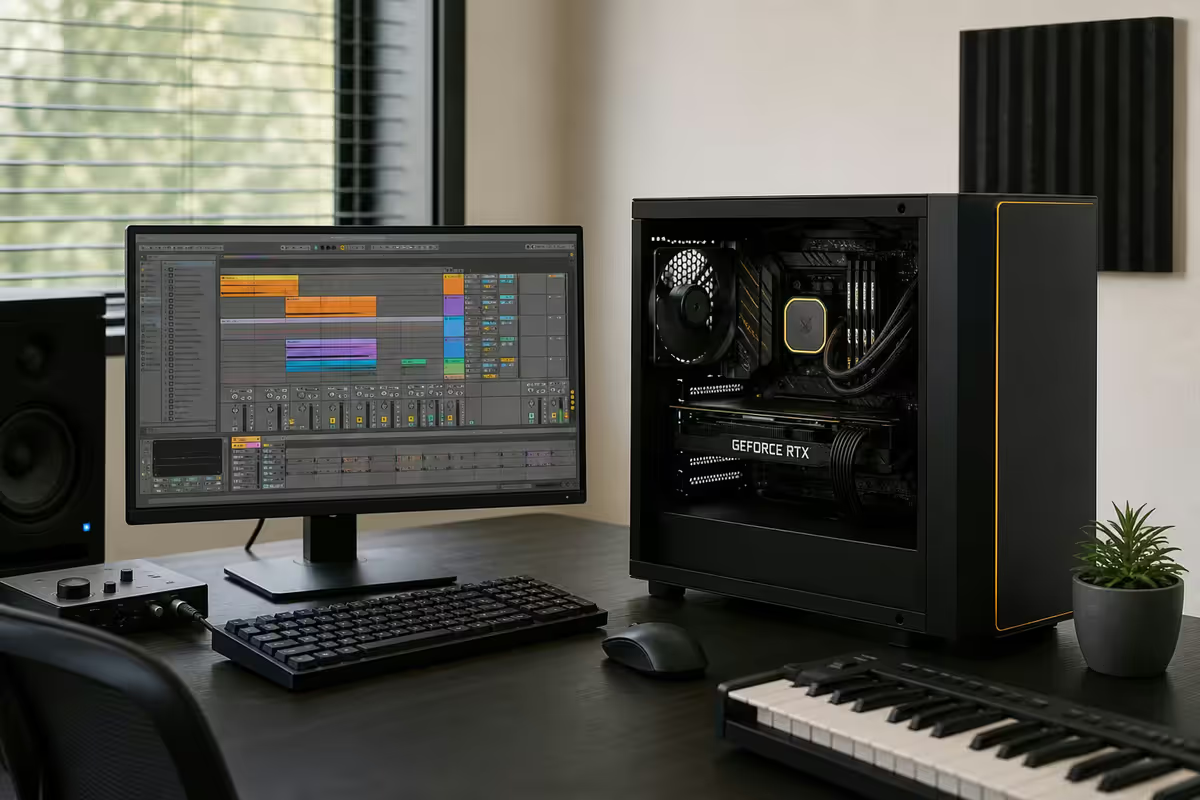
What an Ableton Live PC actually does
Live's job is to stream audio in real time without dropouts. The chip's job is to keep up — calculate every VST, mix every track, push the buffer to your audio interface, and do it again 96,000 times a second. Spec sheets that win benchmarks elsewhere don't always win here.
The real workloads that punish a DAW PC in 2026:
- Max for Live VSTs — Live's modular environment runs heavier than vanilla plugin chains.
- Multi-instance Kontakt / Komplete — orchestral and sound-design templates with 30+ Kontakt instances each.
- Heavy convolution reverb — Altiverb, Liquidsonics, real impulse responses on every send.
- Live performance with no fall-back — a dropout on stage is a finished show.
- 96kHz / 192kHz recording — doubles or quadruples buffer throughput vs 44.1kHz.
CPU — low latency stability beats raw GHz
Ableton 12 is heavily threaded for the audio engine, but the per-track plugin chain still runs on one thread. The trick: more cores let you run more tracks in parallel; faster cores let any one track host bigger plugins. Both matter; neither alone wins.
| CPU | Best for | SA price |
|---|---|---|
| AMD Ryzen 5 9600X | Bedroom producer, <25 tracks | R5,500-R6,500 |
| AMD Ryzen 7 9700X | Sweet spot — 50+ tracks with VSTs | R8,000-R9,500 |
| Intel Core Ultra 7 265K | P-cores excel at single-thread plugins | R9,500-R11,000 |
| AMD Ryzen 9 9950X | Studio scoring, 100+ track sessions | R13,500-R15,500 |
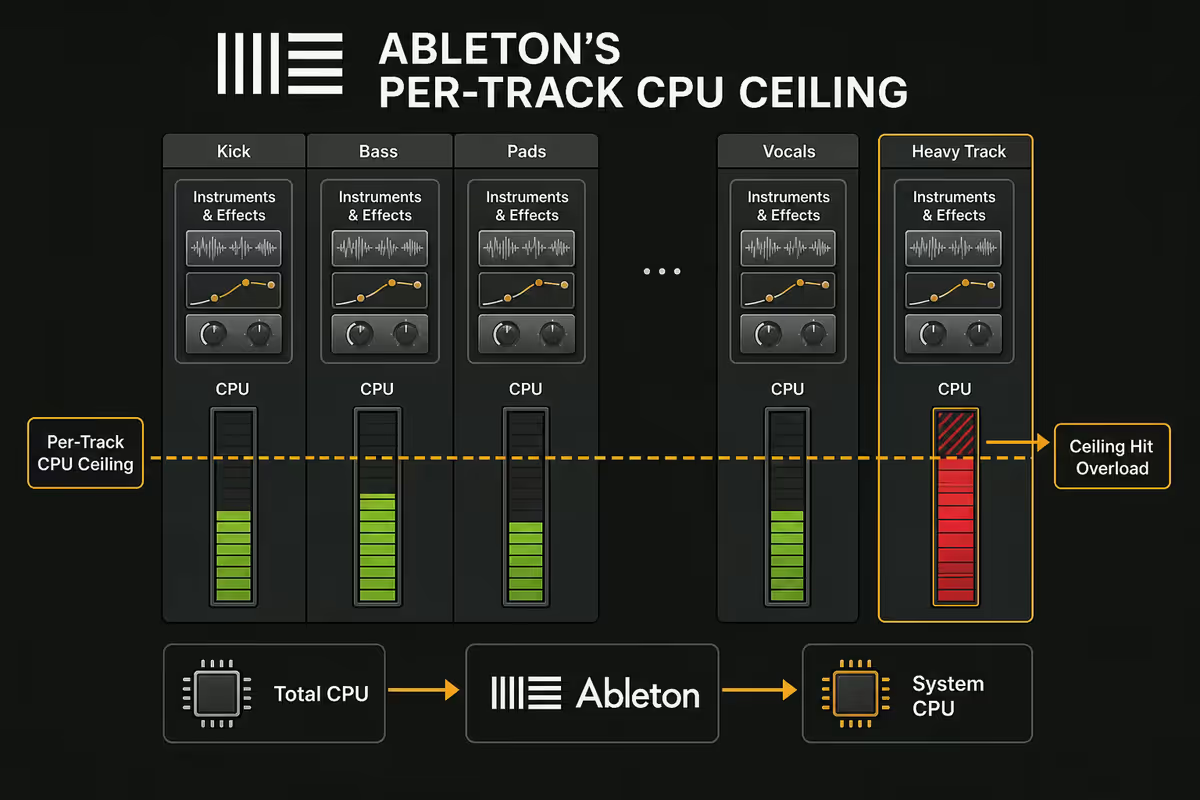
Ableton's per-track CPU ceiling — the trap nobody warns you about
Open Task Manager during a heavy Ableton session. You'll see the chip at 30-40% load while Live's own CPU meter screams 95% and the buffer is dropping out. This isn't a bug. It's how Ableton works.
Live distributes tracks across cores, but the plugin chain inside any one track runs on a single thread. Plug a heavy soft-synth, three serial effects and a convolution reverb into one track and you'll hit that single thread's ceiling — even if your other 15 cores are idle.
The fix is workflow, not hardware:
- Freeze tracks once they're committed. Ableton renders them to disk and the playback uses zero CPU.
- Split plugins across two tracks with a send/return — distributes the load to two cores.
- Use Audio Effect Racks with chain selectors — explicit thread parallelism on heavy bus FX.
- Raise the buffer to 512+ samples for mixdown. You lose low latency but gain way more headroom for plugins.
RAM — 32GB minimum, 64GB for serious sample work
Sample libraries are the modern RAM hog. Native Instruments Komplete Ultimate alone is 300GB+ on disk and routinely consumes 8-20GB in RAM. Add Spitfire Audio orchestral, Output Arcade, EastWest Hollywood and you're easily past 30GB on a moderate session.
- 16GB — bedroom producer with one or two sample libraries. Will swap and stutter on bigger sessions.
- 32GB DDR5-6000 — minimum for serious work in 2026. Handles full Komplete + 30-track session comfortably.
- 64GB DDR5-6000 — right call if you score to picture, use multiple orchestral libraries, or run heavy template sessions.
- 128GB — niche for full Hollywood-style scoring rigs. Most studios don't need this.
Audio interface — the spec that matters most
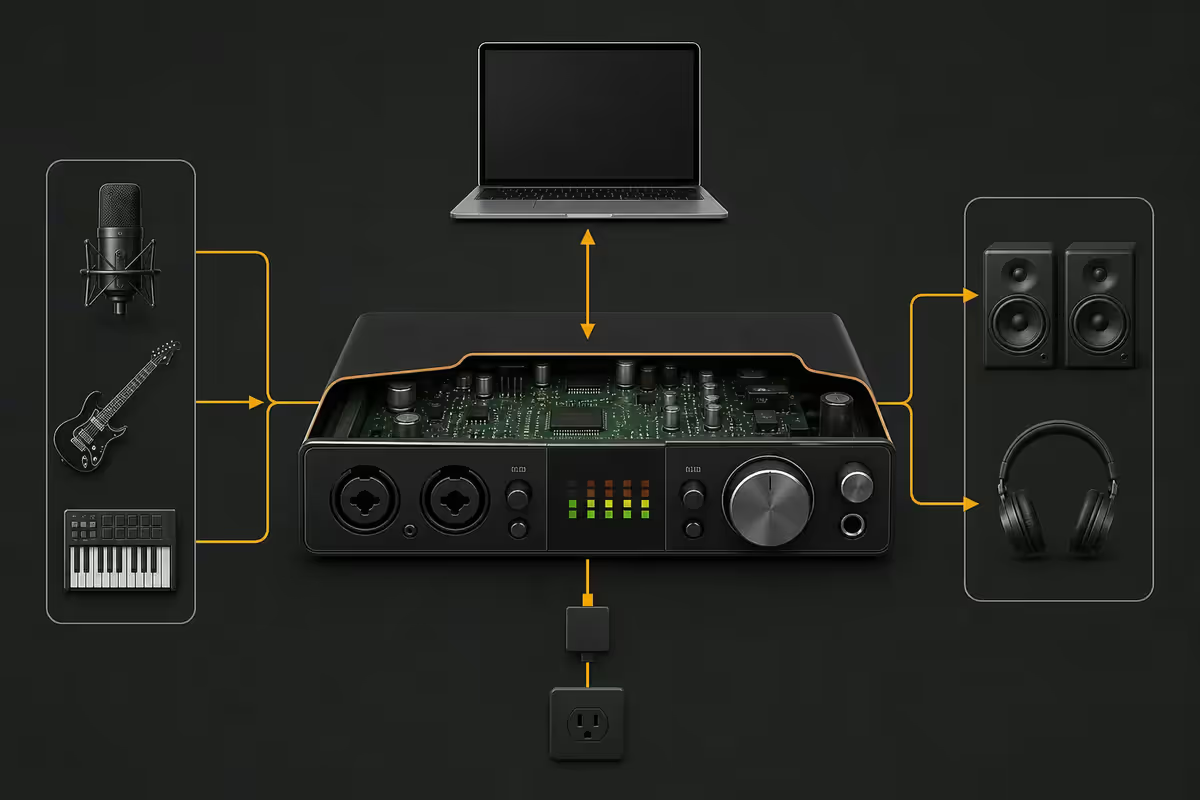
A R20,000 PC with on-board audio is a R20,000 PC that records garbage. The on-board chips use generic Windows drivers with 20-50ms of latency — unusable for tracking or live monitoring. A proper USB audio interface with ASIO drivers drops round-trip latency to 5-12ms and gives you actual mic preamps.
| Interface | Best for | SA price |
|---|---|---|
| Focusrite Scarlett 2i2 (4th gen) | Beginner, vocals + guitar | R3,500-R4,500 |
| Audient EVO 4 | Tightest budget, great preamps | R4,000-R5,000 |
| Focusrite Scarlett 4i4 | Hardware synth + outboard FX | R7,500-R9,500 |
| Universal Audio Volt 2 | Better preamps + Vintage Mic mode | R6,500-R7,500 |
| RME Babyface Pro FS | Lowest latency on Windows, pro studios | R22,000-R25,000 |
RME is the latency king on Windows. Its TotalMix FX driver achieves sub-3ms round-trip at 64-sample buffers — significantly better than any other manufacturer. If you record live and need monitor mixes routed through Ableton, RME is the right call. If you just produce in the box, a Focusrite or Audient is perfectly fine.
Storage — fast NVMe for samples, lots of it
Sample libraries are huge and growing. A studio rig in 2026 needs 4-8TB of NVMe to comfortably host the libraries you actually use. Spinning HDDs are too slow for streamed sample loading — you'll hear it as audible glitches when patches stream from disk.
Recommended layout:
- Drive 1 (OS + Ableton) — 1TB Gen4 NVMe. Windows, Ableton install, VST plugins.
- Drive 2 (sample libraries) — 2TB Gen4 NVMe for active sample libraries (Komplete, Spitfire, Output).
- Drive 3 (projects + archive) — 4TB SATA SSD or NAS for finished projects and infrequently used libraries.
Silent build — fan noise is a mic problem
If you record acoustic instruments, vocals or amps in the same room as your PC, fan and pump noise becomes a real recording issue. A condenser mic at 1.5 metres picks up everything from your case fans, AIO pump and GPU coils.
A quiet build measures under 22dB at idle:
- Case — Fractal Define 7, Be Quiet Silent Base 802, NZXT H7 Flow with sound-dampening panels.
- CPU cooler — Noctua NH-D15 G2 air cooler. Quieter than any AIO at low load, no pump whine. Or Arctic Liquid Freezer III 360 if you must go AIO (it has a notably quiet pump).
- Case fans — Noctua A12x25 / chromax, or Be Quiet Silent Wings 4. Three intake, two exhaust at low RPM.
- PSU — fully modular semi-passive (Seasonic Focus or Corsair RM850e) — fan stops below 40% load.
- GPU — skip entirely on an APU build if you don't game, or pick a passive/semi-passive card.
ZAR build tiers — R25k, R45k, R65k
R25,000 — Bedroom producer
| Component | Spec |
|---|---|
| CPU | AMD Ryzen 5 9600X |
| Cooler | Noctua NH-U12S Redux |
| Motherboard | B650 with native USB 3.2 Gen 2 for interface |
| RAM | 32GB DDR5-6000 (2× 16GB) |
| GPU | Integrated (Ryzen 8700G) or RX 6400 if needed |
| Storage | 1TB Gen4 NVMe + 1TB SATA SSD |
| Audio interface | Focusrite Scarlett 2i2 or Audient EVO 4 |
| Case + PSU | Fractal North + 650W 80+ Gold |
| Total | ~R25,000 (with interface) |
R45,000 — Working producer / project studio
| Component | Spec |
|---|---|
| CPU | AMD Ryzen 7 9700X |
| Cooler | Noctua NH-D15 G2 |
| Motherboard | B650E Gigabyte Aorus Elite / MSI Tomahawk |
| RAM | 32GB DDR5-6000 (2× 16GB) |
| GPU | RTX 5060 8GB (optional) or none |
| Storage | 1TB Gen4 NVMe (OS) + 2TB Gen4 NVMe (samples) |
| Audio interface | Focusrite Scarlett 4i4 or Universal Audio Volt 2 |
| Case + PSU | Fractal Define 7 + 850W 80+ Gold semi-passive |
| Total | ~R45,000 (with interface) |
R65,000 — Studio scoring / commercial production
| Component | Spec |
|---|---|
| CPU | AMD Ryzen 9 9950X or Core Ultra 7 265K |
| Cooler | Arctic Liquid Freezer III 360 or Noctua NH-D15 G2 |
| Motherboard | X870E Gigabyte Master / ASUS Strix-A |
| RAM | 64GB DDR5-6000 (2× 32GB) |
| GPU | RTX 5060 (silent / passive) — optional |
| Storage | 2TB Gen4 NVMe (OS) + 4TB Gen4 NVMe (samples) + 4TB SATA archive |
| Audio interface | RME Babyface Pro FS or Universal Audio Apollo Twin X |
| Case + PSU | Be Quiet Silent Base 802 + 1000W semi-passive |
| Total | ~R65,000 (with interface) |
Recommended Ableton builds at a glance
| Tier | Best for | SA price |
|---|---|---|
| Bedroom producer | Beats, song-writing, 25 tracks | ~R25,000 |
| Working producer | 50-track sessions, Komplete + Spitfire | ~R45,000 |
| Studio scoring | Film, theatre, 100+ tracks, big orchestral templates | ~R65,000 |
| + Studio monitors (Yamaha HS5) | Reference listening | +R6,000-R8,000 |
| + Acoustic treatment | Predictable mixes | +R3,000-R12,000 |
Key takeaways
- Latency stability beats raw GHz. Ryzen 7 9700X or Core Ultra 7 265K is the DAW sweet spot.
- 32GB DDR5 minimum, 64GB if you score to picture or stack orchestral libraries.
- USB audio interface with ASIO is non-negotiable. Focusrite for budget; RME for low-latency pro.
- NVMe sample drive separate from OS. Spinning HDDs glitch streamed samples.
- Build for silence: Fractal Define 7, Noctua NH-D15 G2, semi-passive PSU, skip the discrete GPU if you don't game.
Frequently asked questions
What's the best CPU for Ableton Live 2026?
Ryzen 7 9700X or Core Ultra 7 265K for sweet spot. Ryzen 9 9950X for studio scoring. Avoid highest-TDP chips on air coolers.How much RAM do I need for Ableton Live?
32GB minimum in 2026. 64GB if you score to picture or use multiple orchestral libraries simultaneously.Do I need a USB audio interface for Ableton?
Yes. On-board audio has 20-50ms latency. USB interfaces with ASIO drivers run 5-12ms. Focusrite Scarlett, Audient EVO, RME Babyface.What storage do I need for sample libraries?
NVMe everywhere. 1TB Gen4 for OS, 2-4TB Gen4 for sample libraries. Avoid spinning HDDs for streamed samples.Why does my Ableton session crash at high CPU?
Per-track CPU ceiling — Ableton can't parallelise a heavy single plugin chain. Freeze tracks, split chains, raise the buffer for mixdown.How important is a silent PC build for music production?
Critical if you record in the same room. Fan + pump + coil noise gets into condenser mics. Aim for under 22dB at idle.GPU for Ableton — does it matter?
Almost not at all. Ableton uses no GPU acceleration. Integrated graphics is fine. Skip discrete GPU if you don't game.What's the cheapest viable Ableton PC in SA?
~R25,000 with interface: Ryzen 5 9600X, 32GB DDR5, 1TB Gen4 NVMe + 1TB SATA, integrated GPU, Focusrite Scarlett 2i2.
Get the Evetech app
Exclusive app-only prices, daily flash sales, and free delivery on orders over R4,000 — download the app and start saving.