Photoshop Workstation Guide
Best PC for Photoshop.
Photoshop has always been a single-core program with AI bolted on top. Specs that win Blender benchmarks don't always win Photoshop. Here's what actually makes a Ps build feel fast in 2026.
- working RAM
- 32-64GB
- CPU priority
- Single-thread
- SA build range
- R25k-R75k
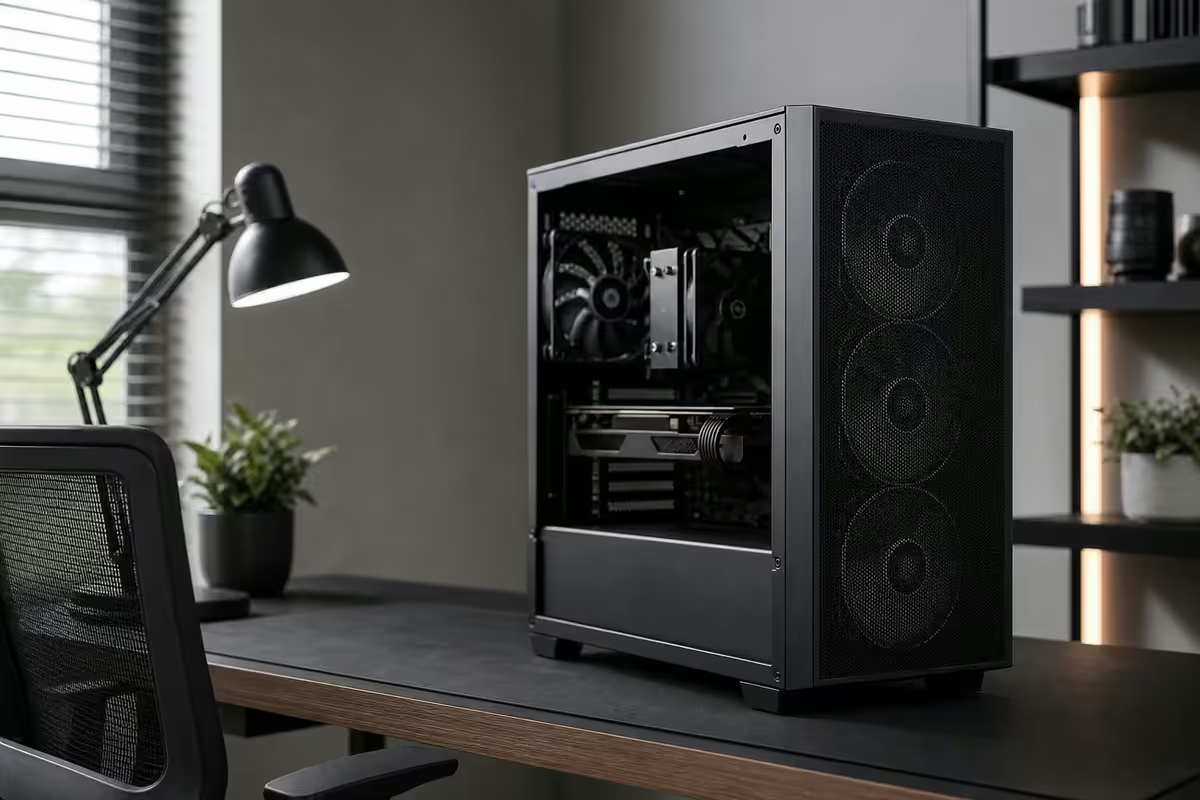
What Photoshop 2026 actually asks of your PC
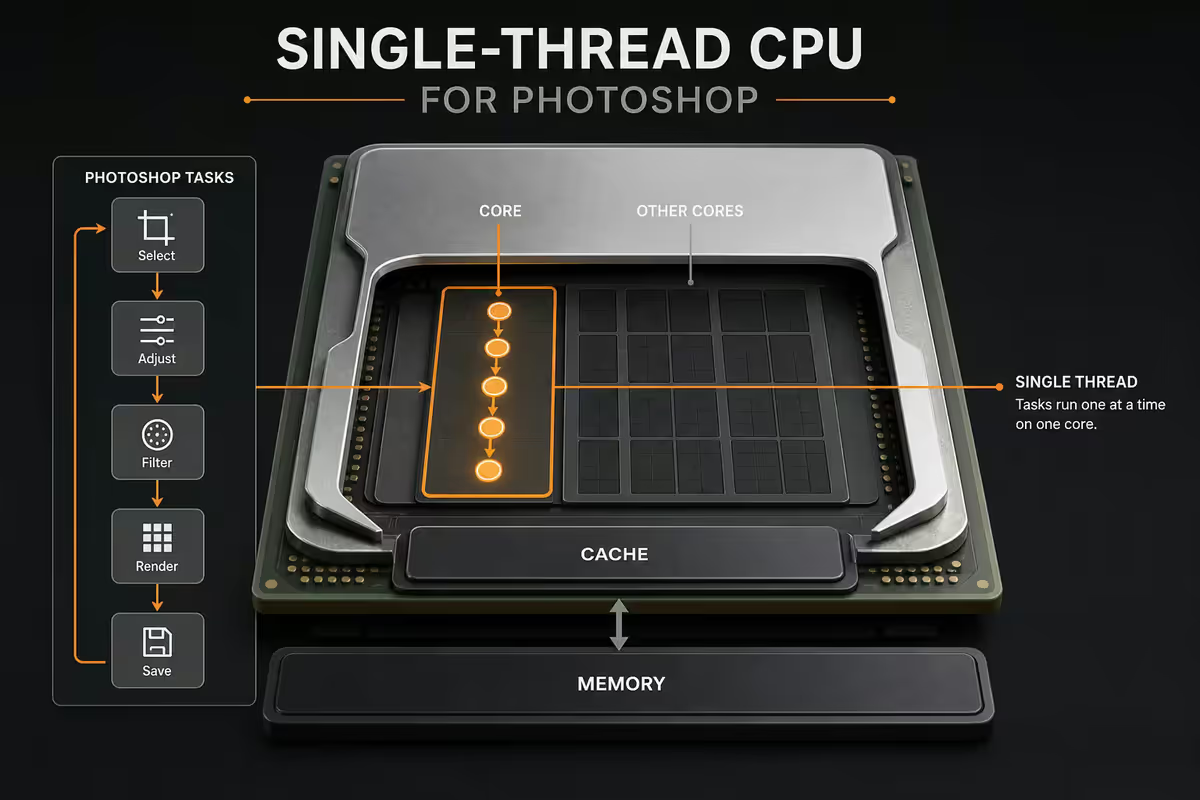
Photoshop is a 35-year-old program with a modern AI layer painted on top. Most of its core operations — brush strokes, filters, layer compositing, transforms — are still bound by single-thread CPU performance. Generative Fill and Neural Filters changed the picture in the last two years by adding heavy GPU and RAM demands on top.
The real workloads that punish a Ps PC in 2026:
- Generative Fill / Generative Expand — calls Adobe's cloud model but caches AI assets locally and uses GPU Tensor cores for the compositing step.
- Neural Filters (Skin Smoothing, Colorize, Style Transfer) — local GPU inference, hammers VRAM.
- Large RAW + PSD files — 100MP Canon R5 II files, 200-layer retouching projects, 2GB+ PSD/PSB files.
- 8K canvas painting — concept artists and matte painters working at print resolution.
- Smart Object stacks — multiple rasterise/transform passes across linked PSDs.
CPU — single-thread is still the king
Adobe has slowly multi-threaded parts of Photoshop, but the bulk of operations still bottleneck on one or two threads. This is why a 12-core Ryzen 9 doesn't feel meaningfully snappier than an 8-core Ryzen 7 in Photoshop — the cores aren't all being used.
| CPU | Best for | SA price |
|---|---|---|
| AMD Ryzen 5 9600X | Hobbyist, <50MP files | R5,500-R6,500 |
| AMD Ryzen 7 9700X | Sweet spot for most retouchers | R8,000-R9,500 |
| Intel Core Ultra 7 265K | Lightroom + Ps simultaneously | R9,500-R11,000 |
| AMD Ryzen 9 9950X | Studio retoucher, 8K canvas | R13,500-R15,500 |
| Intel Core Ultra 9 285K | Maximum boost-clock headroom | R15,000-R17,500 |
RAM — 32GB minimum, 64GB if you're serious
Photoshop's RAM usage scales with canvas size, layer count, and AI feature usage. Adobe's own recommendation jumped from 16GB to 32GB in 2024 — and Generative Fill alone can consume 12-18GB during operation.
How to size it:
- 16GB — only viable for hobbyist edits under 50 megapixels, no AI features. You'll see "Out of RAM" warnings.
- 32GB DDR5-6000 — minimum for serious work in 2026. Handles 100MP RAW, moderate layer stacks, and Generative Fill comfortably.
- 64GB DDR5-6000 — right call for 8K canvases, 2GB+ PSDs, or running Lightroom Classic + Ps + Bridge simultaneously.
- 128GB — niche. Matte painters working on 16K+ canvases or VFX plate work.
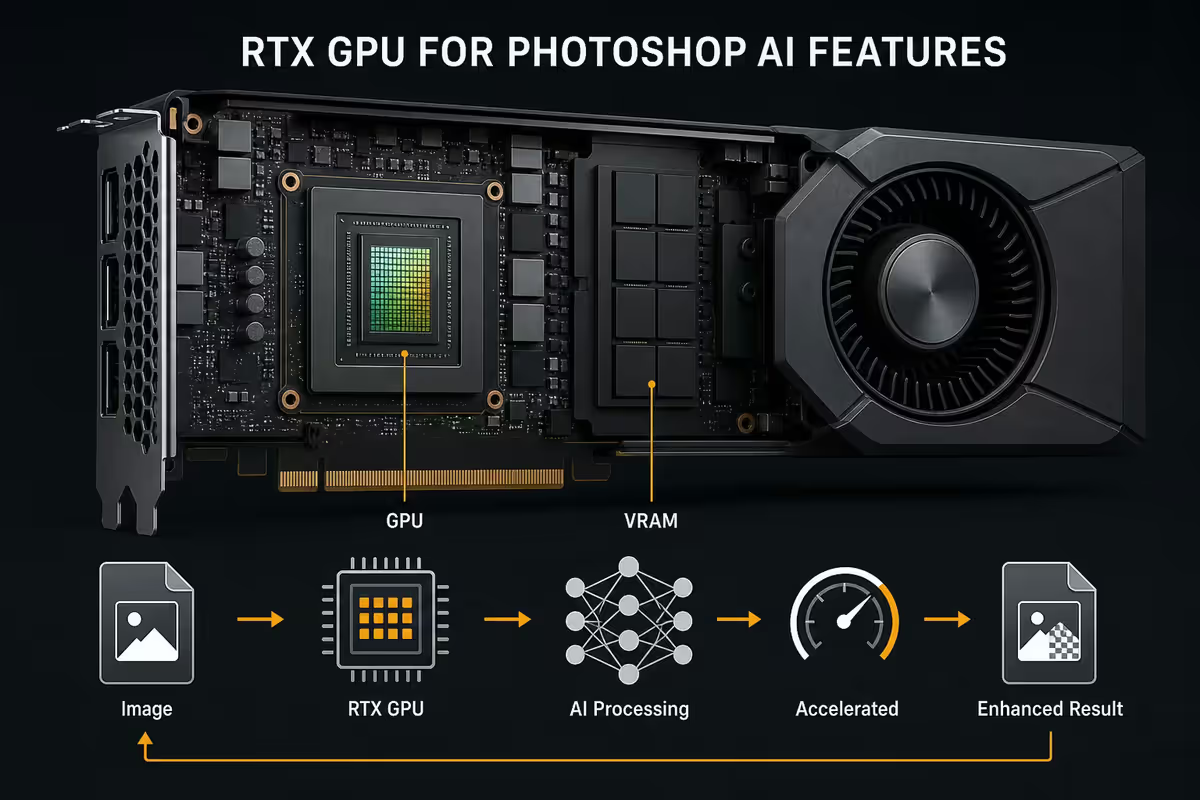
GPU — RTX is the right call for AI
Adobe optimises AI features first for NVIDIA CUDA and Tensor cores. AMD Radeon works for basic Photoshop, but Generative Fill, Neural Filters, Object Selection AI and Sky Replacement all run measurably faster on RTX hardware.
In SA prices for 2026:
- RTX 5060 (8GB) — practical floor at R9,500-R11,500. Handles Generative Fill on canvases up to 6K. Most hobbyists and freelance retouchers stop here.
- RTX 5070 (12GB) — sweet spot at R14,500-R17,000. 8K canvases, multiple AI features running back-to-back, future-proof for the next two AI feature generations.
- RTX 5070 Ti / 5080 — only worth it if you also do 3D, video, or AI image generation work. Photoshop alone doesn't need it.
VRAM matters more than raw GPU horsepower. Photoshop's GPU operations are memory-bound on large canvases — 8GB is the comfort floor; 12GB is generous.
Storage — two NVMe drives, always
Photoshop hammers its scratch disk during big operations. If your scratch disk is the same drive as your OS or your project files, you'll get random stutters and slow saves. The fix is cheap: a second NVMe.
Recommended layout:
- Drive 1 (OS) — 1TB Gen4 NVMe. Windows, Photoshop install, plugins. Samsung 990 Pro, Crucial T700 or WD Black SN850X.
- Drive 2 (scratch + project) — 2TB Gen4 NVMe dedicated to Photoshop scratch and current projects. Sequential write matters here more than reads.
- Drive 3 (archive) — 4TB SATA SSD or 8TB HDD for finished projects. Or push them to a NAS.
Monitor — colour accuracy is the spec that matters
A flagship CPU and 64GB of RAM are wasted if your monitor lies about colour. For Photoshop work, three things matter: panel type, gamut coverage, and calibration.
- Panel type — IPS only. Not VA, not OLED-with-burn-in-risk for desktop work. IPS gives you wide viewing angles and stable colour.
- Gamut — 99% sRGB is the minimum for web work. 95%+ DCI-P3 or 95%+ Adobe RGB for print or video crossover.
- Resolution — 27" 4K is the sweet spot for retouching. 27" 1440p works for hobbyists. 32" 4K if you can clear desk space.
- Calibration — X-Rite i1Display Pro (R5,500-R6,500 in SA) calibrated monthly.
SA-stocked options for 2026: BenQ PD2725U, Dell U2723QE, ASUS ProArt PA279CV, LG 27UP850. All under R12,000 with proper sRGB coverage.
Dual-monitor setup — canvas on the calibrated panel, tools/panels/reference on a secondary monitor. Honestly more impactful than upgrading to a bigger main screen.
ZAR build tiers — R25k, R45k, R75k
R25,000 — Hobbyist / freelance starter
| Component | Spec |
|---|---|
| CPU | AMD Ryzen 5 9600X |
| Cooler | Deepcool AK500 / Arctic Liquid Freezer 240 |
| Motherboard | B650 (Gigabyte / MSI / ASRock) |
| RAM | 32GB DDR5-6000 (2× 16GB) |
| GPU | NVIDIA RTX 5060 8GB |
| Storage | 1TB Gen4 NVMe (OS + scratch combined) |
| PSU | 650W 80+ Gold |
| Case | Lian Li Lancool 207 / NZXT H5 Flow |
| Total | ~R25,000 |
R45,000 — Freelance retoucher / hybrid creator
| Component | Spec |
|---|---|
| CPU | AMD Ryzen 7 9700X |
| Cooler | Arctic Liquid Freezer III 360 |
| Motherboard | B650E (Gigabyte Aorus Elite / MSI Tomahawk) |
| RAM | 32GB DDR5-6000 (2× 16GB) |
| GPU | NVIDIA RTX 5060 Ti 16GB or RTX 5070 12GB |
| Storage | 1TB Gen4 NVMe (OS) + 2TB Gen4 NVMe (scratch) |
| PSU | 850W 80+ Gold |
| Case | Fractal North / Lian Li 215 |
| Total | ~R45,000 |
R75,000 — Studio retoucher / commercial production
| Component | Spec |
|---|---|
| CPU | AMD Ryzen 9 9950X or Core Ultra 9 285K |
| Cooler | Arctic Liquid Freezer III 420 / Noctua NH-D15 G2 |
| Motherboard | X870E (ASUS Strix / Gigabyte Master) |
| RAM | 64GB DDR5-6000 (2× 32GB) |
| GPU | NVIDIA RTX 5070 12GB or RTX 5070 Ti 16GB |
| Storage | 2TB Gen4 NVMe (OS) + 4TB Gen4 NVMe (scratch) + 4TB SATA SSD (archive) |
| PSU | 1000W 80+ Gold |
| Case | Fractal Define 7 / Lian Li O11 Dynamic Evo XL |
| Total | ~R75,000 |
Mac vs PC for Photoshop in SA
Apple Silicon is genuinely good at Photoshop — unified memory and Adobe's Apple Silicon optimisation are excellent. The honest case is more nuanced in South Africa though, where Mac pricing carries an import premium that PC builds dodge.
| Workstation | Price in SA | Verdict |
|---|---|---|
| MacBook Pro 16" M4 Max 64GB | R95,000-R110,000 | Travel-portable, sealed system |
| Mac Studio M4 Max 64GB | R85,000-R95,000 | Quiet, compact, no upgrades |
| PC Ryzen 9 9950X / 64GB / RTX 5070 | R55,000-R65,000 | Matches or beats Mac Studio, upgradable |
Bottom line: if you need to travel with the machine, Mac wins. If you need raw power-per-rand at home or the studio, PC wins by 30-40% in SA. PC also wins on the upgrade path — you can swap a GPU, add RAM, or replace storage. A Mac is what you buy.
Across the 200,000+ custom PCs we've shipped from Centurion, our retoucher and commercial-photography clients consistently report that <strong>jumping from 32GB to 64GB</strong> made the biggest single perceived speed improvement — not CPU upgrades, not GPU upgrades. The reason: Generative Fill, multiple Smart Objects and Bridge + Lightroom + Ps stacked all push past 24GB and start swapping. Once you cross 32GB and start hitting Ps's RAM ceiling, only more RAM (or a smaller workflow) fixes it.
Behind the Build · From our service bench
Recommended Photoshop builds at a glance
| Tier | Best for | SA price |
|---|---|---|
| Hobbyist starter | Casual editing, <50MP RAW | ~R25,000 |
| Freelance retoucher | Commercial work, AI features daily | ~R45,000 |
| Studio production | 8K canvas, multi-app stacking | ~R75,000 |
| + Calibrated 27" 4K IPS | Required for client work | +R8,500-R14,000 |
| + X-Rite i1Display Pro | Monthly calibration discipline | +R5,500-R6,500 |
Key takeaways
- Photoshop is single-thread CPU bound — Ryzen 7 9700X or Core Ultra 7 265K hits the sweet spot.
- 32GB DDR5 is the new minimum. 64GB if you work 8K canvases or stack Lightroom + Ps + Bridge.
- RTX 5060 8GB minimum, RTX 5070 12GB sweet spot, for Generative Fill and Neural Filters.
- Two NVMe drives — OS on one, Photoshop scratch and project on the second.
- Calibrated 27" 4K IPS at 99% sRGB plus an X-Rite calibrator — the colour ceiling of the whole rig.
Frequently asked questions
What's the best CPU for Photoshop 2026?
Photoshop still leans heavily on single-thread performance — most filters, brush strokes and UI responsiveness are bound by 1-2 cores. AMD Ryzen 7 9700X or Intel Core Ultra 7 265K hit the sweet spot in 2026 (R8,000-R11,000 in SA). Ryzen 9 9950X or Core Ultra 9 285K give you headroom for stacking Lightroom + Photoshop + Bridge simultaneously, but the single-thread delta is small.How much RAM do I need for Photoshop?
32GB is the new minimum for serious Photoshop work in 2026 — Generative Fill and Neural Filters routinely consume 12-18GB during operation. 64GB is the right call if you work with 8K canvases, layered PSDs over 2GB, or run Lightroom Classic and Photoshop simultaneously. 16GB is only viable for hobbyist edits under 50 megapixels.Do I need an RTX card for Photoshop?
Yes if you use AI features. Generative Fill, Generative Expand, Neural Filters, Object Selection and Sky Replacement all accelerate on NVIDIA RTX cards via the GPU's Tensor cores. RTX 5060 (8GB) is the practical floor for 2026; RTX 5070 (12GB) is the sweet spot. AMD Radeon works for basic Photoshop but Adobe optimises AI features for CUDA first.What monitor should I pair with a Photoshop PC?
A 27-inch 4K IPS panel with 99% sRGB coverage (or 95% DCI-P3 for print work). BenQ PD2725U, Dell U2723QE or ASUS ProArt PA279CV are the SA-stocked options most photographers and retouchers use. Pair with an X-Rite i1Display Pro for monthly calibration. Dual monitors (one for canvas, one for panels) saves real workflow time.What about storage for Photoshop?
NVMe everywhere. A 1TB Gen4 NVMe for the OS and Photoshop itself, a separate 2TB Gen4 NVMe as the Photoshop scratch disk, and either a 4TB SSD or NAS for finished project archive. Photoshop hammers the scratch disk during large-file operations — having the scratch on a separate drive from OS prevents stuttering.Mac vs PC for Photoshop in 2026?
Mac M-series is genuinely strong for Photoshop — unified memory and Adobe's Apple Silicon optimisation are excellent. But the price-to-performance gap in SA is brutal. A Mac Studio M4 Max with 64GB starts around R85,000 while a PC workstation that matches or beats it (Ryzen 9 9950X, 64GB DDR5, RTX 5070, dual NVMe) costs R55,000-R65,000. PC also wins on upgrade path — you can swap GPU or add RAM.What's the cheapest viable Photoshop PC in SA?
Around R25,000 for a real working setup: Ryzen 5 9600X, 32GB DDR5-6000, RTX 5060 8GB, 1TB Gen4 NVMe, B650 motherboard, 650W Gold PSU, mid-tower case. Skip RGB and aim the saved money at a calibrated 27" 1440p IPS monitor (R5,500-R7,000). Under R25k you start compromising on either RAM or GPU AI capability.Do I need a colour calibrator?
Yes if you deliver client work, print, or sell prints. An X-Rite i1Display Pro (R5,500-R6,500 in SA) calibrates your monitor monthly and keeps colours predictable across devices and time. Without calibration, your edits look different on every screen they're viewed on. Hobbyists can skip it; professionals can't.
Get the Evetech app
Exclusive app-only prices, daily flash sales, and free delivery on orders over R4,000 — download the app and start saving.