After Effects Workstation Guide
Best PC for After Effects. — RAM is the spec that bottlenecks everything.
Premiere is CPU-bound. AE is RAM-bound. Spec a workstation for one and the other suffers. Here's the build map that makes motion graphics finally feel snappy in 2026.
- RAM baseline
- 64-128GB
- multi-frame render
- MFR
- SA build range
- R35k-R85k+
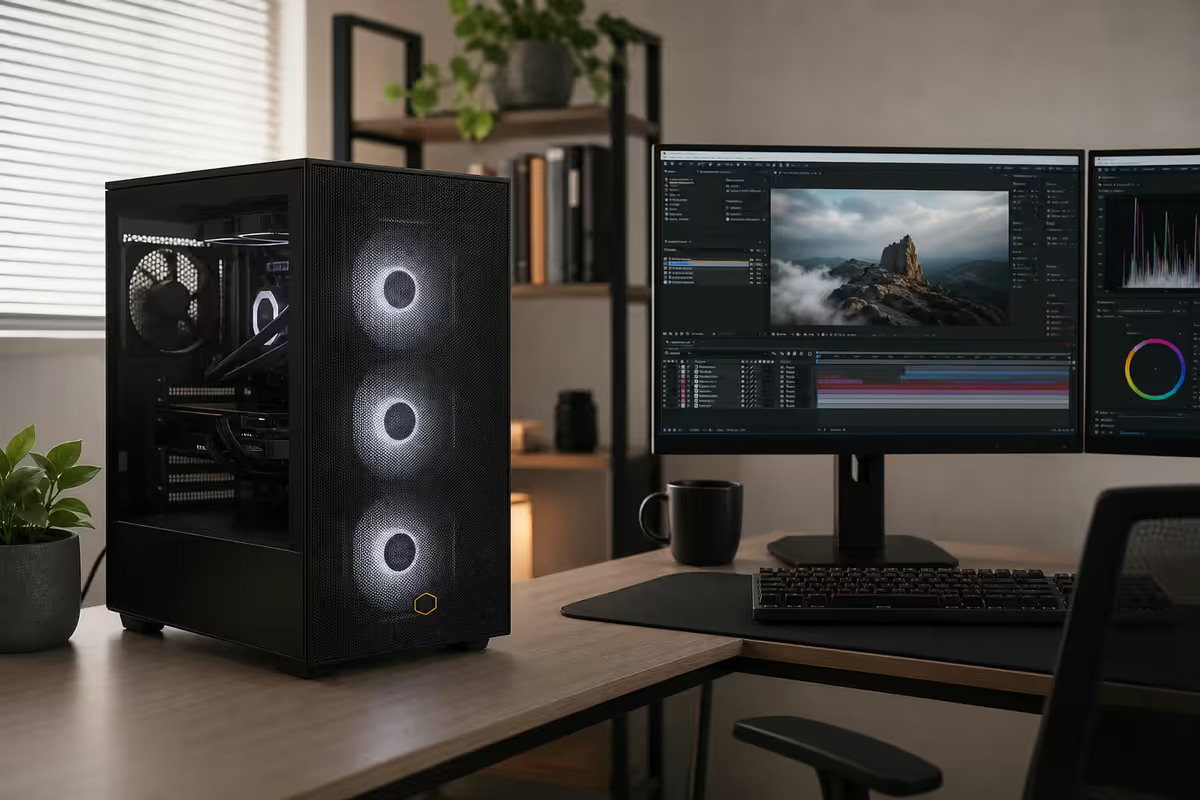
What After Effects 2026 actually demands
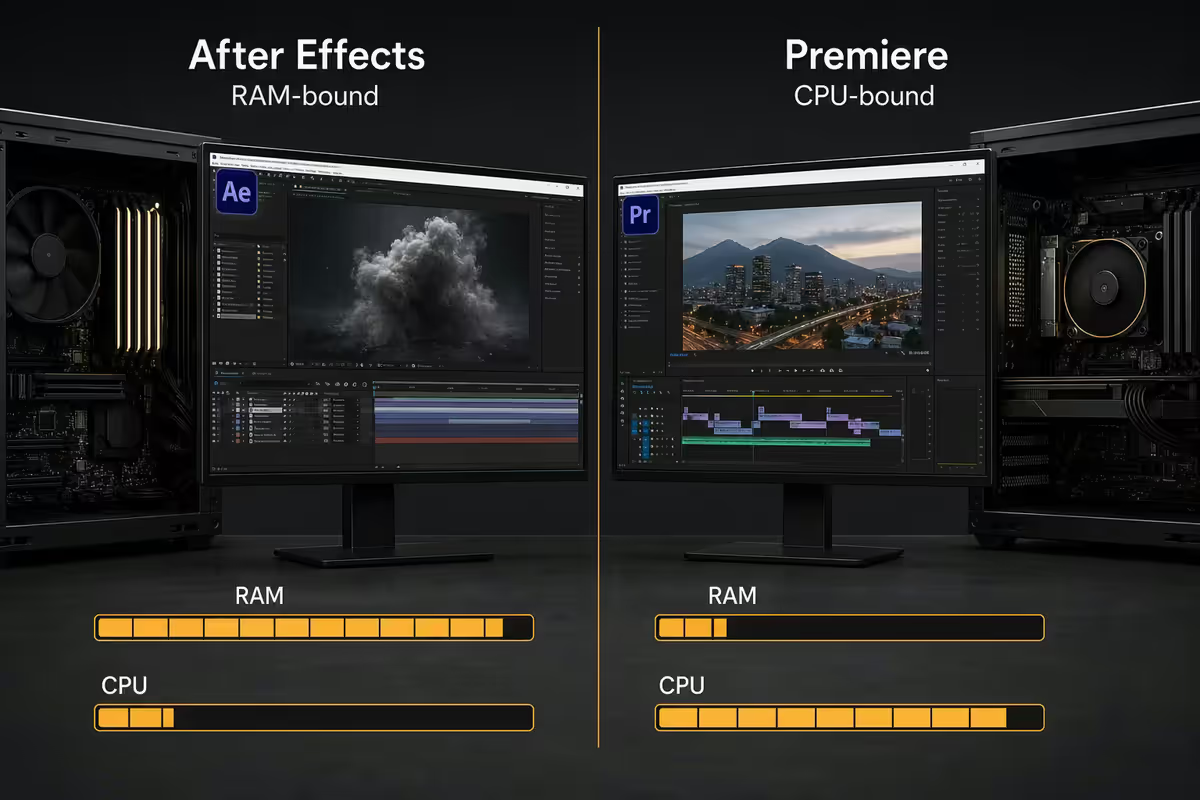
After Effects is fundamentally different from Premiere. Premiere streams source media and renders linearly — it's a CPU and storage workload. AE holds entire frame buffers, precomps, effect graphs and RAM previews in memory simultaneously — it's a RAM workload first.
Real AE 2026 punishment workloads:
- Motion graphics with 30-100 layers, shape layers, text animators, Trapcode particles.
- Mocha tracking and Rotoscope Brush AI cache results in RAM.
- Expression-heavy comps with linked properties, Inertia, Wiggle and Wave.
- Cinema 4D Lite integration — Cineware loads 3D models into the comp engine.
- RAM preview cache for 4K comps at 5-10 seconds chews through 30-60GB easily.
The AE RAM-bound vs Premiere CPU-bound framing
The single most important thing to understand about specing an AE PC: it's not the same as specing a Premiere PC. The two Adobe video apps have nearly opposite bottlenecks.
| Bottleneck | Premiere Pro | After Effects |
|---|---|---|
| Primary bottleneck | CPU + storage I/O | RAM capacity |
| Secondary bottleneck | GPU for effects + colour | CPU cores (MFR) |
| Sample workload | Long-form timeline edit | Heavy comp with effects |
| What helps most | Faster CPU, faster NVMe | More RAM, more cores |
| RAM minimum 2026 | 32GB | 64GB |
If you primarily edit in Premiere with light AE work for titles and lower-thirds, spec for Premiere. If you live in AE doing comp work all day, double the RAM and move on with your life.
CPU — multi-frame render changed the game
Adobe's Multi-Frame Rendering (MFR), introduced in AE 22 and matured through 2026, distributes frame rendering across multiple CPU cores. This made AE meaningfully core-aware for the first time — but with diminishing returns past 16 cores.
| CPU | Cores | Best for | SA price |
|---|---|---|---|
| AMD Ryzen 7 9700X | 8 | Solo freelance, value pick | R8,000-R9,500 |
| Intel Core Ultra 7 265K | 20 (8P+12E) | Strong MFR, balanced | R9,500-R11,000 |
| AMD Ryzen 9 9950X | 16 | Sweet spot for studios | R13,500-R15,500 |
| Intel Core Ultra 9 285K | 24 (8P+16E) | Studio comps + RAM disk cache | R15,000-R17,500 |
| Threadripper 7960X | 24 | Niche — only if multi-app rendering | R45,000+ |
Threadripper is not the answer for AE in 2026. MFR scaling tapers off past 16 cores; the marginal gain of going from 16 to 32 cores doesn't justify the 4-5× price difference. Consumer Ryzen 9 / Core Ultra 9 is the right ceiling.
RAM — 64GB minimum, 128GB for studios
AE's RAM preview cache is the heaviest single memory consumer in Adobe's lineup. A 4K comp at 5 seconds with multiple effects layers can use 30-60GB just for the cached preview frames. 32GB is the floor where AE constantly spills to disk; 64GB is where it starts breathing; 128GB is where studio comps stop fighting you.
- 32GB DDR5-6000 — only viable for sub-1080p simple comps. You'll see "Insufficient memory to RAM preview" warnings.
- 64GB DDR5-6000 — minimum for serious AE work in 2026. 4K comps cache cleanly with room for source media.
- 128GB DDR5-5600 — right call for 8K, studio-scale comps with multiple precomps, or VFX plate work.
GPU — RTX, but it doesn't need to be huge
AE's GPU acceleration list has grown massively since 2022. Effects Manager (OpenCL), Lumetri (shared with Premiere), Rotoscope Brush AI, Scene Edit Detection, the 3D engine — all accelerate on NVIDIA CUDA. But unlike Resolve or Blender, AE rarely VRAM-saturates a modern card.
- RTX 5060 (8GB) — practical floor at R9,500-R11,500. Handles all GPU-accelerated AE effects on 4K comps.
- RTX 5070 (12GB) — sweet spot at R14,500-R17,000. Future-proof, handles AE 3D and Cinema 4D Lite comfortably.
- RTX 5070 Ti / 5080 (16GB) — only worth it if you also run Element 3D, Octane, Redshift or Cinema 4D Standard.
- RTX 5090 (32GB) — niche for VFX studios doing heavy 3D-in-AE workflows.
Storage — three NVMe is the right answer
AE's storage pattern punishes single-drive layouts more than any other creative app. The RAM preview cache, scratch disk and project media all hammer storage in different patterns simultaneously. Splitting them across three drives transforms how AE feels.
Recommended layout:
- Drive 1 (OS + AE) — 1TB Gen4 NVMe. Windows, AE install, plugins (Trapcode, Element 3D, Mocha).
- Drive 2 (RAM preview disk cache) — 2TB Gen4 NVMe set as AE's disk cache spill location. 200-500GB allocated to the cache directly.
- Drive 3 (project source + active media) — 2TB Gen4 NVMe for current project files and source footage.
- Drive 4 (archive) — 4TB SATA SSD or NAS for finished projects and unused source.
Set AE's preferences: Edit > Preferences > Media & Disk Cache — point the disk cache to Drive 2. Allocate at least 200GB. Then in Edit > Preferences > Memory & Performance, set RAM reservation for other apps to 6GB and let AE have the rest.
ZAR build tiers — R35k, R55k, R85k+
R35,000 — Solo motion designer / freelance
| Component | Spec |
|---|---|
| CPU | AMD Ryzen 7 9700X |
| Cooler | Arctic Liquid Freezer III 240 |
| Motherboard | B650E Gigabyte Aorus Elite |
| RAM | 32GB DDR5-6000 (with plan to upgrade to 64GB) |
| GPU | NVIDIA RTX 5060 8GB |
| Storage | 1TB Gen4 NVMe + 2TB Gen4 NVMe |
| PSU | 850W 80+ Gold |
| Case | Lian Li Lancool 216 / NZXT H7 Flow |
| Total | ~R35,000 |
R55,000 — Studio motion designer / commercial production
| Component | Spec |
|---|---|
| CPU | AMD Ryzen 9 9950X or Core Ultra 9 285K |
| Cooler | Arctic Liquid Freezer III 360 |
| Motherboard | X870E Gigabyte Master / ASUS Strix-A |
| RAM | 64GB DDR5-6000 (2× 32GB) |
| GPU | NVIDIA RTX 5070 12GB |
| Storage | 1TB Gen4 NVMe (OS) + 2TB Gen4 NVMe (cache) + 2TB Gen4 NVMe (project) |
| PSU | 1000W 80+ Gold |
| Case | Fractal Define 7 / Lian Li O11 Dynamic Evo |
| Total | ~R55,000 |
R85,000+ — Studio finishing / VFX comps / 8K
| Component | Spec |
|---|---|
| CPU | Core Ultra 9 285K or Ryzen 9 9950X3D |
| Cooler | Arctic Liquid Freezer III 420 |
| Motherboard | Z890 ASUS ProArt / X870E Gigabyte Master |
| RAM | 128GB DDR5-5600 (4× 32GB) |
| GPU | NVIDIA RTX 5070 Ti 16GB or RTX 5080 16GB |
| Storage | 2TB Gen4 NVMe (OS) + 4TB Gen4 NVMe (cache) + 4TB Gen4 NVMe (project) + 8TB SATA archive |
| PSU | 1200W 80+ Platinum |
| Case | Fractal Define 7 XL / Lian Li O11 Dynamic Evo XL |
| Total | ~R85,000-R95,000 |
Mac vs PC for After Effects in SA
Apple Silicon AE is dramatically better than the Intel Mac era. M-series unified memory works well with AE's RAM-bound workload. But pricing in SA still makes the PC the obvious value choice.
| Workstation | SA price | Verdict |
|---|---|---|
| MacBook Pro 16" M4 Max 64GB | R95,000-R110,000 | Portable, sealed |
| Mac Studio M4 Max 64GB | R85,000-R95,000 | Quiet, compact, fixed |
| Mac Studio M4 Ultra 128GB | R145,000+ | Studio-class but expensive |
| PC Ryzen 9 9950X / 64GB / RTX 5070 | R55,000-R65,000 | Best value, upgradable |
| PC studio build / 128GB / RTX 5080 | R85,000-R95,000 | Matches Mac Studio Ultra for half |
Bottom line: PC wins on raw rands-per-AE-performance by a wide margin in SA. PC also wins on third-party plugin compatibility — Trapcode, Element 3D, RE:Vision Effects all have longer Windows track records. Mac wins if you're already in Apple's ecosystem and need travel-portability.
Recommended After Effects builds at a glance
| Tier | Best for | SA price |
|---|---|---|
| Solo motion designer | Freelance, lower-thirds, social content | ~R35,000 |
| Studio motion designer | Commercial work, 4K comps, multi-comp | ~R55,000 |
| VFX comp / 8K finishing | Heavy precomps, 3D-in-AE, plate work | R85,000-R95,000 |
| + Wacom Intuos Pro M | Mask + Rotoscope efficiency | +R6,500-R8,500 |
| + Loupedeck CT / Stream Deck XL | Keyboard shortcut control surface | +R4,500-R8,500 |
Key takeaways
- AE is RAM-bound. 64GB minimum in 2026. 128GB for 8K and studio comps.
- Multi-Frame Rendering scales to ~16 cores. Ryzen 9 9950X or Core Ultra 9 285K is the sweet spot.
- RTX 5070 12GB hits the GPU sweet spot. Larger only if you also do Cinema 4D / Octane / Redshift.
- Three NVMe drives: OS, RAM-preview disk cache, project. The cache disk is the underrated perf knob.
- If you also work in Premiere — accept that AE wants more RAM, Premiere wants more cores and disk I/O.
Frequently asked questions
How much RAM do I need for After Effects 2026?
64GB minimum. 128GB for 8K, studio comps with multiple precomps, or VFX plate work.What's the best CPU for After Effects?
Ryzen 9 9950X (16 cores) or Core Ultra 9 285K (24 cores) for studio. Ryzen 7 9700X (8 cores) for solo work. MFR taper past 16 cores.Is AE more RAM-bound or CPU-bound than Premiere?
AE is decisively RAM-bound. Premiere is CPU/storage-bound. Same chip, different bottlenecks.Do I need an RTX card for After Effects?
Yes. RTX 5060 8GB floor, RTX 5070 12GB sweet spot. Larger only if you also do 3D rendering.What storage layout should I use for After Effects?
Three NVMe drives: OS, RAM-preview disk cache (Gen4), project source. Plus archive on SATA or NAS.What's the cheapest viable After Effects PC in SA?
~R35,000: Ryzen 7 9700X, 32GB DDR5 with upgrade plan to 64GB, RTX 5060, 1TB + 2TB NVMe.Mac vs PC for After Effects in 2026?
PC wins on rands-per-performance in SA by 30-40%. Plus better third-party plugin support.How important is the RAM preview cache disk?
Critical. Gen4 NVMe disk cache is 5-10× faster than SATA SSD. Dedicated drive, 200-500GB allocated.
Get the Evetech app
Exclusive app-only prices, daily flash sales, and free delivery on orders over R4,000 — download the app and start saving.