DaVinci Resolve Workstation · Profession Guide
Best PC for DaVinci Resolve. — VRAM wins. Timeline never stutters.
Resolve 20 punishes weak GPUs harder than any other NLE on the market. Get the VRAM right, get OptiX right, and a R55,000 build will out-edit a R130,000 build with the wrong choices.
- vram floor · 4K
- 16 GB
- ram · 8K fusion
- 64 GB
- sa build ladder
- R30k-R130k+
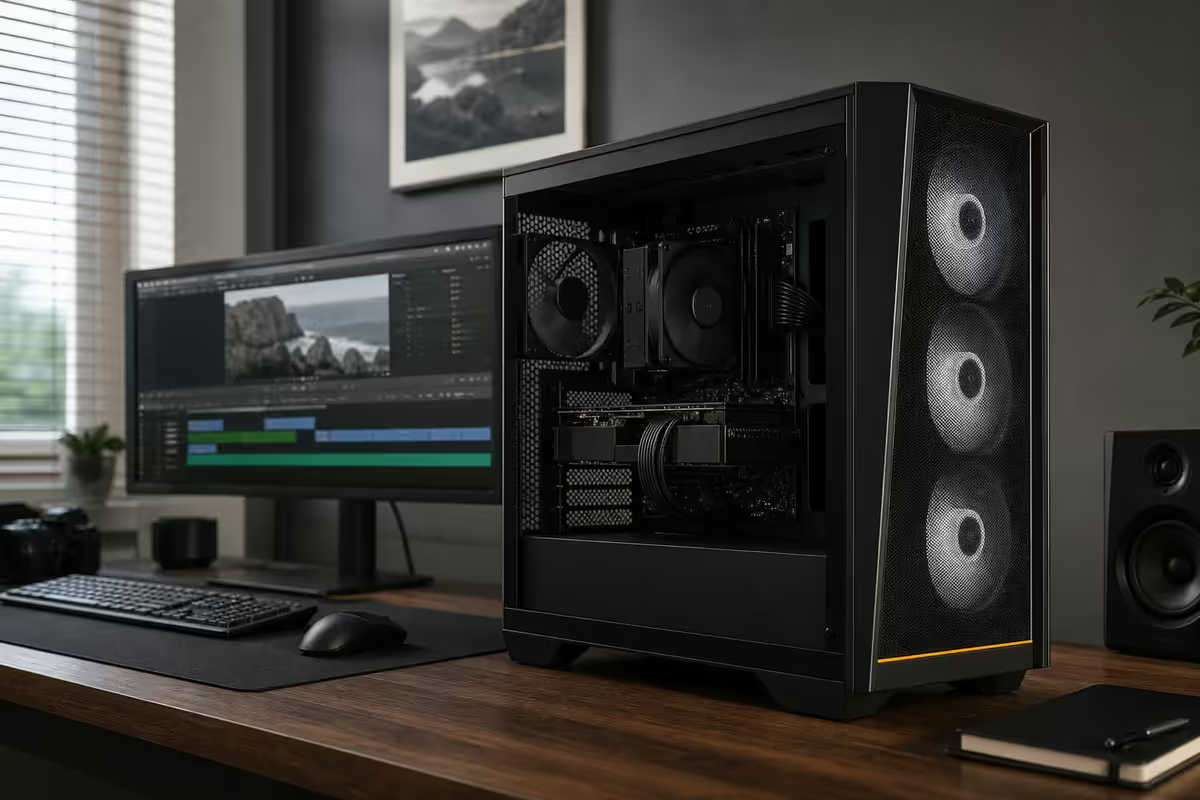
The DaVinci Resolve 20 workload reality in 2026
Resolve 20 is no longer a colour-grading tool that grew an editor. It's a full post-production suite — edit, Fusion compositing, Fairlight audio, colour grading and delivery — that punishes underspecced hardware in ways Premiere Pro and Final Cut don't. Understanding the workload mix determines every component choice that follows.
A typical Resolve 20 timeline in 2026 stacks: 8K H.265 multicam from mirrorless bodies (Sony FX3, Canon R5 C, Panasonic GH7), ProRes 422 from cinema cameras, AI-driven effects (Magic Mask, Voice Isolation, Relight, Object Removal, AI Edit), Fusion node graphs for titles and clean-up comps, Fairlight bus routing for dialogue/music/SFX, and a colour-page node tree per shot. Each of those workloads touches different silicon.
Edit-page playback is GPU-bound on decode + display. Colour-page node trees are GPU-bound on compute + VRAM. Fusion is a mix of GPU and CPU. Fairlight is mostly CPU. AI effects are brutally GPU-bound and benefit massively from Nvidia OptiX acceleration. Export is GPU encode + CPU multi-thread.
The practical takeaway: Resolve scales with VRAM and GPU compute more than any other NLE in common use. The CPU matters, but a stronger GPU consistently beats a stronger CPU on real timelines. Build accordingly.
GPU and VRAM — the single biggest decision
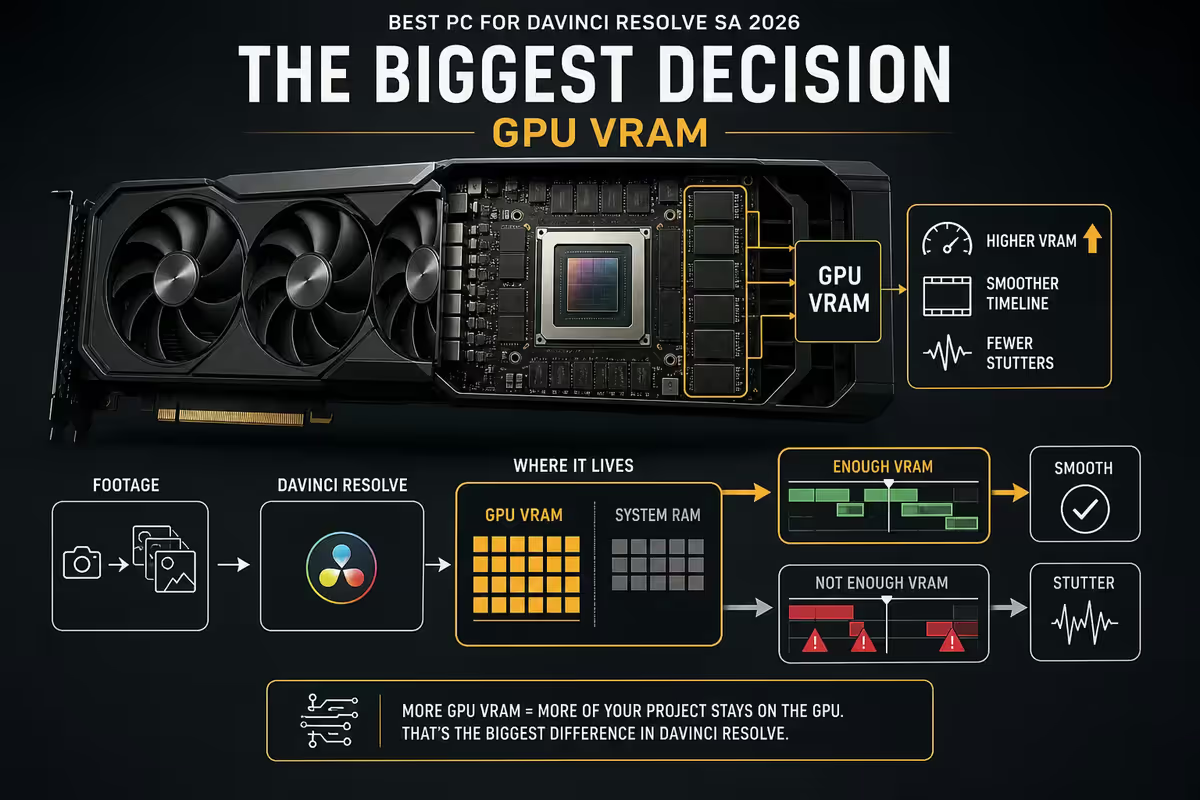
If you can only spend money in one place, spend it on the GPU. Resolve scales heavily with VRAM and raw GPU compute, more so than Premiere or Final Cut. The wrong card cripples a R130,000 build.
The 2026 sweet spot is the RTX 5070 Ti 16GB (~R22,000). It handles 4K editing and grading with mid-density Fusion nodes, runs Nvidia OptiX cleanly for AI effects, and exports H.265 at predictable real-time-or-better speeds. For serious 4K HDR work with denser node trees and Fusion-heavy projects, the RTX 5080 16-24GB (~R32,000) is the safer call.
The colourist tier belongs to the RTX 5090 32GB (~R65,000). 32GB of VRAM means 8K HDR colour grading without "GPU memory full" errors, multi-stream 8K timelines on the edit page, and dramatically faster AI Magic Mask, Voice Isolation, Relight and Object Removal passes. For full-time colourists charging by the hour, the time saved pays the card back inside three months.
| GPU | VRAM | Best for | SA price |
|---|---|---|---|
| RTX 5060 Ti | 16GB | 1080p edit, light 4K | R12,500 |
| RTX 5070 Ti | 16GB | 4K sweet spot · OptiX | R22,000 |
| RTX 5080 | 16-24GB | 4K HDR · Fusion-heavy | R32,000 |
| RTX 5090 | 32GB | 8K HDR · colourist tier | R65,000 |
| AMD RX 9070 XT | 16GB | 4K edit (HIP) · no Nvidia AI lift | R18,500 |
AMD's RX 9070 XT 16GB is viable for editors who don't lean on AI effects. HIP acceleration handles standard colour and Fusion work well enough, but OptiX is still 30-50% faster on every AI tool Resolve ships. If your timeline uses Magic Mask or Relight at all, Nvidia wins. If it doesn't, AMD's R-per-frame is competitive.
CPU and RAM — sweet spot is 12-16 threads
Resolve is GPU-heavy but the CPU still matters for Fairlight, audio routing, project navigation, Fusion expression evaluation and export multi-threading. The sweet spot is 12 to 16 high-performance threads — anything more delivers diminishing returns outside heavy export workloads.
For editors who prioritise daily timeline responsiveness, the Ryzen 7 9800X3D (R10,500) is the smarter pick. The 3D V-Cache keeps the timeline scrubbing buttery, source-monitor playback fluid and project navigation snappy. For workflows that lean hard on export and Fusion render-outs, Ryzen 9 9950X (R15,500) or Intel Core Ultra 9 285K (R14,500) win on raw multi-thread throughput.
RAM sits behind only the GPU in impact. 32GB is the realistic floor for 4K timelines with light Fusion work. 64GB is the recommended target for any 8K work, heavy Fusion compositing or large RAW media. 128GB only matters for collaborative Studio workflows or extreme multi-stream timelines — most solo editor-colourists never see the benefit.
Spec the kit to match the CPU: DDR5-6000 CL30 for Ryzen 7/9 9000-series, DDR5-6400 CL32 for Intel Core Ultra. Both run as 2x32GB for 64GB or 2x16GB for 32GB. Avoid 4-DIMM kits if you can — IMC stability drops and you lose XMP/EXPO headroom.
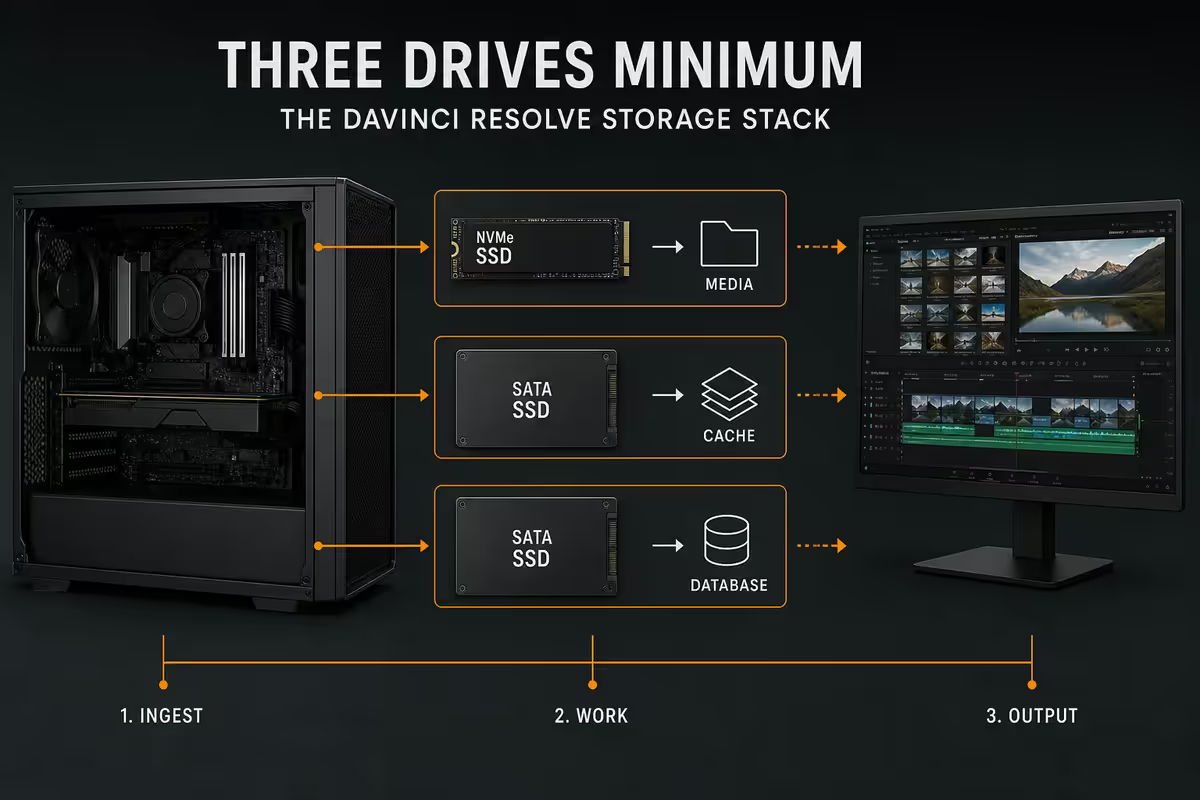
The Resolve storage stack — three drives minimum
Resolve's storage requirements are non-negotiable. You need three logical roles: a fast OS/app drive, a faster project/cache drive, and a media drive. Combining them tanks playback performance the moment you stack two or three streams.
OS + applications: 1TB NVMe Gen 4 (Samsung 990 Pro, WD Black SN850X, ~R2,200). Nothing exotic — just enough headroom for Windows, Resolve, plugins and project files.
Scratch + project cache: 2TB NVMe Gen 4 minimum (Samsung 990 Pro 2TB or Corsair MP700 Pro, ~R3,800). This is where Resolve writes optimised media, cache renders and Fusion proxies. Gen 5 NVMe (Crucial T705, MP700 Pro) shaves a few percent off render-cache times but the real-world delta versus Gen 4 is small.
Media drive: 4TB+ SATA SSD or large NVMe (Samsung 870 Evo 4TB, Crucial MX500 4TB, ~R5,500). RAW media lives here. Speed matters less than capacity and reliability — sustained reads of 500MB/s+ are plenty for 8K H.265 playback.
External and archive: Samsung T9 4TB (~R7,000) or OWC Envoy Pro FX for on-set offloads and project portability. For collaborative environments, a 10GbE NAS with shared media pools changes the workflow entirely — but that's a R40,000+ infrastructure decision.
Colour-critical monitor — the most underspent component
More SA editors over-spend on GPUs and under-spend on monitors than any other mistake. A R65,000 RTX 5090 grading on a R6,000 IPS panel produces grades that look wrong on every other screen the client uses. The monitor is the surface the work is judged on — spec it last but don't spec it cheap.
SDR colour-critical minimum: 99% DCI-P3 coverage, factory-calibrated, hardware-calibratable for ongoing recalibration. The BenQ SW271C (R28,000) and Dell U2723QE (R22,000) are the two practical SA picks. Both ship with Calibrite or X-Rite calibration support and hold their delta-E within tolerance over time.
HDR mastering: 1000+ nits peak, mini-LED or OLED panel, hardware LUT memory. The ASUS ProArt PA32UCG-K (R75,000) and Eizo ColorEdge CG279X (R110,000) are the realistic SA picks. Both reference HDR-1000 properly and deliver consistent results for client review. Below 1000 nits, HDR mastering is guesswork.
Calibration hardware: an X-Rite i1Display Pro Plus (~R8,000) or Calibrite Display Pro HL (~R6,500). Recalibrate every 200 hours of grading time or monthly, whichever comes first. The colourist's discipline that nobody mentions and everyone notices.
Control surfaces — the Speed Editor question
DaVinci's dedicated control surfaces split into three tiers, and most SA editors never need beyond the first.
Speed Editor (R6,500): a half-keyboard with jog wheel, trim controls and dedicated edit-page shortcuts. If you cut full-time on the cut page, it pays itself back in saved hours within two months. Not necessary for colourists who live on the colour page.
Mini Panel (R30,000+): three trackballs, twelve ring controls, dedicated colour-page wheel. Brilliant if you grade full-time. Useless if grading is a small slice of your billing. Most SA editor-colourists skip this and use a USB jog wheel + keyboard mapping.
Advanced Panel (R150,000+): the full broadcast-grade control surface. Reserved for commercial colour houses and high-end TV finishing. The kind of purchase that justifies itself through 10-hour daily grade sessions, not the kind of purchase a freelancer makes.
ZAR build tiers — what each one delivers
Four practical tiers cover almost every SA Resolve user, from hobbyist to working colourist. Each price assumes a complete workstation (PC + monitor + UPS) ex tax.
| Tier | Build | SA price |
|---|---|---|
| 1080p hobbyist | Ryzen 5 7600 · RTX 5060 Ti 16GB · 32GB · 1TB+2TB · LG 27UP850N | R30,000 |
| 4K serious indie | Ryzen 7 9800X3D · RTX 5070 Ti · 64GB · 1TB+2TB NVMe · Dell U2723QE | R55,000 |
| 4K HDR with grading | Ryzen 9 9950X · RTX 5080 · 64GB · dual-NVMe · BenQ SW271C calibrated | R85,000 |
| 8K HDR colourist studio | Ryzen 9 9950X · RTX 5090 32GB · 128GB · NVMe RAID · PA32UCG-K · Speed Editor · APC UPS | R130,000+ |
The R55,000 4K serious indie tier is the most-bought Resolve build at Evetech — and the one that suits the largest segment of paid editor-colourists in SA. It's enough to deliver client work at broadcast standard. Stepping up to R85,000 buys colour-critical calibration; stepping up to R130,000 buys 8K capability and AI-effect speed.
Mac vs PC — the honest answer
Apple's M5 Pro and M5 Max workstations are genuinely competitive for indie editing — strong performance per watt, ProRes hardware acceleration, near-silent operation, exceptional displays bundled with the Studio Display and Pro Display XDR. For a solo editor who cuts a lot of ProRes and grades modestly, a Mac Studio M5 Max is a defensible pick.
For serious colourists, the PC still wins. Nvidia OptiX runs AI effects faster than Apple's Neural Engine on Magic Mask, Voice Isolation, Relight and Object Removal — typically 30-50% faster. PC also gives you more monitor flexibility, real control-surface support and the ability to spec a 32GB VRAM RTX 5090 that Apple doesn't ship at any price.
The honest split: if you cut indie content and grade lightly, Mac is fine. If your work routinely uses AI tools, HDR mastering or 8K timelines, build a PC.
DaVinci Resolve Studio — the R6,000 question
The free version of Resolve is genuinely capable — full edit, colour, Fusion and Fairlight pages, with limits at 4K UHD export, no AI tools and no multi-GPU. DaVinci Resolve Studio (R6,000-R7,000 once-off in SA) unlocks everything: 4K+ and 8K export, all AI Magic tools, HDR grading, noise reduction, optical-flow retiming, lens distortion correction, film grain emulation, multi-GPU support and collaborative project workflows.
If you bill any client work, Studio pays itself back on the first paid project. It's a perpetual licence — buy it once, use it forever. The decision isn't whether to buy it, it's when. For working editors and colourists in SA, the answer is "now".
Key takeaways
- Spend GPU money first — Resolve scales with VRAM and OptiX more than any other NLE. RTX 5070 Ti 16GB is the 4K sweet spot.
- 64GB DDR5 is the recommended target for 8K and Fusion-heavy work. 32GB is the floor for 4K.
- Three-drive storage stack: OS NVMe + scratch NVMe + media SSD. RAID 0 scratch + RAID 1 archive is workshop discipline.
- Don't under-spend the monitor. BenQ SW271C calibrated is the SA SDR pick. PA32UCG-K is the HDR pick.
- UPS the workstation. Load-shedding mid-export is not a story you want to tell a paying client.
Frequently asked questions
What GPU is best for DaVinci Resolve in 2026?
RTX 5070 Ti 16GB is the 4K sweet spot (~R22,000). RTX 5080 16-24GB for serious 4K HDR. RTX 5090 32GB for 8K HDR colourist work. AMD RX 9070 XT is viable if you don't lean on AI effects — Nvidia OptiX wins on Magic Mask, Relight and Voice Isolation by 30-50%.How much RAM do I need for DaVinci Resolve?
32GB minimum for 4K timelines. 64GB recommended for 8K, Fusion-heavy projects or large RAW media. 128GB only for collaborative Studio workflows. DDR5-6000 CL30 for Ryzen, DDR5-6400 CL32 for Intel Core Ultra.Is the Ryzen 7 9800X3D good for DaVinci Resolve?
Yes for editors prioritising timeline responsiveness. The 3D V-Cache keeps edit-page playback smooth. For heavy export and Fusion render-out, Ryzen 9 9950X or Core Ultra 9 285K are stronger on multi-thread.Do I need DaVinci Resolve Studio or is the free version enough?
Studio (R6,000-R7,000 once-off) unlocks 4K+ export, all AI tools, HDR grading, noise reduction and multi-GPU. If you bill any client work, it pays itself back on the first paid project. Perpetual licence — buy it once, use it forever.What monitor do I need for colour grading in Resolve?
SDR grading: 99% DCI-P3, factory-calibrated. BenQ SW271C (R28,000) or Dell U2723QE (R22,000). HDR mastering: 1000-nit peak mini-LED or OLED. ASUS PA32UCG-K (R75,000) or Eizo CG279X (R110,000). Add an X-Rite i1Display Pro for recalibration.Should I get a Speed Editor or Mini Panel for Resolve?
Speed Editor (R6,500) pays itself back fast if you cut full-time. Mini Panel (R30,000+) only makes sense for full-time colourists. Advanced Panel (R150,000+) is reserved for commercial colour houses.How does Mac vs PC compare for DaVinci Resolve?
M5 Pro/Max are competitive for indie editors with ProRes acceleration and silent operation. Serious colourists still pick PC for Nvidia OptiX AI speed, multi-GPU scaling and monitor flexibility. Mac for indie editing; PC for AI-heavy and 8K work.What's the SA price range for a DaVinci Resolve workstation?
R30,000 for 1080p hobbyist. R55,000 for 4K serious indie. R85,000 for 4K HDR with grading. R130,000+ for 8K HDR colourist studio with RTX 5090 32GB and calibrated PA32UCG-K.
Get the Evetech app
Exclusive app-only prices, daily flash sales, and free delivery on orders over R4,000 — download the app and start saving.