Profession Build · Medical
The right PC for SA medical practice. — POPIA, load shedding, Healthbridge. The full spec.
A medical practice PC isn't a gaming PC with a softer keyboard. It needs UPS, encryption, dual-monitor productivity and total reliability across a 10-hour clinic day — every day.
- R20k / R35k / R55k
- 3 tiers
- BitLocker · Secure Boot
- POPIA
- load-shed proof
- UPS
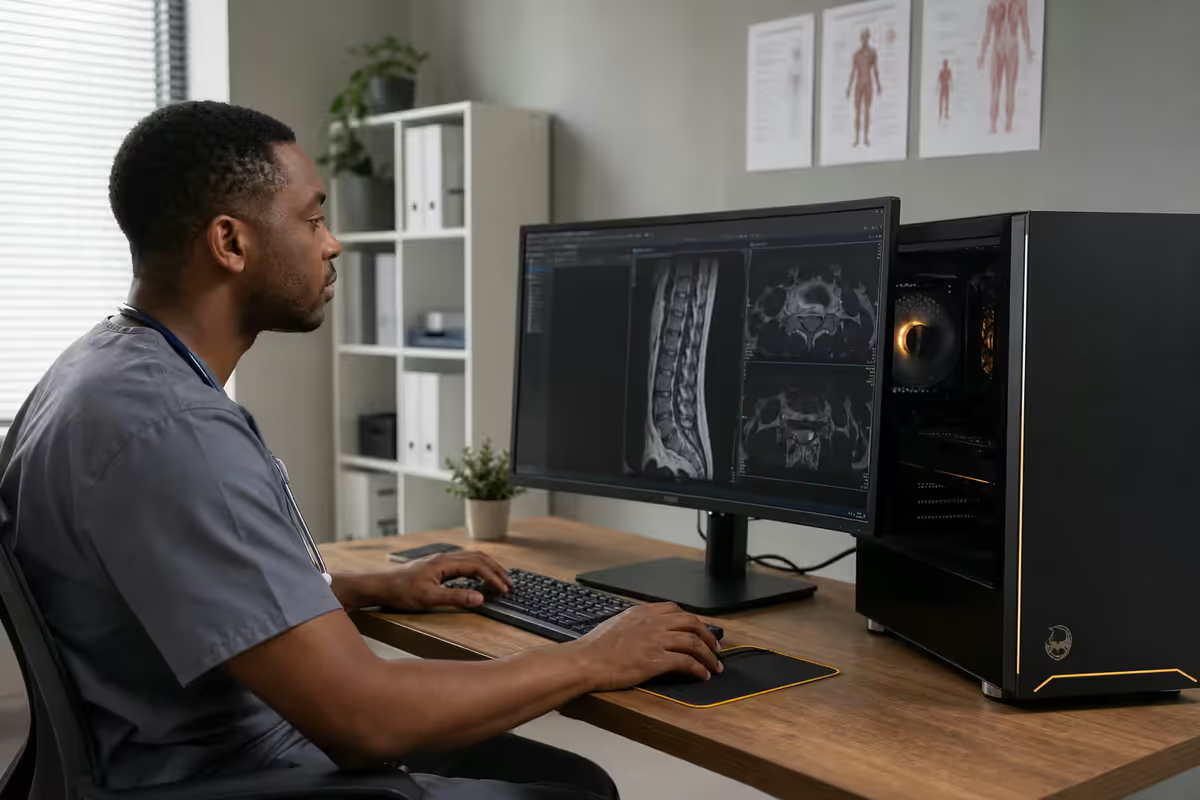
The medical workflow demands
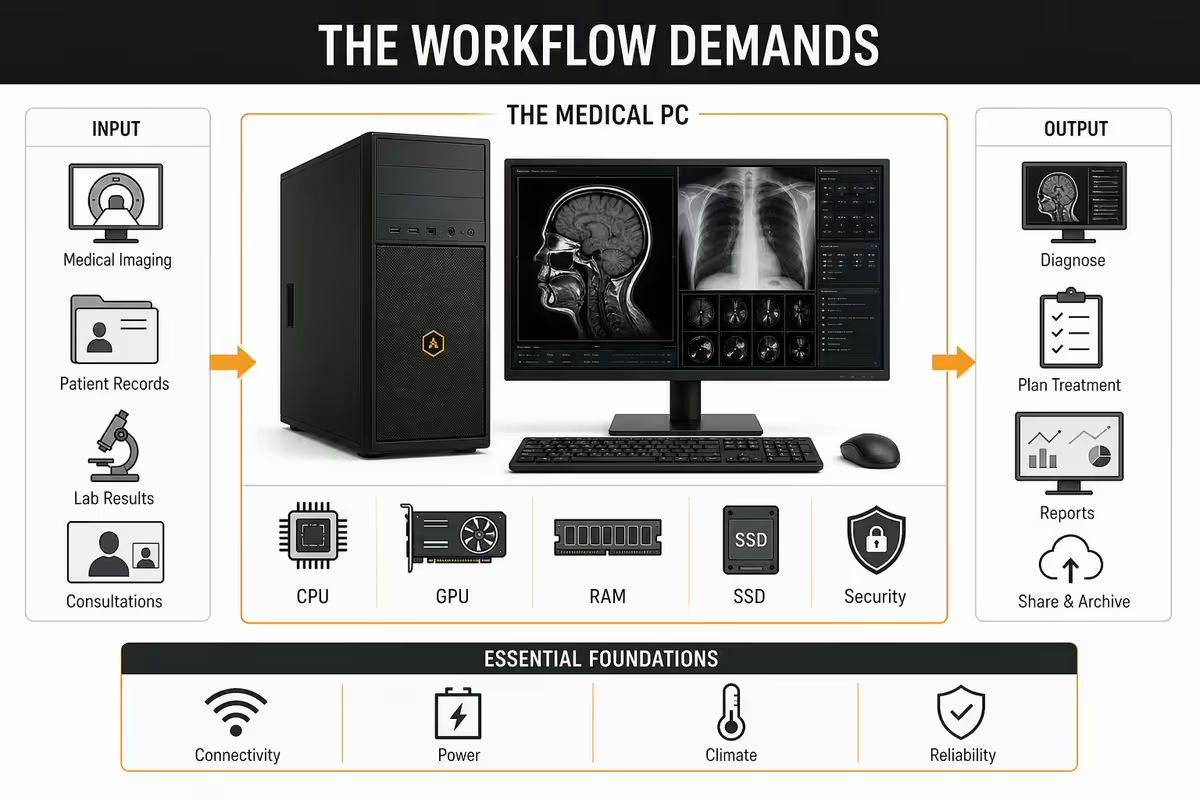
A medical consulting-room PC has a very different load profile from a designer's PC or a gamer's PC. The peak demand isn't computational — it's reliability under interruption, fast database lookups, and dual-screen productivity across hundreds of patient cycles per week.
Most modern SA practices run web-based or thin-client practice management — Healthbridge, GoodX Web, Medfin, Vericlaim, Discovery's HealthID portal — which means CPU/GPU horsepower is wildly over-spec. The real bottlenecks:
- NVMe SSD speed — opening 200 patient PDFs per week without lag.
- Dual monitor — prescription chart on screen 1, consult notes on screen 2.
- UPS protection — load shedding mid-consult corrupts databases.
- Encryption — POPIA exposure on lost/stolen hardware is real money.
- Quiet operation — fan noise in a 4m-square consulting room ruins patient interactions.
- Long lifespan — 5-7 years between rebuilds, with business-class warranty.
Three build tiers for SA medical practice
For primary care GPs, paediatrics PHC, small family practice
- Intel Core i5-14600 / AMD Ryzen 5 8600G (integrated graphics adequate)
- 16GB DDR5 5600 (2×8GB)
- 512GB Samsung 990 EVO NVMe SSD (boot + apps)
- 1TB Samsung 870 EVO SATA SSD (patient cache, optional)
- B650 / B760 motherboard with TPM 2.0 + Secure Boot
- 650W Gold PSU (silent at idle)
- Fractal Design Pop Mini Silent case (quiet, professional aesthetic)
- Be Quiet! Pure Rock 2 cooler (silent under load)
- Windows 11 Pro 64-bit (BitLocker capability)
- Dual 24-inch IPS monitor — Dell P2425, LG 24QP500-B
- Quiet keyboard (Logitech MX Keys) + silent mouse (Logitech MX Master 3S)
- Mecer 1000VA UPS
For dental practices, gynaecology, paediatricians, mid-tier specialists
- Intel Core i7-14700 / AMD Ryzen 7 8700G (intra-oral camera, X-ray viewing)
- 32GB DDR5 5600 (2×16GB)
- 1TB Samsung 990 Pro NVMe SSD (imaging cache)
- 2TB Seagate IronWolf HDD (image archive, slow-tier storage)
- B650 / B760 motherboard with TPM 2.0 + Secure Boot
- Optional: RTX 4060 8GB for dental 3D imaging viewers
- 750W Gold PSU
- Fractal Design North case (premium aesthetic for visible setup)
- Be Quiet! Dark Rock 4 cooler
- Windows 11 Pro 64-bit
- Dual 27-inch QHD IPS monitor — Dell U2725D, LG 27QN880
- Mecer / APC 1500VA UPS
For radiology, dermatology high-res capture, ophthalmology, surgical specialists
- Intel Core i7-14700K / AMD Ryzen 7 9800X3D
- 64GB DDR5 5600 (2×32GB) — large DICOM dataset handling
- 2TB Samsung 990 Pro NVMe SSD (primary imaging working set)
- 4TB WD Black SN850X NVMe SSD (imaging archive, fast-tier)
- X870 / Z790 motherboard with TPM 2.0 + Secure Boot
- NVIDIA RTX 4070 12GB or RTX 5070 (radiology AI assist, DICOM rendering)
- 850W Platinum PSU
- Fractal Design Define 7 Compact case (sound-damped)
- Noctua NH-U12A cooler (medical-grade silence)
- Windows 11 Pro Workstation
- Calibrated 27-inch IPS — LG UltraFine 32UN880, Dell U2725QE, Eizo CG279X (radiology)
- APC 2200VA UPS (handles full system + 2 monitors through extended outage)
Dual monitor setup — the real productivity unlock
A single monitor in a consulting room costs the doctor 4-8 seconds per patient on Alt-Tab. Across 30 patients per day, 5 days per week, 48 weeks per year — that's roughly 30 hours of recoverable time per year. A dual monitor setup pays for itself in 2-3 months.
| Use case | Recommended monitor | SA price |
|---|---|---|
| GP / PHC consulting | Dual Dell P2425 24" 1080p IPS | R3,400 each |
| Specialist / dental general | Dual LG 27QN880 27" QHD IPS | R5,800 each |
| Radiology / imaging | Eizo CG279X 27" calibrated | R28,000 (single) |
| Dermatology high-res | Dell U2725QE 27" 4K IPS | R12,500 |
| Patient screen-share | VESA-mountable swivel arm | R1,200-R2,800 |
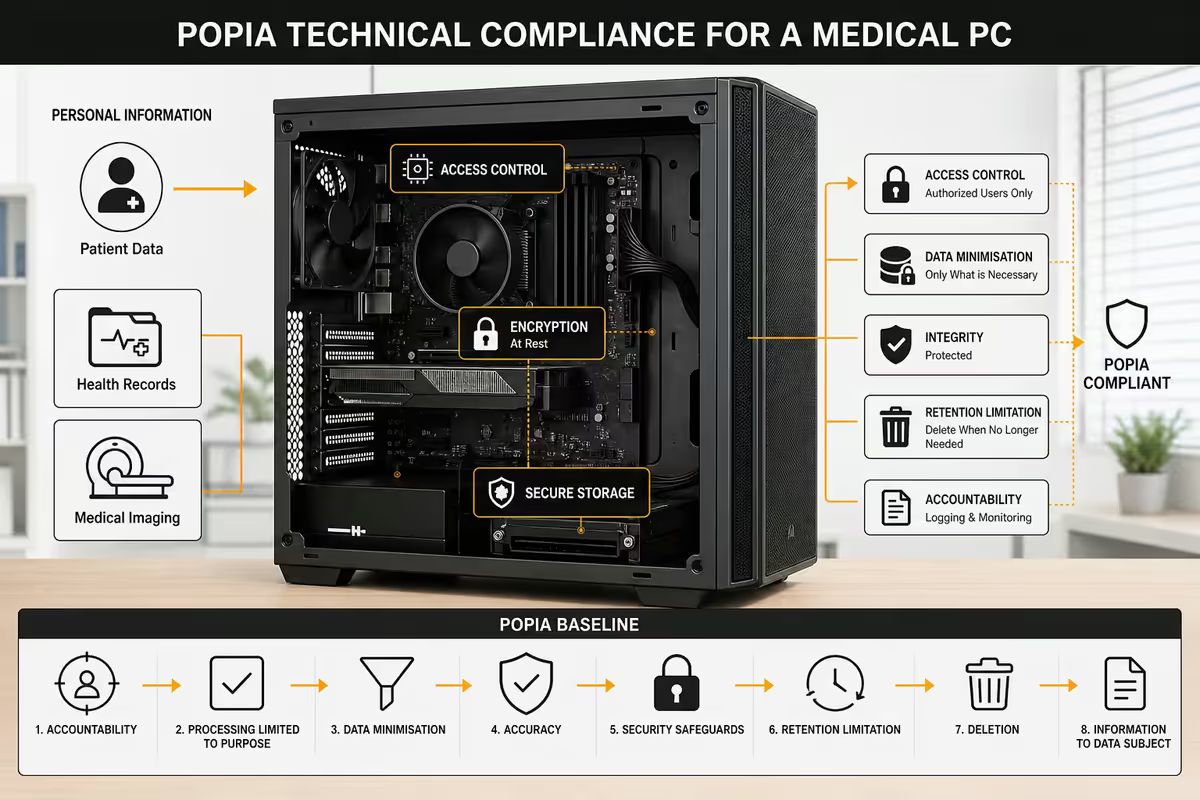
POPIA compliance — the technical baseline
POPIA isn't optional for medical practices. Patient health information is "special personal information" under the Act, with stricter handling requirements than ordinary personal data. The technical controls are well-defined and inexpensive to implement at build time — almost free, and ruinous to retrofit after a breach.
The POPIA technical baseline:
- BitLocker drive encryption — encrypts the system drive. Lost or stolen hardware doesn't become a breach. Requires Windows 11 Pro (Home edition cannot run BitLocker).
- Secure Boot enabled — prevents tampering at the boot loader / firmware level. Requires TPM 2.0 (standard on all 2022+ motherboards).
- Strong user password + auto-lock after 5 minutes of inactivity (Group Policy / standard Windows setting).
- Windows 11 Pro — not Home. Pro has BitLocker, Group Policy and Remote Desktop. Home doesn't.
- Multi-factor authentication on practice management cloud login (Healthbridge, GoodX, Discovery HealthID all support this).
- Automatic OS updates via Windows Update — patched vulnerabilities are mandatory under POPIA's "reasonable measures" clause.
- Backup encryption — encrypted external backup drives (BitLocker-To-Go) keep off-site backups POPIA-safe.
UPS & load shedding
SA's stage-6 load shedding window of 4 hours is the planning baseline. A consulting PC without UPS will (a) abruptly lose any unsaved consult notes, (b) potentially corrupt the local Healthbridge / GoodX cache database, (c) disconnect the practice from real-time SARS / Medical Aid claim submissions, and (d) embarrass you in front of a patient.
For a typical desktop PC, dual 24/27-inch monitor and a small label printer:
| UPS | Backup time at load | SA price (Jun 2026) |
|---|---|---|
| Mecer 850VA / 510W | 10-15 minutes | R1,800-R2,400 |
| Mecer 1000VA / 600W | 20-30 minutes (PHC tier) | R2,800-R3,400 |
| Mecer / APC 1500VA / 900W | 40-60 minutes (specialist tier) | R3,800-R5,200 |
| APC Smart-UPS 2200VA / 1980W | 2-3 hours (full stage 6 window) | R8,000-R12,000 |
| Inverter + Lithium battery | 4-6+ hours (whole consulting room) | R12k-R45k installed |
For PHC GPs: a 1000VA UPS is the practical minimum. Gives 20-30 minutes — enough to finish the current consult, save notes, shut down cleanly. Stage 6 isn't survivable on UPS alone at this tier — but the consult is.
For specialists with imaging: a 1500-2200VA UPS, ideally with auto-shutdown software (APC PowerChute) that triggers a graceful shutdown at 15% battery to prevent data loss.
For practices that must operate through outages (life-critical equipment, large surgeries, 24-hour clinics): a small inverter + lithium battery installation (Hubble AM-2, Freedom Won) running the whole consulting room. R25k-R45k installed but operates indefinitely with solar backup.
Web-based AI diagnostic tools 2026
Web-based clinical AI has matured fast. Most run in-browser and need only a modern Chrome / Edge and decent network. Hardware-side, they're modest in demand — 16GB RAM and integrated graphics cover most. The exceptions are imaging-side AI, which benefits from a dedicated GPU.
| Tool category | Hardware demand | Notes |
|---|---|---|
| Symptom checker (web) | Browser + 16GB RAM | SA-localised TB/HIV/diabetes assistants |
| Med-PaLM / GPT-clinical (web) | Browser + 16GB RAM | Requires reliable fibre / 4G+ |
| Radiology AI (cloud) | 16-32GB RAM, upload bandwidth | Image upload to cloud is the bottleneck |
| Dermatology lesion segmentation | 32GB RAM + RTX 4060+ GPU | Local segmentation on captured photo |
| 3D dental imaging / planning | 32GB RAM + RTX 4060+ GPU | Real-time STL manipulation |
| Ophthalmology fundus AI | 32GB RAM + RTX 4070+ GPU | Local pre-screening on high-res image |
Backup & recovery — the three-layer approach
Patient record loss is the single highest-impact failure scenario for an SA medical practice. The right backup strategy is three-layered:
Layer 1 — Cloud backup via practice management: Healthbridge, GoodX Web, Medfin and Discovery HealthID all offer continuous cloud backup. Verify this is enabled and current — many practices assume yes when it's actually opt-in.
Layer 2 — Local encrypted nightly backup: 2TB external drive (BitLocker-To-Go encrypted) with Windows Backup or Veeam Agent scheduling. Rotate two drives weekly — one in the practice, one in a doctor's home or safety deposit.
Layer 3 — BitLocker on the working drive: ensures stolen / lost hardware is not a POPIA breach. Free with Windows 11 Pro. Set up at first boot.
Tablet pairing & bedside use
For specialists doing hospital rounds, locum work, or shared-room consultations, a tablet that pairs with the consulting room PC is genuinely useful — but the tablet doesn't replace the desktop, it complements it.
iPad-based bedside: A 10.9-inch iPad with cellular (R9,500-R13,000) running Healthbridge mobile or GoodX Mobile syncs to the practice cloud. Easy to disinfect, light, fits in a doctor's bag, charges fast. Apple Pencil for handwritten ward notes. The downside: an iPad cannot run Windows-only specialist software directly — limits to web-based or vendor mobile apps.
Surface Pro / Galaxy Tab S9 alternative: Runs full Windows or Android — broader software compatibility, including some Windows-only specialist apps via Remote Desktop. Heavier and the Windows tablet UX in clinical use is more friction than the iPad.
Key takeaways
- Three build tiers: PHC R20k-R28k, dental/general specialist R32k-R42k, imaging specialist R45k-R55k.
- POPIA baseline: Windows 11 Pro + BitLocker + Secure Boot + auto-lock + MFA. Built-in at spec, ruinous to retrofit.
- UPS is functionally mandatory. 1000VA for PHC, 1500-2200VA for specialists, inverter for life-critical.
- Dual monitor pays for itself in 2-3 months on PHC GP workflow. Add VESA swivel arm for patient-facing share.
- Three backup layers: cloud via practice management + encrypted local nightly + BitLocker on working drive.
Frequently asked questions
What PC do I need for Healthbridge or GoodX?
Both Healthbridge and GoodX practice management systems run web-based or thin-client and have very modest hardware requirements — an i5 / Ryzen 5, 16GB RAM, 512GB SSD is comfortably sufficient. The bottleneck isn't the PC; it's the network reliability and the responsiveness of the patient lookup. Spend the budget on a fast SSD, dual monitor and a quality keyboard/mouse rather than CPU/GPU horsepower for these workflows.Do medical PCs need to comply with POPIA?
Yes. POPIA (Protection of Personal Information Act) requires that personal health information stored on or accessed via a PC is protected with reasonable technical measures. In practice this means: BitLocker drive encryption enabled, Windows 11 Pro (not Home — Home has no BitLocker), Secure Boot on, a user password and screen auto-lock, and regular backup of patient records. UPS protection during load shedding prevents corrupt-database scenarios that themselves create POPIA-breach exposure.Is a UPS necessary in a medical consulting room?
For practice management, yes — and arguably mandatory. Mid-consultation power loss without a UPS risks corrupted patient records, lost prescription drafts and broken Healthbridge / DoH portal sessions. For specialist diagnostic equipment connected to the PC (ECG, ultrasound viewing, certain camera modalities) UPS is non-negotiable. A 1000VA-1500VA line-interactive UPS (Mecer, APC, Eaton) at R2,800-R4,500 handles a desktop PC, dual monitor and a small printer through a standard SA stage-6 load-shedding window.What's the difference between PHC and specialist PC needs?
Primary Health Care (PHC) GPs and small-practice doctors are well-served by an R20k-R28k build — i5/Ryzen 5, 16GB RAM, 512GB SSD, dual 24-inch monitor. Specialists with imaging needs (radiology viewers, ultrasound integration, dermatology high-res capture, ophthalmology fundus imaging) need 32GB RAM, dedicated GPU, calibrated colour-accurate monitor and 1-2TB NVMe SSD — closer to R45k-R55k. Dental practices with X-ray viewing software and 3D imaging fall between the two — R32k-R42k typical.Should I use a desktop or laptop for medical practice?
Desktop for the consulting room itself — better ergonomics for an 8-hour clinic day, dual-monitor support, more reliable cooling, easier to integrate UPS and external diagnostic devices, longer 5-7 year lifespan. Laptop for hospital rounds, home visits, locum work, or specialists who travel between sites. Many SA practices use both: a desktop in the consulting room and a docked laptop for ward rounds. Budget for both rather than compromising on one.What monitor setup is best for medical work?
Dual 24-inch IPS 1080p or 27-inch QHD is the standard productive setup — prescription chart on the left, consult notes/Healthbridge on the right. Look for matte (anti-glare) panels for consulting room overhead lighting, 100% sRGB coverage for accurate skin-tone interpretation, and adjustable-height stands to share the screen with the patient when needed. Avoid OLED in clinic — burn-in risk on static patient-record screens. For radiology and dermatology specialists, a single colour-calibrated 27-inch IPS (LG UltraFine, Dell U2725QE) is the better single-monitor choice.Are web-based AI diagnostic tools worth the hardware investment?
In 2026 the answer has moved to a clear yes — but mostly via web-based tools, not locally-installed AI. Tools like Google Med-PaLM 3, NHS-validated symptom checkers, and SA-specific TB/HIV screening assistants run in browser and need only a modern Chrome and good network. The hardware they demand is modest. The exception is local imaging analysis (some radiology AI assistants, dermatology lesion segmentation) — these benefit from a discrete NVIDIA GPU and 32GB RAM. For PHC use the web-based tools are fully sufficient.How should I back up patient records on a SA medical PC?
Three layers. (1) Live cloud backup via the practice management system (Healthbridge, GoodX, Medfin all offer this — verify it's enabled). (2) Local nightly backup to a 2TB external drive kept off-site (or in a locked cabinet) on a weekly rotation. (3) BitLocker drive encryption on the working PC ensures lost/stolen hardware doesn't become a POPIA breach. The three layers together protect against ransomware, hardware failure, theft and natural disaster. Budget R2,500-R4,000 once-off for backup hardware plus the practice management cloud subscription.
Get the Evetech app
Exclusive app-only prices, daily flash sales, and free delivery on orders over R4,000 — download the app and start saving.