Laptop Size Guide
14 inch or 16 inch? — Pick by the bag you carry, not the spec sheet.
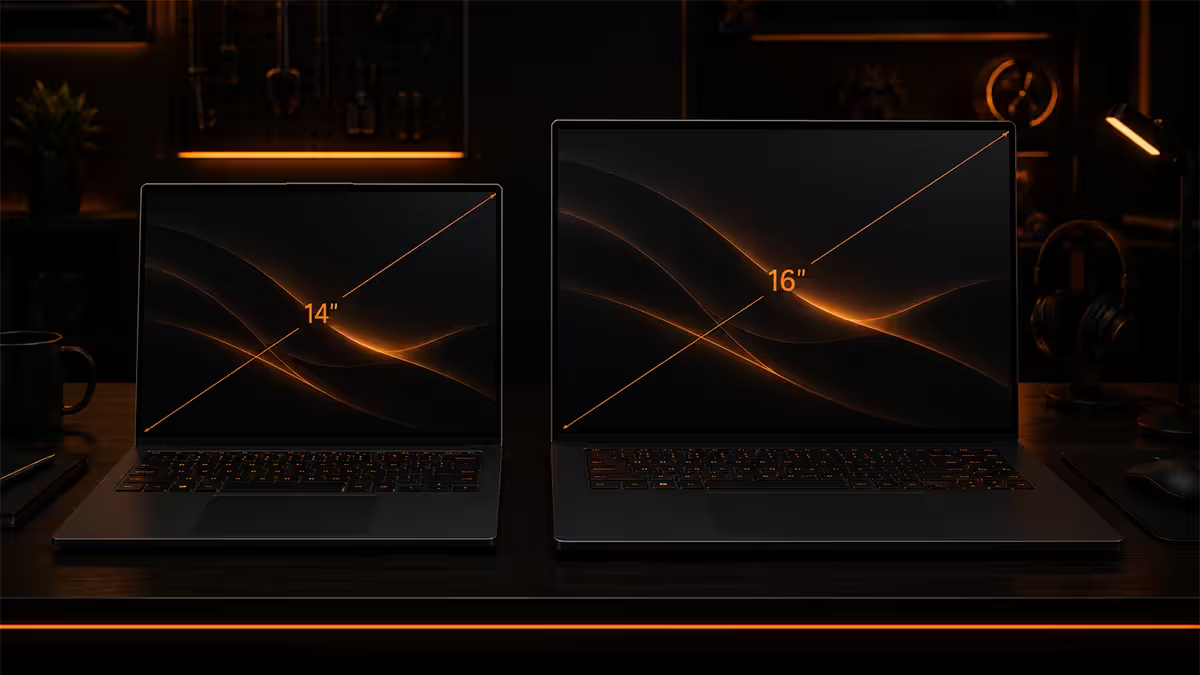
A 1kg gap. Four hours of battery. A whole half-window of screen real estate. The choice between 14 and 16 inch isn't really about size — it's about how often you actually unplug.
- avg weight gap
- 1.0 kg
- battery delta
- 4-6 hrs
- screen area, 16"
- +44%
The weight reality — 1kg is not "1kg"
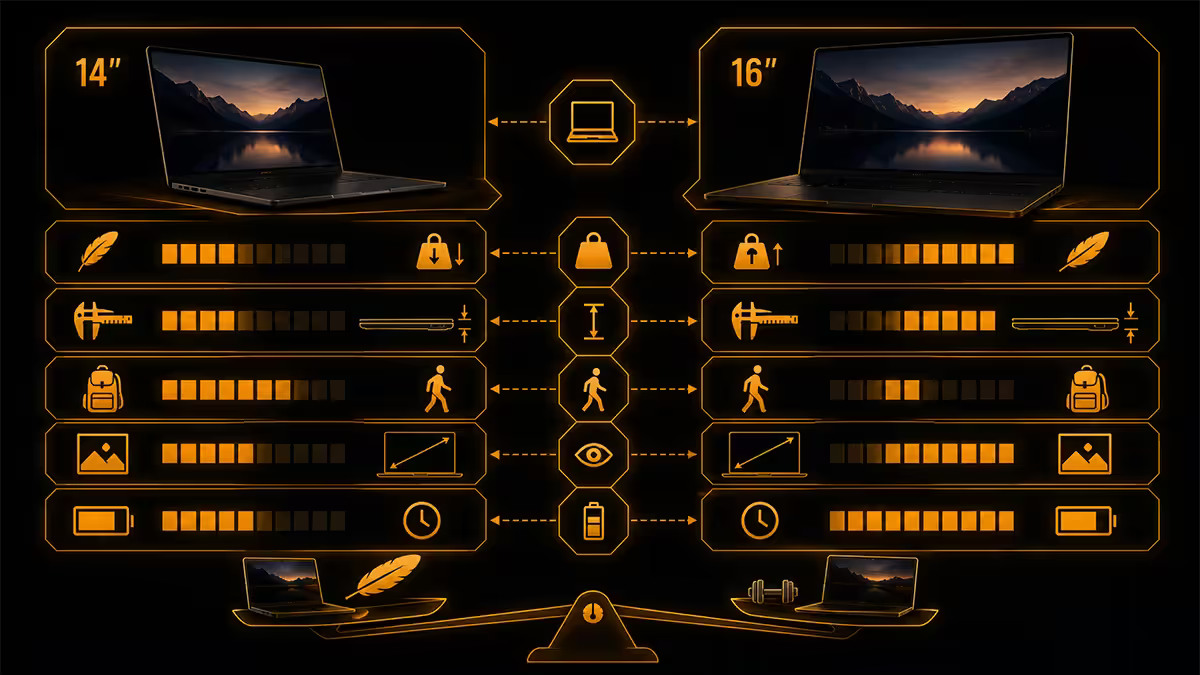
A typical premium 14 inch ultrabook in 2026 — MacBook Air 13/15, Dell XPS 14, ASUS Zenbook S 14, Lenovo Slim 7 — weighs 1.2 to 1.4kg. A typical premium 16 inch laptop — MacBook Pro 16, ASUS ProArt 16, Lenovo Legion 16, Dell XPS 16 — weighs 1.9 to 2.3kg. The gap is roughly 1kg.
One kilogram sounds small on a spec sheet. In a backpack on a 25-minute Gautrain ride from Sandton to Pretoria, it is not small. After two weeks of daily carry, your shoulder reminds you of the difference. The reverse is true too — if your laptop lives 95% of its life on a desk, that 1kg matters zero.
| Form factor | 14 inch | 16 inch |
|---|---|---|
| Typical weight | 1.2 - 1.4 kg | 1.9 - 2.3 kg |
| Footprint (W × D) | ~312 × 220 mm | ~358 × 248 mm |
| Charger weight (add) | ~280 g (65W) | ~520 g (140W) |
| Total carry weight | ~1.6 kg | ~2.7 kg |
Note the charger row — the 140W brick a 16 inch RTX-class laptop ships with weighs nearly twice the 65W charger of a 14 inch ultrabook. Total daily-carry weight gap is closer to 1.1kg, not 1.0kg, once you account for the power brick most users carry. For travel, the 65W charger is also USB-C, meaning you can ditch it entirely if your hotel has any modern USB-C wall socket.
Screen real estate — 44% more, not 14% more
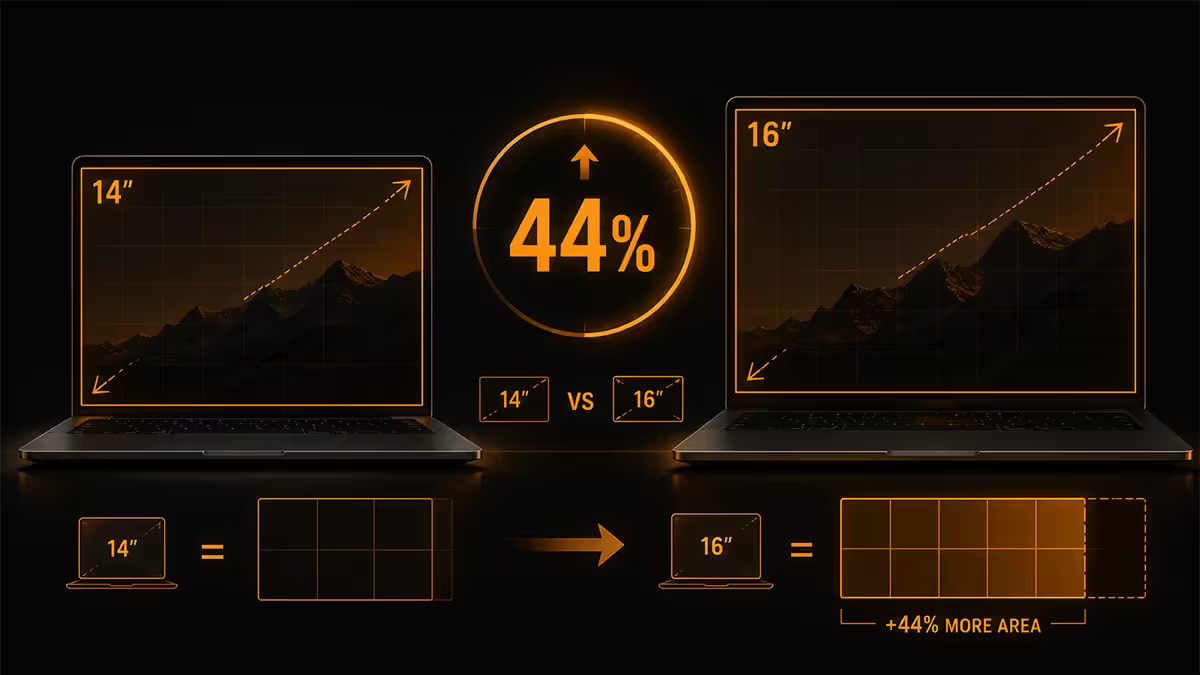
A laptop screen's diagonal measurement understates the area difference. A 14 inch 16:10 screen is roughly 689 cm². A 16 inch 16:10 screen is roughly 990 cm². That's +44% more screen area, not +14% as the diagonal numbers suggest.
In practice this means: more vertical lines of code without scrolling, two browser windows comfortably side by side, a video timeline with full clip names visible, a Photoshop canvas with the tool palette out without choking the artboard. For multi-window workflows, the 16 inch screen genuinely changes how productive you feel.
Modern 14 inch screens push back with two clever tricks. Higher resolution — 2.5K or 3K panels at 14 inch deliver 200+ pixels per inch, meaning you can scale system UI to 110% or 125% and gain effective work area without strain. Taller aspect ratios — most modern productivity laptops are now 16:10 (some 3:2 like Surface Laptop Studio), giving back vertical pixels lost to the old 16:9 standard.
When the extra inches actually matter
- Spreadsheet work — visible columns matter; 16 inch shows 4-6 more columns of a typical financial model at the same zoom.
- Video editing — Premiere/DaVinci timeline visibility is the difference between scrolling and seeing your whole sequence.
- Software development with side panel — file tree + editor + terminal + preview is comfortable on 16 inch, cramped on 14 inch.
- Design tool + reference — Figma artboard with browser reference window beside it works on 16 inch, requires constant alt-tab on 14 inch.
Battery life and thermal headroom
This is the underrated trade-off. A 14 inch ultrabook will routinely deliver 12-16 hours of real-world battery (writing, browsing, video calls, light coding). A 16 inch performance laptop typically delivers 6-10 hours for the same workload — and as little as 90 minutes under sustained GPU load.
Why the gap? The 16 inch chassis houses a larger battery (typically 90-100Wh vs 60-75Wh), but the screen and silicon draw more than the extra battery capacity covers. A 16 inch RTX 5070 laptop GPU running at 100W cooks through battery in 90 minutes. A 14 inch with integrated graphics and a 28W CPU sips power.
In SA terms: this matters during load shedding. A 14 inch laptop run on battery during a 2.5-hour Stage 4 cut won't even notice. A 16 inch gaming laptop on battery will drop to 30% within an hour and may not survive a single full cut without a UPS.
GPU TDP and sustained performance
The biggest hidden difference between 14 and 16 inch is not the screen — it's thermal headroom. A 14 inch chassis can dissipate around 60-80W of total heat (CPU + GPU combined) before the fans become unbearable and the system throttles. A 16 inch chassis can handle 130-180W.
In practice this means a 14 inch laptop with an RTX 5060 mobile chip can run it at 40-50W. A 16 inch laptop with the same chip can sustain 90-100W. The same GPU silicon delivers roughly 1.7-2x the real-world frames per second in the 16 inch chassis, simply because it can run at its rated power.
Same story for sustained CPU loads — Premiere Pro export, Blender render, large Lightroom catalogue import. A Ryzen 9 or Core Ultra 9 in a 14 inch will boost briefly to full power, then settle to roughly 35W to avoid thermal limit. The same chip in a 16 inch chassis can hold 65W indefinitely. Long renders complete 30-50% faster on the bigger chassis.
| Sustained workload | 14 inch (typical) | 16 inch (typical) |
|---|---|---|
| CPU PL2 sustained | 30 - 45 W | 55 - 85 W |
| GPU TDP ceiling | 40 - 65 W | 90 - 150 W |
| 4K video export (10 min clip) | ~9 - 12 min | ~5 - 7 min |
| Gaming sustained (1080p AAA) | 45 - 70 fps | 75 - 110 fps |
| Fan noise under load | aggressive | moderate |
Match the size to your workflow
Forget the marketing categories (“ultrabook”, “creator laptop”, “workstation”). Match by what you actually do in a typical week.
14 inch is right for you if...
- You carry the laptop to a desk that already has an external monitor.
- You work primarily in one app at a time — Word, Chrome, VS Code, Figma.
- You travel internationally and care about aeroplane tray-table fit.
- You work in cafes, on trains, or at clients' offices regularly.
- Your gaming is light — esports, indie titles, older AAA at medium settings.
- Your video editing is occasional 1080p, not daily 4K.
- Battery life under 6 hours feels unacceptable to you.
16 inch is right for you if...
- The laptop is essentially a portable desktop — moves room-to-room, not city-to-city.
- You regularly work two windows side by side and the alt-tab tax is real.
- You do daily 4K video editing, 3D rendering, or game development.
- You game on the laptop and want high refresh AAA at 1440p+.
- You do colour-critical work and want a calibrated 16 inch HDR panel.
- You don't have (and won't buy) an external monitor.
- Sustained CPU/GPU performance matters more than battery life.
SA-specific factors
Load shedding remains a daily reality in 2026, despite Eskom's improved unplanned-outage record. A laptop you can run for 6+ hours unplugged means you can ignore a Stage 4 schedule entirely. A 16 inch performance laptop will not — you'll be reaching for an inverter, UPS or generator. Battery margin is genuine quality-of-life in SA.
Gautrain and minibus commutes. A 14 inch laptop opens fully on the Gautrain seat tray. A 16 inch doesn't, comfortably. The reclined seat in front of you on an Mango or FlySafair domestic flight will pin a 16 inch screen at a 50-degree angle. If you fly Joburg-Cape Town monthly for work, the smaller machine is a small daily kindness.
Theft and visibility. 14 inch laptops fit fully inside a normal backpack — no telltale silhouette. 16 inch laptops bulge through the back panel of most bags, advertising what's inside. In Joburg CBD, Cape Town's Waterfront, or any busy taxi rank, lower visibility helps.
Repair and warranty in SA. Mainstream 14 inch laptops (Dell, HP, Lenovo, ASUS, Apple) have on-paper repair networks in major SA cities. 16 inch high-performance gaming laptops with specialty cooling (some MSI/ROG SKUs) may need parts imported from Singapore or Europe — adding 3-6 weeks to warranty turnaround. Stick to mainstream brands if local repair speed matters.
Recommended picks by use case
| Use case | Pick | SA price band |
|---|---|---|
| Student / mobile professional | 14" — Lenovo IdeaPad Slim 5, HP Pavilion Plus 14 | R14k - R22k |
| Knowledge worker (premium) | 14" — MacBook Air 15, Dell XPS 14, ASUS Zenbook S 14 | R28k - R42k |
| Developer with home docking | 14" — MacBook Pro 14, Lenovo ThinkPad X1 Carbon | R35k - R55k |
| Creator (occasional 4K, mobile) | 14" — MacBook Pro 14 M-series Max, ASUS ProArt 14 | R45k - R75k |
| Gaming, desk-bound | 16" — Lenovo Legion Pro 16, ASUS ROG Strix G16 | R32k - R55k |
| Daily 4K video editor | 16" — MacBook Pro 16, ASUS ProArt 16, Dell XPS 16 | R55k - R95k |
| 3D / Blender / Unreal | 16" — Razer Blade 16, MSI Creator Z16 | R65k - R120k |
Key takeaways
- Roughly 1kg separates a typical 14 and 16 inch laptop — small on a spec sheet, large in a daily commute.
- 16 inch gives +44% screen area, not +14% — meaningful for spreadsheets, video, dual-pane code work.
- 14 inch wins battery life by 4-6 hours of real-world use — load-shedding margin is real.
- 16 inch wins sustained CPU/GPU performance by 30-100% on the same chip — bigger thermal envelope.
- Best-of-both: 14 inch ultrabook + external monitor at the desk. The right call for most SA knowledge workers.
Frequently asked questions
Is a 14 inch laptop too small for productive work?
No — for single-app workflows (writing, coding in a single editor, browsing, email, video calls) a 14 inch laptop is perfectly productive, especially at 2.5K or 3K resolution. Where 14 inch struggles is dual-document workflows: side-by-side spreadsheets, code editor plus browser, or design tool plus reference. If your workflow regularly demands two windows visible at once, a 16 inch screen will save real time. An external monitor at home solves this for 14 inch owners.How much heavier is a 16 inch laptop than a 14 inch?
Typically 700g to 1kg heavier. Premium 14 inch ultrabooks weigh 1.2-1.4kg (MacBook Air, ASUS Zenbook, Lenovo Slim). Premium 16 inch laptops weigh 1.9-2.3kg (MacBook Pro 16, ASUS ProArt, Lenovo Legion). The difference feels small on paper and significant in a backpack after a 30-minute Gautrain commute. If you carry your laptop 4+ days a week, weight matters more than the spec sheet suggests.Does a 16 inch laptop have better performance than a 14 inch?
Usually, yes — because the larger chassis allows higher TDP (Thermal Design Power). A 16 inch laptop can sustain a 65-120W GPU and 45-65W CPU, while a 14 inch tops out around 35W CPU and 50W GPU before thermal throttling. For gaming, 3D rendering and sustained video export, 16 inch wins on sustained workloads. For burst workloads (Excel, web dev, photo editing), the gap closes.What is the battery life difference between 14 and 16 inch laptops?
14 inch laptops typically deliver 10-16 hours of real-world battery life (writing, browsing, calls) on a 60-75Wh battery. 16 inch laptops typically deliver 6-10 hours real-world on a 90-100Wh battery, because the larger screen and higher-TDP components draw more power. If unplugged endurance is the deciding factor — long flights, full conference days, load-shedding sessions — 14 inch wins by 4-6 hours.Which size is better for coding or software development?
For most developers, 16 inch is the better permanent device — more vertical lines of code visible at once and side-by-side editor plus browser preview without constant alt-tab. For travelling developers or those who pair with an external monitor at the desk, 14 inch is the better daily-carry. If you primarily code at a desk with an external 27 inch monitor, the laptop size matters less and 14 inch becomes the smarter choice for the few hours you do work mobile.Is a 14 inch laptop good for video editing?
For 1080p YouTube-style editing, a 14 inch laptop with a discrete GPU (RTX 4060/5060 class) and 32GB RAM handles Premiere Pro and DaVinci Resolve comfortably. For 4K timelines with multi-layer colour grading, the timeline cramping on a 14 inch screen costs real productivity — and the limited GPU TDP slows export by 30-50% versus a 16 inch with the same chip class. Casual video work — fine on 14 inch. Daily 4K editing — go 16 inch.Does the 16 inch screen actually help on SA travel and commutes?
It hurts more than it helps for commuters. On a Gautrain seat tray, a 16 inch laptop barely opens fully and the keyboard is too far from the chest for comfortable typing. On an aeroplane economy tray, a 16 inch laptop straight-up doesn't open all the way once the seat in front reclines. Cafe tables in Sandton or Cape Town's Long Street are usually fine. If you work mobile often, 14 inch is the physically practical choice.Can I dock a 14 inch laptop to a big screen for desk work?
Yes, and it's the best of both worlds setup. Plug a 14 inch laptop into a 27 inch or 32 inch external monitor via USB-C/Thunderbolt for desk work, then unplug and carry the lightweight chassis when mobile. Modern 14 inch ultrabooks (MacBook Air M-series, Dell XPS 14, ASUS Zenbook S) drive a 4K external display comfortably via a single USB-C cable that also delivers power. For most knowledge workers in SA, this combination beats a single 16 inch laptop.
Get the Evetech app
Exclusive app-only prices, daily flash sales, and free delivery on orders over R4,000 — download the app and start saving.