Streaming Mic Buying Guide
How to choose a streaming mic. — Dynamic. Cardioid. Boom arm. Done.
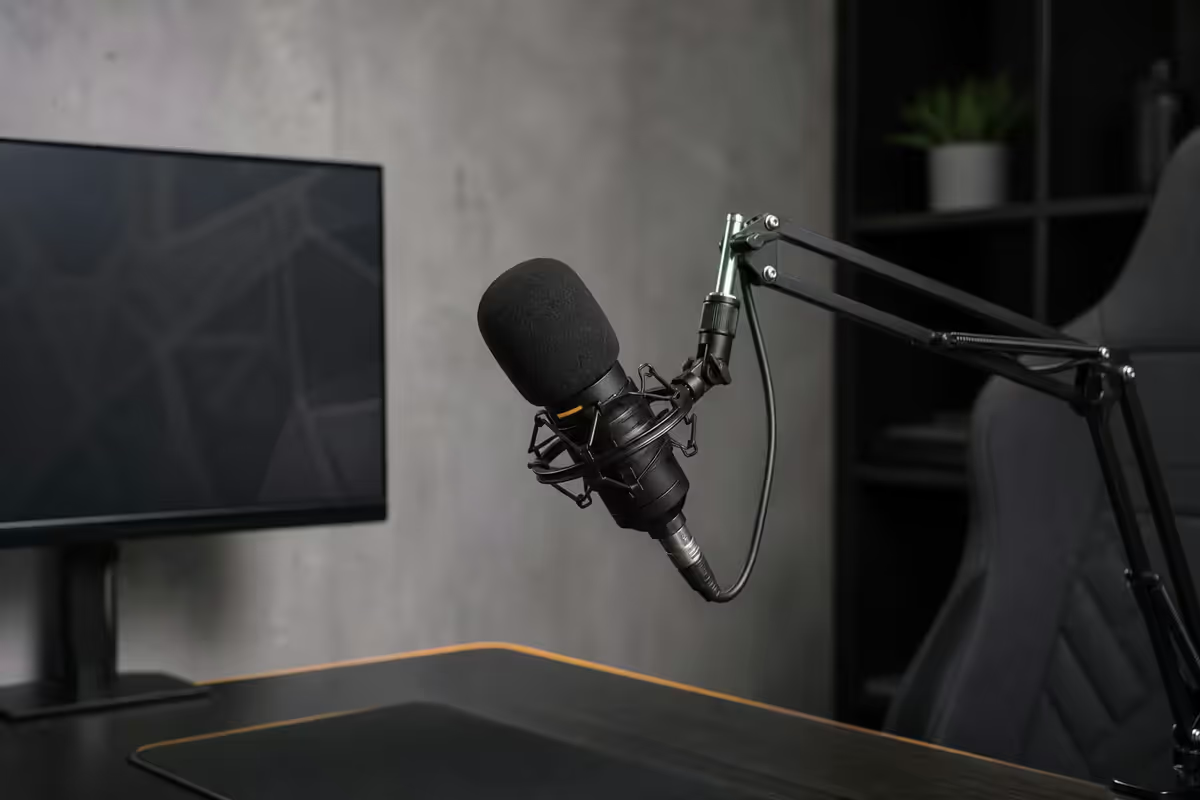
The streaming-mic market is full of beautiful condenser mics that sound terrible in untreated rooms. The right answer for almost every SA streamer's home is a dynamic mic, on a boom arm, close to your mouth.
- capsule for untreated rooms
- Dynamic
- mouth distance
- 3-5 cm
- SA kit range
- R3.5k-R16k
USB vs XLR — start with USB
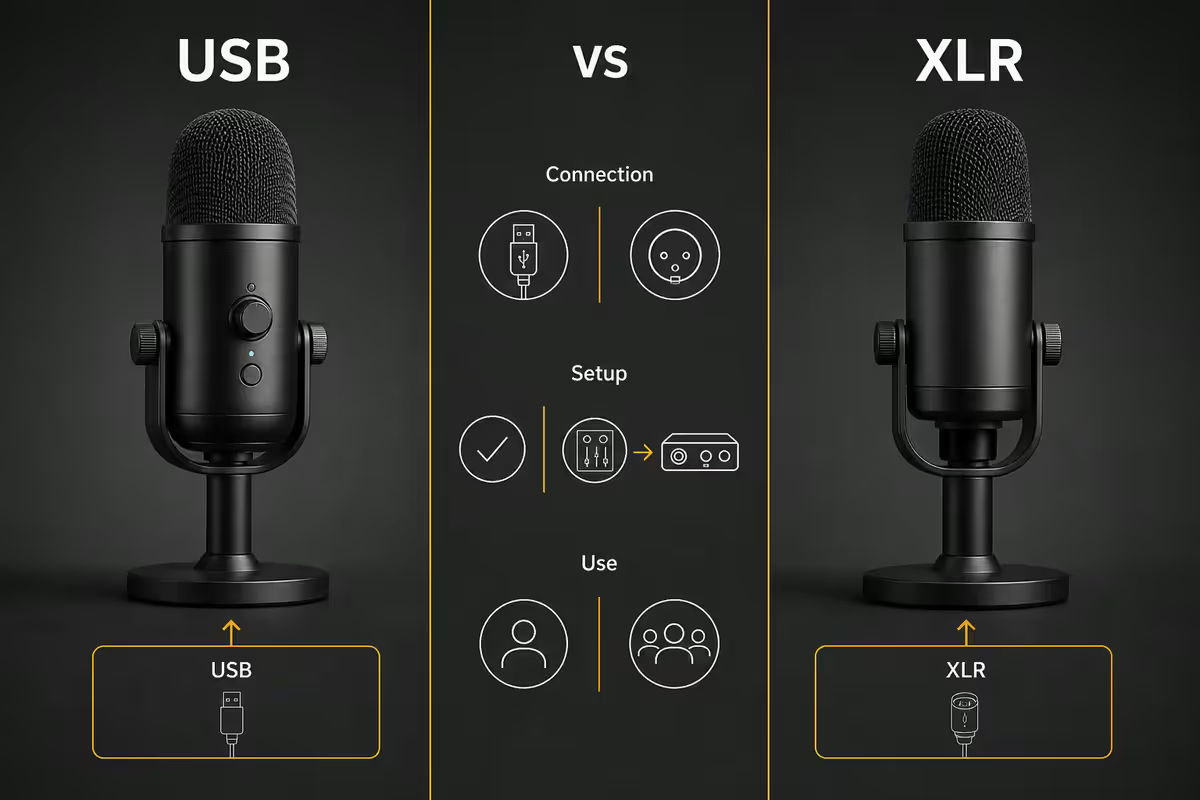
Five years ago the answer was XLR-or-nothing for serious sound. Today modern USB mics close most of the gap.
| Connection | Best for | What you also need |
|---|---|---|
| USB | Solo streamer, simple chain | Boom arm + pop filter (that's it) |
| XLR | Multi-mic setup, pro chain | Audio interface (R3,500-R6,000) + XLR cable |
| USB / XLR hybrid (MV7+, Wave XLR-compatible) | Future-proofing, start USB → upgrade later | Just the mic to start; interface when ready |
The USB case. Modern USB mics — Shure MV7+, RØDE PodMic USB, Elgato Wave 3 — have onboard 24-bit converters that rival entry-level audio interfaces. Plug into your PC, set gain on the mic body, you're streaming. Total chain: mic + arm + pop filter. R3,500-R8,000 covers the entire setup.
The XLR case. XLR makes sense for three specific situations: you want to add a guest mic later, you want a hardware mixer for live monitoring, or you want the absolute best-in-class signal chain. The Shure SM7dB on a GoXLR Mini or RØDE Caster Duo is the streamer's classic upgrade path. Total chain: mic + arm + interface + XLR cables + monitoring headphones = R10,000-R18,000+.
The hybrid trap. The Shure MV7+ is a USB/XLR hybrid — plug it into USB now and you're done; add an audio interface later for the XLR upgrade. It's the smartest single-mic purchase in 2026.
Condenser vs dynamic — go dynamic
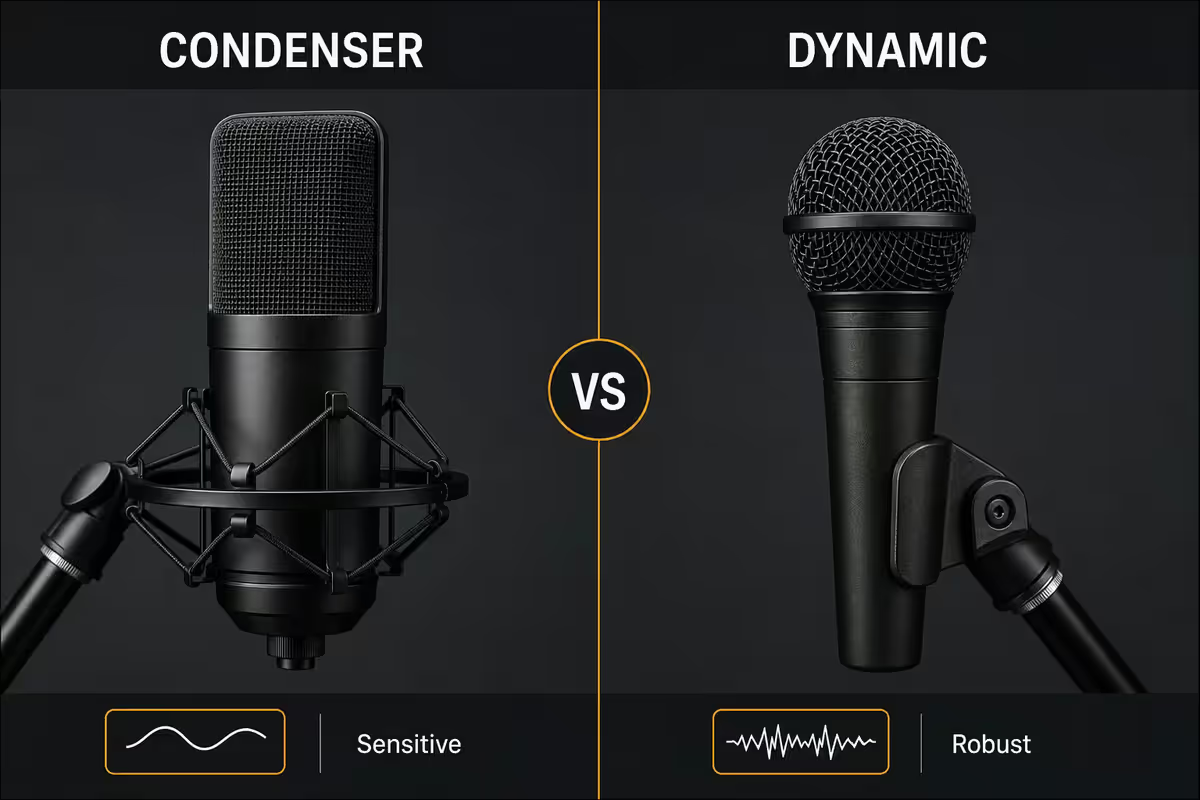
This is where streamers usually get it wrong. Beautiful condenser mics with iconic shapes (Blue Yeti, Elgato Wave 3, RØDE NT-USB+) dominate streamer aesthetics. The problem: condenser mics pick up everything.
| Property | Condenser | Dynamic |
|---|---|---|
| Sensitivity | High (captures detail) | Low (rejects noise) |
| Room sound capture | Significant | Minimal |
| Keyboard click pickup | Picks them up | Largely rejects |
| Best mouth distance | 15-30cm | 3-5cm |
| Untreated room behaviour | Rooms sound boxy / echoey | Sounds clean and present |
| Best for | Treated studios, podcast booths | Bedroom streamers (most of us) |
The simple physics: condenser capsules are powered membranes that respond to tiny pressure changes — they hear quiet sounds. Dynamic capsules use a heavier coil that only responds to sound right in front of them. Speak 3-5cm from a dynamic and it sounds rich. Speak 30cm from a condenser in an untreated room and it sounds like you're shouting from a hallway.
The streamer pattern. Top Twitch and YouTube streamers almost universally use dynamic mics — Shure SM7B, MV7, MV7+, RØDE PodMic, Electro-Voice RE20. The reason isn't tradition; it's that their rooms are not professionally treated studios.
Polar pattern — cardioid for everything
Polar pattern describes the directions a mic listens to. Four common patterns:
Cardioid — picks up sound from the front, rejects from the rear. The right choice for solo streaming because it rejects reflections from the wall behind your monitor. Standard on every dynamic streaming mic and most USB condensers.
Omnidirectional — picks up from all directions equally. Good for a group around a table (podcast interviews), terrible for solo streamers because it captures every room reflection.
Bidirectional (figure-8) — picks up from front and rear, rejects sides. Used for two-person face-to-face podcasts where both speakers are on the same mic.
Stereo — captures left-right separation. Rarely used for streaming; mostly for music production.
The shortcut: if your mic only has one pattern, it's cardioid. If your mic has a switch for multiple patterns (Blue Yeti, Elgato Wave 3 with software), set it to cardioid and ignore the others.
Boom arm and shock mount — non-negotiable
The mic on its desk stand is a beginner mistake. Two reasons it has to go on a boom arm:
- Desk vibration. Every keyboard click, mouse click and chair shift travels through the desk and into the mic stand. Dynamic mics reject airborne noise, but they hear vibration through the stand perfectly.
- Positioning. A boom arm lets you put the mic in the right place — 3-5cm from your mouth, slightly off-axis to avoid plosive "p" and "b" sounds. A desk stand forces you to lean forward to reach it.
Shock mount is the next ring of isolation — an elastic suspension that holds the mic inside a yoke, separating it from the arm. Most premium streaming mics include a shock mount in the box (MV7+, SM7dB, Wave 3). Confirm before assuming.
Top boom arm picks:
- Elgato Wave Mic Arm LP (low-profile) — R2,500-R3,000. The streamer favourite. Cable channels built in, doesn't obstruct camera view.
- RØDE PSA1+ — R3,000-R3,500. Slightly higher profile, very smooth movement, premium feel.
- Blue Compass / Generic — R600-R1,200. Functional but cheaper springs creak and droop over time.
Room treatment — cheap fixes solve 80% of problems
A properly treated home studio costs R20,000+. You don't need that. Three cheap fixes solve most of the noise and reflection problems home streamers face:
- Thick duvet or rug behind your mic position. A dynamic mic with a cardioid pattern rejects most rear sound, but anything that does reach the rear bounces back. A duvet on the wall absorbs the reflection. R0 spent if you already own one.
- Soft furniture on the opposite wall. Sofa, bookshelf full of books, fabric headboard — anything irregular and absorbent breaks up parallel reflections that cause "boxy" room sound.
- Close doors during recording. Open doorways are massive reflective surfaces. Closing the door to your bedroom changes the sound dramatically.
Optional upgrade: 4-6 acoustic foam panels (R200-R400 each) on the wall behind your monitor, at first-reflection points. Won't fix bass but kills the harsh treble reflections. Total spend R1,200-R2,400.
Don't bother: acoustic foam on the entire wall, eggshell-foam mattress glue (terrible), or "soundproof" curtains that promise sound isolation (they only absorb mid-treble; they don't isolate).
Gain staging without noise-gate masking
Gain is how much you amplify the mic signal. Set it correctly and you'll never need to touch it again. Set it wrong and you'll either clip on loud parts or boost noise floor in post.
The target: while speaking at your normal volume, peaks should hit -6dB to -3dB on the meter. Average speech should sit around -18dB to -12dB. Below that and you'll need to boost in post, which amplifies noise. Above -3dB and you'll clip on louder moments.
The procedure:
- Open your streaming software or DAW with a level meter visible.
- Speak naturally at the volume you'll actually stream at — not a fake "test" voice.
- Adjust mic gain until peaks (loudest moments) hit around -6dB.
- Leave it alone. Once set, don't keep adjusting between streams.
Top kits by budget — South Africa, 2026
| Tier | Pick | SA price |
|---|---|---|
| Entry USB dynamic | RØDE PodMic USB | R2,500-R3,200 |
| Mainstream USB dynamic (best buy) | Shure MV7+ (USB/XLR hybrid) | R5,500-R6,500 |
| Premium USB dynamic | Shure MV7+ + boom arm + interface upgrade path | R8,000-R10,000 |
| Pro XLR dynamic | Shure SM7dB + Elgato Wave XLR + RØDE PSA1+ | R12,000-R16,000 |
| USB condenser (treated room only) | Elgato Wave 3 | R3,800-R4,500 |
| Streamer iconic condenser | Blue Yeti X / RØDE NT-USB+ | R3,200-R4,500 |
| Boom arm only | Elgato Wave Mic Arm LP | R2,500-R3,000 |
| Cheap boom arm | Generic spring arm | R500-R1,000 |
| Pop filter | Auphonix dual-mesh | R200-R350 |
Key takeaways
- Dynamic + cardioid + boom arm — the formula that solves untreated-room SA homes.
- USB for most streamers. The Shure MV7+ is the smartest single-mic buy in 2026.
- Get within 3-5cm of the mic — that's where the broadcaster warmth lives.
- Boom arm + shock mount isolates desk vibration. Skip the desk stand entirely.
- Set gain so peaks hit -6dB. Fix room treatment first, gate as light polish only.
Frequently asked questions
USB or XLR microphone for streaming?
USB for most streamers. Plugs straight into your PC, no audio interface needed, sounds great. Modern USB mics like the Shure MV7+ and RØDE PodMic USB rival professional XLR mics in sound quality. XLR makes sense when you need multiple mics, a hardware mixer for guests, or want to upgrade the chain piece-by-piece. The audio interface alone costs R3,500-R6,000 — that's a budget hit before you've bought a mic.Condenser or dynamic microphone for streaming?
Dynamic for untreated rooms — and almost every home is untreated. Dynamic mics like the Shure SM7dB, Shure MV7+ and RØDE PodMic only pick up what's right in front of them. Condenser mics (Blue Yeti, Elgato Wave 3, RØDE NT-USB+) are more sensitive — they capture every keyboard click, fridge hum and aircon whine in your room. For most home streamers, dynamic is the right call. Condenser only works if your room is treated.What polar pattern do I need?
Cardioid — picks up sound from the front, rejects sound from the rear. The right pattern for solo streamers because it rejects room reflections behind the mic. Omnidirectional captures sound from all directions (good for interviews around a table, bad for solo streaming). Bidirectional captures front and rear (good for two-person podcasts). Stereo is rarely used for streaming. If in doubt, cardioid is the safe default.Do I need a boom arm or is a desk stand enough?
Boom arm, always. Desk stands transmit every keyboard click, mouse click and chair shift directly through the desk into the mic. A boom arm with shock mount isolates the mic from desk vibration. The Elgato Wave Mic Arm LP and the RØDE PSA1+ are the streaming community favourites (R2,500-R3,500). Even cheaper boom arms (R600-R1,000 generic) dramatically beat any desk stand. Budget item, not luxury.How do I treat my room without spending much?
Three cheap fixes solve 80% of room problems: (1) hang a thick duvet or rug behind your mic to absorb the rear reflections, (2) place soft furniture (sofa, bookshelf) on the opposite wall to break up parallel reflections, (3) close doors to other rooms during recording. Acoustic foam panels (R200-R400 each) on the wall behind your monitor help further. You don't need a R20,000 fully treated booth — you need the early reflections under control.Should I use a noise gate to remove background noise?
Use one — but set it carefully. A noise gate cuts the mic signal whenever input drops below a threshold. Too aggressive and the start and end of every sentence gets clipped; too loose and it doesn't help. Better solution: fix the room first (positioning, soft furnishings), get the mic closer to your mouth (3-5cm with a dynamic), and use a noise gate only as light cleanup. Software gates in OBS or NVIDIA Broadcast are fine; hardware gates are unnecessary for streaming.What's gain staging and why does it matter?
Gain staging is setting your input level so the loudest parts of your voice peak around -6dB to -3dB, with average speech sitting around -18dB to -12dB. Too low and you'll have to boost in post (which amplifies noise). Too high and you'll clip and distort. Speak naturally at your normal volume while watching the meter, adjust gain until peaks hit -6dB. Once set, leave it alone — don't keep adjusting between streams.What's a complete streamer mic kit cost in South Africa?
Entry kit: RØDE PodMic USB + boom arm + pop filter — R3,500-R4,500. Mainstream kit: Shure MV7+ + Elgato Wave Mic Arm LP + pop filter — R7,000-R8,500. Pro kit: Shure SM7dB + Elgato Wave XLR interface + RØDE PSA1+ boom arm — R12,000-R16,000. Add R200-R600 for cheap room treatment and you'll sound like a pro on Twitch and YouTube. The mic is only half the budget — the chain matters.
Related guides
- Streaming Starter Kit Guide — Webcam, mic, key light, capture card.
- How to Choose a Webcam — Sensor, FOV and autofocus explained.
- Streamer Lighting Guide — Key, fill and bias for any room.
- Audio Interfaces for Streamers — GoXLR, Wave XLR, Caster Duo compared.
Get the Evetech app
Exclusive app-only prices, daily flash sales, and free delivery on orders over R4,000 — download the app and start saving.