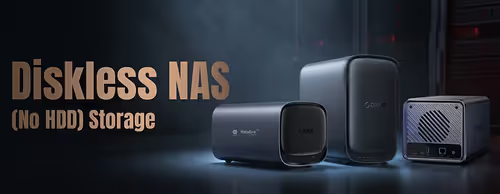
Diskless NAS (No Drives Included) 💾
Diskless NAS Enclosures (3)


How to Choose a Diskless NAS
Two questions cover most buyers: how many bays you need, and which drives to fit. Bay count sets your capacity ceiling and your RAID options; the drives you choose set reliability and speed. The guide below covers bays, RAID, drive choice and the network and CPU factors that decide what your NAS can do.
A 2-bay NAS suits home file sharing and backups, mirroring two drives for safety. A 4-bay unit gives more capacity and lets you run RAID 5 for redundancy without losing half your space. Choose 6-bay or larger for big media libraries, more users or future growth. Buy a little more capacity than you need today.
RAID 1 mirrors two drives — simple protection for a 2-bay. RAID 5 (three or more drives) survives one drive failure while keeping most of your capacity, the popular choice for 4-bay units. RAID 6 survives two failures for larger arrays. Synology's SHR makes mixing drive sizes easier. RAID is not a backup — keep a separate copy of critical data.
Use NAS-rated 3.5" SATA hard drives (built for 24/7 running and vibration) for bulk capacity at the best cost per terabyte. SSDs suit smaller, fast, quiet builds or, on models with M.2 slots, a cache to speed things up. Match drive sizes within an array, and buy drives rated for NAS use rather than desktop drives.
Most NAS units have 1GbE networking, which is plenty for backups and file sharing over a standard home network. Higher-tier models add 2.5GbE for faster transfers if your switch and PC support it. For streaming or multiple users, faster networking and a stronger CPU help — check the model's ports against your setup.
A NAS gives you private cloud storage, automated PC and phone backups, a media server for streaming films and music, and shared folders for a household or office. Many also run apps, surveillance recording and remote access. The CPU and RAM tier decide how many of these jobs it handles smoothly at once, so match the unit to your plans.