Gaming Desks 🖥️
Gaming Desks — Built for Battlestations (23)


How to Choose a Gaming Desk
A good gaming desk is sized to your space and your screens, sturdy enough for your gear, and comfortable to sit at for hours. Measure before you buy, then balance width, height, surface and cable management against your setup. The points below cover what matters most.
Match the desk to your screens. A standard-width desk handles a single monitor with keyboard and mouse comfortably. For a 34-inch ultrawide, or a dual- or triple-monitor setup, choose a wider top so you keep enough room for full mouse travel. Measure your space first so the desk actually fits the room.
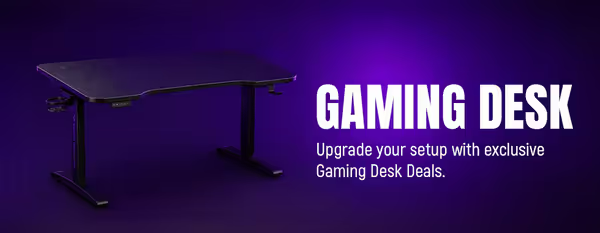
A fixed-height desk is simpler and usually cheaper, and is fine if it suits your chair and height. A height-adjustable or motorised standing desk lets you alternate between sitting and standing, which helps over long sessions. Choose adjustable if posture and long hours are a priority; fixed if you want value and simplicity.
Multiple monitors, a heavy PC and peripherals add up, so the desk needs a solid top and a stable frame that won't wobble or sag. A steel frame and a thick surface handle heavy, multi-monitor setups best. Check the desk is rated for the weight and the number of screens you plan to put on it.
Yes — a tangle of cables looks messy and makes it harder to move or upgrade gear. Look for built-in routing such as grommets, trays or clips that keep cables off the floor and out of sight. Tidy cabling also keeps your PC's intake and exhaust clear of obstruction, which is a small bonus for airflow.
The top should be smooth enough for a mouse to glide and tough enough to resist scratches and spills. A large mousepad covers most surfaces anyway, but a quality finish lasts longer and wipes clean. If you want RGB or a carbon-style look to match your build, that's down to taste — function first, then style.