Hardware Explainer
Cores vs threads, decoded. — Physical silicon, logical streams.
An 8-core CPU shows 16 in Windows. A core is real silicon; a thread is a queue the OS schedules. Here's what the number on the box actually means, and how many of each you actually need.
- core : threads (SMT/HT)
- 1 : 2
- cores for gaming
- 6-8
- cores for productivity
- 16+
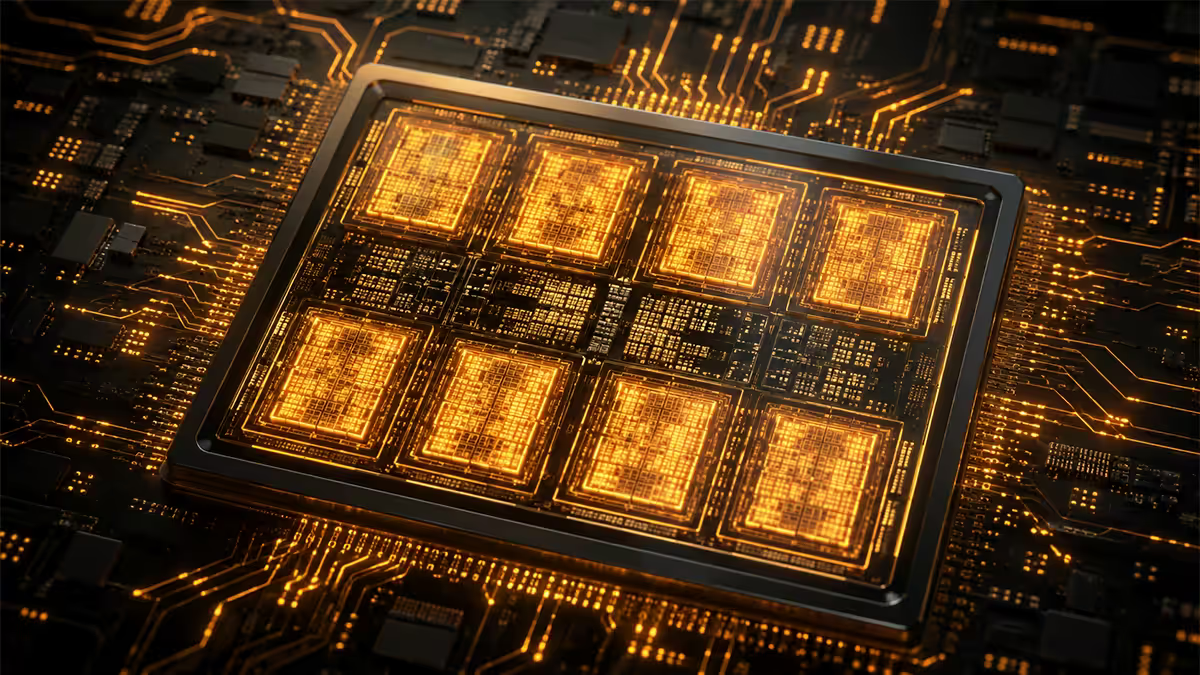
What a CPU core actually is
A core is a physical processing unit etched onto the CPU's silicon die. Each core is a complete processor in its own right — it has its own arithmetic logic unit (ALU), floating-point unit, level-1 and level-2 cache, branch predictor, and registers. Two cores on the same chip can execute two completely different instruction streams at the exact same moment, fully in parallel.
An 8-core CPU has eight of these processors stamped onto one die. Open a modern Ryzen 7 9700X under die-shot photography and you can literally see eight repeating core blocks. They share some resources (level-3 cache, memory controller, I/O die) but each one is independent for actual computation.
What a thread is
A thread is a logical execution stream — a queue of instructions that the operating system schedules onto a core. Threads are the unit Windows uses to share CPU time across applications. When Task Manager shows 16 CPU graphs for an 8-core chip, those 16 graphs are 16 threads, not 16 cores.
Why two threads per core instead of one? Because most of the time, a single thread isn't using the full capacity of its core. The thread is waiting — on data from RAM, on a disk read, on a network response. While it waits, the core's ALU sits idle. SMT (AMD) and Hyper-Threading (Intel) fill that idle time with a second thread's work.
In Windows, a thread = one entry in the OS scheduler. An application like Adobe Premiere spawns dozens of worker threads; the OS distributes them across whatever logical processors (threads on the CPU side) are available.
How SMT and Hyper-Threading actually work
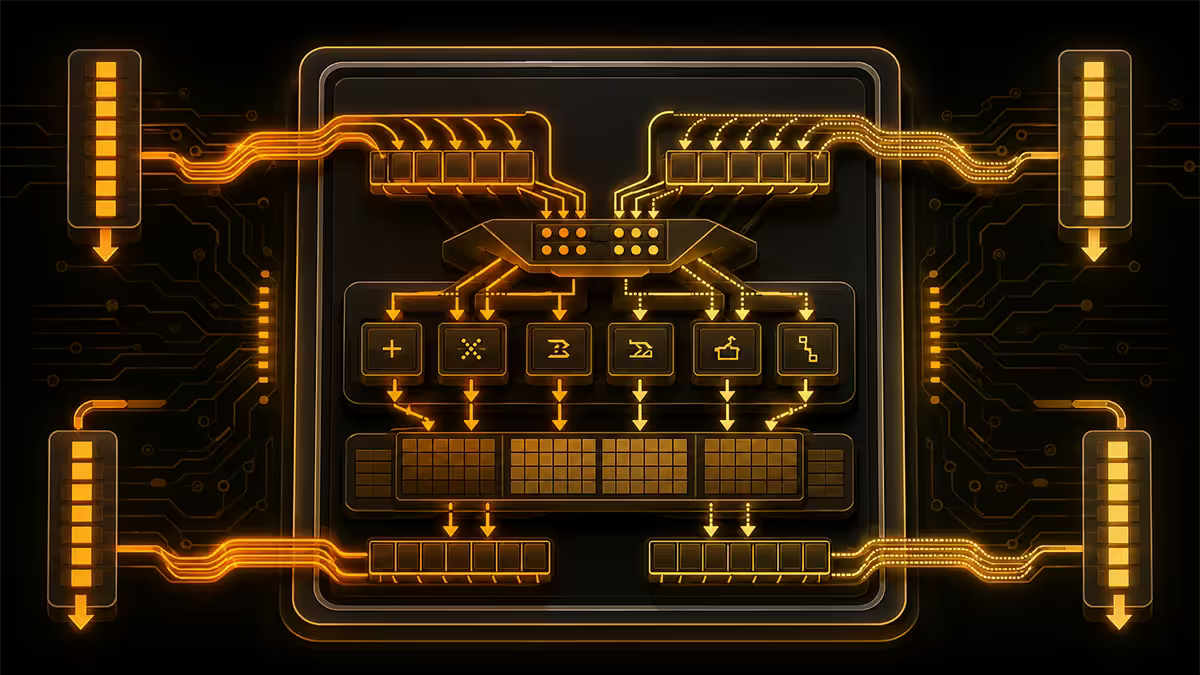
Simultaneous Multithreading (SMT) is AMD's name for what Intel calls Hyper-Threading (HT). The technology is functionally identical: each physical core duplicates a small portion of its front-end logic (instruction queues, registers) so it can hold two threads' state simultaneously.
When Thread A stalls — say, waiting for data from RAM that's taking 100+ cycles — instead of leaving the core idle, the core instantly switches to Thread B's instructions for the next batch of cycles. When Thread B stalls or Thread A's data arrives, it switches back. From the OS perspective, both threads ran simultaneously. From the silicon perspective, both threads share the same ALU but at different instants.
Real-world gain: typically 15-30% extra throughput when both threads have meaningful work to do. The gain comes from reducing wasted cycles waiting on memory.
| Workload | Typical SMT/HT gain | Why |
|---|---|---|
| Video encoding (Handbrake, x265) | +25-30% | Highly parallel, lots of memory stalls to fill |
| 3D rendering (Blender Cycles) | +20-28% | Per-pixel parallelism scales |
| Code compilation (large C++ project) | +15-22% | Per-file parallelism plus I/O wait fills |
| Gaming (most modern engines) | +0-10% | Few additional parallel threads to exploit |
| Web browsing / office | Negligible | Bursty, low concurrent demand |
How games actually use cores
For years, games used 2-4 cores well and that was that. Modern engines (Unreal Engine 5, idTech 7, REDengine 4, Frostbite, Northlight) finally scale to 6-8 cores meaningfully. Beyond 8 cores, the curve flattens almost completely.
Why gaming caps at 8: the main render thread, audio thread, input thread and a couple of worker threads cover the actual real-time workload. More cores would help if there was more parallelisable work to do, but rendering a frame is inherently a chain of dependent steps — culling → draw call submission → GPU command buffer → present. You can split the work across a handful of workers, but adding more workers stops helping past about 8.
This is why the Ryzen 5 9600X (6c/12t) often matches the Ryzen 9 9950X in gaming benchmarks at 1440p and 4K — the 9950X's extra 10 cores sit idle during the game.
Productivity scales past 8 cores
The picture flips for parallel productivity work. Video encoding, 3D rendering, code compilation, scientific simulation, machine-learning training (CPU-side) and large database queries all scale near-linearly with core count up to 16-32 cores.
Rule of thumb: if your workload can be split into independent sub-tasks (each frame in a render, each file in a compile, each row in a CSV transform), it scales with cores. If it's one long sequential chain (gaming's render thread, a single-threaded calculation), it doesn't.
Concrete numbers from our test bench (Blender BMW benchmark, lower = better):
- Ryzen 5 9600X (6c/12t): ~120 seconds
- Ryzen 7 9700X (8c/16t): ~92 seconds
- Ryzen 9 9950X (16c/32t): ~48 seconds
- Threadripper 7960X (24c/48t): ~33 seconds
- Threadripper 7980X (64c/128t): ~14 seconds
The 2026 core-count sweet spots
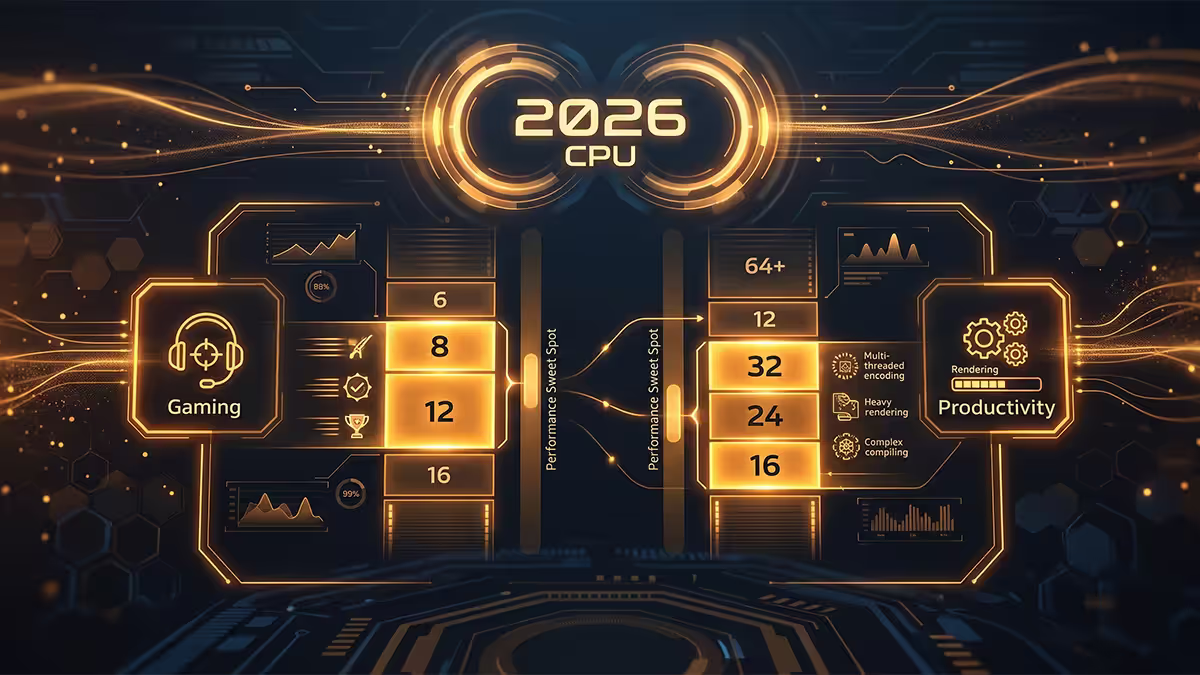
| Use case | Recommended CPU | Cores / threads |
|---|---|---|
| Budget 1080p / 1440p gaming | Ryzen 5 9600X | 6 / 12 |
| Mainstream gaming, light creator work | Ryzen 7 9700X | 8 / 16 |
| Gaming + streaming + creator combo | Ryzen 9 9900X3D | 12 / 24 |
| Top-tier gaming + serious productivity | Ryzen 9 9950X3D | 16 / 32 |
| Pure productivity workstation | Ryzen 9 9950X | 16 / 32 |
| Heavy 3D / AI / sim workstation | Threadripper 7960X / 7980X | 24-64 / 48-128 |
| Intel equivalent (mainstream) | Core Ultra 7 265K | 20 (8P+12E) / 20 |
| Intel high-end | Core Ultra 9 285K | 24 (8P+16E) / 24 |
Note Intel's thread counts in the table: Core Ultra series dropped Hyper-Threading entirely on Arrow Lake (Core Ultra 200). The 8 P-cores no longer give 16 threads — they give 8. Intel is leaning on raw core count via E-cores instead.
Intel P-cores vs E-cores
Intel's hybrid architecture splits cores into two classes:
- P-cores (Performance): big, fast, full feature set. On Raptor Lake (13/14th gen) and earlier they supported Hyper-Threading (2 threads each). On Arrow Lake (Core Ultra 200) and Lunar Lake, HT was removed — P-cores now run 1 thread each.
- E-cores (Efficiency): smaller, lower clock, lower power, designed for background tasks. They have never supported HT — always 1 thread per core.
A Core Ultra 9 285K presents 24 logical processors to Windows: 8 P-cores + 16 E-cores = 24 cores = 24 threads. Compare that to a Ryzen 9 9950X3D's 16 cores × 2 = 32 threads. Intel is gambling that more, smaller cores beats fewer, bigger ones with SMT. Real benchmarks show both architectures end up within a few percent of each other in mixed workloads.
Windows 11's Thread Director is the scheduler that routes work to the right core class — gaming threads to P-cores, background sync to E-cores. On Windows 10 the scheduling is much worse and Intel hybrid chips lose 5-15% performance. Always pair a Core Ultra chip with Windows 11.
When SMT or Hyper-Threading actually hurts
It used to be common advice in the early Hyper-Threading era to disable HT for gaming. Modern Windows 11 has largely fixed the scheduling, but a few specific cases still exist where SMT/HT lowers FPS:
- Older games (mostly pre-2018) with rigid thread affinity hard-coded for 4-core CPUs.
- A small number of competitive titles where SMT's tiny latency overhead matters for 1% lows.
- Workloads that fit entirely in one core's L1/L2 cache — sharing the core with another thread evicts cache lines and slows both.
How to test for it: benchmark your game with SMT on (default), then reboot, disable SMT in BIOS, benchmark again. If you see consistent improvement with SMT off, leave it off for that title. Otherwise leave it on — productivity work loses badly without it.
The "more cores = faster" gaming myth
Marketing language and benchmark leaderboards conspire to make 16-core CPUs look like the obvious upgrade for gamers. They aren't. The frame rate ceiling in 2026 gaming engines arrives at 6-8 cores. Beyond that you're paying for cores that idle during play. The exception: if you stream, record, run Discord + browser + voice + game simultaneously, more cores fill that background load.
A useful framing: don't ask "how many cores" — ask "what runs on my PC besides the game?" If the answer is "almost nothing", 6-8 cores is plenty. If the answer is "OBS streaming + a dozen browser tabs + Spotify + Discord screen-share", 12-16 cores will feel measurably smoother.
Common cores vs threads mistakes
Treating threads as cores in spec sheets. A "16-thread CPU" might be 8c/16t or 16c/16t — wildly different. Always check the physical core count, not just the thread count.
Over-spending on cores for gaming. Paying R3,000-R5,000 extra for a 16-core chip when you only game = throwing money at silicon that will sit idle. Spend the difference on GPU instead.
Disabling SMT/HT permanently "for safety". Outdated advice from 2018 Spectre/Meltdown patching era. Modern microcode handles speculative execution attacks. Leave SMT on.
Assuming Intel and AMD thread numbers compare 1:1. Intel Core Ultra has no HT — its 24 threads are 24 cores. AMD Ryzen 9 has 32 threads from 16 cores. A 24-thread Intel chip ≠ a 24-thread AMD chip in workload behaviour.
Buying the wrong cooler for high-core counts. 16-core Ryzen 9 and 24-core Intel hit 250W+ all-core. Pair them with a 360mm AIO or top-tier air cooler — a stock-class cooler will throttle them within minutes.
Key takeaways
- A core is physical silicon; a thread is a logical execution stream the OS schedules. 1 core = 2 threads on modern AMD and pre-Arrow-Lake Intel.
- SMT / Hyper-Threading adds 15-30% throughput in productivity workloads, 0-10% in gaming. Leave it on by default.
- Gaming caps at 6-8 cores in modern engines. Beyond 8 cores helps streaming / background tasks but not raw FPS.
- Productivity (encode, render, compile) scales near-linearly to 16-32+ cores. Pick Ryzen 9 or Threadripper.
- Intel Core Ultra removed Hyper-Threading entirely. P-cores + E-cores = total thread count, no doubling.
Frequently asked questions
What's the difference between CPU cores and threads?
A core is a physical processing unit on the CPU die. A thread is a logical execution stream the OS schedules onto a core. Modern AMD (SMT) and pre-Arrow-Lake Intel (HT) chips run 2 threads per core, so an 8-core chip shows 16 logical processors.Does Hyper-Threading or SMT actually make my CPU faster?
Yes — 15-30% extra throughput in productivity work. The benefit is smaller in gaming (0-10%). A few specific games run worse with SMT enabled; rare and mostly older titles.How many cores do I need for gaming in 2026?
6-8 cores. Ryzen 5 9600X for budget 1440p; Ryzen 7 9700X for mainstream all-rounder. Anything beyond 8 cores rarely helps pure gaming FPS.Do more cores always mean a faster PC?
No — only for parallel workloads (encoding, rendering, compiling). Gaming, browsing and office work flatten around 8 cores. Buying 16 cores for pure gaming is wasted money.What are Intel P-cores and E-cores?
Performance cores (P) are big and fast; Efficiency cores (E) are smaller and lower-power. Windows 11 schedules latency-sensitive work to P-cores and background tasks to E-cores. Arrow Lake P-cores no longer support HT.When does SMT or Hyper-Threading hurt gaming?
Rarely. Some older games with hard-coded 4-core thread affinity, and a few competitive titles sensitive to 1% lows. Modern Windows 11 handles SMT well — leave it on unless you've benchmarked a specific title showing it hurts.Is a 6-core CPU enough in 2026?
Yes for pure gaming and general use. Ryzen 5 9600X drives any GPU up to RTX 5070 / RX 9070 XT without bottlenecking at 1440p. If you do creator work alongside, step up to 8 or 16 cores.How do I see my core and thread count in Windows?
Task Manager (Ctrl+Shift+Esc) → Performance tab → CPU. Cores and Logical Processors are listed. CPU-Z shows the same plus Hyper-Threading status.
Get the Evetech app
Exclusive app-only prices, daily flash sales, and free delivery on orders over R4,000 — download the app and start saving.