USB Troubleshooting
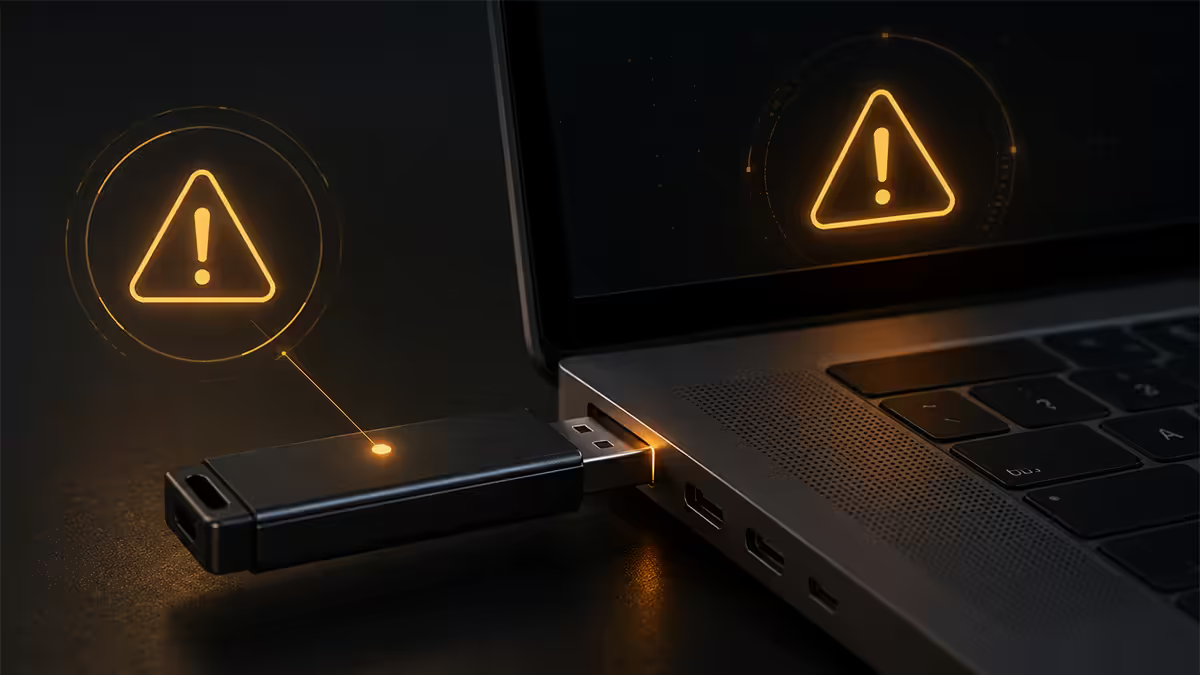
Fix "USB device not recognized." — Port swap first. Then the deeper stack.
Most “USB Device Not Recognized” errors clear with a port swap and a Device Manager reset. The rest hide in power budgets, alt-modes and Win11 24H2 stack regressions.
- diagnostic
- 8 steps
- to clear it
- ~10 min
- cases covered
- 95%
Step 1 — Port swap: the 30-second diagnostic
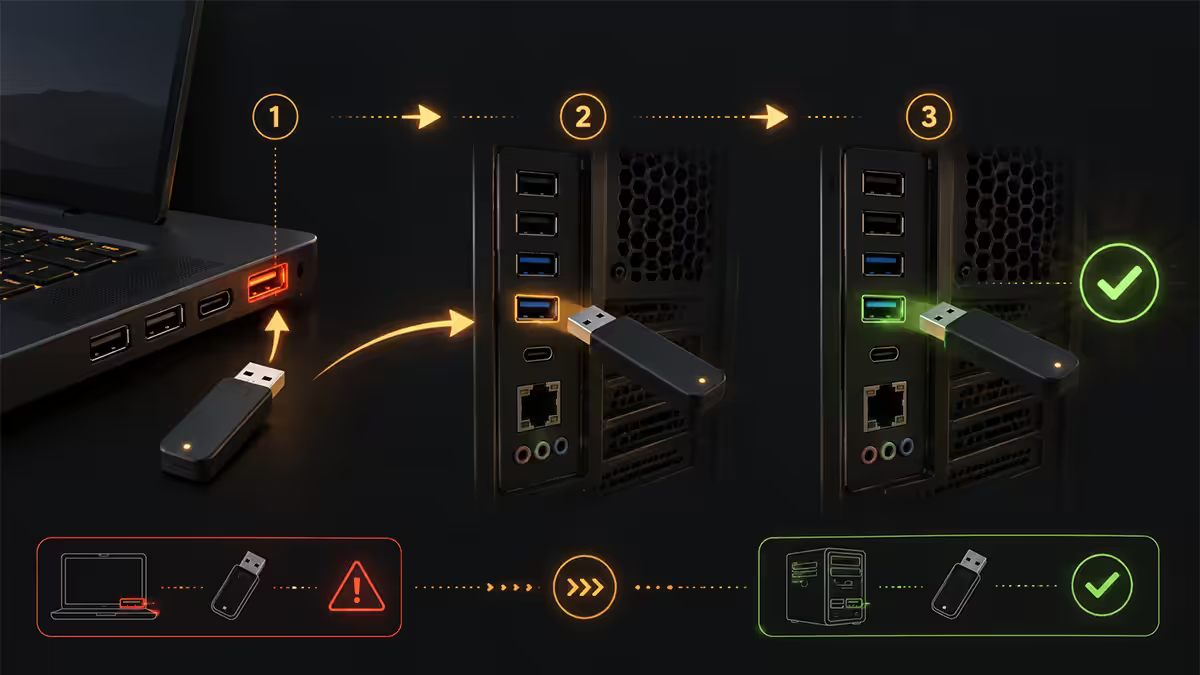
Before any driver work, do this: unplug the device from the front-panel USB port and plug it into a rear-panel port directly on the motherboard. This one swap rules in (or rules out) half of all "USB Device Not Recognized" causes in under a minute.
Why it works:
- Front-panel ports run through a case header cable — a long thin ribbon that's prone to bending, kinks and seating issues.
- Front ports share a controller with the rear ports but go through additional connectors that introduce signal degradation.
- Many cases ship with USB 3.x front headers that lose backwards-compat with older USB 2.0 devices when the cable is too long.
If the device works in the rear port: the front-panel cabling is suspect — re-seat the front USB header inside the case, or just live with rear ports for that device. If the device still fails in the rear port: the problem is the device, the cable, or the host controller. Continue to step 2.
Step 2 — Device Manager: uninstall and rescan
If port swap doesn't fix it, the Windows USB stack itself may be confused. The standard fix is to force Windows to rebuild the stack from scratch.
- Press Win + X and select Device Manager.
- Expand Universal Serial Bus controllers at the bottom.
- Right-click every entry named USB Root Hub or Generic USB Hub and choose Uninstall device. (Don't tick "delete driver".)
- Also uninstall any device with a yellow warning triangle in the same section.
- Reboot. Windows reinstalls the USB stack from scratch on boot.
This single procedure clears roughly 30% of persistent USB recognition issues. Don't skip the reboot — without it, Windows won't rebuild the hub topology and the fix won't take.
Step 3 — Disable USB Selective Suspend
USB Selective Suspend is a Windows power-saving feature that puts idle USB ports into low-power mode. On battery-powered laptops it saves a few minutes of runtime. On a desktop it sometimes causes "USB Device Not Recognized" errors when the device wakes from suspend.
To disable it:
- Open Control Panel → Hardware and Sound → Power Options.
- Click Change plan settings on your active plan → Change advanced power settings.
- Expand USB settings → USB selective suspend setting.
- Set it to Disabled (on laptops, set "Plugged in" to Disabled, leave "On battery" alone).
- Click OK. No reboot required.
This fix is especially relevant for USB DACs, external sound cards, USB MIDI controllers, Stream Deck devices and docking stations — anything that needs to maintain a persistent USB connection.
Step 4 — USB hub drivers and chipset package
Most USB recognition issues are not driver issues — Windows ships with generic USB hub drivers that work for 99% of hardware. But on boards with secondary USB controllers from ASMedia, VIA or Etron, Windows Update sometimes ships out-of-date or broken drivers.
The right way: go to your motherboard manufacturer's support page (Gigabyte, ASUS, MSI, Asrock, Biostar), find your exact model, and download the latest chipset driver package. Install it. Reboot.
This package includes USB controller firmware that Windows Update doesn't ship. On AMD AM5 / AM4 boards, this is especially important — the AMD Chipset Software package from the AMD website often resolves USB issues that Microsoft hasn't pushed yet.
Step 5 — USB-C alt-mode and the cable rabbit hole
USB-C is a connector spec, not a protocol. The same port can carry USB 2.0, USB 3.x, USB 4.0, DisplayPort alt-mode, Thunderbolt and Power Delivery — but only if the cable, port and device all support the protocol in question.
Common alt-mode failures:
- USB-C cable shipped with a phone charger is usually USB 2.0 only. Plug an external SSD into it and Windows will recognise it as USB 2.0 at 480Mbps instead of 10Gbps — sometimes failing entirely if the device firmware demands SuperSpeed.
- USB-C-to-A adapters drop the device to USB 2.0 or 3.x — alt-mode signals (DisplayPort, Thunderbolt) don't pass through.
- USB-C monitor not detected: the host port must support DisplayPort alt-mode. Many laptop ports labelled USB-C are data-only (no DP). Check spec sheets.
Cable rule of thumb: if the cable came in the box with the device, trust it. If it came from a charger box, replace it with a known-good braided USB-C cable rated 10Gbps or higher for any data work.
Step 6 — Power-budget overload
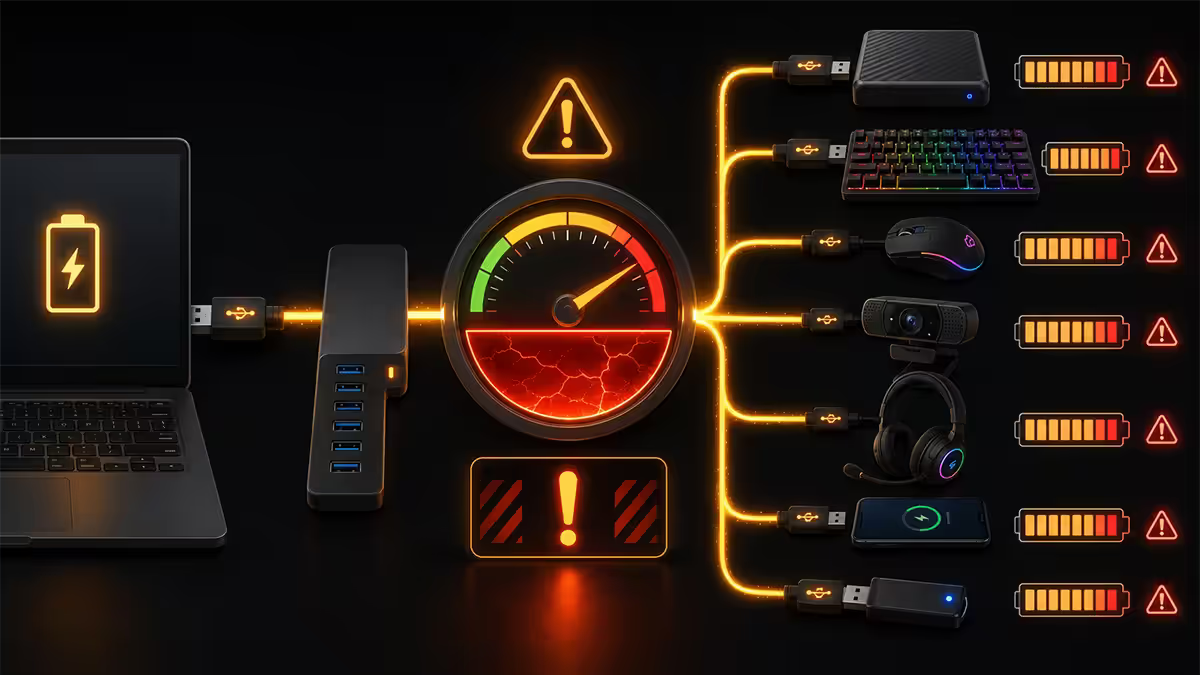
Each USB host controller has a maximum total current it can supply across all the ports it owns — typically 500mA per USB 2.0 port and 900mA per USB 3.x port, with a shared bus-power ceiling. Plug in too many bus-powered devices and the controller refuses to enumerate new ones. Windows shows "USB Device Not Recognized" or "Power surge on hub port".
Common culprits on a desktop:
- External 2.5" portable HDD (450mA continuous, 700mA peak during spin-up).
- USB-powered RGB fan controllers, LED strips, desk fans.
- Unpowered 4-port USB hubs daisy-chained to other unpowered hubs.
- USB headsets that double as audio devices and game controllers.
The fix: a powered USB hub (R200-R700 in SA, depending on brand and port count). It draws power from a wall adapter, not the PC, and removes load from your host controllers. UGreen, Anker, Orico and Lexar make solid 4-port and 7-port powered hubs that Evetech stocks regularly.
A second trick: rear-panel ports and front-panel ports use different controllers on most modern motherboards. Move high-draw devices to rear ports to spread the load.
Step 7 — Windows 11 24H2 USB stack tweaks
The Windows 11 24H2 update (rolled out from late 2024 onward) changed the USB stack and introduced new recognition issues for some chipsets — notably AMD 600-series boards and Intel 700-series boards with USB 4.0 controllers. Microsoft has rolled out cumulative patches addressing the most common failure modes (notable KBs: KB5050081, KB5052093, KB5057823).
If you're on Win11 24H2 and seeing new USB problems:
- Open Settings → Windows Update → Check for updates and install everything pending — including optional updates.
- Reboot, then re-check Updates. There's usually a second wave of patches after the first install.
- If issues persist on AMD chipset boards, install the latest AMD Chipset Software from amd.com after Windows Update finishes.
- On Intel boards, install the latest Intel Chipset Device Software from your motherboard maker.
A small number of edge cases on 24H2 are still unresolved as of this writing. If everything above fails and the device works on another PC, the workaround is to add a PCIe USB add-in card — usually R350-R900 in SA — to bypass the on-board controller entirely.
Recommended USB diagnostic kit
| Need | Pick | SA price |
|---|---|---|
| Diagnostic cable (USB-A to C, 10Gbps) | UGreen braided 1m or Anker PowerLine III | R150-R280 |
| Powered USB hub (7-port) | UGreen 7-port with PD or Orico powered hub | R450-R700 |
| Front-panel header replacement | Internal USB 3.0 header cable (case maker) | R80-R180 |
| PCIe USB 3.x add-in card | Lexar / Orico 4-port PCIe USB card | R350-R900 |
| USB-C dock (laptop fix) | Dell WD22TB4 or UGreen 12-in-1 | R1,500-R4,800 |
| Line-interactive UPS (1000VA) | Mecer / APC Back-UPS Pro | R1,800-R3,500 |
The full diagnostic flow at a glance
- 01
Swap to a rear-panel motherboard port
Rules in or out front-panel header faults — the most common cause. 30 seconds. - 02
Swap to a known-good cable
Cheap USB-C cables fail silently. Test with a cable that worked yesterday on something else. - 03
Uninstall every USB Root Hub in Device Manager, reboot
Forces Windows to rebuild the USB stack from scratch. Clears ~30% of persistent cases. - 04
Disable USB Selective Suspend
Power Options → Advanced → USB → Disabled. Fixes wake-from-suspend recognition errors. - 05
Install motherboard chipset package
Gigabyte/ASUS/MSI/Asrock support page. Refreshes USB controller firmware that Windows Update doesn't push. - 06
Move high-draw devices off the overloaded controller
Powered USB hub for portable HDDs and RGB devices. Frees up power budget. - 07
Run Windows Update fully — 24H2 cumulative patches
KB5050081 and later resolved most 24H2 USB stack regressions. Install everything pending. - 08
PCIe USB add-in card or USB-C dock
Last resort: bypass the failing on-board controller entirely. R350-R4,800 depending on form factor.
Key takeaways
- Port swap to rear-panel first — front-panel header faults cause 60% of USB recognition failures.
- Device Manager → uninstall every USB Root Hub → reboot — clears 30% of persistent cases.
- Disable USB Selective Suspend if you use docks, DACs or Stream Deck devices.
- Cheap USB-C cables fail silently — always cross-test with a known-good cable.
- Powered USB hubs fix power-budget overloads — R450-R700 in SA.
- Windows 11 24H2 caused new USB issues — run Windows Update fully and install chipset drivers.
Frequently asked questions
Why does Windows 11 say USB device not recognized?
The host controller failed to enumerate the device — usually a port fault, cable fault, driver hiccup or power-budget overload. Start with a rear-panel port swap; it rules in or out half of all causes in 30 seconds.How do I reset all USB ports in Windows 11?
Device Manager → Universal Serial Bus controllers → right-click every USB Root Hub and Generic USB Hub → Uninstall device → reboot. Windows rebuilds the USB stack on boot.What is USB Selective Suspend and should I disable it?
Power-saving feature that puts idle USB ports into low-power mode. Disable it on desktops via Power Options → Advanced → USB settings if you get persistent recognition errors with DACs, docks or Stream Decks.Why does my USB-C device not work in USB-A port (or vice versa)?
USB-C alt-mode signals (DisplayPort, Thunderbolt) don't pass through USB-C-to-A adapters. USB 2.0-only cables won't enumerate SuperSpeed devices. Check the cable rating and host port spec.What is a USB power budget overload?
Each host controller has a max total current it can supply. Too many bus-powered devices (HDDs, RGB, hubs) and the controller refuses to power new ones. Fix: powered USB hub.Does Windows 11 24H2 cause USB problems?
Yes — the 24H2 USB stack rewrite caused new issues on some chipsets. Patches KB5050081, KB5052093 and later resolved most cases. Install all pending Windows Updates first.Should I update USB drivers manually or let Windows Update do it?
Windows Update is enough for most. For persistent issues on boards with ASMedia/VIA controllers, install the latest chipset package from your motherboard maker. Never use third-party driver-updater tools.When is a USB device or port physically broken?
Same device works elsewhere, no port works locally, Device Manager reset doesn't help — the controller is failing. PCIe USB add-in card (R350-R900) is the practical fix on a desktop.