Troubleshooting · 9-Step Flow
How to fix ethernet not working. — Nine checks. Fifteen minutes. Don't replace the motherboard yet.
Ethernet failure feels catastrophic — no internet, no work, no fix without Google. In practice 90% of "dead ethernet" turns out to be a cable, a driver, or the router. Work the list.
- diagnostic flow
- 9 steps
- typical fix time
- 15 min
- USB-eth fallback
- R200+
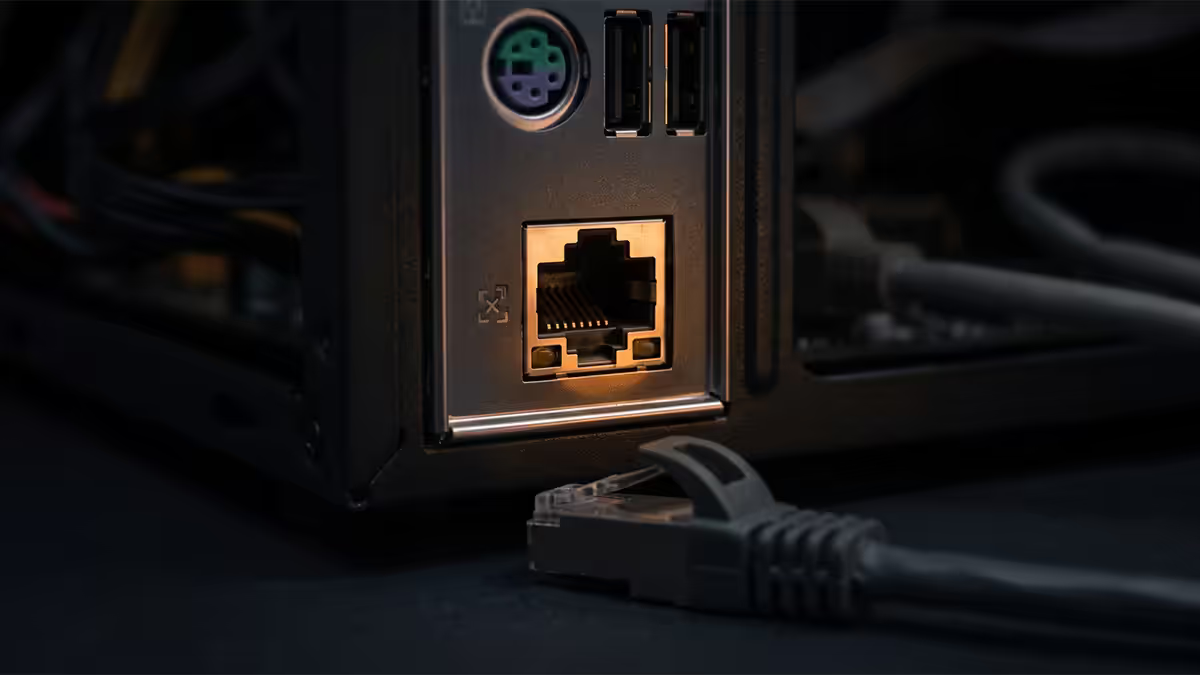
Step 1 — Read the port LEDs
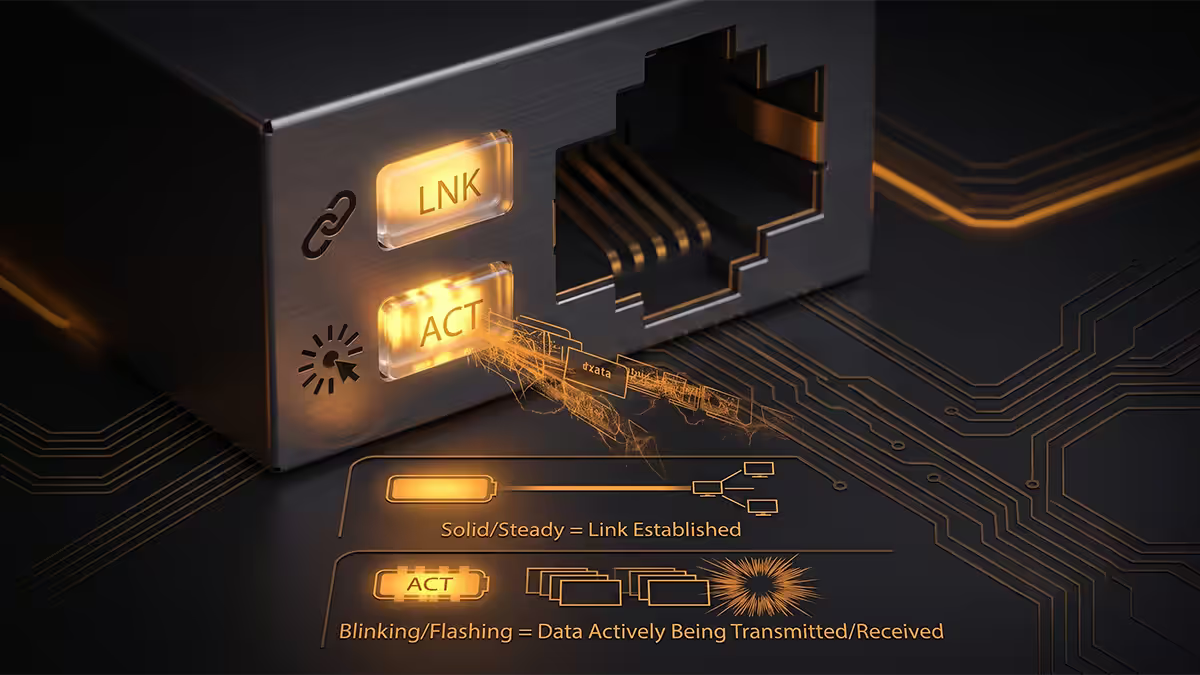
Every modern ethernet port has two LEDs. The link light shows that a physical connection has been negotiated — it's solid green or amber. The activity light flickers when data is moving. Both LEDs appear on both ends of the cable (your PC's NIC port and the router's LAN port).
Three readings to know:
- Both LEDs dark. No physical link. Cable, port, or NIC is dead. Continue to step 2.
- Link solid, activity dark. Link negotiated but no traffic flowing. Driver, IP config or router issue. Skip to step 3.
- Link flickering rapidly. The NIC is trying to negotiate speed and failing — usually a damaged cable causing speed renegotiation loops.
Step 2 — Cable swap test
The single most underrated diagnostic. Ethernet cables fail more often than people think — chair-leg crush, kinks from cable management, an RJ45 clip snapping when someone yanks the cable. A R50 Cat6 patch lead from any IT shop (or one borrowed from a powerline adapter / printer / TV) settles whether the cable is the culprit in 30 seconds.
What "good cable" means in 2026:
| Cable category | Speed support | Verdict |
|---|---|---|
| Cat5 (no e) | 100 Mbps | Replace immediately |
| Cat5e | 1Gbps full · 2.5Gbps short runs | Still acceptable |
| Cat6 | 1Gbps · 2.5Gbps · 10Gbps short | SA sweet spot |
| Cat6a | 10Gbps full distance | Future-proof |
| Cat7 / Cat8 | 10–40Gbps | Overkill for home use |
If swapping the cable restores the link light, you've found the fault. If not — the cable's fine, move to driver diagnostics.
Step 3 — Clean driver reinstall
Windows updates regularly trample on network drivers. Realtek RTL8125 (2.5GbE), Intel I225/I226, Killer E3100 and Aquantia AQC107 are the four NIC families that ship on 99% of modern SA-sold motherboards, and each has had at least one driver update wreck connections in the last 18 months.
The clean reinstall procedure:
- Right-click Start → Device Manager.
- Expand Network Adapters. Identify your ethernet (look for "Realtek", "Intel I225", "Killer" or "Aquantia").
- Right-click → Uninstall device. Tick "Delete the driver software for this device".
- Reboot. Windows will install a generic in-box driver.
- Open the motherboard maker's support page (Asus, MSI, Gigabyte, ASRock, Biostar) → find your exact board model → download the latest LAN driver.
- Install it. Reboot one more time.
Why not just "Update Driver"? Windows often keeps installing the same broken driver from its cache. Full uninstall with "Delete driver software" forces it to either use a generic fallback or accept the new install — breaking the broken-update loop.
Step 4 — IP config renew
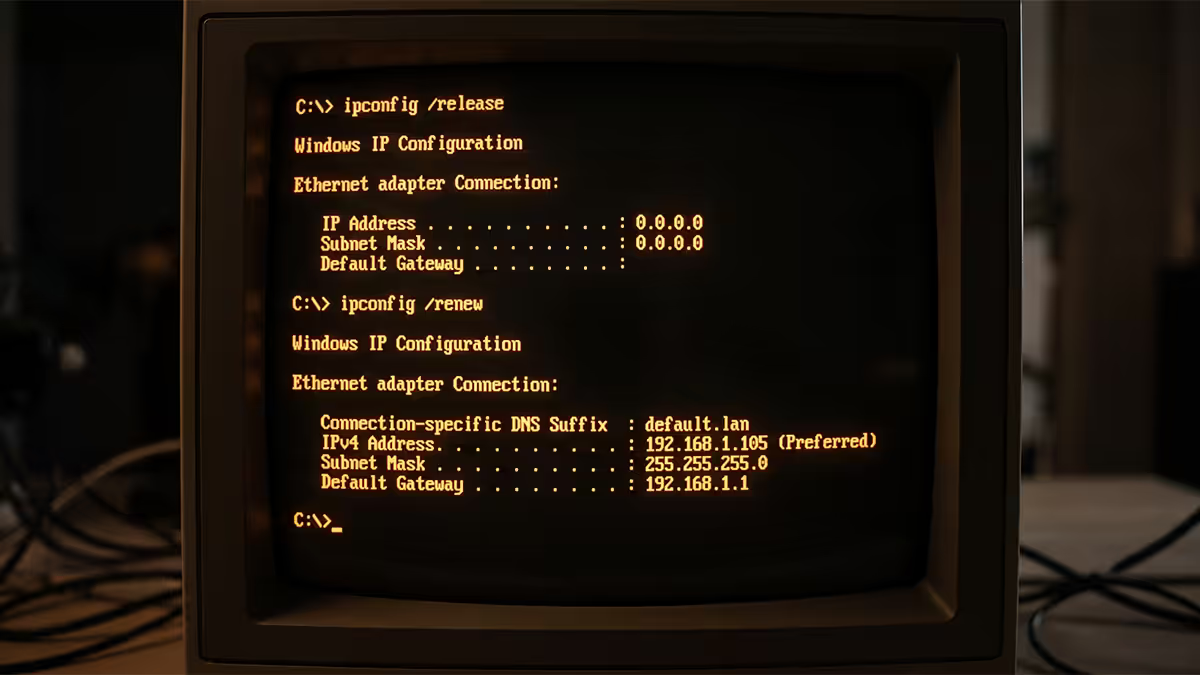
If link is up but you're still "Connected, no internet", or you see a self-assigned 169.254.x.x address in network details, the PC failed to lease an IP from your router's DHCP. Force a renewal:
Open Command Prompt (Admin) or PowerShell and run:
ipconfig /release— drops the current leaseipconfig /renew— requests a new oneipconfig /flushdns— clears the DNS cachenetsh winsock reset— fixes deeper Winsock corruption (reboot required)netsh int ip reset— resets the TCP/IP stack (reboot required)
The first three are safe to run at any time. The last two require a reboot but are the nuclear option for "the stack itself is broken" cases — usually after malware removal or a botched VPN client uninstall.
Step 5 — Router reboot & LAN-port swap
Power the router off at the wall for a full 60 seconds, not five. Capacitors in cheap routers hold charge for 20–30 seconds; a quick off-on cycle doesn't actually clear state. While it's powered off, also reboot the ONT (the fibre box on the wall) if applicable.
When the router comes back, check whether the LED for the LAN port your cable is plugged into illuminates. If it doesn't — try a different LAN port on the router. Individual LAN ports can fail without breaking the others, especially on consumer routers (TP-Link, Mikrotik, Huawei units shipped by ISPs).
Step 6 — SA ISP outage check
If WiFi on the same router also isn't reaching the internet, the problem is upstream of your PC. Check the SA-specific status pages before you tear down hardware:
- Cool Ideas: status.coolideas.co.za
- Afrihost: status.afrihost.com (also Afrihost ClientZone notifications)
- Webafrica: status.webafrica.co.za
- RSAWEB: status.rsaweb.co.za
- Vox: portal.vox.co.za
- MyBroadband forums — fastest source of outage chatter
Also look at the ONT itself. If the fibre link LED is red instead of green or off, the FNO (Openserve, Vumatel, Frogfoot, Octotel, Metrofibre) has a line issue — your ISP can escalate to the FNO via SLA. That's not a PC fix.
Step 7 — Dual-NIC laptop confusion
Laptops with a USB-C dock that has ethernet often end up with two ethernet adapters active simultaneously — onboard and dock. Windows tries to route via the lower-metric one but apps can get confused, with the symptom usually being "browsing works but Steam downloads fail" or vice versa.
Quickest fix: open Network Connections (Win+R → ncpa.cpl). You'll see both adapters. Right-click whichever one isn't carrying the live cable and choose Disable. The system will commit traffic to the remaining adapter.
In PowerShell, run Get-NetAdapter to see status (Up/Down) and Get-NetIPInterface | Sort-Object InterfaceMetric to see which adapter Windows is preferring. The lower the metric number, the higher the priority.
Step 8 — USB-Ethernet fallback
If you've worked through everything above and the onboard NIC still won't link or shows hardware errors ("This device cannot start. Code 10.") in Device Manager, the NIC chip itself is likely dead. RMA-ing a motherboard for a NIC failure when the rest of the board works fine is rarely worth the down-time.
USB-Ethernet adapters cost R200–R600 in SA, plug into any USB 3 port, and deliver full gigabit (or 2.5GbE) speeds. Recommended picks:
| Need | Pick | SA price |
|---|---|---|
| 1Gbps replacement (USB-A) | TP-Link UE300 (R200–R260) | R200–R260 |
| 1Gbps replacement (USB-C) | TP-Link UE300C / Anker A8351 | R280–R380 |
| 2.5GbE upgrade | Asus USB-C2500 / Cudy AX300 | R450–R650 |
| 5GbE / 10GbE (NAS workflows) | QNAP QNA-UC5G1T (5GbE) | R2,400–R3,100 |
USB 3 sustains gigabit speeds easily; 2.5GbE adapters on USB 3 Gen 1 are also fine. 5GbE-and-above benefits from USB 3.2 Gen 2 ports for headroom. None of them need extra power — the bus delivers enough.
Key takeaways
- Port LEDs first — no link means cable or port; link but no traffic means software.
- Swap the cable with a known-good Cat6 patch lead before suspecting anything else.
- Clean-uninstall the NIC driver (Delete driver software ticked), reboot, install latest from the motherboard maker.
- Always check the ISP status page (Cool Ideas, Afrihost, Webafrica) and the ONT fibre LED before blaming the PC.
- If the NIC chip is truly dead, a R200–R600 USB-Ethernet adapter restores full speeds without an RMA.
Frequently asked questions
Why is my ethernet not working all of a sudden?
The four most common causes are: (1) the cable has been kinked, stretched or one of the RJ45 clips has snapped; (2) a Windows update broke the network driver; (3) your ISP is down — check the Cool Ideas, Afrihost or Webafrica status page; (4) the router needs a reboot. Work through them in that order before suspecting your motherboard NIC.How do I tell if my ethernet cable is faulty?
Look at the port LEDs on both ends. A working 1GbE connection shows a solid green or amber link light and a flickering activity light on both the PC NIC and the router LAN port. If one or both LEDs are dark, the cable is dead or the port is dead. The fastest test is swapping the cable for a known-good one — a R50 Cat6 patch lead from any IT shop in SA settles the question in 30 seconds.How do I reinstall the ethernet driver on Windows 11?
Open Device Manager → Network Adapters → right-click your ethernet adapter (Realtek, Intel, Killer or Aquantia) → Uninstall device → tick 'Delete the driver software'. Reboot. Windows will auto-install a generic driver. For best results, download the latest driver from your motherboard maker's support page (Asus, MSI, Gigabyte, ASRock) before uninstalling — generic Windows drivers are slower and miss features.What does ipconfig /release and /renew do?
ipconfig /release tells Windows to drop its current IP address from the router's DHCP pool. ipconfig /renew asks for a fresh one. This fixes 'Connected, no internet' or '169.254.x.x' self-assigned addresses — a sign that the PC couldn't talk to the router's DHCP. Run both back-to-back from Command Prompt (Admin) or PowerShell.How do I check if my ISP is down in South Africa?
Check the ISP's status page first: status.coolideas.co.za, status.afrihost.com, status.webafrica.co.za or status.rsaweb.co.za. MyBroadband forums and the official Twitter/X accounts of ISPs often have the fastest updates. If your fibre LED on the ONT (Optical Network Terminal) is red instead of green, the fibre line from the FNO (Openserve, Vumatel, Frogfoot, Octotel) is the issue — that's an SLA call to the ISP.My laptop has ethernet on a USB-C dock and onboard — which one is Windows using?
Both adapters show up in Device Manager and both can hold IP addresses simultaneously. Run 'Get-NetAdapter' in PowerShell — the active one shows status 'Up' and has the lower interface metric. To force traffic onto one adapter, disable the other in Network Connections (ncpa.cpl). Dual-NIC confusion is a common gotcha — the symptom is usually 'internet works for some apps, not others'.Is 2.5GbE ethernet compatible with 1GbE routers and switches?
Yes — 2.5GbE auto-negotiates down to 1GbE when the other end is 1GbE only. You'll get 1Gbps maximum until the slower device is upgraded. The cable also matters: Cat5e handles 2.5GbE up to ~50m, Cat6 and Cat6a comfortably handle the full distance. Cat5 (not 5e) is the only category to actually avoid in 2026.When should I give up and use a USB-Ethernet adapter?
When you've ruled out cable, drivers, router and IP config and the PC's onboard NIC still won't link or shows hardware errors in Device Manager. A USB 3 gigabit ethernet adapter (ASUS USB-C2500, TP-Link UE300, Cudy AX300) costs R200–R600 in SA, plugs in instantly, and is genuinely as fast as motherboard ethernet for everyday use. It also rescues laptops with broken onboard NICs from going to a service centre.
Get the Evetech app
Exclusive app-only prices, daily flash sales, and free delivery on orders over R4,000 — download the app and start saving.