Ethernet Cable Guide
Ethernet cables, categorised. — Most of what you need is Cat 5e or Cat 6.
Ethernet marketing is the audiophile cable of networking. Cat 8 for your gaming PC, Cat 7 for "extra ping protection" — none of it does anything for a 1 Gbps Vumatel line. Here's the real story.
- peak SA fibre
- 1 Gbps
- handles it easily
- Cat 5e
- in-wall standard
- Cat 6a
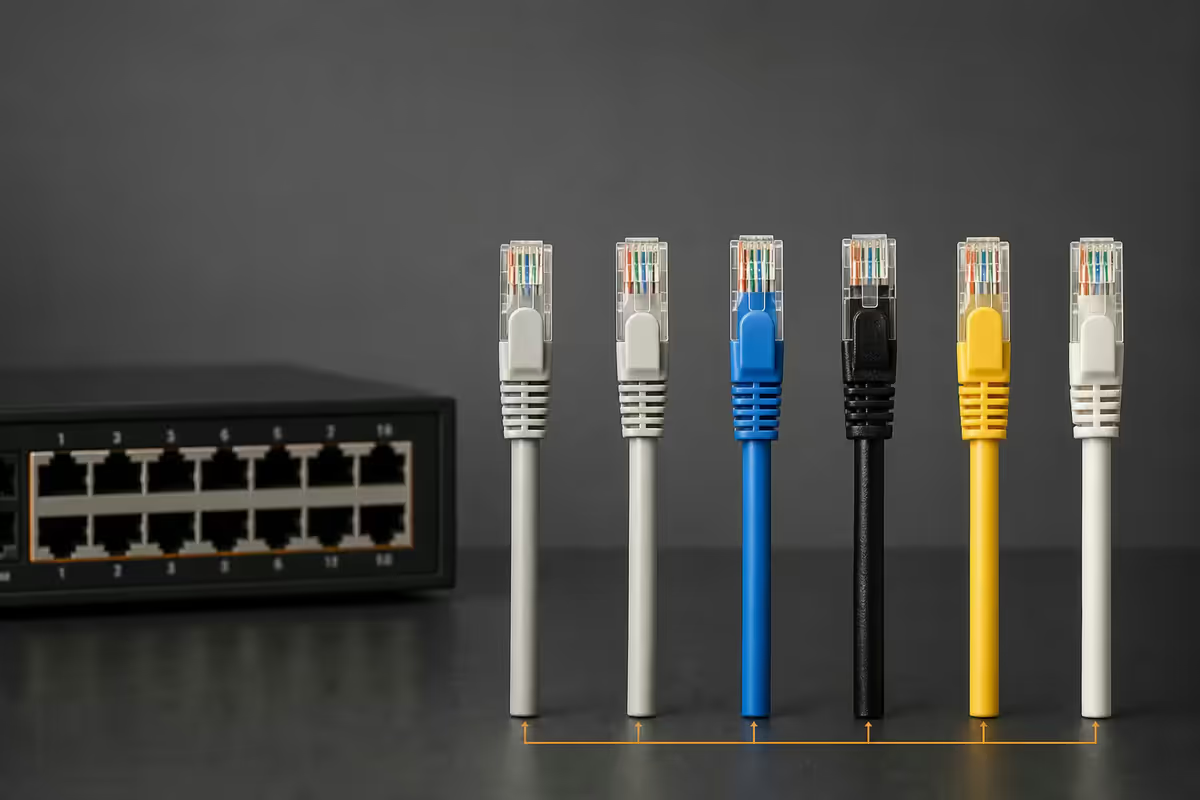
Category breakdown — what each one actually delivers
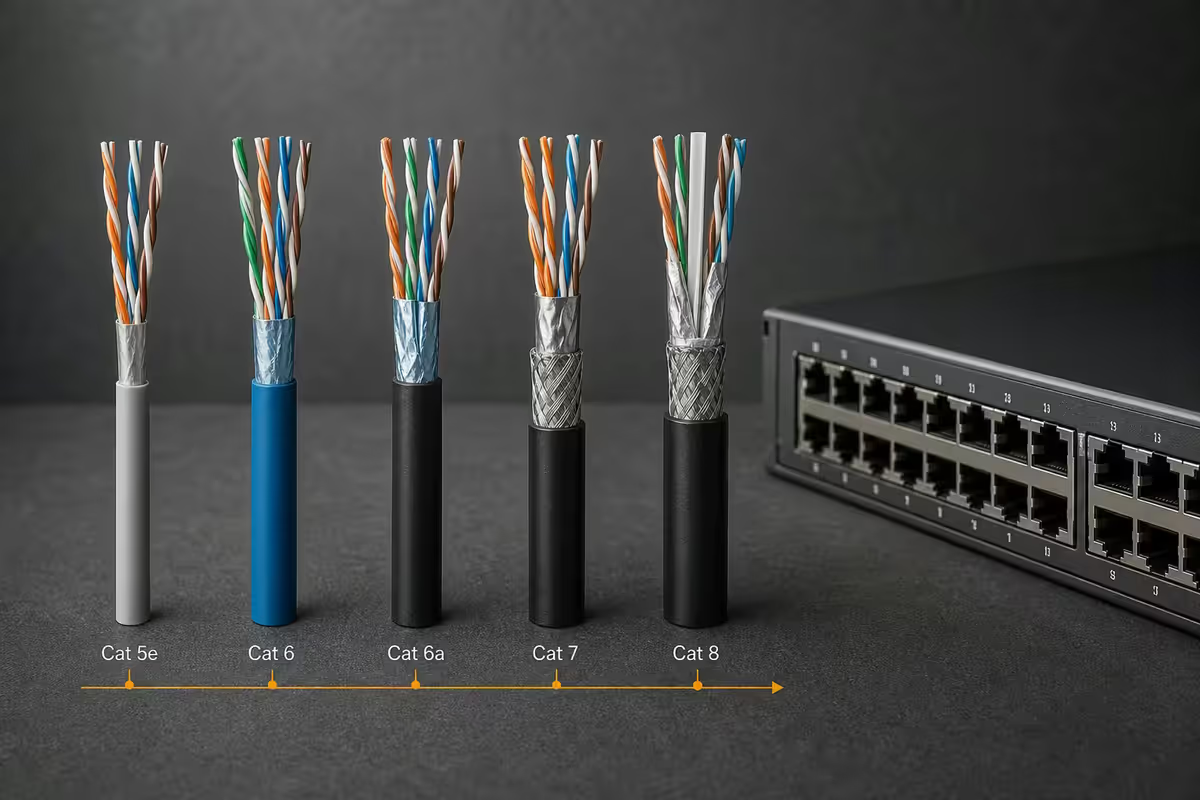
Ethernet cable categories are IEEE / TIA standards defining the maximum bandwidth and shielding the cable supports over a given length. The numbers stack neatly on a spec sheet but the real-world differences are much smaller than the marketing implies.
| Category | Max speed · length | Real-world use |
|---|---|---|
| Cat 5e | 1 Gbps · 100 m | Still fine for 1 Gbps fibre lines |
| Cat 6 | 1 Gbps · 100 m / 10 Gbps · 55 m | Sweet spot for patch cables |
| Cat 6a | 10 Gbps · 100 m | In-wall standard, future-proofing |
| Cat 7 | 10 Gbps · 100 m (shielded) | Non-IEEE — skip it |
| Cat 8 | 40 Gbps · 30 m | Data centre patches only |
Cat 5e is the floor of modern installations and has been the dominant patch cable for fifteen years. It uses four twisted pairs of copper with light shielding and supports gigabit ethernet at up to 100 metres. It costs roughly R8-R15 per metre in SA and short patches retail at R40-R80. For any 1 Gbps line, Cat 5e is electrically identical in performance to anything more expensive.
Cat 6 uses slightly heavier-gauge copper with a plastic spine between pairs to reduce crosstalk. It supports 10 Gbps over short runs (up to 55 m) and gives you measurable headroom over Cat 5e even on gigabit links. For new home patch cables, Cat 6 is now the price-sensible default — it costs barely more than Cat 5e and gives you 10 GbE headroom for the next decade.
Cat 6a (the "a" is augmented) supports 10 Gbps over the full 100 m using heavier shielding. It's the de facto in-wall standard for new house wiring because you only get one chance to pull cable through your walls and Cat 6a gives you a clear path to 10 GbE switches when you upgrade in 2030+.
Cat 7 exists in the marketing world but not the standards world — it's not IEEE-recognised and uses proprietary GG45 or TERA connectors rather than standard RJ45. Some retailers sell "Cat 7" cables with standard RJ45 ends, which makes them effectively Cat 6a with extra shielding. There's no real consumer scenario where you'd pick Cat 7 over Cat 6a.
Cat 8 is engineered for data-centre top-of-rack switching at 25-40 Gbps over short patch runs (up to 30 m). It uses heavy shielding and is electrically a different beast from Cat 5e/6/6a. Selling Cat 8 to home users for "gaming" is the audiophile-cable move of the networking world — no consumer device can produce data at the rates Cat 8 is designed for.
Gaming reality — Cat 5e is genuinely enough
If you're buying ethernet cable specifically "for gaming", the marketing has won. The truth: any modern ethernet category delivers sub-millisecond cable-side latency over typical home runs. The delays that affect your ping are the ISP's network, the route to the game server, and the wireless segment (if any) of your home network — none of which the cable category can change.
A Cat 5e patch cable from your gaming PC to your router will deliver identical ping to a Cat 8 patch cable in the same configuration. Your CS2 / Valorant / Apex latency is determined by your fibre line, your ISP's peering, and how far you are from the closest match server — usually 10-25 ms in SA on Vumatel or Openserve to local Apex / Valorant data centres.
Shielded vs unshielded — when it actually matters
Ethernet cables come in several shielding configurations: UTP (unshielded twisted pair), STP (shielded twisted pair), FTP (foiled twisted pair) and S/FTP (shielded and foiled). The shielding reduces electromagnetic interference from external sources at the cost of stiffer, harder-to-route cable.
For typical residential use, UTP is fine. The interference sources in a normal home — WiFi, microwave ovens, fluorescent lighting — are well within the noise tolerance of unshielded twisted pairs. Shielded cable matters in commercial environments where ethernet runs alongside high-power AC lines, near industrial machinery, or through electrical conduit with motor loads. None of which apply to your study.
Shielded cable done wrong is worse than UTP. Shielded cable requires shielded RJ45 connectors and proper ground bonding at both ends. If you terminate shielded cable with unshielded plugs, or ground it at only one end, you create a ground loop that introduces noise rather than reducing it. The "I'll use shielded just in case" approach without proper grounding hurts more than it helps.
Run length — and why most home installations are well under the limit
The published maximum run for Cat 5e, Cat 6 and Cat 6a is 100 metres. Cat 6 drops to 55 m if you want full 10 GbE; Cat 8 maxes at 30 m for 40 GbE. In a typical SA home — even a generously sized 4-bedroom — the longest single ethernet run is rarely above 30 m. You're far inside the safe zone for any category.
What actually goes wrong on long home runs is usually termination quality, not cable length. A poorly crimped RJ45 connector introduces signal degradation that mimics a length problem. Most "my ethernet is unstable" issues in SA homes are RJ45 quality issues, not category or length issues.
ONT to router — exactly what to buy
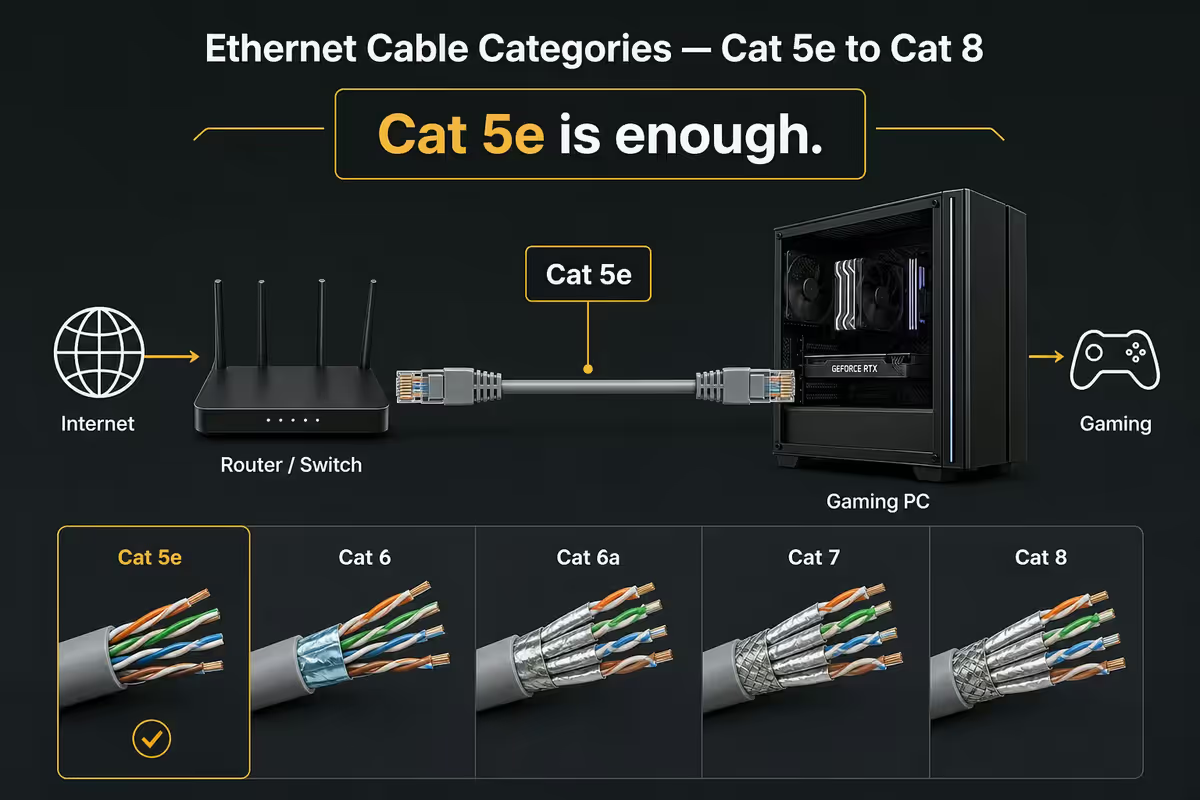
The ethernet run from your fibre ONT (the white box the fibre installer fits) to your router is the single most-bought ethernet cable in SA homes. Almost every fibre install includes a basic Cat 5e or Cat 6 patch in the box — but it's often too short or the wrong colour for your setup.
What to buy: a 1-3 metre Cat 6 unshielded patch cable in your preferred colour from a name brand (Goldtouch, Astrum, TP-Link, D-Link). Cost: R60-R100. The ONT only outputs at 1 Gbps maximum and Cat 6 has bandwidth far in excess of that requirement.
What not to buy: a "Cat 7" or "Cat 8" cable for R250-R500 from the same shelf. Marketing premium for zero functional benefit — and shielded cables with improperly grounded ends can actually be worse than unshielded Cat 6 in this exact scenario.
In-wall runs — why Cat 6a is worth the small premium
If you're running ethernet through walls, ceiling spaces or conduits — and you should be, because reliable wired network beats any WiFi setup — the right pick is Cat 6a unshielded in solid-conductor form.
The reason is permanence. You'll pull this cable once and live with it for 15-20 years. The R6-R10 per metre extra you pay for Cat 6a over Cat 5e is trivial relative to the labour cost of opening walls again to replace it. Cat 6a gets you the headroom for 10 GbE switches when those drop into residential pricing around 2030-2032.
Solid versus stranded: solid-conductor cable has better signal integrity over distance but is stiffer and harder to terminate with crimped RJ45 plugs. Use it for in-wall runs that terminate in wall-plate keystone jacks. Use stranded-conductor cable for the patch leads from wall to device — the stranding is more flexible and tolerates the bending and flexing of regular movement.
SA pricing reality — what each category actually costs
| Category | Per metre (box roll) | Short patch (1-3 m) |
|---|---|---|
| Cat 5e | R8-R15 | R40-R80 |
| Cat 6 | R12-R20 | R60-R100 |
| Cat 6a | R20-R35 | R100-R180 |
| Cat 7 | R40-R70 | R150-R300 |
| Cat 8 | R80-R150 | R250-R500 |
Box rolls of 305 m are the right purchase for any house-wide installation — typically 30-40% cheaper per metre than individual patch cables. RJ45 connectors and a basic crimping tool cost R250-R400. Terminating your own cables is a 15-minute skill if you watch one YouTube video and one of the few electrical-adjacent skills genuinely worth picking up as a homeowner.
In the <strong>200,000+ custom builds</strong> we've shipped from Centurion, the single most common networking question we get is "should I upgrade my ethernet cable for better ping?" The answer is almost always no — and we've watched customers spend R500 on Cat 8 cables hoping for gains that the wire cannot deliver. <strong>Cat 6 patch from PC to router is the sensible default. Save the R350 for a better mouse pad.</strong>
Behind the Build · Customer support insights
Key takeaways
- Cat 5e is electrically perfect for any 1 Gbps SA fibre line — still the cheapest sensible option.
- Cat 6 is the modern patch default — barely more expensive than 5e, 10 GbE headroom.
- Cat 6a is the in-wall standard — futures-proofs the install for 15-20 years.
- Cat 7 is non-IEEE and uses proprietary connectors — skip. Cat 8 is a data-centre cable.
- Shielded cable only matters in industrial environments. UTP is fine for SA homes.
Frequently asked questions
Which ethernet cable do I need for gaming?
Cat 5e is sufficient for any 1 Gbps fibre line, which is the fastest residential fibre tier in SA in 2026. Gaming is much more sensitive to latency than bandwidth — and all modern ethernet categories deliver near-zero latency over typical home runs. Don't pay extra for Cat 7 or Cat 8 to gain a ping advantage; the wire makes no measurable difference.What's the difference between Cat 5e, Cat 6, Cat 6a, Cat 7 and Cat 8?
Cat 5e supports 1 Gbps over 100 m. Cat 6 supports 1 Gbps over 100 m or 10 Gbps over 55 m. Cat 6a supports 10 Gbps over the full 100 m and is the modern in-wall standard. Cat 7 supports 10 Gbps with heavier shielding but isn't IEEE-recognised and uses non-standard connectors. Cat 8 supports 40 Gbps over 30 m and is mainly a data centre cable misappropriated by marketers selling to home users.Do I really need Cat 8 for home networking?
Almost certainly not. Cat 8 is engineered for data-centre switching at 25-40 Gbps over short patch runs. The fastest residential fibre in SA is 1 Gbps from Vumatel, Openserve and Frogfoot; Cat 5e handles it with five-times-over headroom. Cat 8 is sold to home users at marketing premiums (R300-R500 per cable) for performance no consumer device can use.What's the best cable from my fibre ONT to my router?
Cat 6 patch cable, 1-3 metres, unshielded. The ONT only outputs at 1 Gbps maximum even on premium fibre packages, and Cat 6 has bandwidth far in excess of that requirement. Pay R60-R120 for a flexible flat or round patch cable from a name brand (Goldtouch, D-Link, TP-Link). Don't buy Cat 7 or Cat 8 for this run — wasted money.What cable should I use for in-wall runs?
Cat 6a unshielded is the modern in-wall standard. It supports 10 Gbps over the full 100 m run, future-proofs you for the next decade of network upgrades, and is roughly 50% more expensive than Cat 5e at SA pricing. Use solid-conductor cable for in-wall (better signal integrity over distance); stranded conductor for patch runs (more flexible).Shielded vs unshielded — when does it matter?
For typical residential use, unshielded UTP cable is fine. Shielded (STP, FTP, S/FTP) only matters when cable runs alongside high-power AC lines or industrial machinery generating significant EMI. Shielded cable requires shielded RJ45 connectors and proper grounding at both ends — done wrong, it actually performs worse than UTP because of ground loops. Stick with UTP unless you have a specific noise problem.Does cable run length actually matter?
For all categories from Cat 5e through Cat 6a, the standard maximum run is 100 metres — far more than any residential need. For Cat 6 at 10 Gbps the limit drops to 55 m. Cat 8 maxes at 30 m for 40 Gbps. In a home, you're never going to approach these limits. The real risk is poor terminations — most home network issues are RJ45 connector quality, not cable length or category.How much does ethernet cable cost in SA?
Cat 5e: R8-R15 per metre for solid-conductor box, R40-R80 for short patch cables. Cat 6: R12-R20 per metre, R60-R100 for patches. Cat 6a: R20-R35 per metre, R100-R180 for patches. Cat 7: R40-R70 per metre, R150-R300 for patches. Cat 8: R80-R150 per metre, R250-R500 for patches. Box rolls of 305m for in-wall runs typically save 30-40% versus per-metre cuts.
Get the Evetech app
Exclusive app-only prices, daily flash sales, and free delivery on orders over R4,000 — download the app and start saving.