Cable Management Guide
How to manage cable mess on your desk. — One tray. Three rules. Done by lunch.
Your desk cable spaghetti is a Saturday afternoon and R500 away from looking like a magazine setup. The trick is knowing which order to fix it in — and which "cable management kit" on Takealot is a waste.
- full setup time
- ~3 hrs
- visible mess gone
- 80%
- SA spend tier
- R200-R1500
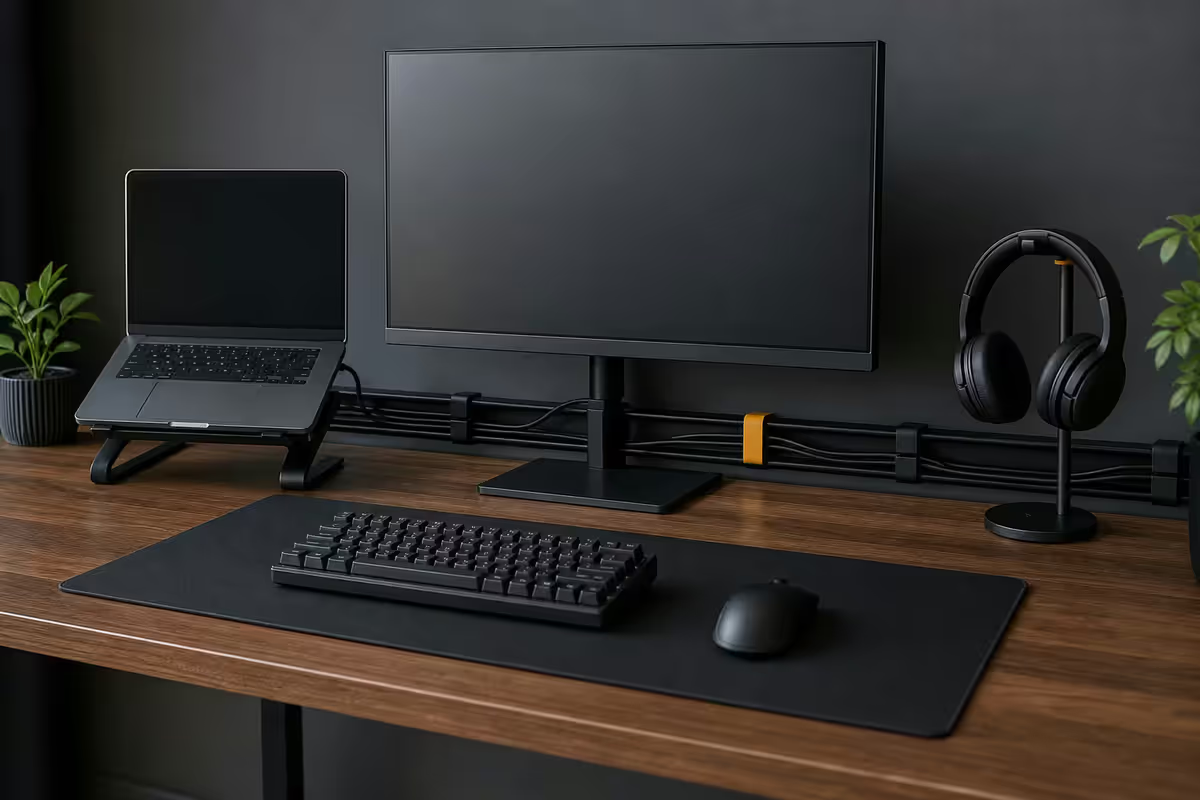
Under-desk cable tray — the single best buy
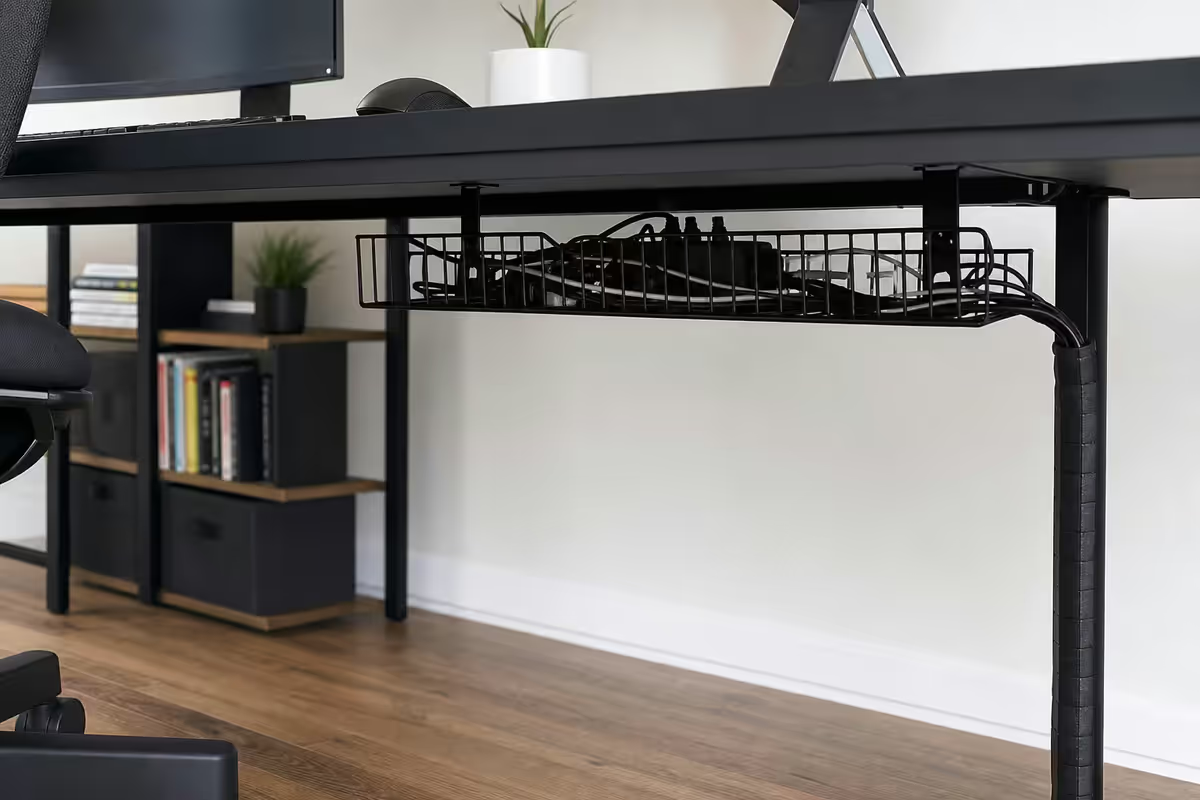
Step one of every clean desk: get the cables off the floor and onto a horizontal channel under the desk. An under-desk tray (sometimes called a cable basket) holds a power strip plus 8-12 cables in a single hidden row.
| Tray option | Character | SA price |
|---|---|---|
| Generic mesh basket (Takealot) | Budget, powder coating chips | R200-R350 |
| IKEA Signum (steel mesh) | SA mid-tier sweet spot | R450 |
| VIVO under-desk tray (DESK-AC03) | Wider, stands-desk-friendly | R600-R800 |
| MOFT Cable Management Tray | Slimmer, magnetic | R750-R950 |
| J Channel (Stanley / Pro-line) | Minimalist, hidden look | R650-R900 |
| Pro raceway system (Wieland) | Modular, paintable | R1,200-R1,800 |
The IKEA Signum is the SA sweet spot — wide enough for a 6-way surge protector plus cables, metal mesh lets charger heat escape, and the screws-into-desk-underside design is rigid for standing-desk movement. The Takealot generics work fine but the powder coating chips on rough handling.
Vertical CPU mount — get the tower off the floor
If you run a desktop tower, a vertical CPU mount cleans up two problems at once: it gets the case off dusty floor level and shortens cable runs to the monitor and peripherals by 40-60cm.
| Mount | Best for | SA price |
|---|---|---|
| VIVO MOUNT-PC02 | Up to 12kg, standard ATX | R500-R650 |
| Brateck PCM-01 | Adjustable height + tilt | R600-R850 |
| Ergotron CPU Holder | Rotates with desk position | R1,200-R1,800 |
| HumanCentric strap mount | Strap-and-clamp, no drilling | R450-R650 |
When NOT to mount the tower: heavy custom water-cooled builds over 12kg, tempered glass panels you want visible, server-grade towers with side-mounted PCIe brackets. Otherwise: mount it.
Raceways and channels — for visible runs
A cable raceway is a plastic D-shaped channel with adhesive backing that hides cables running across baseboards or up walls. Use it for:
- The kettle lead from the desk to the wall socket.
- HDMI / DisplayPort cables running to a wall-mounted TV.
- Ethernet cables traversing rooms.
- The single cable from a wireless charging mat to its power supply.
SA stocked options: D-line raceway (Builders Warehouse R85-R180/m), Ledra Brands universal raceway (Takealot R120-R220/m), Wieland Ducten (Yuppiechef R300-R450/m premium). All accept paint, all install with peel-and-stick adhesive backing.
Velcro ties vs zip ties — settle this
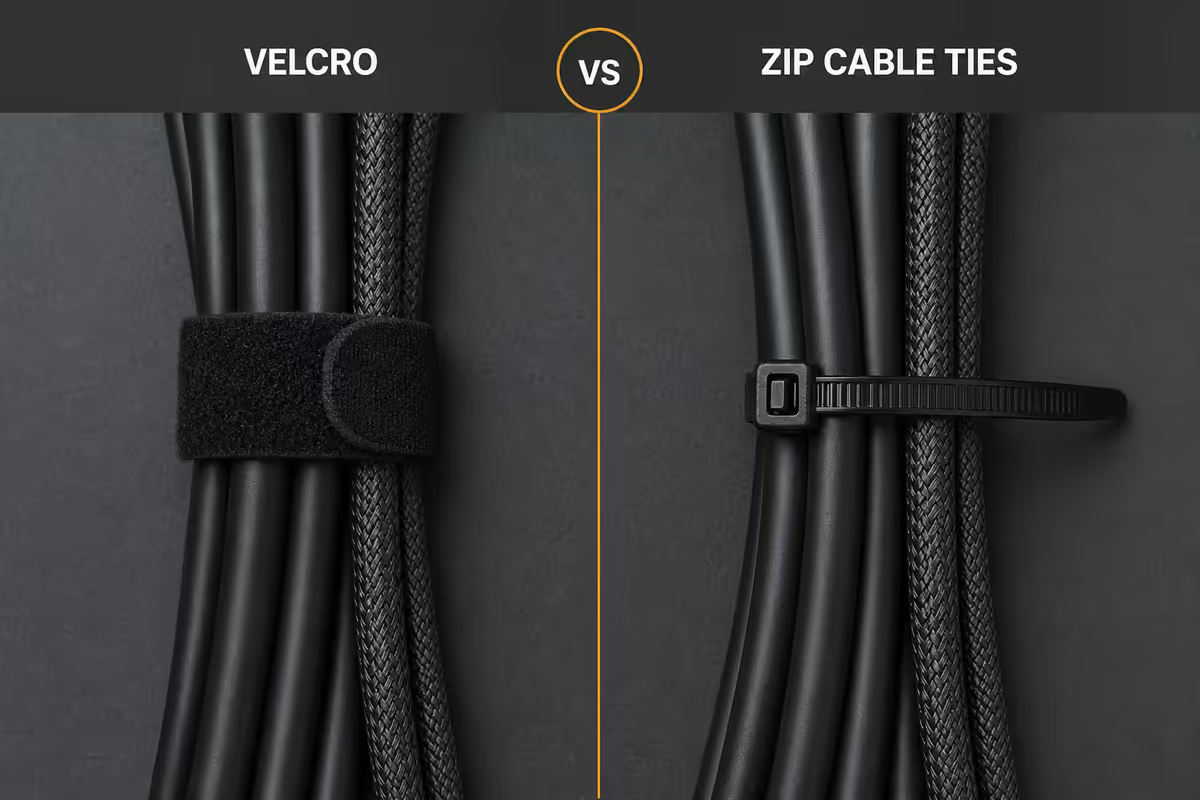
Reusable Velcro ties for almost everything. Zip ties only for permanent inside-PC-case bundles you'll never modify.
Why Velcro wins:
- Reusable. Add a new cable to a bundle, undo the Velcro, redo. Zip ties get cut and replaced every time.
- Won't pinch cables. Over-tight zip ties damage cable jackets and break thin USB-C / DisplayPort cables over months.
- No sharp edges. Cut zip ties leave plastic spurs that scratch hands and tear adjacent cables.
- Cheap. A 200-pack of reusable Velcro ties is R150 at Builders or Takealot. Lasts years.
The one case for zip ties: permanent bundling inside a PC case where the cables will never move again. Even there, modern PC cases ship with Velcro straps pre-installed because they're better.
Bundle strategy — separate by type
The temptation is to bundle every cable together into one fat snake. Don't. Power cables generate electromagnetic interference (EMI) that bleeds into unshielded audio, video and analogue signal cables running parallel.
Two-route system:
- Power route: kettle leads, monitor power, dock power supply, laptop charger. Run along one edge of the desk to the wall socket.
- Data route: USB cables, HDMI / DisplayPort, Ethernet, audio cables. Run along the other edge through the tray.
Where they cross: have them cross at 90 degrees, not run parallel. Parallel runs of more than 30cm start to leak interference into audio / mic setups. A 90-degree crossing minimises the interaction.
Single USB-C dock — the nuclear option
For laptop-based desk setups, a quality Thunderbolt 4 / USB-C dock replaces 6-10 separate cables with a single USB-C tether from laptop to dock. The dock then handles power, monitors, USB peripherals, audio and ethernet.
| Dock | Highlight | SA price |
|---|---|---|
| Anker 568 USB-C 11-in-1 | Best value, dual HDMI + DP | R3,200-R4,000 |
| Dell WD22TB4 Thunderbolt | Bulletproof Dell business standard | R5,500-R7,000 |
| CalDigit TS4 Thunderbolt 4 | Reference-grade 18-port | R8,500-R11,000 |
| Kensington SD5780T | Mid-tier business dock | R4,500-R6,000 |
| Belkin Connect Pro | Slim profile, 90W charging | R3,800-R5,000 |
| Apple Studio Display (as dock) | 3x USB-C + 96W charge built-in | R38,000+ (monitor) |
Verify your laptop's USB-C port supports the dock's power delivery wattage. Most modern MacBooks need 90W+; Dell XPS needs 100W+; gaming laptops often need 130W+ and won't charge through any USB-C dock — they still need their proprietary brick.
Complete SA cable management kits
Budget DIY — R200-R450
- Generic mesh under-desk basket — R250
- 200-pack reusable Velcro ties — R150
- 2m of D-line raceway from Builders — R150
- Get to work on a Saturday afternoon
Standard kit — R750-R1,200
- IKEA Signum tray — R450
- VIVO MOUNT-PC02 vertical CPU mount — R550
- 200-pack Velcro ties — R150
- Slim 6-way surge protector (Ellies / Belkin) — R250
- 3m D-line raceway — R200
Pro polish — R1,200-R1,800 + dock
- J Channel or VIVO wide tray — R750
- Brateck adjustable CPU mount — R750
- Velcro tie multi-pack + cable sleeves — R300
- Single USB-C dock (Anker 568 / Dell WD22TB4) — R3,500-R6,500
- Monitor arms with built-in cable channels (Vivo / Ergotron) — R900-R3,500/arm
Common cable management mistakes
Buying cable sleeves as the first purchase. Cable sleeves (the woven tubes) look pretty in Instagram setups but solve nothing structural. They hide a tangle without fixing it. Buy the tray and ties first; add sleeves only if you want the aesthetic finish.
Over-tight zip ties. A zip tie pulled snug deforms cable insulation and bends thin DisplayPort / USB-C connectors over months. If you must use them, leave 2-3mm slack.
Running power cables next to USB audio. EMI bleed into audio interfaces and USB mics causes a 50Hz mains hum that no plugin removes. Separate the routes.
Skipping labels. Six months later you'll have no idea which cable goes to the wireless charger. R30 of label tape and a Sharpie saves an hour of detective work every time you swap a device.
Buying a "cable management kit" off Takealot. The R250 all-in-one kits with foam sleeves, plastic clips and 12 random ties solve nothing. You can't bundle effectively without a tray, and the kits never include one.
Key takeaways
- Under-desk tray + Velcro ties + slim power strip = 80% of visible mess gone for R500.
- Vertical CPU mount gets towers off the dusty floor and shortens cable runs by 40-60cm.
- Velcro reusable ties always. Zip ties only for permanent inside-PC bundles.
- Separate power and data routes — parallel runs leak EMI into mic and audio cables.
- Single USB-C dock vapourises 8 cables to 1 for laptop setups. R3.5k-R8k well spent.
Frequently asked questions
What's the single biggest improvement for cable mess?
Under-desk cable tray + behind-monitor power strip. The IKEA Signum (R450) plus a slim power strip mounted to it does 70% of the work alone.Velcro ties vs zip ties — which should I use?
Velcro for everything except permanent inside-PC bundles. Reusable, won't pinch jackets, no sharp edges. R150 for 200.Should I mount my PC under the desk?
Yes for most towers up to 12kg. VIVO MOUNT-PC02 or Brateck PCM-01 are R500-R900 in SA. Skip if your case has tempered glass you want visible.One big cable bundle or separate by type?
Separate. Power cables leak EMI into unshielded audio cables when run parallel. Two-route system: power one side of desk, data the other.Will a single USB-C dock really clean up my desk?
Hugely for laptop setups. CalDigit TS4 / Anker 568 / Dell WD22TB4 replaces 6-10 cables with one USB-C tether. R3.5k-R8.5k.How do I hide the kettle lead from a monitor or desk lamp?
Cable raceway (D-line, Ledra Brands, Wieland) along the desk leg or baseboard. Peel-and-stick install, accepts paint. R85-R220/m.Is the IKEA Signum the best under-desk tray?
Best mid-tier value in SA. R450, wide enough for surge protector + 8-10 cables, holds up under standing-desk movement.What about wireless charging mats and dock pads?
Reduces phone / watch / earbud cables. 3-in-1 MagSafe stand (Belkin / Anker) replaces 3 cables with 1. Slower charge than USB-C cable.