Networking Upgrade Guide
2.5GbE vs Gigabit Ethernet. — Worth upgrading in SA, 2026?
Your fibre line probably doesn't need it. Your NAS and your local Steam cache absolutely do. Here's where 2.5GbE actually pays — and where it's a wasted spend.
- throughput gain
- 2.5×
- cable required
- Cat 5e/6
- full upgrade
- R0-R3.5k
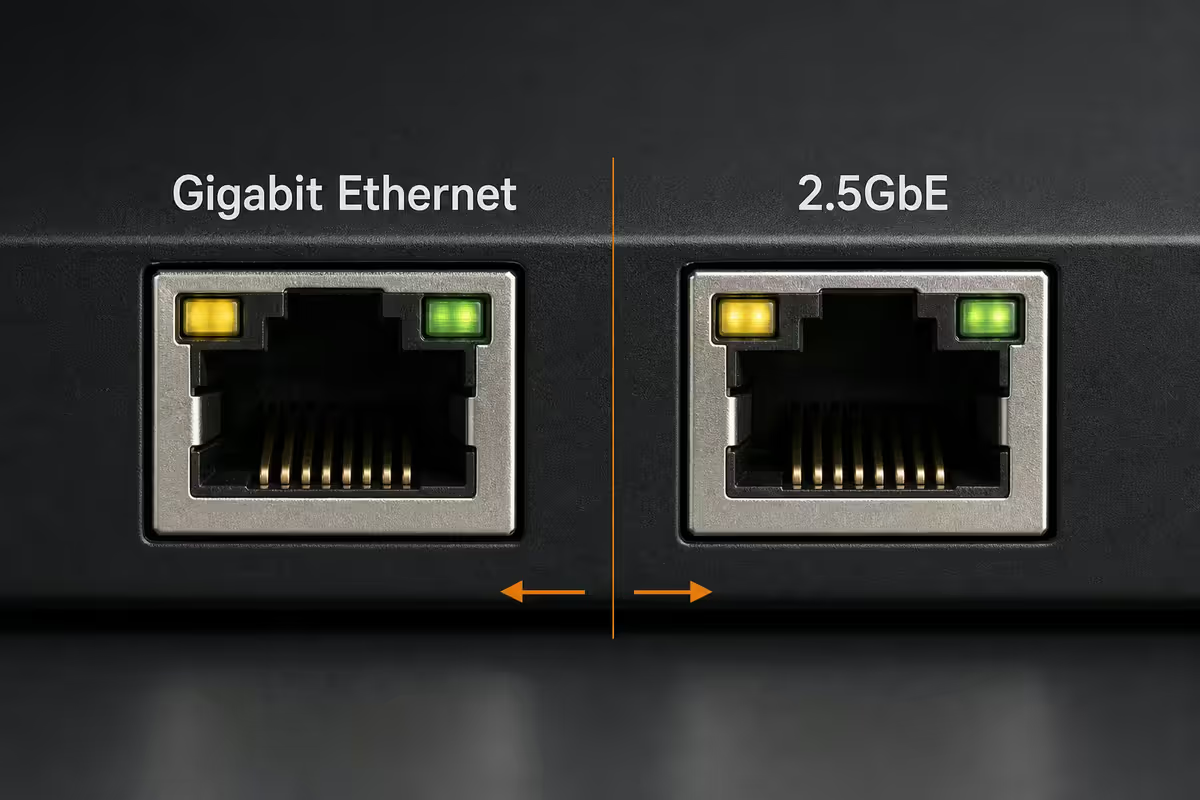
The fibre myth — your 1 Gbps line doesn't need 2.5GbE
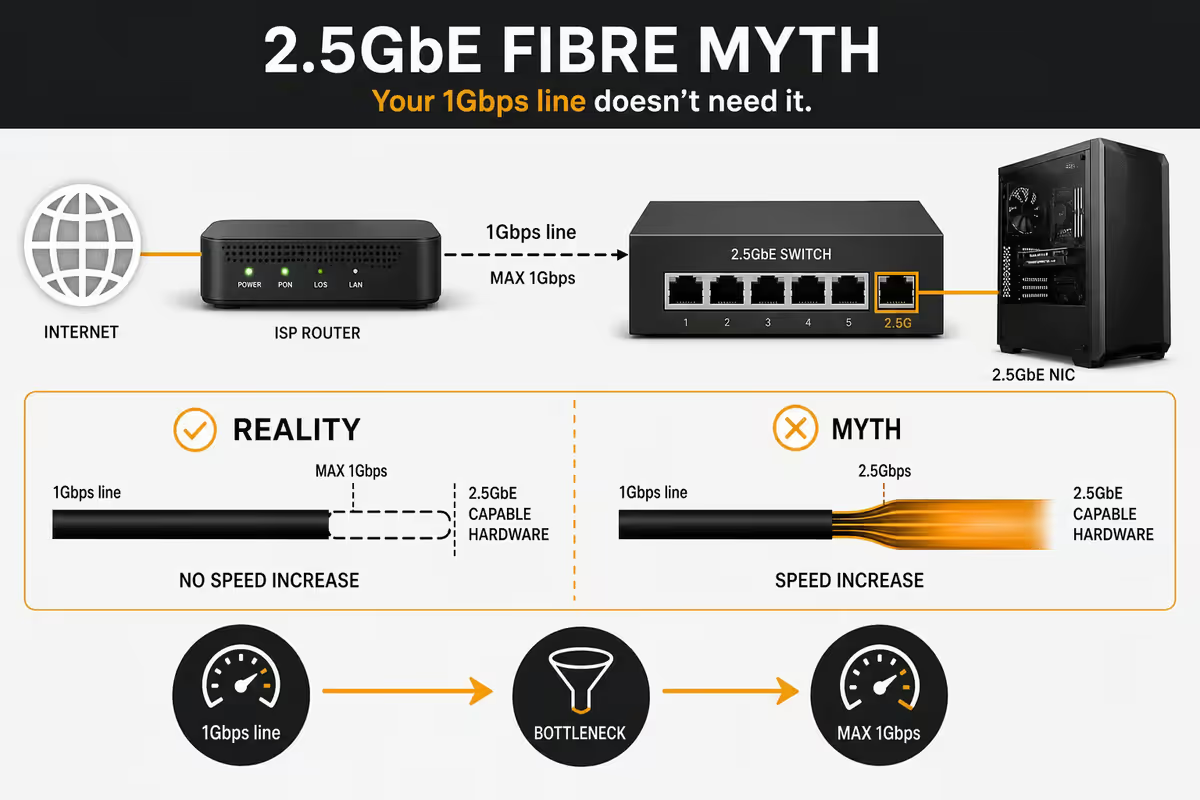
The most common reason South Africans look at multi-gig upgrades is the wrong reason: they think their fibre line will benefit. It won't. Here's why.
A 1 Gbps fibre line from Vumatel, Openserve, Frogfoot or Octotel delivers real-world speeds of 850-940 Mbps after PPPoE overhead, ISP shaping and peering. That's already inside Gigabit Ethernet's 1 Gbps ceiling. The router's WAN port is the bottleneck, not the internal link.
Switching the LAN to 2.5GbE doesn't accelerate downloads from Showmax, Steam, Netflix or PlayStation Network. Those servers, your ISP peering and the global internet are the limit — not the cable from your router to your PC.
Where 2.5GbE actually wins
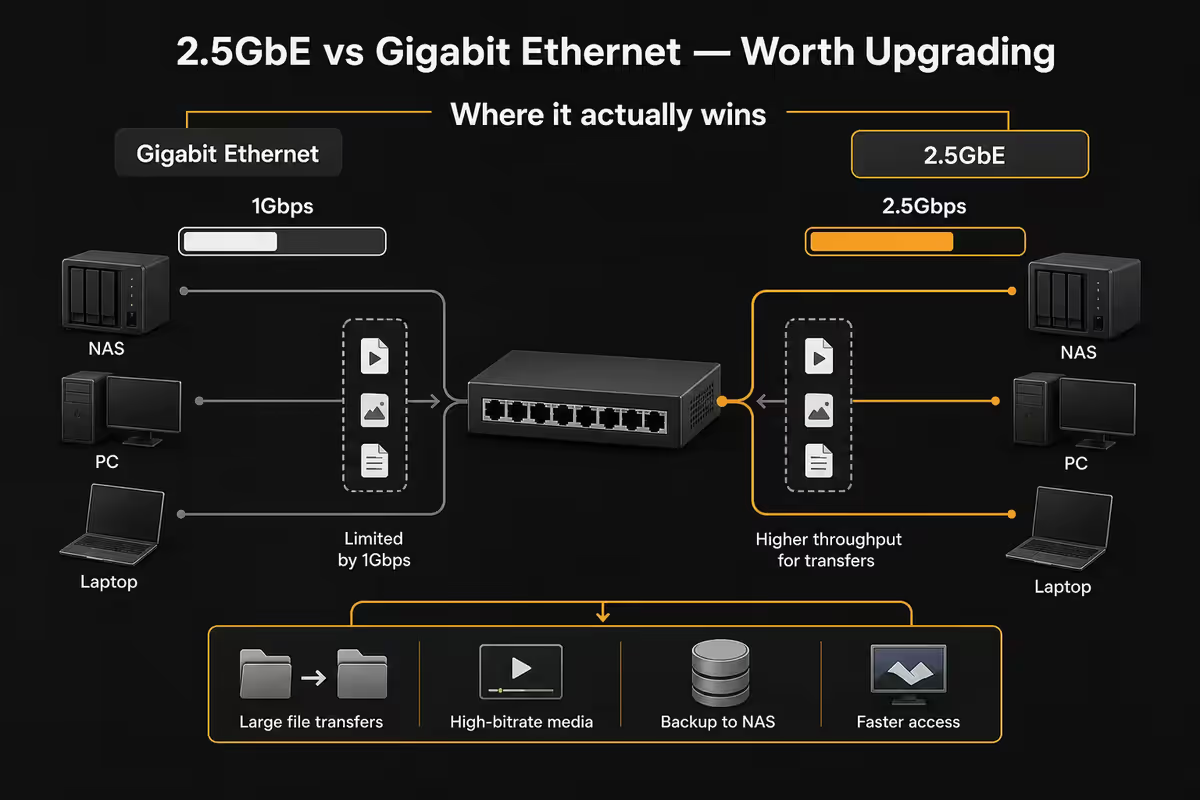
2.5GbE pays off in three specific local-area scenarios. If you do any of these, the upgrade makes a measurable difference.
1. NAS file transfers. A modern NAS with mirrored HDDs reads at 200-280 MB/s, and with NVMe caching tops out around 800 MB/s+. Gigabit Ethernet caps you at 113 MB/s. On 2.5GbE that becomes 290 MB/s — meaning a 60 GB Lightroom catalogue copies in 3.5 minutes instead of 9.
2. Local Steam cache or LAN game library. Tools like LanCache or a steamcmd mirror on a home server let you pull installs at full LAN speed. A 120 GB Call of Duty download on Gigabit takes 19 minutes from a local cache; on 2.5GbE it's 7 minutes. For households with 2-3 gamers, this is genuinely useful.
3. PC-to-PC large file moves. Video editors, photographers and developers shuffling project archives between machines see 2-2.5× faster transfers immediately. If you've ever waited for a 200 GB Premiere project to move between two PCs, you already know the value.
| Workload | Gigabit time | 2.5GbE time |
|---|---|---|
| 60 GB Lightroom catalogue NAS pull | ~9 min | ~3.5 min |
| 120 GB game install (local Steam cache) | ~19 min | ~7 min |
| 200 GB Premiere project PC-to-PC | ~30 min | ~12 min |
| 4K Plex stream from NAS | Fine | Same — bandwidth not the limit |
| Internet download (1 Gbps fibre) | ~940 Mbps | ~940 Mbps (no change) |
| Online gaming ping | Same | Same — latency unchanged |
Switches, NICs and cables — what you actually need
The hardware to make 2.5GbE work breaks into three pieces.
The NIC side. Most 2026 motherboards on B650, X670E, B760 and Z790 include onboard 2.5GbE (Realtek RTL8125, Intel I225-V or I226-V). If yours doesn't, a USB 3.0 to 2.5GbE dongle (R450-R650) or a PCIe x1 2.5GbE NIC (R450-R750) drops in painlessly. The Realtek RTL8156 is the standard USB adapter; the Intel I226-V the standard PCIe pick.
The switch side. A 2.5GbE-capable unmanaged switch is the upgrade most people forget. Popular SA options:
- TP-Link TL-SG105-M2 — 5 ports, all 2.5GbE, unmanaged, R1,800-R2,200.
- MikroTik CRS305-1G-4S+IN — 4× SFP+ (10G), 1× Gigabit, for serious users at R4,200-R5,500.
- Netgear MS305 — 5-port 2.5GbE, comparable to TP-Link, R2,000-R2,400.
- TP-Link TL-SG108-M2 — 8-port 2.5GbE, R3,200-R3,800.
The cable side. Cat 5e handles 2.5GbE up to roughly 45 metres in good condition — most homes never hit that distance. Cat 6 is the safe pick for permanent in-wall runs (handles 2.5GbE and 5GbE comfortably). You only need Cat 6a for 10GbE over runs longer than 55m.
Mixing 1GbE and 2.5GbE on one network
A common worry: "If I add 2.5GbE to my gaming PC and NAS, will the rest of the network slow down?" The answer is no, and it's worth understanding why.
Modern multi-gig switches auto-negotiate per port. Your PC on a 2.5GbE port talks to the NAS on a 2.5GbE port at the full 2.5 Gbps. That same NAS, on its 2.5GbE port, also serves files to a Raspberry Pi on a 1 Gbps port at 1 Gbps. Each port negotiates independently — there's no penalty for mixing.
The smart upgrade order: NAS first, then your main PC, then a second power-user PC. Leave the printer, Wi-Fi access points and smart TVs on Gigabit. None of them benefit from multi-gig.
5GbE and 10GbE — when to skip ahead
5GbE is almost dead. Consumer adoption never took off and switches are rare and expensive. If you're going past 2.5GbE, jump straight to 10GbE.
10GbE is now actually affordable. The Aquantia/Marvell AQC107 NIC sells for R1,500-R2,500 in SA. A 5-port 10GbE switch (QNAP QSW-1105-5T, MikroTik CRS305-1G-4S+IN, TP-Link TL-SX1008) runs R4,000-R7,000. The catches: 10GbE NICs run hot (40-65°C idle in a tight case), and Cat 6a or fibre is mandatory for full speed.
Who actually needs 10GbE in a home setup:
- Video editors pulling 8K or multi-stream 4K from a NAS at full bandwidth.
- Home virtualisation labs running multiple VMs across nodes (Proxmox + Ceph).
- Anyone with a NVMe-cached NAS that can actually saturate 10GbE locally.
Everyone else is best served by 2.5GbE. The price/performance curve flattens hard above 2.5G for a typical home.
ZAR upgrade maths — what 2.5GbE actually costs
The full picture for an SA household upgrading from 1GbE to 2.5GbE on the main PC + NAS path.
| Component | Pick | SA price (June 2026) |
|---|---|---|
| PC NIC (if motherboard lacks 2.5GbE) | TP-Link TX201 (Realtek 8125) | R450-R650 |
| PC NIC alternative (USB) | Realtek RTL8156 USB 3.0 adapter | R450-R600 |
| 5-port 2.5GbE switch | TP-Link TL-SG105-M2 | R1,800-R2,200 |
| 8-port 2.5GbE switch | TP-Link TL-SG108-M2 | R3,200-R3,800 |
| Cat 6 patch cable (3m) | D-Link or Aten | R80-R140 |
| Cat 6 cable on reel (305m box, in-wall) | Excel or Brand-Rex CCA-free | R2,400-R3,200 |
| NAS with 2.5GbE built in | Synology DS224+ or QNAP TS-264 | R8,500-R12,000 |
| Total upgrade (assuming free onboard 2.5GbE) | Switch + 3× patch cables | R2,200-R2,800 |
Common 2.5GbE upgrade mistakes
Upgrading the PC NIC but not the switch. A 2.5GbE NIC connected to a 1 Gbps port negotiates down to 1 Gbps. You see no improvement. The switch is the most critical piece.
Buying 2.5GbE for the internet line. Already covered — your fibre line is capped by your ISP plan, not the LAN. If your goal is "faster internet," 2.5GbE is the wrong solution.
Using copper-clad aluminium (CCA) cables. Many cheap "Cat 6" cables on Bidorbuy and Takealot use CCA wire that's noisier and lossier than solid copper. They may sync at 2.5G briefly then drop to 1G. Buy from trusted retailers and brands.
Ignoring port heat on 10GbE. If you do jump to 10GbE NICs (especially Aquantia/Marvell), expect 40-65°C idle in tight builds. Plan for airflow on the NIC or use a small heatsink upgrade. 2.5GbE NICs run cool — this is one of the 2.5G advantages.
Forgetting the printer and TV. No payoff. Leave them on Gigabit and save the switch ports for actual high-bandwidth devices.
Key takeaways
- 2.5GbE upgrades pay off only for local traffic — NAS, Steam cache, PC-to-PC. Internet is unaffected.
- Most 2026 motherboards include free onboard 2.5GbE. The switch is the part most people forget.
- Cat 5e works under 45m; Cat 6 is safer for permanent runs; Cat 6a only needed for 10GbE.
- Mix 1GbE and 2.5GbE freely — modern switches auto-negotiate per port with no slowdown.
- Skip 5GbE. Go 2.5GbE for home, jump to 10GbE only if you do real video editing or virtualisation.
Frequently asked questions
Is 2.5GbE worth upgrading from Gigabit Ethernet?
Only if your bottleneck is local — NAS, Steam cache or LAN backups. For internet on 1 Gbps fibre, 2.5GbE adds nothing. The cost-effective trigger is owning a NAS or having a second PC moving large files locally.Does my 1 Gbps fibre line need a 2.5GbE upgrade?
No. Internet is capped by your ISP plan and the WAN side of your router (typically 850-940 Mbps real-world). 2.5GbE only matters for LAN traffic.Do I need new cables for 2.5GbE?
Cat 5e handles 2.5GbE up to ~45m. Cat 6 is the safe pick for permanent runs. Cat 6a is only needed for full 10GbE over longer runs. Avoid unbranded cheap "Cat 6" — many in SA are mislabelled CCA.Can I mix 1GbE and 2.5GbE on the same network?
Yes, freely. Modern multi-gig switches auto-negotiate per port. Each port runs at its own speed with no slowdown on others.What about 5GbE and 10GbE — should I skip to those?
5GbE adoption is minimal. 10GbE is affordable for enthusiasts but runs hot. For home use, 2.5GbE hits the sweet spot. Jump to 10GbE only for video editing or virtualisation.What does a 2.5GbE upgrade cost in South Africa?
Onboard 2.5GbE is free on most 2026 boards. Add a 5-port 2.5GbE switch (R1,800-R2,400) and patch cables. Total realistic spend R2,200-R2,800.Will I see 2.5GbE speeds on Wi-Fi?
Wi-Fi 6E and Wi-Fi 7 can exceed Gigabit in ideal conditions but degrade with distance and walls. Wired 2.5GbE is the consistent multi-gig option.Does 2.5GbE affect online gaming latency?
No. Latency is dominated by your ISP, peering and server distance. 2.5GbE helps with local file pulls — not ping.
Get the Evetech app
Exclusive app-only prices, daily flash sales, and free delivery on orders over R4,000 — download the app and start saving.