Home NAS Setup Guide
Home NAS setup — store and back up. — Two bays. RAID 1. Done by Sunday.
Your photos, Time Machine backups and Plex library don't belong on six external drives in a cupboard. A 2-bay NAS for R12k solves the storage problem for the next five years — and it's easier to set up than most people think.
- covers 95% of homes
- 2-bay
- backup rule
- 3-2-1
- SA spend tier
- R6k-R35k
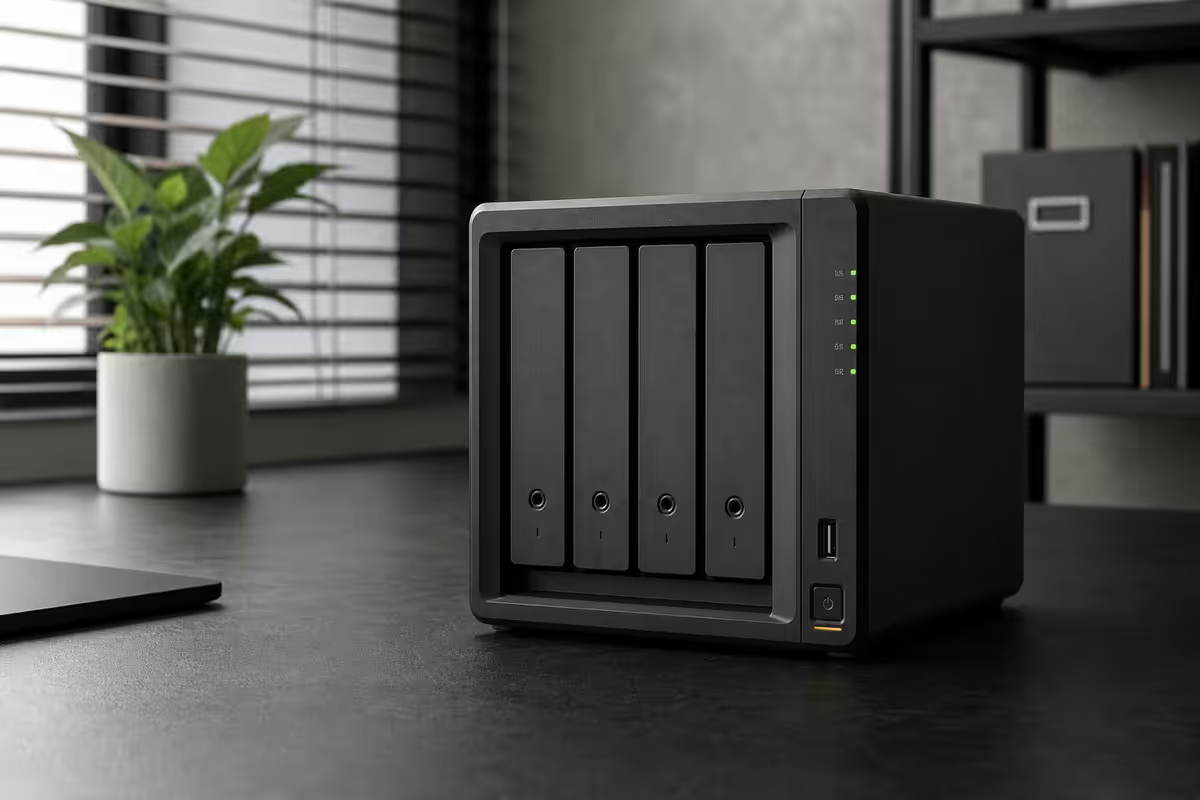
How many bays do you actually need?
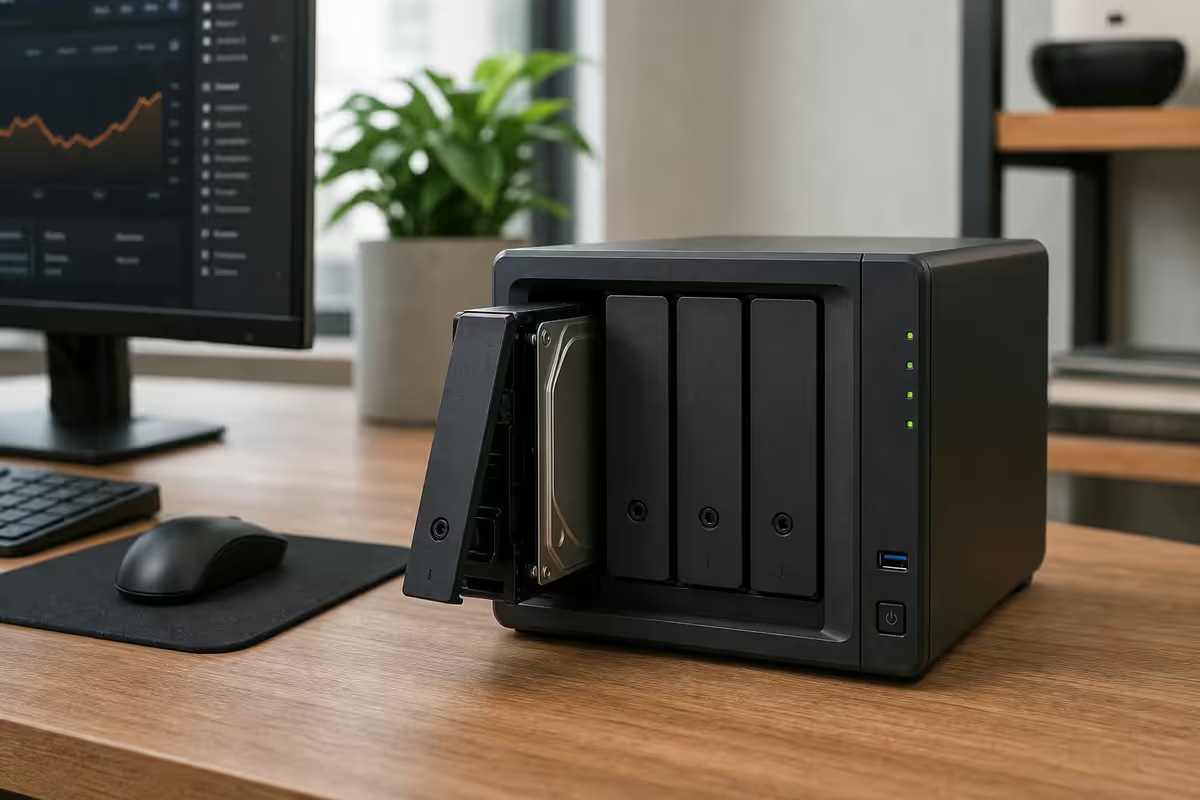
First decision. Bay count drives price, power draw and what RAID levels you can run. Most people overestimate what they need.
| Bay count | Best for | SA spend (unit only) |
|---|---|---|
| 2-bay | 95% of home users — RAID 1 mirror | R6,500-R9,500 |
| 4-bay | 15TB+ libraries, RAID 5, expandable | R10,000-R18,000 |
| 6-bay | Serious media archives, Docker / VMs | R18,000-R32,000 |
| 8-bay+ | Prosumer / small business | R30,000+ |
2-bay covers most homes. Drop two 8TB drives in, set up RAID 1 mirror, you have 8TB of safely redundant storage for 5+ years. Most SA home users — even photographers and Plex enthusiasts — never fill it.
4-bay is the upgrade trigger if: you have 15TB+ already, you want RAID 5 (better capacity efficiency), or you want room to expand without rebuilding from scratch.
Synology vs QNAP vs UGREEN vs TrueNAS
The software ecosystem matters more than the hardware. A great NAS with bad software becomes shelfware.
Synology (DSM) — the polished default. Best app ecosystem (Synology Photos, Synology Drive, Surveillance Station, Active Backup). Plex, Time Machine, Docker all just work. Hardware is slightly behind QNAP but the software gap is massive. Pick for non-technical home users.
QNAP (QTS / QuTS Hero) — more hardware power per Rand. Faster CPUs, 2.5GbE standard from the TS-x64 line up, NVMe cache slots. Software is messier with app inconsistency and a less polished UI. Better for power users who want maximum hardware.
UGREEN NAS (UGOS) — new entrant (2024-2025). Impressive hardware at aggressive prices (DXP4800 Pro is a great spec sheet). UGOS software is improving but immature; expect rough edges for the next 12-18 months. Promising but not yet the default recommendation.
TrueNAS Scale — free, open-source, ZFS file system. The power-user choice. Build your own x86 NAS for less than the Synology equivalent. Best-in-class data integrity. Steep learning curve; only worth it if you're willing to invest 10-20 hours learning.
RAID levels — pick the right one
RAID combines multiple drives for redundancy and/or performance. Not all RAID levels are appropriate for home use.
| RAID level | Drives needed | Usable capacity / failure tolerance |
|---|---|---|
| RAID 0 (stripe) | 2+ | 100% / NONE — never use for important data |
| RAID 1 (mirror) | 2 | 50% / 1 drive can fail |
| RAID 5 (parity) | 3 minimum, 4 recommended | (N-1)/N / 1 drive can fail |
| RAID 6 (double parity) | 4 minimum, 5+ recommended | (N-2)/N / 2 drives can fail |
| RAID 10 (striped mirror) | 4+ | 50% / multiple drives can fail (specific pairs) |
| SHR (Synology Hybrid) | 2+ mixed sizes | Flexible RAID 1 / 5 / 6 with mixed drives |
For 2-bay: RAID 1 (mirror). Simplest, fastest rebuilds, both drives hold identical data. Lose one, the other carries on. Hot-swap the dead drive, rebuild in 8-24 hours depending on drive size.
For 4-bay: RAID 5 or Synology SHR. Three drives of usable space + one parity. Better capacity efficiency than mirror. Synology SHR adds flexibility for mixed-size drives.
For 6-bay with 8TB+ drives: consider RAID 6. Drive rebuild times stretch into days at 12-20TB capacities, raising the risk of a second failure during rebuild. RAID 6 survives two failures.
NAS hard drives — IronWolf vs Red
Don't use desktop drives in a NAS. NAS-specific drives (Seagate IronWolf, WD Red) handle 24/7 vibration and high temperatures in multi-drive arrays. Desktop drives (Seagate Barracuda, WD Blue) fail within 12-18 months in a NAS.
| Drive | Best for | SA price (per drive) |
|---|---|---|
| Seagate IronWolf 4TB | Entry 2-bay | R2,500-R2,800 |
| WD Red Plus 8TB | Sweet spot for 2-bay | R4,500-R5,500 |
| Seagate IronWolf 8TB | Sweet spot for 2-bay | R4,400-R5,200 |
| WD Red Pro 12TB | 4-bay / heavy use | R6,500-R7,800 |
| Seagate IronWolf Pro 16TB | Large media library | R8,500-R10,500 |
| WD Red Pro 20TB | Heavy 4/6-bay arrays | R11,000-R13,000 |
Buy drives in pairs from different production batches when possible. Matched-batch drives can fail close together. Mixing manufacturer batches (or even brands — IronWolf + WD Red in the same array) reduces correlated-failure risk.
Plex, Time Machine, Synology Drive
The killer apps that justify the NAS spend.
Plex (media server). Streams your movies, TV shows and music library to any device on your network and remotely. Needs hardware transcoding for non-direct-play streams — Synology DS224+ (Intel J4125) transcodes 1080p comfortably; DS425+ and QNAP TS-464 handle 4K HDR transcoding for 1-2 simultaneous streams. ARM-based NAS (DS223, DS225) lack hardware transcoding — fine for direct-play but struggle with format conversion.
Time Machine (Mac backup). Set up an SMB or AFP share on the NAS as a Time Machine destination. Both Synology and QNAP have one-click setup. Allocate 2-3x the size of your Mac's storage as the Time Machine quota (a 1TB MacBook needs 2-3TB of NAS space).
Synology Drive / Qsync (Dropbox alternative). Syncs folders between your laptop and the NAS in real time. Selective sync, version history, file-link sharing — basically self-hosted Dropbox. Free with the NAS. The single biggest reason to skip cloud subscriptions.
Synology Photos / QNAP QuMagie. Self-hosted Google Photos alternative. Auto-uploads your phone photos, AI face recognition, time-based browsing. Works offline on your local network.
Remote access — Tailscale beats port forwarding
When you're away from home and want to access your NAS, three options:
- Tailscale (recommended). Modern mesh VPN. Creates a private network between your NAS and devices without opening router ports. Free up to 100 devices. 10-minute setup. Almost zero security risk because nothing is exposed publicly.
- Synology QuickConnect / QNAP myQNAPcloud. Vendor-provided cloud relay. Convenient one-click setup but slower than direct connection and tied to vendor accounts.
- Port forwarding + DDNS. Old-school. Exposes the NAS to the public internet on port 443 / 5001. Any zero-day in DSM / QTS becomes a ransomware risk. Don't do this for home use unless you really know what you're doing.
Setup Tailscale: install on the NAS via Synology Package Center or QNAP App Center, install on your laptop and phone, sign in with same account, done. The NAS appears as a private IP your devices can reach from anywhere.
The 3-2-1 backup rule
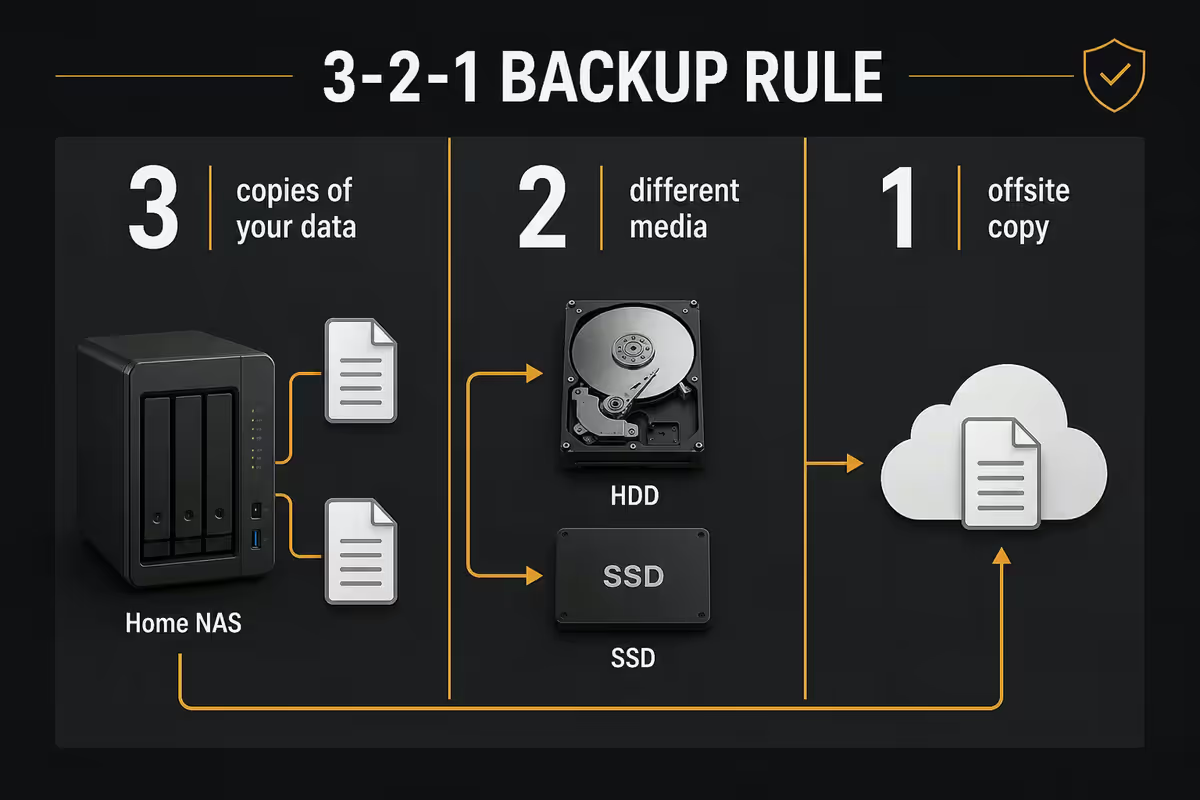
A NAS is one piece of the backup puzzle, not the whole answer.
3-2-1 means:
- 3 copies of your data — the original on your laptop, on the NAS, and offsite.
- 2 different media types — SSD in laptop, HDD in NAS counts.
- 1 copy offsite — cloud backup or external drive elsewhere.
The offsite copy options:
| Offsite option | Highlight | SA cost per TB / month |
|---|---|---|
| Backblaze B2 | Best value, Hyper Backup compatible | ~R110/TB |
| Synology C2 Backup | Native DSM integration | ~R220/TB |
| BackupGround (SA-based) | Local data centre, lower latency | ~R280/TB |
| External USB HDD at relative's house | Free ongoing, ransomware-proof | R1,500 one-time / 8TB |
| iDrive Business | True versioning + ransomware roll-back | ~R350/TB |
Recommended NAS units for SA homes
| Use case | Pick | SA price (unit only) |
|---|---|---|
| Best 2-bay for most homes | Synology DS224+ | R7,500-R9,500 |
| 2-bay budget alt. | QNAP TS-264 | R7,000-R9,000 |
| 4-bay Synology | Synology DS425+ | R12,000-R14,000 |
| 4-bay QNAP (better hardware) | QNAP TS-464 | R10,000-R12,000 |
| 4-bay new entrant | UGREEN DXP4800 Pro | R9,500-R12,500 |
| 5-bay enthusiast | Synology DS925+ | R16,000-R19,000 |
| 6-bay prosumer | Synology DS1525+ / QNAP TS-664 | R22,000-R32,000 |
| DIY ZFS power user | TrueNAS Scale Mini X | R28,000+ (kit) |
Common home NAS mistakes
Treating RAID as backup. RAID protects against hardware failure, not deletion, ransomware or fire. You still need offsite backup. People who skip this lose their entire library to ransomware once and remember forever.
Using desktop drives instead of NAS drives. Barracuda / WD Blue in a NAS fails within 12-18 months. The price difference per drive is small (R200-R400) and the rebuild stress they cause isn't worth it.
Port forwarding for remote access. Exposing DSM / QTS to the public internet has caused dozens of widely-publicised ransomware incidents (DeadBolt, eCh0raix). Use Tailscale.
Buying a NAS without checking Plex transcoding capability. If Plex is a primary use case, the NAS needs Intel Quick Sync (J-series or higher Celeron, Pentium, Core i3+). ARM NAS units will frustrate you within a week.
Filling all bays at once. 4-bay buyers often install four drives on day one for "maximum capacity." Better: start with two, add more as you fill the array. Drive prices drop ~15% per year and you avoid early correlated failures.
Key takeaways
- 2-bay covers 95% of homes. Synology DS224+ with two 8TB drives is the SA sweet spot.
- RAID is not backup. Set up offsite cloud backup (Backblaze B2) during initial install.
- NAS-specific drives (IronWolf, WD Red). Desktop drives fail in NAS within 18 months.
- For Plex, prioritise CPUs with Intel Quick Sync transcoding (Synology DS224+ / DS425+, QNAP TS-464).
- Use Tailscale for remote access. Never port-forward DSM / QTS to the public internet.
Frequently asked questions
What's the best home NAS for most people?
Synology DS224+ with two 8TB IronWolf / WD Red drives. R7.5k-R9.5k for the NAS, R9-R11k for the drive pair. Covers Plex, Time Machine, photos, documents for 5+ years.How many bays do I need — 2, 4 or 6?
2-bay for 95% of homes. 4-bay if you have 15TB+ data and want RAID 5 / expansion headroom. 6-bay for serious media + Docker/VM workloads.RAID 1 vs RAID 5 vs RAID 6 — which should I use?
RAID 1 for 2-bay (mirror). RAID 5 for 4-bay (one parity drive). RAID 6 for 6-bay+ with 8TB+ drives where rebuild times are long. RAID is not backup — still need offsite.Synology vs QNAP vs UGREEN vs TrueNAS — which platform?
Synology for polish (best for non-technical). QNAP for hardware power per Rand. UGREEN for value-promising but immature software. TrueNAS Scale for power users with time to learn.Can I run Plex on a NAS?
Yes if the NAS has Intel Quick Sync. Synology DS224+ does 1080p transcoding well. DS425+ and QNAP TS-464 handle 4K HDR on 1-2 streams. Avoid ARM NAS for Plex.How do I access my NAS when I'm away from home?
Tailscale. Free, 10-minute setup, no port forwarding required. Skip QuickConnect (slower, vendor-tied) and absolutely skip raw port forwarding (ransomware risk).What's the 3-2-1 backup rule?
3 copies of your data, on 2 different media types, with 1 offsite. NAS covers most of it. Backblaze B2 (~R110/TB/month) for the offsite cloud piece.How much storage do I actually need?
Most SA homes need 4-8TB. Photos: 1-3TB. Plex library: 5-10TB. Time Machine: 3x Mac storage. Buy 1.5x current need, not more — drives drop in price every year.