MacBook Fix · Charging & Battery
How to fix MacBook not charging. — Cable. Port. Wattage. Then everything else.
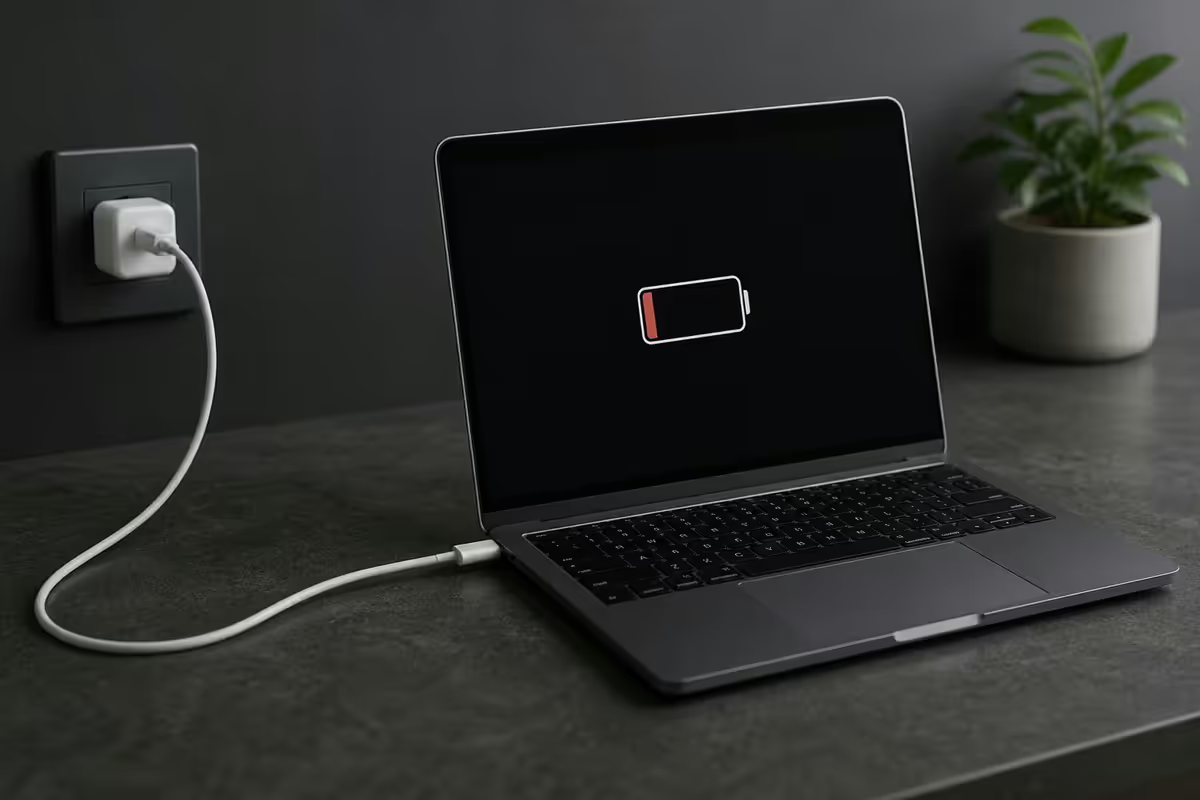
0% battery, plug in, nothing. Or the lightning bolt blinks but the percentage refuses to climb. The cause is almost always one of three things — and most of them cost nothing to fix.
- to diagnose
- 3 steps
- apple silicon spec
- 1000 cyc
- sa battery swap
- R3.5-6.5k
The cable test — your first move
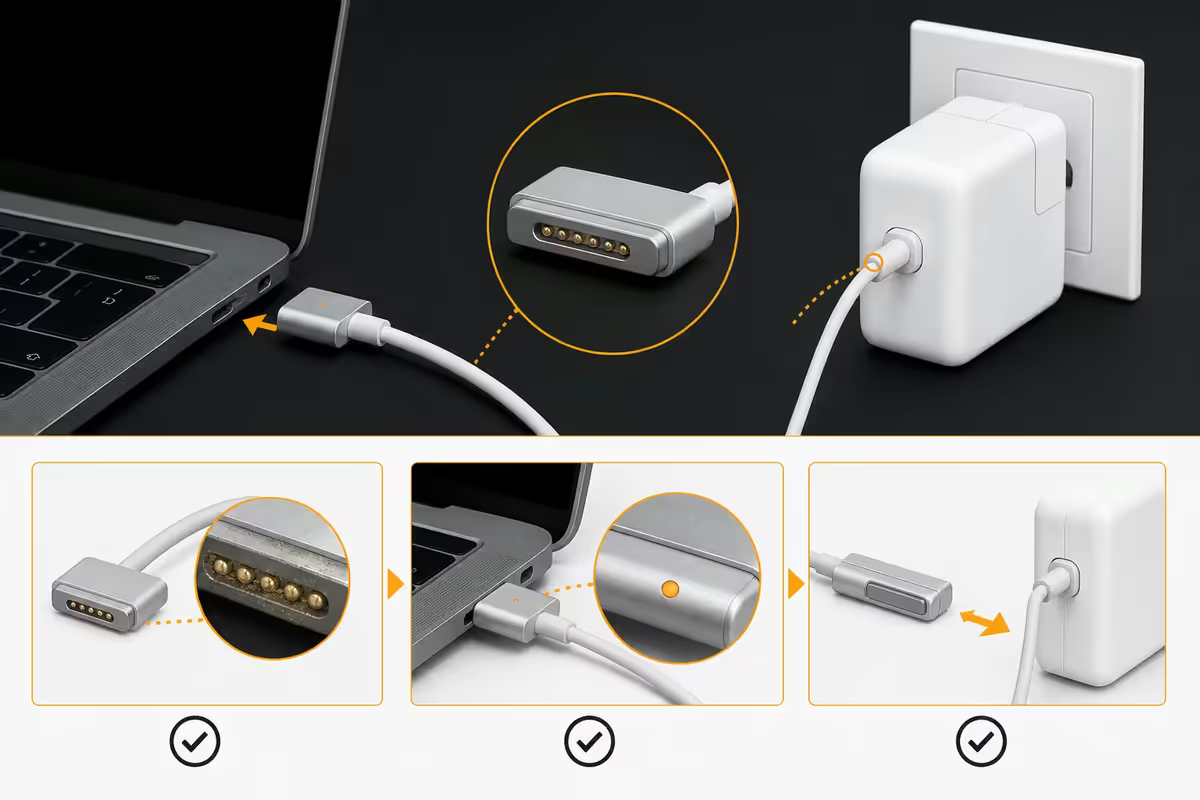
Before any SMC reset, battery health check or service quote — swap the USB-C cable. In our service logs, faulty cables are the single biggest cause of "MacBook not charging" complaints. The cable looks perfectly fine externally. Inside, the copper has fractured at the strain relief where it bends into the connector.
USB-C charging cables typically fail at 12–18 months of daily use — sooner if you pull from the cable rather than the connector, or coil it tightly. The damage is invisible until you bend the cable at a specific angle and the MacBook briefly flashes a charge indication.
The test: borrow a known-good USB-C charging cable. Something that you've seen charge another MacBook or fast-charge an iPhone via PD. Try it with your charger and your MacBook. If it charges — replace your cable, not your Mac.
Port lint cleanout — silent killer
USB-C ports collect lint, dust, hair and pocket fluff over time. Especially common: the MacBook lives in a backpack with loose stationery, or the user works on the couch with pet hair around. The connector feels seated — there's a click — but the lint pad between cable and port pins blocks part of the contact area. The PD handshake fails.
How to check and clean safely:
- Shut the MacBook down before working on the port.
- Shine a torch into the port. If you see grey/white fluff, that's the culprit.
- Use a wooden toothpick, a plastic SIM tool, or a soft microfibre wedge — never metal. Metal shorts the data pins and can fry the port controller.
- Work in tiny scrapes from the edges towards the middle, then blow out lightly with compressed air (upright, short bursts).
- Try every port. Lint usually accumulates in the most-used one.
A 60-second port cleanout fixes more "not charging" calls at our service desk than any other single step.
Wattage match — the 30W trap
When a MacBook plugs into a USB-C charger, the two devices negotiate over USB Power Delivery. The MacBook says "I want 65W at 20V". The charger says "I can do that" — or doesn't, and the negotiation drops to a slower profile. If you plug a 96W MacBook Pro 14 into a 30W iPad brick, the laptop draws 30W max — which under load is less than the laptop's consumption. Net result: the battery slowly drains while plugged in.
| MacBook model | Recommended charger | Minimum for any charge |
|---|---|---|
| MacBook Air 13 (M2/M3) | 30W USB-C | 20W |
| MacBook Air 15 (M2/M3) | 35W dual-port | 30W |
| MacBook Pro 14 (M3/M4 Pro) | 70W | 61W |
| MacBook Pro 14 (M3/M4 Max) | 96W | 96W (or charges slower) |
| MacBook Pro 16 (M3/M4 Max) | 140W (PD 3.1) | 96W (slow) |
The practical rule: if your MacBook says "Not Charging" while plugged in and you're doing heavy work (4K editing, Lightroom export, Xcode build), your charger may be wattage-limited. Close the heavy app, let the battery climb, then resume.
Third-party chargers — what's actually safe
Apple's bricks are reliable but bulky and expensive. Reputable third-party USB-C PD chargers are smaller, often cheaper, and just as safe — if they meet two criteria:
- USB-IF certified — the actual industry compliance, not "Apple compatible" marketing.
- PD 3.0 minimum (PD 3.1 for 140W charging on MacBook Pro 16).
Brands we trust at the service bench: Anker (PowerPort, Nano, 736), UGREEN Nexode, Belkin BoostCharge Pro, Satechi 100W. Avoid: unbranded R150 Takealot chargers, "fast charger" packs from random eBay sellers, anything where the wattage rating disappears when you read the actual print.
A bad charger doesn't always fail spectacularly. The more common failure mode is slow battery degradation — the charger negotiates the wrong voltage and the battery cycles end up shorter than they should be over 12–18 months.
SMC reset — for Intel Macs that refuse to charge
On Intel MacBooks (pre-late-2020), the System Management Controller (SMC) handles charging logic, including the relationship between charger detection, battery state and indicator lights. A confused SMC can produce: "Not Charging" with a known-good cable and charger, MagSafe LED stuck off, or the laptop only charging when off.
Intel MacBook SMC reset:
- Shut down the Mac fully.
- Hold Shift (left) + Control (left) + Option (right) + Power for 7 seconds.
- Release all keys together.
- Wait a few seconds, then press Power normally.
Checking battery health honestly
macOS exposes two useful battery metrics: Maximum Capacity (as a percentage of original design capacity) and Condition (Normal or Service Recommended).
Where to find it: System Settings → Battery → Battery Health → ⓘ. Apple shows you Max Capacity %, Condition, and (on Apple Silicon) the cycle count separately.
What numbers mean:
- Maximum Capacity 90–100% — battery is healthy. Charging issues are not the battery.
- 80–89% — normal wear after 18–30 months of use. Still works fine, just shorter battery life.
- Below 80% — Apple now recommends service. Battery still works but life is meaningfully reduced.
- Cycle count over 1,000 (Apple Silicon) — at expected lifetime. Past 1,200 cycles, capacity drops more steeply.
For deeper diagnostics — the free Mac app coconutBattery (coconut-flavour.com) is the industry standard. It shows exact mAh capacity (vs design), manufacturing date, temperature history, charging cycles, and even battery cell voltage. Every Mac repair shop in SA uses it as a first-pass tool. It's free and doesn't require admin access.
'Service Battery' — what to do
When macOS flags Service Battery or "Service Recommended", it means one of three things has triggered the warning:
- Maximum Capacity dropped below ~80% of original design
- Cycle count exceeded the model's expected lifetime (1,000 cycles for Apple Silicon)
- Internal fault detected — bad cell, sensor, or charging IC
What it doesn't mean: the MacBook is unsafe to use. The battery still works. Battery life is just notably shorter and charging may become inconsistent. If you're sitting at a desk plugged in most of the time, you can run the Mac like this indefinitely.
When to replace: if you need real portable battery life back. The replacement gets you back to 100% Max Capacity and reset cycle count. On Apple Silicon Macs, expect 5–7 hours of light use on a fresh battery rather than the 2–3 hours a degraded one delivers.
SA AppleCare & service cost reality
If your MacBook is under warranty (1 year standard) or under AppleCare+ (3 years total), battery issues are covered when Maximum Capacity drops below 80% — Apple replaces the battery free. Outside of that, you're paying out of pocket.
| Service | SA price range | Notes |
|---|---|---|
| Diagnostic at authorised partner | R600–R1,200 | Refunded if service goes ahead |
| MacBook Air battery (M2/M3) | R3,500–R4,500 | Glued in, requires heating |
| MacBook Pro 14 battery (M-series) | R4,800–R5,800 | Tri-cell layout |
| MacBook Pro 16 battery | R5,500–R6,500 | Largest cells |
| USB-C port replacement | R3,800–R5,200 | Logic-board level work |
| Apple 96W USB-C charger | R1,599 RRP | Anker/UGREEN 100W: R750–R1,200 |
| Apple USB-C MagSafe cable | R599 RRP | Anker/UGREEN 100W: R250–R450 |
Key takeaways
- Cable first — borrow a known-good USB-C cable and test. 45% of "not charging" cases stop here.
- Inspect every port with a torch. Lint is the silent killer. Clean with wood/plastic, never metal.
- Match wattage. A 96W MacBook Pro on a 30W brick will trickle-charge or drain under load.
- SMC reset on Intel. Apple Silicon doesn't have one — full shutdown is the equivalent.
- System Settings → Battery → Battery Health, or coconutBattery for deeper detail. Service Battery means < 80% capacity.
Frequently asked questions
Why is my MacBook not charging when plugged in?
Work through the suspects in order: (1) Swap the USB-C cable for a known-good one — cables fail far more often than chargers. (2) Try a different USB-C port on the MacBook. (3) Check the charger's wattage matches your model (96W MacBook Pro 14 won't charge meaningfully off a 30W iPad brick). (4) Inspect the port for lint and dust. (5) Restart the Mac. (6) On Intel Macs, reset the SMC. Most non-charging cases are cable or port — not battery.How do I know if my USB-C charging cable is faulty?
Borrow a known-good USB-C charging cable (e.g. one that charges another MacBook or iPhone via PD reliably) and test. USB-C cables fail in the middle, near the strain relief on either end, after about 12–18 months of daily use. The connector still looks fine but internal copper fractures. If the borrowed cable charges your Mac and yours doesn't — your cable is dead, not your MacBook.Does the charger wattage matter for MacBook charging?
Yes — significantly. A 96W MacBook Pro 14 (M3 Pro/Max) plugged into a 30W iPad brick will trickle charge or not charge at all under load. The MacBook reads the charger's wattage via USB-PD handshake and matches its draw. Use the original Apple brick or a 96W+ third-party PD charger (Anker 736, UGREEN Nexode 100W). MacBook Air 13 ships with 30W and charges fine off a 30W brick.Are third-party USB-C MacBook chargers safe?
Reputable PD-certified third-party chargers (Anker, UGREEN, Belkin, Satechi) are safe and often more compact than Apple's bricks. Avoid uncertified R150 Takealot specials with no brand — they can damage the battery long-term by negotiating the wrong voltage. Look for USB-IF certification and PD 3.0 (or PD 3.1 for 140W charging). Apple-certified is a marketing term; USB-IF + PD compliance is what matters.What does the 'Service Battery' warning mean?
It means macOS has decided the battery is degraded enough to recommend replacement. Trigger conditions: maximum capacity below 80% of original, or cycle count past expected lifetime, or an internal fault detected. The MacBook keeps working but battery life is meaningfully shorter. On Apple Silicon Macs, expected lifetime is 1,000 cycles. Battery replacement in SA via authorised service is R3,500–R6,500 depending on model.How do I check MacBook battery health?
System Settings → Battery → Battery Health → ⓘ. You'll see Maximum Capacity (% of original) and a condition status (Normal / Service Recommended). For deeper diagnostics, the free app coconutBattery shows exact cycle count, design vs current capacity in mAh, manufacturing date, and temperature history. Coconut is the industry-standard tool — every Mac repair shop uses it.Can lint in the USB-C port really stop charging?
Yes, and it's incredibly common — especially in SA pockets and dusty home offices. USB-C ports collect lint, hair and dust over time. The cable feels seated but only some pins make contact, and the PD handshake fails. Look into the port with a torch. Clean carefully with a wooden toothpick or plastic SIM tool — never metal (shorts pins). Often a 60-second port cleanout is the entire fix.How much does MacBook battery replacement cost in SA?
At authorised Apple service partners in SA: MacBook Air (M-series) approximately R3,500–R4,500; MacBook Pro 14 (M-Pro/Max) approximately R4,800–R5,800; MacBook Pro 16 R5,500–R6,500. Out-of-warranty AppleCare+ holders pay a flat lower fee. Third-party battery replacement (Loot, independent repair shops) ranges R2,000–R3,500 but voids any remaining warranty. We don't recommend DIY on Apple Silicon — batteries are glued to the chassis and require heating + careful prying.
Get the Evetech app
Exclusive app-only prices, daily flash sales, and free delivery on orders over R4,000 — download the app and start saving.