MacBook Fix · Heat & Throttling
How to fix MacBook overheating. — Activity Monitor first. Hardware last.
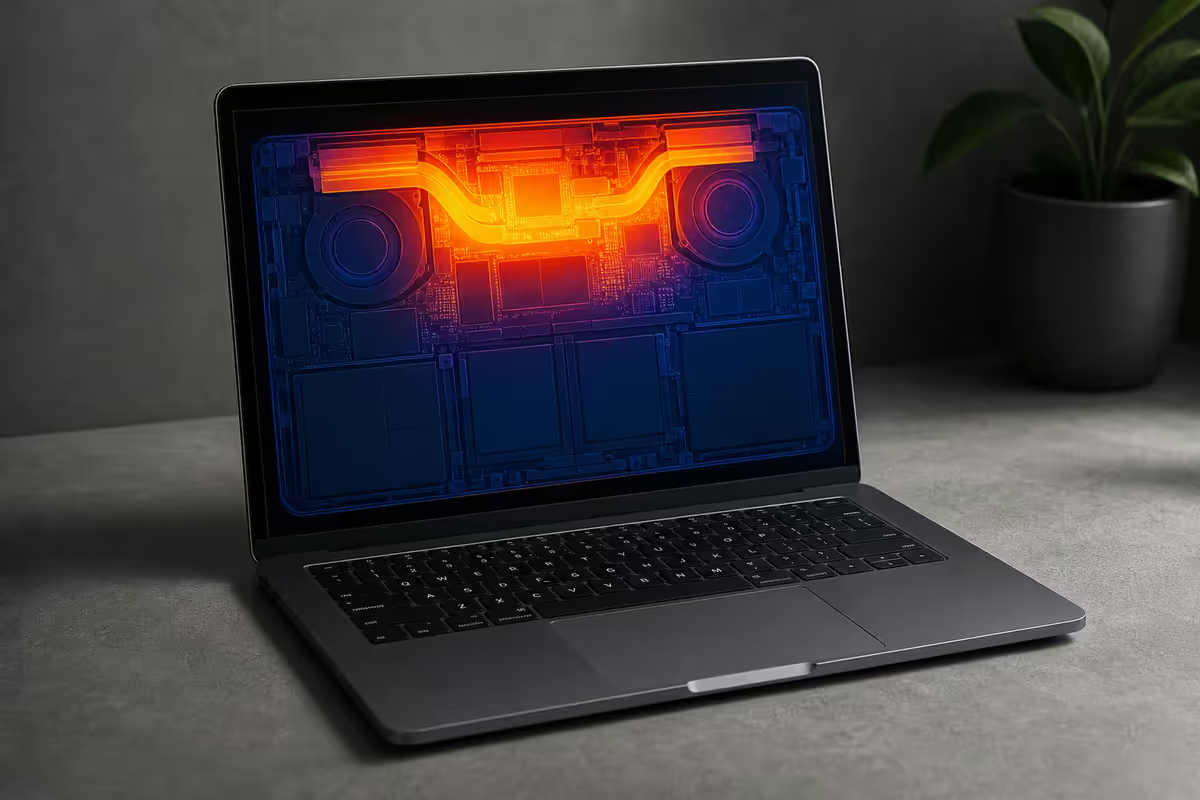
Fans roaring, palm rest hot, kernel_task at 200%. Before you book a Genius Bar slot, the cause is almost always a single runaway process or a stuck index. Here's the diagnostic order that actually works.
- software causes
- 95%
- apple op range
- 10-35°C
- to triage
- ~8 min
Start with Activity Monitor — always
Before any reset, repaste, or genius bar booking — open Activity Monitor and look at CPU. Cmd-Space, type "Activity Monitor", press Return. Click the CPU column header twice to sort highest-first. The cause of most overheating is sitting at the top of that list.
| What you see | Likely cause | Quick fix |
|---|---|---|
| mdworker_shared 90%+ | Spotlight reindexing | Wait 30-60 min, or pause indexing |
| backupd / TimeMachine 80%+ | First-time backup running | Let it finish (can take hours) |
| Google Chrome Helper 150%+ | Tab or extension runaway | Chrome → Window → Task Manager |
| Slack / Zoom 60%+ at idle | Electron app stuck | Quit fully (Cmd-Q), reopen |
| kernel_task 200%+ | macOS throttling for heat | Find the other process causing heat |
kernel_task at 200% — what it actually means
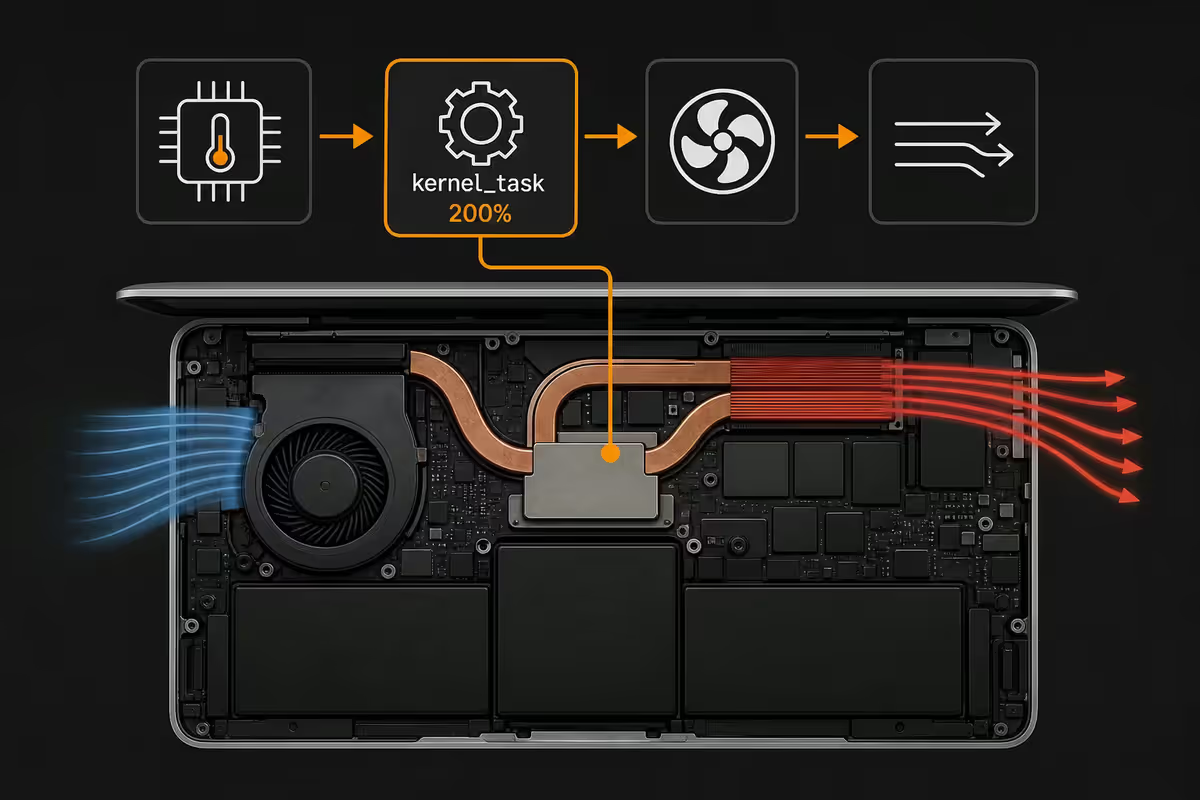
If kernel_task is sitting at the top of Activity Monitor using a multi-hundred percent of CPU, your first instinct is to kill it. You can't — it's protected. More importantly, you shouldn't, because kernel_task isn't the cause of your heat. It's macOS's response to heat.
When the CPU package exceeds its thermal limit (typically 95-100°C), macOS spawns kernel_task threads to deliberately occupy CPU cycles. With less CPU available for real work, the chip cools. kernel_task is the brake — not the engine.
High kernel_task means something else is pushing thermal limits:
- A real workload (video export, Xcode build, Lightroom export) on a small chassis
- Blocked vents or thermal paste failure
- Ambient room temperature above 30°C
- A runaway background process (see Activity Monitor)
- Charging while heavy load running — adapter heat couples to chassis
The Electron app problem (Slack, Zoom, Teams)
A typical SA work day on a MacBook: Slack, Zoom, Teams, Notion, VS Code, Spotify, Discord — all open. Six of those are Electron apps. Each one is essentially a separate Chrome instance running its own JavaScript engine. Six MacBook-grade Chromes is a heat problem.
The fix: when overheating, quit Electron apps fully (Cmd-Q, not just close the window). On Apple Silicon especially, native apps (Apple Mail, Apple Notes, Messages) run at a fraction of the power. Slack as a native PWA via Safari, for example, uses around a third of the energy of Slack-the-Electron-app.
Browser extensions — the silent culprit
The classic SA work-from-home stack: Chrome with uBlock Origin + Honey + 1Password + Grammarly + LastPass + a Pinterest clipper + a Loom recorder. On any given page, all of these try to inject scripts, watch for changes, and race each other to modify the DOM.
Open Chrome's built-in task manager: Window → Task Manager. You'll see CPU and memory usage per tab and per extension. Often a single extension is sitting at 30-60% CPU constantly because it's stuck in a loop on a problem page.
Common SA culprits we see:
- Honey on Takealot or any e-commerce site (constant price-checking)
- uBlock Origin on YouTube with thousands of filter rules
- Grammarly in Gmail or Notion (re-parses every keystroke)
- LastPass and 1Password running at the same time (they fight)
Disable extensions one at a time, refresh the heavy page, and watch CPU drop in real time. The Chrome task manager makes this an exact science instead of a guess.
SMC reset — Intel Macs only
The System Management Controller (SMC) is the chip on Intel-era MacBooks (2009 to early 2020) that manages fans, charging, power and thermal sensors. When it gets confused, fans run constantly at max RPM, or refuse to spin at all. An SMC reset fixes both.
Intel MacBook SMC reset (2018-2020 models with T2 chip):
- Shut down the Mac fully (not sleep).
- Hold Shift (left) + Control (left) + Option (right) + Power for 7 seconds.
- Release all keys at the same time.
- Wait a few seconds, then press Power to boot normally.
Vent cleanout — careful with the screws
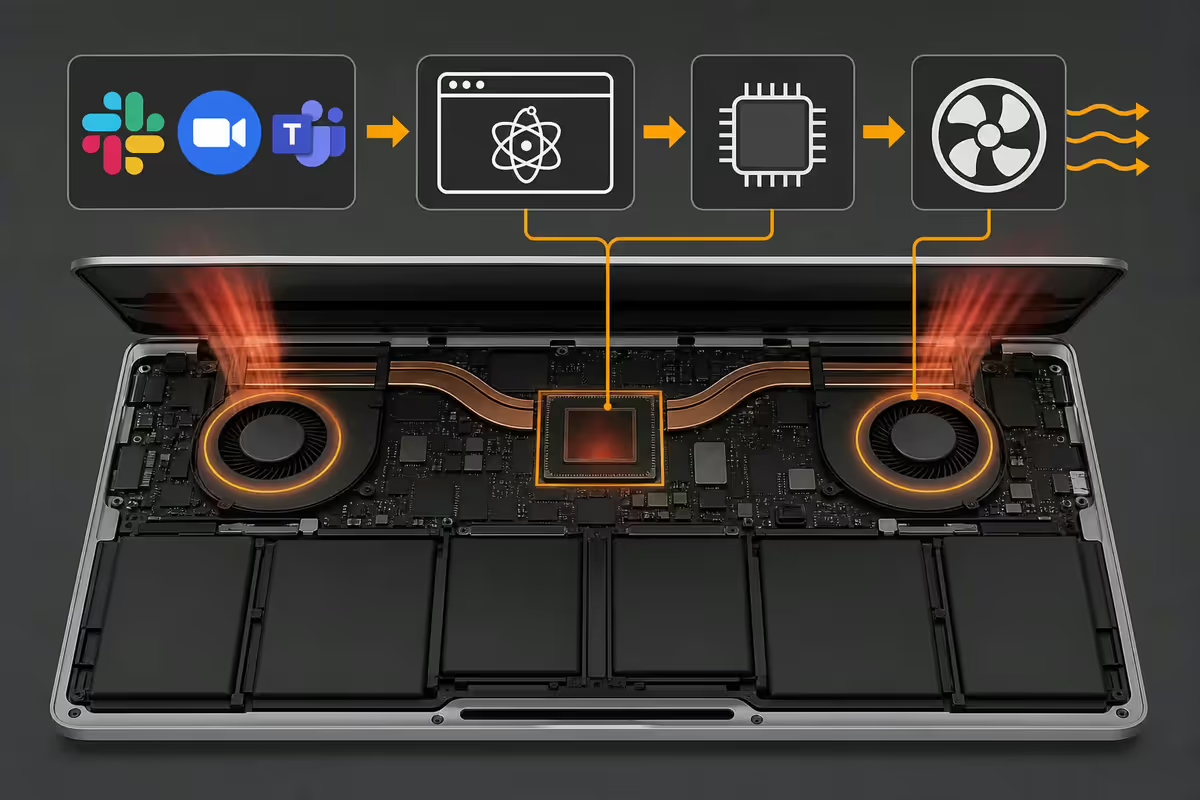
MacBook intake and exhaust both happen at the rear hinge area (under the screen base). Dust packs in here over 18-24 months, especially in dusty SA suburbs or homes with pets.
Safe external cleanout:
- Use a compressed air can held upright — tilt it and liquid propellant sprays out and damages internals.
- Short bursts (2-3 seconds), 3-4 cm from the vent. Don't aim a continuous blast.
- Wedge a soft cloth lightly into one vent to slow the fan while spraying — fans spinning at 20,000 RPM from compressed air can damage their bearings.
- Do the same to the keyboard at an angle — dust under keys partially blocks airflow on the new MagSafe-era MacBooks.
Don't open the chassis yourself. Unibody screws are pentalobe and strip on the first poor-fit screwdriver. Internal dust packs that survived external blowout need an authorised service partner with the right tools.
Joburg summer, Cape gales, and the 35°C ceiling
Apple's official operating range is 10-35°C ambient. Most SA users don't think about this — until they do.
A Joburg apartment in February without aircon, midday, easily sits at 32-34°C indoor. That's three degrees from Apple's hard ceiling. Add direct sun through a window onto the chassis and you're past 40°C surface temperature — well outside spec. The fans have nothing cool to pull through the vents, kernel_task takes over, and the laptop becomes unusable until evening.
What actually works in SA summer:
- Small USB desk fan (R150-R300 at Builders or Makro) blowing across the laptop.
- Elevating the back of the laptop on a folded notebook to create airflow under the chassis.
- Working in the room with the aircon — temporary inconvenience, real thermal headroom.
- Reducing CPU load during peak heat — heavy Lightroom exports, 4K video edits etc. moved to morning or evening.
- For desk-bound use, a vertical stand (cooling pad with fans) makes a real measurable difference.
When AppleCare is the right answer
If you've worked through everything above and a brand-new MacBook is still overheating at light load — that's a warranty case. Don't keep poking. AppleCare or the iStore in your nearest mall will handle it under warranty.
| Symptom | DIY? | SA cost (out of warranty) |
|---|---|---|
| Software runaway process | Yes — Activity Monitor + quit | Free |
| Dust blocking rear vents | Yes — compressed air | R80-R150 (can) |
| Stuck SMC (Intel) | Yes — keyboard combo | Free |
| Internal dust pack (2+ years) | Service partner | R600-R1,200 |
| Aged thermal paste (Intel) | Service partner | R1,200-R2,500 |
| Failing fan / bearing noise | Service partner | R1,800-R3,500 |
| Brand-new Mac still overheating | AppleCare | Covered under warranty |
Key takeaways
- Activity Monitor first — sort by CPU, find the runaway process. 70% of overheating cases stop here.
- kernel_task is the brake, not the cause. High kernel_task means something else is making the Mac hot.
- Quit Electron apps fully (Cmd-Q). Slack + Zoom + Teams together is six Chromes worth of CPU.
- SMC reset is Intel-only. Apple Silicon Macs get the equivalent from a full shutdown + restart.
- SA ambient matters. Apple's range is 10-35°C; a hot Joburg flat already eats your margin.
Frequently asked questions
Why is my MacBook getting so hot?
In almost every case it's software — runaway Chrome tabs, stuck Spotlight indexing (mdworker_shared), first-time Time Machine, or a fighting extension. Open Activity Monitor and sort by CPU before anything else.What is kernel_task and why is it using 200% CPU?
kernel_task is macOS's thermal brake. When the CPU runs too hot, it grabs cycles to throttle real work and let the chip cool. It's a symptom — find what's making the Mac hot underneath.Will an SMC reset fix MacBook overheating?
On Intel Macs, yes — it can fix fan-control bugs. On Apple Silicon (M1-M4), there's no SMC; a full shutdown + restart is the equivalent.Should I clean my MacBook vents myself?
Compressed air through the rear hinge vent — yes. Opening the chassis — no. Pentalobe screws strip easily and you'll void any remaining AppleCare.How hot is too hot for a MacBook?
Sustained CPU package above 95-100°C indicates a problem. Apple Silicon usually sits 60-75°C under typical load; Intel 2018-2020 routinely 95°C and throttling.Does Joburg/Cape Town summer affect MacBook performance?
Yes. Apple's range is 10-35°C ambient. A Joburg flat without aircon at midday in February sits at 32-34°C — at the edge. A small desk fan blowing across the laptop helps measurably.Can browser extensions really cause overheating?
Yes — uBlock + Honey + 1Password + Grammarly on a heavy page can pin CPU to 90%+. Open Chrome → Window → Task Manager and disable extensions one at a time.When is overheating actually a hardware fault?
After software is clean, ambient is under 30°C, and vents are clear — if the Mac still overheats at idle, you're looking at dried paste, a failing fan, or a clogged heatsink. AppleCare or an authorised service partner.
Get the Evetech app
Exclusive app-only prices, daily flash sales, and free delivery on orders over R4,000 — download the app and start saving.