PSU Sizing Guide
How much PSU wattage do you actually need. — One formula. Real headroom. No drama.
The rated wattage on the box isn't how much your PSU draws — it's how much it can deliver before things get dangerous. Sizing is about staying in the efficient middle of that curve.
- safety multiplier
- ×1.4
- mid-range
- 650-750W
- high-end
- 850-1000W
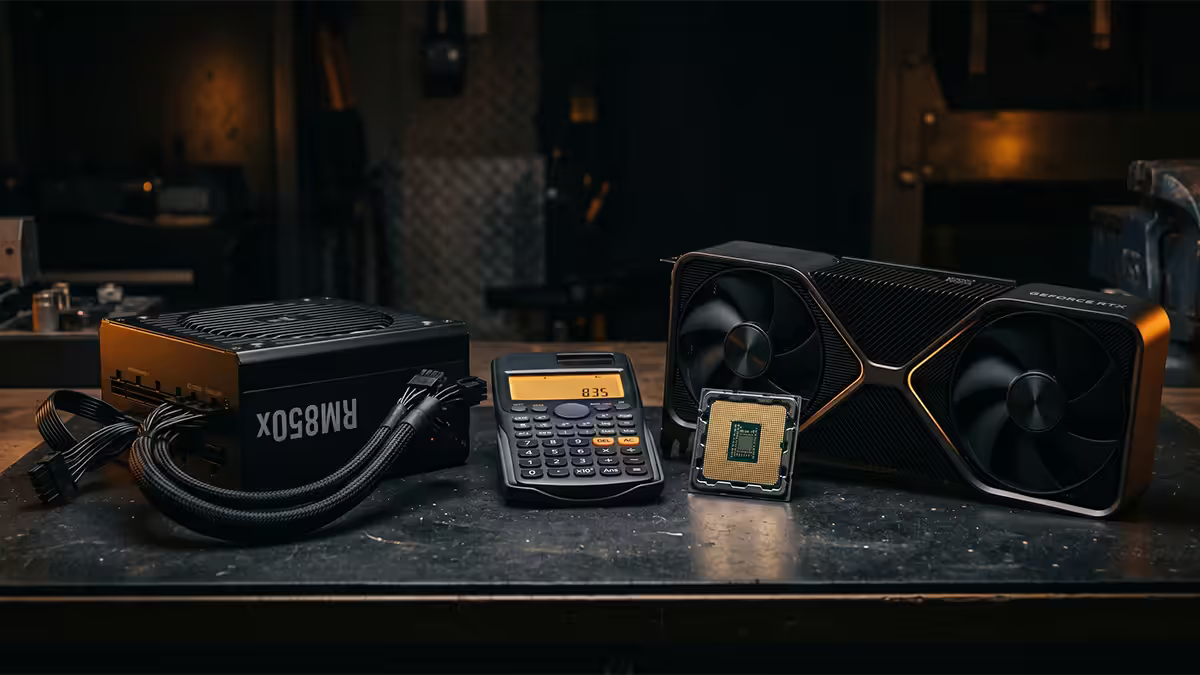
The PSU wattage formula — one equation, every build
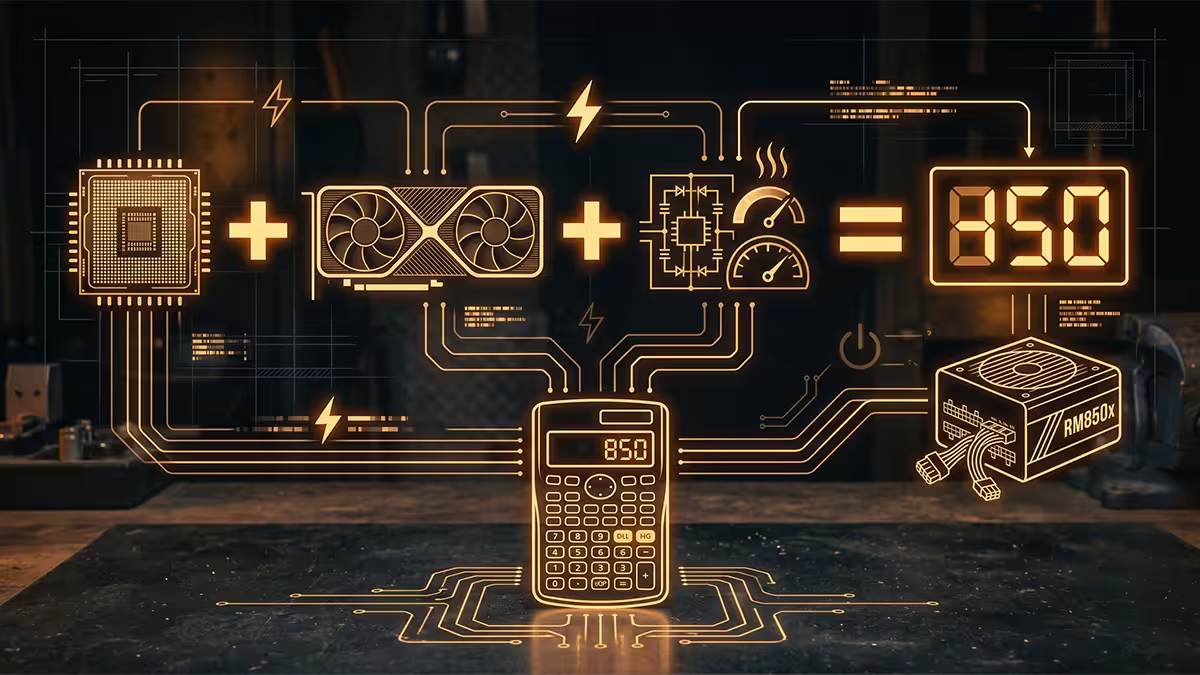
PSU sizing has a single formula that scales from a R15,000 entry-level gaming PC to a R150,000 workstation. Once you understand the maths, vendor calculators become unnecessary.
PSU Watts = (CPU TDP + GPU TDP + 80W) × 1.4
Breaking it down:
- CPU TDP — Thermal Design Power, the rated power draw of the chip under sustained load. Look this up on the manufacturer page (AMD or Intel). Ryzen 7 9700X = 105W. Core Ultra 7 265K = 125W. Ryzen 9 9950X = 170W.
- GPU TDP — same idea, for the graphics card. RTX 5070 = 220W. RTX 5070 Ti = 300W. RX 9070 = 220W. RX 9070 XT = 304W.
- 80W "other" allowance — covers the motherboard, RAM (4-8W per stick), SATA SSDs and NVMe drives, case and CPU fans, RGB controllers, AIO pumps, USB peripherals. 80W is generous and safe for almost any build; bump to 100-120W for elaborate custom loops or 6+ fans plus heavy peripherals.
- × 1.4 multiplier — this is the headroom. It buys you transient-spike absorption (modern GPUs spike 1.5-2× rated power for milliseconds during workload changes) plus the efficiency curve sweet spot (PSUs run cool, quiet and efficient at 40-60% load, not 90%).
After applying the formula, round up to the next standard PSU size. Standard sizes: 450W, 550W, 650W, 750W, 850W, 1000W, 1200W, 1300W, 1500W, 1600W. Aim for the closest match upward — don't buy 1000W for a build that calculates to 600W. Oversizing wastes money, runs further off the efficiency sweet spot, and offers no benefit.
Why headroom matters — the efficiency curve
The 1.4× multiplier isn't paranoid over-engineering — it's the wattage range where PSUs do their best work. Every PSU has an efficiency curve that looks roughly the same: a peak around 40-60% load, with efficiency dropping off at both low load and high load.
| PSU Load | Efficiency | Behaviour |
|---|---|---|
| 10-25% | Lower (75-82%) | Fan often off, cool, longest life |
| 40-60% | Peak (88-92%) | Cool, quiet, most efficient |
| 70-85% | Good (86-90%) | Audible fan, warm, normal operation |
| 90-100% | Lower (84-87%) | Loud fan, hot, stressed |
A PSU sized to run your system at ~50% load under gaming has multiple benefits:
- Quietest operation — many quality PSUs have fan-stop modes that keep the fan off below 30-40% load and run very low RPM up to 60%.
- Lowest heat output — efficiency wasted as heat scales with load percentage. Cooler PSU = cooler case.
- Longest capacitor life — heat is the #1 killer of electrolytic capacitors. A cool PSU lasts 8-10 years; a constantly hot one lasts 3-5.
- Best transient response — modern GPU spikes are well within the PSU's instant headroom.
The opposite case: a PSU sized to run at 90% load under gaming has poor efficiency (more wall power for the same useful output), runs its fan loud constantly, has minimal transient headroom, and ages roughly twice as fast as a well-sized unit. The R300 saved on a smaller PSU costs you in noise, heat and a likely replacement in 4-5 years.
80+ certification tiers explained
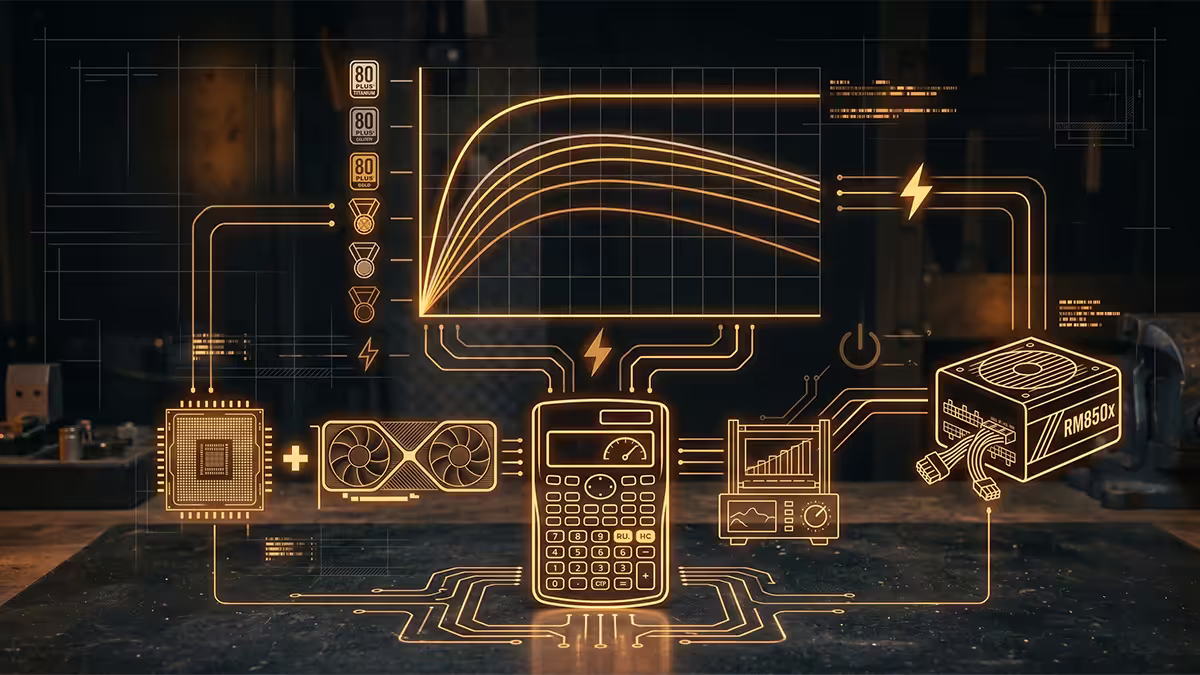
The "80 Plus" badge on a PSU box certifies a minimum efficiency level — how much of the wall power actually reaches your components, with the remainder lost as heat. The tiers, in ascending order:
| Tier | Efficiency at 50% load (115V) | Best for |
|---|---|---|
| 80+ White | 82% | Budget office PCs, light builds |
| 80+ Bronze | 85% | Entry gaming, minimum acceptable for any GPU build |
| 80+ Silver | 88% | Mid-range builds (rare in 2026 market) |
| 80+ Gold | 90% | Sweet spot — most builds R15,000+ |
| 80+ Platinum | 92% | High-end builds, R40,000+ |
| 80+ Titanium | 94% | Workstations, 24/7 operation, flagship builds |
Gold is the practical sweet spot for most builds. The efficiency difference between Bronze and Gold (5 percentage points) reduces heat output and electricity bill noticeably; the difference between Gold and Platinum (2 points) does not pay back the R400-R800 premium in any reasonable time. Titanium is for workstations running 24/7 where every watt of efficiency matters over years.
Watch out: the 80+ certification only covers efficiency, not overall quality. A poorly-built 80+ Gold from an unknown brand can be worse than a well-built 80+ Bronze from Seasonic, Corsair, EVGA or be quiet!. Always check independent reviews from Tom's Hardware, JonnyGuru (legacy), Hardware Busters or Cybenetics for build quality, ripple, transient response and protection features.
Modular, semi-modular or non-modular
Modularity is about which cables are permanently attached to the PSU and which can be removed when unused.
Non-modular PSUs have every cable hardwired into the PSU body — 24-pin motherboard, 8-pin CPU, all the PCIe power cables, four SATA cables, two Molex chains. Saves R200-R400 over modular but creates a cable-management nightmare. Excess unused cables have to be stuffed into the basement or behind the motherboard tray. Not recommended above R600 PSU budget.
Semi-modular PSUs have the 24-pin and 8-pin CPU cables permanently attached (they're always needed) but the rest of the cables (PCIe power, SATA, Molex) are detachable. You only plug in the cables your build actually uses. R150-R250 more than non-modular and a far better build experience — the value sweet spot for mid-range builds.
Fully modular PSUs have every single cable detachable, including the 24-pin and CPU 8-pin. Maximum cable-management flexibility, easiest to install in a tight case, easiest to swap in custom-sleeved cables for an aesthetic build. Adds R200-R600 above semi-modular depending on tier. Worth it for any build above R20,000 where the case has tempered glass on display.
ATX 3.0, ATX 3.1 and the 12VHPWR connector
PSU specifications evolved to keep up with modern GPU power-draw patterns. The current standards:
ATX 2.x (legacy) — handles up to 100% rated load. Most PSUs from 2020 and earlier. Can sometimes shut down protectively when a modern GPU spikes 2× rated power for microseconds, even if the average is well within rating.
ATX 3.0 (2022 onward) — designed for modern GPU transient spikes. Officially handles up to 200% rated transient load for 100 microseconds, 180% for 1 ms, 150% for 10 ms. PSUs labelled ATX 3.0 bundle the 12VHPWR (16-pin) connector for direct connection to RTX 40/50-series GPUs and high-end Radeons.
ATX 3.1 (2024 onward) — refines ATX 3.0 with the safer 12V-2x6 connector (replaces 12VHPWR after the early 4090 melting-cable incidents). Mechanically backwards-compatible with 12VHPWR cables; the connector pin design is slightly tweaked for safer current sensing. All new 2025-2026 PSUs at high tier should be ATX 3.1.
2026 component TDPs — quick reference
The numbers you'll plug into the formula. Always verify with manufacturer spec sheets for the exact SKU you're buying — TDP varies by chip bin.
AMD Ryzen (AM5)
| CPU | TDP | Peak boost draw |
|---|---|---|
| Ryzen 5 9600X / 9600 | 65W | ~88W |
| Ryzen 7 9700X | 65W | ~88W |
| Ryzen 7 9800X3D | 120W | ~140W |
| Ryzen 9 9900X | 120W | ~162W |
| Ryzen 9 9950X / 9950X3D | 170W | ~230W |
Intel Core Ultra (LGA1851)
| CPU | Base TDP | Max turbo |
|---|---|---|
| Core Ultra 5 245K | 125W | ~159W |
| Core Ultra 7 265K | 125W | ~250W |
| Core Ultra 9 285K | 125W | ~250W |
NVIDIA GeForce RTX
| GPU | TDP | Min PSU (NVIDIA) |
|---|---|---|
| RTX 5060 | 150W | 550W |
| RTX 5060 Ti | 180W | 600W |
| RTX 5070 | 220W | 650W |
| RTX 5070 Ti | 300W | 750W |
| RTX 5080 | 360W | 850W |
| RTX 5090 | 575W | 1200W |
AMD Radeon RX
| GPU | TDP | Min PSU (AMD) |
|---|---|---|
| RX 9060 | 160W | 600W |
| RX 9070 | 220W | 650W |
| RX 9070 XT | 304W | 750W |
Worked examples — four realistic SA builds
Plugging the formula into typical 2026 SA builds at four budget tiers.
Entry build — R15,000-R20,000
Spec: Ryzen 5 9600 (65W) + RTX 5060 (150W) + 80W other = 295W × 1.4 = 413W → 550W PSU. 80+ Bronze or Gold, semi-modular, ATX 3.0 not strictly needed (5060 doesn't have aggressive transient spikes). Decent picks: Cooler Master MWE 550 V3 Bronze, MSI MAG A550BN, be quiet! Pure Power 12 M 550W Gold.
Mid-range build — R25,000-R35,000
Spec: Ryzen 7 9700X (65W) + RTX 5070 (220W) + 80W = 365W × 1.4 = 511W → 650W PSU. 80+ Gold semi or full modular, ATX 3.0 recommended. Decent picks: Corsair RM650e ATX 3.1, Seasonic Focus GX-650 ATX 3.1, MSI MAG A650GL, be quiet! Pure Power 12 M 650W Gold.
High-end build — R45,000-R65,000
Spec: Ryzen 7 9800X3D (120W) + RTX 5080 (360W) + 80W = 560W × 1.4 = 784W → 850W PSU. 80+ Gold or Platinum, fully modular, ATX 3.1 essential. Decent picks: Corsair RM850x ATX 3.1, Seasonic Focus GX-850 ATX 3.1, MSI MEG Ai850P, be quiet! Straight Power 12 850W Platinum.
Flagship build — R75,000+
Spec: Ryzen 9 9950X3D (170W) + RTX 5090 (575W) + 100W = 845W × 1.4 = 1183W → 1200-1300W PSU. 80+ Platinum or Titanium, fully modular, ATX 3.1 essential, dual 12V-2x6 connectors. Decent picks: Corsair AX1500i, Seasonic PRIME TX-1300 ATX 3.1, MSI MEG Ai1300P PCIE5, Asus ROG Thor 1200P/1300P.
Common PSU mistakes
Buying the cheapest unbranded PSU. A R400 "850W" generic PSU is almost always lying about its actual rated output. Internal capacitors are low-grade, protection circuits are often missing, ripple is bad enough to damage other components. PSU is the one component never to cheap out on — a R400 saved here can destroy a R30,000 GPU. Stick to Seasonic, Corsair, EVGA, be quiet!, MSI, Asus, Cooler Master MWE/MasterWatt, FSP and Super Flower as known-good brands.
Buying massively oversized. A 1200W PSU on a system that calculates to 600W means running at 30-40% load constantly — efficiency drops, fan does spin up regularly (fan-stop modes typically engage below 30%), and you paid R1,500-R3,000 extra for nothing. Size correctly.
Reusing a 10-year-old PSU "to save money". Electrolytic capacitors degrade over time even when off, more aggressively when warm. A 2014-era PSU running today has 30-50% degraded caps, weaker protections, and significantly less transient handling. A new R1,500 PSU is the cheapest insurance you can buy.
Ignoring connector count. Verify the PSU has enough PCIe 6+2 pin or 12VHPWR / 12V-2x6 connectors for your GPU plus enough SATA/Molex for your storage. A 650W PSU with only one PCIe cable can't run an RTX 5070 that needs two; a budget PSU with no 12VHPWR can't run RTX 50-series at all without a daisy-chain adapter (don't do this — buy a PSU with the correct native cable).
Partial 12VHPWR insertion. The early RTX 4090 melting-cable incidents traced almost entirely to partial insertions where pins ran at higher resistance. Push the connector fully home until the latch engages with an audible click. Then double-check by tugging — it should feel secure.
Key takeaways
- The formula: (CPU TDP + GPU TDP + 80W) × 1.4 = your PSU. Round up to next standard size.
- Headroom isn't waste — PSUs run quietest, coolest and longest at 40-60% load.
- 80+ Gold is the sweet spot — meaningful upgrade over Bronze, Platinum doesn't pay back the premium for most.
- ATX 3.0 / 3.1 is essential for any RTX 4070+ or RX 9070+ GPU due to transient spikes.
- Never cheap out on PSU brand. Seasonic, Corsair, EVGA, be quiet!, MSI, Asus only — generics destroy components.
Frequently asked questions
How do I calculate PSU wattage for my PC?
(CPU TDP + GPU TDP + 80W) × 1.4. The 80W covers everything else, the 1.4 gives you transient and efficiency headroom. Round up to the next standard size.Why does a PSU need headroom?
Efficiency peaks at 40-60% load. Running at 90%+ means more heat, louder fan, worse transient response and faster capacitor wear.What does 80+ Gold / Platinum / Titanium mean?
Efficiency tier. Bronze 85%, Gold 90%, Platinum 92%, Titanium 94% at 50% load. Gold is the practical sweet spot for most builds.Modular, semi-modular or non-modular?
Fully modular for builds above R20,000. Semi-modular is the value sweet spot. Non-modular only on the cheapest budget builds.What is ATX 3.0 and do I need it?
PSU spec designed for modern GPU transient spikes. Required for RTX 4070+ and RX 9070+ class GPUs. Bundles the 12VHPWR / 12V-2x6 connector.What PSU do I need for RTX 5070 / 5080 / 5090?
RTX 5070 → 650-750W. RTX 5070 Ti → 750-850W. RTX 5080 → 850-1000W. RTX 5090 → 1200-1500W. ATX 3.1 with 12V-2x6 connector.Single rail vs multi rail — which to choose?
Single rail for almost everyone. Multi-rail can trip OCP under modern GPU transient spikes. Most quality PSUs above 650W in 2026 are single-rail.Can I reuse an old PSU in a new build?
If less than 5 years old, 80+ Gold or better, correct connectors. PSUs from 2017 or earlier should be replaced. Cheap generics always replaced.
Get the Evetech app
Exclusive app-only prices, daily flash sales, and free delivery on orders over R4,000 — download the app and start saving.