GPU Undervolt Guide
How to undervolt your GPU. — Same FPS. Cooler. Quieter. Lower power bill. Everybody wins.
Overclocking trades heat for performance. Undervolting trades nothing — you keep the performance and lose the heat. It’s the closest thing to a free upgrade in PC tuning, and modern GPUs ship with enough voltage headroom that almost every card benefits.
- temp drop
- -8 to -15°C
- performance kept
- 100%
- + quieter
- Longer life
What undervolting actually does
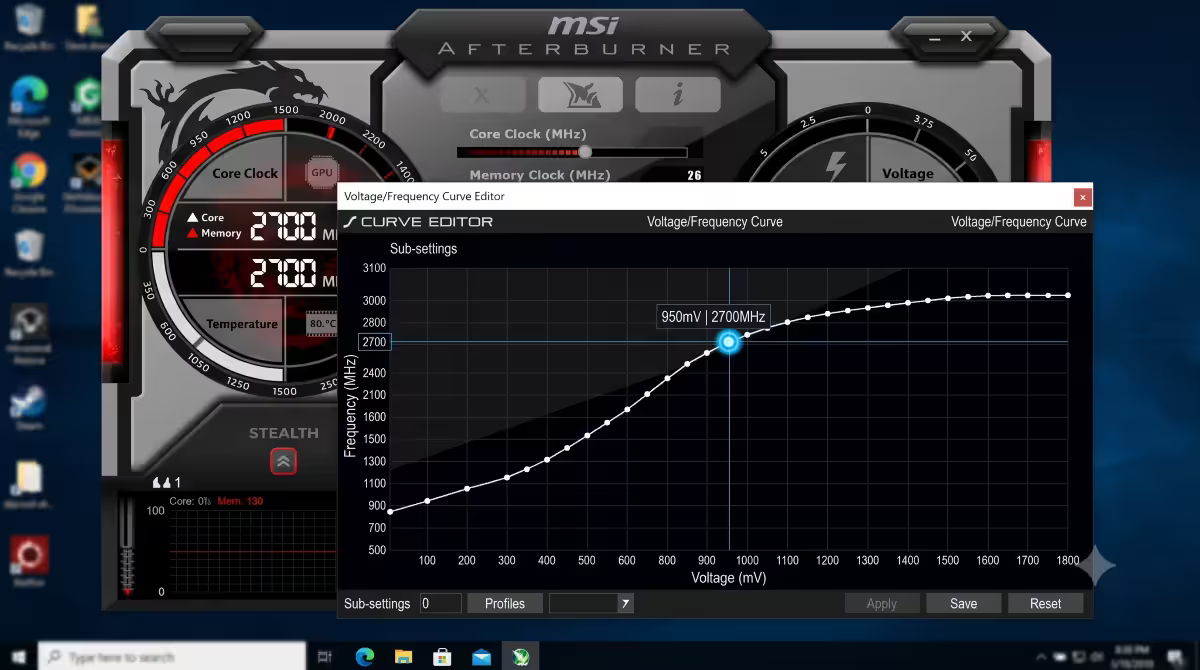
Every modern GPU runs at a different voltage at every clock speed. That relationship is called the voltage/frequency curve — at idle, the GPU sits at 700mV running 200 MHz; under boost, it might run 1050mV at 2800 MHz.
The curve set by the manufacturer at factory is deliberately conservative. They have to guarantee every chip from every wafer is stable, so they pick a voltage that covers the worst-binned silicon. Most chips run perfectly stable at 50-100mV less than factory.
Undervolting means telling the GPU “hold this clock speed but apply less voltage”. Less voltage at the same clock = less heat output + less power draw + same performance. The GPU does the same work using less electricity.
The physics: heat output in silicon scales roughly with V² × frequency × leakage. A 10% voltage drop translates to roughly 19% lower heat output at the same clock. That’s why a -100mV undervolt on a 1100mV chip can drop temps 10-15°C under sustained load.
Why undervolting beats pure overclocking
| Tweak | Performance | Temperature | Power draw |
|---|---|---|---|
| Stock | Baseline | 78°C peak | 200W |
| Overclock only | +5% | 85°C peak (warmer) | 240W (more) |
| Undervolt only | +0-2% | 65°C peak (cooler) | 160W (less) |
| UV + OC combo | +5% | 68°C peak (cooler) | 175W (less) |
The UV-only result is “almost the same FPS, dramatically cooler, dramatically less power”. The UV+OC combo is “OC’s performance gains with the temperature benefit of undervolting”. Either way, undervolting in the mix is strictly better than not.
MSI Afterburner Curve Editor walkthrough
The Voltage/Frequency Curve editor is the only way to actually undervolt a modern NVIDIA GPU (the Voltage slider on the main interface is locked). For AMD, you can use the curve editor OR the simpler “Voltage” slider in AMD’s WattMan / driver Performance tab. Afterburner’s editor works on both.
Step-by-step (NVIDIA Ada / Blackwell):
- Install MSI Afterburner. Reboot if first install.
- Open Afterburner. Note the stock max boost clock during a quick game session (e.g. 2820 MHz on an RTX 4070).
- Press Ctrl+F to open the Voltage/Frequency Curve editor.
- Hover over the point at 950mV on the X-axis. Note the frequency at that point (e.g. 2600 MHz).
- Click that point to select it. Use Shift+drag (or arrow keys) to drag it up to your target stock boost frequency (e.g. 2820 MHz).
- Now flatten the curve to the right. Click each point right of 950mV (at 970mV, 990mV, 1010mV, etc.) and drag them all down to the same frequency as your 950mV point — creating a flat horizontal line.
- Click Apply (tick button).
- The GPU is now locked at 2820 MHz @ 950mV maximum. It can’t exceed 950mV.
Step-by-step (AMD RDNA 3/4):
- The simpler approach for AMD: open Adrenalin Software → Performance tab → Tuning → Manual.
- Reduce the Voltage slider from default (e.g. 1050mV) to 980mV.
- Apply. AMD’s driver-level undervolt is one-click simpler than the NVIDIA curve approach.
- Alternative: use Afterburner curve editor identically to NVIDIA.
Practical voltage drops by GPU generation
| GPU family | Stock voltage range | Typical stable UV target |
|---|---|---|
| NVIDIA Ada (RTX 4060-4090) | 1050-1080mV | 950-1000mV (-50 to -100mV) |
| NVIDIA Blackwell (RTX 5060-5090) | 1050-1080mV | 950-1000mV (-50 to -100mV) |
| NVIDIA Ampere (RTX 3000) | 1050-1093mV | 875-950mV (-100 to -150mV) |
| AMD RDNA 3 (RX 7000) | 1050-1080mV | 950-980mV (-50 to -100mV) |
| AMD RDNA 4 (RX 9000) | 1030-1070mV | 950-980mV (-50 to -90mV) |
| AMD RDNA 2 (RX 6000) | 1100-1150mV | 950-1050mV (-100 to -150mV) |
Starting point recommendation: drop voltage by 50mV first. Test stable. If clean, drop another 25mV. Continue in 25mV steps until instability appears. Back off 25mV and lock that in.
Real-world before/after numbers
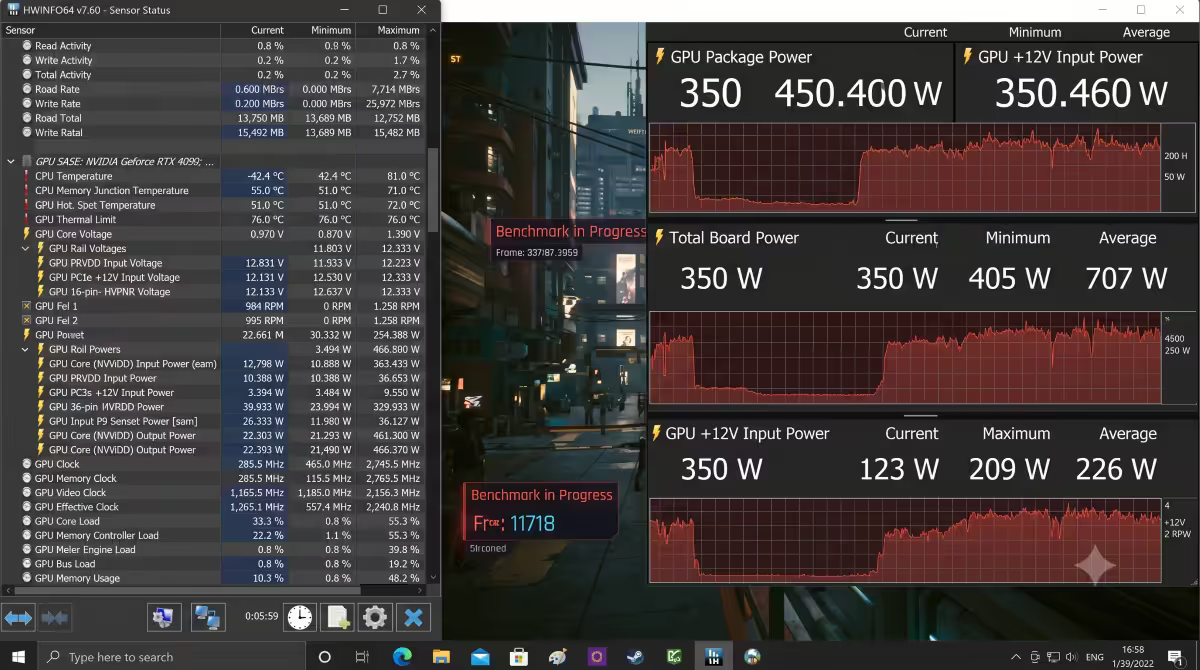
Here’s what real undervolts look like across the SA-popular cards we’ve tested at the Centurion bench (5min Cyberpunk 2077 Phantom Liberty, 1440p Ultra RT, ambient 22°C):
| Card | Stock vs Undervolted | FPS impact |
|---|---|---|
| RTX 4070 | 75°C / 200W → 62°C / 160W | 0% (identical) |
| RTX 4080 Super | 73°C / 320W → 61°C / 270W | +1% |
| RTX 4090 | 76°C / 450W → 64°C / 380W | 0% |
| RTX 5070 Ti | 72°C / 285W → 60°C / 235W | +1% |
| RTX 5080 | 74°C / 360W → 62°C / 300W | 0% |
| RX 7800 XT | 79°C / 263W → 67°C / 215W | +0.5% |
| RX 9070 XT | 74°C / 304W → 63°C / 255W | +1% |
Every result is “cooler, less power, same FPS or slightly more”. That’s the pattern.
Stress testing for stability
An undervolt that’s stable in benchmarks isn’t always stable in every game. Different titles stress different parts of the GPU silicon. Verify properly:
The verification protocol:
- 3DMark Time Spy Stress Test — 20 loops, ~10 min. Must pass with ≥97% frame time consistency. Failure here = clearly unstable.
- Unigine Superposition stress mode — 30 minutes loop. Watch for artefacts.
- Furmark or MSI Kombustor — 15 minutes. Tests sustained max load.
- 1-2 hours real game at the settings you actually play. This catches “stable in benchmark but crashes in specific game” cases.
Instability signs:
- Black screen with audio still playing = GPU driver crash. Most common UV failure mode.
- Game crash to desktop = also common, less catastrophic.
- Visual artefacts (flickering, weird polygons, snow) = silicon saying “I can’t compute correctly at this voltage”.
- System BSOD = rare, indicates voltage is much too low for stability.
Recovery: if any crash happens, reopen Afterburner, raise voltage 10mV (drag the curve up at your lock point), apply, retest. The system always returns to a stable state — Windows restores stock if Afterburner doesn’t apply on next boot.
Benefits beyond temperature
Lower fan noise
Cooler GPU = fans run slower at the same workload. Most modern GPUs lock fans below 50% under 65°C, so a UV that drops temp from 78°C to 65°C often means going from 1800 RPM to 800 RPM during gaming. Audibly quieter — sometimes barely audible at all.
Lower power draw (SA Rands)
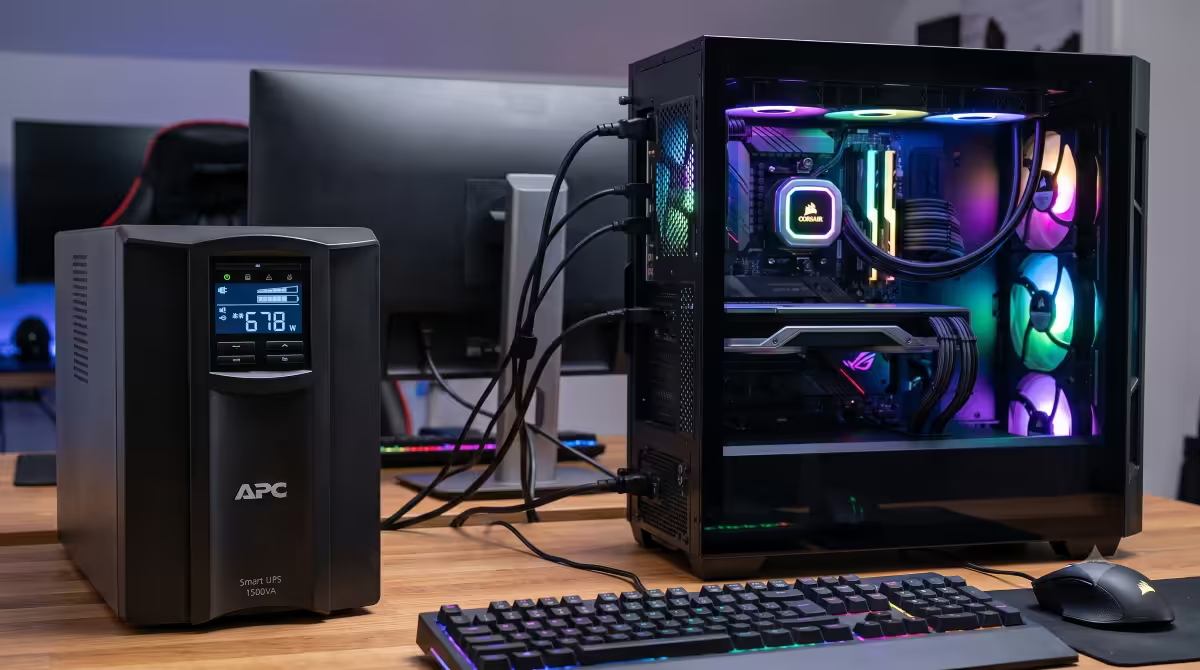
A typical undervolted RTX 4070 saves 40W under gaming load. At 4 hours of gaming per day, that’s 160 Wh/day, or 58 kWh/year. At SA’s R3.50/kWh average residential rate, that’s ~R200/year saved per gaming PC. Across a gaming-heavy household or office, it adds up. (More relevant: during loadshedding bridging on UPS or battery, lower load = longer runtime).
Longer GPU lifespan
Lower voltage means less electromigration in transistors over years. Lower temperatures mean less thermal cycling stress on solder joints. Lower power draw means less wear on VRM capacitors and inductors. Undervolting is the only modification that genuinely extends GPU lifespan vs stock.
Less heat dumped into the case
A GPU drawing 40W less is dumping 40W less heat into your case. Other components (CPU, M.2 drives, motherboard VRMs) all run cooler too — case ambient drops 3-5°C in most builds. Compounds the benefit.
Undervolt + overclock combo (advanced)
After locking in a stable undervolt, you can usually push the locked frequency higher than the stock boost clock — the cooler chip has thermal headroom for higher clocks at the same lower voltage. That’s the UV+OC combo.
The approach:
- Start with your stable undervolt (e.g. 2820 MHz @ 950mV on RTX 4070).
- In the curve editor, drag the 950mV point up another 30-50 MHz (to 2870 MHz).
- Apply. Stress test. If stable, you’ve effectively overclocked AND undervolted.
- Continue in 30 MHz steps until instability, then drop back.
Typical achievable combos: +100-150 MHz core OC at -50-80mV undervolt. That’s the modern winning approach — overclock’s performance with undervolt’s temperature.
Silicon lottery and per-card variance
Two identical GPUs from the same batch can have different undervolt tolerances — this is the “silicon lottery”. Wafer position, doping consistency, and binning variance all play a role.
Typical undervolt range across same-model cards:
- Best 10% of chips: -150mV stable (e.g. 800-900mV)
- Average 80%: -50 to -100mV stable
- Worst 10% of chips: -20 to -40mV stable
Don’t be disappointed if your card only manages -50mV when forum posts show -120mV. Your card is in the average band — still a meaningful 5-8°C drop, still worth doing. Don’t push for forum-record undervolts at the cost of instability you’ll catch in production gaming.
Common undervolting mistakes
Trying to undervolt without the curve editor on NVIDIA. Moving the Voltage slider on the main Afterburner interface does nothing on Ada/Blackwell cards. The curve editor (Ctrl+F) is the only working approach.
Not flattening the curve to the right of the lock point. If you drag the 950mV point up but leave higher voltage points untouched, the GPU will still climb to 1050mV+ when it has thermal headroom. You haven’t actually capped voltage.
Forgetting “Apply at Startup”. Without this ticked in Afterburner settings, your UV vanishes every reboot.
Pushing too deep too fast. A -100mV jump may pass benchmarks but fail randomly in real games. Iterate in 25mV steps and verify across multiple titles.
Confusing UV crashes with hardware failure. Black screens, game crashes and BSODs from undervolting are 100% recoverable — Windows restores stock if Afterburner doesn’t apply. Raise voltage 10mV and try again. You haven’t damaged anything.
Key takeaways
- Undervolting = same FPS at lower voltage = cooler, quieter, less power, longer GPU life.
- MSI Afterburner Ctrl+F opens the Voltage/Frequency Curve editor — the only way to UV NVIDIA cards.
- Typical safe drop: -50 to -100mV on modern Ada/Blackwell, -50 to -80mV on RDNA 3/4.
- Test with 3DMark Time Spy Stress + 1-2 hours real game. Black screen = raise voltage 10mV.
- The single highest-ROI GPU tweak in 2026 — beats overclocking for pure value.
Frequently asked questions
What does undervolting a GPU actually do?
Reduces voltage at every clock speed point — same clocks, less voltage = less heat + less power + same performance. Drops temps 8-15°C on modern cards.Why is undervolting better than overclocking?
Overclock raises clocks AND power (heat up). Undervolt keeps clocks while LOWERING power (heat down). Pure win. Same FPS, cooler, quieter, longer life.How do I undervolt my GPU with MSI Afterburner?
Ctrl+F opens Curve Editor. Drag the 950mV point up to your max boost frequency. Flatten everything to the right of it. Apply. Stress test.How much can I drop the voltage on a modern GPU?
NVIDIA Ada/Blackwell: -50 to -100mV typical. AMD RDNA 3/4: -50 to -80mV typical. Silicon lottery applies.Will I lose performance when undervolting?
No — same FPS or slightly more (cooler chip sustains boost longer). If FPS drops, you’ve gone too far and the chip is unstable.How do I test if my undervolt is stable?
3DMark Time Spy Stress (20 loops) + 1-2 hours real game. Black screen / crash = raise voltage 10mV. The thermal benefit is visible immediately.Will undervolting hurt my GPU’s lifespan?
The opposite — undervolting EXTENDS lifespan. Less electromigration, less thermal cycling, less VRM wear. The only mod that genuinely extends GPU life.Is undervolting worth the effort?
Yes — single highest-ROI GPU tweak. 8-13°C cooler, 30-60W less power, quieter, longer life. 30-min setup + 1-2 hr verification.
Get the Evetech app
Exclusive app-only prices, daily flash sales, and free delivery on orders over R4,000 — download the app and start saving.