Vertical GPU Mount Guide
How to vertical mount your GPU. — Showcase the card. Don't choke it.
Done right, vertical mounting turns a glass-panel build into a showpiece without losing a frame. Done wrong, it adds 15°C and drops the card to PCIe Gen 3. The difference is one cable choice and 10mm of clearance.
- glass clearance
- 30-50mm
- riser required
- Gen 4
- riser price
- R650-R1,800
Why vertical mount a GPU?
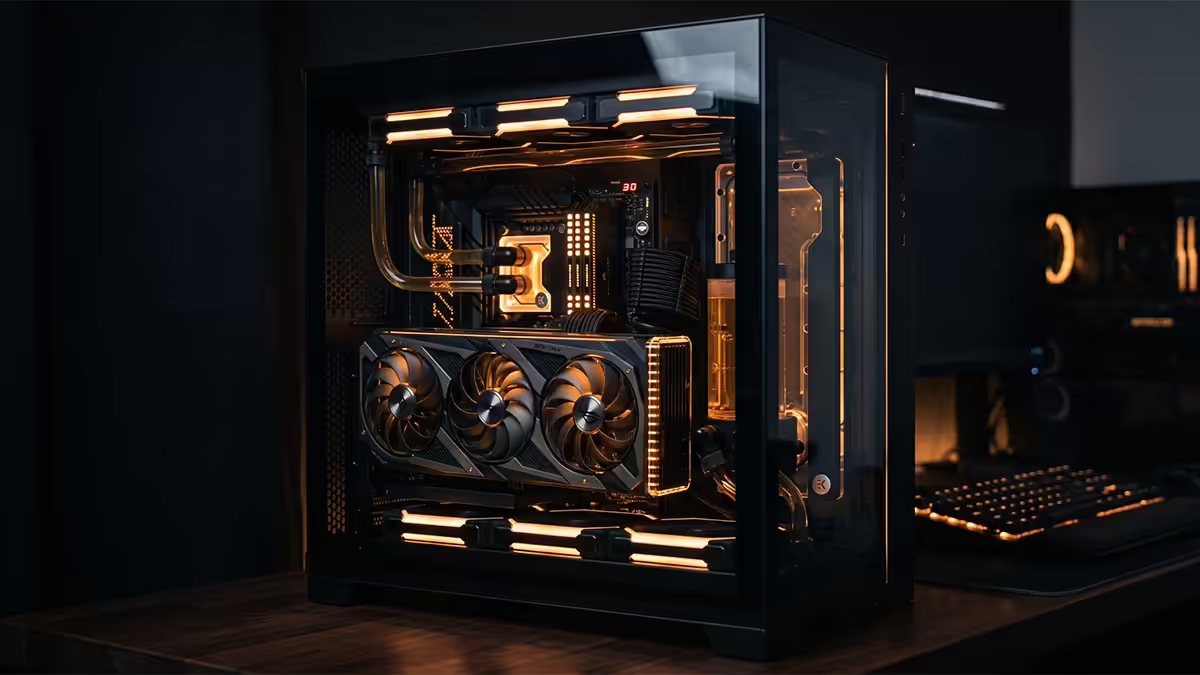
A modern graphics card is the most expensive single component in most gaming PCs — sometimes more expensive than the rest of the build combined. Horizontal mounting buries it. The branding, the RGB, the backplate art, the cooler design — all of it points down, hidden from view. Vertical mounting rotates the card 90 degrees so it faces the tempered glass side panel: every fan, every logo, every accent stripe sits front and centre.
That's the only reason to do it. There's no performance benefit. There's no quieter operation. The card runs slightly warmer on average, occupies more case real estate, costs an extra R650-R1,800 in cable and bracket, and may sacrifice rear expansion slots. If you're optimising for raw performance per rand, leave it horizontal. Vertical mounting is for builds where the case is part of the experience — open-frame cases, showcase RGB rigs, glass-front aquarium-style enclosures.
If that's you, the good news is that done right, the thermal and electrical compromises shrink to nothing measurable. We've vertically mounted RTX 4090s in customer builds at the Centurion warehouse that benchmark within 1% of identical horizontal installs. The difference is entirely in the cable, the clearance, and the case.
Which cases support vertical mounting?
"Supports vertical mounting" means three things: the case has a PCIe slot bracket that can accept a vertically oriented card, the side panel is clear (tempered glass or open), and there's physical clearance between the rotated card and that panel. Many cases tick boxes one and two but fail on three — fine for showing the card but thermally compromised.
Here's a snapshot of what's stocked in SA right now with native vertical-mount support:
| Case | Vertical clearance | Best for |
|---|---|---|
| Lian Li O11 Dynamic EVO XL | ~55mm | Triple-slot flagship GPUs (RTX 4090, RX 7900 XTX) |
| Hyte Y70 / Y70 Touch | ~50mm | Showcase builds with curved glass |
| Corsair 7000D Airflow | ~50mm | Full-tower with workstation overhead |
| Lian Li O11 Dynamic EVO | ~40mm | Mid-tower showcase; needs angled riser for 3.5-slot cards |
| NZXT H7 Flow / Elite | ~35mm | Clean front intake builds; dual-slot cards comfortable |
| Phanteks Eclipse G500A | ~32mm | Budget-friendly showcase, dual-slot only |
| Corsair 5000D Airflow | ~30mm | Mid-tower showcase, tight for triple-slot |
Don't assume your existing case supports it. Many "RGB showcase" mid-towers from Aerocool, Antec NX, Deepcool Matrexx and similar budget brands sell vertical mount as a separate R350-R500 bracket that bolts into the existing PCIe slots — these reduce clearance to 15-20mm, which chokes the GPU intake and adds 10-18°C to the card.
PCIe riser cable quality — the hidden cost
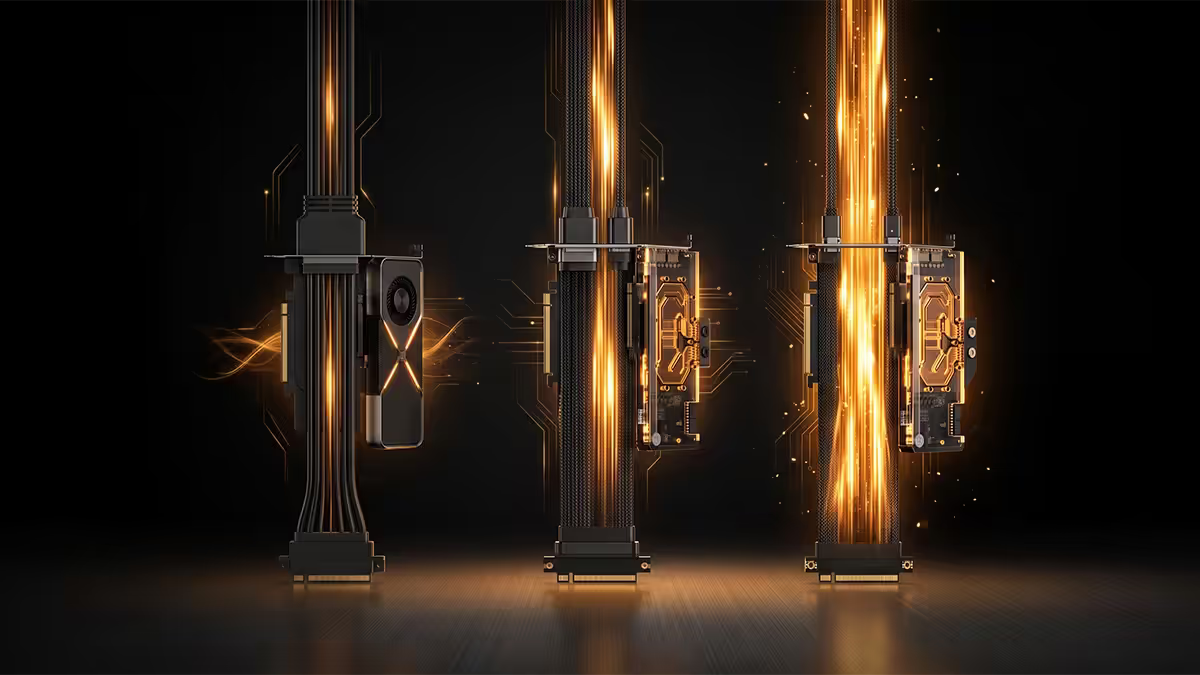
The PCIe riser is the most underrated component in a vertical-mount build. A R200 unbranded riser will physically fit, sometimes power on, and sometimes deliver Gen 4 x16 bandwidth. But it can also force the card to drop to Gen 3 x8 mode, introduce visual artefacts, or throw "PCIe whisker errors" in event viewer. The difference between a cheap riser and a good one is signal integrity, and signal integrity matters more every generation.
Gen 3 vs Gen 4 vs Gen 5
PCIe 3.0 runs at 8 GT/s per lane. PCIe 4.0 doubles that to 16 GT/s. PCIe 5.0 doubles again to 32 GT/s. Each generation halves the signal margin — the room for noise, crosstalk and dielectric loss before the link errors out. A Gen 3-rated cable on a Gen 4 GPU forces the link to either down-train to Gen 3 (losing 2-5% performance on bandwidth-sensitive workloads) or run unstable, throwing intermittent crashes.
Match the riser to the GPU's PCIe generation:
- PCIe 3.0 GPUs (GTX 16-series, RTX 20-series, RX 5000-series) — Gen 3 risers are fine. Budget R300-R500.
- PCIe 4.0 GPUs (RTX 30/40-series, RX 6000/7000-series) — Gen 4 riser required. Budget R650-R1,200.
- PCIe 5.0 GPUs (RTX 50-series, future RX 8000) — Gen 5 riser strongly recommended. Budget R1,500-R2,500.
Brand matters here. Lian Li, Cooler Master, Phanteks and Thermaltake all make properly certified Gen 4 risers. Avoid generic Takealot listings that don't specify the PCIe generation — they're almost always Gen 3 with marketing claims that ignore the spec.
Length and routing
Riser cables come in standard lengths: 150mm, 200mm, 220mm, 300mm and 350mm. Buy the shortest length that comfortably routes from your motherboard's PCIe x16 slot to the case's vertical bracket without sharp bends. Longer isn't safer — extra cable length increases signal degradation, especially on Gen 4 and Gen 5.
Clearance and thermal trade-offs
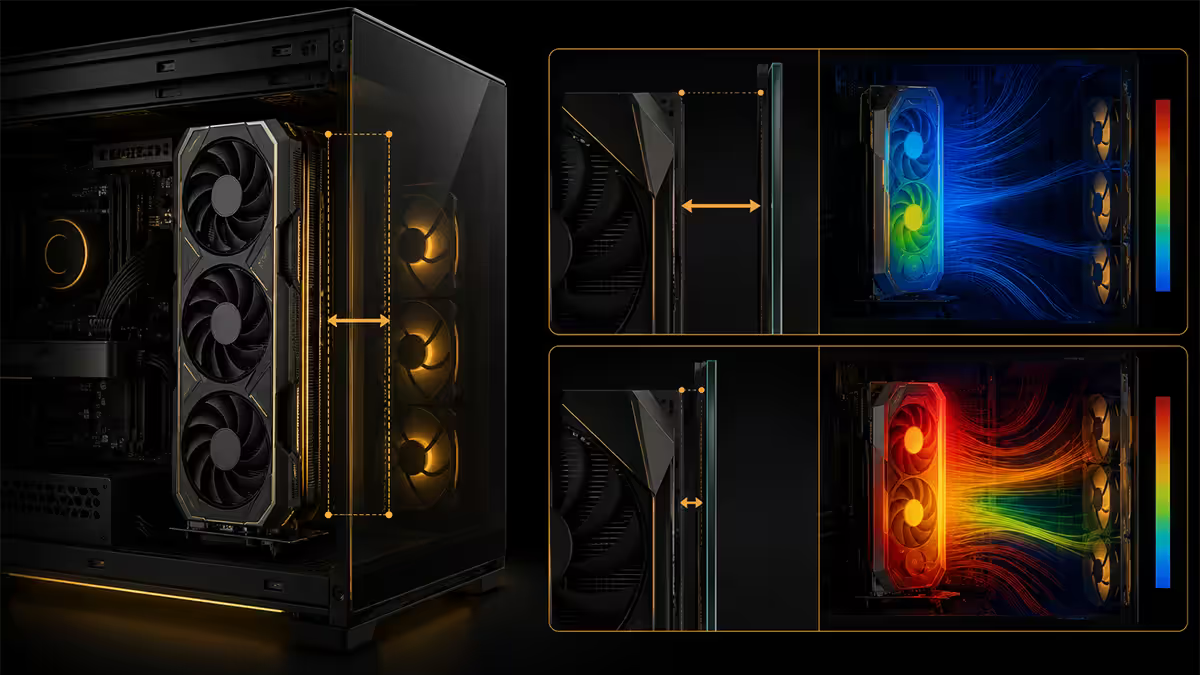
A GPU pulls air in through its fans (intake), runs it through the heatsink fins, and exhausts it out the top, sides and rear of the shroud. In a horizontal mount, intake faces the bottom of the case where there's usually 60-80mm of empty space and an intake fan or vent. In a vertical mount, intake faces the side panel directly. Whatever clearance you give it, that's the total volume of fresh air the card can pull.
The minimum workable clearance is 25mm — and that's already a compromise. At 25mm, expect GPU temps 5-8°C higher than horizontal. At 30-35mm, the delta shrinks to 2-4°C. At 50mm+, vertical and horizontal are within 1°C of each other — measurement noise.
Glass panel clearance is the single biggest variable in a vertical-mount build. More than the cable. More than the card. More than the cooling loop. Plan for it before you buy anything else.
Triple-slot 60-70mm cards (RTX 4090, RTX 4080 SUPER ASUS Strix, RX 7900 XTX Nitro+) really only sit comfortably in the Lian Li O11 EVO XL, Hyte Y70 and Corsair 7000D. In a mid-tower like the Corsair 5000D or Lian Li O11 Dynamic (non-XL), they end up 15-22mm from the glass — uncomfortably tight, but workable with fan curve adjustment.
Dual-slot 40-50mm cards (RTX 4070, RTX 4060 Ti, RX 7700 XT, RX 7600) fit virtually any case with vertical support, with healthy clearance and minimal thermal impact.
Step-by-step install
Assuming you have the case, the GPU, the riser, and the bracket on hand, the full install takes 25-40 minutes for a first-timer and 15 minutes if you've done it before. Power off and unplug everything before starting. No anti-static wrist strap needed — a quick touch on a grounded metal point clears any static charge.
- 1
Remove the existing horizontal GPU.
Unplug the power connectors (8-pin or 12VHPWR), unlatch the PCIe slot retention clip on the motherboard, unscrew the GPU from the rear case bracket, and lift the card out. Set it aside on an anti-static bag or the original box. - 2
Remove the rear PCIe slot covers.
Most vertical brackets occupy 3-4 slots. Identify which slots the bracket needs from the manual — usually slots 4-7 from the top. Unscrew and remove those covers. - 3
Install the vertical bracket.
The bracket attaches to the rear of the case using the existing PCIe slot screw holes. Most cases include a dedicated bracket; some require purchasing it as an accessory. Hand-tighten first, then snug down with a Phillips screwdriver. - 4
Connect the riser to the motherboard's PCIe x16 slot.
The riser has two ends: a male PCIe connector (goes into the motherboard slot, just like a GPU) and a female PCIe slot (the GPU will plug into this). Insert the male end firmly into the motherboard's primary x16 slot until the retention clip clicks. Don't force — the connector should slide in smoothly. - 5
Route the cable.
Lay the cable flat across the motherboard or down behind the cable management cutouts. Avoid sharp 90-degree bends — use gentle curves with at least 25-30mm radius. Don't pinch the cable under the motherboard tray. - 6
Mount the GPU into the vertical bracket.
Insert the GPU's PCIe connector into the riser's female PCIe slot first, then align the I/O bracket of the GPU with the vertical bracket on the case. Screw the GPU into the vertical bracket using the same screws you removed from the original PCIe slot covers. - 7
Plug in power.
Connect 8-pin or 12VHPWR power connectors as required. Triple-check the 12VHPWR is fully seated — the connector requires firm pressure and should click into place. A loose 12VHPWR is the leading cause of melted connectors. - 8
Boot and verify.
Power on. In Windows, install GPU-Z and check the "Bus Interface" line. It should read "PCIe x16 4.0 @ x16 4.0" under load — open a game or run the render test in GPU-Z to force max bandwidth. If it reads "x16 3.0" instead, your riser is undertrained or damaged.
Cable management with a vertical GPU
Vertical mounting changes cable routing dramatically. The PCIe power cables (8-pin or 12VHPWR) now approach the card from the wrong direction — they come out of the PSU through the side of the case, where they're highly visible. Three approaches:
Custom sleeved cables. Cablemod and EZDIY-FAB make custom-length sleeved cables in colours matched to your build. The 12VHPWR for an RTX 4090 in a Lian Li O11 EVO XL costs R750-R1,200 but transforms the build aesthetics. Available via local resellers like Wootware and Rebel Tech.
180-degree adapters. Cablemod and Cooler Master make 180-degree adapters that rotate the power connector so cables exit downward instead of out toward the glass. Useful for triple-slot cards where there's no room for the cable bend.
Cable combs and routing. Free or near-free. Use cable combs to keep individual wires parallel, route the cable bundle behind the motherboard tray as much as possible, and bring it out only at the GPU connector itself. Looks tidy without spending on custom cables.
Recommended kit (SA availability)
| Use case | Pick | SA price |
|---|---|---|
| Triple-slot showcase build | Lian Li O11 Dynamic EVO XL + bundled Gen 4 riser | R4,500 case + included |
| Curved-glass aesthetic | Hyte Y70 Touch + PCIe Gen 4 riser | R5,800 + R1,200 |
| Mid-tower showcase | Corsair 5000D Airflow + Cablemod Gen 4 riser | R3,200 + R1,400 |
| Budget showcase | Phanteks Eclipse G500A + Phanteks Gen 4 riser 220mm | R1,900 + R850 |
| Standalone Gen 4 riser | Cooler Master MasterAccessory V2 (200mm) | R750-R950 |
| Standalone Gen 5 riser | Lian Li PW-PCI-5X16 (300mm) | R1,900-R2,400 |
| Custom power cables | Cablemod Pro ModFlex 12VHPWR (600mm) | R750-R1,200 |
Key takeaways
- Vertical mounting is aesthetic-first. Done right, performance is identical to horizontal.
- Use a Gen 4-rated PCIe riser for any modern GPU. Cheap Gen 3 risers force down-training and cost 2-5% performance.
- Allow 30-50mm of clearance between GPU and glass. Under 25mm and thermals fall apart fast.
- Best SA cases for triple-slot flagships: Lian Li O11 EVO XL, Hyte Y70, Corsair 7000D.
- Budget R650-R1,800 for the riser plus R750-R1,200 for sleeved cables if you want the showcase polish.
Frequently asked questions
Does vertical mounting hurt GPU performance?
Only with a low-quality riser or poor clearance. A Gen 4-rated cable plus 30-35mm of glass clearance keeps performance identical to horizontal. Cheap risers force PCIe down-training and lose 2-5%.What's the difference between Gen 3 and Gen 4 PCIe riser cables?
Gen 4 uses tighter shielding and higher-grade dielectric to handle 16 GT/s signalling. A Gen 3 cable on a Gen 4 GPU usually forces the link to drop to Gen 3, costing 2-5% performance.Which SA-available cases support vertical GPU mounting?
Lian Li O11 Dynamic EVO/XL, Hyte Y60/Y70, Corsair 5000D/7000D, NZXT H7 Flow, Phanteks Eclipse G500A. Always check for "vertical GPU bracket" in the spec sheet.How much clearance does a vertical-mounted GPU need?
Minimum 30mm for dual-slot, 40-50mm for triple-slot. Under 25mm and the card chokes its own intake, adding 8-15°C.How long should the PCIe riser cable be?
Match it to the case. Mid-towers need 200-220mm; full towers like the Lian Li EVO XL need 300-350mm. Longer than necessary adds signal degradation.Can I vertical mount any GPU or are some too thick?
Triple-slot cards (RTX 4080/4090, RX 7900 XTX) need premium cases like the O11 EVO XL or Hyte Y70 for proper clearance. Dual-slot cards fit virtually any vertical bracket.Will I lose any PCIe slots by vertical mounting?
Yes — most brackets occupy 3-4 expansion slots on the case rear. You lose access to those motherboard slots for sound cards or capture cards. M.2 NVMe, USB and networking are unaffected.Does load shedding affect vertical-mounted GPUs differently?
No — power cycling is identical to horizontal. Vertical-mounted cards sit slightly warmer during post-shutdown cooldown but it's inconsequential for hardware longevity.
Get the Evetech app
Exclusive app-only prices, daily flash sales, and free delivery on orders over R4,000 — download the app and start saving.