Laptop Buying Guide
IdeaPad vs ThinkPad. — Consumer value vs business durability.
Both wear the Lenovo badge. One is a consumer line built around price and screen. The other is a working tool engineered for five years on the road. The wrong pick costs you twice — once at checkout, again at the upgrade.
- ThinkPad standard
- MIL-STD-810H
- typical lifespan
- 2-3 vs 5-7 yrs
- full ZAR range
- R9k → R45k+
Two philosophies — value vs investment
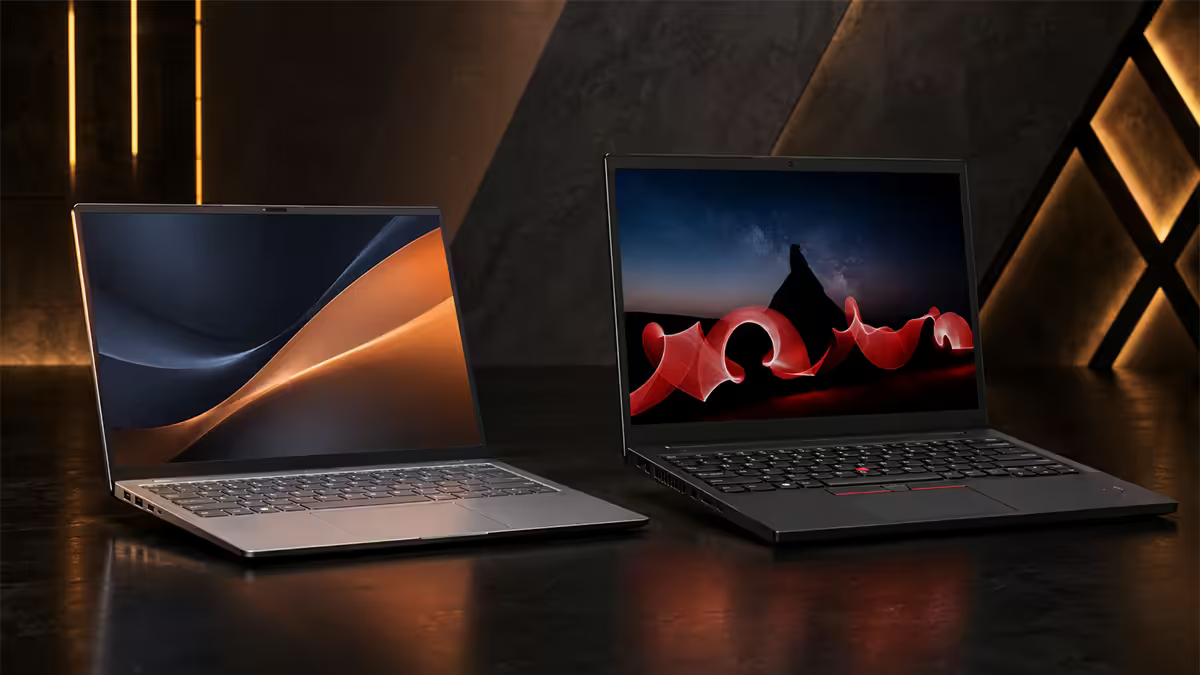
Lenovo runs two parallel laptop lines because the buyers want fundamentally different things. IdeaPad sells the spec sheet. ThinkPad sells the five-year story.
| Dimension | IdeaPad | ThinkPad |
|---|---|---|
| Build material | Plastic / aluminium top | Magnesium / carbon fibre |
| Keyboard tier | Good (1.3mm travel) | Best in class (1.8mm, dished keys) |
| Display options | FHD IPS, OLED on Pro | FHD up to 2.8K OLED on X1 |
| Durability rating | None claimed | MIL-STD-810H tested |
| Warranty (default) | 1-year carry-in | 1-year on-site / depot |
| Target user | Student, home, light SME | Pro, field, enterprise |
| Price band (SA) | R9k – R18k | R18k – R45k+ |
| Expected lifespan | 2-3 years | 5-7 years |
The decision isn't IdeaPad or ThinkPad — it's value or investment. An IdeaPad delivers 90% of the daily browser/Office experience for 50% of the money. A ThinkPad delivers a working tool that still feels right at year five.
If your laptop is a luxury, buy on price. IdeaPad. If your laptop is how you earn a living, buy on durability. ThinkPad. The rest of this guide unpacks the why.
ThinkPad sub-tiers — X, T, E, L, X1
Saying "I want a ThinkPad" is like saying "I want a car." The sub-tiers do very different jobs at very different prices. Here's the working map.
E series — entry business
R18k-R25k. The lowest-cost ThinkPad. Mostly plastic chassis, MIL-STD-810H tested, full ThinkPad keyboard, 1-year carry-in warranty. The right call when you want the keyboard and the warranty options but can't stretch to magnesium. E14 / E16 are the workhorses.
L series — SME standard
R22k-R28k. A small step up from E — better display panels, slightly stiffer chassis, more configuration options. L14 / L15 are the typical SME fleet buy. Good warranty upgrade pricing.
T series — the professional workhorse
R28k-R38k. The classic ThinkPad. Magnesium chassis, premium keyboard, full warranty options including on-site, hot-swap battery on some models. T14 / T16 are what most professionals quietly land on after one IdeaPad cycle.
X series — ultra-portable
R28k-R40k. 13-inch travel-first ThinkPads. Lighter than T (often under 1.2kg), still built to ThinkPad standards. X13 is the sweet spot for sales reps, consultants and anyone airport-bound.
X1 Carbon — the flagship
R45k-R65k. Carbon fibre lid, the best display option in the range (up to 2.8K OLED), best-in-class keyboard on a 14-inch chassis under 1.1kg. The "premium" ThinkPad. If money permits and you want one laptop for five years of everything, X1 is the answer.
The keyboard — ThinkPad's quiet superpower
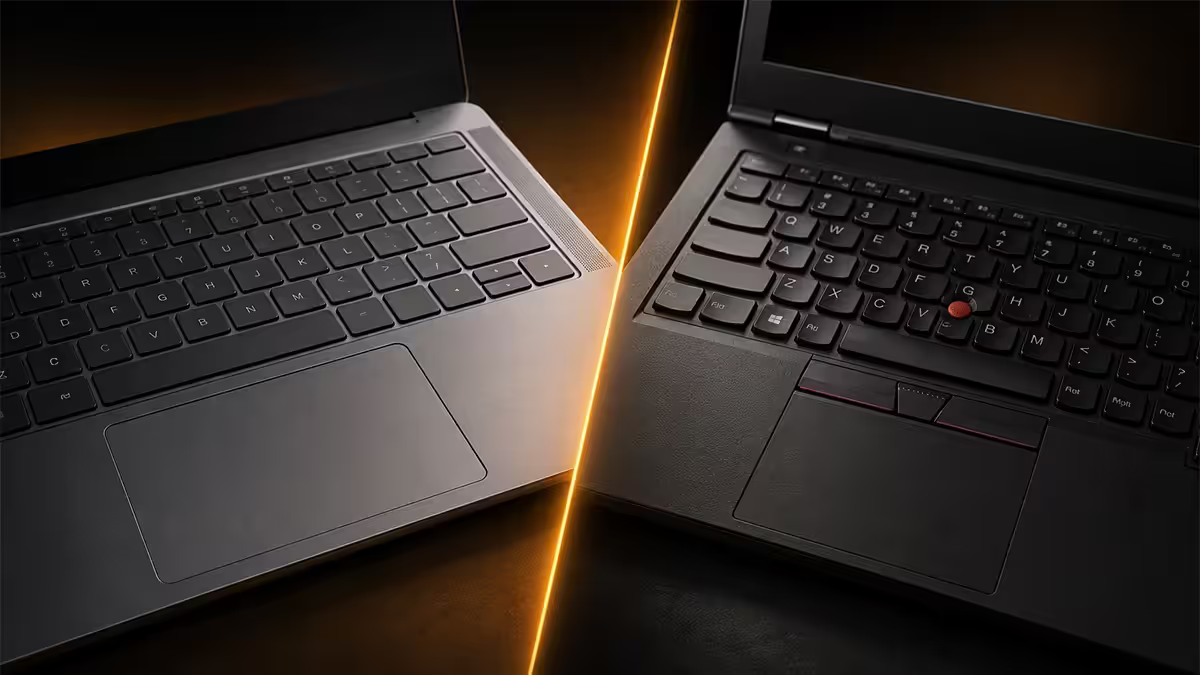
Spec sheets don't capture this, and it's the single biggest reason long-time ThinkPad buyers stay loyal. The keyboard is genuinely different.
ThinkPad keys are dished (concave, fingers settle naturally), have 1.8mm of travel versus the 1.3mm on a typical IdeaPad or MacBook, and the layout has been refined across 30 years of business use. The TrackPoint nub in the centre lets you keep hands on the home row instead of reaching for the touchpad.
For someone typing 20,000+ words a week, this isn't a minor upgrade — it's the difference between hand fatigue at 3pm and not. Long-form writers, lawyers, developers and anyone who lives in chat / email feel the gap immediately.
- Key travel: 1.8mm on ThinkPad vs 1.3mm on IdeaPad — meaningful tactile feedback.
- Dished keytops: fingers find centre without looking — fewer mistypes.
- TrackPoint: hands never leave home row for mouse work — productivity multiplier once learned.
- Spill-resistant: drainage channels under the keyboard route liquid past the motherboard.
- Quiet: business-grade key switches don't click — meeting-friendly.
Display + colour — X1 vs the rest
Display is where ThinkPad's range fans out hardest. The entry E series ships with workmanlike FHD IPS panels (300 nits, 60% sRGB). The X1 Carbon ships with one of the best laptop displays sold — a 2.8K OLED, 100% DCI-P3, HDR-capable, 400 nits.
IdeaPad's display range is narrower. IdeaPad Slim caps at FHD IPS. IdeaPad Pro 5 adds OLED options that are genuinely good for the money (R15k-R22k), but they don't match X1 Carbon for colour accuracy or peak brightness.
Choose by use:
- General office, browsing, study: any panel — FHD IPS is plenty.
- Photo editing, light video, design work: IdeaPad Pro 5 OLED or ThinkPad X1 Carbon OLED.
- Outdoor / mobile use: 400-nit panels on ThinkPad T / X1 are the practical floor.
- Long-form reading / writing: any matte panel beats glossy — ThinkPad's are all matte.
Durability — MIL-STD-810H explained
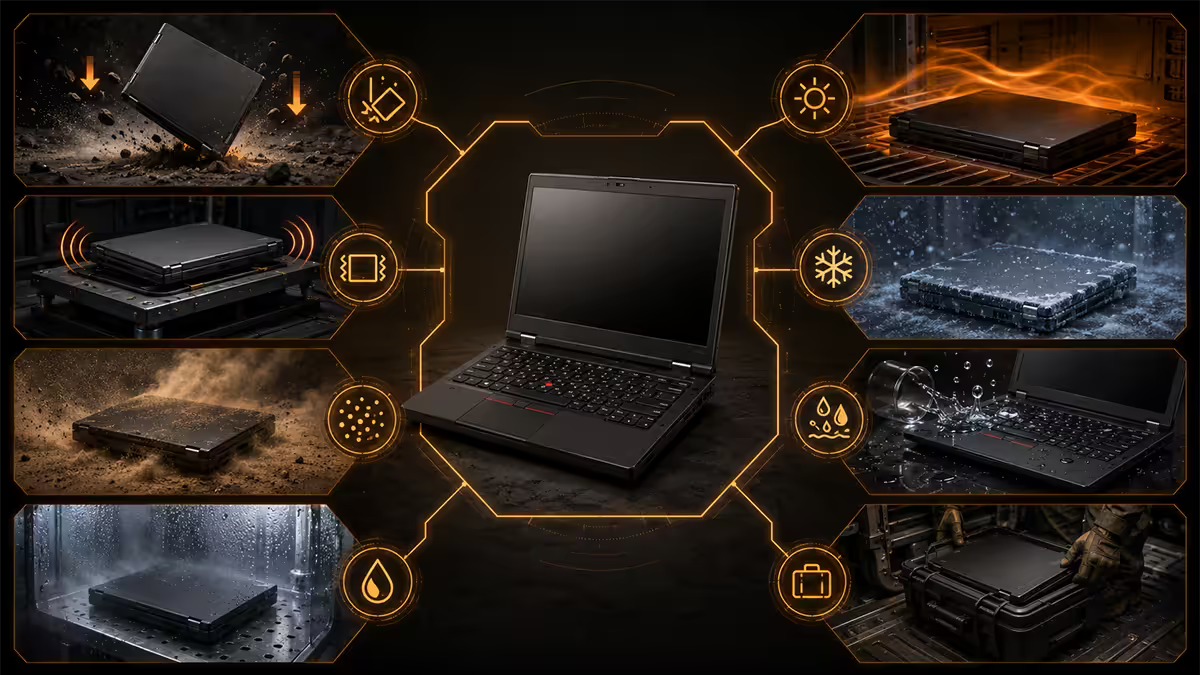
MIL-STD-810H is the US military environmental testing standard. ThinkPads are designed and tested against it; IdeaPads are not. The standard covers 12+ procedures.
| Test | What it covers | Real-world meaning |
|---|---|---|
| Drop / shock | 26-drop test from desk height | Survives accidental knocks off desks |
| Vibration | Sustained mechanical vibration | Holds together in vehicles, trains, flights |
| Dust ingress | Blown sand / dust exposure | Field work, construction, mining sites |
| Humidity | 95% RH cycling | Coastal and high-humidity SA conditions |
| Thermal shock | Rapid temp swings | Aircon-to-outdoor transitions |
| Altitude | Low-pressure operation | Operates safely in flight at altitude |
| Hinge cycle test | 25,000 open / close cycles | 5+ years of daily use without hinge failure |
Important caveat: being "MIL-STD-810H tested" does not mean ThinkPads are military-grade or indestructible. It means Lenovo designs them against the standard's procedures during R&D. They still scratch, dent and break — they just survive far more abuse than a consumer chassis.
IdeaPads aren't engineered for any of this. They're consumer laptops built for desk use, occasional travel, and gentle handling. A drop from a sofa or a coffee spill ends most IdeaPads. A ThinkPad will usually shrug both off.
Warranty — why ThinkPad's matters
Default warranty on both lines is one year in SA. The difference is in what's upgradeable.
IdeaPad warranty: 1-year carry-in. You take the laptop to a Lenovo service centre or send it via courier. Repair times typically 5-15 working days. Upgrades to 2-3 years exist but limited options.
ThinkPad warranty: 1-year on-site / depot by default on most T / X / X1 models. Upgradeable to 3-year on-site, 5-year on-site, premier support (24/7 phone, expert engineer, accidental damage cover), and next-business-day on-site response in major SA metros. This is what most businesses buy — when a T14 dies, an engineer comes to you tomorrow.
Evetech distributes Lenovo IdeaPad and ThinkPad across SA — we've moved <strong>200,000+ Lenovo machines</strong> as an authorised Lenovo partner. Buyer feedback consistently lands on the same observation: <strong>"the ThinkPad keyboard is the moment you stop comparing."</strong> Almost no one downgrades from ThinkPad to IdeaPad after their first one. The upgrade path runs one way.
Evetech Hardware Team — Behind the Build
Recommended models by use case
| Use case | Pick | SA price |
|---|---|---|
| Budget student | IdeaPad 1 / IdeaPad 3 | R9k – R13k |
| Mainstream consumer | IdeaPad 5 Pro (OLED option) | R15k – R20k |
| Entry business | ThinkPad E14 | R18k – R25k |
| SME standard | ThinkPad L14 | R22k – R28k |
| Professional workhorse | ThinkPad T14 | R28k – R38k |
| Flagship / travel-first | ThinkPad X1 Carbon Gen 13 | R45k – R65k |
Key takeaways
- IdeaPad is value (R9k-R18k, plastic, 2-3 years). ThinkPad is investment (R18k-R45k+, magnesium / carbon, 5-7 years).
- ThinkPad sub-tiers: E (entry), L (SME), T (professional), X (ultra-portable), X1 Carbon (flagship).
- The ThinkPad keyboard (1.8mm travel, dished keys, TrackPoint) is the single biggest loyalty driver.
- MIL-STD-810H means tested against military environmental procedures — not indestructible, but a different durability tier.
- ThinkPad's on-site warranty (upgradeable to 3-5 year Premier Support) is the business-buyer cheat code.
Frequently asked questions
Is a ThinkPad really worth the premium over an IdeaPad?
If you keep laptops 5+ years, work in the field, or rely on the keyboard daily — yes. MIL-STD-810H, the best business keyboard, on-site warranty options, magnesium / carbon chassis. If you're price-sensitive and gentle with kit, IdeaPad wins on rand-per-spec.What does MIL-STD-810H actually mean for a laptop?
A US military testing standard ThinkPads are designed against — 12+ procedures covering drops, vibration, dust, humidity, thermal shock, altitude. Means hinges rated to 25,000 cycles and spill-resistant keyboards. Not indestructible, just a much higher durability tier.Can an IdeaPad handle business work?
For light office work — email, browser, Office, Teams — yes. An IdeaPad 5 Pro with Ryzen 7 / Core Ultra 5, 16GB RAM, 512GB SSD handles SME workloads. Where it falls short: hours-a-day typing, travel durability, on-site warranty, and lifespan past 3 years.Which ThinkPad sub-tier is right for me?
E series — entry business, R18k-R25k. L series — SME standard, R22k-R28k. T series — professional workhorse, R28k-R38k. X series — ultra-portable, R28k-R40k. X1 Carbon — flagship, R45k-R65k. E14 only if budget caps under R22k.Are ThinkPads good for students?
Refurbished off-lease ThinkPads (T14, T480, L14) at R10k-R15k are arguably the best student laptop you can buy — durable, repairable, excellent keyboards. New ThinkPads at R18k+ are usually overkill unless engineering or design is in scope.IdeaPad Slim vs IdeaPad Pro — which one?
Slim 3/5 — thin-and-light everyday consumer line, R9k-R16k, browsing and study. Pro 5 — creator-friendly, OLED options, optional discrete GPU, R15k-R22k. Pro if you edit photos or want OLED on a non-ThinkPad budget.How long does a ThinkPad really last in SA conditions?
Five to seven years of daily use is realistic for T-series or X1 Carbon kept on quality power (UPS / surge protector). SA load-shedding is brutal on charge cycles — a UPS adds years to battery life. ThinkPads are also among the most repairable laptops sold, with Lenovo SA stocking parts 5+ years.IdeaPad vs ThinkPad in 2026 — which to buy?
Value vs investment. IdeaPad under R18k with a 2-3 year horizon. ThinkPad at R18k+ with a 5+ year horizon, or whenever keyboard / warranty / durability matters. ThinkPad E14 / L14 at R20k-R25k is the SME sweet spot. IdeaPad 5 / Slim 5 at R12k-R15k wins for students and home users.