MacBook Buying Guide
Is the MacBook Neo worth it? — Or should you stretch for the Air?
Apple's new R12k entry Mac is the cheapest real Mac in years. The Air sits R5k above it. We've used both for a month — here's where the gap matters, and where it really doesn't.
- Neo entry · SA
- R12k
- Air M4 · SA
- R17k
- expected lifespan
- 5-7 yrs
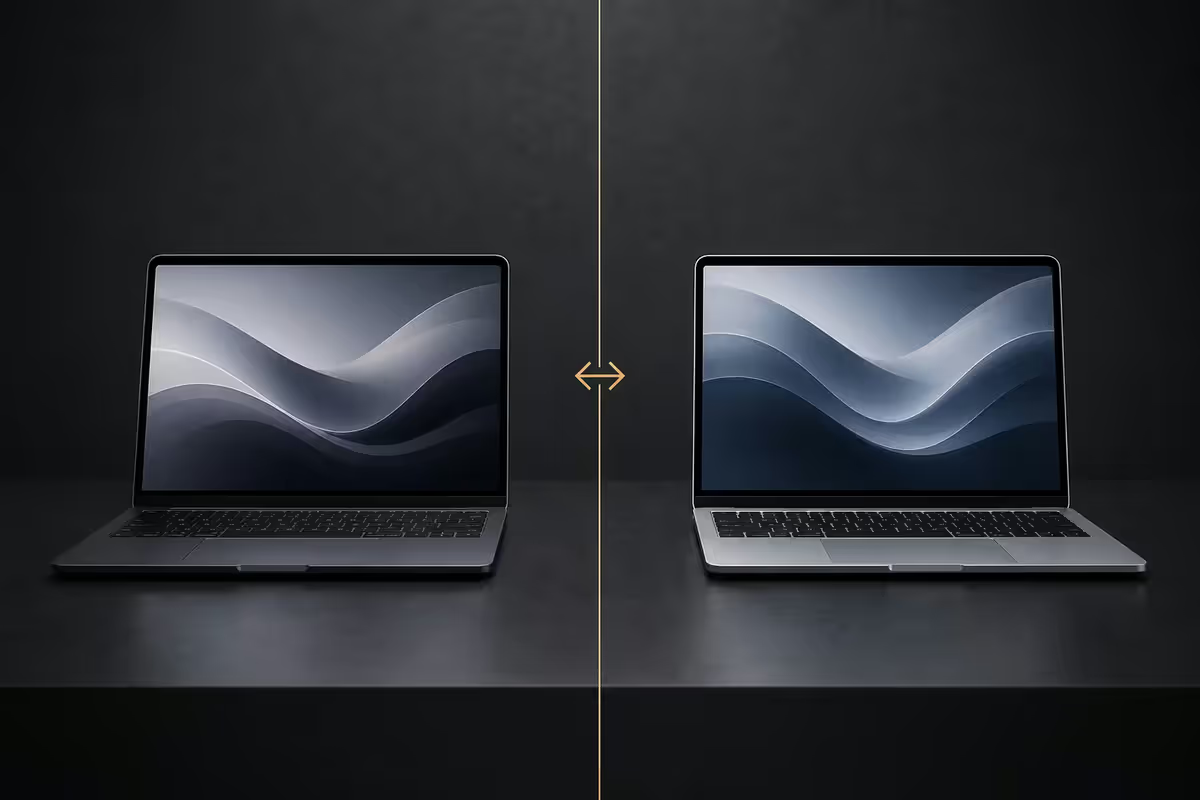
Neo vs Air — at a glance
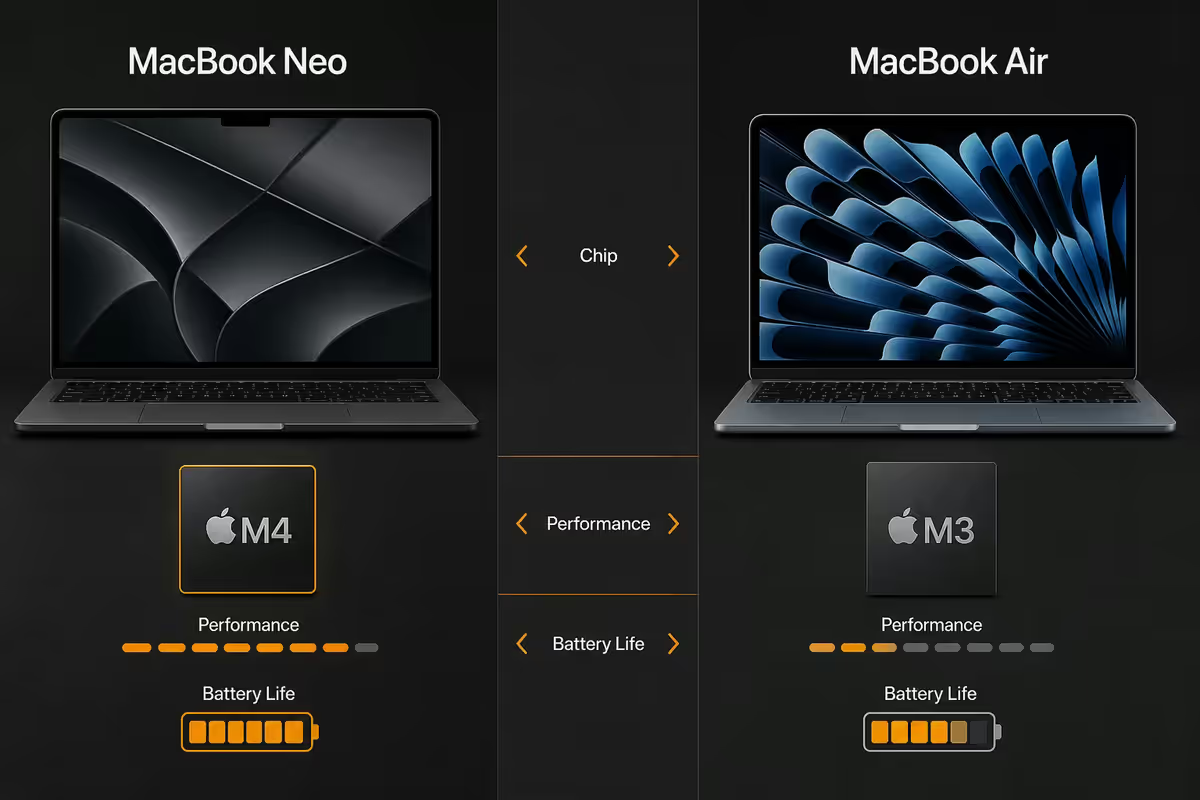
The MacBook Neo is Apple's first sub-R15k Mac laptop in years. It's the iPhone Pro chip (A18 Pro) inside a slightly thicker, slightly heavier 13.3-inch chassis. The Air M4 is the upgrade tier — the same fanless silent design, but with the proper desktop-class M4 chip, a brighter screen and more headroom across the board.
| Spec | MacBook Neo | MacBook Air M4 |
|---|---|---|
| SA entry price | R12,000 | R17,000 |
| Chip | A18 Pro (6-core CPU) | M4 (10-core CPU) |
| Unified memory | 8GB | 16GB |
| Base storage | 256GB SSD | 256GB SSD |
| Display | 13.3" · ~400 nits · sRGB | 13.6" · 500 nits · P3 |
| Ports | 2× USB-C, headphone | 2× Thunderbolt 4, MagSafe, headphone |
| Thermals | Fanless · silent | Fanless · silent |
| Battery (browsing) | ~14 hrs | ~18 hrs |
| Weight | 1.32 kg | 1.24 kg |
On paper the Neo doesn't look that far behind. In daily SA use the differences are honest but specific — not every buyer will feel them, but the ones who do will feel them every day.
Chip and performance — the honest read
The A18 Pro in the Neo is the same chip Apple ships in the iPhone 16 Pro Max. It's a genuinely strong mobile chip — single-core scores within 10% of the M4. For 90% of laptop tasks, you will not feel the difference. Safari with 12 tabs, Mail, Pages, Spotify, Zoom, Slack and Netflix all run at the same perceived speed on both machines.
Where the M4 in the Air pulls away is sustained multi-core work — anything that hammers all CPU cores for more than a minute. Final Cut Pro exports, Lightroom batch processing, Xcode compiles, large Photoshop files, Logic Pro mixes. In benchmarks:
- Single-core: A18 Pro ~3,400 · M4 ~3,800 (~12% gap, imperceptible)
- Multi-core: A18 Pro ~8,500 · M4 ~14,500 (~70% gap, very noticeable)
- GPU (Metal): A18 Pro ~30k · M4 ~57k (~90% gap, massive for creative work)
Both chips are fanless. Both are silent. The Neo will thermal-throttle under sustained heavy load roughly 25% faster than the Air because the chassis is fractionally thicker but less efficiently cooled — Apple optimised the Neo for short bursts (the iPhone usage model), and the Air for laptop-style longer-running tasks.
Build, display and ports
Build. Both are aluminium unibody. The Air is fractionally thinner (11.3mm vs 11.5mm) and 80g lighter. In hand they feel almost identical — the Neo doesn't feel cheap. Apple gave it the same hinge, the same keyboard, the same Force Touch trackpad. The only obvious tell is the Neo's slightly larger bezels around the 13.3-inch panel.
Display. This is where the R5k gap shows up most clearly. The Neo's screen is good — 400 nits sustained, sRGB coverage, sharp at retina pixel density. The Air's screen is meaningfully better: 500 nits sustained, full P3 wide colour, slightly higher contrast. In a dim room you'd struggle to tell them apart. Near a sunny SA window, on a balcony, or in a coffee shop with reflective glass, the Air wins clearly. For anyone editing photos or video where colour accuracy matters, the Neo's sRGB-only panel cannot represent the colours your phone camera captured.
Ports. The Neo gets two USB-C 3.2 ports, both on the left side, plus a 3.5mm headphone jack. No MagSafe — you charge via one of the USB-C ports, which means losing 50% of your port count whenever you're plugged in. The Air keeps both USB-C/Thunderbolt 4 ports free by charging via dedicated MagSafe. For anyone who hooks up to an external display at home or office, the Air's setup is the difference between "plug in three cables" and "plug in two."
The price gap — R5k explained
The official RRP delta is R5,000 — R12,000 for the Neo, R17,000 for the Air base. What does that R5k actually buy you?
| What R5k upgrades | Concrete benefit |
|---|---|
| Chip (A18 Pro → M4) | 35-45% faster sustained work, ~90% faster GPU |
| RAM (8GB → 16GB) | Run 8+ heavy apps instead of 3 before swap |
| Display (sRGB → P3 · 400 → 500 nits) | Usable outside, accurate colour |
| Ports (USB-C 3.2 → Thunderbolt 4) | 5× faster external SSD, dual display support |
| MagSafe charging | Safer cable, keeps both data ports free |
| Battery (14h → 18h browsing) | Full workday without charger |
| SSD speed (~2.5 → ~3.5 GB/s) | App launches, file copies, photo libraries |
Spread across the realistic 5-7 year life of a Mac, R5k works out to roughly R70-R85 per month. For most buyers that's less than they spend on Netflix and Spotify combined — for a machine they use 6 hours a day.
Longevity — who lasts longer
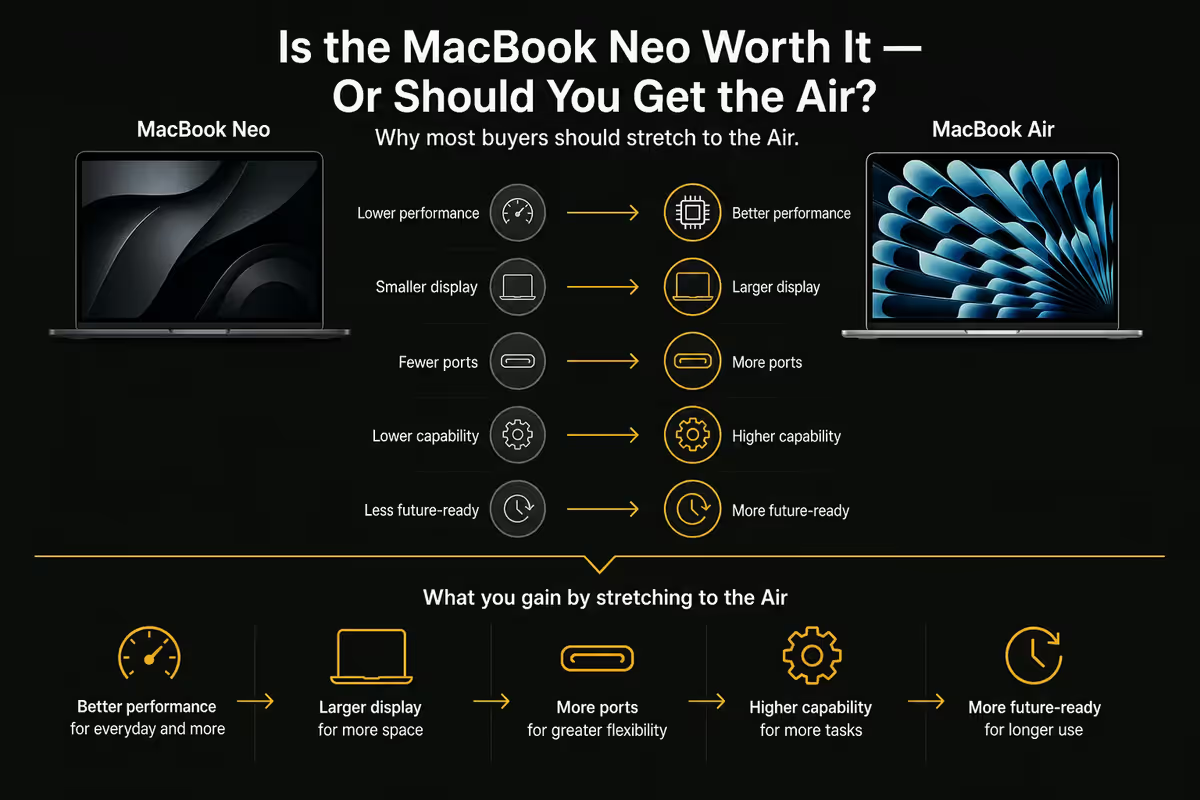
Apple supports Macs with macOS updates for roughly 7 years from launch date. Both Neo and Air will technically receive macOS updates until roughly 2033. But "receiving updates" and "feeling fast" are two different things.
Why Neo will feel old faster:
- 8GB unified memory ceiling. macOS Sequoia already uses ~3-4GB at idle. By 2028's macOS release, expect 5-6GB at idle. That leaves the Neo's 8GB with 2-3GB for everything you actually run — barely enough for Safari and a couple of apps. The Air's 16GB will still have 10-11GB free.
- 256GB SSD pressure. Photo libraries grow. App sizes grow (Logic Pro alone is now 60GB+). Modern macOS apps cache aggressively. 256GB feels fine in year 1, tight in year 3, full in year 5. Both share this limit, but the Neo's slower SSD makes the swap penalty worse.
- Chip generation gap. The M4 is built for sustained desktop-style workloads. The A18 Pro is built for phone bursts. As software gets heavier, the Neo will throttle more often.
The blunt rule: Neo will feel slow around year 4. Air will feel slow around year 6. If you replace your Mac every 3 years, Neo is fine. If you keep yours 5-7 years (what most Mac buyers do), Air pays for itself.
Who the MacBook Neo actually fits
The Neo isn't a bad Mac. It's a great Mac for a specific buyer profile. If you read these and nod, the Neo is genuinely the smarter buy:
- The light user. Safari, Mail, Pages, Numbers, Netflix, YouTube, Zoom. Maybe light photo edits in Photos. If your laptop is essentially a browser with a keyboard, you will not feel the M4 advantage and the R5k stays in your pocket.
- The first-Mac switcher on a budget. You're moving from a 5-year-old Windows laptop because you finally want the Apple ecosystem with your iPhone. R12k gets you in. Year-3 you can sell the Neo and step up to whatever Air exists then.
- The second-Mac buyer. Your main machine is a Mac Studio or M4 Pro MacBook Pro. You want a thin Mac for couch and travel. The Neo as a second Mac at R12k is brilliant — it doesn't need to do heavy lifting.
- The Arts / Commerce student. Essays, journals, lectures, Zoom, Pages. Four years of light academic work runs on the Neo without complaint. Keep it through varsity, replace it when you start work.
- The kid's first Mac. School laptop, no creative work, replaceable in 3-4 years. R12k risk vs R17k risk — Neo wins.
Why most buyers should stretch for the Air
You'll keep this Mac longer than you think. Most SA buyers tell us they'll "probably upgrade in 3 years." Most don't. The average Mac we see on our service bench is 5.4 years old. Plan for the Mac you'll still be using in 2031 — the Air will get there comfortably; the Neo will be on its last legs.
The screen difference is bigger than the spec sheet suggests. 500 nits vs 400 nits sounds like 25% — in actual outdoor or sunny-window use, the Air's anti-reflective coating and P3 colour make it feel twice as usable. If you ever work near a window, this matters every single day.
MagSafe is not a gimmick. One accidentally-yanked charging cable that pulls the laptop off a coffee table costs more to repair than the entire R5k upgrade. MagSafe disconnects cleanly. Two USB-C charging on the Neo doesn't.
RAM is the spec that defines lifespan. Apple's unified memory is fast, but 8GB is 8GB. Modern Safari with 20 tabs already pushes 6GB. Add Slack, Spotify, Mail and you're swap-paging hard on the Neo. The Air's 16GB is the headroom that keeps it feeling new in year 4.
Resale recovers half the R5k. In three years, Air resale will be ~R10-12k. Neo resale will likely be ~R5-6k. Your effective "lost value" is similar — but with the Air you got three years of a better machine for that R5k.
Key takeaways
- Neo is a genuinely good Mac at R12k — the cheapest real Mac Apple has shipped in years.
- R5k gap buys 35-45% sustained performance, double the RAM, P3 screen, MagSafe and Thunderbolt 4.
- Neo fits light users, students in non-technical fields, kids' first Macs and second-Mac couch machines.
- Air is the longer-life buy — Neo feels slow around year 4, Air around year 6.
- If you'll keep your Mac 5+ years, edit photos/video, or work outdoors — stretch for the Air.
Frequently asked questions
Is the MacBook Neo worth R12,000 in South Africa?
For light use — Safari, Mail, Pages, Netflix, light photo edits — yes, the Neo is solid value at R12k. For heavier creative or multi-app workflows, or if you keep your Mac 5+ years, the Air's R5k premium is the smarter buy.How much faster is the M4 than the A18 Pro in the Neo?
For everyday tasks you won't feel it. Under sustained load — exports, batch processing, builds — the M4 is roughly 35-45% faster in CPU and around 90% faster in GPU work.Is the MacBook Neo screen worse than the Air?
Yes. Neo is ~400 nits sRGB; Air is ~500 nits P3 wide colour. Indoors the difference is minor; near a sunny SA window or for photo/video editing, Air pulls clearly ahead.Does the MacBook Neo have enough ports?
Two USB-C 3.2 ports plus headphone jack. No MagSafe, no Thunderbolt 4. Fine for casual use; restrictive if you regularly use external displays, fast SSDs or docks.Will the MacBook Neo last as long as the Air?
No. Neo's 8GB RAM ceiling makes it feel slow around year 4. Air's 16GB and faster chip extend that to year 6. For 5+ year ownership, Air is the better R-per-year buy.Is the MacBook Neo good for university students?
For Arts, Commerce, Law, Humanities — yes, brilliant value. For Engineering, CompSci, Architecture, Film, Design — no, the 8GB ceiling will choke CAD, Xcode, Resolve and Logic Pro.Can I upgrade the MacBook Neo's RAM or storage later?
No. Both RAM and SSD are soldered. Whatever you buy at checkout is what you keep forever. This is exactly why we recommend stretching to Air for long-term ownership.Should I buy the Neo now or wait for an Air sale?
SA Apple pricing rarely moves. Air discounts at Black Friday occasionally trim R500-R800, never more. Buy when you need the machine, not when you hope for a discount.
Get the Evetech app
Exclusive app-only prices, daily flash sales, and free delivery on orders over R4,000 — download the app and start saving.