Laptop Buying Guide
Laptop GPU power limits. — Same GPU. Different wattage. Different laptop.
Two laptops listed with "RTX 5070 Mobile" can deliver a 35-45% FPS gap in the same game. The number that decides this isn't on the box. It's TGP — the wattage budget — and SA retailers love to hide it.
- TGP range, same GPU
- 75-140W
- FPS gap at edges
- ~45%
- chassis for sustained TGP
- 24mm+
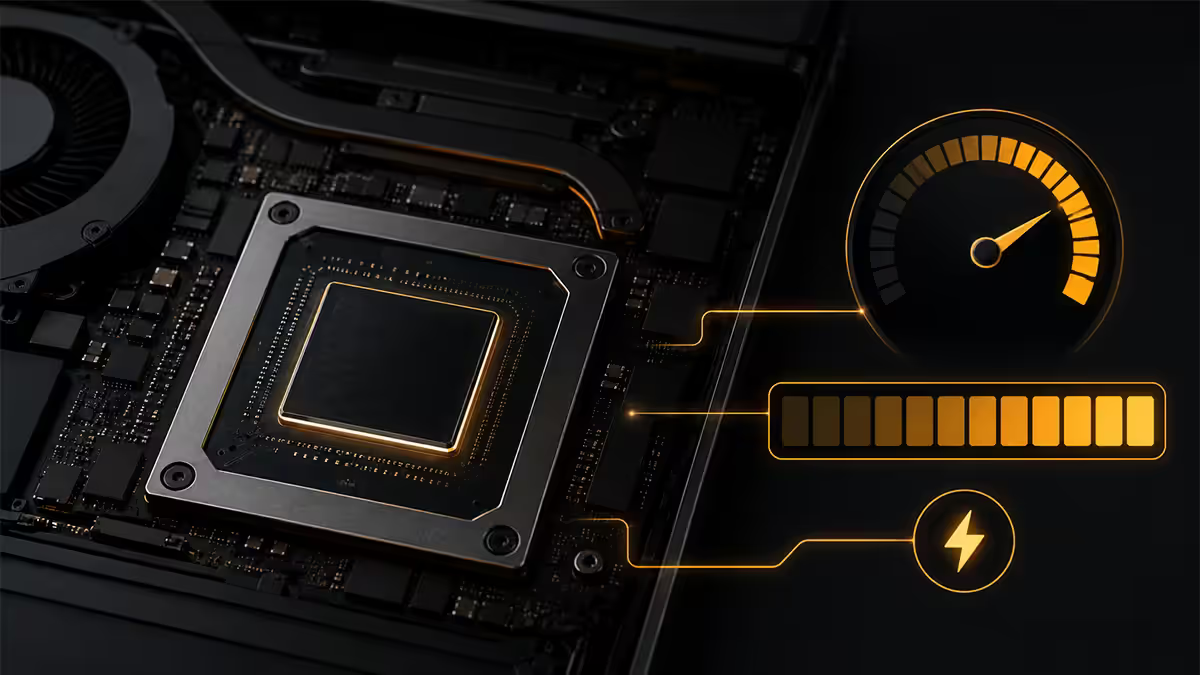
What TGP actually means
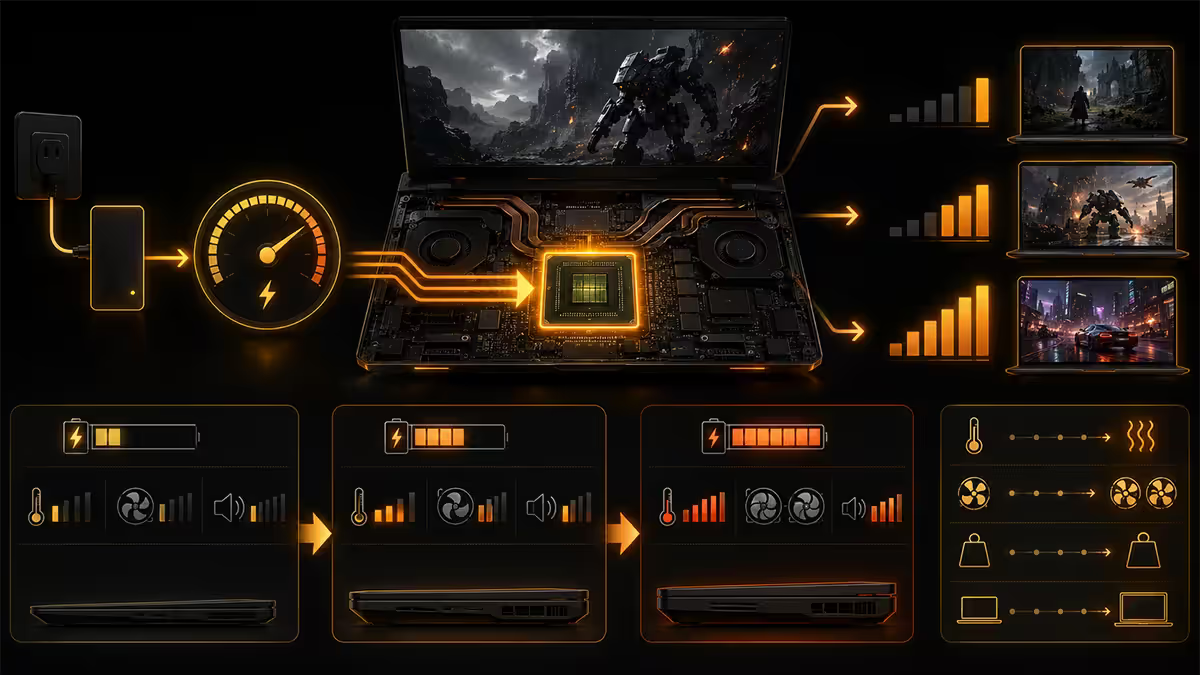
TGP — Total Graphics Power — is the sustained wattage your laptop is configured to feed the GPU under load. It's set by the laptop OEM (not NVIDIA or AMD), and it's the single biggest factor in mobile GPU performance after the chip itself.
Two laptops can ship with the identical RTX 5070 Mobile silicon and behave like different products. One runs the chip at 75W to fit a 16mm chassis and 4-cell battery. The other runs it at 140W with three fans, six heat pipes and a 90Wh battery in a 26mm chassis. Same name on the spec sheet — wildly different gaming experiences.
| Wattage tier | Typical chassis | Performance vs max |
|---|---|---|
| 60-80W (entry) | Thin-and-light, ultraportable | ~55-65% of max TGP |
| 85-115W (mid) | 15-16" mainstream gaming | ~75-85% |
| 120-140W (full) | 16-18" enthusiast gaming | 100% baseline |
| 140W + Dynamic Boost | Flagship, 24mm+ chassis | +5-10% over baseline |
The spec wars used to be about CUDA cores and VRAM. Today's mobile spec war is about watts — and most SA retail product pages don't list the figure at all.
What happened to "Max-Q"?
From 2017 through 2022, NVIDIA labelled the low-power mobile GPU variants with the suffix "Max-Q". An RTX 3080 Max-Q was clearly different from an RTX 3080 — same chip, lower wattage, lower performance. The labelling was confusing but at least it was a labelling.
With the RTX 40 series and continuing into the RTX 50 series, NVIDIA dropped the Max-Q suffix entirely. The new rule: OEMs must publish the TGP in watts on the spec sheet. In theory this is more transparent. In practice, OEMs and especially regional retailers bury the figure in footnotes, fine print or omit it from product listings completely.
The result for buyers: an "RTX 5070 Mobile" at R28,999 and another at R42,999 both list "RTX 5070 8GB" as the GPU spec. The difference of R14,000 buys you 65 more watts of GPU budget — but you'd never know from the listing alone.
RTX 5070 Mobile — 75W vs 140W in real games
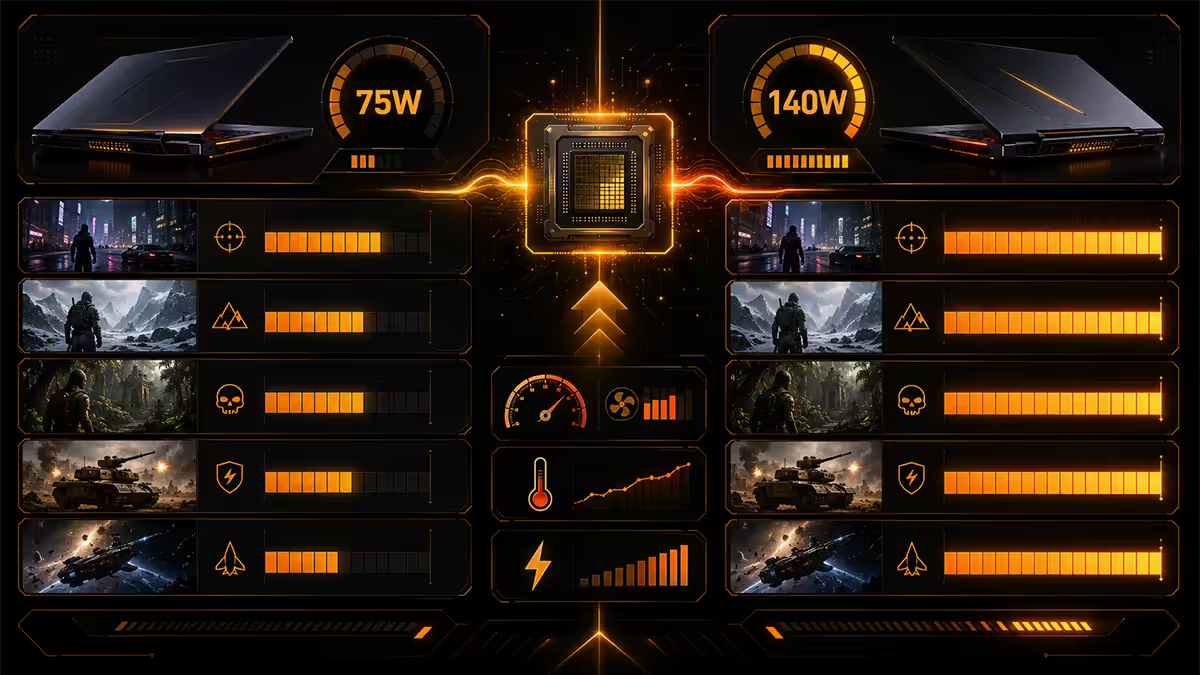
The RTX 5070 Mobile is configurable between roughly 75W and 140W base TGP, with Dynamic Boost adding another 15-25W under ideal thermal conditions. The chip is unchanged across these tiers.
| Game / setting | 75W RTX 5070M | 140W RTX 5070M |
|---|---|---|
| Cyberpunk 2077 · 1440p DLSS-Q | ~58 FPS | ~92 FPS (+59%) |
| Alan Wake 2 · 1440p DLSS-Q | ~48 FPS | ~71 FPS (+48%) |
| Hogwarts Legacy · 1080p Ultra | ~75 FPS | ~112 FPS (+49%) |
| Counter-Strike 2 · 1440p Comp | ~210 FPS | ~285 FPS (+36%) |
| Marvel Rivals · 1440p High | ~85 FPS | ~125 FPS (+47%) |
Across competitive esports titles where the chip is rarely fully utilised, the gap narrows to 25-35%. Across AAA single-player with ray tracing on, it can widen past 50%. The wattage figure decides whether you can hit your monitor's refresh rate in your games of choice.
AMD RX 9070M — same problem, slightly more honest
AMD's RDNA 5 mobile lineup, headlined by the RX 9070M, follows the same TGP-scaling model. Typical configurations sit between 80W and 145W, with AMD's "SmartShift" equivalent of Dynamic Boost adding 15-20W when CPU load is low.
AMD's OEM partners have, on average, been slightly more transparent about TGP disclosure than NVIDIA's — Lenovo's Legion lineup in particular lists wattage prominently on AMD configurations. ASUS Strix and HP Omen variants with Radeon graphics generally follow the same convention.
In SA, AMD-powered gaming laptops are rarer than NVIDIA-powered ones (estimate: roughly 1 in 8 listings), but they're often better value at the mid-tier. The RX 9070M at 130W is competitive with an RTX 5070 Mobile at 130W in raster, and slightly behind in ray tracing.
Why chassis thickness decides the wattage
Physics doesn't lie. A 14mm chassis cannot dissipate 140W of GPU heat plus 60W of CPU heat for a sustained 30-minute gaming session. The math doesn't work — there's nowhere for the heat to go.
OEMs configure TGP to match thermal solutions:
- Ultraportable (under 18mm): 60-90W TGP. Dual fans, dual heat pipes, vented from rear-only. RTX 5060/5070 territory.
- Mainstream gaming (18-23mm): 100-130W TGP. Dual fans, four heat pipes, vented rear + sides. RTX 5070/5070 Ti.
- Enthusiast / desktop replacement (24mm+): 140-175W TGP. Triple fans, six heat pipes, vapour chamber, vented all four sides. RTX 5080/5090 Mobile.
If a manufacturer lists a high wattage in a thin chassis, expect aggressive thermal throttling within 10-15 minutes of intense gameplay. Sustained TGP is what matters — not peak burst TGP that a review unit hits in a 30-second benchmark.
MUX switch & Dynamic Boost — the bonus performance
Two laptop-specific features can add meaningful performance on top of raw TGP. Both are often missing from cheap configurations.
MUX switch (multiplexer). By default, your dGPU renders the game but the iGPU outputs the frames to your laptop's display — adding a pixel-routing tax that costs 8-15% performance. A MUX switch lets the dGPU bypass the iGPU entirely and output directly. Look for "MUX switch", "Advanced Optimus" (NVIDIA) or "AMD Smart Access Graphics" in the spec sheet. Worth roughly 10% free FPS on average.
Dynamic Boost. NVIDIA's tech that redistributes power budget between CPU and GPU. When the GPU is bottlenecked and the CPU has thermal headroom, Dynamic Boost shifts 15-25W from CPU to GPU. It only triggers when conditions are right, but in GPU-bound games (most AAA titles), it adds 5-10% performance over the base TGP.
A "115W TGP + Dynamic Boost" listing means the GPU averages 115W in mixed load and can spike to 140W under ideal conditions. A "115W TGP" listing without Dynamic Boost is the harder ceiling.
How to read SA laptop spec sheets honestly
| What the listing says | What it usually means |
|---|---|
| "NVIDIA RTX 5070" (no wattage) | 75-95W TGP variant — assume the worst |
| "NVIDIA RTX 5070 115W" | 115W base, possibly no Dynamic Boost |
| "NVIDIA RTX 5070 140W + 25W DB" | Full power, 165W peak — the version to buy |
| "Includes MUX switch" | +8-15% real performance — verify it's not just iGPU bypass |
| "Vapour chamber cooling" | Premium thermal solution, sustained TGP likely |
| "Thin-and-light gaming" | Marketing hedge — expect throttling under load |
| "Desktop-class performance" | 140W+ TGP, 26mm+ chassis |
If the SA retailer's product page doesn't list TGP, three options:
- Manufacturer global page. ASUS, MSI, Lenovo, HP, Acer, Razer all publish TGP on their international product pages. Search "[model name] specifications" and the OEM site usually appears first.
- Notebookcheck.net. Their reviews verify TGP under sustained load. The most trustworthy independent source for mobile GPU wattage testing.
- Email the retailer. A reputable seller will give you the figure in 24 hours. If they can't or won't, that's diagnostic.
Key takeaways
- TGP wattage decides mobile GPU performance more than the GPU name. 75W vs 140W = ~45% FPS gap.
- NVIDIA dropped Max-Q branding in favour of declared wattage — but SA retailers often hide the figure.
- Chassis thickness predicts sustained TGP. Under 18mm = throttled; 24mm+ = full power.
- MUX switch / Advanced Optimus adds another 8-15% free performance. Always look for it.
- If a SA listing doesn't show TGP, check the OEM global page or Notebookcheck — or email the retailer.
Frequently asked questions
Why do two laptops with the same GPU perform differently?
Because each OEM configures the GPU's TGP (total graphics power) to fit their chassis. An RTX 5070 Mobile can be set anywhere from 75W to 140W — a ~45% performance range using the exact same chip.What is TGP and Dynamic Boost?
TGP is the sustained wattage budget given to the GPU. Dynamic Boost adds 15-25W extra by redistributing thermal budget from the CPU when conditions allow.What happened to Max-Q branding?
NVIDIA dropped the Max-Q suffix with RTX 40 series. OEMs must now publish wattage on spec sheets — though many retailers, especially in SA, omit the figure from product listings.Does chassis thickness affect GPU performance?
Yes — drastically. Thin chassis (under 18mm) can't sustain 140W GPU loads. Gaming chassis (24mm+) can sustain peak wattage indefinitely.What is a MUX switch and why does it matter?
A MUX lets the dGPU bypass the iGPU and output directly to the display, adding 8-15% performance. Look for "MUX switch" or "Advanced Optimus" on the spec sheet.RTX 5070 Mobile 75W vs 140W — what's the real FPS gap?
In Cyberpunk 2077 at 1440p DLSS-Q: ~58 FPS at 75W vs ~92 FPS at 140W. Across AAA titles, expect 35-50% performance uplift from the wattage difference.How do AMD Radeon RX 9070M wattages compare?
AMD RX 9070M typically ships at 80-145W with SmartShift adding 15-20W. AMD OEMs have been slightly more transparent about TGP disclosure than NVIDIA partners.How do I find the real TGP of a laptop sold in SA?
Three options: check the manufacturer's global product page, look up the model on Notebookcheck.net, or email the retailer directly. If they can't tell you, assume the lowest variant.
Get the Evetech app
Exclusive app-only prices, daily flash sales, and free delivery on orders over R4,000 — download the app and start saving.