Compact Desktop Battle
Mac Mini vs gaming PC. — Same R20k. Two very different desktops.
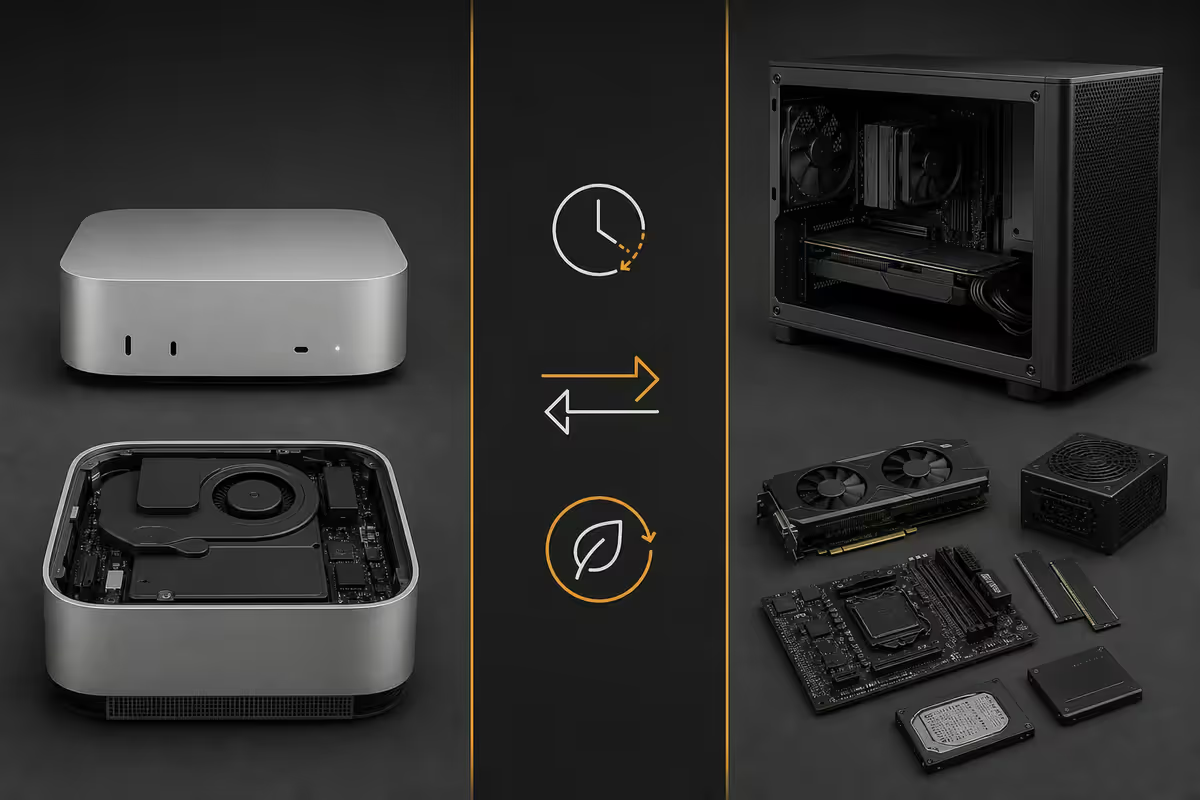
One puck sips 7 watts and renders ProRes like a small workstation. The other plays Cyberpunk at 1440p but drinks 300W and lasts 3 years before begging for a GPU upgrade. Here's which one actually fits your desk.
- price parity
- ~R20k
- idle draw
- 7W vs 70W
- useful life (mac)
- 5-7 yr
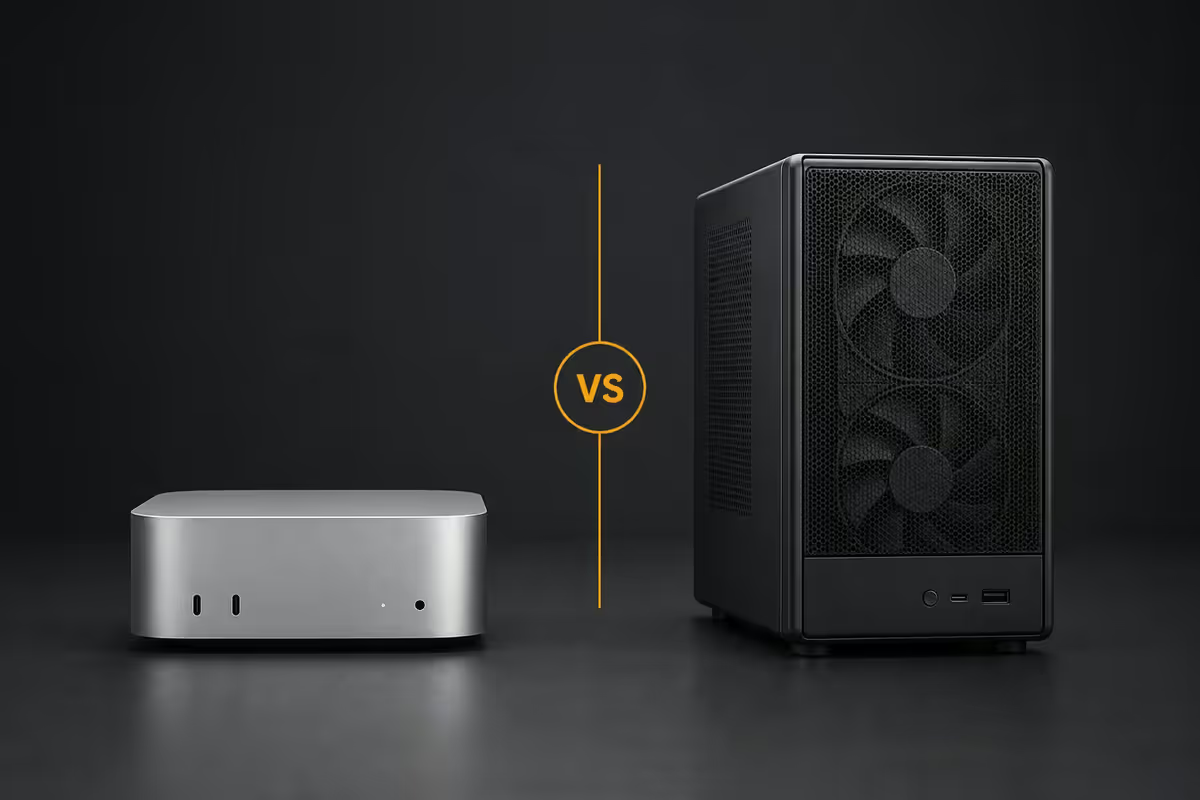
Same R20,000 — radically different desktops
At the R20,000 mark in 2026 you have a genuinely interesting choice. Apple's base Mac Mini M5 with 16GB unified memory and a 512GB SSD lands around R19,500 in SA retail. For roughly the same money Evetech ships a small-form-factor gaming PC with a Ryzen 5 8600G, RTX 4060, 16GB DDR5 and a 1TB NVMe SSD.
Both fit on a desk. Both run a modern OS. Both will handle email, browsing, light productivity and 4K display output without breaking a sweat. That's where the similarity ends.
| Spec | Mac Mini M5 | SFF Gaming PC (R20k) |
|---|---|---|
| CPU | Apple M5 (10-core) | Ryzen 5 8600G (6-core) |
| GPU | Apple M5 (10-core, integrated) | RTX 4060 8GB |
| RAM | 16GB unified (soldered) | 16GB DDR5 (upgradable) |
| Storage | 512GB SSD (proprietary) | 1TB NVMe (upgradable) |
| Volume | 0.8 litres | ~ 18 litres |
| Idle power | 4-7W | 50-70W |
| Gaming power | 50-65W | 250-320W |
| Native game library | Narrower (growing) | Universal Windows |
The Mac is built around efficiency and integration. The PC is built around raw compute and modularity. Both are correct for their target user — the question is which one is you.
Gaming reality on Mac in 2026
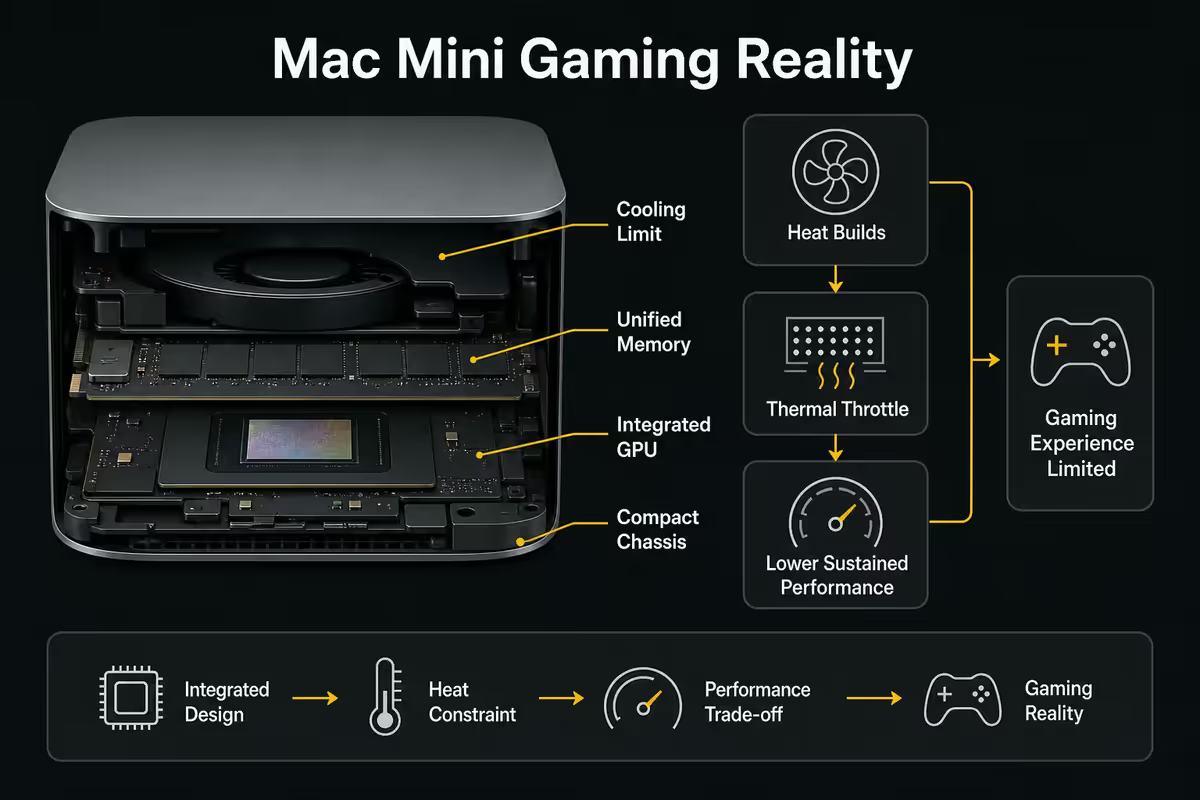
This is where most comparisons go wrong, so let's be precise. Apple has spent the last three years pushing hard on gaming — Game Porting Toolkit 3, MetalFX upscaling and a serious AAA partnership pipeline. The result in 2026 is meaningfully better than it was two years ago, but still not parity with Windows.
What runs natively on Apple Silicon in 2026: Cyberpunk 2077, Death Stranding Director's Cut, Resident Evil 4 Remake, Resident Evil Village, Baldur's Gate 3, Lies of P, Control Ultimate Edition, Stray, No Man's Sky, Civilization VI/VII, Total War: WARHAMMER III, Frostpunk 2, plus a long catalogue of indie and mid-tier titles. At 1440p on the M5 you'll typically hit 50-70fps with MetalFX enabled on these titles.
What runs via translation (CrossOver / Whisky): the vast majority of Windows-only games run with 60-85% of native performance through CrossOver 25 or the free Whisky frontend. Elden Ring, Helldivers 2, most of the Steam back-catalogue. Translation is mature in 2026 but it's still an extra layer with occasional shader compilation hitches.
What flat-out doesn't work: any game using kernel-level anti-cheat. That's Valorant, Fortnite Battle Royale, Apex Legends, Call of Duty Warzone, Destiny 2, PUBG, League of Legends (in some regions). If competitive multiplayer is your daily, the Mac is a non-starter.
Creator workflow — Mac's home turf
For video editors, music producers and photographers, the Mac Mini M5 is one of the best price-to-performance creator desktops you can buy. The M5's hardware video encoders (ProRes, H.264, H.265, AV1) chew through timelines at speeds that genuinely embarrass much more expensive Windows machines.
Final Cut Pro on the Mini M5 exports 4K H.265 timelines roughly 30-40% faster than DaVinci Resolve on the equivalent-priced RTX 4060 PC, despite the Mac having no discrete GPU. That's the hardware encoder advantage doing real work. For YouTubers, wedding videographers and freelance editors this is the deciding factor.
Logic Pro for music production is similarly Mac-only and similarly excellent — the unified memory architecture lets large sample libraries stay in RAM without thrashing, and the audio latency floor on Core Audio is lower than ASIO on Windows in most setups.
Adobe Creative Cloud (Premiere, Photoshop, After Effects, Lightroom) runs well on both platforms — slightly faster on Mac for video, slightly faster on PC for After Effects ray-tracing. Effectively a tie for Adobe users.
DaVinci Resolve, Blender, Unreal Engine all run on both. Blender Cycles and Unreal lean toward the discrete RTX 4060 due to CUDA/OptiX acceleration. If 3D is your daily, the PC wins.
Ports, expansion and connectivity
The Mac Mini M5 ships with three Thunderbolt 4 / USB-C ports, two USB-A 3.2, HDMI 2.1, gigabit ethernet (10GbE configurable), Wi-Fi 7 and a headphone jack. The three Thunderbolt ports are the headline — each one can drive a 6K display or daisy-chain a Thunderbolt dock, external SSD enclosure and audio interface.
A typical SFF gaming PC at this tier offers more legacy connectivity: 6-8 USB-A ports, DisplayPort 1.4 + HDMI 2.1 on the GPU, USB-C front and rear, Wi-Fi 6E or 7 depending on motherboard, and gigabit ethernet. Internal expansion is the bigger win — you can add NVMe drives, swap the GPU, upgrade RAM, change the case.
Power draw, noise and heat
This is the cleanest win for the Mac, and it matters more in SA than almost anywhere else thanks to Eskom's R3.50/kWh residential tariff (2026 estimate) and our load-shedding-induced UPS reality.
Idle: the M5 Mini sips 4-7W. The SFF gaming PC draws 50-70W just sitting at the Windows desktop. Multiply that across an 8-hour workday and the gap is material.
Under productivity load: Mac 18-25W, PC 80-130W. Under gaming load: Mac 50-65W, PC 250-320W.
Yearly electricity at SA tariff (8h light use + 2h gaming per day, 5 days a week):
- Mac Mini M5: ~ R140-R200 per year
- SFF gaming PC: ~ R1,100-R1,500 per year
- Four-year delta: R3,500-R5,000 in Eskom's pocket
Noise: the Mac is effectively silent at idle and reaches around 30-35dBA under sustained load (quieter than most laptop fans). The SFF PC sits at 28-32dBA at idle with quality fans, climbing to 38-45dBA when the GPU spools up. Audible from across the room during gaming but not obnoxious.
UPS sizing: a R1,500 entry UPS happily runs the Mac for 30+ minutes through load-shedding. The gaming PC needs a R3,500+ line-interactive UPS with 1500VA minimum to survive even 15 minutes mid-game. This is a real ZA-specific cost.
Longevity, upgradability and resale
The Mac wins on lifespan and resale; the PC wins on staged upgrade economics. Both arguments are legitimate.
The Mac path: 5-7 years of useful life is realistic for a Mac Mini M5. macOS updates remain supported for 6-7 years, the unified memory architecture ages gracefully, and resale value at year 4 typically recovers 40-50% of purchase price on a clean unit. The cost is that you bought your specs at purchase — no RAM upgrade, no SSD upgrade, no GPU upgrade ever. What you buy is what you have.
The PC path: the SFF PC will feel slow for AAA gaming in 3-4 years as new GPUs raise the floor. But you can spend R5,500 on a midrange GPU upgrade in year 3 and recover most of the headroom. RAM doubles cheaply, NVMe storage grows, the case lasts indefinitely. Total 7-year cost of ownership including one GPU and one RAM bump might land at R28,000-R32,000 — still beat by Mac purchase + electricity over the same window in pure rand terms, but the PC stays current with new releases.
Across the 200,000+ custom PCs we've shipped and the Macs we've sold, the pattern is clear: creator-first buyers who chose a Mac rarely regret it, and gaming-first buyers who chose a Mac almost always do. If you're undecided, weigh the games you actually play (not the ones you might play) and how much your workflow leans on Final Cut, Logic or Adobe video. Lean creator → Mac. Lean gamer → PC. Lean both → buy the PC, install Hackintosh later for hobbyist experimentation, or just accept that a R30k laptop + R10k console covers both bases better than one R20k desktop ever will.
From our Centurion service bench
Who each suits
Buy the Mac Mini M5 if…
- Final Cut Pro, Logic Pro or Motion are your daily creative tools.
- You edit 4K video and your timeline export time matters.
- Silence on your desk is non-negotiable (recording booth, bedroom desk).
- You want minimal Eskom exposure and a UPS that costs R1,500 not R3,500.
- You're locked into the Apple ecosystem (iPhone, iPad, AirPods workflow).
- Long-term resale value matters (Mac holds ~ 45% at year 4).
Build the SFF gaming PC if…
- You play modern AAA games at 1440p or higher.
- You play competitive multiplayer titles with kernel anti-cheat (Valorant, Apex, Warzone, Fortnite).
- You want staged GPU upgrades rather than buying a whole new machine.
- You use CUDA-accelerated tools (Blender Cycles, OptiX, ML training).
- You need lots of legacy USB-A peripherals or multiple internal drives.
- Windows-only software (specific engineering, broadcast, sim-racing apps) is critical to your work.
Key takeaways
- Mac Mini M5 wins for video editing, music production, silent operation and electricity bill.
- SFF gaming PC wins for AAA gaming, kernel-anti-cheat multiplayer and staged upgrades.
- Power gap is real — R3,500-R5,000 difference over 4 years at Eskom tariffs.
- Mac is non-upgradable. Buy the RAM and storage you'll need for the whole lifespan.
- If you can't decide, your top-10 most-played games and your daily creative app pick the answer.
Frequently asked questions
Can the Mac Mini M5 play modern games?
Yes — but with caveats. Native Apple Silicon ports in 2026 include Cyberpunk 2077, Resident Evil 4 Remake, Death Stranding, Baldur's Gate 3, Lies of P, Control and a growing AAA catalogue. Older Windows-only titles run via CrossOver or Whisky (a free Wine frontend) with 60-85% native performance. Competitive multiplayer with kernel-level anti-cheat (Valorant, Fortnite, Apex) does not work on macOS. For native + translated titles the M5 holds 1440p 60fps in most modern games, but the library is still narrower than Windows.Is a Mac Mini cheaper than a comparable gaming PC?
At the R20,000 mark you can buy a base Mac Mini M5 (16GB / 512GB) with change for a peripheral set, or you can build a SFF Ryzen 5 8600G / RTX 4060 gaming PC with 16GB DDR5 and 1TB NVMe. The Mac includes a polished OS and 1-year warranty; the PC is upgradable and games natively. Price-per-gaming-frame the PC wins; price-per-watt and resale value the Mac wins.How much power does a Mac Mini draw compared to a gaming PC?
A Mac Mini M5 idles at 4-7W and peaks around 50-65W under sustained load. A compact RTX 4060 gaming PC idles around 50-70W and peaks 250-320W during gaming. At Eskom's 2026 residential tariff (~R3.50/kWh) the Mac costs roughly R40-R80 per year to run lightly; the gaming PC R600-R1200 per year if used 3-4 hours a day for gaming. Over 4 years that's a R3,000-R4,500 electricity gap.Is the Mac Mini upgradable?
No. RAM is soldered to the SoC, SSD is proprietary and effectively non-replaceable. You choose your configuration at purchase and live with it. The compact gaming PC by contrast lets you upgrade RAM, storage, GPU and CPU within socket compatibility. This is the single biggest long-term trade-off — for upgrade-minded users the PC wins, for set-and-forget users the Mac is fine.What ports does the Mac Mini M5 have?
The M5 Mac Mini ships with three Thunderbolt 4 (USB-C) ports, two USB-A 3.2 ports, HDMI 2.1, gigabit ethernet (10GbE optional) and a headphone jack. Compact SFF gaming PCs typically offer more legacy USB-A, DisplayPort outputs and front-panel USB. For docking-heavy creator workflows the Mac's three Thunderbolt ports beat almost every consumer PC; for legacy peripheral connectivity the PC wins.Which is quieter — Mac Mini or SFF gaming PC?
The Mac Mini wins comprehensively. At idle it's effectively silent (single rear blower at low RPM). Under sustained load it reaches around 30-35dBA — quieter than most laptop fans. A SFF gaming PC under load typically sits at 38-45dBA depending on cooler choice. If your desk is in a bedroom or you record audio, the Mac's noise floor is meaningfully better.Can I use Final Cut Pro or Logic Pro on a gaming PC?
No — both are Apple-exclusive macOS applications. Final Cut Pro is the strongest argument for Mac in creator workflows; the M5's hardware video encoders accelerate ProRes and H.265 export at speeds that rival much more expensive Windows PCs with discrete GPUs. Logic Pro for music production is similarly Mac-only. If your workflow depends on these, the Mac is the answer regardless of gaming considerations.Which lasts longer before feeling slow?
Macs historically hold useful life 5-7 years thanks to optimised macOS updates and the unified memory architecture. Gaming PCs at the R20k tier feel slow for AAA gaming in 3-4 years unless you upgrade the GPU. For productivity and light gaming both last 5+ years; for cutting-edge gaming the PC needs more frequent investment. Mac resale at year 4 typically recovers 40-50% of purchase price — far higher than equivalent PCs.
Get the Evetech app
Exclusive app-only prices, daily flash sales, and free delivery on orders over R4,000 — download the app and start saving.