Laptop Buying Guide
MSI Raider vs Vector vs Crosshair. — Three tiers, three philosophies.
MSI sells three gaming laptop families that span R30k entry esports to R110k flagship desktop-replacements. The names blur the differences — the chassis, the cooling and the panel make them three completely separate machines.
- tier · series gap
- Esports → Top
- full RTX ladder
- 5060 → 5090
- full ZAR range
- R30k–R110k+
The MSI gaming series ladder
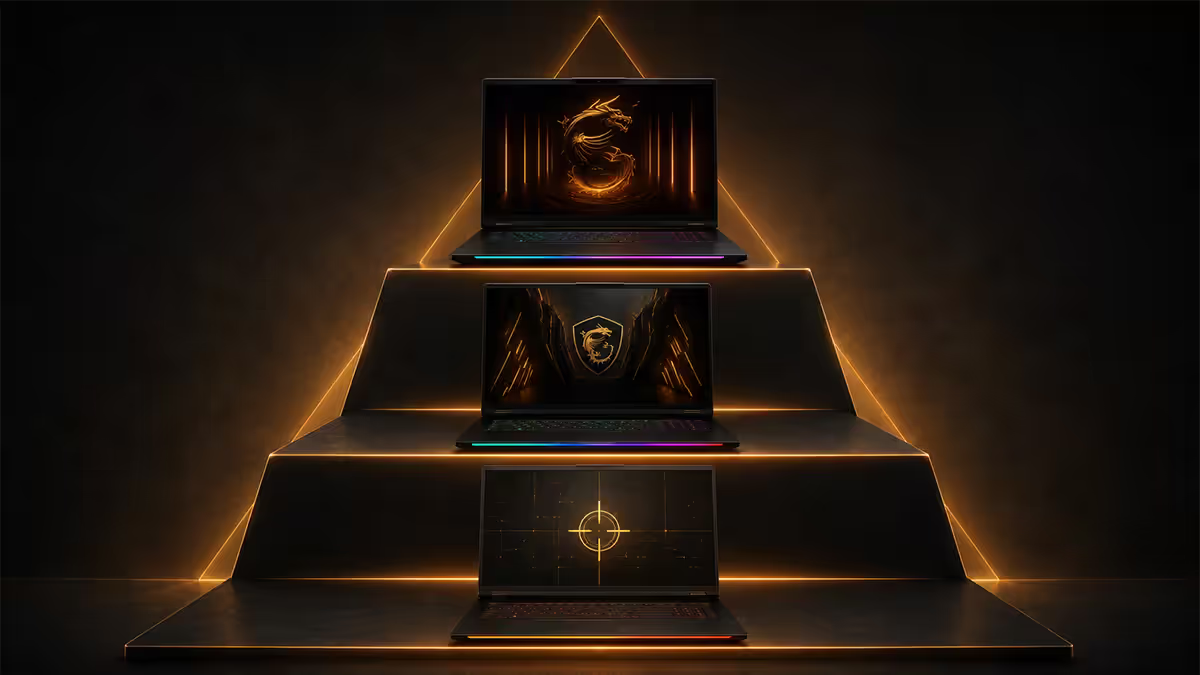
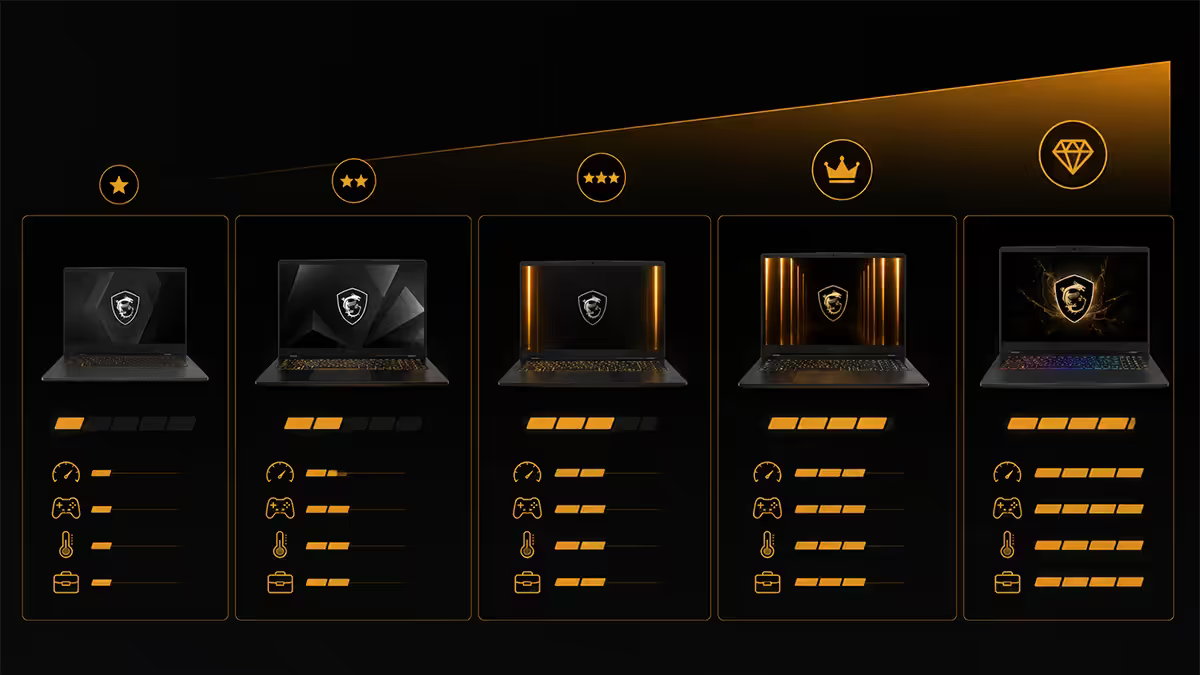
MSI's 2026 gaming lineup is the cleanest it's been in years. Three families, three different jobs. The naming is consistent: Crosshair sits at the entry, Vector in the middle, Raider at the top. Each tier has a distinct chassis, a distinct cooler and a distinct panel choice.
| Series | Job | Real-world price band (ZAR) |
|---|---|---|
| Crosshair 15 / 16 | Esports + entry AAA gaming | R30 000 – R45 000 |
| Vector 16 | Balanced flagship — gaming + creator | R45 000 – R65 000 |
| Raider 18 | Top-of-the-line desktop replacement | R65 000 – R110 000+ |
Where most brands blur the lines between tiers (Lenovo Legion vs LOQ, ASUS ROG Strix vs TUF), MSI keeps the gaps obvious. The Crosshair won't be confused for a Raider on a desk — it's smaller, lighter, on a smaller panel, with a cooler half the size. That clarity makes the buying decision easier than most.
The shorthand: Crosshair is the chassis that fits in a regular backpack. Vector is the one you take to a creator workstation. Raider is the one that lives on a desk and replaces a desktop tower.
Crosshair — esports tier explained
The Crosshair 15 and Crosshair 16 are MSI's pure-esports machines. They ship with RTX 5060 to RTX 5070 GPUs, Intel Core Ultra 7 chips, FHD panels at 165Hz or 240Hz, and a simpler dual-fan cooler that handles the lighter chip loads comfortably.
What you get for R30k-R45k:
- 15-inch or 16-inch FHD IPS panel at 165Hz or 240Hz with low motion blur.
- RTX 5060 (8GB VRAM) or RTX 5070 (8-12GB VRAM) GPU — DLSS 4 capable.
- Intel Core Ultra 7 255H or Ryzen 7 8845HS class CPU.
- 16GB DDR5 (upgradable to 32GB), 1TB NVMe Gen4 SSD.
- SteelSeries single-zone or per-zone RGB keyboard.
- Plastic-heavy chassis with metal lid accent — 2.3-2.5kg.
Where Crosshair shines: Valorant, CS2, League of Legends, Apex Legends, Fortnite, Overwatch 2, Rocket League. The combination of fast FHD panel and gaming-grade GPU is exactly tuned for the 200-400 FPS competitive titles target. Battery life is decent (4-6 hours mixed use) because the smaller chip and panel sip less power.
Where it doesn't: sustained 1440p AAA gaming at max settings, heavy creator workloads (4K video, large 3D scenes), or anyone who wants a colour-accurate creator panel.
Vector — the balanced flagship
The Vector 16 is the most interesting machine in the MSI gaming lineup right now. It pairs an RTX 5070 or RTX 5080 with a 16-inch QHD-class panel and a Cooler Boost 5 variant cooler — and lands between R45k and R65k depending on chip choice.
What changes versus Crosshair:
- Display: 16-inch QHD (2560×1600) IPS at 240Hz with DCI-P3 colour gamut coverage — creator-grade.
- GPU: RTX 5070 or RTX 5080 with up to 16GB VRAM — comfortable at 1440p AAA max settings.
- CPU: Intel Core Ultra 9 285H or Ryzen 9 8945HS — higher sustained boost.
- Memory: 32GB DDR5 standard, dual-slot, easy to push to 64GB.
- Cooler: Cooler Boost 5 variant — six heat pipes, two fans, higher sustained power limit.
- Chassis: mostly aluminium top/bottom, metal hinges — 2.6kg, more rigid than Crosshair.
Where Vector shines: the genuine all-rounder. It games at 1440p ultra with DLSS 4 comfortably, runs DaVinci Resolve and Premiere Pro projects, handles Blender scenes that would choke a Crosshair, and the QHD panel is calibrated well enough that creators don't need an external monitor for colour work.
Where it doesn't: top-flight 4K gaming, multi-monitor desktop replacement scenarios, and absolute peak sustained power (the Raider's larger cooler still wins for hours-long 100% GPU loads).
Raider — top of the line
The Raider 18 is MSI's no-compromises flagship. RTX 5080 or RTX 5090, an 18-inch QHD+ 240Hz mini-LED panel, the full eight-heat-pipe Cooler Boost 5 layout with side-vented exhausts, per-key RGB SteelSeries keyboard, and aluminium chassis throughout. It lands between R65k and R110k+ depending on chip.
What you get at the top:
- Display: 18-inch QHD+ (2560×1600 or 3840×2400 on top SKU) mini-LED at 240Hz with HDR1000 brightness.
- GPU: RTX 5080 (12-16GB) or RTX 5090 (24GB) — the only laptop chip that genuinely runs 4K AAA at high settings.
- CPU: Intel Core Ultra 9 285HX — desktop-class HX-series chip.
- Memory: 32GB or 64GB DDR5, easily upgradable.
- Cooler: full Cooler Boost 5 — eight heat pipes, vapour chamber, four exhaust vents, sustained 175W+ GPU TGP.
- Chassis: aluminium throughout, ~3.6kg — desktop-replacement category, not a daily commute laptop.
- Keyboard: per-key RGB SteelSeries with optical-mechanical switch option on top SKU.
Where Raider shines: 4K AAA gaming, 4K video editing on the road, 18-inch desk-replacement scenarios, sustained heavy GPU loads (rendering, streaming + gaming simultaneously), and players who want their laptop to be the centrepiece of the desk.
Where it doesn't: commuting, lap usage, anyone who values battery life or quiet operation. The Raider is loud under load — Cooler Boost is a fan profile that moves serious air.
Cooler Boost 5 across the lineup
Cooler Boost is MSI's umbrella term for its laptop cooling. Cooler Boost 5 — the most aggressive layout — is what separates the Raider from spec-equivalent machines from competing brands. Here's how it scales across the MSI series:
| Series | Cooler design | Sustained GPU TGP |
|---|---|---|
| Crosshair 15/16 | Dual fan, 4-5 heat pipes | 110-130W |
| Vector 16 | Cooler Boost 5 variant — dual fan, 6 heat pipes | 140-160W |
| Raider 18 | Full Cooler Boost 5 — vapour chamber, 8 heat pipes, 4-way exhaust | 175-200W |
The numbers don't tell the full story — sustained TGP matters more than peak TGP. A Raider 18 with RTX 5080 stays at 175W after an hour of Cyberpunk; a Vector 16 with the same chip drops to 140W. That's the practical reason a Raider's frame rate at hour two is materially higher than a Vector's at the same settings.
MSI Center — the app that ties it together
MSI Center is the desktop app that controls every layer of your MSI laptop's behaviour. People sleep on it because the older versions (2022-2023) were buggy. The 2025-2026 build is genuinely good — and skipping it means leaving real performance on the table.
What MSI Center controls:
- Performance modes: Silent / Balanced / Extreme Performance / User — chooses fan curves, CPU/GPU power limits, and Hybrid Mode.
- MUX switch: toggles between Hybrid (battery-saving, lower performance) and dGPU-only (max performance, no battery savings).
- Per-key RGB: on Raider 18, full per-key colour customisation via SteelSeries GG integration.
- Battery thresholds: 60% / 80% / 100% charge limits — extend battery lifespan on machines that mostly stay plugged in.
- Display colour profiles: sRGB / DCI-P3 / Display P3 — important for creator work.
- Driver updates + firmware push: single dashboard for system updates without going to manufacturer sites.
The practical advice: install MSI Center on day one, set the performance mode to Extreme Performance when plugged in, drop to Silent on battery, and enable the 80% battery threshold if the laptop spends most of its life on the desk. That alone extends battery lifespan from 2-3 years to 4-5 years.
Recommended models by budget
| Model | Use case | SA price band |
|---|---|---|
| Crosshair 15 · RTX 5060 | Esports entry | R30 000 – R36 000 |
| Crosshair 16 · RTX 5070 | Mid esports + entry AAA | R36 000 – R45 000 |
| Vector 16 · RTX 5070 | Balanced 1440p gaming | R45 000 – R55 000 |
| Vector 16 · RTX 5080 | High-end balance, gamer-creator | R55 000 – R68 000 |
| Raider 18 · RTX 5080 | Flagship base | R68 000 – R85 000 |
| Raider 18 · RTX 5090 | Flagship max — no-compromise | R95 000 – R110 000+ |
Key takeaways
- Crosshair (R30k-R45k) is the esports tier — FHD 165Hz+ on RTX 5060-5070, 15-16-inch chassis.
- Vector (R45k-R65k) is the balanced flagship — 16-inch QHD 240Hz, RTX 5070-5080, creator-capable.
- Raider (R65k-R110k+) is top-of-the-line — 18-inch QHD+ mini-LED, RTX 5080-5090, full Cooler Boost 5.
- Cooler Boost 5 sustained power scales with the tier — Raiders hold 175W+ GPU TGP, Vectors 140-160W.
- Install MSI Center on day one — Extreme Performance + 80% battery threshold = free 10-20% gain.
Frequently asked questions
Is the MSI Crosshair fast enough for AAA gaming?
Yes — with caveats. The Crosshair 15/16 with RTX 5060 or RTX 5070 handles modern AAA titles at FHD high-to-ultra settings comfortably, especially with DLSS 4 enabled. Where the Crosshair shows its tier is sustained thermals and QHD-class panels — it lacks Cooler Boost 5's full eight heat-pipe layout and tops out at FHD 165Hz/240Hz. For 1440p AAA at high refresh, step up to Vector. For esports (Valorant, CS2, Apex) at 240Hz+ FHD on a R30k-R45k budget, Crosshair is the right call.Vector vs Raider — when does the upgrade justify itself?
The Vector 16 with RTX 5080 and the Raider 18 with RTX 5080 use the same chip but different chassis, displays and thermals. The Raider's 18-inch QHD+ 240Hz mini-LED panel, larger vapour chamber and per-key RGB add R15k-R20k on top of Vector pricing. Upgrade to Raider if you want a desktop-replacement experience and the biggest screen MSI sells; stay with Vector if you want a 16-inch chassis that's still portable, with strong creator-grade colour accuracy. The Raider 18 with RTX 5090 is in its own league — that's a no-compromises flagship for 4K creator + max-settings AAA gaming.Is the Raider 18-inch too big for daily use?
It depends on your routine. The Raider 18 weighs ~3.6kg and the chassis is large enough that it won't fit standard 15-inch laptop sleeves or smaller backpacks. If you commute daily on public transport or work from cafes, 18 inches is too much. If your laptop stays mostly at a desk and occasionally travels in a dedicated bag, the Raider's screen real estate, keyboard layout and thermals are unmatched. For daily-driver flexibility on the MSI flagship tier, the Vector 16 is the smarter pick.What is Cooler Boost 5?
Cooler Boost 5 is MSI's flagship laptop cooling design — typically six to eight heat pipes, dual fans, a shared vapour chamber and side-vented hot-air exhausts. It's standard on the Raider lineup, partial on Vector (Cooler Boost 5 variant), and replaced by smaller Cooler Boost dual-fan setups on the Crosshair tier. The result: Raiders sustain higher GPU and CPU power limits during long gaming sessions before throttling. It's the single biggest reason Raiders cost more than spec-equivalent Vectors.Should I buy a Crosshair for esports only?
That's exactly its sweet spot. Crosshair 15/16 RTX 5060-5070 at 165Hz-240Hz FHD nails competitive titles — Valorant, CS2, League, Apex, Fortnite, Overwatch — with high frame rates, low input latency and FHD panels with low motion blur. You're not paying for an 18-inch QHD+ mini-LED you don't need at competitive settings. The Crosshair is built specifically for this player: solid keyboard, fast FHD panel, gaming-grade chip and a price that leaves money in the budget for a good mouse, mousepad and 240Hz external display.How long does an MSI gaming laptop last in South Africa?
Plan on 4-6 years of strong use for a Crosshair or Vector, and 5-7 years for a Raider with the larger thermal headroom. MSI offers a 2-year carry-in warranty in SA via authorised partners. The chassis materials on Raider (more aluminium, less plastic) and the larger cooler also mean less long-term thermal degradation. Beyond hardware lifespan, panel quality matters: the Raider's mini-LED panel and Vector's 16-inch creator-grade IPS both age better than entry FHD panels.Does MSI Center actually matter?
More than people give it credit for. MSI Center is the desktop app that manages performance modes (Silent / Balanced / Extreme Performance / User), fan curves, per-key RGB, battery thresholds, display colour profiles and driver updates. It's the single dashboard that ties Cooler Boost, MUX switching and battery longevity together. The Center has improved markedly in 2025-2026 — fewer crashes, cleaner UI, faster firmware push. If you skip Center, you're leaving 10-20% performance on the table by running default modes.Raider vs Vector vs Crosshair in 2026 — which to buy?
Crosshair (R30k-R45k) for esports gamers on a budget who want a fast FHD panel and a clean 15-16-inch chassis. Vector (R45k-R65k) for the balanced gamer-creator who wants a 16-inch QHD-class display, strong thermals and RTX 5070-5080 power. Raider (R65k-R110k+) for the flagship buyer who wants the biggest panel, the highest sustained power, the best keyboard and the RTX 5080-5090 ceiling. If you can't decide between Vector and Raider, choose Vector — the Raider only justifies itself if you actually want the 18-inch screen at the desk.